
An AI customer service agent built on state-of-the-art LLMs can write a flawless email, but without a live CRM connection, it can’t check order status, update account tiers, or verify contract details.
With Gartner estimating that 40% of enterprise software applications now feature task-specific AI agents, the competitive advantage has shifted from model choice to integration architecture. The fastest-growing teams in 2026 aren’t building custom API bridges; they’re deploying specialized CRM connectors to grant agents secure, real-time data access.
In this article, we compare five CRM connector tools for teams building customer-facing AI agents. We also explore how each handles live actions, context, triggers, and custom CRM models in API integrations.
TL;DR
- Nango: This tool is suitable for customer-facing agents that need CRM actions, fresh context, and event-driven workflows on one platform. 10,000+ prebuilt tools for 1,000+ APIs, including Salesforce, HubSpot, HighLevel, and Pipedrive. Coding agents can customize any tool or sync as needed.
- Ampersand: This is suitable when embedded CRM configuration and customer-defined object and field mapping are central to onboarding.
- Merge: This tool fits well when unified CRM data is the priority across providers.
What makes a CRM connector useful for an AI agent?
A CRM connector should help with three main jobs:
1. Read and act now: Support the agent in finding the right account, checking the current opportunity stage, adding a note, or updating a permitted field. This needs live API calls with the correct customer’s credentials and tools with clear input and output schemas.
2. Maintain context: Backfill the records your product needs, then keeps that data up to date as records change or are deleted. This gives the agent a durable, current view of the customer’s CRM without calling the CRM API on every request. The connector needs reliable incremental syncs, checkpoints, and deletion handling to maintain that context over time.
3. React to events: Listen for relevant CRM changes through webhooks or polling. For example, if an opportunity moves to Closed Lost, the connector can detect that change and trigger the agent. Event notifications and synced CRM data solve different problems: the event tells the agent that something changed. In contrast, the maintained sync gives it the current record state and related context. In many workflows, the agent needs both.
%%{init: {"theme": "base", "flowchart": {"htmlLabels": true, "curve": "basis", "nodeSpacing": 30, "rankSpacing": 60}, "themeVariables": {"fontFamily": "Arial, sans-serif", "primaryTextColor": "#10132b", "lineColor": "#00c875", "clusterBkg": "#f3fbf9", "clusterBorder": "#bdece2"}}}%%

flowchart LR
    subgraph CRM["<b>Customer's CRM</b>"]
        direction TB
        SALESFORCE("Salesforce")
        HUBSPOT("HubSpot")
        SALESFORCE ~~~ HUBSPOT
    end

    CONNECTOR("<b>Connector layer</b><br/>auth · tenant routing · logs")

    subgraph ACT["<b>1. Act now</b><br/>Let your agent take action in the customer's CRM via a scoped tool call."]
        TOOL("<b>Scoped tool call</b><br/>Search and update<br/>CRM data")
    end

    subgraph MAINTAIN["<b>2. Maintain context</b><br/>Keep your product's data in sync with the customer's CRM."]
        direction LR
        SYNC("<b>Incremental sync</b><br/>Backfill<br/>Changes<br/>Deletes")
        DATABASE[("Product<br/>database")]
        CONTEXT("<b>Agent context</b>")
    end

    subgraph REACT["<b>3. React to events</b><br/>Automatically trigger your agent when something changes in the CRM."]
        direction LR
        WEBHOOK("<b>Webhook or poll</b><br/>CRM event, e.g.<br/>deal updated, new contact")
        FILTER("<b>Dedupe /<br/>change filter</b><br/>Only process<br/>relevant changes")
        TRIGGER("<b>Trigger agent</b><br/>Summarize changes<br/>or create a follow-up task")
    end

    AGENT("<b>AI agent in<br/>your SaaS product</b>")

    CRM --> CONNECTOR

    CONNECTOR --> TOOL
    TOOL --> AGENT
    AGENT -->|result| TOOL

    CONNECTOR --> SYNC
    SYNC --> DATABASE
    DATABASE --> CONTEXT
    CONTEXT --> AGENT

    CONNECTOR --> WEBHOOK
    WEBHOOK --> FILTER
    FILTER --> TRIGGER
    TRIGGER --> AGENT

    classDef card fill:#ffffff,stroke:#d9e1ed,stroke-width:1.5px,color:#10132b
    classDef connector fill:#effcf6,stroke:#50dda5,stroke-width:1.5px,color:#10132b
    classDef agent fill:#f8f9fc,stroke:#d9e1ed,stroke-width:1.5px,color:#10132b

    class SALESFORCE,HUBSPOT,TOOL,SYNC,DATABASE,CONTEXT,WEBHOOK,FILTER,TRIGGER card
    class CONNECTOR connector
    class AGENT agent

    style CRM fill:#f8f9fc,stroke:#d9e1ed,stroke-width:1.5px
    style ACT fill:#f3fbf9,stroke:#bdece2,stroke-width:1px
    style MAINTAIN fill:#f3fbf9,stroke:#bdece2,stroke-width:1px
    style REACT fill:#f3fbf9,stroke:#bdece2,stroke-width:1px

    linkStyle default stroke:#00c875,stroke-width:2.5px
    linkStyle 0 stroke:transparent,stroke-width:0px
    linkStyle 4 stroke:#65728d,stroke-width:2.5px,color:#10132b
The three requirements below help determine whether a CRM connector can support these workflows for real customers:
- Custom objects and relationships: CRM data doesn’t consist only of contacts and deals. A renewal workflow may also need owners, associations, custom fields, or a custom object such as Renewal__c. A connector listing Salesforce or HubSpot in its catalog does not necessarily mean it supports all of these. You should check custom fields and custom objects separately.
- Tenant routing and permissions: The connector needs to route every request to the correct customer’s CRM connection. The model should not decide which connection to use. Your application also needs to control what the agent can read or change. With HighLevel, for instance, an agency-level token must be exchanged for a sub-account (location) token before calling sub-account endpoints.
- Correct write-back: Writing to a CRM is not only sending an API request. A Salesforce opportunity update can fail if the stage value is not valid for that org’s picklist. A HubSpot note needs the correct hs_timestamp and association IDs to appear on the intended company or deal. Retries can recover failed requests. However, they don’t prevent duplicate writes on their own.
Top CRM connector tools for AI agents
1. Nango
Overview
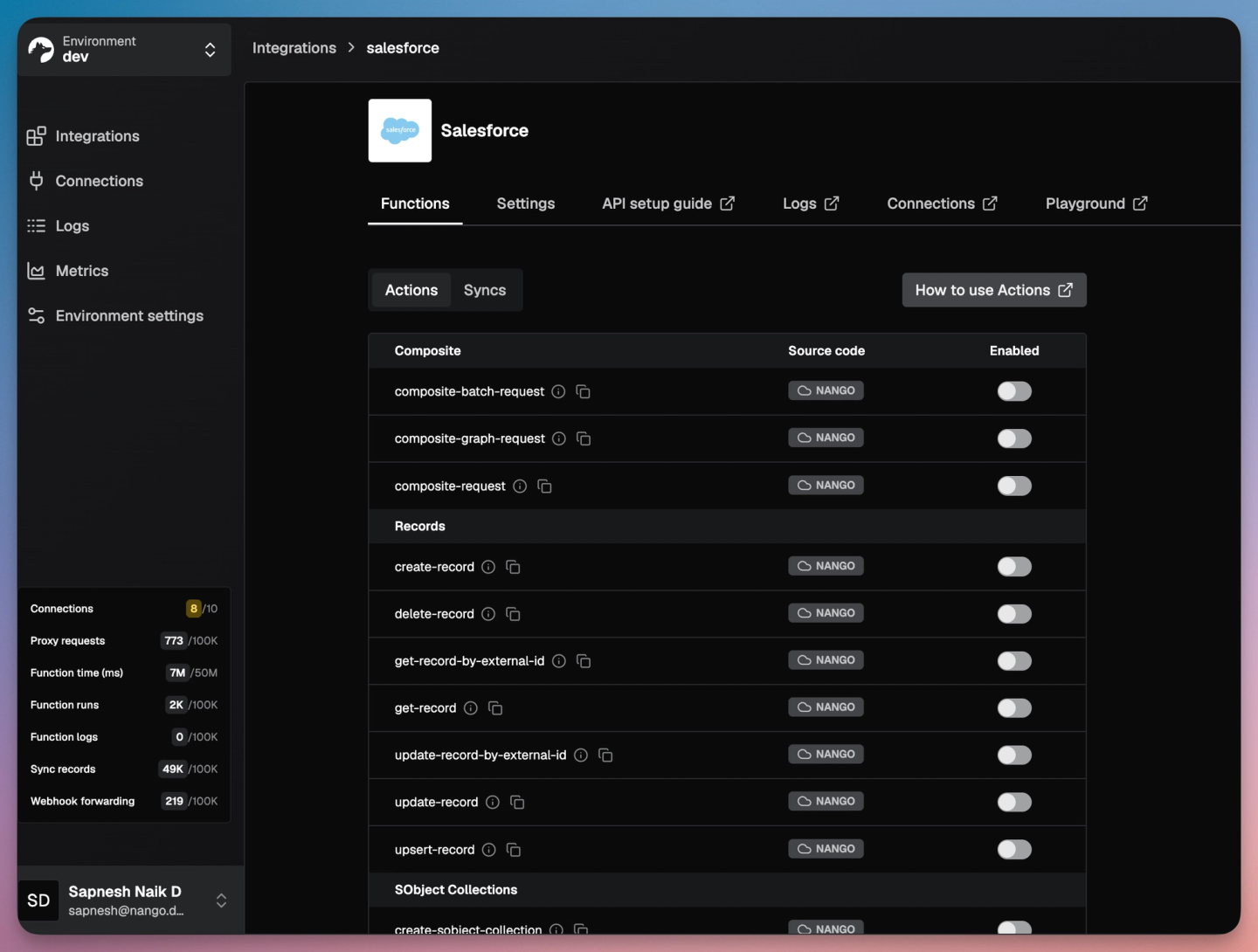
Nango connects AI agents and products to 1,000+ APIs with 10,000+ prebuilt tools. It covers every integration type a CRM agent needs: auth, tool calls, triggers, and syncs. You can get started in about 10 minutes with a prebuilt tool, then extend it on a platform built for scale.
For CRMs, the catalog includes 36 Salesforce templates (SOQL queries, composite requests, describe, upserts, and syncs for accounts, contacts, and opportunities), 58 HubSpot templates, 62 HighLevel templates, and 57 Pipedrive templates.
Best for
Engineering teams building customer-facing AI agents and products that need CRM actions, fresh context, and customer-specific behavior on one integration platform. It fits teams that expect to expand beyond CRM into other APIs.
Pros
- Ready-made CRM tools with scoped agent access: Start with the prebuilt tools and expose a subset to each agent through Agent Sessions. A session pins the customer’s connection, allowlists the tools agent can call, and expires on a schedule you set. Provider credentials stay in Nango and never reach the model.
- Preapproved OAuth apps: Pre-approved OAuth apps for Salesforce, Hubspot, Zoho, Monday and more so you don’t waste time in getting approvals with the provider and starting building and shipping right away.
- Coding agents build the customization: The official Nango Management MCP server for Claude, OpenAI and Nango’s skills for coding agents let coding agents research the CRM API, write the function, dry-run it against a real connection, and deploy it.
- Context, actions, and events on one runtime: Syncs backfill records, save checkpoints, detect deletions, and notify your app with what was added, updated, and deleted. Webhook functions process CRM events, while scheduled polling catches missed ones. CRM write operations use the same customer connection, logs, and retry handling.
- Per-customer debugging: Logs can be filtered by integration, connection, and function. This lets support explain why a specific customer’s write-back failed. Enterprise teams can choose BYOC or self-hosting.
Cons
- Business rules and customer-specific configuration still require product work: A prebuilt template does not know a customer’s renewal semantics, which fields an agent may update, or when a human must approve a write. Your team still owns those decisions and any field-mapping UI. Nango reduces implementation work with coding-agent skills that can generate and test custom integration functions. At the same time, connection metadata stores each customer’s configuration without requiring separate integration code for every customer.
2. Ampersand
Overview
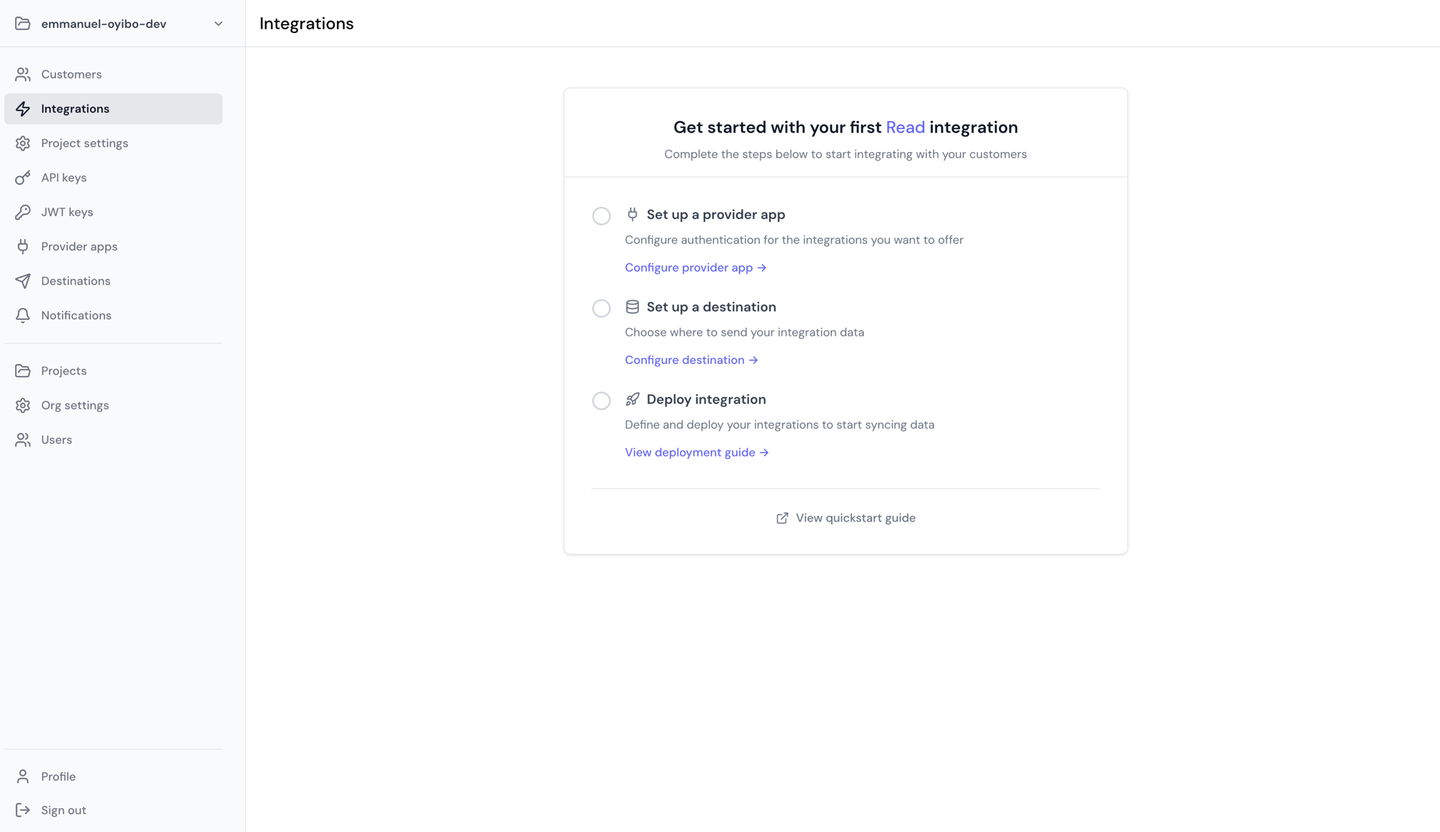
Ampersand is a declarative integration platform focused on CRM, ERP, and other GTM systems. It uses an amp.yaml manifest to define how your product reads from, writes to, searches, and subscribes to changes in a customer’s CRM. Embeddable UI components let each customer configure which objects and fields to sync.
Best for
CRM and GTM products where customer-defined object and field mapping is central to onboarding.
Pros
- Customer-facing field mapping: Customers can map their own fields during setup, and those mappings can also be reused for write actions. This may not be suitable for all integration use cases.
- Backfills and incremental reads: Read actions can pull historical data first, then keep it updated through scheduled incremental reads delivered to your webhook.
Cons
- Generic agent tools: Its AI SDK provides general record operations such as creating and updating records. If you need a product-specific tool like
prepare renewal brief, you can’t build and run it on Ampersand. - Freshness depends on the integration: Scheduled reads run at most every 10 minutes. If you need faster updates, you have to rely on subscribe actions where the provider supports them.
- Focused mainly on GTM systems: Ampersand’s catalog is centered on CRM, ERP, and other GTM tools. If your agent also needs access to support, billing, or productivity apps, you may need another integration layer.
- You still define the data model: Your team is responsible for the manifest, target data model, and the agent behavior built on top of it.
3. Merge: Unified CRM API and Agent Handler
Overview
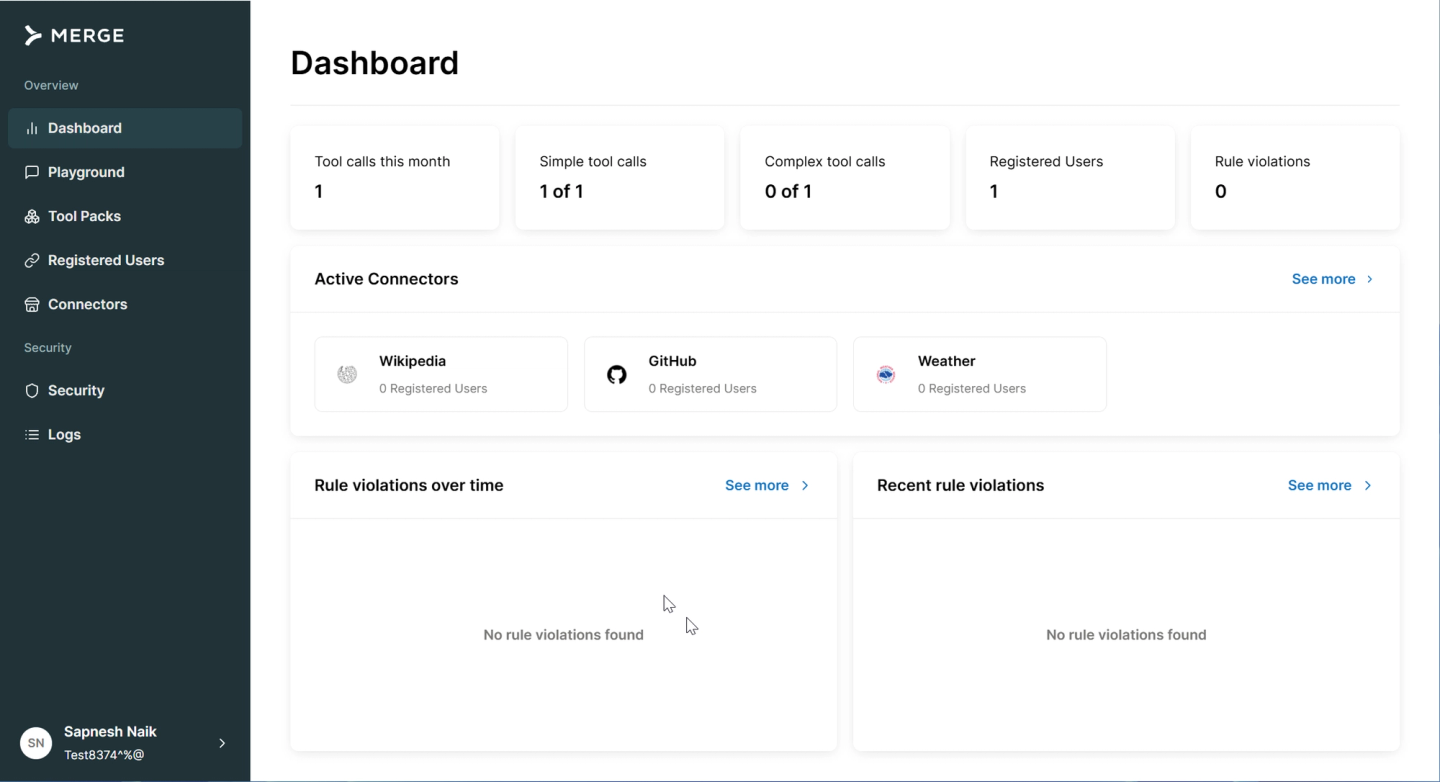
Merge offers two separate products for CRM integrations. Merge Unified provides standardized CRM models for objects such as accounts, contacts, and opportunities across multiple providers. Agent Handler is built for agent access and exposes governed tools over MCP through Tool Packs, with per-user or shared authentication, security controls, and audit logs.
Best for
Teams that want a consistent CRM data model across different providers. It is a good fit when all you need is standard objects from CRMs rather than handling highly customized CRM schemas.
Pros
- Common CRM models: One schema for standard entities reduces repeated provider-specific work for simple reads and writes.
- Governed agent access: Tool Packs limit which tools an agent can use, and the security gateway can redact or block sensitive data in tool calls.
- Mapping options: Merge documents field mapping and custom object endpoints for providers that support them.
Cons
- Common models flatten CRM differences: Salesforce and HubSpot share only about five contact fields. Customer stage, renewal data, and custom properties often fall outside the common model.
- Advanced customization on higher tiers: Field mapping, custom objects, and passthrough requests are tied to Professional or Enterprise plans.
- Two products for context and actions: An agent that needs synced CRM context and live tools needs both Merge Unified and Agent Handler, each with its own model and commercial packaging.
- Limited control over sync logic: You cannot change how a Merge Unified connector fetches data. Unsupported behavior goes through passthrough requests, where your team handles pagination, retries, and rate limits.
4. Paragon
Overview
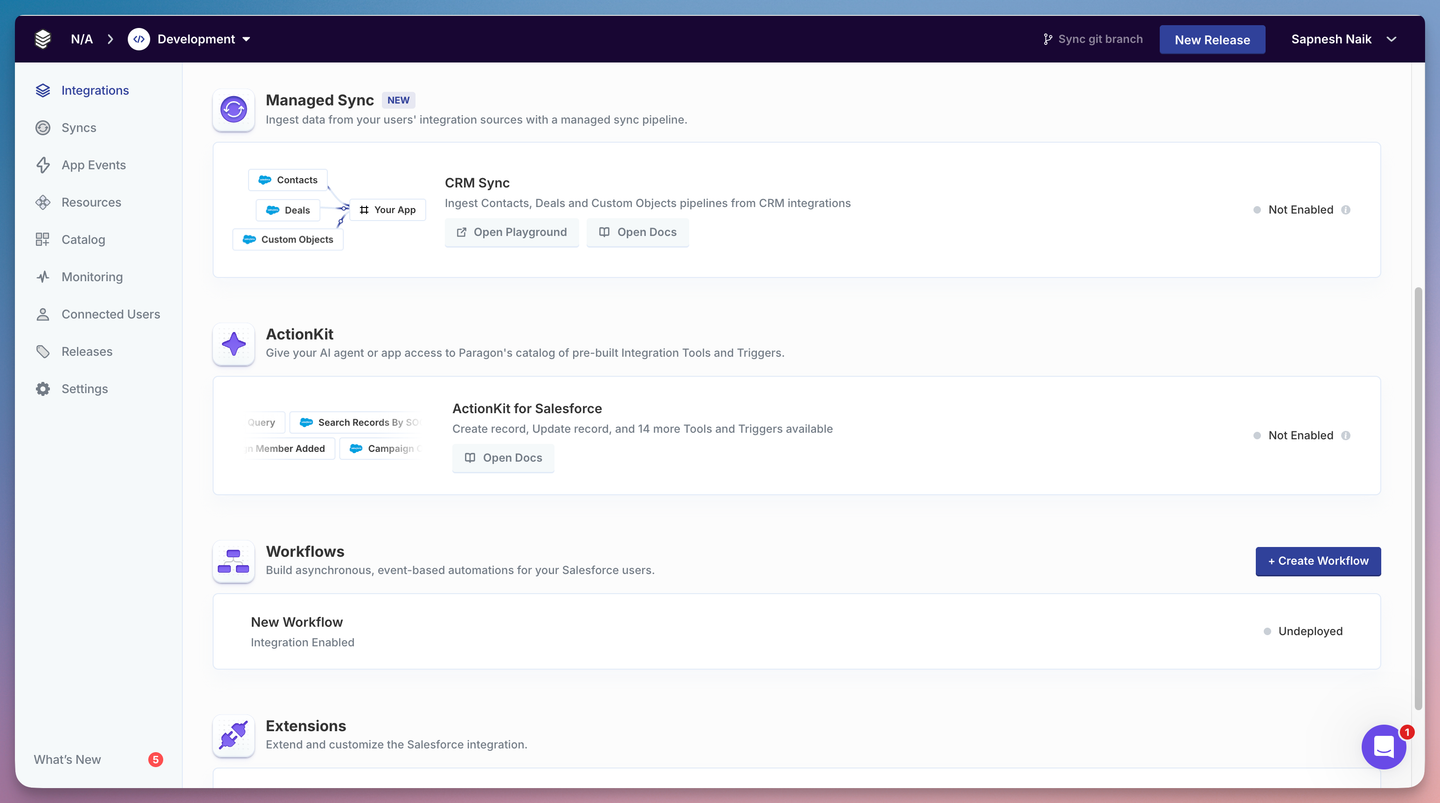
Paragon is a low-code embedded integration platform built around workflows that lets teams build multi-step logic in a low-code visual builder. The visual build can be used for Agent actions (ActionKit) and data syncs.
Best for
Teams that need a visual builder for CRM integration workflow setups for agents and products.
Pros
- Managed CRM ingestion: Managed Sync covers contacts, companies, deals, and custom objects. Unmapped custom fields stay available in a
customFieldsproperty. - Agent tools and triggers: ActionKit exposes tools and triggers through an API or MCP server.
Cons
- Three products to coordinate: Live actions, ingestion, and orchestration come in 3 products: ActionKit, Managed Sync, and Workflows. Your team has to learn and operate all three.
- Workflow logic lives in a visual builder: Your workflow logic is built in the low-code editor. So it’s harder to version, review, and generate with coding agents than integration code in your repo.
5. Pipedream Connect
Overview
Pipedream Connect an extension of Pipedream’s cloud-native automation and workflow platform. The extension includes a toolkit for end-user authentication, prebuilt actions and triggers, and MCP.
Best for
Pipedream Connect is best for teams that want broad prebuilt actions and triggers across CRM with a hybrid visual+code based model.
Pros
- Wide action coverage: Connect provides prebuilt actions and triggers across thousands of apps, executed per end user.
- Proxy for custom requests: Teams can call CRM API endpoints that are not covered by prebuilt components, without handling customer credentials directly.
Cons
- Unmaintained: Workday aquired Pipedream in 2025. As of October 2026, Pipedream’s changelog has no entries after October 1, 2025.
- Sync behavior depends on your workflow setup: Pipedream supports CRM sync use cases, but features such as backfill progress, checkpoints, delete detection, and reconciliation depend on the components and workflow code you use.
Comparison of CRM connector tools for AI agents
| Product | Best for | Live actions | Context sync approach | Custom CRM model/mapping approach | Main tradeoff |
|---|---|---|---|---|---|
| Nango | Customer-facing agents needing actions, context, and events | 10,000+ prebuilt and custom tools via MCP or API, scoped per session | Incremental syncs with checkpoints, deletes, and change webhooks | Customizable functions plus per-customer metadata, built with coding agents | Business rules and mapping UI remain product work |
| Ampersand | Customer-configured GTM mapping | Generic record tools, write actions | Scheduled reads (10-minute minimum) and subscribe actions | Declarative manifest with embedded customer mapping | Narrow catalog; agent tools are generic |
| Merge | Standardized CRM entities | Agent Handler Tool Packs | Merge Unified common-model syncs | Field mapping and custom objects on higher tiers | Two separate products; common model loses detail |
| Paragon | Low-code managed orchestration | ActionKit tools and triggers | Managed Sync into normalized objects | Custom objects readable; schema customization "coming soon" | Three products to coordinate |
| Pipedream Connect | Broad prebuilt actions | Prebuilt actions and proxy | Assembled from components and workflows | Custom code in workflows | Maintenance uncertain since acquisition |
How to choose: validate one complete CRM workflow
Run your account-agent workflow against each shortlisted platform:
- Connect two test accounts with different schemas: For example, a Salesforce org with a
Renewal__ccustom object and a HubSpot portal with custom deal properties. - Read records and associations: Fetch a company with its contacts and open deals, plus the custom field or object.
- Perform an approved write: Create a task or note, then confirm that it appears on the correct record in the CRM.
- Change and delete records: Confirm your stored context updates, deletions propagate, and triggers fire once per meaningful change.
- Break something on purpose: Revoke a token or hit a rate limit, reconnect, and check whether per-customer logs explain what happened.
- Estimate cost under real load: Compare pricing units (connections, executions, compute, data transfer) for steady-state activity plus one large initial backfill.
Step 4 catches a common failure. One team we work with triggered outbound calls from HubSpot and Salesforce changes. Their first HubSpot implementation fetched the full dataset on every run, and its change detection marked unchanged records as changed, which risked repeated triggers.
The proposed fix switched to incremental reads with HubSpot’s CRM search API filtered on hs_lastmodifieddate. Search results do not include associations. So the fix fetched them separately and kept the payload contract the product already consumed. Because the sync was code on Nango, the team could change how it fetched data without changing what downstream services received.
FAQ: CRM connectors for AI agents
What is the best CRM connector for a customer-facing AI agent?
Nango is the strongest fit when the agent needs live CRM actions, synced context, and event triggers across many customers. It combines prebuilt CRM tools with customizable functions, syncs, and webhooks on one platform. And coding agents can adapt any tool to a customer’s schema.
Which platform is best for building a custom agent desktop with CRM integrations?
A custom agent desktop needs per-user CRM connections, scoped tools, and fresh context. Nango covers these with Agent Sessions, syncs, and webhooks, while your app owns the UI and approval flow.
Can one connector platform support Salesforce, HubSpot, and GoHighLevel?
Yes. Nango supports Salesforce, HubSpot, HighLevel, and Pipedrive, and other platforms such as Composio also cover these CRMs. Coverage still varies by provider, so compare the exact tools, triggers, authentication flows, and sync features your workflow needs.
Which tools support custom CRM objects and field mappings?
Nango supports any custom object or field the provider API exposes, with per-customer mappings stored in connection metadata. Ampersand offers embedded customer mapping. Merge and Paragon support custom objects with plan or schema limits. See our guide to custom objects and field mappings.
Do CRM agents need live API calls, two-way sync, or both?
Usually they need both. Live calls read current state and perform writes. Two-way sync keeps a local copy fresh and writes changes back. Run both on the same customer connections so a write and the next sync stay consistent.
Do I need a unified API for CRM integrations?
You need a unified API if only most of your use cases fit standard entities. AI agents handle provider-specific fields well, so a common model matters less for tool calls. Teams with custom objects often outgrow fixed schemas, as covered in best unified API for CRM and ERP integrations.

