
TL;DR
Enterprise customers heavily customize their CRMs and ERPs. Salesforce orgs routinely have dozens of custom objects and hundreds of custom fields. NetSuite instances use custom record types and saved searches. HubSpot accounts create custom objects for data that doesn’t fit the standard model. When your product integrates with these systems, you need to handle data that no pre-built schema anticipated.
This creates two distinct problems: syncing custom objects (entire objects defined by the customer in their CRM/ERP) and syncing custom fields on standard objects. Both require schema discovery, a way for customers to configure what gets mapped where, and reliable sync infrastructure to move the data.
Top picks for custom objects and field mappings:
- Nango: Best for teams that need full API access to custom objects and fields, with per-customer configuration in code, schema discovery via native APIs, durable incremental syncs with checkpointing, and AI coding agent support for rapid per-customer customization.
- Merge: Best for teams that want a pre-built unified API providing a single endpoint to fetch data from multiple CRM/ERP systems. Custom object support is limited to select providers (Salesforce, HubSpot, Zendesk Sell), with no customizability beyond what Merge provides out of the box.
- Prismatic: Best for teams that want an embedded workflow builder with JSON Forms-based field mapping and AI-powered mapping suggestions. Does not support native data syncs or handle large custom object datasets (due to a 15-minute execution limit).
- Workato Embedded: Best for non-technical teams that need a visual builder with dynamic field mapping widgets. Custom object support requires Connector SDK workarounds, and dynamic mapping does not support array fields or complex transformations.
Why custom objects and field mappings are hard
Most API integration platforms were built around standard objects such as contacts, companies, deals, and invoices. These traditional unified API platforms define a common schema and map each provider’s fields into it. This works until your customer’s Salesforce org includes custom objects like Implementation_Tracker__c, to track their onboarding process, or until they add a custom object to their HubSpot account called Subscription_Plan with 15 custom properties.
Custom objects and field mappings introduce three challenges that standard API integrations don’t face:
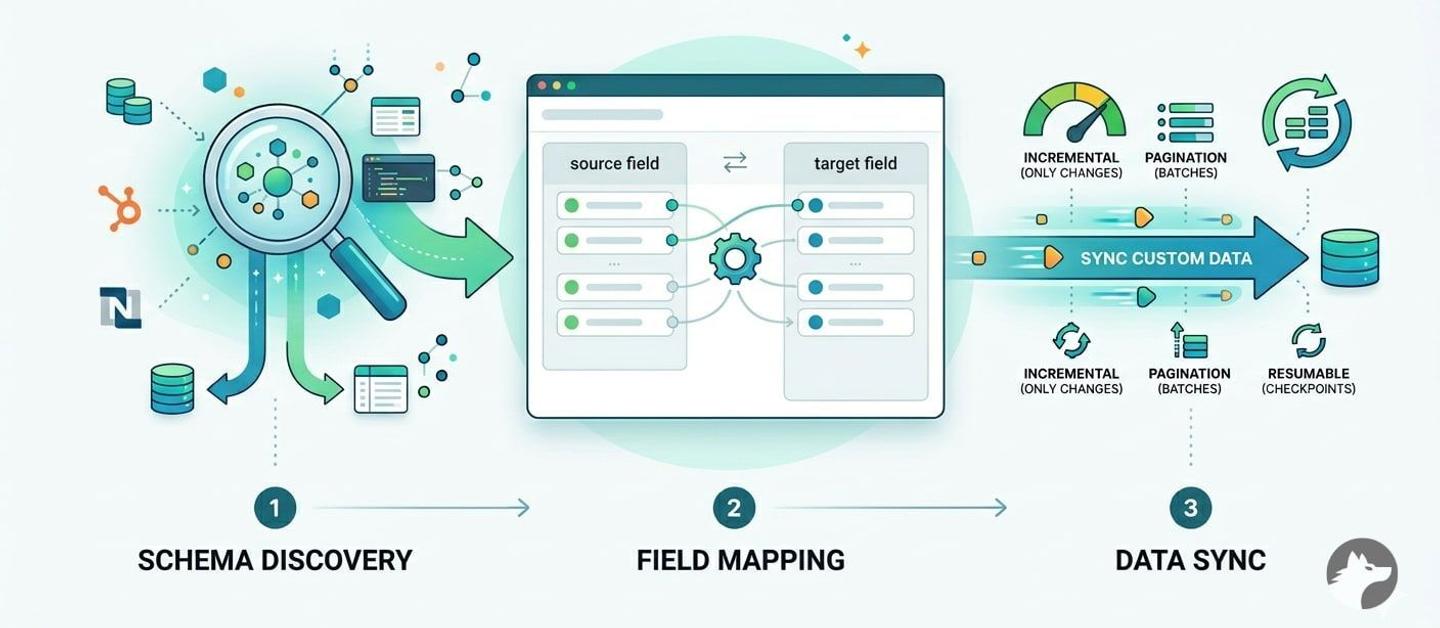
1. Schema discovery: Before you can sync a custom object, you need to know it exists. Each CRM/ERP has its own metadata API for discovering custom schemas. Salesforce uses the describe endpoint. HubSpot has /crm-object-schemas/v3/schemas. NetSuite uses SuiteQL against customrecordtype. Your integration platform needs to support calling these endpoints and interpreting the results.
2. Customer-configurable field mappings: Custom fields are, by definition, different for every customer. A field called Region__c in one Salesforce org maps to a dropdown in your product. In another org, Customer_Tier__c maps to the same dropdown. Some mappings are 1:1, but it’s common for mappings to require merging data from two or three custom fields, or categorizing values and mapping them to an enum in your system. Your customers need a way to define these mappings, and your platform needs to store and apply them per customer.
3. Efficient data sync: Custom objects can be large. A Salesforce org with a custom object tracking manufacturing orders might have millions of records. Syncing this data requires pagination, incremental updates, and the ability to resume if something fails midway. Rate limits compound the problem: Salesforce allows 15,000 API calls per 24-hour period (varies by edition), and a full initial sync can consume a significant portion of that budget.
How we evaluated these platforms
We assessed each platform across five dimensions specific to custom objects and field mappings:
- Schema discovery: Can the platform discover custom object schemas and custom fields from the customer’s CRM/ERP instance at runtime?
- Field mapping configuration: Can customers configure how their custom fields map to your product’s data model? Is this done via UI, API, or code?
- Per-customer configuration: Can field mappings, sync filters, and settings be configured differently for each customer?
- Custom object sync reliability: Does the platform support incremental syncs, pagination, and resumability for large custom object datasets?
- Extensibility: Can you access vendor-specific metadata APIs (Salesforce
describe, HubSpot schemas, NetSuite SuiteQL) directly, or are you limited to what the platform exposes?
Best embedded integrations platforms for custom objects and field mappings
Nango
Overview
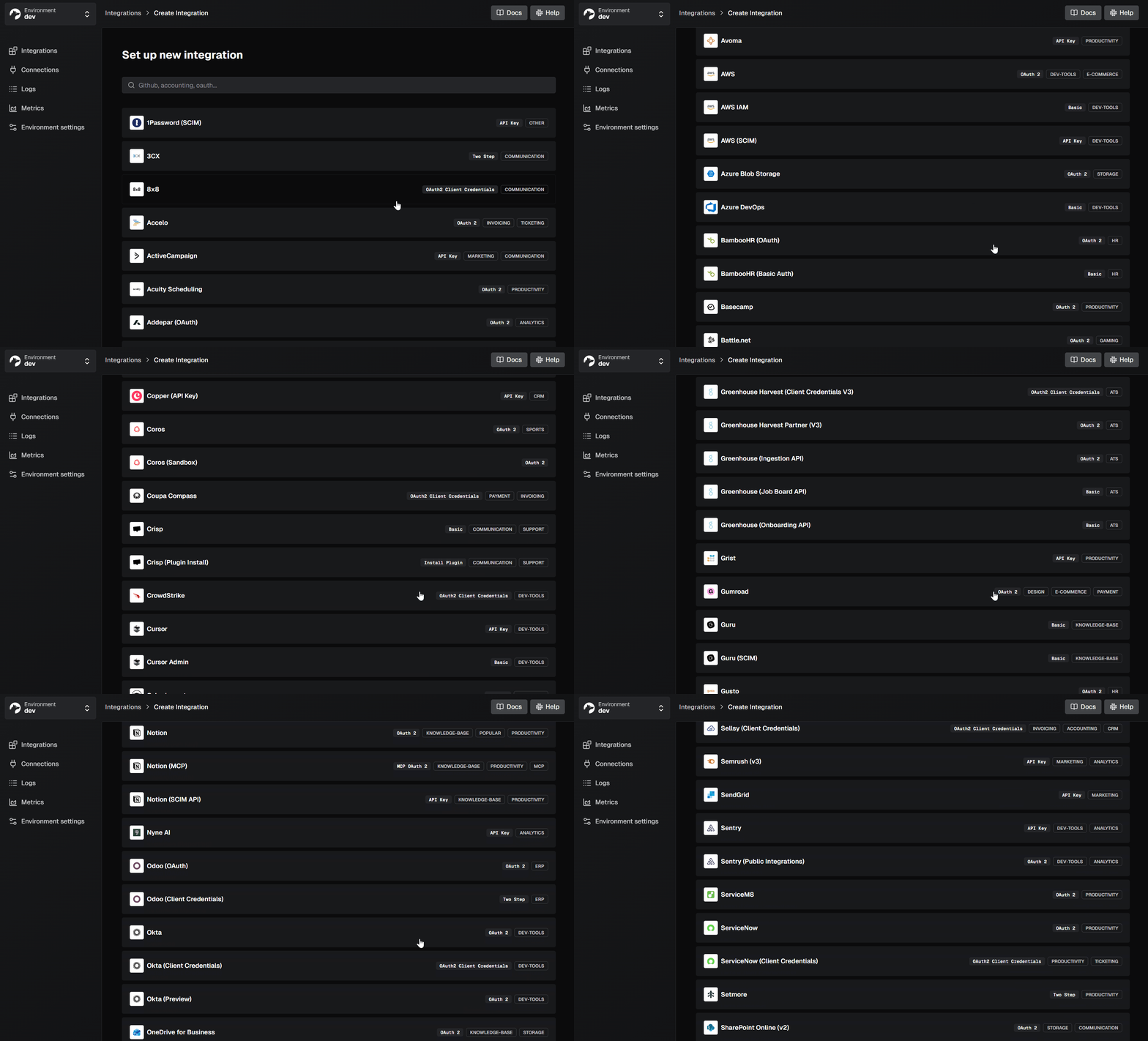
Nango is an open-source integration platform that provides a unified interface for auth, data syncs, tool calls, and webhooks across 1,000+ APIs. Integrations are defined as TypeScript functions in your codebase, deployed through CI/CD, and can be built or modified with any AI coding assistant.
For custom objects and field mappings, Nango’s approach is code-first: you call the CRM’s metadata API to discover the customer’s schema, store field mappings in connection metadata, and apply them in your sync functions. You have full API access, so any custom object or field the CRM exposes is readily available.
Best for
Teams building integrations where enterprise customers have heavily customized CRMs and ERPs, and where per-customer field mapping and custom object sync are core product requirements.
Pros
- Full custom object access via native APIs: Nango gives you direct API access to every endpoint the CRM/ERP exposes. For Salesforce, that includes the Bulk API, SOQL, metadata APIs, and
describeendpoints. For HubSpot, the custom object schemas API. For NetSuite, SuiteQL. There is no abstraction layer limiting which custom objects or fields you can read or write. - Three-step workflow for field mappings: Nango’s pattern for custom field mapping follows a clear structure: discover, store, use. All of this can be generated and customized per customer using the Nango AI Integration Builder with Claude Code, Cursor, or any coding agent.
- Step 1: Discover available fields. Create an Action that calls the CRM’s metadata API:
// Action: discover available Salesforce fields for a custom object
export default createAction({
  description: 'Fetch available fields for a Salesforce object',
  input: z.object({ objectName: z.string() }),
  output: z.object({
    fields: z.array(z.object({
      name: z.string(),
      label: z.string(),
      type: z.string()
    }))
  }),
  exec: async (nango, input) => {
    const res = await nango.get({
      endpoint: `/services/data/v59.0/sobjects/${input.objectName}/describe`
    });
    return {
      fields: res.data.fields.map((f: any) => ({
        name: f.name,
        label: f.label,
        type: f.type
      }))
    };
  }
});- Step 2: Store the customer’s field mapping. After your UI lets the customer configure their mapping, save it to the connection metadata:
await nango.setMetadata(connectionId, {
  fieldMapping: {
    'Region__c': 'region',
    'Customer_Tier__c': 'tier',
    'Annual_Revenue__c': 'revenue'
  }
});- Step 3: Apply the mapping in your sync. Read the metadata at sync time and use it to transform the data:
export default createSync({
  frequency: 'every hour',
  models: { Account: accountSchema },
  exec: async (nango) => {
    const metadata = await nango.getMetadata();
    const fieldMapping = metadata.fieldMapping;

    const accounts = await fetchAccounts(nango);
    const mapped = accounts.map(account => {
      const result: Record<string, any> = {};
      for (const [sourceField, targetField] of Object.entries(fieldMapping)) {
        result[targetField] = account[sourceField];
      }
      return result;
    });

    await nango.batchSave(mapped, 'Account');
  }
});- Durable, resumable syncs with checkpointing: When syncing large custom object datasets, Nango supports checkpointing. If a sync fails midway through a multi-hour Salesforce export, it resumes from the last checkpoint:
export default createSync({
  frequency: 'every hour',
  checkpoint: z.object({ lastModifiedISO: z.string() }),
  exec: async (nango) => {
    const checkpoint = await nango.getCheckpoint();
    const records = await fetchCustomObjects({
      since: checkpoint?.lastModifiedISO
    });
    await nango.batchSave(records, 'CustomObject');
    await nango.saveCheckpoint({
      lastModifiedISO: records.at(-1).lastModifiedISO
    });
  }
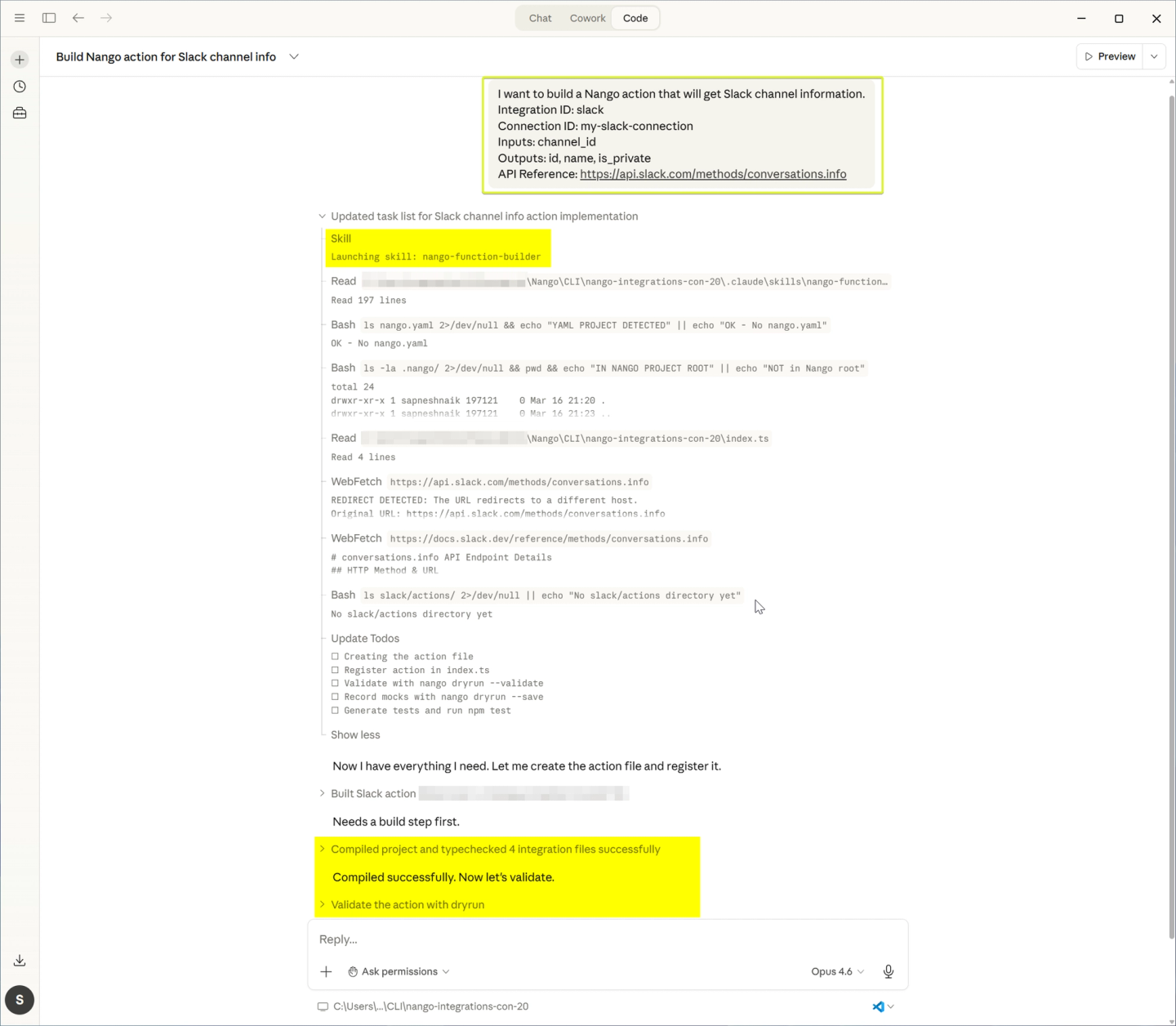
});- AI coding agents for per-customer customization: Use the Nango AI Integration Builder with Claude Code, Cursor, or any coding agent to discover a customer’s CRM schema, generate the sync code, and iterate on field mappings. This reduces the engineering cost of supporting per-customer custom objects.
- Per-tenant isolation: Each customer’s integrations run in isolation. A large enterprise sync of custom objects won’t degrade performance for other customers.
- Direct vendor relationships: Your customers authorize your app, not Nango. You retain all tokens and can get listed in vendor marketplaces like the Salesforce AppExchange. This matters for enterprise deals where security reviews require your app to handle OAuth directly.
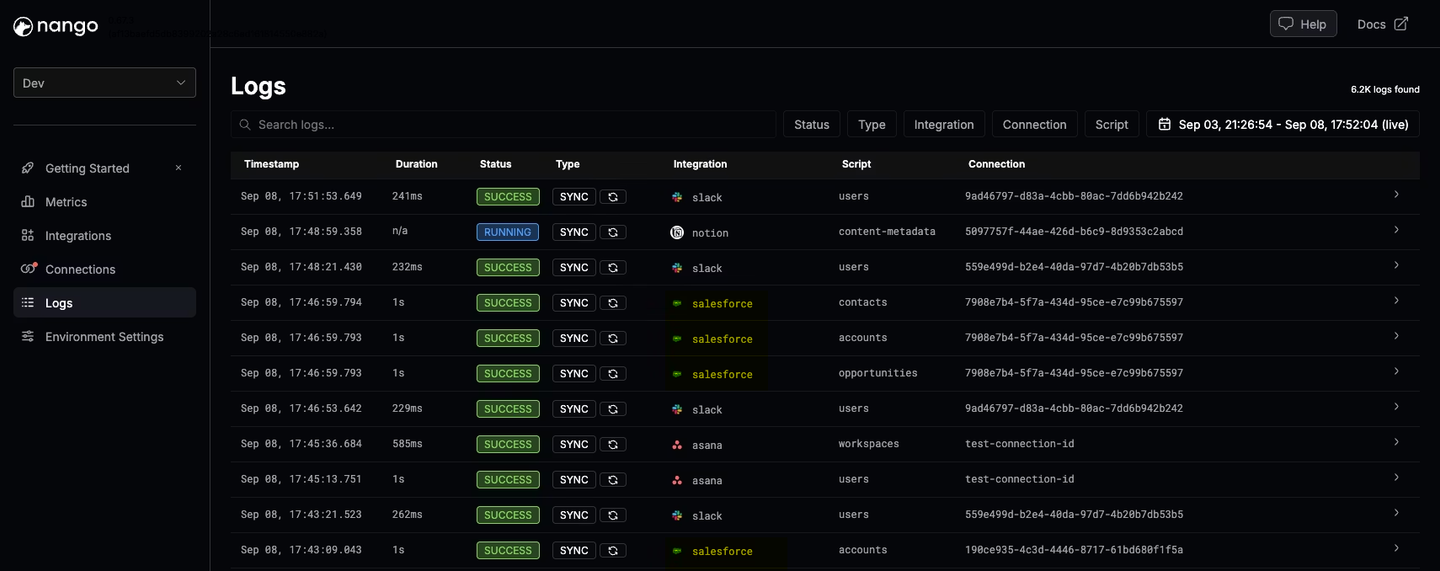
- Deep observability: Every API request and sync run produces structured logs with OpenTelemetry export.
Merge
Overview
Merge offers a pre-built unified API across CRM, accounting, HRIS, ATS, and file storage. It normalizes data into common models and provides a custom objects API and field mapping feature for extending beyond the standard schema.
Best for
Teams looking for a pre-built unified API that gives you a single endpoint to fetch data from multiple CRM/ERP systems, with UI-based field mapping for standard use cases. Not suited for teams that need deep custom object support across all CRMs/ERPs or full customizability over sync logic and field mapping behavior.
Pros
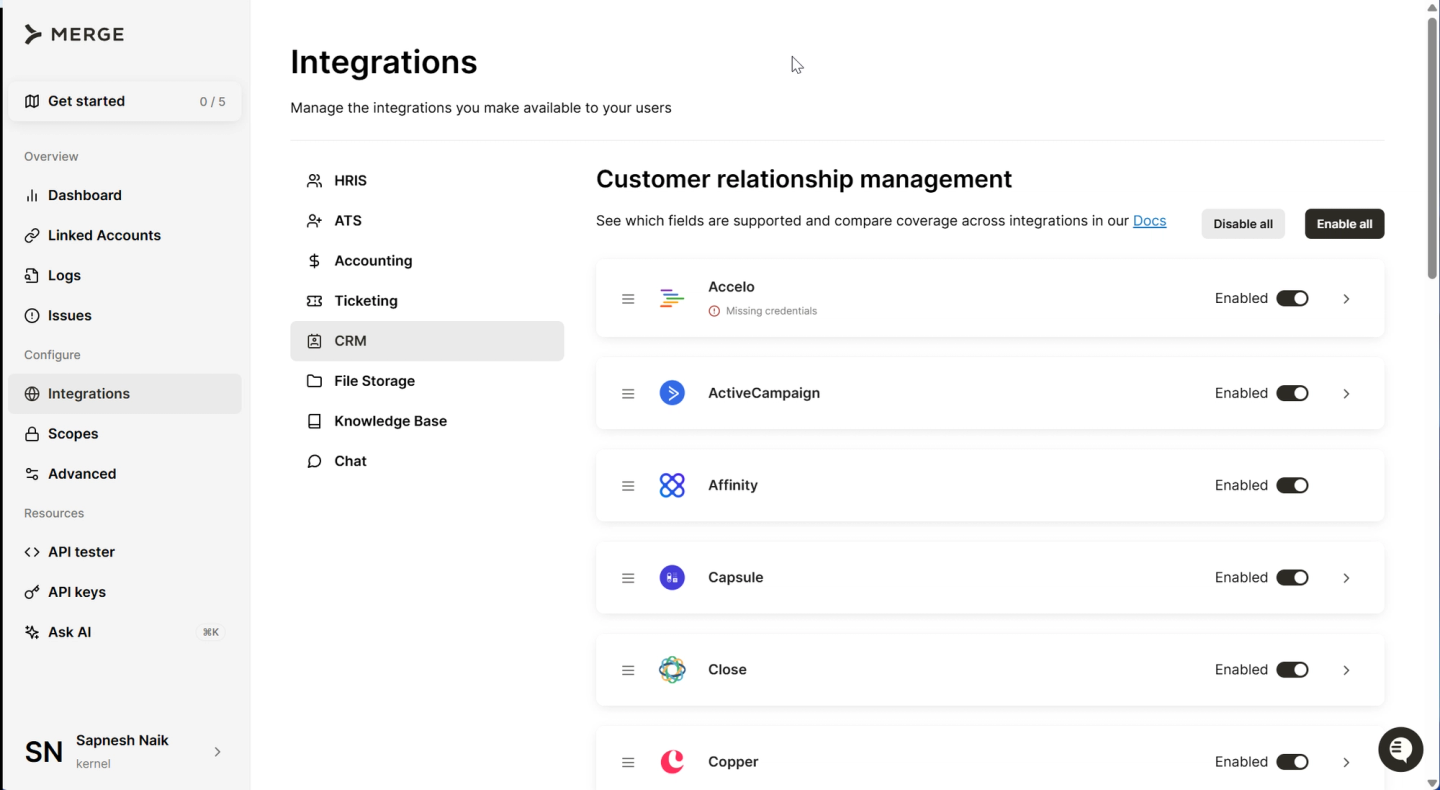
- Custom objects API for select CRMs: Merge supports reading, writing, and updating custom objects through a unified API. Custom objects are treated like common models with their own properties and fields. This is currently available for Salesforce, HubSpot, and Zendesk Sell.
- Field mapping via dashboard and API: Merge provides a field mapping feature that lets you map third-party fields to fields on Merge’s common models. Configuration is available through the Merge dashboard or API.
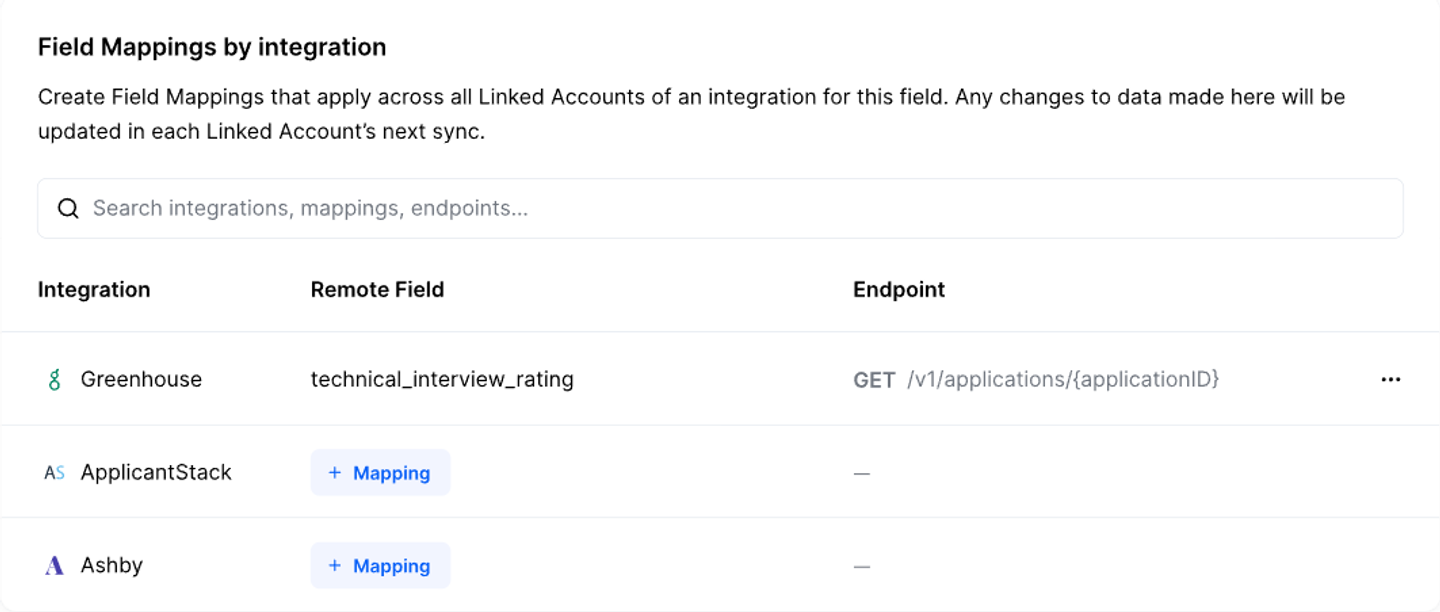
- Per-customer field mapping: Merge supports Linked Account-specific field mappings, so each customer can have different field configurations.
- Broad category coverage: Beyond CRM, Merge covers accounting, HRIS, ATS, ticketing, and file storage across approximately 220 integrations.
Cons
- Custom objects limited to select CRMs: Custom object support is currently available for Salesforce, HubSpot, and Zendesk Sell. If your customers use Microsoft Dynamics, NetSuite, or SAP, custom objects are not yet supported through Merge’s unified API. Even for supported providers, you have no customizability over how custom objects are fetched or synced. You work with what Merge exposes, and cannot modify the underlying integration logic.
- Field mapping requires a Professional or Enterprise plan: The field mapping feature is not available on lower-tier plans. This means you commit to higher pricing before you can evaluate whether the mapping capabilities meet your needs.
- No code-level control over sync logic: Merge’s integrations are pre-built. You cannot modify how data is fetched, what endpoints are used, or how rate limits are handled per customer. When the unified API doesn’t cover an endpoint, you can use passthrough requests, but this requires you to handle pagination, retries, and rate limits yourself, undermining the value of the unified API.
- Implementation gaps: An object may have 12 fields in Merge’s schema, but not all are populated for every provider. You discover these gaps after committing to the platform.
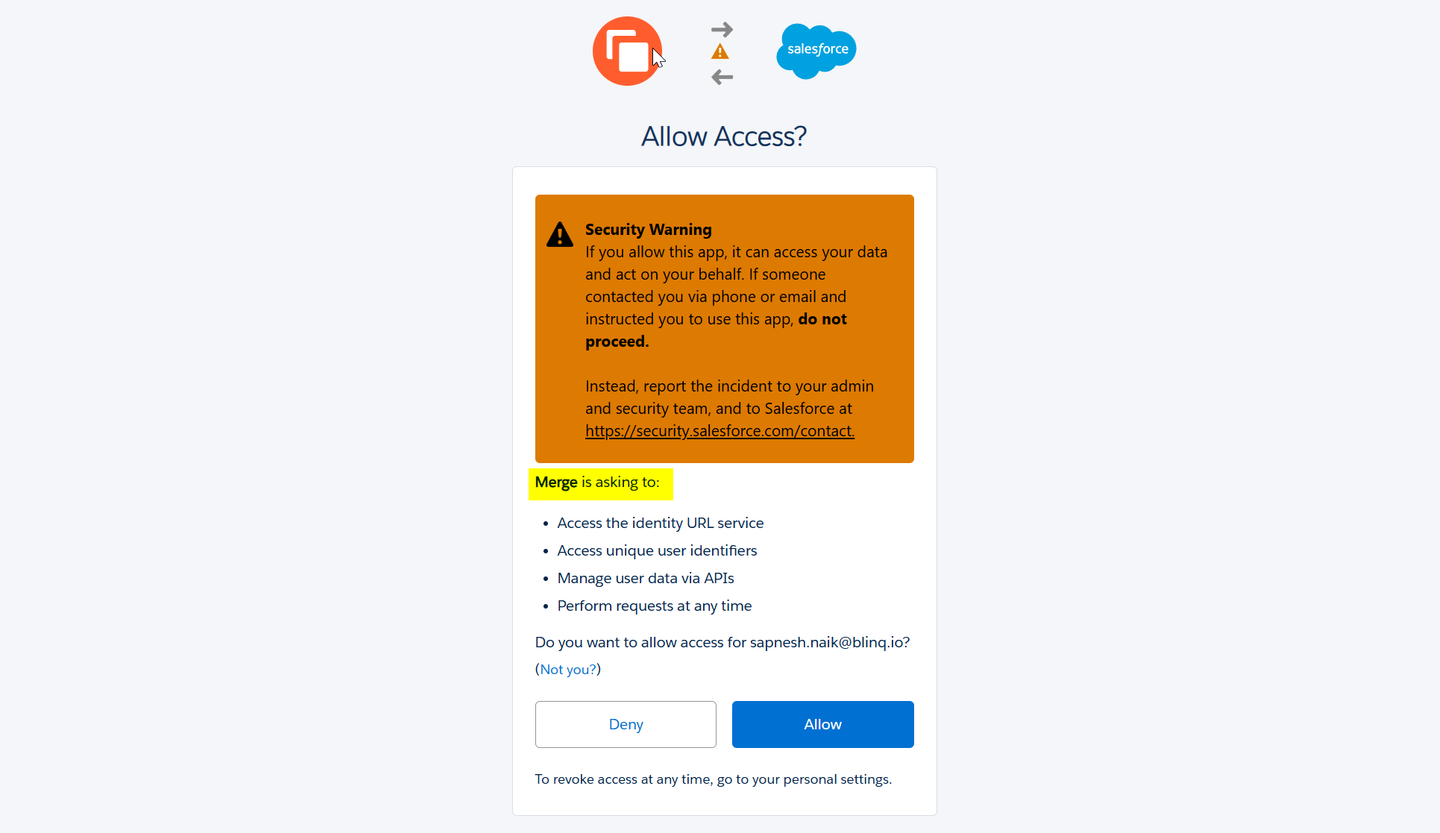
- No vendor marketplace listings: Merge handles auth on your behalf, which means customers authorize Merge, not your app. This makes it harder to get listed in vendor marketplaces like the Salesforce AppExchange. Enterprise customers may also raise concerns during security reviews about a third party handling their CRM credentials.
Prismatic
Overview
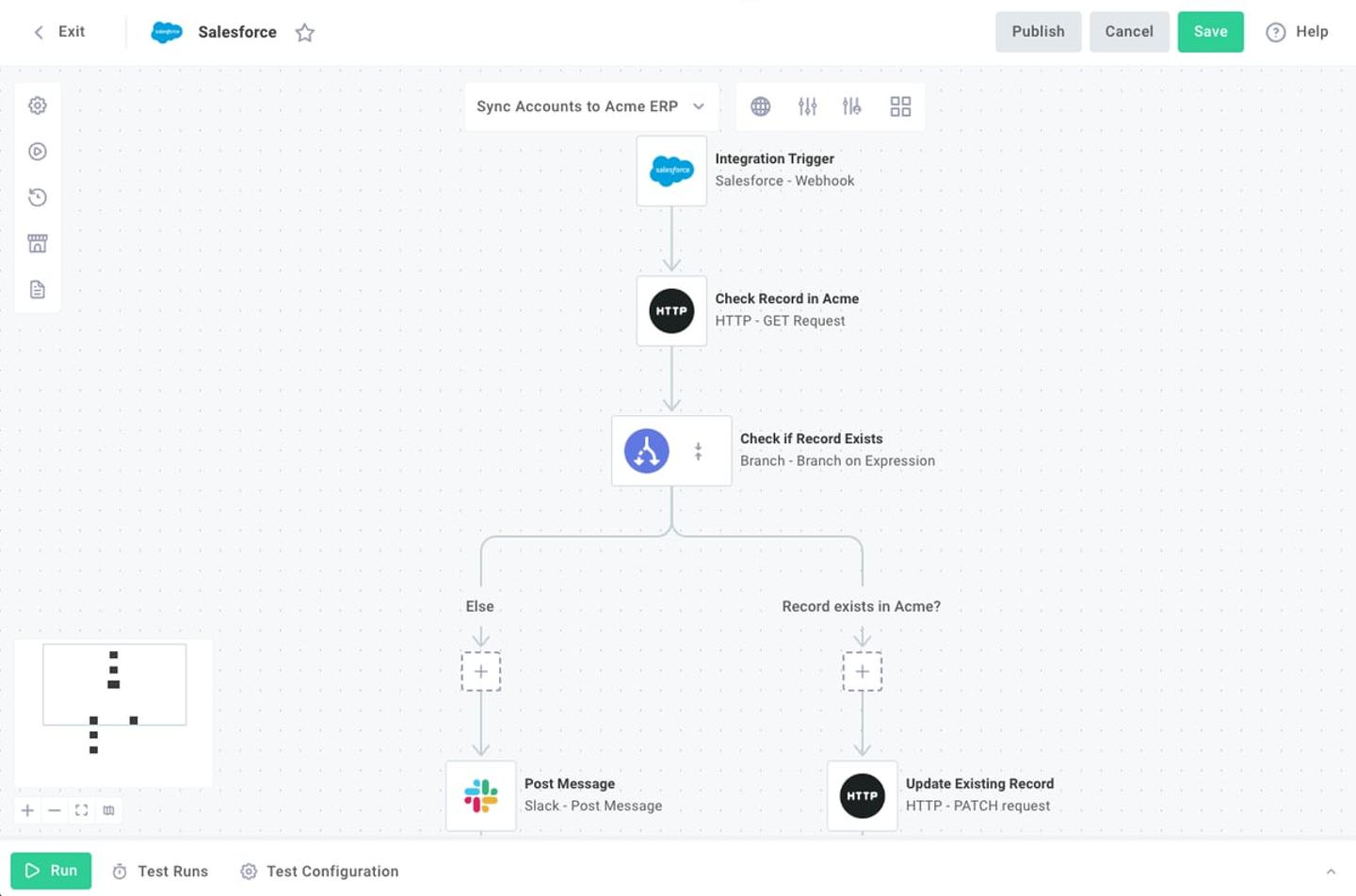
Prismatic is an embedded iPaaS that provides a visual workflow builder alongside a code-based SDK. For custom objects and field mappings, Prismatic offers a JSON Forms-based field mapper with AI-powered mapping suggestions.
Best for
Teams that want to embed a field mapping configuration experience in their product, where end users can map their CRM fields to your product’s data model through a visual interface.
Pros
- JSON Forms-based field mapping: Prismatic’s field mapping uses JSON Forms to define the UI structure. You can hard-code fields or fetch them dynamically from the customer’s CRM. The result is a mapping object that your integration logic uses to transform data.
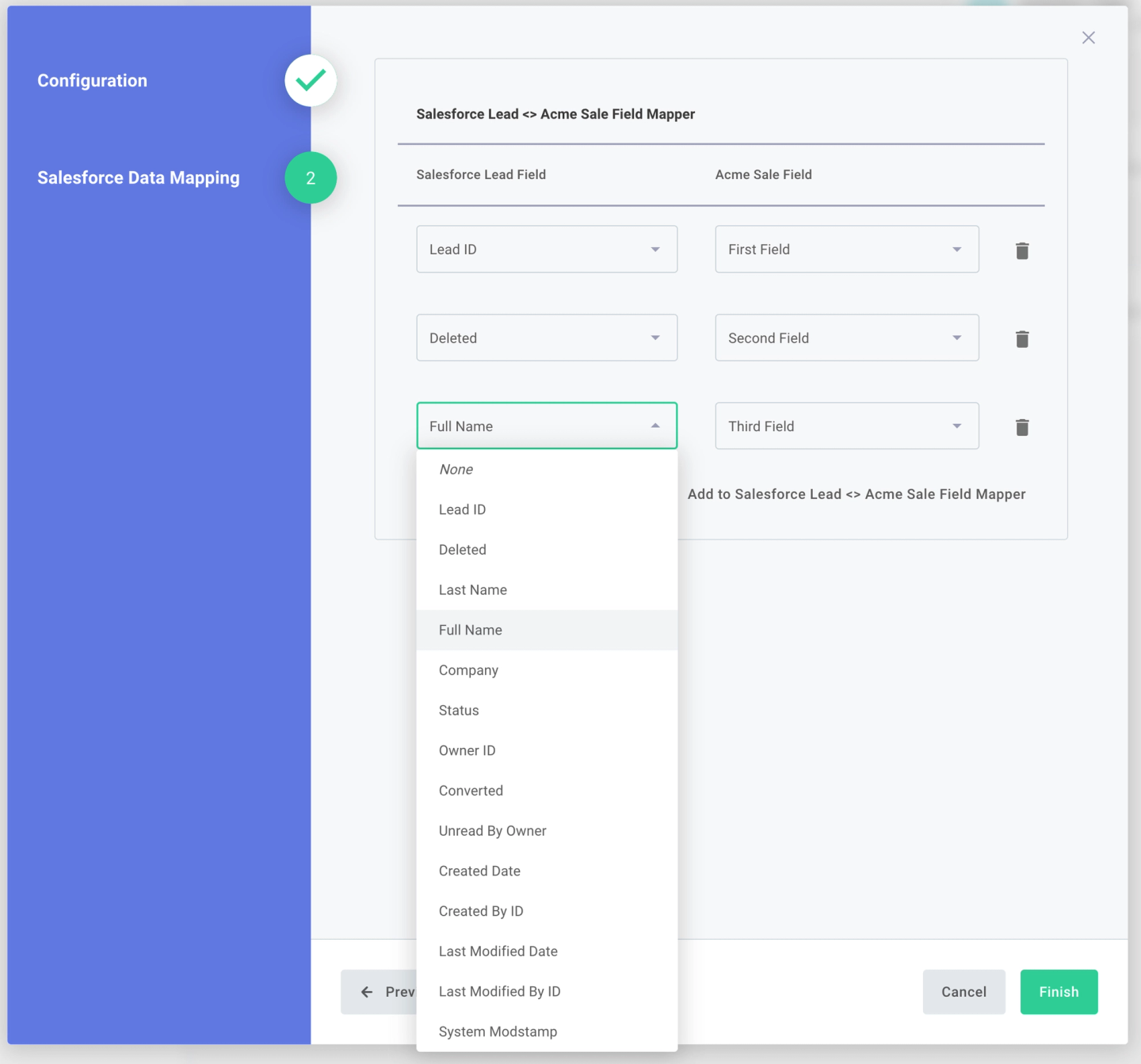
- AI-powered mapping suggestions: Prismatic offers a feature that analyzes field names and suggests semantic matches, which can reduce manual mapping effort.
- Salesforce and NetSuite custom objects: Prismatic’s Salesforce component supports CRUD operations on custom objects, including metadata attribute descriptions. The NetSuite connector also supports custom object management.
- Embedded workflow builder: Customers can build and configure integrations directly in your product through a white-labeled Prismatic UI, including configuring field mappings during instance setup.
Cons
- No native data syncs: Prismatic only supports simple trigger-action workflows. There are no incremental syncs, change detection, or deduplication primitives. If you need to keep a local copy of custom object data up to date, you must build your own sync layer.
- Hard execution limits: Workflows are limited to 15-minute execution time and 1 GB of memory. For large custom object syncs (millions of records in enterprise Salesforce orgs), these limits are restrictive.
- Limited extensibility: You cannot view or modify the code for pre-built connectors. If Prismatic doesn’t support a metadata API endpoint you need for schema discovery, you must wait for their team to build it or work around it.
- Advanced field mapping on higher tiers: Dynamic field mapping is gated behind higher pricing tiers, which limits access for teams evaluating the platform.
Workato Embedded
Overview
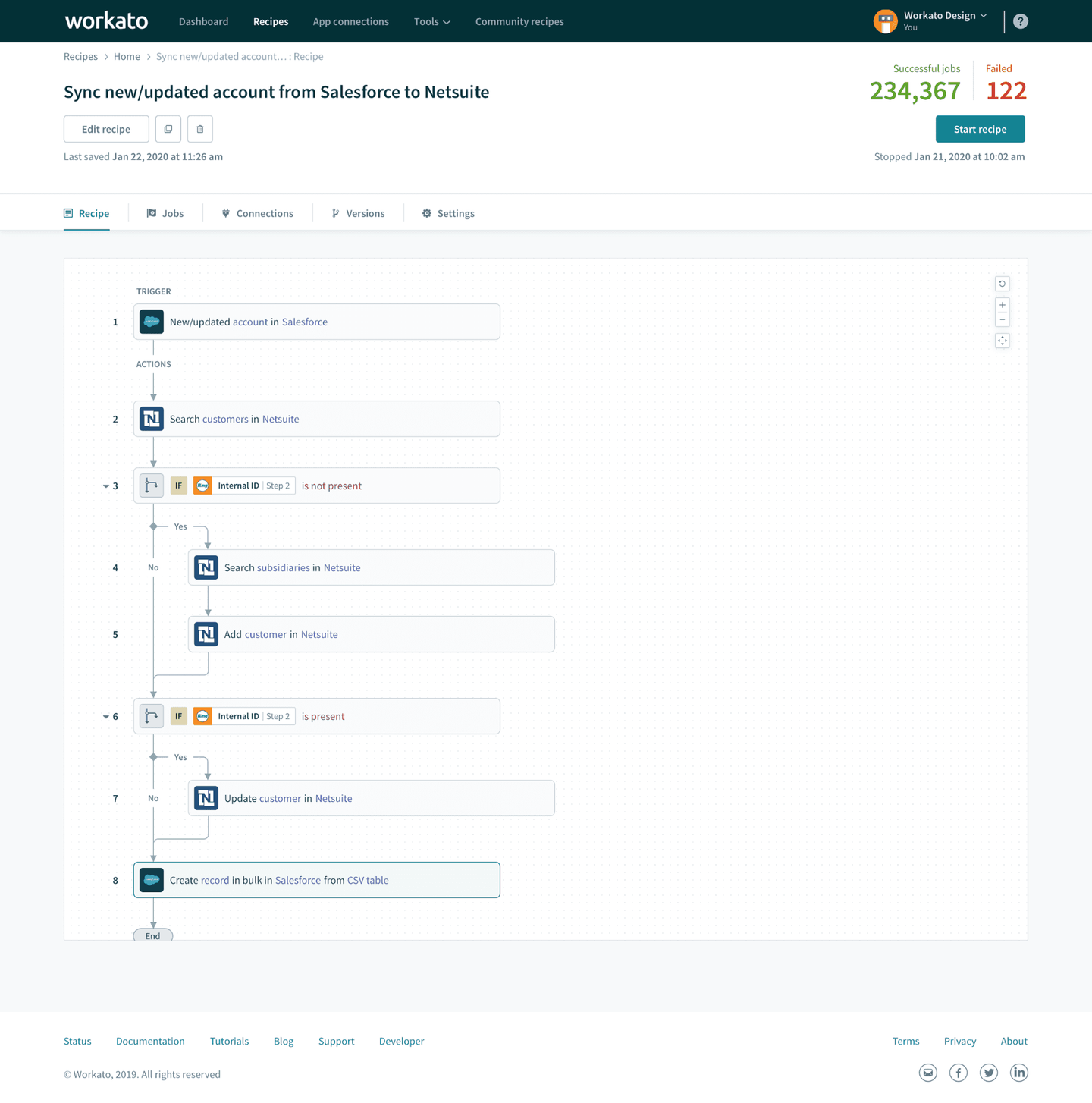
Workato Embedded is the white-label version of Workato’s enterprise iPaaS. For field mappings, it provides a Dynamic Field Mapping feature with embeddable widgets and APIs. Custom object support is limited and requires workarounds through the Connector SDK.
Best for
Non-technical teams that need to build customer-facing field mapping experiences using a visual builder and can work within the limitations of the dynamic mapping feature.
Pros
- Dynamic field mapping widget: Workato provides an embeddable widget for end-user field mapping configuration.
- Per-customer mapping configuration: Each customer can have different field mappings for the same recipe (workflow).
- Large connector library: Workato offers over 1,200 pre-built connectors. A few connectors (Workday, Marketo) have dedicated custom object actions, but most do not.
Cons
- No native custom object support in common model: Workato’s common data model does not natively support custom objects. For CRM custom objects, you need to build workarounds through the Connector SDK’s
object_definitionsschema, which adds development effort. - Array fields not supported in dynamic mapping: Dynamic field mapping does not support array fields or complex data transformations. If a custom field contains structured data (common in enterprise CRM deployments), you need to handle it outside the dynamic mapping feature.
- Not code-first: All integration logic lives in Workato’s visual recipe builder. You cannot version integrations in your codebase, deploy through CI/CD, or build with AI coding agents. This limits your ability to iterate quickly on per-customer custom object integrations.
- Embedded via iFrames: The primary integration method involves embedding iframes in your UI. This adds latency, makes testing harder, and can cause issues with enterprise security policies that restrict iframe usage.
- No native data syncs: Workato does not offer incremental sync primitives (pagination, change detection, deduplication, checkpointing). You need to build your own sync orchestration on top of recipes, which adds complexity for large custom object datasets.
Comparison of platforms for custom objects and field mappings
| Feature | Nango | Merge | Prismatic | Workato Embedded |
|---|---|---|---|---|
| Custom object access | Full (native API access) | Select CRMs (Salesforce, HubSpot, Zendesk) | Salesforce, NetSuite | SDK workarounds required |
| Schema discovery | Native metadata APIs | Limited to supported CRMs | Salesforce component | Connector SDK |
| Field mapping method | Code (TypeScript) with AI coding agent support (Claude, Cursor, etc.) | Dashboard UI + API | JSON Forms + AI suggestions | Dynamic widget + APIs |
| Per-customer config | Yes (connection metadata in code) | Yes (Linked Account mappings) | Yes (Config Wizard) | Yes (Dynamic Field Mapping) |
| Incremental data syncs | Yes (with checkpointing) | No (has internal syncs for refreshing data from providers, but is not user customizable) | No | No |
| Sync resumability | Yes (checkpoint-based) | No | No | No |
| Code-first development | Yes | No | Partial (code + low-code) | No |
| AI coding agent support | Yes | No | No | No |
| Vendor marketplace compatible | Yes (your app, your auth) | No (Merge handles auth) | No | No |
| Per-tenant isolation | Yes | No | No | No |
| Array/complex field mapping | Yes (in code) | JMESPath expressions | Limited | Not supported |
| Supported APIs | 1,000+ (extensible) | ~220 | 190+ | 1,200+ |
The three problems you need to solve
Regardless of which platform you choose, custom objects and field mappings require solving three connected problems. How each platform handles them determines whether it fits your use case.
1. Discovering what exists on the schema
Before syncing custom objects, you need to know what the customer has defined in their CRM or ERP. This means calling the vendor’s metadata API. For instance:
- Salesforce:
GET /services/data/v59.0/sobjects/{objectName}/describereturns all fields, types, and relationships for any object, including custom ones (fields ending in__c). - HubSpot:
GET /crm-object-schemas/v3/schemaslists all custom objects with their properties and associations. - NetSuite: SuiteQL queries against
customrecordtypeandcustomfieldtables return custom record definitions.
Platforms with full API access (Nango) let you call these endpoints directly. Platforms with pre-built connectors (Merge, Prismatic) expose a subset of metadata through their abstractions. Some platforms (e.g., Workato) require building this using the Connector SDK.
2. Offering customers a way to select and map data
Once you know the schema, customers need a way to select which custom objects and fields to sync, and how to map them to your product’s data model. The mapping is often not 1:1. Common scenarios include:
- Merging data from two or three custom fields into a single field in your product
- Categorizing free-text values and mapping them to an enum
- Extracting nested data from structured custom fields
- Skipping fields that don’t apply to a specific customer’s use case
Code-first platforms handle this in application logic, giving you full control. UI-based platforms provide widgets or dashboards that work well for simpler mappings but can be limiting for complex transformations.
3. Efficiently syncing the data
Custom object datasets can be large. Enterprise Salesforce orgs can contain millions of records in a single custom object. Syncing this data requires:
- Pagination: Fetching records in batches to stay within API rate limits.
- Incremental updates: Only fetching records that changed since the last sync, not the entire dataset.
- Checkpointing: Saving progress so a failed sync resumes from where it left off, not from the beginning.
- Rate limit awareness: Adapting sync behavior to stay within the vendor’s rate limits (Salesforce: 15,000 calls/24h; HubSpot: 100-200 req/10s; NetSuite: 15 concurrent requests).
Of the platforms compared, Nango is the only one that provides native checkpointing for sync resumability. Merge has internal syncs, but without resumability. Prismatic and Workato do not offer native data sync primitives.
Why AI coding agents change the equation
Custom object integrations have historically required significant per-customer engineering. Each customer’s CRM schema is different, so field mappings need to be configured, tested, and maintained individually.
AI coding agents change this. With a code-first platform like Nango, an AI agent can:
- Discover the schema by calling the CRM’s metadata API (for example, Salesforce
describeendpoints or HubSpot’s schemas API). - Generate sync code that maps the customer’s custom fields to your product’s data model.
- Iterate on mappings when a customer adds new custom objects or changes their CRM configuration.
- Debug sync failures by reading error logs and adjusting retry logic or field mappings.
This is only possible on platforms where integrations are expressed as code. Low-code platforms with visual builders cannot use AI coding agents for per-customer customization.
For more on this approach, see how to use AI agents for integration development.
FAQ
Which embedded integration platform handles Salesforce custom objects best?
Nango gives you direct API access to any Salesforce endpoint, including Bulk API, SOQL, metadata APIs, and describe endpoints. Custom object support is complete because you call Salesforce’s native APIs directly. Merge supports Salesforce custom objects through its unified API, but you’re limited to what Merge covers. Prismatic’s Salesforce component supports custom object CRUD, but without native sync infrastructure. Workato requires Connector SDK workarounds for custom objects.
Can I build a field mapping UI on top of these platforms?
Yes, but the approach differs. With Nango, you build the UI in your product and use Nango’s Actions to discover fields and connection metadata to store mappings. With Merge, you use their dashboard or API to configure field mapping. Prismatic offers JSON Forms-based field mapping that can be embedded. Workato provides a dynamic field-mapping widget that you can embed via an iframe.
Which platform supports per-customer field mapping configuration?
Nango gives you the most control here. Field mappings are stored in connection metadata and applied in your sync code, so you can implement any mapping logic per customer: 1:1 field maps, merging multiple fields, conditional transformations, or completely different sync behavior per tenant. Merge, Prismatic, and Workato all support per-customer configuration to varying degrees (Linked Account mappings, Config Wizard, Dynamic Field Mapping), but each constrains you to what the platform exposes. You cannot change the underlying sync logic or handle edge cases that fall outside the platform’s mapping model.
How do I handle custom fields that require complex transformations?
Merging multiple custom fields, categorizing values, or transforming structured data requires application logic. Code-first platforms like Nango handle this naturally in sync functions. Pre-built platforms are limited: Merge supports JMESPath for nested fields, Workato’s dynamic mapping does not support arrays, and Prismatic’s JSON Forms work for standard mappings but not complex transformations.
Should I use a unified API or an embedded iPaaS for custom objects?
If your customers have extensive custom objects and need per-customer field mapping (common when serving enterprise customers with Salesforce, NetSuite, or Dynamics), an embedded integration platform like Nango with full API access gives you the control needed for deep support for custom objects.
Conclusion
Custom objects and field mappings are the point where integration complexity jumps. Syncing standard objects can already be tricky, but with custom objects the complexity is even higher. Every customer’s schema is different, every mapping has edge cases, and the data volumes are often large enough to require durable sync infrastructure.
The platform you choose should handle all three stages: discovering what exists on the customer’s schema, letting customers configure how their data maps to your product, and syncing that data reliably at scale. Start with your hardest customer: the one with the most custom objects, the largest dataset, the most complex field mappings. The platform that handles that use case will serve you well as you expand.
Related reading:
- Best unified API for CRM & ERP integrations
- Best embedded iPaaS platforms for product integrations in 2026
- Why B2B SaaS outgrow pre-built unified APIs
- How to build a unified API for your product integrations
- Best embedded iPaaS for scalability and flexibility
- How Nango differs from embedded iPaaS and unified APIs
- How to build API integrations with custom objects and field mappings

