
MCP (Model Context Protocol) gives AI agents a standard way to discover and call tools, and public MCP servers now exist for most major APIs. Choosing between them matters most when the agent ships inside your product: your customers connect their own Salesforce or Slack accounts, and the agent acts on their data.
This post compares four MCP server platforms for agent API integrations in 2026 (Nango, Arcade.dev, Composio, and Pipedream MCP): what each covers, where each stops, and how to choose.
TL;DR
An MCP server for a customer-facing product must do three things that personal-use servers skip: authenticate each customer’s account separately under your brand, serve tools shaped to your product instead of generic endpoint wrappers, and run on infrastructure you can observe and trust in production.
Four options worth evaluating in 2026:
- Nango: An open-source agentic API integrations platform. Coding agents build custom tools across 1,000+ APIs, and Nango’s built-in MCP server exposes them to your product’s agent with white-label per-user auth. Data syncs, webhooks, and observability run on the same platform.
- Arcade.dev: An MCP runtime for tool calling with per-user OAuth, built around a catalog of roughly 80 first-party MCP servers. Focused on tool calls; data syncs and webhooks are out of scope.
- Composio: A hosted catalog of around 1,000 pre-built toolkits behind one MCP endpoint, quick to wire up for internal agents. Tools are used as shipped, and end users authorize with Composio.
- Pipedream MCP: Hosted MCP servers for 2,800+ APIs, the broadest API coverage in this comparison, built for internal automation. Workday acquired Pipedream in December 2025.
Single-user MCP servers do not fit customer-facing products
There are roughly 10,000 active MCP servers as of December 2025, and most “best MCP servers” lists rank the same official ones: GitHub MCP, Slack MCP, Postgres MCP. They are good picks for the use case they were built for: one developer connecting their own accounts to their own AI tools.
The agent inside your product works differently. Each customer connects their own Salesforce or Slack, every action must run with that customer’s token, and failures happen in front of paying users. Three gaps show up when you point that agent at public MCP servers:
- Per-user auth is rarely supported: MCP’s OAuth flow authorizes your agent to the server. Auth to the underlying API is whatever the server operator built, and multi-tenant auth across your customer base is rarely part of it.
- Generic tools cost context and reliability: Public servers ship tools for every endpoint. Anthropic documents a typical five-server setup at around 55,000 tokens of tool definitions per request, and OpenAI recommends keeping fewer than 20 tools available per turn for accuracy.
- You do not control the code that touches customer data: In September 2025, the postmark-mcp npm package shipped an update that BCC’d every email it sent to an attacker’s address. If integrations are core to your product, you want to own that code.
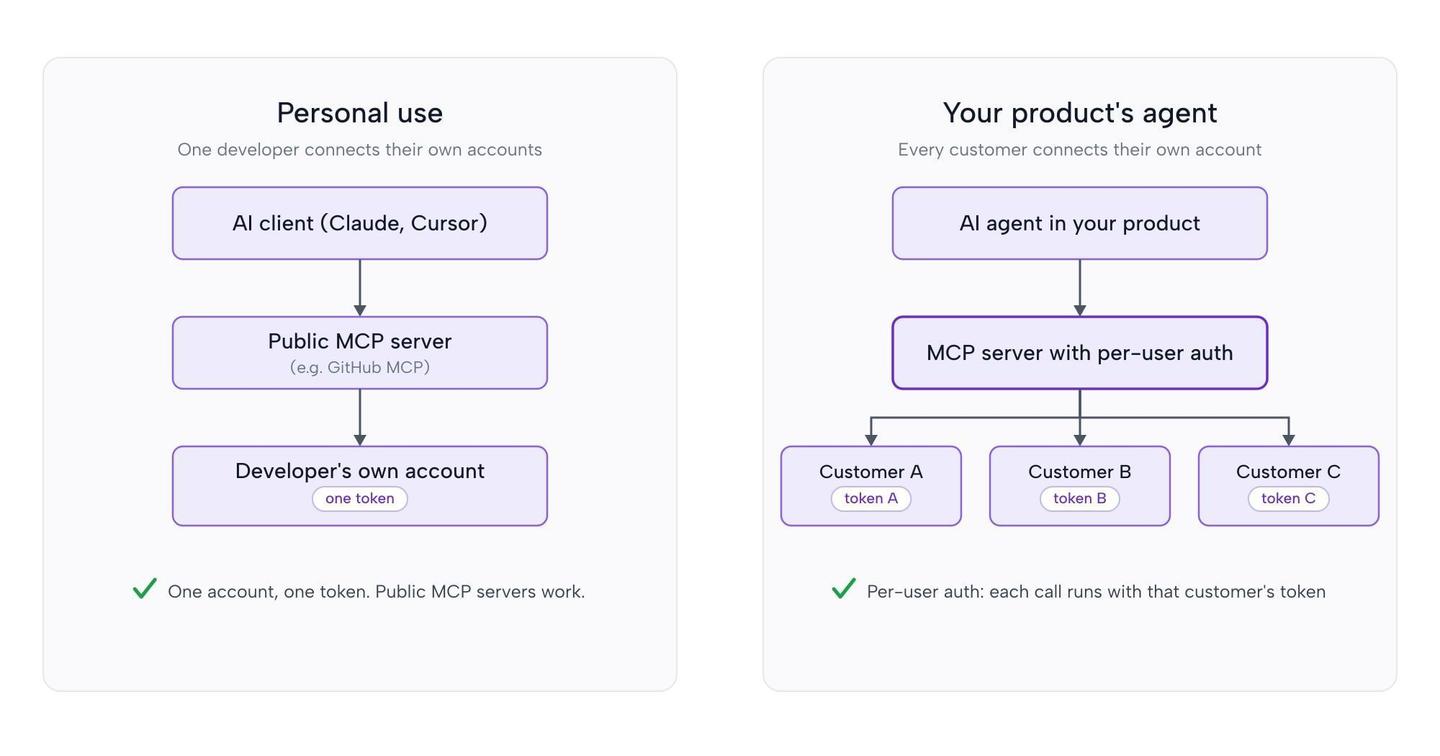
The useful question is which platform serves MCP tools with per-user auth, custom tool design, and a production runtime behind them. For the deeper protocol comparison, see MCP vs tool calls for AI agents.
What to look for in an MCP server for agent API integrations
- White-label, per-user auth: Each customer authorizes their own account inside your app, under your brand. Tokens stay server-side and refresh automatically.
- Custom tools with typed schemas: You can deploy tools shaped to your product’s intent, with strict input and output schemas, instead of chaining generic endpoint wrappers. See how to build reliable tool calls for AI agents.
- A build path for new tools: Customers ask for integrations with hundreds of tools. Look for a platform where coding agents like Claude Code, Cursor, and Codex can author and test new tools on demand, rather than waiting on a vendor to extend a fixed catalog.
- More than tool calls: Production agents also need fresh context (data syncs) and event triggers (webhooks). If the platform only supports tool calls, you build and host those patterns elsewhere. One platform that covers all of it is simpler to run.
- Observability: Full request and response logs for every tool execution, so a human or a coding agent can debug a failure.
Best MCP servers for agent API integrations in 2026
1. Nango
Nango is an open-source platform where coding agents build API integrations, and a built-in MCP server exposes them to the AI agents in your product. It supports 1,000+ APIs with 10,000+ pre-built tools and is used in production by hundreds of fast-growing SaaS and AI companies.
Best for
Teams shipping an AI agent inside a customer-facing product, where each customer connects their own accounts and the team wants coding agents to build and maintain the tools.
Pros
- Coding agents build custom tools: Start from the 10,000+ pre-built tools, or install the Nango builder skill once and Claude Code, Cursor, or Codex researches the API, writes the tool as a typed function, and tests it against a real connection before deploying. Since June 2026, the remote function builder drops the local project requirement, so an agent inside your product can build and deploy a new tool straight from a customer’s prompt, enabling just-in-time integrations.
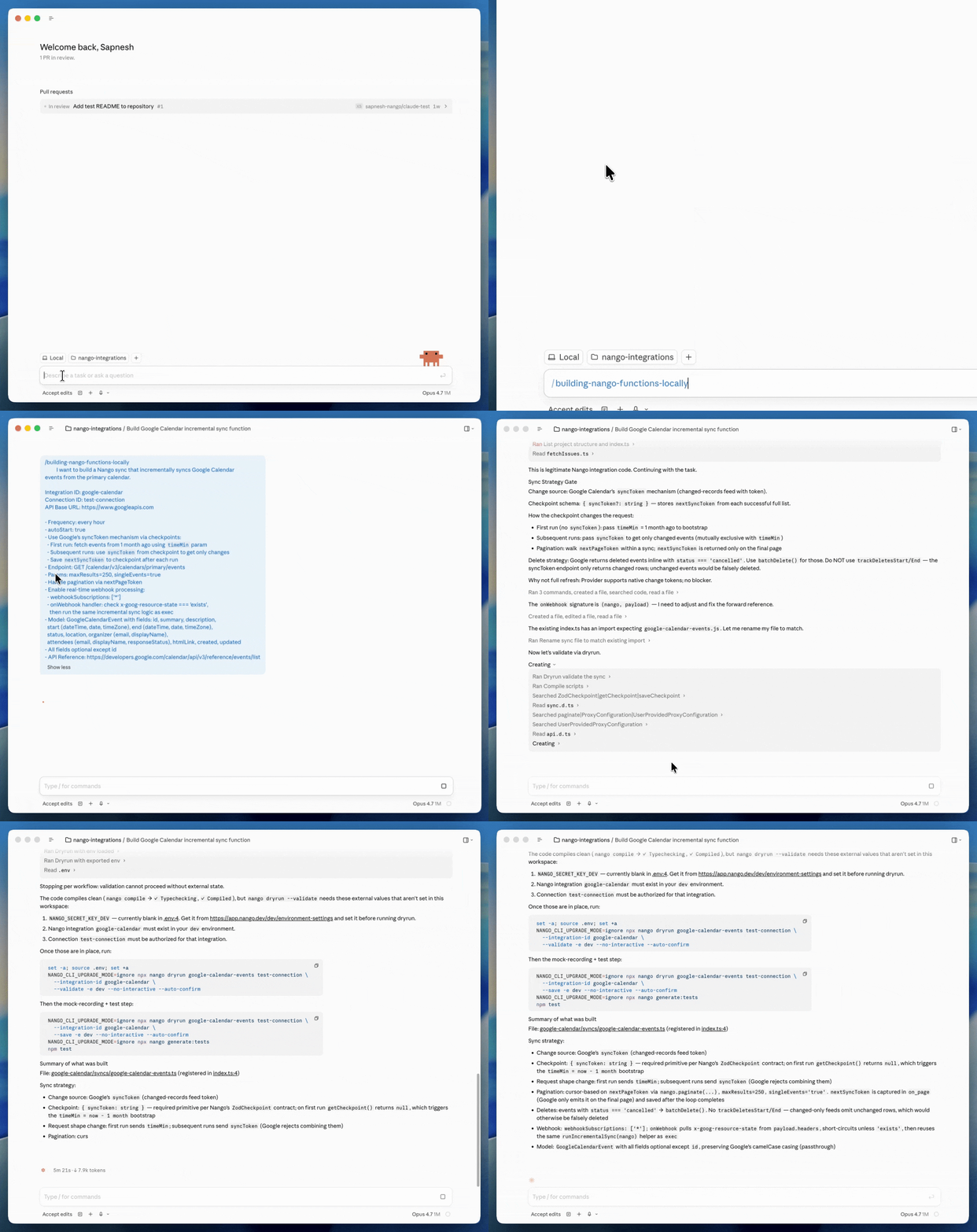
- Built-in MCP server with custom tools: Nango’s MCP server at
https://api.nango.dev/mcpserves the tools you deploy with strict typed schemas. Your agent sees a small, curated toolset instead of a generic catalog. The same tools are also callable over REST from OpenAI, Anthropic, LangChain, the Vercel AI SDK, or any other stack. - White-label, per-user auth across 1,000+ APIs: A drop-in Connect UI handles OAuth, API keys, JWT, and basic auth. Customers authorize under your brand, credentials stay server-side, and your agent only ever holds a connection ID.
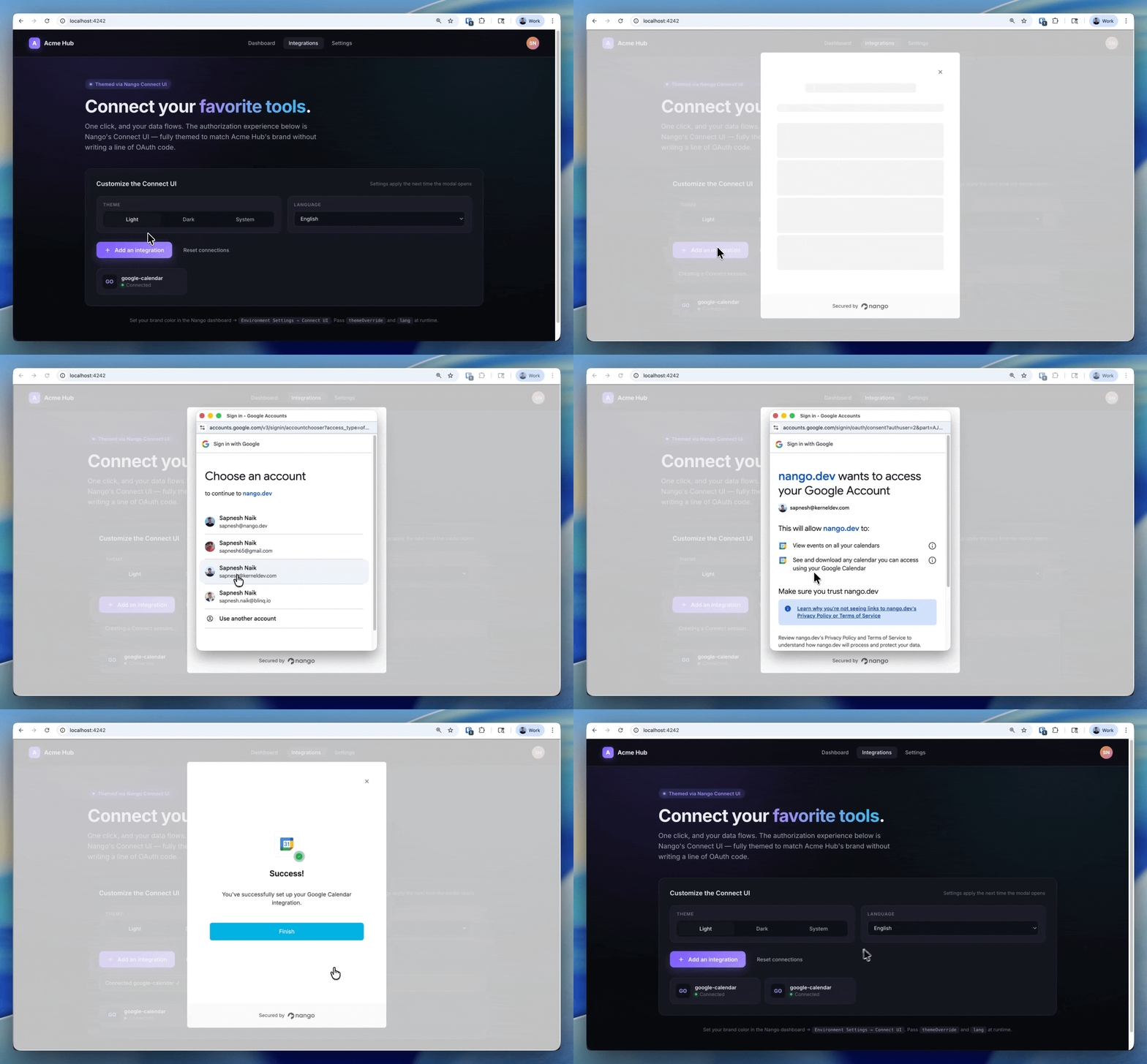
- Connects to external MCP servers too: Nango supports MCP Auth (added February 2026), so your users can also authorize official MCP servers like HubSpot MCP or Linear MCP through the same flow, and the generic MCP integration covers any spec-compliant server (GitHub MCP or Vercel MCP, for example).
- Supports syncs, webhooks and triggers: Durable data syncs for RAG, webhook ingestion, polling triggers, and per-customer configuration run on the same serverless runtime as the MCP server, with tenant isolation and less than 100ms of tool-call overhead.
- Deep observability and control: Every execution generates structured logs with full request and response details, custom log messages, and OpenTelemetry export. Scoped API keys (added April 2026) and RBAC limit what each service and teammate can touch. SOC 2 Type II, GDPR, and HIPAA compliant, with self-hosting for teams that need it.
Cons
- Nango is built for developers: integrations are code in a repo, written by an engineer or a coding agent. Teams that want a drag-and-drop workflow builder with a no-code experience are better served by a visual embedded iPaaS.
2. Arcade.dev
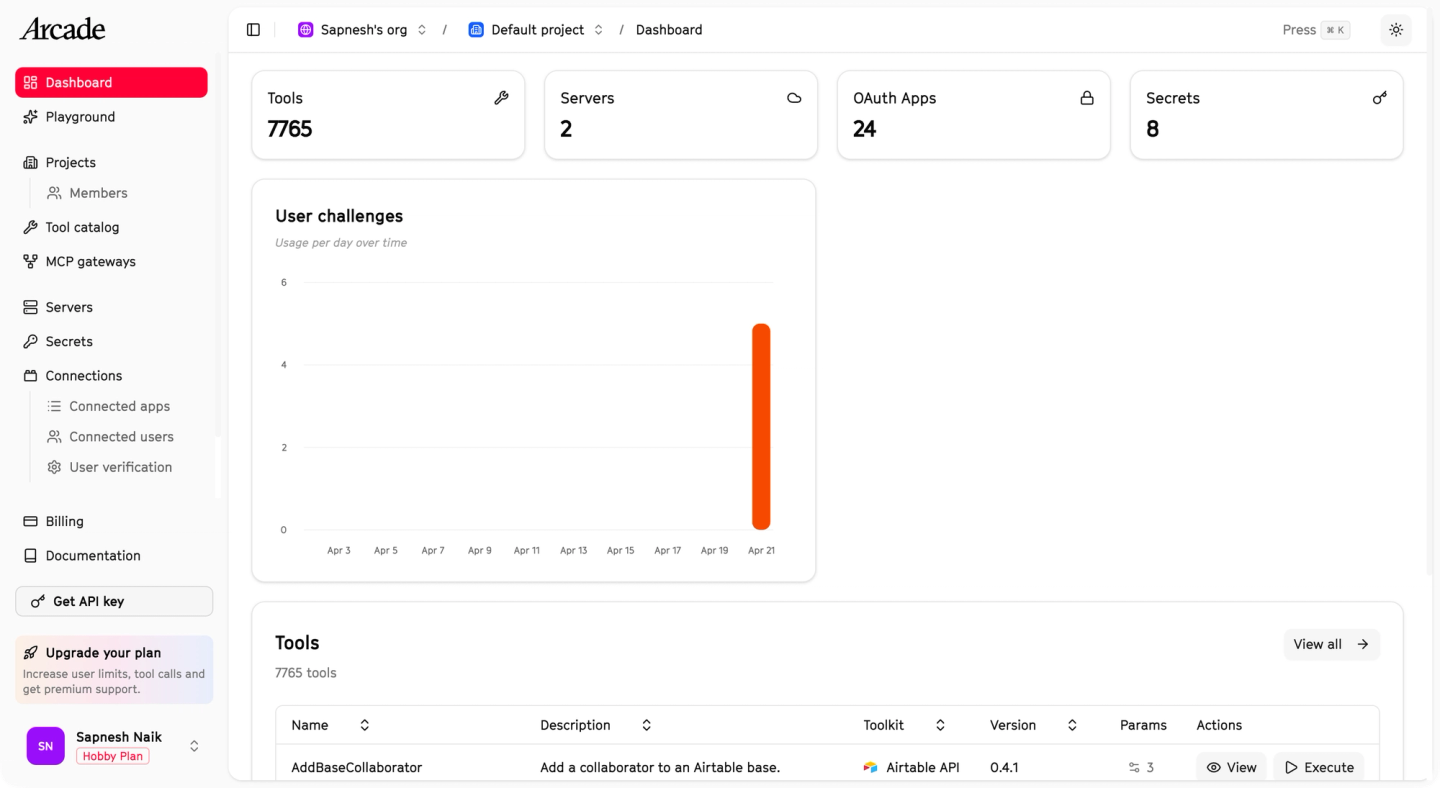
Arcade.dev is an MCP runtime for agent tool calling, built around per-user authorization. It exposes 7,000+ pre-built tools across roughly 80 first-party MCP servers and ships an SDK for hand-writing your own.
Best for
Teams whose agent’s entire scope is MCP tool calling, who do not need data syncs for RAG, webhook ingestion, or polling triggers, and whose integrations fit within the roughly 80 APIs in Arcade’s catalog.
Since the surface is tool calls only, the product is geared toward chat-style agent use cases rather than the full integration surface of a product.
Pros
- MCP-native runtime with per-user OAuth and permission checks before execution.
- Open-source
arcade-mcpframework for writing custom MCP servers. - Evaluation tooling to score agent behavior against scripted scenarios.
Cons
- Tool calls are the only pattern: no data syncs for RAG, no webhook ingestion, no polling triggers.
- No coding-agent build loop. Custom servers are hand-written against the SDK, with no testing loop against real connections.
- Coverage is about 80 APIs via first-party servers; the rest of the registry is community and auto-generated servers of varying quality.
- End users see Arcade on the OAuth consent screen by default; white-labeling requires per-provider OAuth clients and a custom verifier route.
- RBAC, SSO, audit logs, and tenant isolation are Enterprise-only, and the Engine that stores tokens is proprietary.
For a detailed head-to-head, see Arcade.dev vs Nango.
3. Composio
Composio is a hosted catalog of around 1,000 pre-built toolkits served behind a single MCP endpoint, with managed auth across the supported apps.
Best for
Personal automation agents (like OpenClaw) and internal productivity use cases that need tool calls for agents. Composio positions its product for internal operations like customer support, office work, and sales, not for embedding integrations in a product that your customers connect.
Pros
- Large catalog reachable in minutes through one hosted MCP URL.
- Managed OAuth for the supported toolkits.
- Adapters for LangChain, CrewAI, the OpenAI Agents SDK, and other frameworks.
Cons
- Tools are closed source, and custom tools cannot be deployed to Composio’s runtime. If a pre-built tool does not match your product’s intent, the agent chains generic ones, which inflates context and hurts reliability.
- No data syncs, no webhook ingestion, no custom triggers.
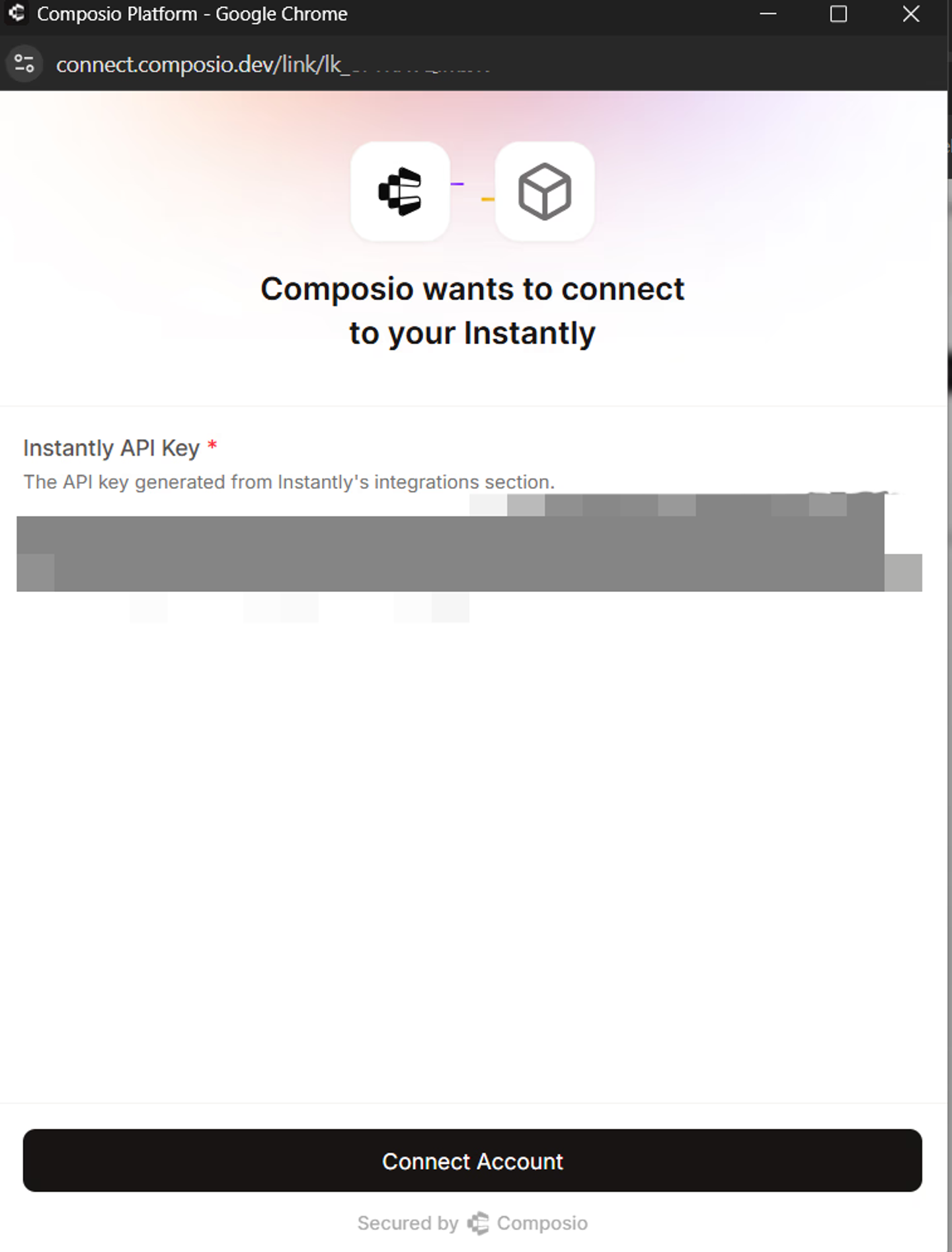
- End users authorize Composio, not your app, on the OAuth consent screen.
- Observability is limited to basic execution traces.
- In May 2026, Composio had a security incident in which an attacker achieved code execution in the sandbox runtime and around 5,242 connections were compromised.
A customer who moved from Composio to Nango described its tools as “just API wrappers.” They also said Composio was slow to add integrations and had declined one of their toolkit requests.
For a detailed head-to-head, see Composio vs Nango.
4. Pipedream MCP
Pipedream MCP serves hosted MCP servers for 2,800+ APIs with about 10,000 pre-built tools, backed by Pipedream’s automation platform. Workday acquired Pipedream in a deal announced on November 19, 2025.
Best for
Internal agent automations that need broad API coverage and can accept Pipedream’s configuration model. Pipedream markets its platform to internal teams (data engineering, IT, revenue operations), which is where its human-in-the-loop design fits best.
Pros
- The largest API catalog in this comparison, with managed auth.
- One hosted endpoint covers every app, or dedicated per-app servers.
Cons
- Built for human-in-the-loop automation: many actions must be “configured” through 2 to 5 API requests before they can run, which adds latency and often requires human decisions mid-flow.
- Non-standard tool schemas (dynamic and external props) instead of plain JSON Schema, which limits compatibility with agent tooling.
- Auth is Pipedream-branded, with no white-label flow, and observability does not show full request details.
- Two environments (dev and prod) with a 10-user cap on dev.
- Owned by Workday since December 2025, so expect the roadmap to prioritize Workday’s agent ecosystem over embedded use cases.
Comparison table
| Capability | Nango | Arcade.dev | Composio | Pipedream MCP |
|---|---|---|---|---|
| Custom tools deployed to the runtime | Yes | Yes | No | Partial (proprietary schema format) |
| Coding agents build tools (skill + real API testing) | Yes | No | No | No |
| White-label per-user auth | Yes | Partial (Arcade-branded by default) | No | No |
| Standard typed tool schemas | Yes | Yes | Yes | No |
| Data syncs and webhooks | Yes | No | No | Partial (via UI-based workflows) |
| Observability | Comprehensive | Basic | Basic | Basic |
| Open source | Yes | No | No | No |
| Self-hosting | Yes | Yes | No | No |
| API coverage | 1,000+ APIs, 10,000+ tools | ~80 APIs, 7,000+ tools | ~1,000 apps, 20,000+ tools | 2,800+ APIs, 10,000+ tools |
What about Zapier MCP and official single-app servers?
Zapier MCP connects AI clients to 8,000+ apps, but it is built for a person automating their own accounts: auth is Zapier-branded, there is no per-customer embedding model, and each tool call consumes plan tasks. It is for internal productivity, not for agent API integrations in your product.
Official single-app servers (GitHub MCP, Slack MCP, Notion MCP) are solid for developer tooling and internal agents. Inside a product they hit the per-user auth and context-cost problems covered above. If your product’s agent does need to reach one, Nango’s MCP Auth manages your users’ OAuth connections to any official or spec-compliant MCP server.
How to choose
Nango is the broadest pick: it covers the MCP server, the custom tools behind it, per-user auth, and the syncs and webhooks a production agent grows into, with coding agents doing the build work. Onboarding is agent-led as well: paste the quickstart prompt (added June 2026) into Claude, Cursor, or Codex and the agent handles signup, the API key, a test connection, and the first tool call. The other three fit narrower cases:
- Arcade.dev if MCP tool calling is your agent’s entire scope and its catalog covers your APIs.
- Composio if you are wiring an internal or personal agent to a pre-built catalog.
- Pipedream MCP if you need the broadest API coverage for internal automations.
An important data point: in our fall 2025 survey of several hundred teams building agent integrations, fewer than 10 kept generic MCP servers in production. Most teams prototype on a catalog, then move to custom tools served over their own MCP server or REST. A platform like Nango that supports both saves that migration and is the better pick in the long run.
FAQ
What is the best MCP server for agent API integrations?
Nango is the best MCP server for agent API integrations in a customer-facing product. It combines a large catalog (1,000+ APIs, 10,000+ pre-built tools) with custom tools: a coding agent and the Nango skill build them, the platform runs them, and its MCP server exposes them to your agent with white-label per-user auth. It also covers the agent patterns beyond tool calls, with data syncs for RAG and webhook or polling triggers that activate your agent.
Do I strictly need an MCP server for my product’s AI agent?
Not necessarily. MCP is one way to expose tool calls to your AI agent; use it when your agent’s stack is MCP-native. Most agent stacks can also call tools over REST APIs, which is simpler and equally reliable. A platform like Nango serves both from one deployment, so you can pick per agent. See MCP vs tool calls for AI agents.
Why not use official MCP servers like GitHub MCP in a product?
Official servers are built for one user connecting their own account. In a product, every customer must authorize separately and every call must run with that customer’s token, which public servers rarely support. Their generic, endpoint-shaped tools also consume context on every request and reduce tool-selection accuracy.
How does authentication work with MCP servers?
Two connections are involved. First, your agent signs in to the MCP server itself; this is what MCP’s OAuth flow covers. Second, the server calls the API behind it, for example Salesforce, using whatever credentials its operator set up. In a customer-facing product, the second connection is the one that matters: each customer must connect their own Salesforce, and every call must run with that customer’s token. Look for a platform where end users authorize under your brand and the runtime attaches the right token on each execution. For the broader picture, see our guide to secure AI agent authentication.
Are MCP servers production-ready in 2026?
The protocol is maturing quickly: MCP joined the Agentic AI Foundation in December 2025, and the specification release planned for July 28, 2026 makes the protocol stateless for easier scaling. Production readiness varies by server: per-user auth, tool quality, and observability differ widely across the roughly 10,000 active servers.
Conclusion
For agent API integrations in a customer-facing product, pick the MCP server by the platform behind it: who builds the tools, who holds each customer’s tokens, what else runs on the same runtime, and what you can see when a call fails.
Nango covers that surface end to end: coding agents build custom tools across 1,000+ APIs, a built-in MCP server (or REST) exposes them to your agent, and white-label per-user auth, data syncs, webhooks, and observability run on the same open-source platform. Arcade.dev fits MCP-only tool calling inside its catalog, Composio fits internal productivity agents, and Pipedream MCP fits internal automations that need the broadest API coverage.
Related reading:
- MCP vs tool calls for AI agents: which is better?
- Best agentic API integrations platform in 2026
- Arcade.dev vs Nango: which platform for production AI agent integrations in 2026?
- Composio vs Nango: a developer’s comparison for production AI agent integrations
- How to build reliable tool calls for AI agents integrating with external APIs

