
TL;DR
Arcade.dev is an MCP runtime for AI agent tool calling, built around agent authorization. It exposes a catalog of pre-built tools over MCP, handles per-user OAuth, and ships an SDK for writing your own MCP servers. But Arcade only has tool calls: no data syncs for RAG, no webhook ingestion, no polling triggers, and no coding-agent build loop.
Nango is the integration platform where coding agents build API integrations. Engineers use coding agents like Claude Code, Cursor, and Codex to write integrations as code in a repo. Nango’s cloud runtime runs them securely and at scale across 1,000+ APIs, with white-label auth, custom tool calls, an MCP server, durable data syncs, webhooks, and per-customer configuration on one platform.
Quick verdict:
- Pick Nango if agent integrations are core to a product you ship to customers, or if you want coding agents to build and customize tool calls, syncs, and webhooks as you scale.
- Pick Arcade.dev if your agent’s entire scope is MCP tool calling, your APIs are in its catalog, and you do not need data syncs, webhooks, or a coding-agent build loop.
Arcade.dev: an MCP runtime for agent tool calling and authorization
Arcade.dev is an MCP runtime that handles per-user OAuth, stores user tokens, and exposes a catalog of pre-built tools that agents call over the Model Context Protocol.
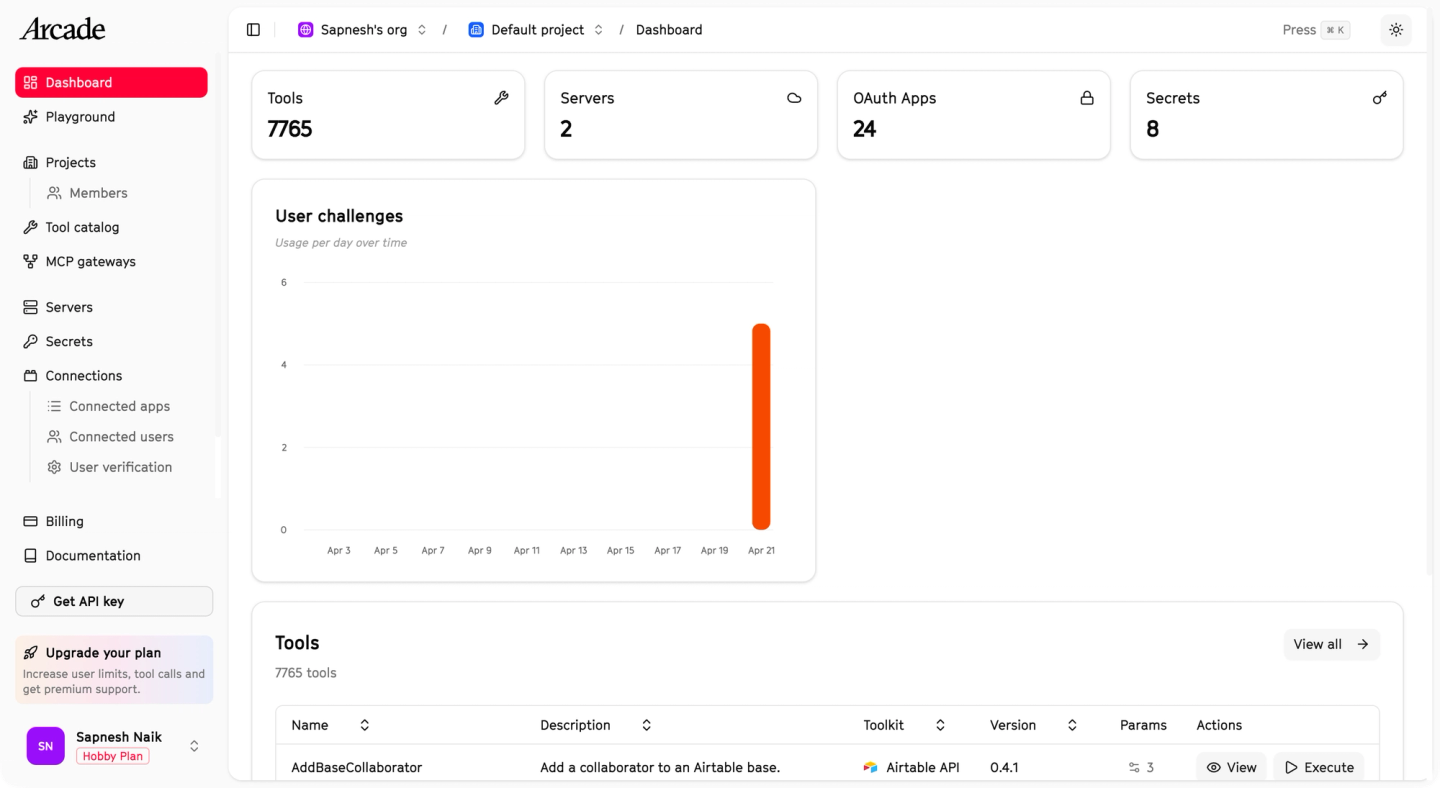
The catalog is large: 7,000+ pre-built tools across roughly 80 first-party MCP servers, split into hand-built (“Optimized”) and auto-generated (“Unoptimized”) tiers, and you can hand-write your own with the open-source arcade-mcp framework. The trade-off is scope. Arcade is built for the run side of one pattern, tool calls, so there are no data syncs or webhooks, the build process does not leverage AI, the Engine that stores tokens is proprietary, and several governance features are Enterprise-only.
Nango: build integrations with AI
Nango is a code-first platform where engineers use AI coding agents like Claude Code and Cursor to build API integrations for your product and the AI agents inside it. The integrations cover an agent’s full surface: tool calls and an MCP server the agents consume, plus the auth, data syncs, and webhooks behind them. The platform is a three-part system:
- Integrations as code, written by your coding agent. Install the universal Nango builder skill once. The agent reads API docs, builds the integration, tests it against a real connection, and iterates on real errors.
- A secure and scalable runtime. Functions run on Nango’s cloud with tenant isolation and resumable execution.
- A single interface for every use case. API auth, tool calls, data syncs, webhooks, polling triggers, and custom unified APIs, all as functions in your repo.
Nango is open source, supports 7,000+ prebuilt tools across 1,000+ APIs and 30 categories, and is used in production by hundreds of fast-growing SaaS and AI companies. It also supports just-in-time integrations: a coding agent builds an integration on demand when a customer asks for one, instead of pre-building every one by hand.
Six limits with Arcade.dev
Arcade fits a narrow scope: an agent calls a few APIs as a real user, and those APIs are in the catalog. As the surface widens, six limits show up.
No coding-agent skill for building integrations
Arcade’s SDK is for a human developer hand-writing and packaging MCP servers locally. There is no skill for Claude Code, Cursor, or Codex, no testing loop against a real connection, and no path for a coding agent to author and ship a tool end-to-end.
Tool calls are the only pattern
Arcade covers tool calling and nothing else: no durable data syncs for RAG, no webhook ingestion, no polling triggers, no unified-API layer. So when your agent needs the freshest CRM records, or has to react when a deal closes in Salesforce, you build the sync, the schedule, the resume logic, and the webhook receiver yourself, outside Arcade.
Low API support
The 7,000+ figure counts individual tools. What matters for coverage is how many APIs you can reach: roughly 80 first-party MCP servers, with the rest of the registry made up of community and auto-generated ones that may need customization before they are production-ready. When your API is not covered, you hand-write an MCP server in the SDK. Generic, non-bespoke tools also inflate context and hurt reliability, because they are not tailored to your agent’s intent.
Your customers authorize Arcade and not your app
By default, end users see “Arcade” on the OAuth consent screen and sign in through arcade.dev. To put your brand on the flow, you register your own OAuth client per provider and build a custom verifier route. That is workable, but it is per-provider configuration you own, not a drop-in default, which matters when every customer connects their own account under your brand.
Governance, RBAC, SSO, and tenant isolation are Enterprise-gated
Arcade markets central governance, but the controls that back it up are Enterprise-only: audit logs and compliance reporting, role-based access control, SSO and SAML, and dedicated tenant isolation. On the free and usage-based tiers, you run on shared infrastructure without them.
The runtime that holds your tokens is proprietary
Arcade is not fully open-source. The Engine, the hosted runtime that stores user tokens, brokers OAuth, and executes tool calls, is proprietary, and self-hosting it (VPC, on-prem, or air-gapped) requires Enterprise deployment.
What engineers like about Nango
Nango covers agent authorization, custom tool calls, data syncs, webhook processing, and unified APIs on a single runtime, with code-level access and an AI coding agent build loop built in.
Coding agents build the integrations
Install the Nango builder skill once. Your coding agent reads API docs, writes the integration, tests it against a real connection with nango dryrun, and iterates on real errors before deploying. The skill works the same way for any of the 1,000+ APIs Nango supports.
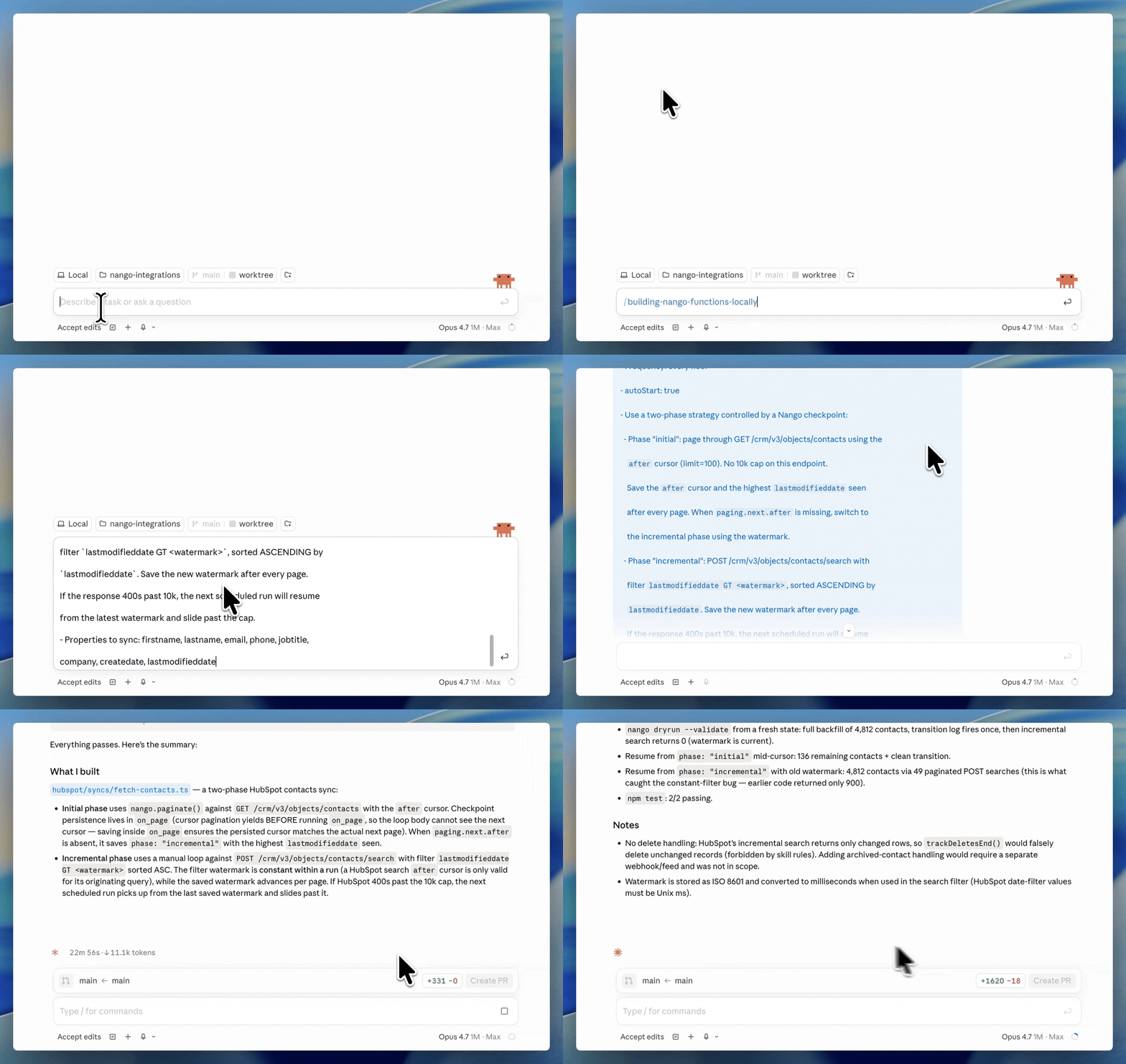
A prompt like this is enough:
/building-nango-functions-locally Build a real-time Google Calendar integration with webhook support.Every integration use case on one platform
API auth, data syncs, webhook processing, polling triggers, tool calls, and an MCP server all run on Nango. A Nango sync is the same kind of function as a Nango tool call. Both share the same runtime, observability, and build loop. Arcade is tool-call only; the rest of your integration surface lives elsewhere.
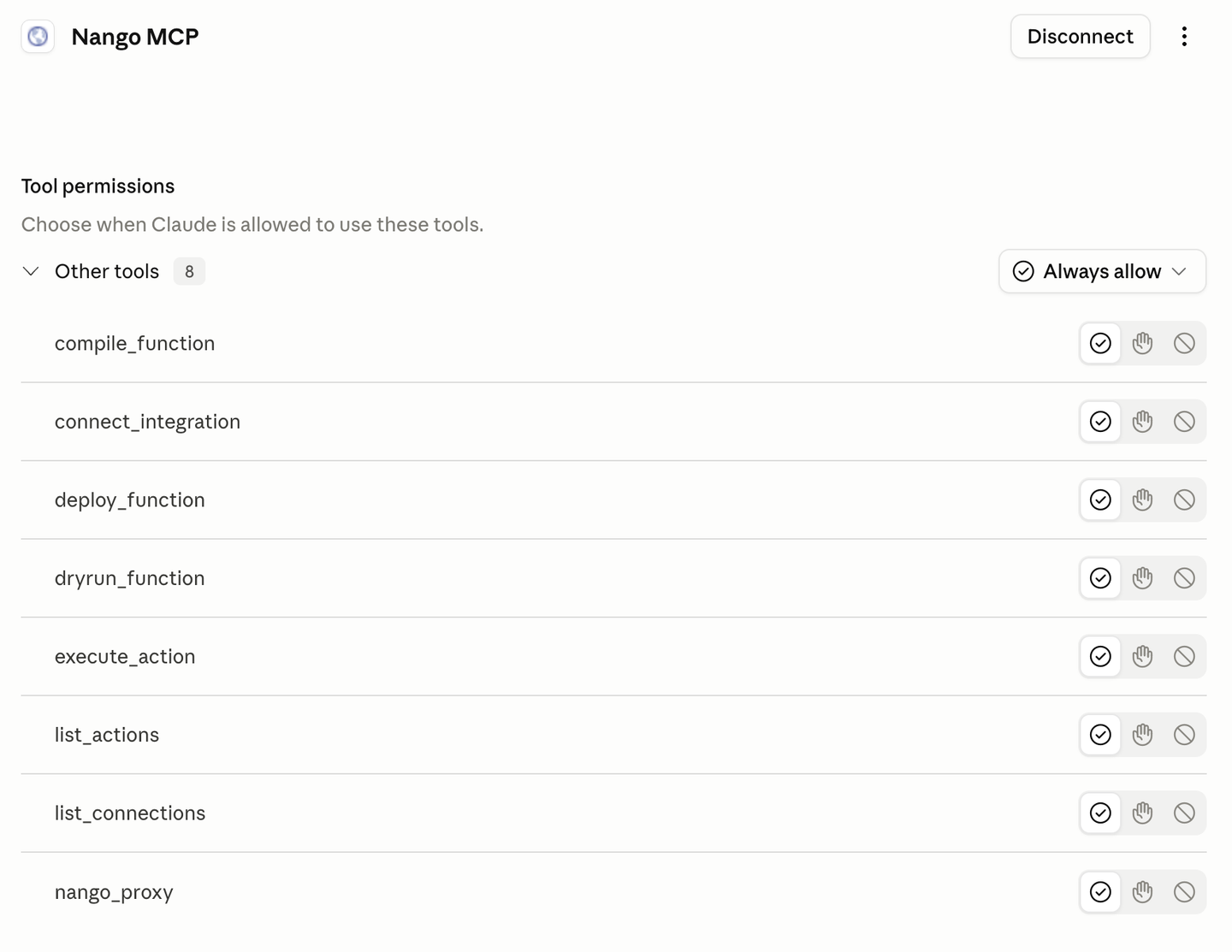
Built-in MCP server with custom tools
Nango’s MCP server exposes your custom tools to AI agents inside your product, with strict typed input and output schemas. Because the tools are yours, you can author intent-shaped tool calls that match your product’s exact intent instead of chaining generic ones. The MCP server enforces per-user and per-customer permissions through the same runtime that runs your auth and syncs.
White-label auth across 1,000+ APIs
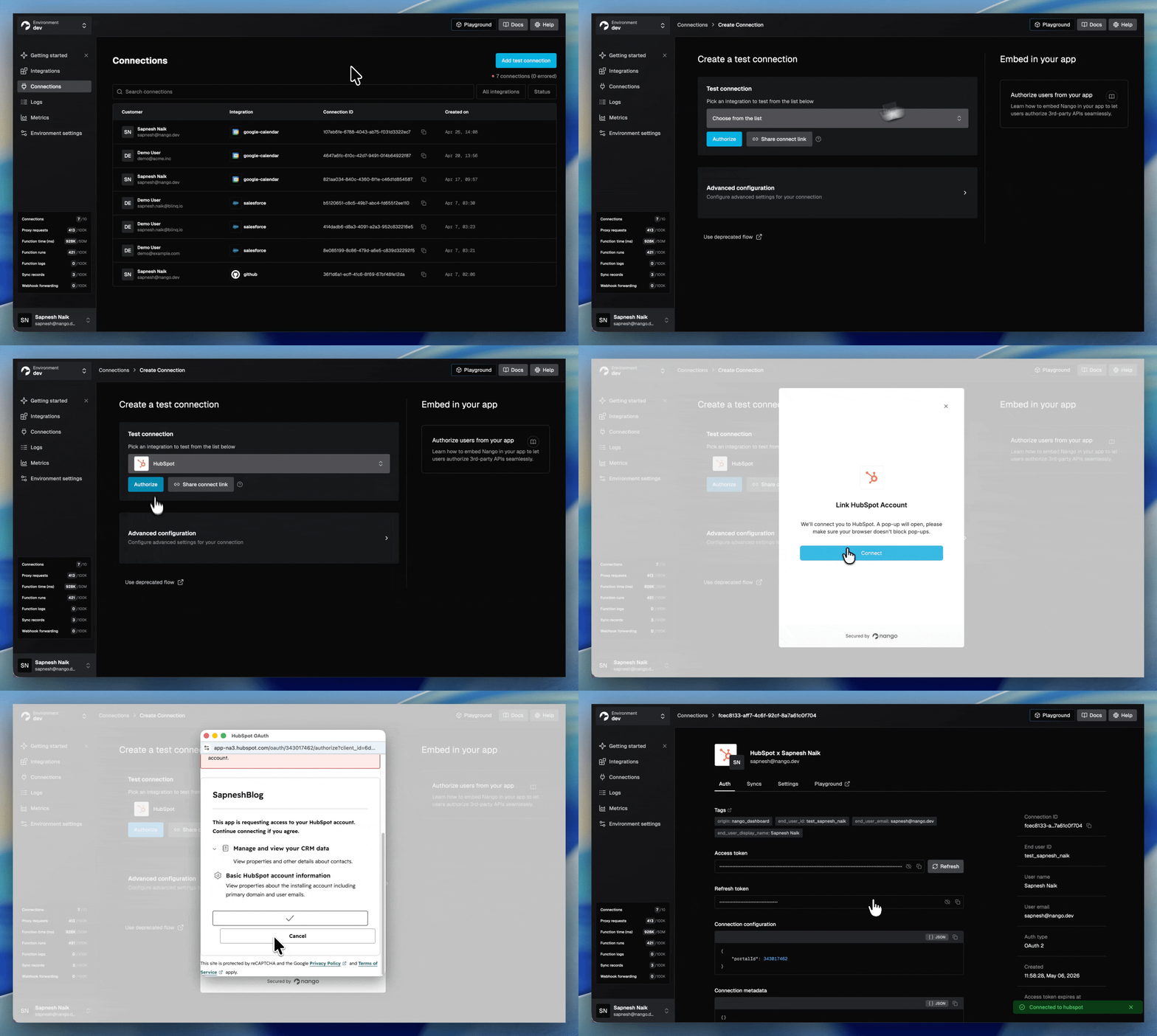
A drop-in Connect UI handles OAuth, API keys, JWT, basic auth, and the MCP Auth standard. End users authorize against your brand, not Nango’s, by default. Headless auth is available if you want to ship your own UI. Token refresh, concurrency-safe refresh, and custom credential validation ship on every plan.
Deep observability with OpenTelemetry
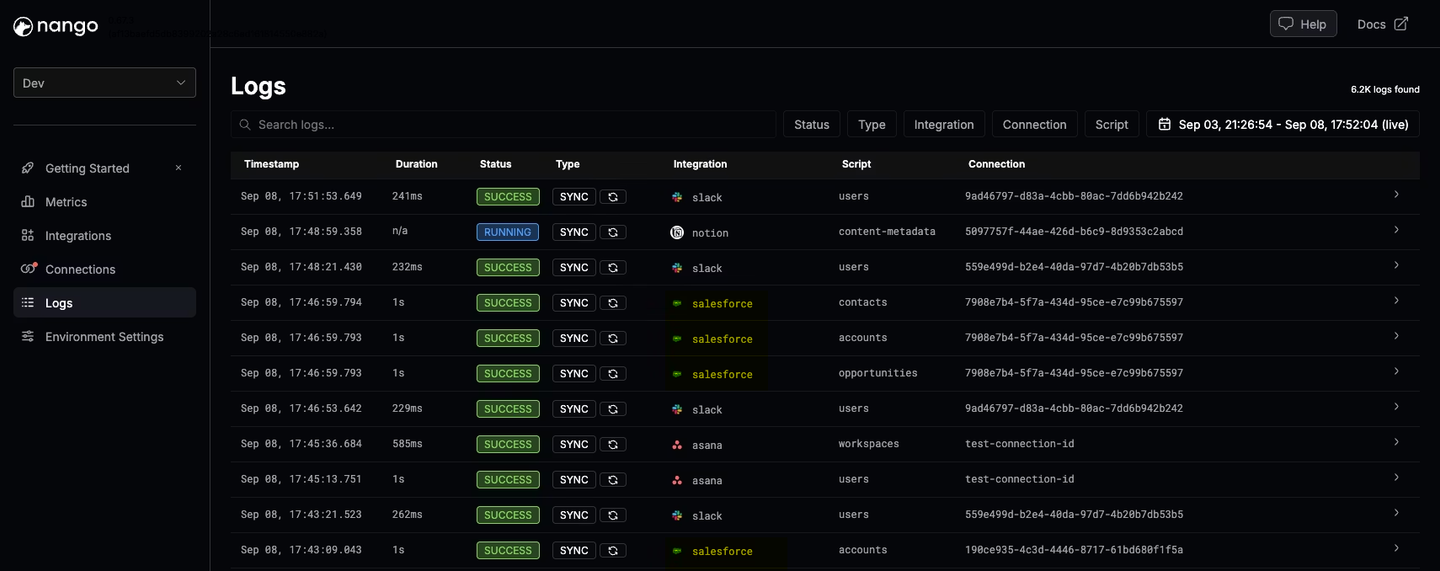
Every operation generates structured logs with full external API request and response details, custom log messages, full-text search, and OpenTelemetry export, on every plan. A Claude Code session can read a failing dry run, see the exact response that broke parsing, and ship a fix in the same turn.
Open source, compliance, and self-hosting
Nango is open source and SOC 2 Type II, GDPR, and HIPAA compliant. Self-hosting is available for teams with data residency or risk-management requirements. Tenant isolation, structured audit logs of every external API call, and encrypted credentials at rest ship by default.
Arcade.dev vs Nango for AI agents and LLM tool calling
If you are building AI agents that call third-party APIs in production, three things matter: how new tools get built, whether those tools can be customized to your product’s intent, and whether the rest of the integration stack (auth, syncs, webhooks) lives on the same runtime.
Arcade has a fixed catalog. It handles per-user OAuth, checks permissions before a tool runs, and exposes a large set of pre-built tools over MCP. The constraints are that you build with the catalog Arcade ships, custom tools are hand-written in the SDK, and the surface stops at tool calls. There is no coding-agent skill that authors and deploys a new tool, and no data syncs or webhooks when your agent needs more than a single call.
Nango has custom tool calls, an MCP server, agent auth, and AI coding agent support. Your coding agent writes tool calls as TypeScript functions in your repo. Each function deploys to Nango and is exposed through the Nango MCP server with strict typed schemas. Per-user and per-customer permissions are enforced by the same runtime that runs your auth and syncs. When the agent needs fresh data, it queries a Nango sync, not a polling cycle you wrote yourself.
For the full pattern, see best agentic API integrations platform in 2026.
Arcade.dev vs Nango: feature comparison
Here is how Arcade.dev and Nango compare across each agent integration pattern: tool calls, MCP, data syncs for RAG, webhooks and triggers, developer experience, customizability, open source, and self-hosting.
| Feature | Nango | Arcade.dev |
|---|---|---|
| Catalog | 7,000+ prebuilt tools across 1,000+ APIs (30 categories) | 7,000+ tools across ~80 first-party MCP servers (~157 in registry incl. community) |
| Build model | Code in your repo, written by your coding agent | Hand-written MCP servers in the Arcade SDK |
| AI coding agent skill (Claude Code, Cursor, Codex) | Yes (universal builder skill, dryrun against real APIs) | No |
| Custom tool calls deployed to runtime | Yes | Yes (hand-written via SDK) |
| MCP server | Built-in, exposes your custom tools | MCP-native, exposes catalog and custom servers |
| Agent authorization (per-user OAuth) | Yes | Yes |
| Data syncs for RAG | Durable, incremental syncs | No |
| Webhooks and triggers | Real-time webhook ingestion and polling triggers | No |
| Per-customer configuration | Yes, in code, every plan | Limited |
| Observability with full request/response logs and OpenTelemetry export | Yes, every plan | Basic |
| RBAC, SSO, audit logs | Available | Enterprise-only |
| Open source | Yes (platform and templates) | Partial (MIT framework and SDK; proprietary Engine) |
| Self-hosting | Yes (Enterprise) | Enterprise (VPC, on-prem, air-gapped) |
| Pricing | Free tier, transparent usage-based | Free tier, usage-based on tool executions |
When Arcade.dev is the right pick
Arcade.dev is a good fit when MCP tool calling is the entire job. Your agent acts on behalf of users across a handful of APIs, those APIs are in the catalog, per-user authorization is the hard part, and you do not need data syncs, webhook processing, per-customer configuration, or a coding agent to build new tools for you. For an internal or personal-productivity agent that lives inside the catalog, Arcade does what it advertises.
When Nango is the right pick
Nango is the right pick when your AI agent is a core part of a product you ship to customers, when you want coding agents to build and customize integrations in your repo, or when your agent needs more than tool calls: data syncs for RAG, real-time webhooks, custom unified APIs, white-label auth across hundreds of APIs, or per-customer configuration.
Nango covers the same starting point Arcade offers (an MCP server, managed per-user OAuth, custom tools) and adds the build loop, the runtime patterns, and the API breadth that a production AI product grows into. Transparent usage-based pricing and a free tier come built in.
How to migrate from Arcade.dev to Nango
To migrate from Arcade.dev to Nango:
- Build any new integrations on Nango first. Do not start new work on Arcade. This caps the scope of what eventually needs to be migrated.
- Install the Nango builder skill in your coding agent (supports Claude Code, Cursor, Codex, Gemini CLI, OpenCode, and others).
- Have the coding agent migrate existing tools one by one. Prompt it with the intent of each Arcade tool or MCP server. The skill reads the API docs, drafts the function, tests against a Nango test connection, and iterates on real responses. Auth, retries, pagination, and observability are handled by the runtime.
- Wire the agent to Nango. Expose the new tools through Nango’s REST API or MCP server. For most frameworks, this is a one-line config change.
- Add the patterns you were missing on Arcade. Move RAG context loading to Nango syncs. Move event-driven behavior to Nango webhooks or polling triggers.
- Migrate customer connections. Use Nango’s white-label Connect UI to re-authorize customers under your brand.
- Cut traffic over behind a feature flag. Run Nango and Arcade side by side, ramp up the share of calls on Nango, and verify in the logs that behavior matches.
- Decommission Arcade at the renewal boundary.
FAQ
Is Nango an Arcade.dev alternative?
Yes. Nango is the agentic API integrations platform that production AI teams pick when they outgrow Arcade.dev. The most common reasons for the switch are a coding-agent build loop, data syncs for RAG, webhook processing, white-label auth across more APIs, deep observability, and per-customer configuration. Nango supports 1,000+ APIs, ships an MCP server with custom tools, and runs auth, tool calls, syncs, webhooks, and unified APIs on one runtime.
What is the difference between Arcade.dev and Nango?
Arcade.dev is an MCP runtime for AI agent tool calling, built around per-user agent authorization. It exposes a catalog of pre-built tools and an SDK for hand-writing custom MCP servers, and its surface stops at tool calls. Nango is an integration platform where coding agents write integrations as code in your repo, and the runtime covers auth, tool calls, data syncs, webhooks, and unified APIs across 1,000+ APIs.
Does Arcade.dev support data syncs or webhooks?
No. Arcade.dev supports tool calls only. There is no data sync capability for RAG, no webhook ingestion for provider events, and no polling trigger for providers that do not ship webhooks. Nango supports all of these on the same runtime, so one platform covers the full integration surface an AI product needs.
Which platform handles agent authorization better?
Both handle per-user OAuth so an agent can act as a real user. Arcade focuses its product on this for its tool catalog. Nango handles auth across 1,000+ APIs with a drop-in white-label flow, supports OAuth, API keys, JWT, basic auth, and the MCP Auth standard, and uses the same auth layer to power tool calls, data syncs, and webhooks. For an AI agent that only calls a few catalog APIs, Arcade is enough; for a product that authenticates across many APIs and needs more than tool calls, Nango is broader. See best AI agent authentication platforms in 2026.
Arcade.dev vs Nango: which is better for building API integrations for AI agents?
Nango. For an engineer building API integrations for AI agents, Nango is the better choice: it covers every integration pattern an agent needs (tool calls, MCP, data syncs for RAG, webhooks, and triggers) on one runtime, and coding agents like Claude Code and Cursor build and customize those integrations in your repo across 1,000+ APIs. Arcade.dev is limited to MCP tool calling against its catalog, with no data syncs, no webhooks, and no coding-agent build loop. Pick Arcade only when tool calling is your agent’s entire scope.
Conclusion
Arcade.dev is a good choice for wiring an AI agent to a catalog of pre-built tools for an internal or personal-productivity agent whose main scope is tool calling.
Nango is the integration platform you pick when your AI agent is a core part of a product you ship to customers. Coding agents build the integrations in your repo across 1,000+ APIs. The same runtime exposes custom tool calls, an MCP server, durable data syncs, webhooks, white-label auth, and deep observability. The build side is the differentiator now that every platform ships an MCP server, and Nango is the one where the code your agent writes today runs unmodified in a hardened, tenant-isolated runtime tomorrow.
Related reading
- Best agentic API integrations platform in 2026
- Composio vs Nango: a developer’s comparison for production AI agent integrations
- Best API integration platforms to use with Claude Code, Cursor, and Codex
- Best AI agent authentication platforms in 2026
- Build reliable tool calls for AI agents integrating with external APIs
