
CRM integrations can help AI sales and support agents identify opportunities, respond with better context, and reduce manual work. But these agents need more than simple access to a CRM API.
A sales agent may need to:
- Look up an account in Salesforce
- Find recent activities
- Create a lead
- Update an opportunity
- Add a note after a conversation
On the other hand, a support agent may need to:
- Retrieve a customer record
- Identify account ownership or tier
- Update contact details
- Write information back to the CRM after resolving an issue
The challenge is not making a single API request. It is doing this across many customers and CRM platforms, each with different credentials, permissions, custom fields, object schemas, rate limits, and authentication lifecycles.
The agent needs secure, customer-specific authentication, reliable tool execution, access to custom CRM data, event handling, and the ability to keep CRM context synchronized over time. This creates a broader integration problem for SaaS teams building customer-facing AI agents.
CRM integration tools help SaaS teams resolve this problem. In this article, we compare five AI integration tools and how they help engineering teams connect AI sales and support agents to platforms like Salesforce and HubSpot.
TL;DR
The best CRM integration tools help AI sales and support agents securely connect to CRM systems, access customer data, perform actions, and keep context synchronized across different customer environments. Our list includes:
- Nango: Code-first platform for customer-facing AI agents that need customizable CRM tool calls, authentication, data syncs, webhooks, and provider-specific API access.
- Merge: Unified CRM API plus Agent Handler. Useful when standardized CRM objects and pre-built agent tools cover the required workflows.
- Paragon: Embedded integration platform combining agent actions with managed syncs and a visual workflow model.
- Composio: Large agent-focused catalog of pre-built tools and integrations, particularly useful for teams prioritizing fast access to ready-made agent actions.
- Ampersand: Developer-focused embedded integration platform specializing in CRM, ERP, and GTM systems, with configuration-driven integrations and field mapping.
What AI sales and support agents need from CRM integrations
Before comparing the tools, let’s define which features AI sales and support agents need in production. Connecting to Salesforce or HubSpot is just a start. The integration layer must cover a broader scope.
We also analyzed our calls with different engineering teams when compiling these criteria.
Per-customer authentication
Your customer-facing AI agent is not accessing one shared CRM account. Each customer connects their own CRM environment.
For example:
Customer A may connect Salesforce
Customer B may use HubSpot
Customer C may use Microsoft Dynamics 365
Therefore, the integration platform has to manage authentication for each tenant separately. It should include key capabilities like OAuth flows, token refresh, secure credential storage, reconnection handling, tenant isolation, and white-label authentication.
This is one of the main reasons engineering teams adopt a CRM integration platform.
Read and write tool calls
AI agents need higher access to CRM data than read-only. A sales agent may need to search contacts, create leads, etc. A support agent will retrieve account details and update the CRM with changes.
How does each platform expose these operations to the agent?
Some platforms provide large catalogs of pre-built tools. Common agent tools include search contacts, get_account, create_lead, update opportunity, and add_note.
Other platforms let developers write custom integration logic or expose raw provider APIs when a pre-built action is not enough.
This matters because some engineering teams need control over tool behavior rather than a fixed catalog of actions.
Custom CRM fields and objects
The teams rarely use only the standard schema in real CRM implementations.
For instance, a Salesforce customer might have fields such as:
Customer_Tier__c
Renewal_Date__c
Region__c
They may also rely on custom objects that do not exist in a standard CRM model.
This creates an important trade-off when evaluating CRM integration tools. A normalized API can simplify common operations across providers. But it may also require special support for custom fields, custom objects, or provider-specific endpoints.
For AI agents, that can be a serious limitation. Therefore, we will evaluate not only whether a platform supports Salesforce or HubSpot, but also how much control developers have over custom schemas and direct API access.
CRM data sync for agent context
AI agents often need CRM context before they perform an action.
A typical architecture may look like:
CRM
  ↓
Sync contacts, accounts, and opportunities
  ↓
Application database or vector store
  ↓
AI agent context
The agent may then perform a write operation separately:
AI agent
  ↓
CRM tool call
  ↓
Update opportunity
This distinction is important because tool execution and data synchronization solve different problems.
A tool call is useful when the agent needs to perform a live action. A durable sync is more appropriate when the application needs a continuously updated copy of CRM data for retrieval, search, analytics, or Retrieval-Augmented Generation (RAG).
In our evaluation, we will look at each platform’s support for incremental syncs, configurable schedules, real-time updates, webhooks, backfills, and recovery when events are missed.
Production reliability and observability
You have to make sure a CRM integration that works well in a demo also survives production traffic.
Engineering teams need to know what happens when an API rate limit is reached, a token expires, a webhook arrives twice, a sync fails midway through thousands of records, or a CRM provider temporarily becomes unavailable.
Most of the required capabilities include:
- Automatic retries and rate-limit handling
- Reliable webhook and event processing
- Recovery from failed or interrupted syncs
- Detailed request and execution logs
- Error monitoring and alerts
- Audit trails for agent actions
- Deployment and security controls
- Clear visibility into which tenant, connection, or tool call failed
For AI sales and support agents, observability matters because the agent may be taking actions on behalf of a customer. Engineering teams need to trace what happened, identify failures, and verify which CRM account and operation were involved.
These criteria form the basis for the five CRM integration tools we compare below.
The 5 best CRM integration tools for AI agents in 2026
Let’s explore the best CRM integration tools for AI sales and support agents, selected based on our evaluation criteria.
1. Nango
Overview
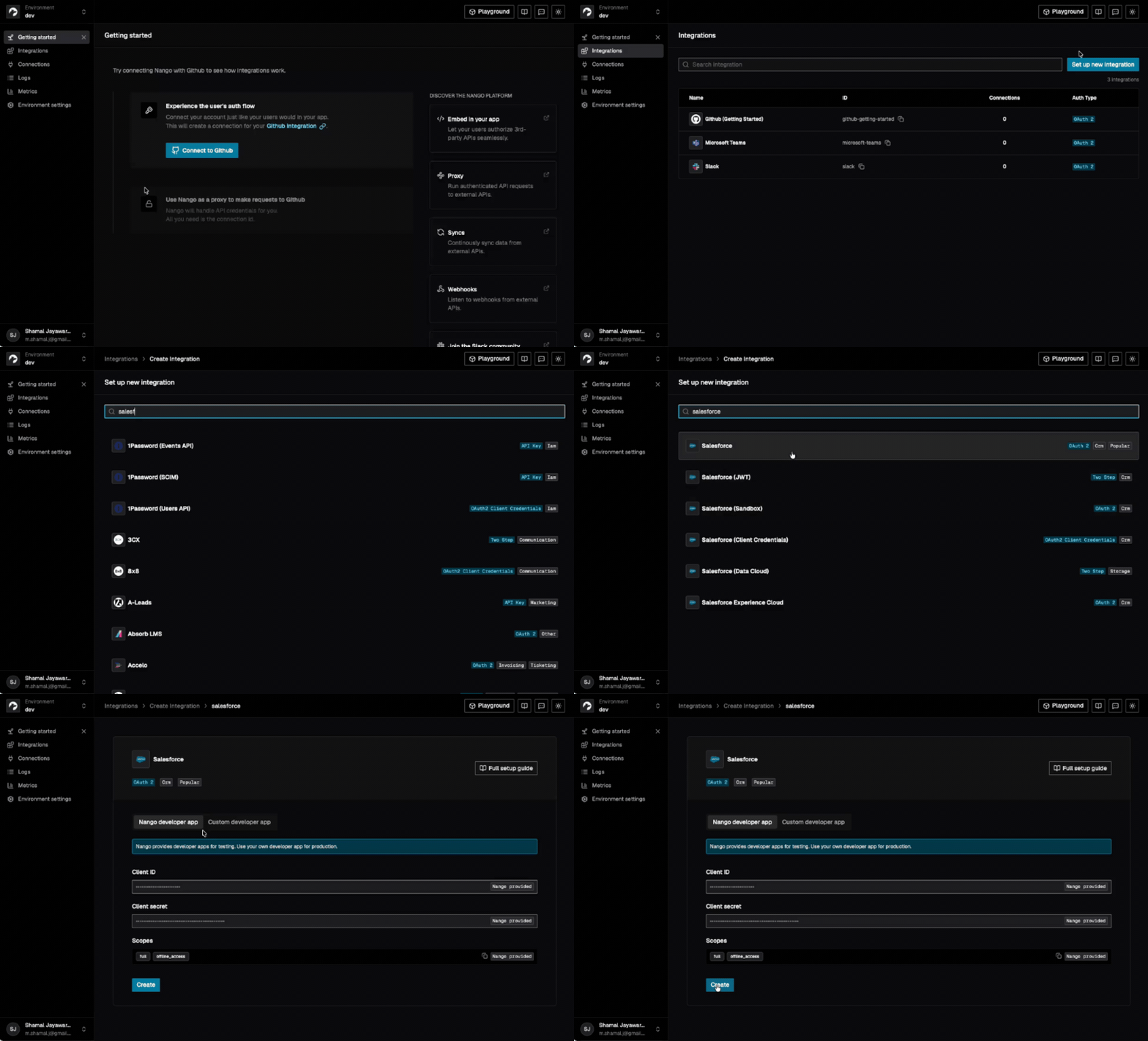
Nango is an integration platform that lets you connect any AI agent or product to over 1,000 APIs via 10,000+ pre-built tools and syncs. Nango covers the full integration surface, including auth, tool calls, triggers, and syncs. You can get started quickly with its pre-built tools and extend later on the same platform built for scale.
Enterprises like ServiceNow, Zomato, Smartsheet, and more than 600 other customers trust Nango for agent integrations. They also use Nango for its platform maturity, customizability, and enterprise readiness, including BYOC and self-hosting.
Best for
Nango is best suited to engineering teams building customer-facing AI agents that need deep CRM access rather than a fixed set of standardized actions.
It is especially relevant when the agent needs to work with custom CRM data in platforms such as Salesforce or HubSpot, combine live tool calls with synchronized CRM context, or support enterprise customers with stricter infrastructure and deployment requirements.
Pros
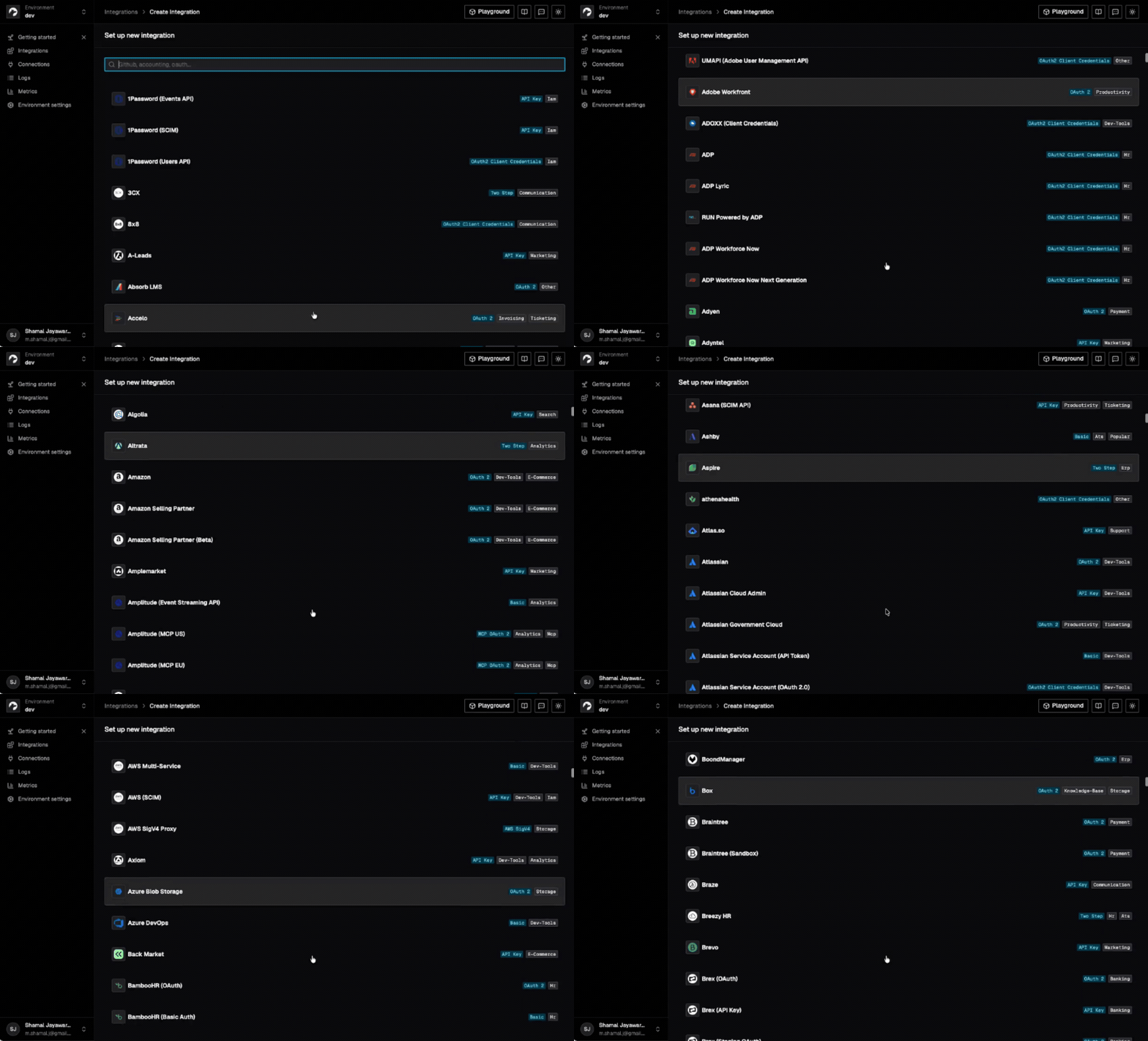
- Broader pre-built catalog: Nango’s pre-built catalog covers 1,000+ APIs, including major CRM platforms such as Salesforce and HubSpot.
- Code-first approach: This approach gives developers control over integration logic instead of locking them into a fixed workflow or normalized schema.
- More customizations: Supports provider-specific APIs, custom fields, and custom objects when standard actions are not enough.
- All-in-one integration stack: Nango combines authentication, tool calls, data syncs, and webhooks in the same integration platform.
- Enterprise-ready infrastructure: This AI integration tool is built for enterprise-scale use cases, with observability, retry and rate-limit handling, and self-hosting/BYOC options.
Cons
- Some features need higher-tier plans: Advanced options such as self-hosting and BYOC are limited to the enterprise plan.
2. Merge
Overview
Merge takes a different approach to CRM integrations. Its core Unified API gives developers a single normalized data model across multiple CRM platforms, including Salesforce, HubSpot, Microsoft Dynamics, and others. Instead of building separate integrations for each provider, teams can work with common models for accounts, contacts, opportunities, etc.
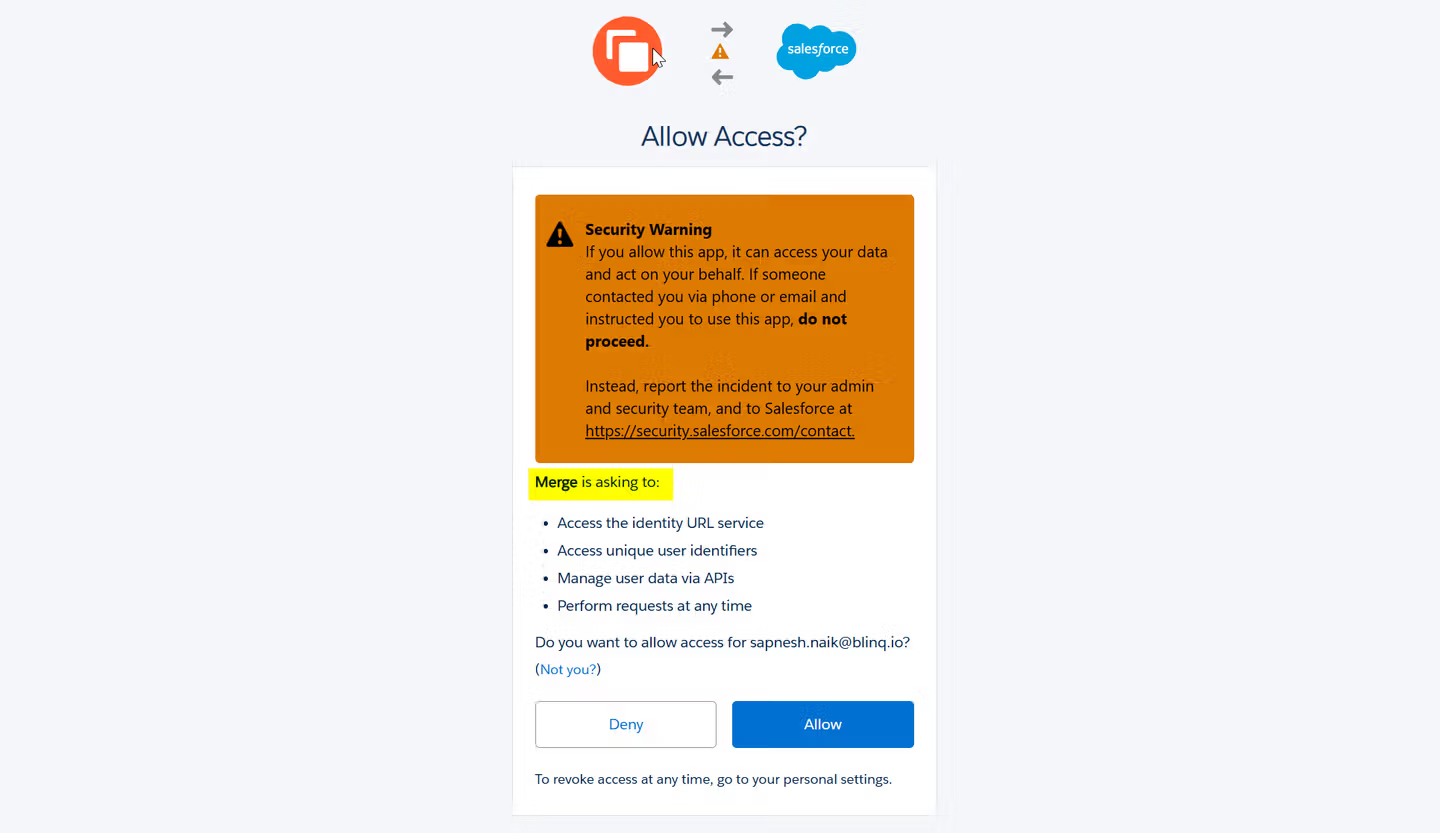
Merge offers an MCP-based tool-calling layer called Agent Handler. It connects your AI agent to thousands of enterprise tools with built-in authentication, security, and observability. This platform provides dedicated connectors to many popular CRMs such as Salesforce and HubSpot.
Best for
Merge is best suited to teams that want to support several CRM platforms through a consistent data model while also giving AI agents access to common CRM actions.
It is particularly useful when most customers rely on standard CRM objects and workflows. This CRM integration tool is more suitable when engineering teams work with one normalized API than when they maintain separate implementations for each CRM provider.
Pros
- Unified CRM model: Merge lets developers work with common CRM objects across multiple providers instead of maintaining a completely separate data model for every integration.
- Agent-ready tool layer: Agent Handler exposes CRM operations over MCP and handles per-user authentication, credential storage, tool scoping, and audit logging.
- Built-in CRM synchronization: Merge Unified supports scheduled synchronization and faster update options through third-party webhooks or forced resyncs.
Cons
- Less flexibility than a provider-first model: The normalized API makes standard CRM integrations simpler. But teams with highly provider-specific workflows may need to work around the common schema or rely on additional connector-specific capabilities.
- Advanced CRM customization requires higher tiers: Features such as Remote Fields, Field Mappings, Custom Objects, and Authenticated Passthrough are available only on Professional or Enterprise plans.
- Two products for data and actions: Teams that need both synchronized CRM data and live agent tool calls may need to use both Merge Unified and Agent Handler. They can’t get both through a single product surface.
- Production pricing rises quickly: Merge Unified starts free for three production Linked Accounts, then costs $650 per month for up to ten. Agent Handler’s public Pro plan starts at $1,000 per month with 25,000 monthly credits.
3. Paragon
Overview
Paragon is an embedded integration platform for SaaS products and AI agents. Its current product suite is built around three main pieces:
- ActionKit for real-time reads and writes
- Managed Sync for ingesting and normalizing customer data
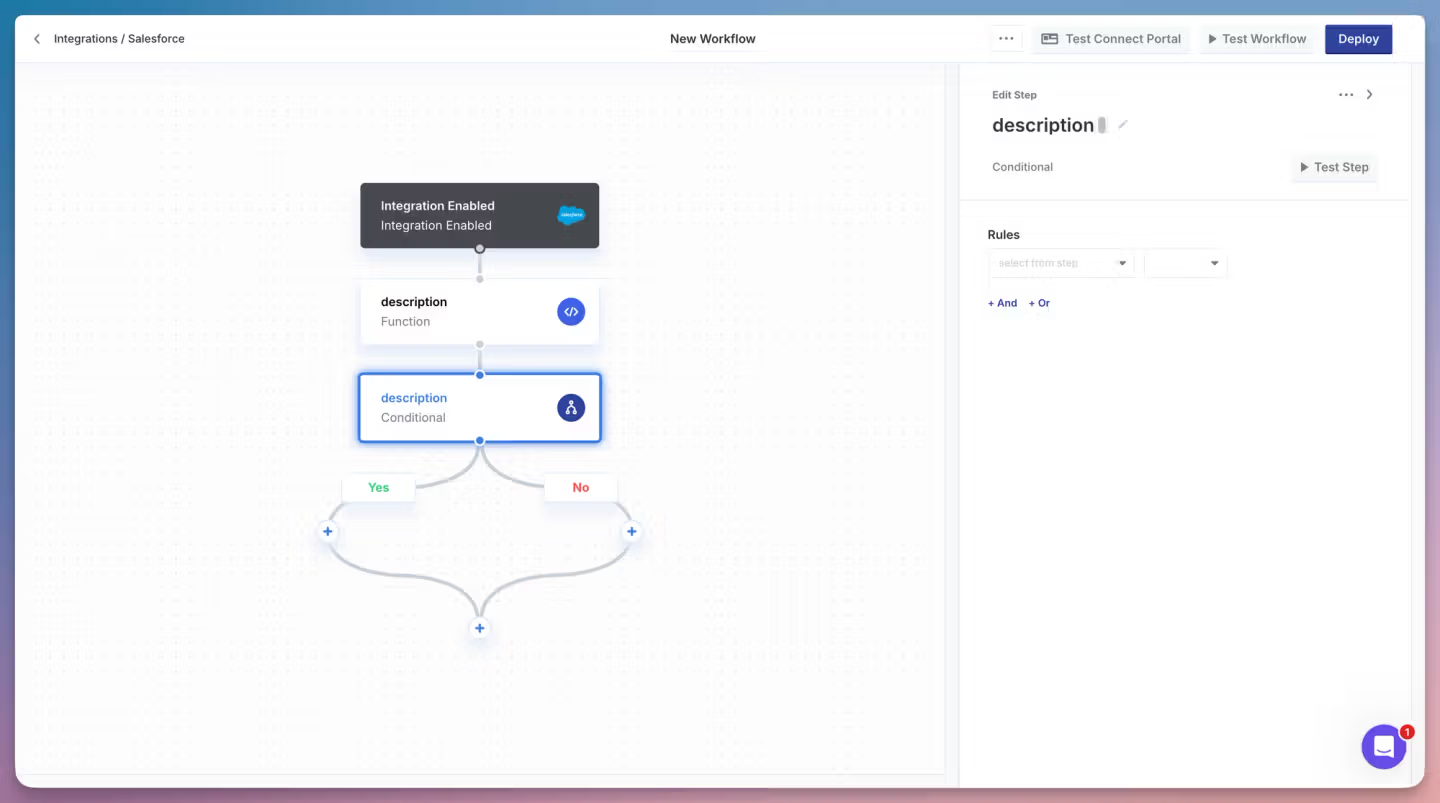
- Workflows for multi-step integration logic
Paragon also provides an embedded Connect Portal for customer authentication, with white-label and headless options.
ActionKit is the most relevant layer for CRM-powered AI agents. It exposes more than 1,000 integration actions through one API or MCP server. It includes CRM operations such as retrieving, creating, and updating Salesforce or HubSpot records.
Best for
Paragon suits teams that want agent actions, CRM data ingestion, and workflow orchestration in the same platform. It is relevant when a product needs an embedded authentication experience for end users.
Pros
- Agent-ready CRM actions: ActionKit exposes synchronous CRM actions through a single API and MCP server, with schemas designed for AI agents and application UIs.
- Built-in data ingestion: Managed Sync can pull structured CRM data, perform historical backfills, and keep records updated on configurable schedules.
- Embedded authentication: Paragon handles customer authentication through a white-labeled Connect Portal or headless SDK, including credential storage and refresh.
Cons
- Multiple product layers to learn: Teams have to learn ActionKit, Managed Sync, and Workflows to cover real-time actions, data ingestion, and orchestration rather than using a single integration primitive for everything.
- Normalized sync model can add constraints: Managed Sync is designed around normalized schemas. Although teams can customize those schemas, those that need deep provider-specific behavior may prefer a model that works directly against each CRM API by default.
- Pricing is not publicly listed: Paragon’s Pro and Enterprise plans are both quote-based. So, teams need to contact sales to estimate production costs.
- Some advanced controls are enterprise-only: Features such as on-premise/single-tenant options, SSO, role-based access control, and unlimited task-history retention are reserved for the Enterprise plan.
4. Composio
Overview
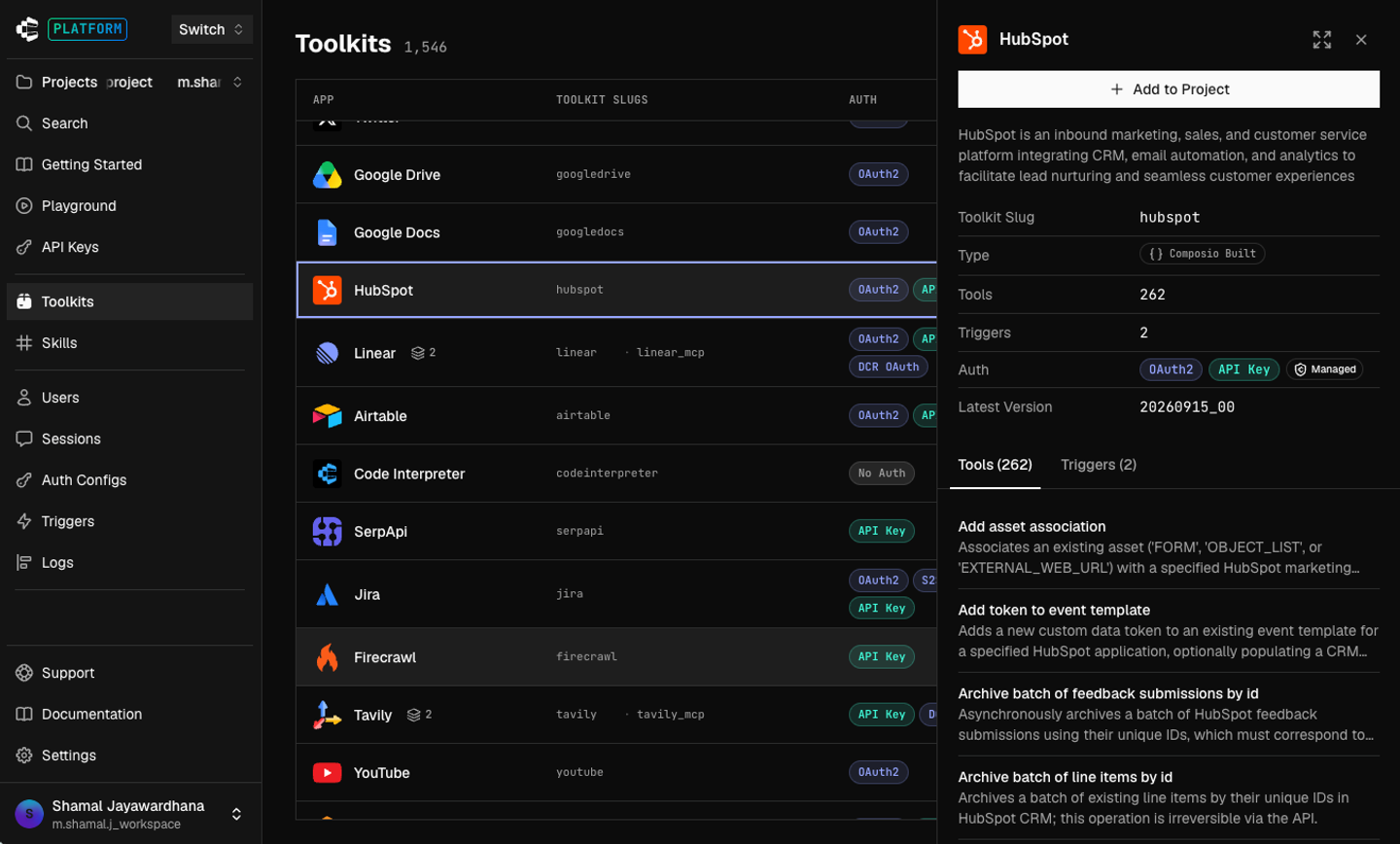
Composio is an AI-agent integration platform built around tools, authentication, sessions, and MCP. Its current catalog covers more than 1,500 toolkits, including Salesforce and HubSpot.
For CRM use cases, Composio exposes many ready-made actions. These include actions such as creating Salesforce accounts, contacts, leads, opportunities, notes, and custom fields.
Composio also manages authentication per user. Each user ID gets its own connected accounts, and OAuth tokens are refreshed automatically.
Best for
Composio is best for teams that want a large catalog of ready-made CRM actions quickly.
It is also relevant for agent-heavy products that already use frameworks such as OpenAI, Anthropic, and Vercel AI SDK.
Pros
- Large agent-focused tool catalog: Composio supports more than 1,500 toolkits, including Salesforce and HubSpot coverage.
- Managed per-user authentication: This tool scopes OAuth, API keys, and other credentials to individual users, with automatic token refresh and hosted Connect Links.
- Flexible tool execution: Developers can use pre-built tools, create custom tools, or call provider endpoints through Proxy Execute.
Cons
- No dedicated CRM sync layer: Composio is primarily centered on tool execution and triggers rather than durable CRM synchronization. Teams that need ongoing ingestion, incremental syncs, backfills, and a local copy of CRM data may need to build that layer separately.
- Customization is more tool-centric than schema-centric: Developers can create custom tools and call arbitrary provider endpoints. But Composio does not provide the same kind of first-class CRM field-mapping or normalized sync model offered by some dedicated integration platforms.
- Advanced security controls can add usage costs: Features like zero data retention, IP allowlisting, and BAA support are paid add-ons on the Scale plan and included with Enterprise.
- Hosted-first deployment model: Composio supports customer-owned credentials and local execution patterns. But its core platform is primarily delivered as a hosted service rather than a self-hosted or BYOC integration platform.
- Security incident history: In May 2026, an attacker reached Composio’s execution sandbox and the credential cache behind it. Around 5,001 GitHub OAuth tokens and 5,241 API keys were compromised or likely exposed. And every customer was made to rotate API keys.
5. Ampersand
Overview
Ampersand is a developer-focused integration platform. It was specifically built for deep, customer-facing integrations with CRM, ERP, and other GTM systems. It provides less support for generic catalogs.
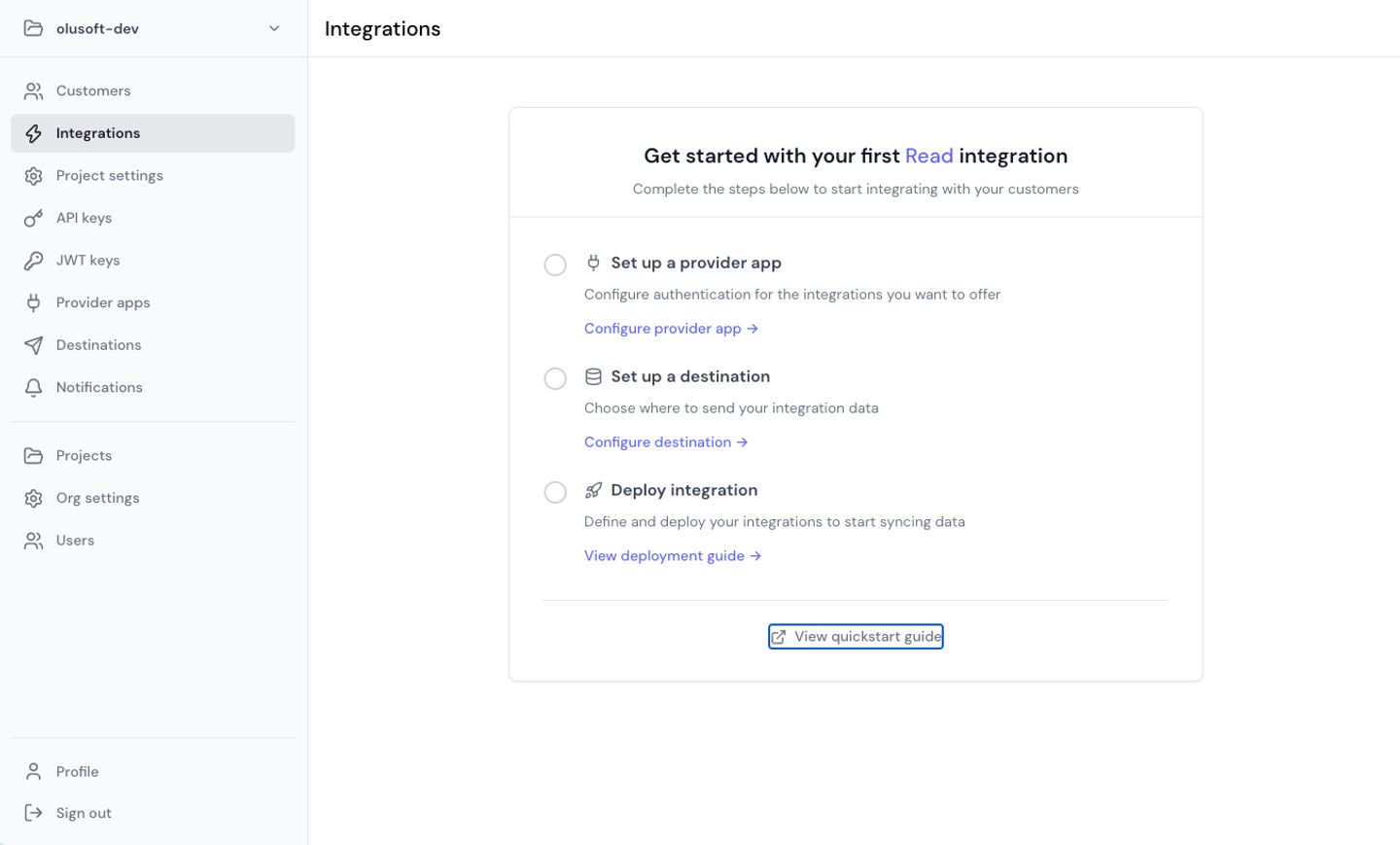
AI integration platform helps product teams build configurable, bidirectional integrations that can adapt to each customer’s setup. Its connector coverage includes Salesforce, HubSpot, Microsoft Dynamics 365, Zoho, and other GTM systems.
Ampersand supports custom objects, custom fields, predefined mappings, and customer-defined field mappings. So one customer’s Salesforce setup doesn’t have to look exactly like another’s.
Best for
Ampersand’s CRM model is especially relevant for enterprise customers with heavily customized schemas. It’s best suited to teams building deep embedded CRM integrations where customers need control over which objects and fields are synchronized.
Pros
- Strong CRM and GTM focus: Ampersand is built around customer-facing integrations with systems such as Salesforce, HubSpot, Dynamics 365, Zoho, and other sales, revenue, marketing, and support platforms.
- Code-first configuration: Integrations live in YAML, can be version-controlled, and fit naturally into CI/CD workflows.
- Flexible field mapping: Developers can define object and field mappings themselves or let customers map their own fields through embedded UI components.
Cons
- Smaller general-purpose catalog: Ampersand is more specialized around CRM, ERP, and GTM integrations than broad agent-tool platforms with thousands of ready-made actions.
- More configuration work: The YAML-driven model gives teams flexibility, but developers still need to define integration behavior, mappings, and sync rules themselves.
- Connector capabilities vary by provider: Some connectors support full incremental reads and subscriptions, while others fall back to full reads or do not support every action type.
- Less agent-tool-centric: Ampersand can support AI-agent workflows. Still, its core strength is deep embedded integration infrastructure rather than a large prebuilt catalog of agent actions.
CRM integration tools comparison
The five CRM integration tools take different approaches to connecting AI sales and support agents with customer systems. The main differences are how they handle CRM data, customization, agent actions, synchronization, and deployment.
| Platform | Integration approach | AI agent access | CRM data sync | Custom fields and objects | Authentication | Deployment | Best for |
|---|---|---|---|---|---|---|---|
| Nango | Code-first, provider-specific API integrations | Pre-built and custom tools, MCP, direct API access | Built-in syncs, webhooks, backfills, and incremental updates | Strong support through provider APIs and custom integration logic | Managed OAuth, token refresh, credential storage, and embedded Connect UI | Cloud, self-hosted, and BYOC options | Engineering teams that need deep CRM customization, provider-specific access, and both live actions and synchronized data |
| Merge | Unified API with normalized CRM models, plus Agent Handler | Agent Handler exposes tools through MCP | Built-in synchronization through Merge Unified | Supports custom fields, custom objects, field mappings, and passthrough on higher tiers | Managed authentication and per-user credentials | Hosted, with enterprise deployment options | Teams that prefer one normalized CRM model across several providers |
| Paragon | Embedded integration platform combining ActionKit, Managed Sync, and Workflows | ActionKit provides CRM actions through API and MCP | Managed Sync supports scheduled ingestion and backfills | Supports customizable schemas, dynamic fields, and CRM-specific mappings | Embedded Connect Portal, headless SDK, token refresh, and credential storage | Cloud, with single-tenant/on-premise options for Enterprise | Teams that want agent actions, data ingestion, and visual or code-based workflow orchestration in one platform |
| Composio | AI-agent-first tool and integration platform | Large catalog of pre-built tools, MCP, SDKs, and Proxy Execute | No dedicated durable CRM sync layer | Custom tools and provider API access, but less focused on field mapping and synchronized schemas | Managed per-user authentication, OAuth refresh, and Connect Links | Primarily hosted | Teams that want to give AI agents access to a large number of ready-made CRM actions quickly |
| Ampersand | Developer-focused CRM, ERP, and GTM integration platform | AI SDK, MCP, Write Actions, and Proxy Actions | Read Actions support backfills, incremental syncs, and scheduled updates | Strong support for custom objects, custom fields, and customer-defined field mappings | Managed authentication and token refresh | Cloud, with enterprise VPC, on-premise, and BYOC options | Teams building deep embedded CRM integrations with highly customized customer schemas |
FAQ
What is a CRM integration tool for AI agents?
A CRM integration tool connects an AI agent to systems such as Salesforce, HubSpot, or Microsoft Dynamics. It can handle authentication, API access, tool execution, data synchronization, webhooks, and other infrastructure the agent needs to read or update CRM data.
For customer-facing AI agents, the platform also needs to keep each customer’s credentials and data isolated.
How do AI agents connect to Salesforce and HubSpot?
AI agents usually connect to Salesforce or HubSpot through an integration layer that manages OAuth and exposes CRM operations as tools or API calls.
For example, an agent might use a tool to search contacts, retrieve an account, create a lead, or update an opportunity. Some platforms also synchronize CRM data into the application’s database so the agent can use it as context before performing an action.
Do AI agents need MCP to integrate with CRM systems?
No. MCP is one way to expose CRM tools to AI agents, but it is not required.
Agents can also call integration APIs or SDKs directly. MCP can standardize tool discovery and execution, especially when the same agent needs access to many external systems. The better choice depends on the agent architecture and how much control the engineering team needs over tool execution.
What is the difference between a unified CRM API and an API integration platform?
A unified CRM API normalizes multiple CRM providers into a shared data model. This can simplify common tasks because developers can work with similar objects across Salesforce, HubSpot, and other CRMs.
An API integration platform typically gives developers more direct access to each provider’s API and behavior. This can require more integration work. But it offers greater flexibility when customers rely on custom fields, custom objects, or provider-specific endpoints.
How should AI agents handle CRM authentication and customer credentials?
AI agents should not handle raw customer credentials directly. The integration layer should securely store credentials, manage OAuth flows and token refresh, reconnect expired connections, and isolate each customer’s account.
For customer-facing SaaS products, it is also important to scope each tool call to the correct tenant so an agent cannot accidentally access another customer’s CRM data.
Conclusion
The best CRM integration tool depends on how your AI sales or support agent needs to work with customer data.
If your team needs deep control over provider-specific APIs, custom fields, custom objects, and integration logic, a code-first platform like Nango offers more flexibility. If your priority is a normalized CRM model across multiple providers, Merge takes a more unified approach. Paragon combines agent actions, data sync, and workflow orchestration. Composio, meanwhile, focuses heavily on giving agents fast access to a large catalog of ready-made tools. Ampersand is especially relevant for teams building deep CRM and GTM integrations with customer-specific field mappings.
The key is to look beyond whether a platform supports Salesforce or HubSpot. For production AI agents, engineering teams also need to evaluate authentication, tenant isolation, tool execution, custom schemas, synchronization, observability, deployment options, and pricing.
The best way to test these differences is a short proof of concept with a real customer-like CRM setup, before committing to a platform.
Ready to build CRM integrations for your AI agents? Explore Nango and start with pre-built integrations for 1,000+ APIs.


