
Authentication comes first when you integrate your products with other applications. It may be reading customers’ Salesforce records or sending emails from their Gmail accounts.
It is hard to manage OAuth for integrations. You have to register an app with each provider, run the consent flow, store the tokens, refresh them forever, and notice when they stop working.
What if you let a managed OAuth provider handle the token lifecycle and credential storage? We will explore the five best managed OAuth providers and compare them in this article.
TL;DR
Managed OAuth providers handle OAuth in different ways. Some of them offer authentication as a standalone layer. Other tools provide it as part of a broader integration platform. This article explores the top B2B SaaS integration tools that support managed OAuth.
- Nango: Best for teams that want managed OAuth now and room to grow later. Nango supports multiple auth types across 1,000+ APIs. It also provides triggers, syncs, webhooks, and many other API integration features.
- Pipedream Connect: Best for internal-style automation or a small group of end users.
- Paragon: Best for teams that want managed auth with low-code workflows. It comes with managed syncs and other integration tools.
It’s also worth considering Merge and Apideck for more specific needs. They also include unified APIs, hosted authentication flows, and AI agent or MCP authentication.
What is OAuth-as-a-service?
OAuth-as-a-service, aka managed OAuth, is a hosted layer that owns the OAuth client side of your API integrations. You configure each provider once, and the platform owns four things:
- The authorization flow: The authorization URL with that provider’s required parameters, the callback, and the code exchange.
- Credential storage: Access tokens, refresh tokens, and API keys encrypted at rest and scoped to the right customer.
- Token lifecycle: Refresh before expiry, persistence of rotated refresh tokens, and serialized refreshes so concurrent requests do not race.
- Connection health: Detection of revoked or expired credentials, plus a branded connect flow your users complete without leaving your product.
What to evaluate in a managed OAuth provider
We had evaluation calls with engineering teams between January and August 2026. The most frequently requested features they wanted an integration platform to manage were token refresh and customer credential storage. We compiled all outcomes related to OAuth integration in the table below.
Read the list here: what engineering teams look for in API integration platforms.
| Criterion | Why it matters | What to verify |
|---|---|---|
| Token lifecycle | Providers rotate refresh tokens, expire them on inactivity, and often omit `expires_in` | Automatic refresh, rotated-token persistence, concurrency-safe refresh per connection |
| Connection status | A broken connection is a broken product for that customer | Revoked-credential detection, a status you can query, webhooks on refresh failure |
| Whose app is on the consent screen | Security reviews ask who received the OAuth grant | Whether the grant goes to your application or the vendor's, and on which plan |
| Pre-provisioned OAuth apps | Provider verification takes weeks and blocks the proof of concept | Which providers ship test credentials, and what the production path looks like |
| Auth types beyond OAuth 2.0 | Real catalogs include API keys, basic auth, OAuth 1.0a, JWT, and custom schemes | How many of these the platform treats as first-class |
| Connect UI and white-labeling | OAuth should be invisible to end users, and marketplaces require you to own the app | An embeddable branded flow, plus a headless option |
| Credential security | The platform holds the keys to your customers' systems | Encryption at rest, credentials never reaching the frontend or the model, SOC 2, GDPR, HIPAA |
| Deployment | Where your customers' tokens sit sets residency and the trust boundary | Cloud, self-hosting, BYOC, EU residency |
| Auth-only pricing | Some vendors only sell auth bundled into a platform contract | Whether you can buy auth alone, and what a connection costs at your scale |
| The escape hatch | Auth is the first integration problem, not the last | Whether the platform grows into syncs, actions, and agent tools without a rewrite |
| B2B auth modeling | Connections may belong to a user, an organization, or both | User- vs org-level auth, tenant scoping, and per-customer OAuth app configuration |
Best managed OAuth providers
1. Nango
Overview
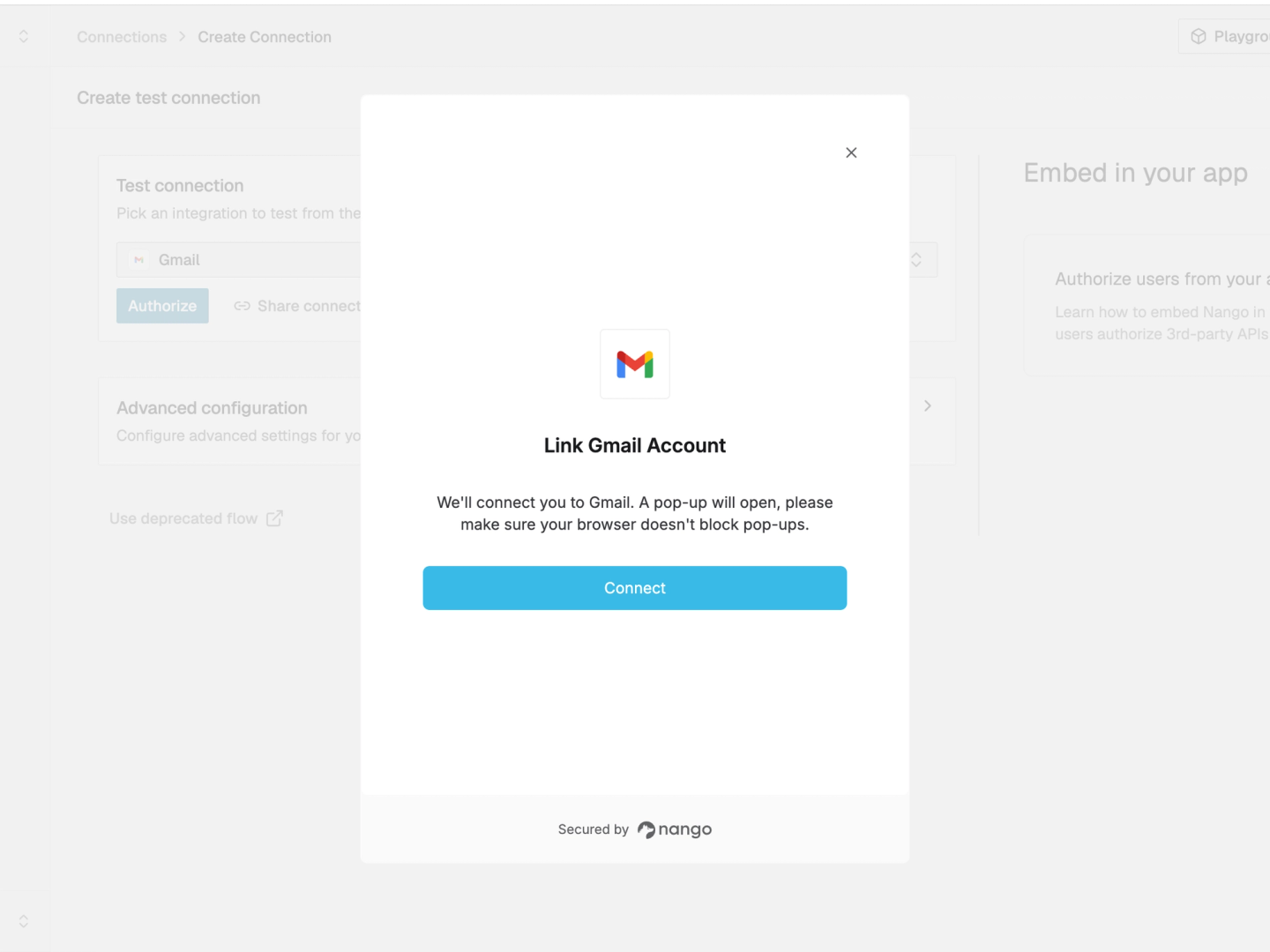
Nango lets you connect your products & agents to 1,000+ APIs. It offers 7,000+ pre-built tools and supports all integration types, including auth, tool calls, triggers, and syncs.
Nango manages the authorization workflow, encrypts credentials with AES-256-GCM, and stores them securely. It also refreshes tokens automatically.
Nango also fires auth webhooks when a customer needs to reconnect. Your backend can access stored credentials through the API or SDK, without exposing them to the frontend.
Best for
Teams looking to ship managed OAuth for customer-facing API integrations across a large catalog, under their own brand. Nango is ideal to start with auth management first, with the option to add tool calls, syncs, and webhooks later on the same runtime.
Pros
- Auth types beyond OAuth 2.0: In addition to OAuth 2.0, Nango supports OAuth 1.0a, API keys, basic auth, JWT, custom schemes, and the MCP Auth standard across 1,000+ APIs. It takes only a few days to add new providers on request, and you can also contribute a new provider yourself.
- Concurrency-safe token lifecycle: Nango uses a distributed lock to prevent concurrent refreshes for the same connection. It stores rotated refresh tokens and handles provider-specific token expiration requirements.
- White-label connect flow: A drop-in Connect UI generates the appropriate form for each API and validates inputs. Branding customization is on the Growth plan, and headless auth lets you build the UI yourself. Either way, the OAuth grant goes to your application.
- Pre-provisioned OAuth apps: Nango provides pre-provisioned apps for many popular providers, making it easier to get started. For production, Nango recommends creating your own OAuth app in line with security best practices.
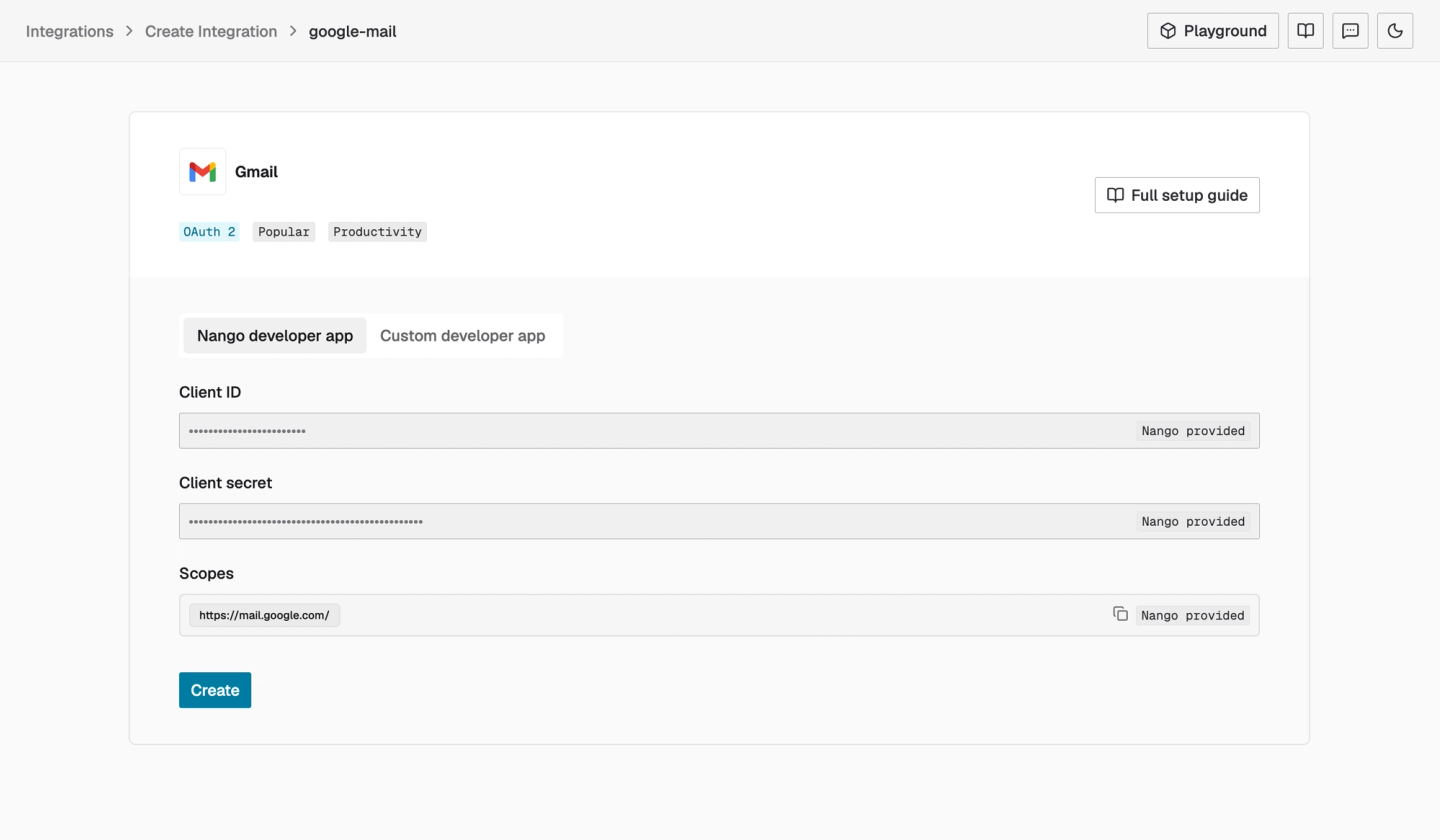
- Credential security and compliance: Nango encrypts credentials at rest using AES-256-GCM and does not expose them to frontends or AI models. It supports SOC 2 Type II, GDPR, and HIPAA with a BAA. You can learn more in the Nango trust center.
- Flexible deployment: Nango’s free self-hosting covers auth and the proxy, while Enterprise self-hosting and BYOC on AWS, GCP, or Azure offer the same features as Nango Cloud.
- Coding agents build what the catalog misses: You can install the Nango builder skill and let coding agents like Claude Code, Cursor, or Codex read the API docs and write the integration. Then it tests the integration against a real connection and iterates on real errors.
Cons
- **You may still need to register your own app: **Nango provides pre-provisioned apps, but users are advised to create their own OAuth app to follow best security practices.
- **Code first: **Nango integrations are code-based. They enable extensive customizability for engineering teams but may not be suitable for non-technical teams building integrations.
2. Pipedream Connect
Overview
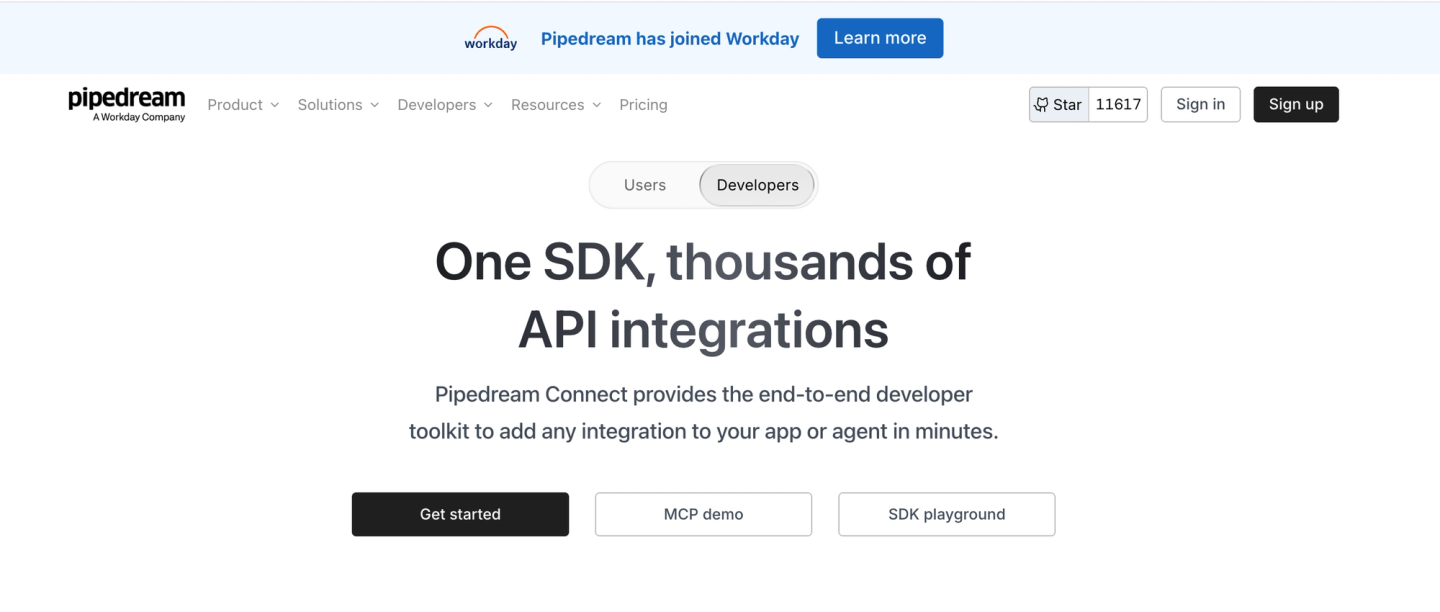
Pipedream Connect provides an end-to-end developer toolkit to add integrations to your apps or agents. It handles the authorization flow, secure token storage and refresh, and OAuth client management.
Important:
Workday announced its acquisition of Pipedream on November 19, 2025. They confirmed it closed in the fiscal quarter ending January 31, 2026. Pipedream’s product changelog has no entries after October 1, 2025, and Workday has not published a standalone roadmap for Connect.
Best for
Ideal for internal-style automation or a small group of end users. Pipedream may not be the best fit for customer-facing products where branding and scope control matter.
Pros
- Pre-provisioned OAuth clients: Its managed clients cover a large catalog. So you can connect supported apps without registering your own OAuth client first.
- Broad app coverage: Pipedream Connect’s broad app coverage covers many less-common applications.
Cons
- Auth is not white-label: End users see Pipedream on the connection screen. Pipedream’s team has confirmed on its community forum that this holds even when you register your own OAuth client.
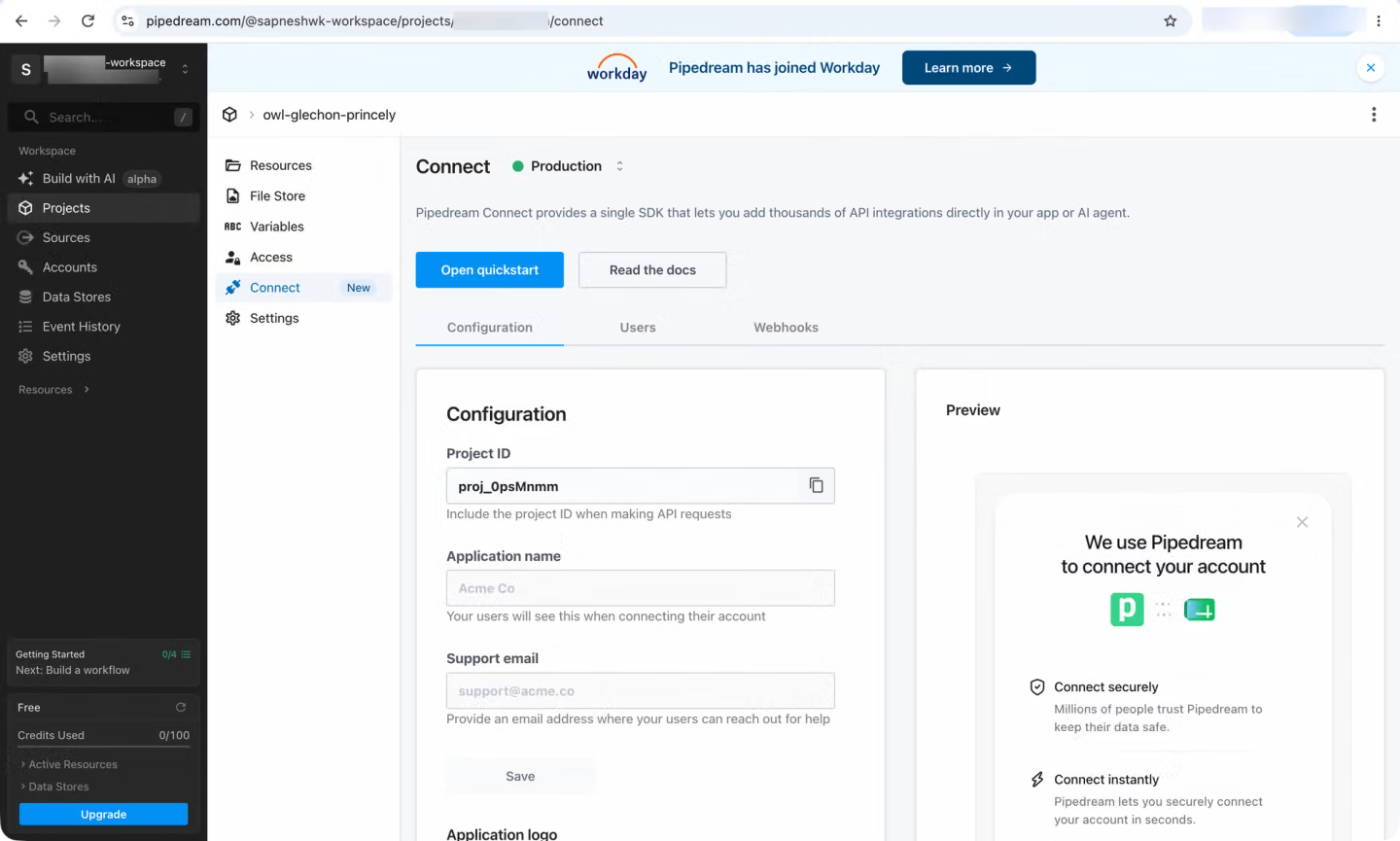
- Shared clients define your scopes: Pipedream sets the scopes on its pre-provisioned client IDs. One enterprise search team could not retrieve user emails from the Teams and SharePoint connectors, which broke their access-control mapping.
- Auth is a gateway into the workflow platform: Connect’s APIs wrap the visual builder’s component model, and there is no execution-log dashboard for Connect runs.
3. Paragon
Overview
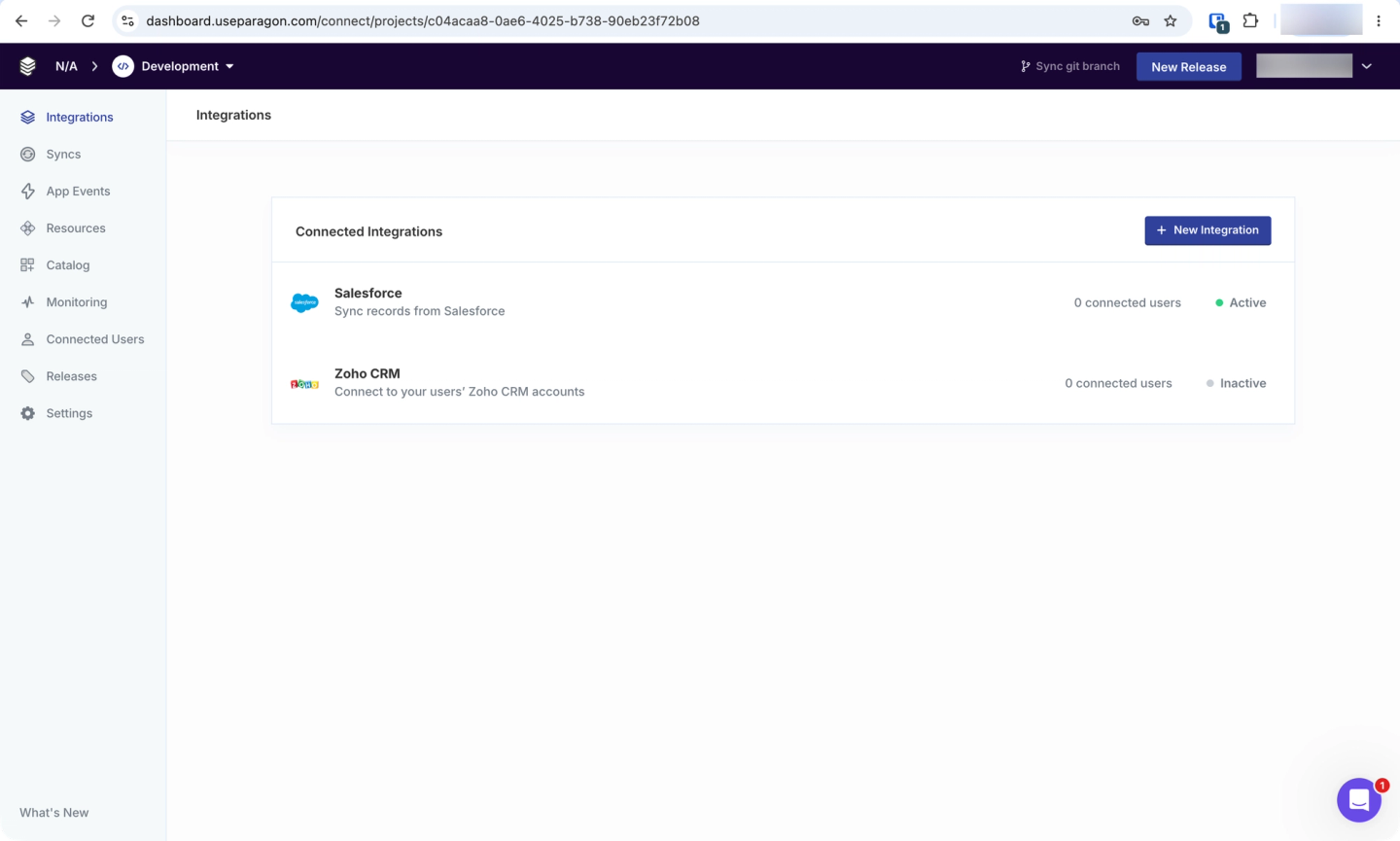
Paragon is an integration platform that helps connect your products and agents with your customers’ tools. It handles the authorization flow and keeps OAuth tokens refreshed. Paragon encrypts credentials in transit and at rest.
Its SDK provides self-serve integration into your app through its white-labeled Connect Portal. You can build a custom UI for your users to authenticate and configure integrations via its headless SDK.
Best for
Teams that need a low-code UI for managed authentication, along with managed syncs and workflows.
Pros
- Branded connect flow with a headless option: The Connect Portal is white-label by default, and the SDK supports building your own UI.
- Managed token refresh across the catalog: Paragon keeps tokens refreshed for connected users without your team needing to run a refresh loop.
Cons
- Auth is not sold standalone: Paragon offers plans with custom-quoted bundles priced on Connected Users. You need to buy the platform to get the auth layer.
- Smaller pre-built catalog: Paragon has 130+ pre-built connectors. You need a custom connector for providers outside the catalog.
4. Merge
Overview
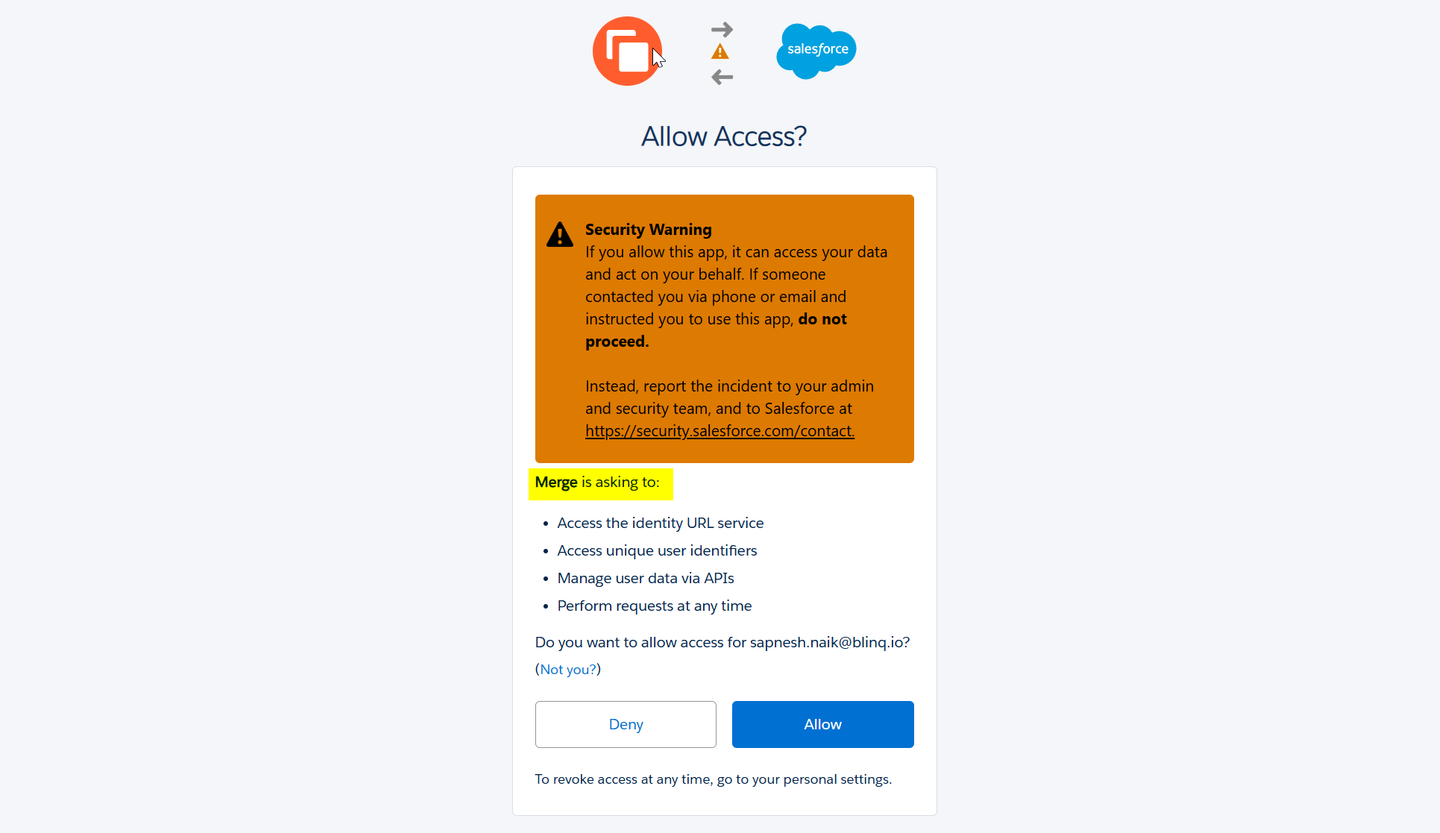
Merge provides an infrastructure to connect your products and agents to your customers’ systems. Its Link component is a drop-in UI that allows your end users to connect their own third-party systems. This component handles the connect flow, credential management, and permission scoping inside its eight unified API categories.
Auth is bundled with the unified API. You can’t buy it separately. It connects to feed Merge’s normalized data models.
Best for
Teams specifically looking for a unified API. It is ideal for standard read-and-write use cases that fit normalized schemas.
Pros
- Mature connect flow for standard categories: Merge Link is a ready-made connection flow for supported providers, with built-in provider-specific guidance.
- Permission scoping at connect time: Link shows the scopes each linked account grants at the time of connection.
Cons
- Auth is not available on its own: Merge Link connects customer accounts to the Merge Unified API. It doesn’t provide a standalone OAuth layer. So this tool is not a good fit if you are looking for a separate OAuth layer.
- Passthrough loses the unified model: For endpoints outside Merge’s common models, Authenticated Passthrough requires you to work with the provider’s native API.
- Higher entry cost for auth-only use cases: Merge Unified costs $650/month for up to 10 production-linked accounts after the first 3 are free. This is expensive if you only need managed authentication.
5. Apideck
Overview
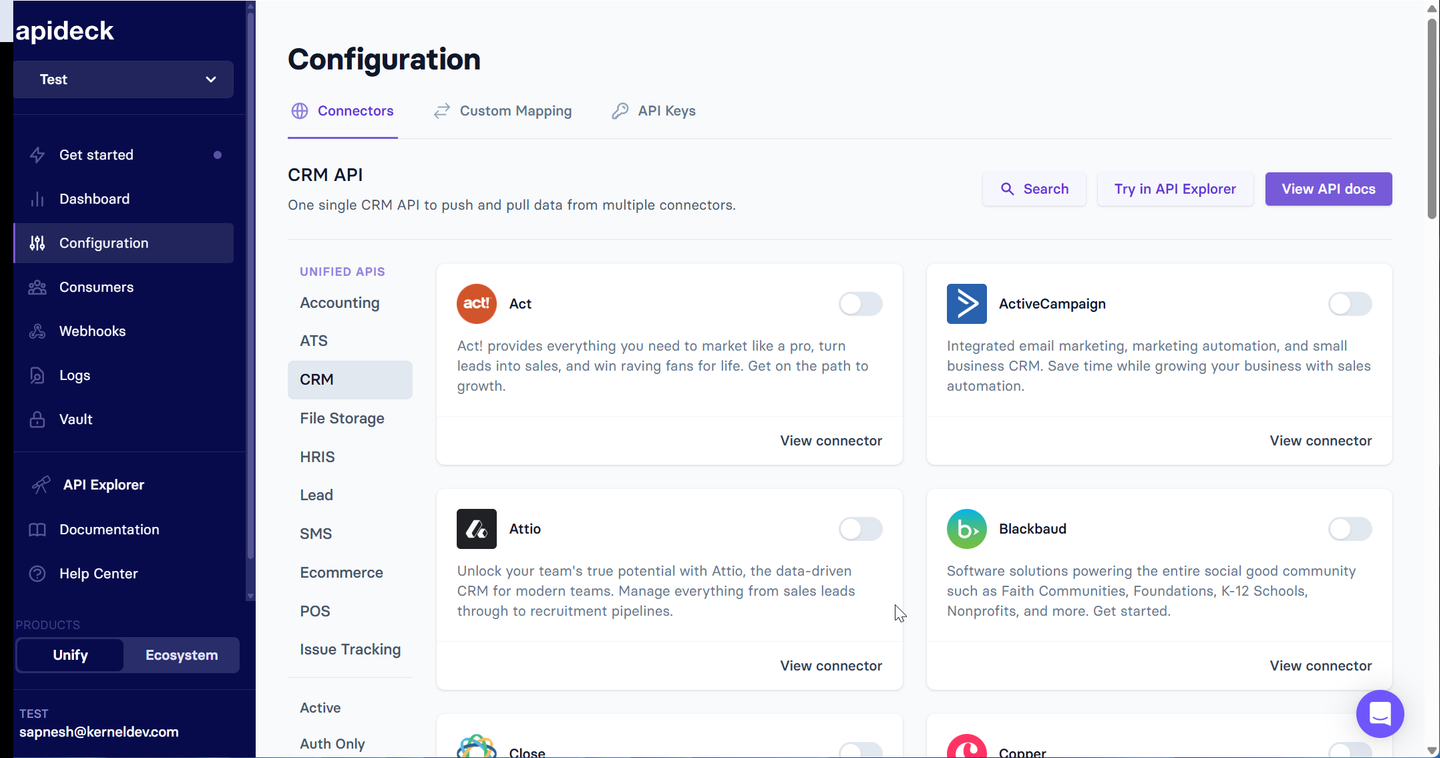
Apideck helps SaaS and B2B Fintech companies integrate their products with customers’ systems. Apideck Vault handles authentication and connection management across its 200+ integrations.
It manages OAuth flows and token refresh for 50+ OAuth connectors and stores API keys for other integrations. This OAuth platform provides a hosted, brandable flow that lets users connect their accounts to your product.
Best for
Teams looking for a brandable hosted connect UI across Apideck’s six unified API categories.
Pros
- Auth works without the unified APIs: You can use Vault and the proxy separately. This is rare among unified API vendors.
- Brandable hosted UI: Vault is customizable. It allows you to create custom logo, brand colors, user metadata, and more.
Cons
- Smaller managed OAuth catalog: Apideck supports 200+ integrations overall, but managed OAuth covers a smaller subset. You need to handle new connectors as paid requests subject to Apideck’s approval.
- Pricing scales with customers, not auth usage: Apideck Plans are priced based on the active consumers. It also limits the number of Unified API categories, even though connections are unlimited.
- Full white-labeling requires Enterprise: You can customize Vault on lower plans. But removing Apideck branding is an Enterprise feature.
Comparison of managed OAuth providers
| Criterion | Nango | Pipedream Connect | Paragon | Merge | Apideck |
|---|---|---|---|---|---|
| API catalog | 1,000+ | 3,000+ apps | 130+ + custom | 8 Unified API categories | 200+ integrations |
| Auth types beyond OAuth 2.0 | OAuth 1.0a, API key, Basic, JWT, custom, MCP Auth | API key, Basic | API key, Basic | Integration-dependent | API key, Basic |
| Pre-provisioned OAuth apps | Yes | Yes | Not documented | Yes, for supported integrations | Not documented |
| Connect UI and white-label | Yes | Customizable UI | Yes | Enterprise white-label | Yes; white-label on Enterprise |
| Headless option | Yes | Yes | Yes | No | No |
| Token refresh handling | Serialized per connection | Managed | Managed | Managed | Managed |
| Revoked-credential detection | Status API and webhooks | Not documented | Not documented | Linked-account status | Connection states |
| Self-host option | Free auth/proxy; Enterprise full platform | No | Enterprise | No | No |
| Auth-only pricing | Yes | Bundled with Connect | Bundled | Bundled | Vault / platform pricing |
| Open source | Yes | No | No | No | No |
How we applied the criteria
We used each product hands-on, where it allowed a free tier. And we verified every other claim against the vendor’s documentation, pricing pages, changelogs, and public repositories.
FAQ
Is Auth0, WorkOS, or Clerk a managed OAuth provider for API integrations?
Mostly no. WorkOS, Clerk, and Stytch primarily handle identity and user authentication. Auth0 also focuses on identity, but its Token Vault can manage third-party OAuth tokens for AI agents. These platforms are not primarily designed as general-purpose managed OAuth layers for B2B API integrations.
How do I refresh OAuth tokens automatically?
Use a managed OAuth provider, or build a refresh loop that persists the new refresh token before anything else can fail and serializes refreshes per connection. The details are provider-specific: Salesforce omits the expiry and requires an introspection call, Airtable and Atlassian revoke the old refresh token immediately on rotation, and Xero allows a 30-minute retry window. Nango handles this per provider across its catalog. Handling concurrency with OAuth token refreshes covers the race condition.
How do I test a Google integration without going through OAuth verification?
Use a vendor’s pre-provisioned Google OAuth app for the proof of concept. Then register and verify your own app before going to production. Google’s restricted scopes require a security assessment that can take weeks to complete. Nango and Pipedream Connect both ship managed Google clients. Hence, an OAuth integration works against a real account the same day.
Can I white-label the OAuth flow so users never leave my product?
Yes, you can. But check which plan provides it. With Nango, the OAuth grant goes to your application by default. Branding customization is on the Growth plan, and headless mode lets you own every screen. Merge gates white-label authentication to Enterprise; Pipedream shows its own name on the connection screen regardless of which client you use; and Arcade requires per-provider client registration to replace its branding.
How should AI agents authenticate to third-party APIs?
OAuth for AI agents works best through a managed auth layer. It holds the credential and injects it server-side. So the model never sees a token and a prompt injection cannot leak one. OAuth for MCP is now standardized as MCP Auth, and some providers, including HubSpot, require it. Nango covers it across 1,000+ APIs alongside the rest of the integration surface, while Arcade.dev is scoped to MCP tool calling. See our guide to secure AI agent API authentication.
What happens when a customer’s token is revoked or expires?
The connection stops working, and the user has to complete the consent flow again, because a revoked token cannot be recovered. The difference between platforms is how quickly you find out. Look for a connection status you can query, an authenticated check endpoint per provider, and a webhook on refresh failure. So your product prompts that customer before they notice the integration is broken.
Conclusion
Every provider on this list handles token refresh, reconnect handling, and credential storage. Those are standard features. What makes the difference is:
- Whose name appears on your customers’ consent screens
- Whether the catalog covers the messy auth types on your roadmap
- Whether you can register your own apps when a marketplace requires it
- And whether buying auth means buying a platform.
If auth is the first integration problem you are solving, pick something you can adopt for auth alone and grow into. Registering apps with providers is painful enough without having to replatform a year later.


