
TL;DR
CRM and ERP API integrations in your SaaS apps are more complex than most other categories. Your customers usually modify data schemas, add custom objects and fields, and expect deep, vendor-specific functionality when they connect their CRM or ERP systems to your application. Large accounts can hit strict rate limits, and most major CRM/ERP vendors, such as Salesforce, NetSuite, SAP, and Microsoft Dynamics, have legacy authentication quirks that can break generic connectors.
Pre-built unified APIs can work for basic integrations. But if your product needs custom field mapping, per-customer configuration, or bi-directional data sync with major ERP/CRM systems, you need a platform that gives you full API access and code-level control.
Top unified API picks for CRM & ERP integrations:
- Nango: Best for teams that need deep, customizable CRM & ERP integrations with full API access, custom object support, per-customer configuration, and native data syncs across 1,000+ APIs. Has a code-first approach with AI Coding Agent skills, so you can easily build and iterate on integrations.
- Merge: Best for teams that want pre-built CRM integrations with a normalized schema and don’t need deep support for custom objects or fields.
- Apideck: Best for teams that want a white-label connection UI with broad category coverage and custom field mapping capabilities.
- Unified.to: Best for teams that want real-time, pass-through CRM integrations with no data storage and broad category coverage.
What is a unified API?
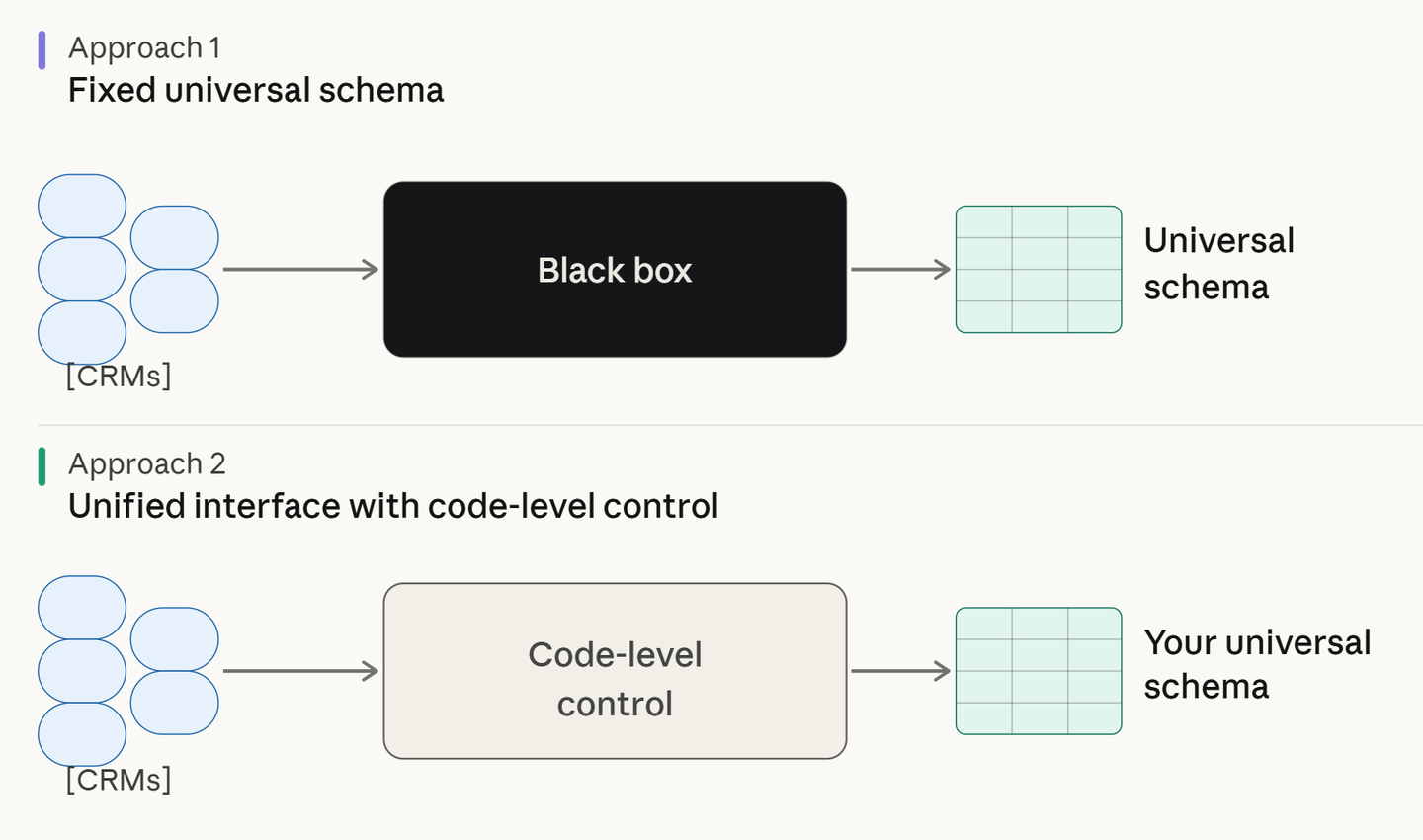
The definitions and implementations of “Unified APIs” differ between providers. The first, used by platforms like Nango, provides a unified interface for API auth, data syncs, tool calls, and webhooks, while letting you write custom integration code per CRM/ERP system. You control the data model and sync logic. You can either consume each API’s data as-is or implement your own logic to combine multiple API sources and consume the combined data.
The second, used by platforms like Merge or Apideck, normalizes data across multiple systems into a single common schema (API). For CRM and ERP integrations, this means a single API for reading and writing contacts, companies, deals, and invoices across Salesforce, HubSpot, Microsoft Dynamics, and more. This works well for basic use cases, but even standard data models across CRMs/ERPs are surprisingly diverse. For contacts, Salesforce and HubSpot only share about 5 fields. Fields such as customer stage, location, last contacted, and LinkedIn profile either exist on only one platform or have different definitions. Custom fields like Salesforce_Region__c or custom objects like Implementation_Tracker__c make this worse, as the normalized schema cannot represent them. You end up relying on workarounds, which make your integrations harder to maintain.
For more details, see how Nango differs from embedded iPaaS and unified APIs.
Why CRM & ERP API integrations are difficult
CRMs and ERPs like Salesforce, HubSpot, NetSuite, SAP, and Microsoft Dynamics are where your customers store their most critical business data. Your customers expect integrations with these systems to go deep, covering vendor-specific features, custom data, and configurable sync behavior.
Here’s what makes this category harder than most:
Customers modify everything: Enterprise Salesforce deployments often include dozens of custom objects and hundreds of custom fields. NetSuite instances are heavily configured with custom record types and saved searches. A unified API that only exposes standard fields may miss the data your customers care about most.
Custom objects need a strategy: You need to decide whether to map custom objects to a universal schema or expose them directly. For example, a customer using a Salesforce Managed Package like Veeva CRM has custom objects such as Call2_vod__c and Medical_Event_vod__c specific to life sciences. These don’t map to any standard CRM schema. This requires per-customer configuration, not a one-size-fits-all approach.
Big vendors have legacy quirks: Salesforce, SAP, Oracle, and Microsoft Dynamics have complex auth flows (instance-specific OAuth, session tokens, IP whitelisting), non-standard pagination, and undocumented API restrictions. For example, some Salesforce orgs enforce IP whitelisting for API access, causing OAuth token exchanges to fail silently.
Rate limits are strict, and accounts are large: A single enterprise Salesforce org can contain millions of records. You need control over how you fetch data, what to prioritize, and how to resume if a sync fails midway through a multi-hour job.
These are the limits across major CRM/ERP vendors. You can see how these vary and why you need a per-customer configuration approach:
| Platform | Rate limits |
|---|---|
| Salesforce | 15,000 API calls per 24-hour period (varies by edition) |
| HubSpot | 100-200 requests per 10 seconds; 250K-1M per day |
| NetSuite | 15 concurrent requests per account (default) |
| Microsoft Dynamics 365 | Resource-based throttling; 10-minute max request execution |
| SAP Sales Cloud | 150,000 messages/day + 1,500 per licensed user |
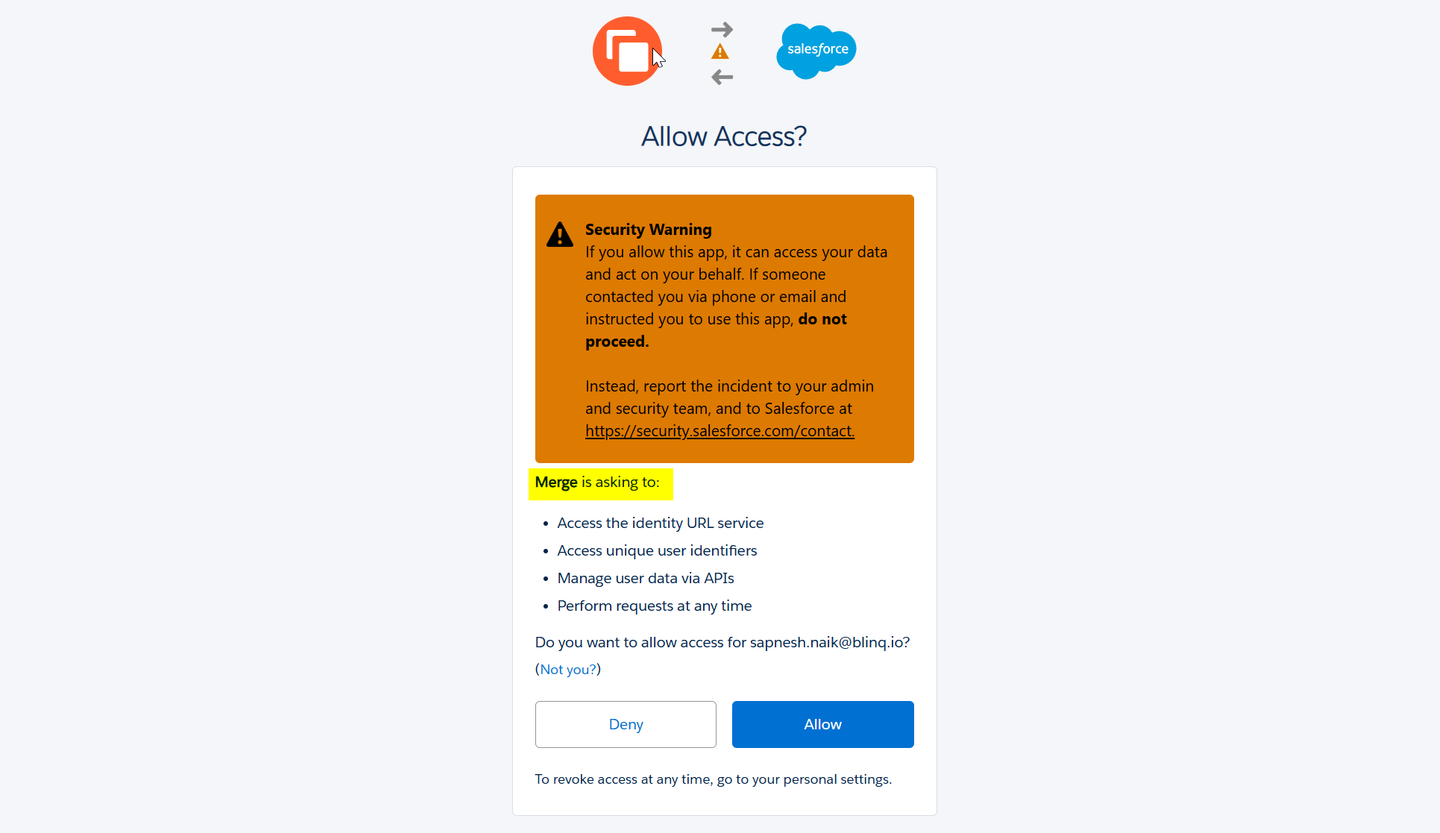
Marketplace presence matters: Most large CRM and ERP vendors have app marketplaces and partner programs. Getting listed in the Salesforce AppExchange or NetSuite SuiteApp marketplace can drive distribution. Pre-built unified APIs typically don’t let you have a direct relationship with the vendor. A customer discovered this firsthand: Salesforce’s AppExchange security review requires your app to handle OAuth directly. Since Merge and Apideck manage auth on your behalf, customers authorize the unified API vendor instead, making AppExchange listing difficult.
Best unified API platforms for CRM & ERP
Nango
Overview
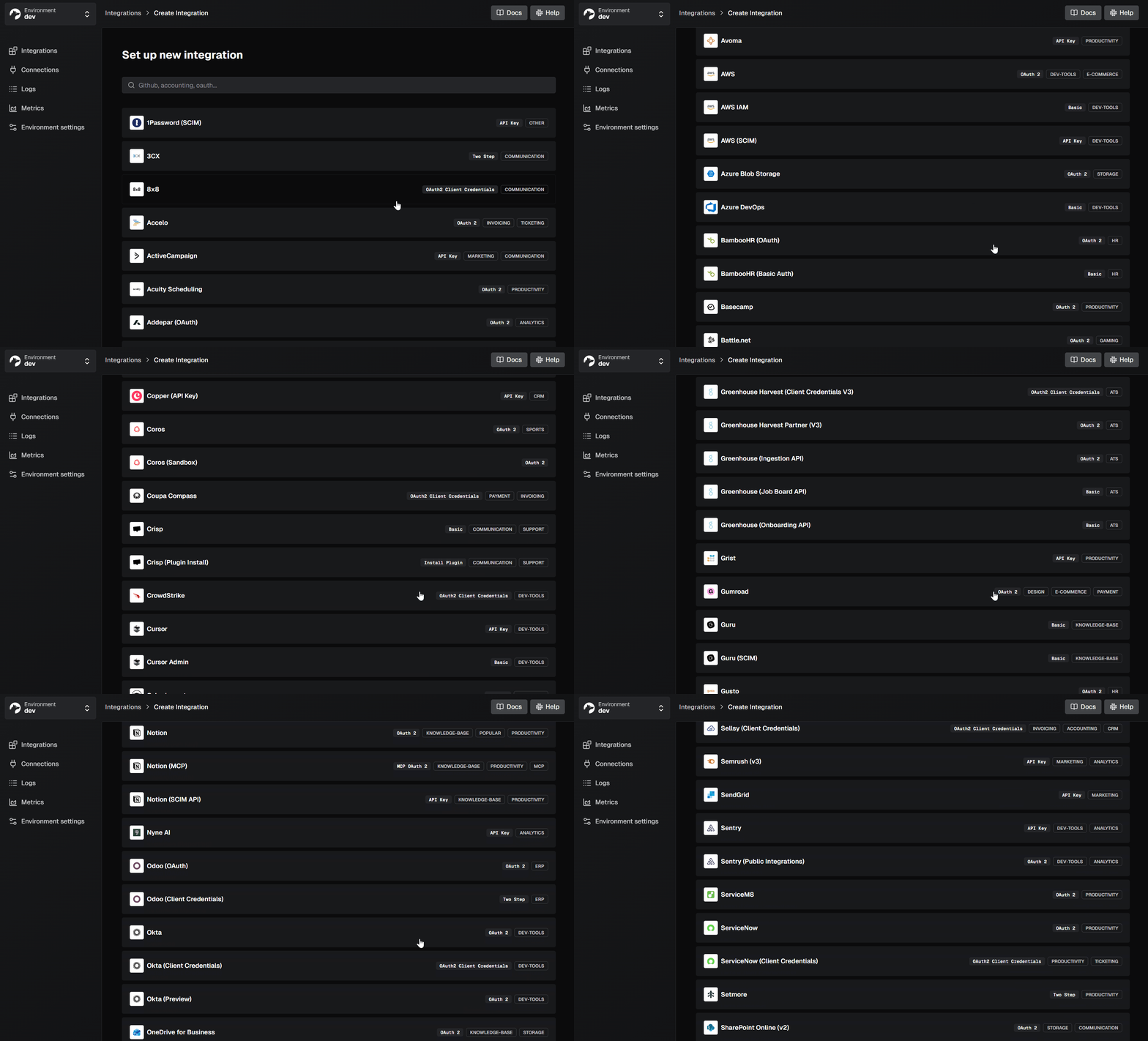
Nango is an open-source integration platform that provides a unified interface for auth, data syncs, tool calls, and webhooks across 1,000+ APIs. It is code-first: integrations are defined as functions in your codebase, deployed through CI/CD, and can be built or modified with any AI coding assistant.
For CRM and ERP integrations, Nango provides full API access to every vendor’s endpoints. For example: Salesforce Bulk API, HubSpot custom objects, NetSuite SuiteQL, and Microsoft Dynamics OData queries. You control the data model, sync logic, and per-customer configuration in code.
Best for
Teams building deep CRM and ERP integrations as a core product capability, especially when customers have custom objects, custom fields, and large data volumes (requiring resumable, incremental data-syncs).
Pros
- Full custom object and field support: Direct API access means you can read and write any custom object or field in Salesforce, HubSpot, NetSuite, or any other CRM/ERP. You define the data model in code, so it maps exactly to what your product needs.
- Per-customer configuration in code:Field mappings, sync filters, and settings are defined per customer in code. Each customer gets a different field mapping, sync frequency, and filtering rules. With Nango’s 1:1 vendor API mapping, you receive the full response, including custom fields:
const res = await nango.proxy({
  method: 'GET',
  endpoint: '/services/data/v59.0/sobjects/Account/describe',
providerConfigKey: '', connectionId: '' }); // res.data.fields contains all fields, including custom ones (ending in __c)- Durable, resumable data syncs: Nango supports data syncs with pagination, incremental updates, change detection, and checkpointing. If a sync fails midway through a large Salesforce export, it resumes from the last checkpoint instead of starting over.
// Simplified example
export default createSync({
  frequency: 'every hour',
  checkpoint: z.object({ lastModifiedISO: z.string() }),
  models: { ... },
  exec: async (nango) => {
    const checkpoint = await nango.getCheckpoint();
    const contacts = await fetchContacts({ since: checkpoint?.lastModifiedISO });
    await nango.batchSave(contacts, 'Contact');
    await nango.saveCheckpoint({
      lastModifiedISO: contacts.at(-1).lastModifiedISO
    });
  }
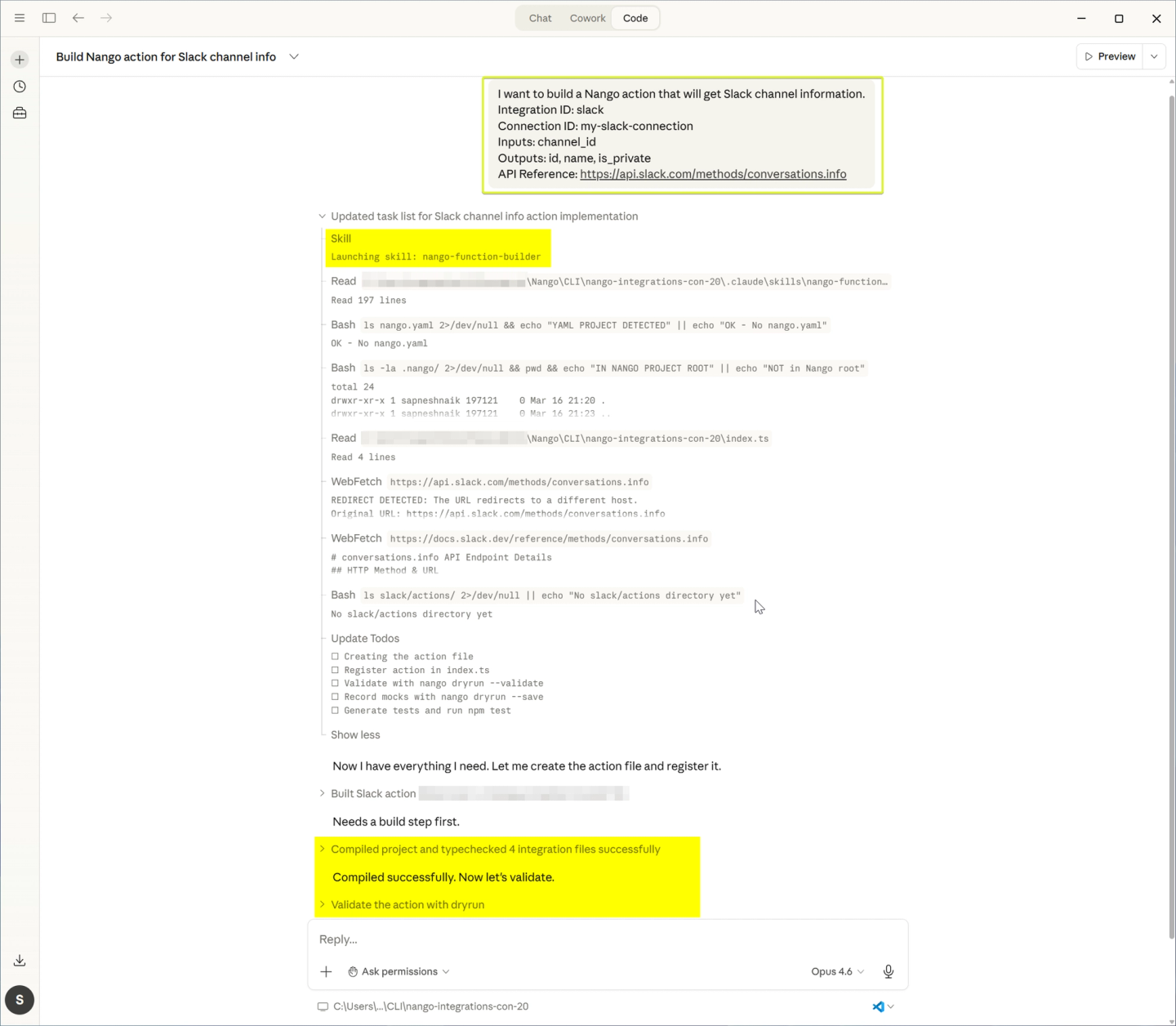
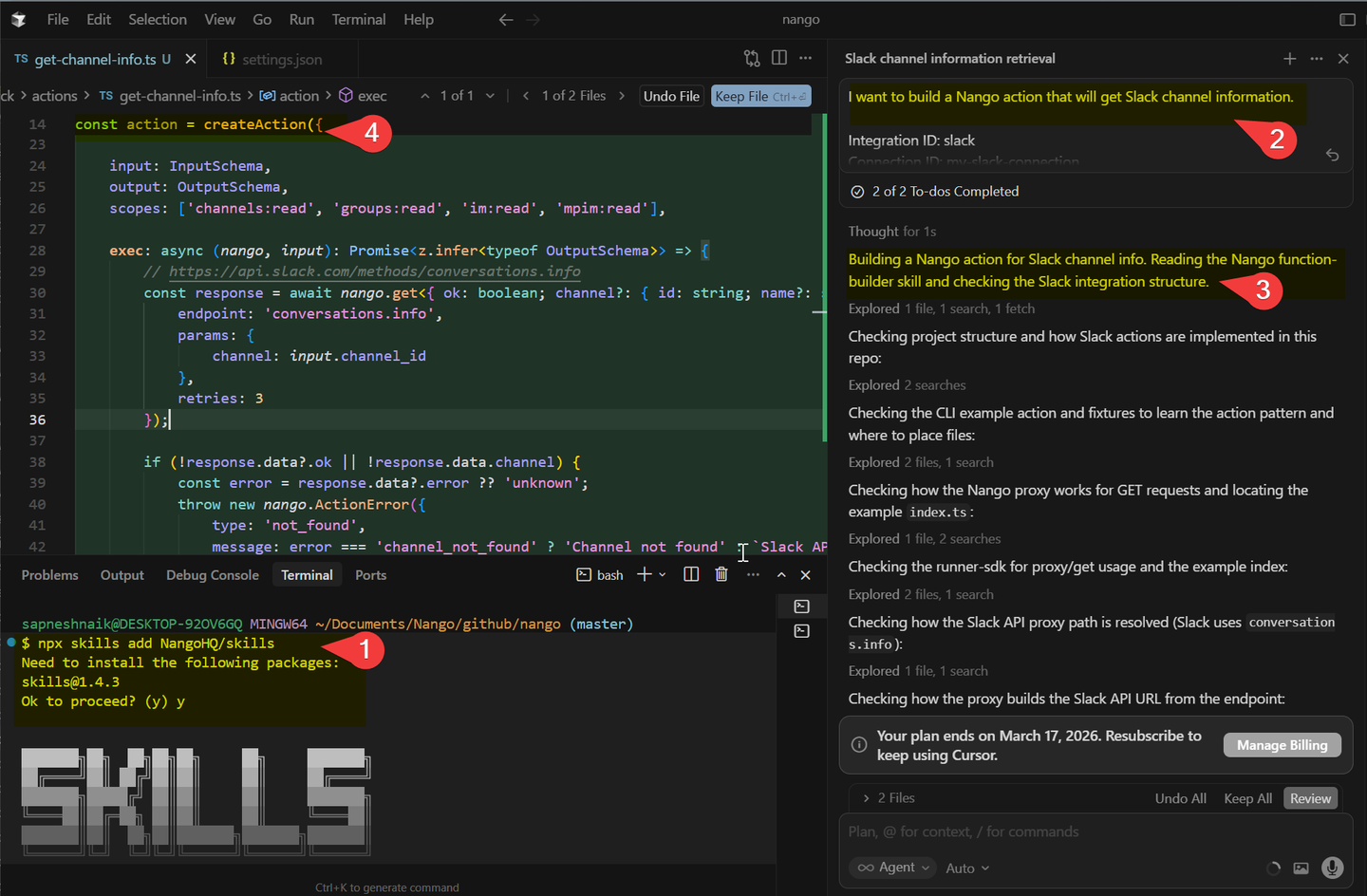
});- AI coding agents for per-customer customization: Use the Nango AI Integration Builder with Claude Code, Cursor, or any coding agent to discover a customer’s CRM schema, generate the sync code, and iterate on field mappings. This makes per-customer customization significantly less painful than it used to be.
Claude Code:
Cursor:
- Per-tenant isolation: Each customer’s integrations run in isolation. A large enterprise Salesforce sync won’t degrade performance for other customers.
- 1,000+ supported APIs with extensible auth: Handles OAuth 2.0, API keys, JWT, basic auth, and the new MCP Auth. You can add new APIs yourself.
- Direct vendor relationships: Your customers authorize your app, not Nango. You retain all tokens and can get listed in vendor marketplaces like the Salesforce AppExchange.
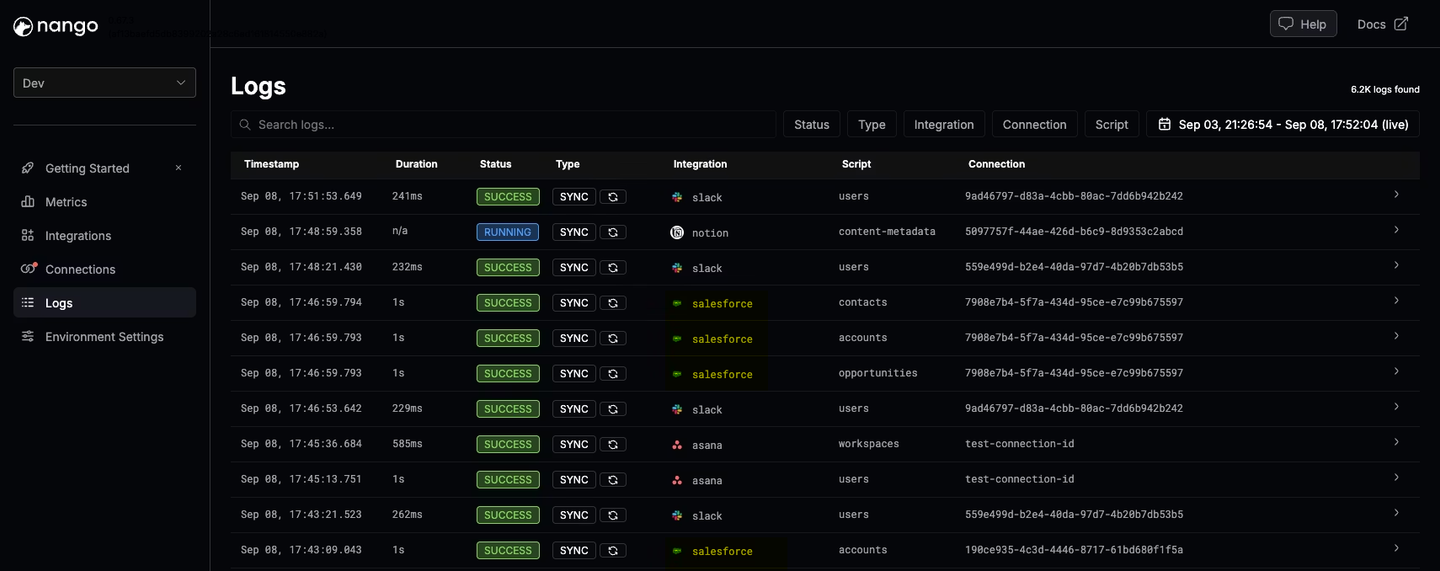
- Deep observability: Every API request and sync run produces structured logs with OpenTelemetry export.
Merge
Overview
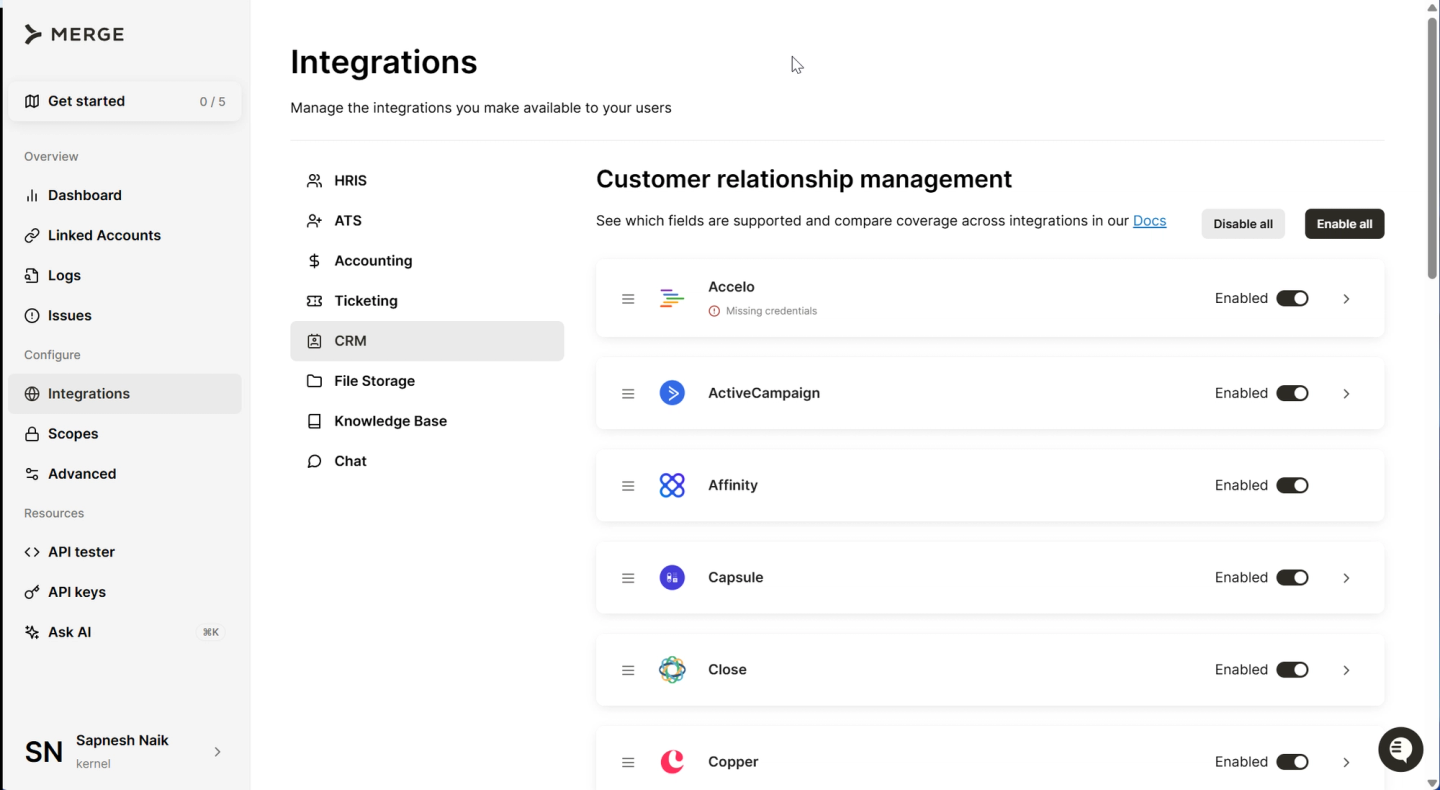
Merge offers a pre-built unified API across CRM, accounting, HRIS, ATS, and file storage systems. It normalizes data across providers into a common model. Merge supports around 220 integrations.
Best for
Teams that want pre-built CRM integrations with a normalized schema and don’t need deep custom object support or per-customer field configuration.
Pros
- Pre-built common model for CRM: Merge provides a CRM unified API with normalized objects for contacts, accounts, deals, leads, and more. If your integration needs align with their common model, setup is fast.
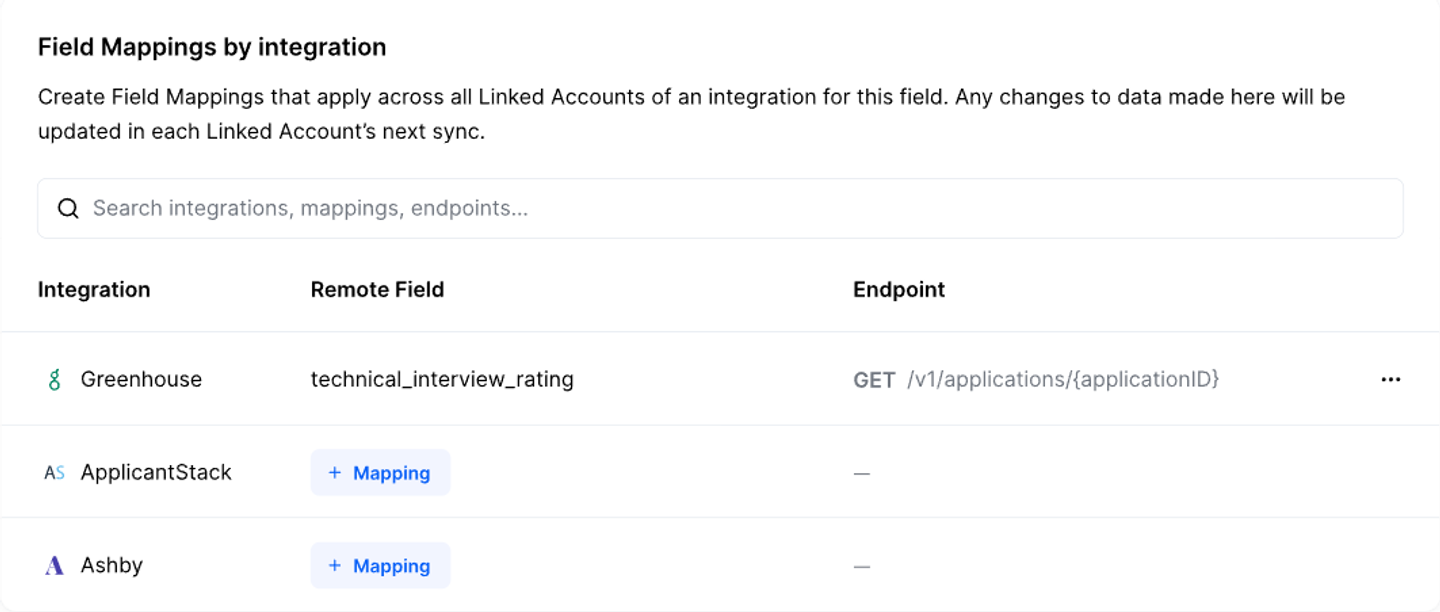
- Field mapping UI (Professional and Enterprise plans): Merge provides a UI-based field-mapping feature that lets end users map custom fields to target fields on Merge’s common models.
Note: This feature is not available via code and is limited to Professional and Enterprise customers.
- Broad category coverage: Beyond CRM, Merge covers accounting, HRIS, ATS, ticketing, and file storage. Useful if you need integrations across multiple categories.
Cons
- Implementation gaps: Many data models are only supported for a subset of Merge’s listed APIs. An object may have 12 fields in the schema, but not all are populated for every provider. You discover these gaps after committing to the platform.
- Limited per-customer configuration: Merge’s pre-built integrations don’t support deep per-customer customization. Custom field mappings exist, but the underlying integration logic is fixed. You can’t change how data is fetched, what endpoints are used, or how rate limits are handled per customer. See why B2B SaaS outgrow pre-built unified APIs for common scenarios where this matters.
- Passthrough requests undermine the value: When Merge’s unified API doesn’t cover an endpoint, you can use passthrough requests to send raw API calls. But this requires you to handle pagination, retries, and rate limits yourself.
- No vendor marketplace listings: Merge handles auth on your behalf, which means customers authorize Merge, not your app. This makes it harder to get listed in vendor marketplaces like the Salesforce AppExchange. Enterprise customers may also raise concerns during security reviews about a third party storing their CRM data.
Apideck
Overview
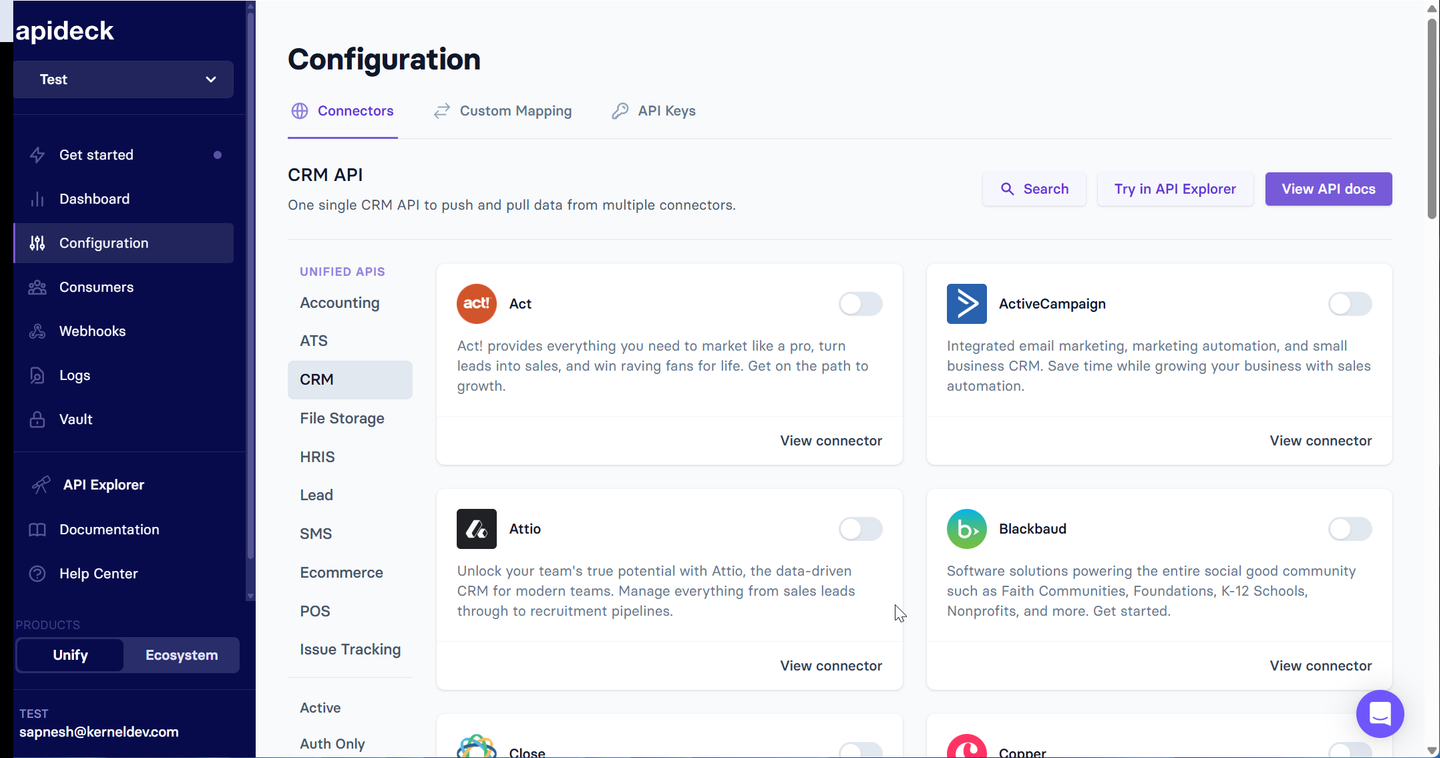
Apideck provides a unified API across CRM, accounting, HRIS, ATS, file storage, and e-commerce. It focuses on fast implementation with normalized data models and a white-label connection UI (Vault) that you embed in your product.
Best for
Teams that want a quick-to-implement CRM integration with a white-label connection experience and basic field mapping, without needing deep custom object support across all providers.
Pros
- CRM API with normalized schema: Apideck’s CRM API supports Salesforce, HubSpot, Pipedrive, Zoho, and others through a single interface.
- Custom field mapping: Apideck’s field mapping feature lets you extend unified models with additional custom fields. Configuration is available via UI or API.
- White-label Vault UI: An embeddable connection interface with custom branding. Customers connect their CRM accounts without seeing the Apideck brand.
- Proxy API for vendor-specific endpoints: When the unified API doesn’t cover an endpoint, you can use the Proxy API to hit the provider’s API directly.
Cons
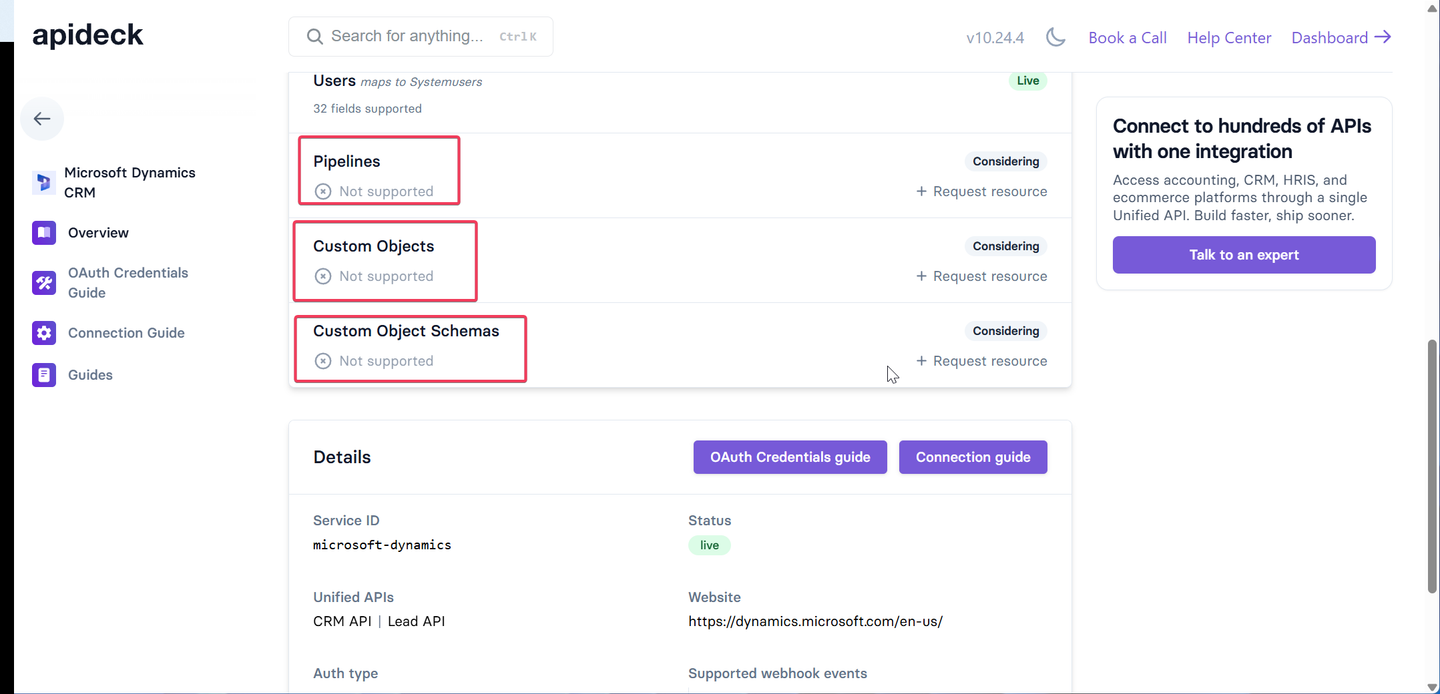
- Limited custom object support: Varies by connector. Salesforce has custom object schemas, but Microsoft Dynamics custom objects are listed as “not supported” in their connector roadmap.
- Narrow depth per connector: The number of supported endpoints and fields per connector is limited. Not all unified data models are implemented across all APIs in a category.
- No code-first development: Integration logic is pre-built. You can’t modify sync behavior or build new integrations on the platform.
- No native data syncs: Does not offer scheduled, incremental syncs. You need to build your own sync orchestration.
Unified.to
Overview
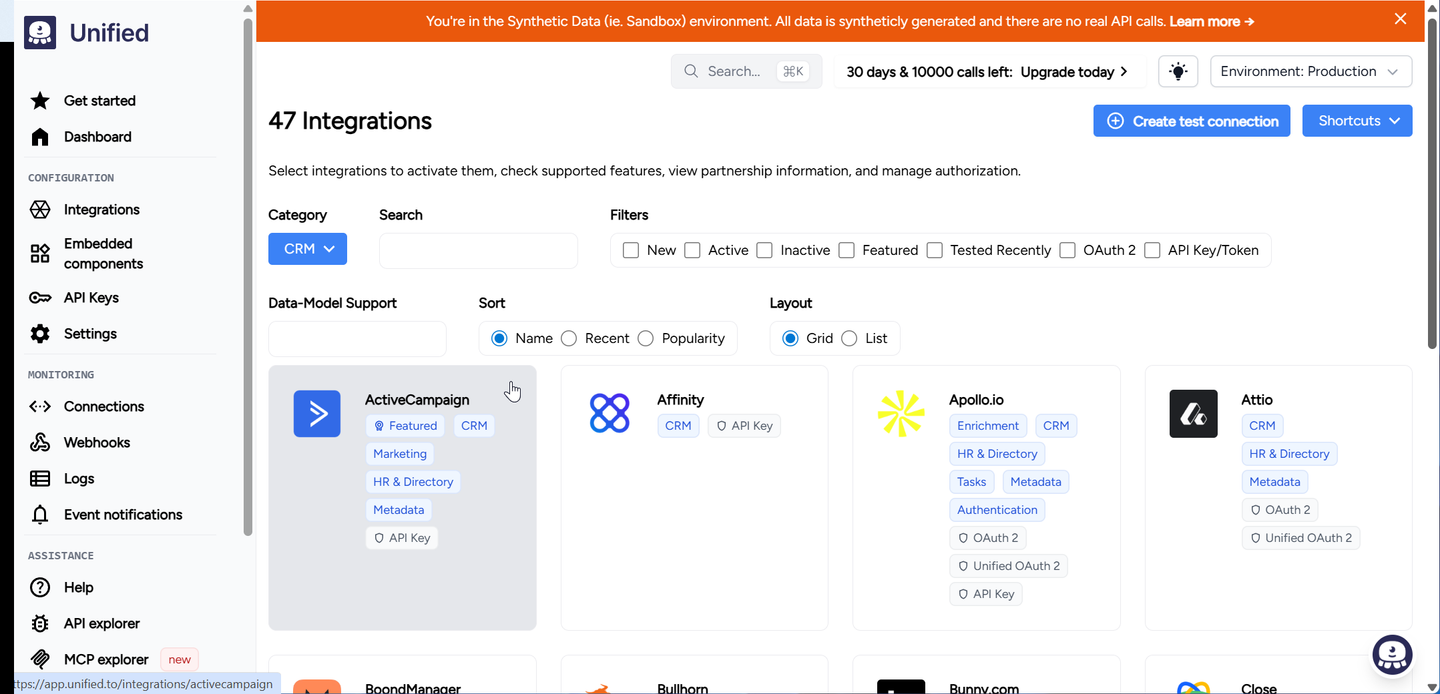
Unified.to provides a real-time, pass-through unified API across 25 categories including CRM, accounting, HRIS, ATS, and marketing. It proxies requests directly to source systems without caching or storing customer data. Unified.to supports over 400 integrations.
Best for
Teams that want real-time CRM data access with no data storage, data syncs, or broad category coverage, and can work with pre-built connectors.
Pros
- Real-time pass-through architecture: Every request goes directly to the source API. No caching, no sync jobs, no stale data. Good for compliance-sensitive environments.
- Custom fields and custom objects: Supports custom fields and read/write on custom objects (including Salesforce) via metadata APIs.
- Broad category coverage: 25 categories and 400+ integrations across CRM, ERP, HRIS, accounting, and more.
- No customer data storage: Stateless, regionalized architecture (US/EU/AU) reduces compliance scope.
Cons
- No data syncs: Does not support scheduled or incremental syncing. If you need a local copy of CRM data (common for search, reporting, or RAG), you must build your own sync layer.
- Limited depth per connector: Not all unified data models are fully implemented across all providers in a category.
- No code-first development: You can’t customize integration logic or build new integrations on the platform.
- Pass-through latency and unpredictable delays: Fetching thousands of CRM records in real time adds latency and increases rate limit consumption compared to incremental sync approaches. Without caching or sync jobs, hitting a rate limit while paging through contacts can cause unpredictable delays during a request. There is also no way to prioritize data you need urgently vs. data that is nice to have.
Comparison of unified API platforms for CRM & ERP
| Feature | Nango | Merge | Apideck | Unified.to |
|---|---|---|---|---|
| Primary focus | Code-first, customizable API integrations | Pre-built unified API | Normalized API with white-label UI | Real-time pass-through API |
| Supported APIs | 1,000+ (open-source, extensible) | ~220 | 190+ | 400+ |
| Custom objects | Yes (full API access) | Partial (select APIs only) | Partial (varies by connector) | Yes (via metadata API) |
| Custom fields | Yes (per-customer, in code) | Yes (field mapping UI) | Yes (field mapping UI/API) | Yes (via metadata API) |
| Per-customer configuration | Yes (code-level control) | Limited | Limited | Limited |
| Native data syncs | Yes (incremental, resumable, customizable) | Yes (pre-built) | No | No |
| 2-way sync | Yes | Limited | No | No |
| LLM tool calls | Yes | Yes (Agent Handler) | No | Yes (MCP) |
| AI coding agent support | Yes | No | No | No |
| Per-tenant isolation | Yes | No | No | No |
| Sync resumability | Yes (checkpointing) | No | No | No |
| User authorizes | Your app | Merge | Apideck | Unified.to |
| Vendor marketplace compatible | Yes (your app, your auth) | No (Merge handles auth) | No (Apideck handles auth) | No (Unified.to handles auth) |
| Observability | Deep (OpenTelemetry, custom logs) | Basic | Basic | Limited |
How we evaluated these platforms
We assessed each platform across seven dimensions specific to CRM and ERP integrations:
- Custom object and field support: Can the platform handle custom objects, custom fields, and per-customer schema variations standard in enterprise Salesforce, NetSuite, and Dynamics deployments?
- Per-customer configuration: Can field mappings, sync filters, and settings be configured differently for each customer?
- Data sync durability: Does it support resumable syncs with checkpointing, so large syncs don’t restart from scratch on failure?
- Scalability and tenant isolation: Can it handle large enterprise accounts without degrading performance for other tenants?
- Vendor relationship compatibility: Can you authorize your app directly with the CRM/ERP vendor for marketplace listings?
- Extensibility: Can you access vendor-specific endpoints (Salesforce Bulk API, NetSuite SuiteQL, Dynamics OData) and add new APIs without depending on the vendor?
- AI coding agent support: Can AI coding agents discover CRM schemas, generate integration code, and iterate on per-customer customization?
Why AI coding agents change the equation for CRM & ERP
CRM and ERP integrations have historically been expensive to customize. AI coding agents change this. With a code-first platform like Nango, an AI agent can:
- Discover a customer’s schema by calling the CRM’s metadata API (for example, Salesforce
describeendpoints) - Generate sync code that maps the customer’s custom fields to your product’s data model.
- Debug production issues by reading error logs and adjusting retry logic or field mappings.
- Iterate quickly when a customer adds new custom objects or changes their CRM configuration.
Platforms that are code-first benefit the most from this shift, because the AI agent can read, modify, and deploy the integration code directly.
FAQ: Unified API for CRM & ERP integrations
Which unified API handles Salesforce custom objects?
Nango gives you direct API access to any Salesforce endpoint, including Bulk API, SOQL, and metadata APIs, so custom object support is complete. Merge and Unified.to expose custom objects through their unified API, but you’re limited to what the platform covers. Apideck provides partial support, which varies by connector.
Can I get listed in the Salesforce AppExchange with a unified API?
Nango lets your customers authorize your app directly, giving you full control over tokens and credentials and meeting AppExchange listing requirements. With most pre-built unified APIs (Merge, Apideck, Unified.to), customers authorize the unified API vendor instead. Salesforce requires your app to handle OAuth directly, making it difficult to list your app on those platforms.
Which unified API supports bi-directional CRM data sync?
Nango supports native 2-way syncs with conflict resolution. Merge offers limited write-back. Apideck and Unified.to support writes but don’t offer structured bi-directional sync with change detection.
Should I build a unified API or use a pre-built one for CRM & ERP?
For basic integrations (syncing standard contact data), pre-built unified APIs work well. For core product integrations where CRM/ERP data drives key features, you’ll likely outgrow pre-built unified APIs. Consider a platform like Nango that lets you build your own unified API with full control.
Conclusion
CRM and ERP integrations require a level of control that most pre-built unified APIs don’t provide. Custom objects, per-customer schemas, large data volumes, and strict rate limits demand a platform that gives you direct API access and code-level flexibility.
For CRM and ERP, it’s better to have deep coverage of your top 3 vendors than broad coverage of 20. Start with your hardest use case: the customer with the most custom objects, the largest org, the strictest compliance requirements. The platform that handles that will serve you well as you expand.
Related reading:

