
TL;DR
Pipedream Connect and Nango both handle end-user authentication and let your product or agent work with third-party APIs. Pipedream Connect brings Pipedream’s workflow catalog to embedded integrations, but the developer experience still reflects its roots in internal automation. Running a pre-built action requires several API calls, users see Pipedream branding on the auth screen, data syncs are not supported, and observability is limited. Workday acquired Pipedream in November 2025 and has not published a standalone roadmap for Connect.
Nango provides AI agents and apps with 10,000+ pre-built tool calls across 1,000+ APIs. You can start with the catalog, then use a coding agent to customize or build integrations as code in your repo. Auth, tool calls, data syncs, webhooks, and polling are handled on the same platform and presented under your brand.
Quick verdict:
- Pick Nango if you are building customer-facing SaaS or AI agent integrations and need control over the implementation, auth experience, and infrastructure.
- Pick Pipedream Connect if its existing components cover your use case and you mainly need low-code workflows for internal-style automations or a small group of end users.
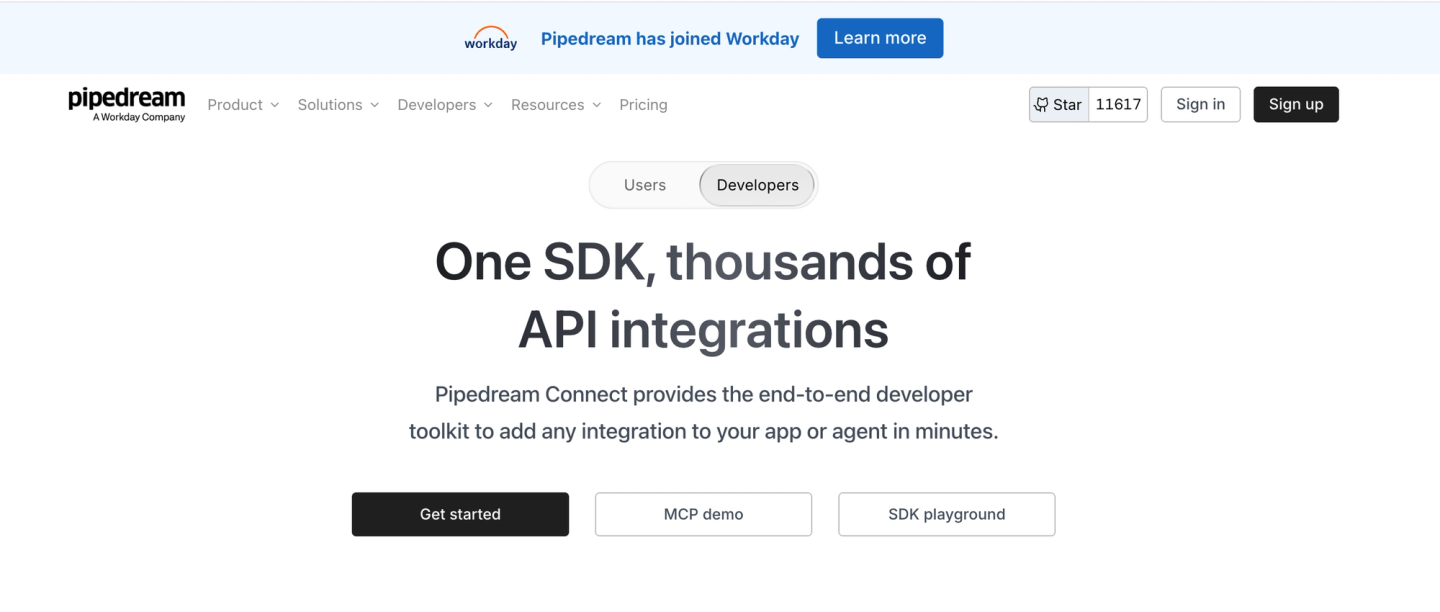
Pipedream Connect: launched in 2024, acquired in 2026
Pipedream started as a workflow automation tool for developers: connect your own accounts, build event-driven workflows in a visual editor, and drop into Node.js or Python where needed. Pipedream Connect, launched in June 2024, repackages that engine for embedded use, so your app’s end users (Pipedream calls them external users) can connect their accounts and your backend can run the catalog’s actions, triggers, and workflows on their behalf.
Important:
Workday announced its acquisition of Pipedream on November 19, 2025 and confirmed that it closed in the fiscal quarter ending January 31, 2026. Pipedream’s product changelog has no entries after October 1, 2025. Workday has not published a standalone roadmap for Connect, so its direction as a product remains unclear.
Nango: enterprise-level API integrations, customizable with code
Nango connects your product and AI agents to 1,000+ APIs across 30 categories. Most of what you need is already covered: 10,000+ pre-built tools, managed auth for every scheme an API uses (OAuth, API keys, JWT, basic auth, MCP Auth), and a drop-in white-label Connect UI for your end users.
When a pre-built tool does not fit exactly, you customize using coding agents:
- Enterprise ready. Nango provides tenant-isolated execution, RBAC, SAML SSO, audit logs, and OpenTelemetry export. It is SOC 2 Type II, GDPR, and HIPAA compliant, and supports managed deployment in your cloud and region.
- Integrations as code, written by your coding agent. Install the universal Nango builder skill once. Agents like Claude, Cursor, Codex, and Kimi can then read API docs, write the integration, test it against a real connection, and iterate on real errors.
- A secure and scalable runtime. Functions run on Nango’s cloud with tenant isolation and resumable execution.
- Multiple integration patterns. API auth, tool calls, data syncs, webhooks, polling triggers, and custom unified APIs, all as functions in your repo.
Nango is open source and used in production by hundreds of fast-growing SaaS and AI companies. It also supports just-in-time integrations: since June 2026, coding agents can build, test, and deploy integrations remotely without a local project, enabling on-demand integrations for AI agents.
Limits with Pipedream Connect
Pipedream Connect was built for internal automations first, and later adapted to embedded use cases. This clearly shows in some of its quirks.
Auth is not white-label, and credentials can be locked in
End users see Pipedream on the connection screen. Pipedream’s team confirmed on its community forum that this holds even when you register your own OAuth client: the dialog still names Pipedream as the auth provider. For enterprise customers who expect your brand throughout, that surfaces in security reviews.
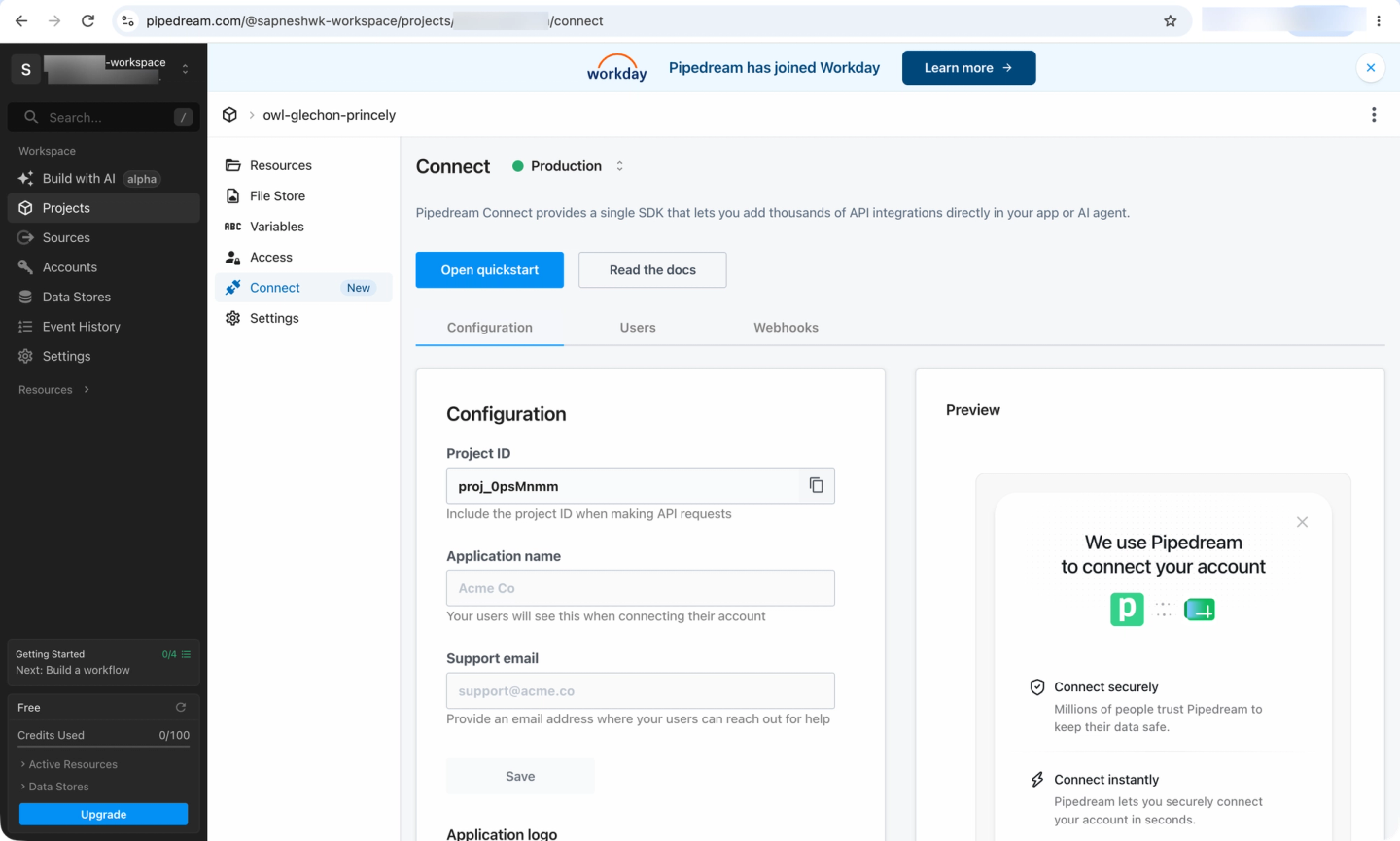
The APIs and SDK are wrappers around their visual builder
Pipedream Connect’s APIs and SDK were built on top of its existing visual workflow builder. So the user experience is not optimized for engineering teams building deep product or agent integrations as part of their projects.
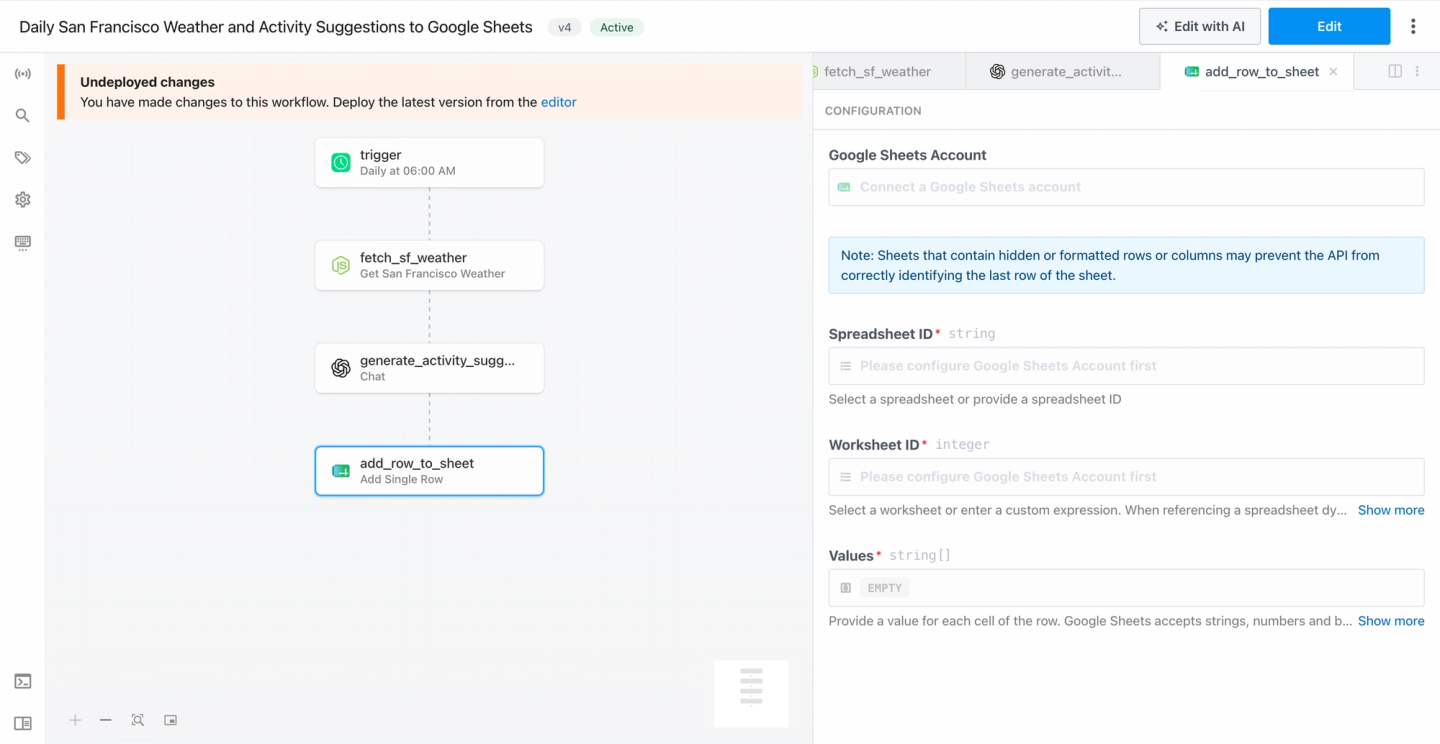
For example, Connect requires configuring props individually via its configuration endpoint before an API action can run. An action with N props takes roughly N+2 API calls. The flow was designed for a human picking options from dropdowns. For an agent or server-side code, it adds latency and configuration state that you have to manage yourself.
GET  /v1/connect/{project_id}/components/{component_id}
POST /v1/connect/{project_id}/components/configure   # once per remote-options prop
POST /v1/connect/components/props                    # after reloadProps: true
POST /v1/connect/{project_id}/actions/run             # include dynamicPropsId when returned
Component schemas use Pipedream-specific prop types
Through the Connect API, Pipedream components describe inputs with proprietary prop types such as dynamic props, async options, and alert props. Pipedream converts these to JSON Schema for its current MCP endpoint, but applications calling the Connect API still have to work with the underlying component model.
Custom code is second-class, with no coding-agent build loop
When a catalog component does not fit, you publish custom actions as Node.js components through the pd CLI. Custom triggers are not supported (Pipedream’s docs list them as coming soon, checked August 2026). There is no skill for Claude Code, Cursor, or Codex, no test loop against a real connection, and no path for a coding agent to author and ship an integration end-to-end.
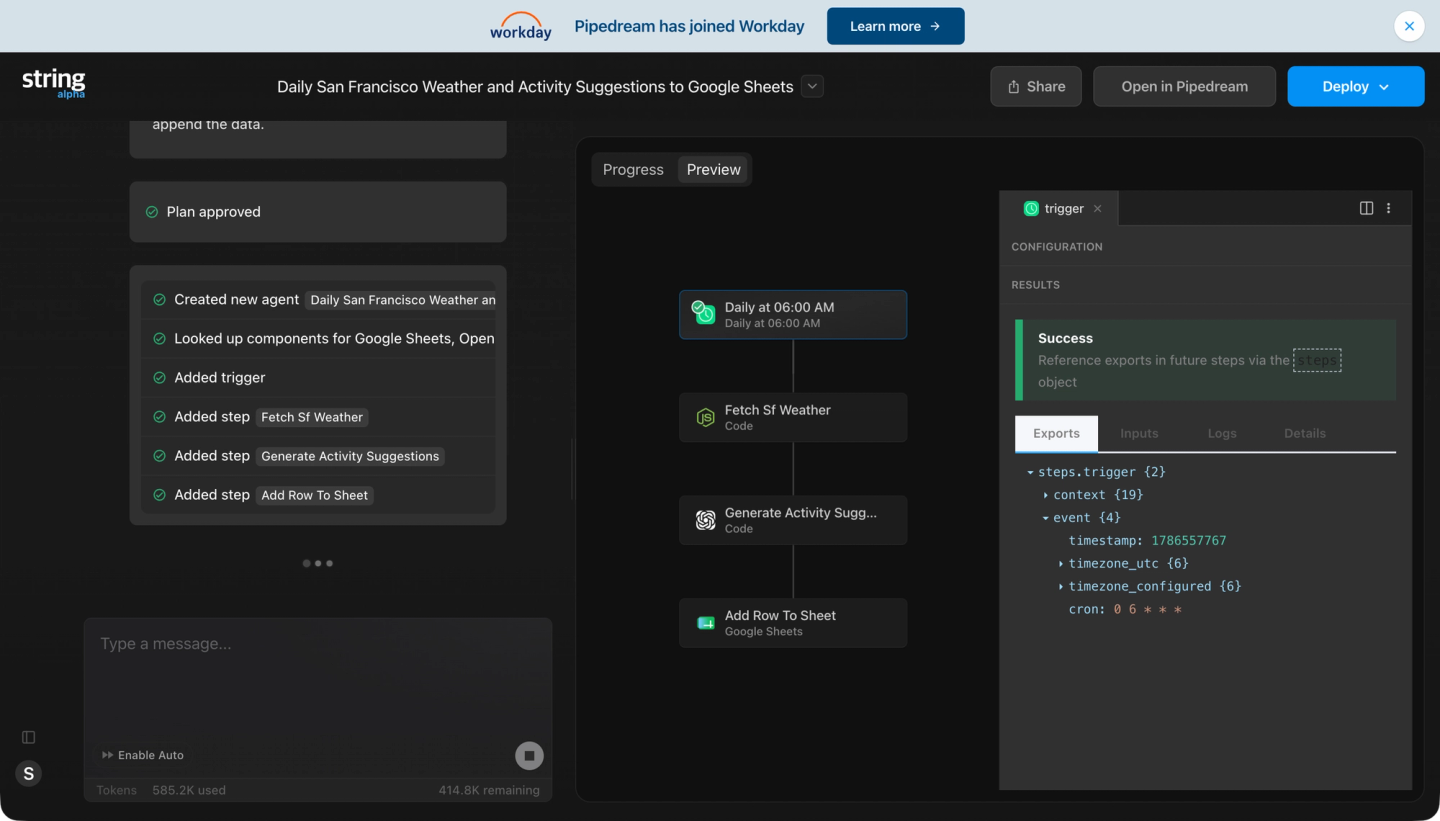
Pipedream has an alpha feature, String, that lets you chat with their agent to build an integration, but it generates workflows on the same visual builder and component model, so the constraints above carry over.
Tool calls and triggers only: no data syncs, thin observability
Connect has no data sync primitive. If your product or RAG pipeline needs a continuously fresh copy of CRM records, you’ll have to build it outside of Pipedream.
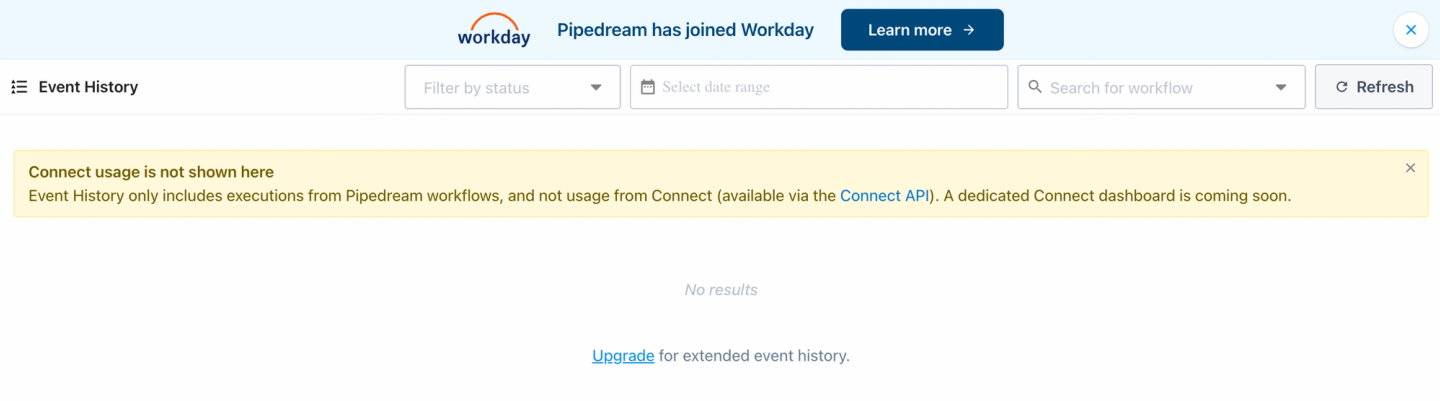
Observability is lacking, too: There is no execution-log dashboard for actions run through Connect, and payloads are not stored. Debugging a failing production integration with those tools is slow.
What teams switching from Pipedream Connect tell us
We ran evaluation calls with teams migrating off Pipedream Connect. The reasons they gave are consistent:
- The props flow fights agents. A founder building an AI workflow product said Pipedream’s multi-step prop configuration is “very annoying to just get right with an agent”.
- Users see the Pipedream logo. Users saw Pipedream branding on every connection.
- Shared clients block scope control and RBAC. With Pipedream’s pre-provisioned client IDs, Pipedream defines the OAuth scopes, and users don’t have control. One enterprise search team could not get user emails from Teams and SharePoint connectors, which broke their access-control mapping.
To be fair, some of them had genuine praise: teams consistently described Pipedream as reliable, and the shared OAuth clients as the fastest way to get a demo working. The complaints are centered around embedded, customer-facing production use cases.
What engineers like about Nango
Nango provides an enterprise-grade platform built for engineering teams (developers) building embedded, customer-facing integrations for agents or SaaS apps.
White-label auth across 1,000+ APIs
A drop-in Connect UI handles OAuth, API keys, JWT, basic auth, and MCP Auth. End users authorize against your brand by default, and a headless mode is available if you want to fully customize the UI.
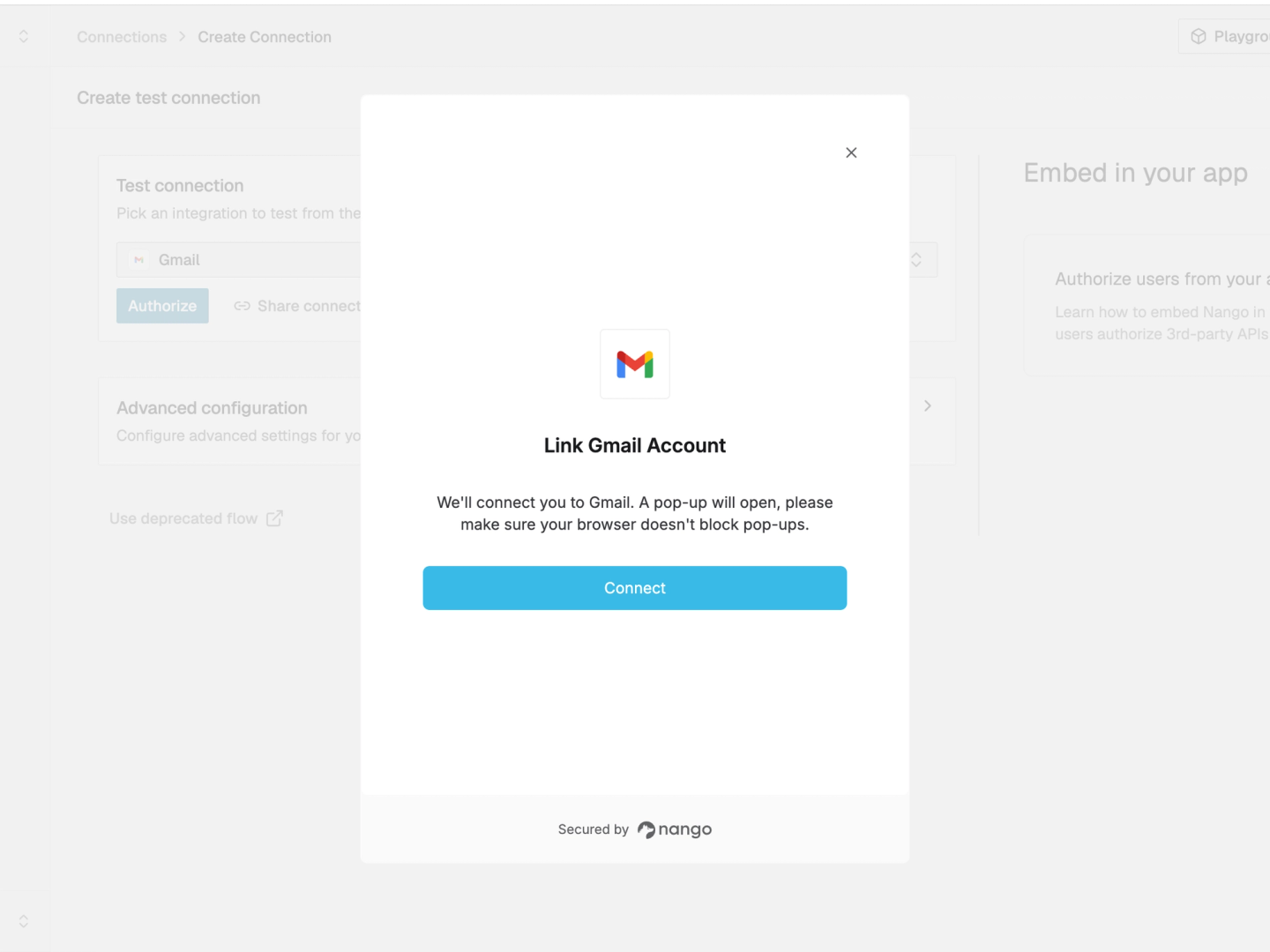
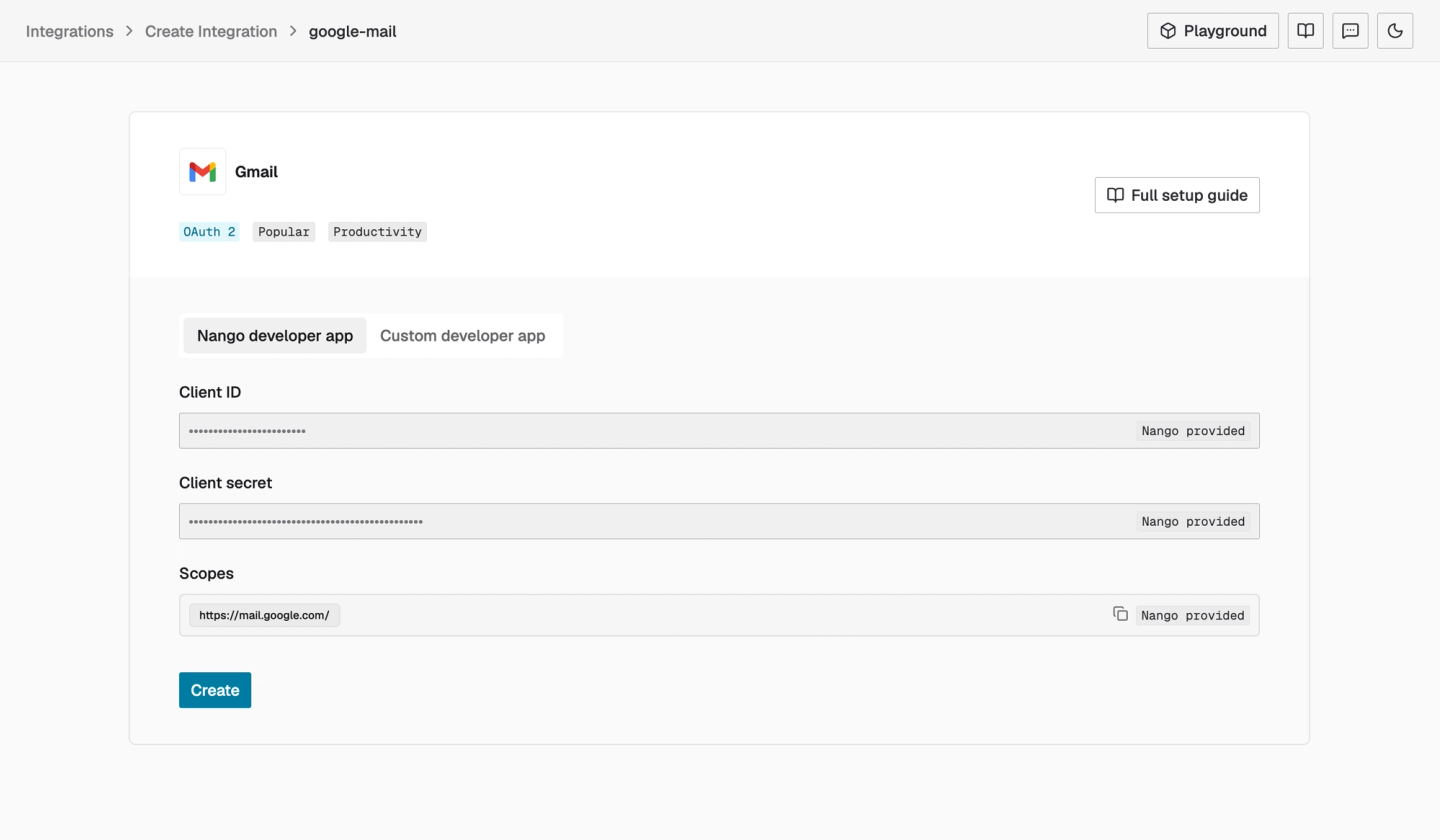
Token refresh and credential encryption are available on every plan. You can use Nango’s provided OAuth apps or your own credentials from day one, so you control scopes, and your credentials stay portable.
Every integration use case on one platform
For example, if you are building a customer support agent, you can:
- let each customer connect Salesforce, Slack, and Google Drive through Connect UI while Nango handles auth and credential storage;
- sync account records and support documents into your database or RAG index;
- let the agent read or update provider data through pre-built tools, custom functions, or direct API calls through Nango’s proxy;
- trigger the agent when data changes by forwarding provider webhooks or polling APIs that do not offer webhooks; and
- expose the same product-specific tools to the agent through MCP or Nango’s REST API.
Coding agents customize and build the integrations
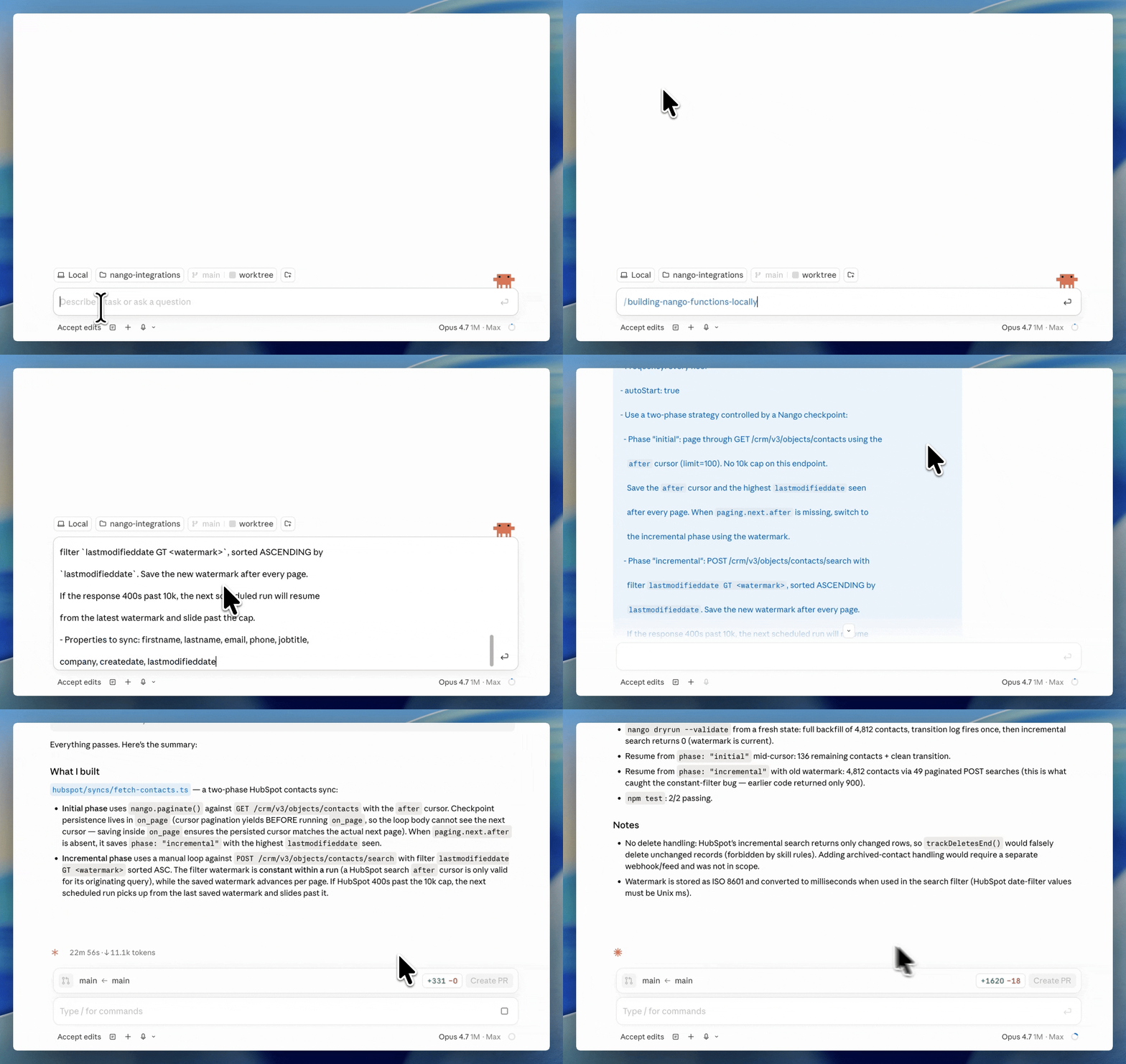
You can start with one of Nango’s 10,000+ pre-built tool calls. If it does not match your product’s requirements, install the Nango builder skill and describe the operation you need. The coding agent reads the provider’s API docs, writes the function in your repo, tests it against a real connection, deploys it, and wires it into your app or agent.
A prompt like this is enough:
/building-nango-functions Build a HubSpot action that upserts a contact and returns the record id.If you are starting from zero, the AI-assisted quickstart walks your coding agent through signup, API-key setup, authorization, and the first function call.
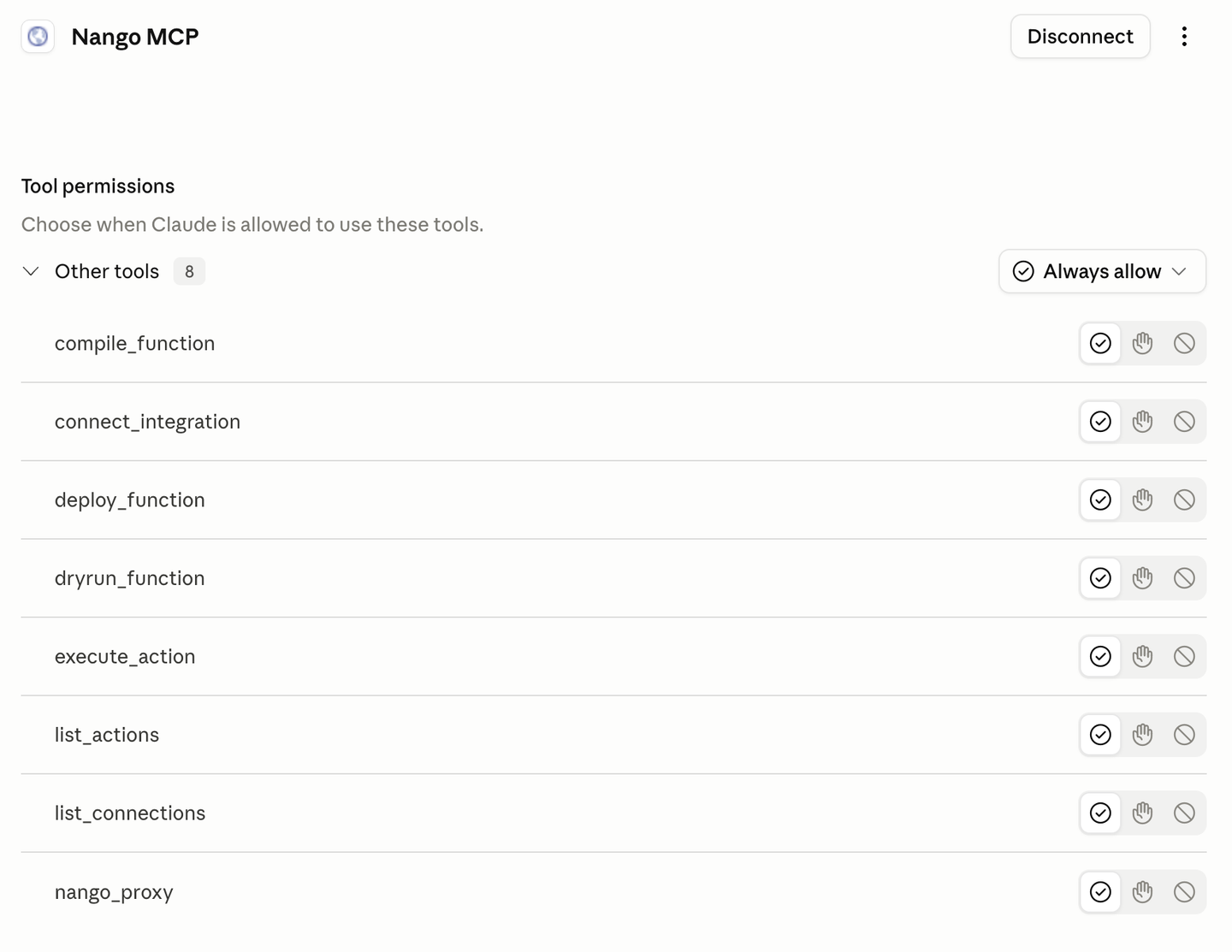
When a function fails, the beta Management MCP server lets Claude Code, Cursor, and other MCP clients query the operation and its logs directly. The agent can inspect the provider error and continue debugging without you copying logs into the conversation.
Real implementation tutorials for popular APIs:
Expose tools to agents through MCP or API
Nango exposes your action functions to agents through a hosted MCP server with strict typed input and output schemas. The tools are functions you own, shaped to your product’s intent, and no intermediary LLM sits between your agent and the tool. Nango also supports MCP Auth, so your users can authorize external MCP servers like HubSpot MCP or Notion MCP through the same auth layer.
Nango can also return action definitions in an OpenAI-compatible format, so an agent can discover them without understanding a separate component-prop model.
You do not have to use MCP. Once a customer is connected, a Nango action accepts typed input and runs with a single SDK or REST API call. There is no separate prop-configuration flow or dynamic configuration state for your application to manage:
await nango.triggerAction('hubspot', connectionId, 'upsert-contact', {
    email: 'user@example.com'
});
Deep observability with OpenTelemetry
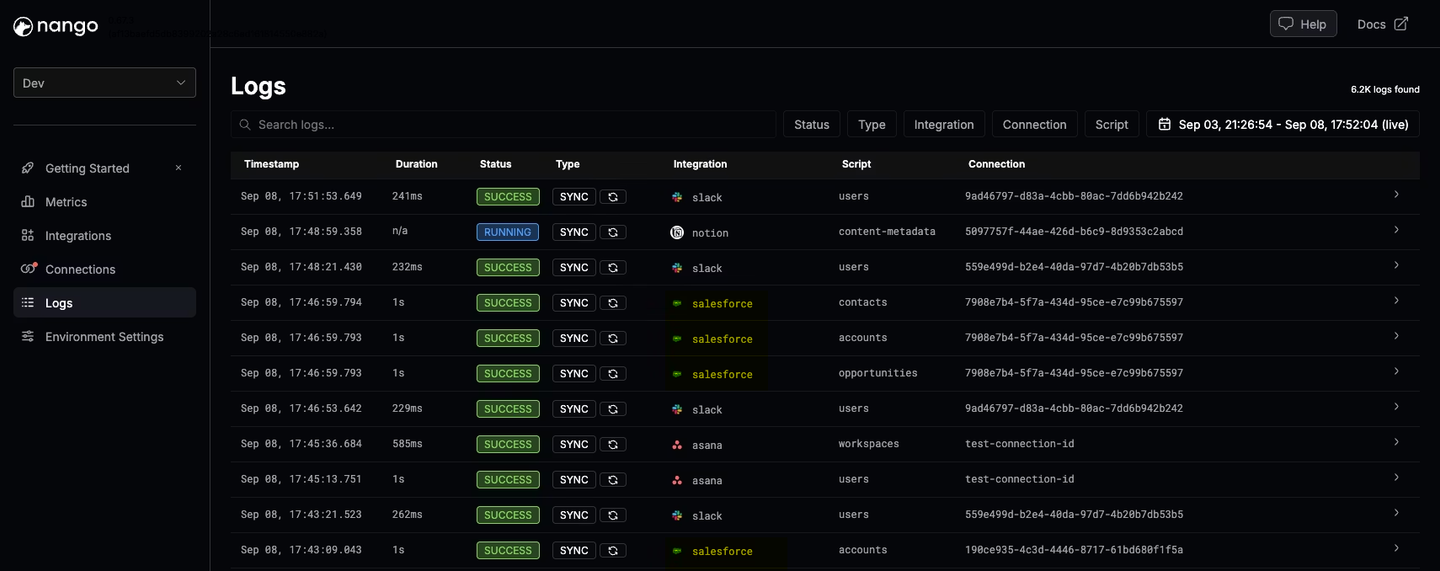
Every operation generates structured logs with full external API request and response details, custom log messages, full-text search, and OpenTelemetry trace export. A coding agent can read a failing dry run, see the exact response that broke parsing, and ship the fix in the same session.
Open source, compliance, and self-hosting
Nango’s platform code is open source under the Elastic License 2.0, so you can audit the runtime that holds your customers’ tokens. It is SOC 2 Type II, GDPR, and HIPAA compliant, and self-hosting is available for teams with data residency requirements, including managed deployments in your own cloud.
Pipedream Connect vs Nango: feature comparison
| Feature | Nango | Pipedream Connect |
|---|---|---|
| Catalog | 10,000+ pre-built tools across 1,000+ APIs | 10,000+ pre-built tools across 3,000+ apps |
| Build model | Catalog plus code in your repo | Catalog plus custom actions via CLI |
| AI coding agent skill (Claude Code, Cursor, Codex) | Yes | No |
| Custom tool calls on the runtime | Yes | Partial (custom actions only, no custom triggers) |
| MCP server | Yes, for pre-built and custom tools | Yes, for pre-built catalog tools |
| Call tools through an API | Yes, through the SDK or REST API | Yes, through the Connect SDK or API |
| API proxy | Yes | Yes |
| Bring your own cloud | Enterprise, managed in your cloud and region | No |
| Management MCP server | Beta, with tools for querying operation logs | No documented equivalent |
| White-label auth | Yes | No |
| Data syncs for RAG | Yes, durable and incremental | No |
| Webhooks and polling triggers | Yes | Yes |
| Per-customer configuration | Yes | Limited |
| Full request/response logs and OpenTelemetry export | Yes | No (beta trigger logs only) |
| Open source | Yes (platform and templates) | Partial (component registry only) |
| Self-hosting | Yes (Enterprise) | No |
When Pipedream Connect is the right pick
Pipedream Connect fits teams that:
- Want a low-code visual workflow builder with a large catalog
- Are working on mostly internal-style automations extended to a small set of end users
- Have a use case covered by its pre-built components, with no customization needed
- Do not need white-label auth, data syncs, or deep logs
When Nango is the right pick
Nango is the right pick when:
- Integrations are part of a SaaS product or AI agent you ship to customers
- You want a large pre-built catalog but expect to customize some integrations
- You need enterprise features such as white-label auth, tenant isolation, SAML SSO, RBAC, audit logs, compliance, or deployment in your own cloud
- Your product needs more than tool calls, including two-way data syncs, webhooks, or polling
How to migrate from Pipedream Connect to Nango
To migrate from Pipedream Connect to Nango:
- Build any new integrations on Nango first. This caps the scope of what needs to move.
- Install the Nango builder skill in your coding agent (Claude Code, Cursor, Codex, Gemini CLI, OpenCode, and others are supported).
- Have the coding agent rebuild your Connect actions as Nango functions. Prompt it with the intent of each action. The skill reads the API docs, writes the function, tests it against a real connection with
nango dryrun, and iterates on real responses. - Replace deployed triggers with Nango webhooks or syncs. Provider webhooks route through Nango’s webhook processing; APIs without webhooks get polling syncs on your schedule.
- Wire your app or agent to Nango. Expose the new tools through Nango’s REST API or MCP server.
- Re-authorize customers under your brand. Use the white-label Connect UI. If you brought your own OAuth clients to Pipedream, you can reuse them on Nango. Connections made through Pipedream’s shared clients cannot be exported, so those users must authorize again.
- Run both side by side behind a feature flag, ramp traffic to Nango, and verify behavior in the logs.
- Decommission Pipedream Connect at the renewal boundary.
FAQ
Is Nango a Pipedream Connect alternative?
Yes. Nango covers the same ground as Pipedream Connect, including managed auth, pre-built tools, MCP, and an API proxy. It also adds white-label auth, custom tool calls built by coding agents, durable data syncs, webhook processing, and full observability across 1,000+ APIs.
Is Pipedream Connect still actively maintained?
Pipedream Connect appears to be no longer actively maintained. Pipedream’s product changelog has no entries after October 1, 2025. Workday closed its acquisition of Pipedream in the fiscal quarter ending January 31, 2026 and has not published a standalone roadmap for Connect.
Does Pipedream Connect support data syncs for RAG?
No. Pipedream Connect supports tool calls, triggers, workflows, and a request proxy, but has no managed data sync primitive. Nango ships durable, incremental data syncs with checkpoints and webhook-driven real-time updates on the same runtime as its tool calls.
Pipedream Connect vs Nango: which is better for AI agent integrations?
Nango. Its tools are typed functions that your coding agent writes and tests against real connections, exposed over REST and MCP, next to the syncs and webhooks that feed the agent fresh context. Pipedream Connect covers more apps, but generic components with proprietary prop schemas, and no sync or coding-agent build loop make it a narrower fit for production agents.
Related reading
- Best Pipedream Connect alternatives for AI integrations in 2026
- Best agentic API integrations platform in 2026
- Arcade.dev vs Nango: which platform for production AI agent integrations in 2026?
- Best API integration platforms to use with Claude Code, Cursor, and Codex
- Build reliable tool calls for AI agents integrating with external APIs


