
Your agent tells a customer their renewal is still open. The problem is, it closed three weeks ago. The model setup was not the issue. The data was. The record changed after the last sync, but that update never made it into the agent’s store. So the agent answered using old information.
This is why embedded integrations for AI agents need to support more than API calls. They also need a reliable way to keep data in sync. In practice, that means handling tool calls and data syncs, along with customer authentication, permissions, scopes, rate limits, and token refresh.
This post compares Nango, Paragon, Merge Agent Handler, Ampersand, and Pipedream Connect across tool calls and data syncs for customer-facing agents that connect to each user’s accounts.
TL;DR
An embedded integrations platform, or an embedded iPaaS (Integration Platform as a Service), enables API integrations for your products or agents. Customers authorize their own accounts through your product, while the platform handles OAuth, token refresh, and other integration infrastructure behind the scenes.
For an AI agent, that usually means four jobs per customer: authenticate the user, expose tool calls, keep RAG data in sync, and react to upstream changes. Most platforms cover only part of that workflow.
Five platforms worth evaluating:
- Nango: code-first and developer-focused, with a pre-built catalog of 1,000+ APIs and 7,000+ tools. Tool calls, durable syncs for RAG, and webhooks run as customizable code on the same runtime. Nango also supports isolated execution, observability, self-hosting, and BYOC.
- Paragon: Managed Sync syncs files, CRM records, tickets, and accounting data into normalized schemas for RAG. ActionKit provides 1,000+ pre-built tools across 130+ connectors, and you assemble custom logic in its visual workflow editor.
- Merge Agent Handler: Provides pre-built tool calls across Merge’s connectors, with controls such as PII scanning and audit trails. It does not provide a RAG ingestion layer.
- Ampersand: Focuses on CRM, ERP, and go-to-market integrations across 150+ providers. You define integrations in YAML, and Ampersand delivers synced data to a destination your application controls.
- Pipedream Connect: Offers the largest catalog in this comparison, with 3,000+ APIs and 10,000+ tools, embedded auth, and a request proxy. It does not provide a native sync primitive for RAG.
What makes AI agent integrations different?
An agent in your product runs integrations on behalf of many customers. Each customer connects their own Salesforce, Notion, or other account, and every request must use that customer’s credentials.
The model should never see the provider token. Your backend passes a connection ID tied to the authenticated user, and the integration runtime attaches the correct credential before making the API call:
const transport = new StreamableHTTPClientTransport(new URL('https://api.nango.dev/mcp'), {
    requestInit: {
        headers: {
            Authorization: `Bearer ${process.env.NANGO_SECRET_KEY}`,
            'connection-id': '<CONNECTION-ID>',
            'provider-config-key': '<INTEGRATION-ID>'
        }
    }
});
The problem grows as customers ask for more tools. Building and maintaining every integration by hand does not scale.
Coding agents such as Claude Code, Cursor, and Codex can use API documentation to help implement integrations faster. This turns integration work into a just-in-time process, where you add integrations as customers need them instead of maintaining a long integration roadmap.
If you’re more interested in learning about AI agent security, see how developers secure AI agent access to APIs.
How to choose an embedded integrations platform for AI agents
Six criteria matter most:
- White-label, per-user auth: Each customer should authorize their own account under your brand, without exposing credentials to the model or client. API auth involves more than the initial OAuth flow, especially when handling cases like concurrent OAuth token refreshes.
- Custom tool calls on the platform’s runtime: A large tool catalog will not cover every action you need. Without custom tools, your agent may have to chain several generic calls, which increases token usage and adds more points of failure.
- Data syncs for RAG: Running a scheduled fetch is the easy part. The platform also needs to handle incremental updates, checkpoints, retries, deduplication, and deletes that may not trigger a webhook. The important question is where sync state lives and whether a failed backfill can resume without starting over.
- Full API access: Normalized schemas work well for common objects, but they can become limiting when customers use custom fields, objects, or provider-specific features. A large Salesforce account, for example, may depend heavily on custom objects. This is one reason B2B SaaS products outgrow pre-built unified APIs.
- Triggers: Agents often need to react to events, not just respond to prompts. A closed deal, changed ticket, or edited document may need to start a workflow immediately. Provider webhooks and polling triggers handle these upstream changes.
- A build path for new integrations: Generating integration code is not enough. A coding agent should be able to write it, run it against a real connection, fix API errors, and then ship it. Without the run step, you are reviewing code that has never been tested against the actual API.
Best embedded integrations platforms for AI agents and RAG
Here is how the five platforms compare, including what each one manages and what remains your responsibility.
1. Nango
Overview
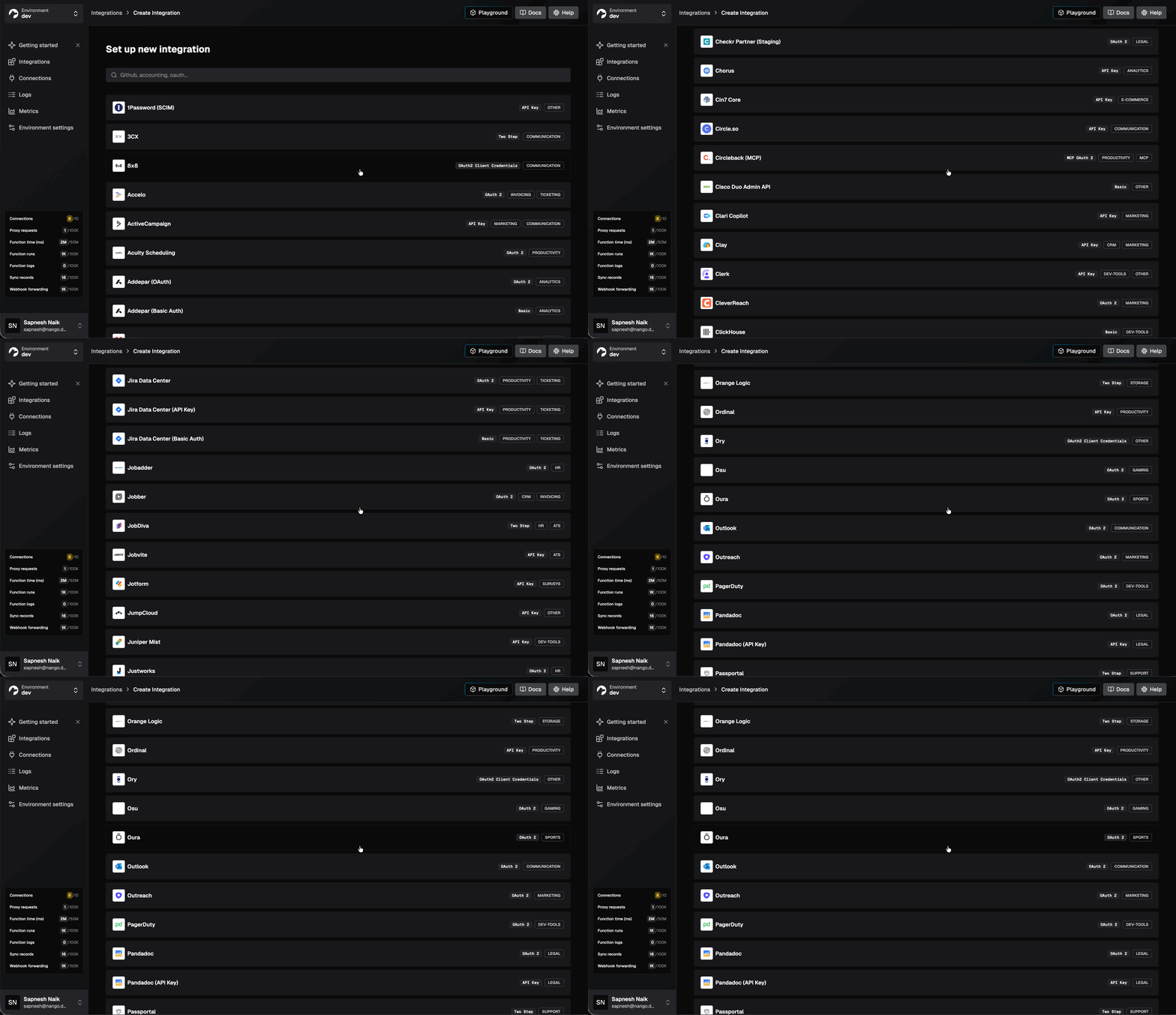
Nango lets you connect your AI agent to 1,000+ APIs with 7,000+ pre-built tools. It is open source and code-based, so you can use a pre-built integration as-is or edit the code that calls the provider API.
Its infrastructure is enterprise-grade and built for scale, covering managed authentication, tool calls, durable data syncs, and webhooks, with isolated execution, observability, self-hosting, and BYOC.
Best for
Engineering teams looking for a large catalog of supported APIs for agent integrations, and a large, customizable tools catalog with support for real-time events for agents and data syncs for RAG.
Pros
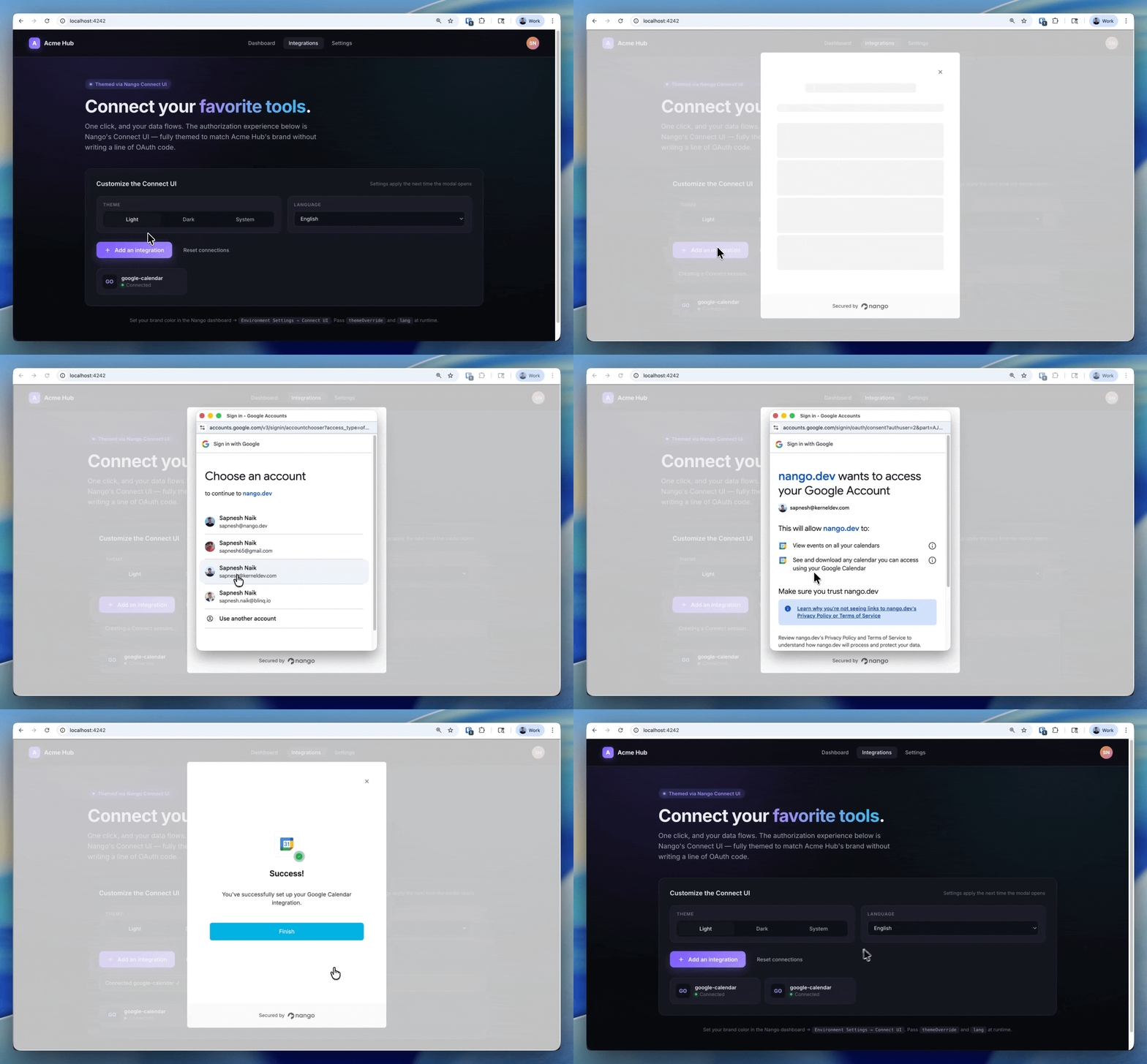
- Pre-built catalog for 1,000+ APIs: Nango provides 1,000+ API integrations and 7,000+ pre-built tools. The integration logic is editable code. Its Connect UI handles OAuth, API keys, JWT, and MCP Auth under your brand.
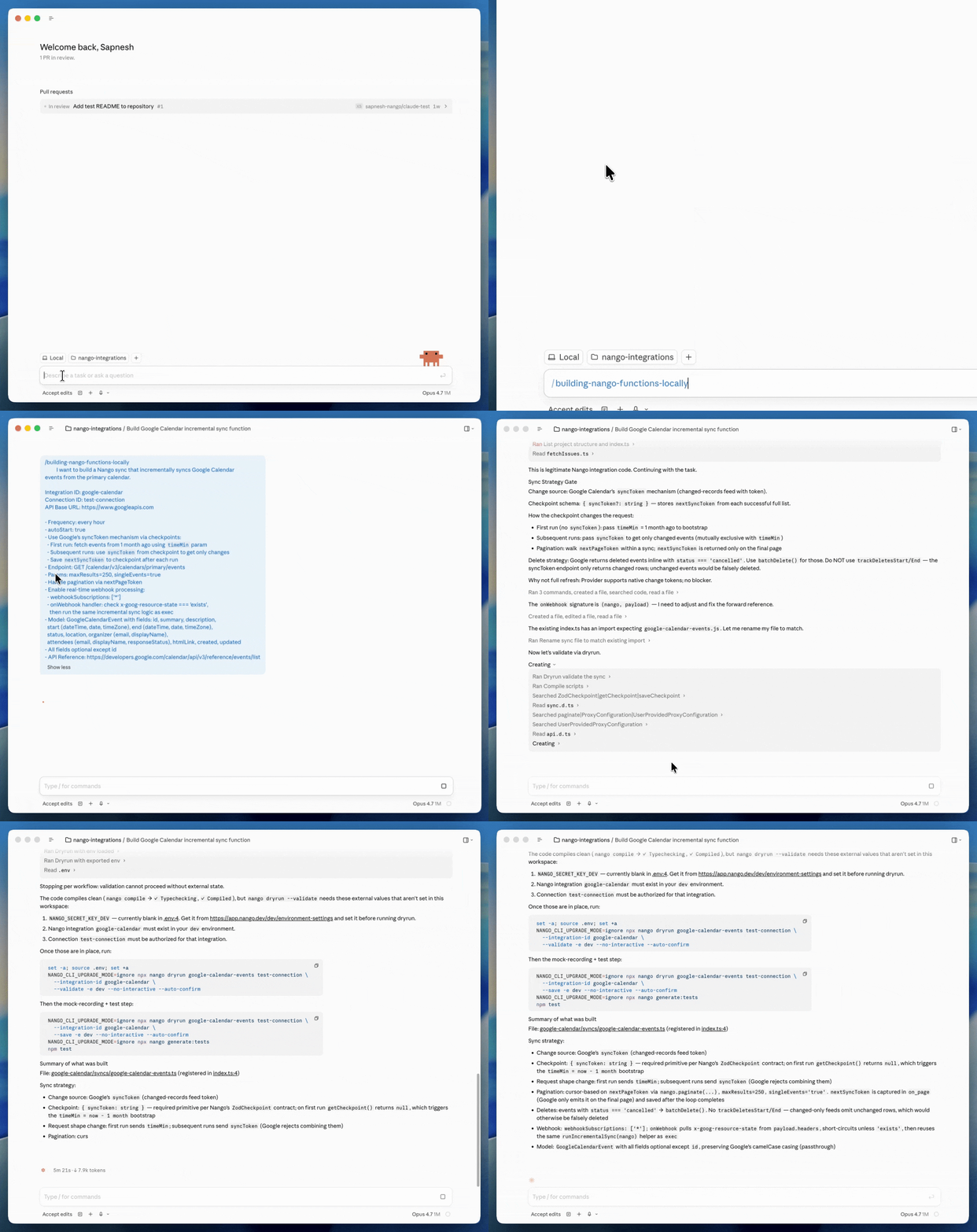
- Code and developer first: The function builder skill enables a coding agent to write an integration, test it against a real connection, and fix API errors before deployment. The integration lives as code in your repo and can be exposed over MCP or REST.
- Durable syncs for RAG: A sync can declare a checkpoint schema and save progress after each page, so a failed run can resume from its last checkpoint instead of starting over. Deletion detection works differently depending on the sync type. Full syncs can detect deletions by comparing the previous dataset with the records returned in the current run, while incremental syncs can report deletions when the provider API exposes them. Schedules can run every 30 seconds, while provider webhooks and polling triggers can notify your app when upstream data changes.
- Enterprise ready, built for scale and customization: Each execution runs in an isolated Lambda environment rather than a shared per-customer VM, and Nango reports action execution latency under 50ms. Nango provides structured logs, OpenTelemetry export, and SOC 2 Type II, GDPR, and HIPAA compliance, with a BAA on request. You can also self-host or deploy in your own cloud.
Cons
- No visual workflow canvas: Nango is built for engineers and coding agents. If non-technical teams need a drag-and-drop interface for building integrations, a low-code embedded iPaaS may be a better fit.
2. Paragon
Overview
Paragon provides integration infrastructure for B2B and AI products.
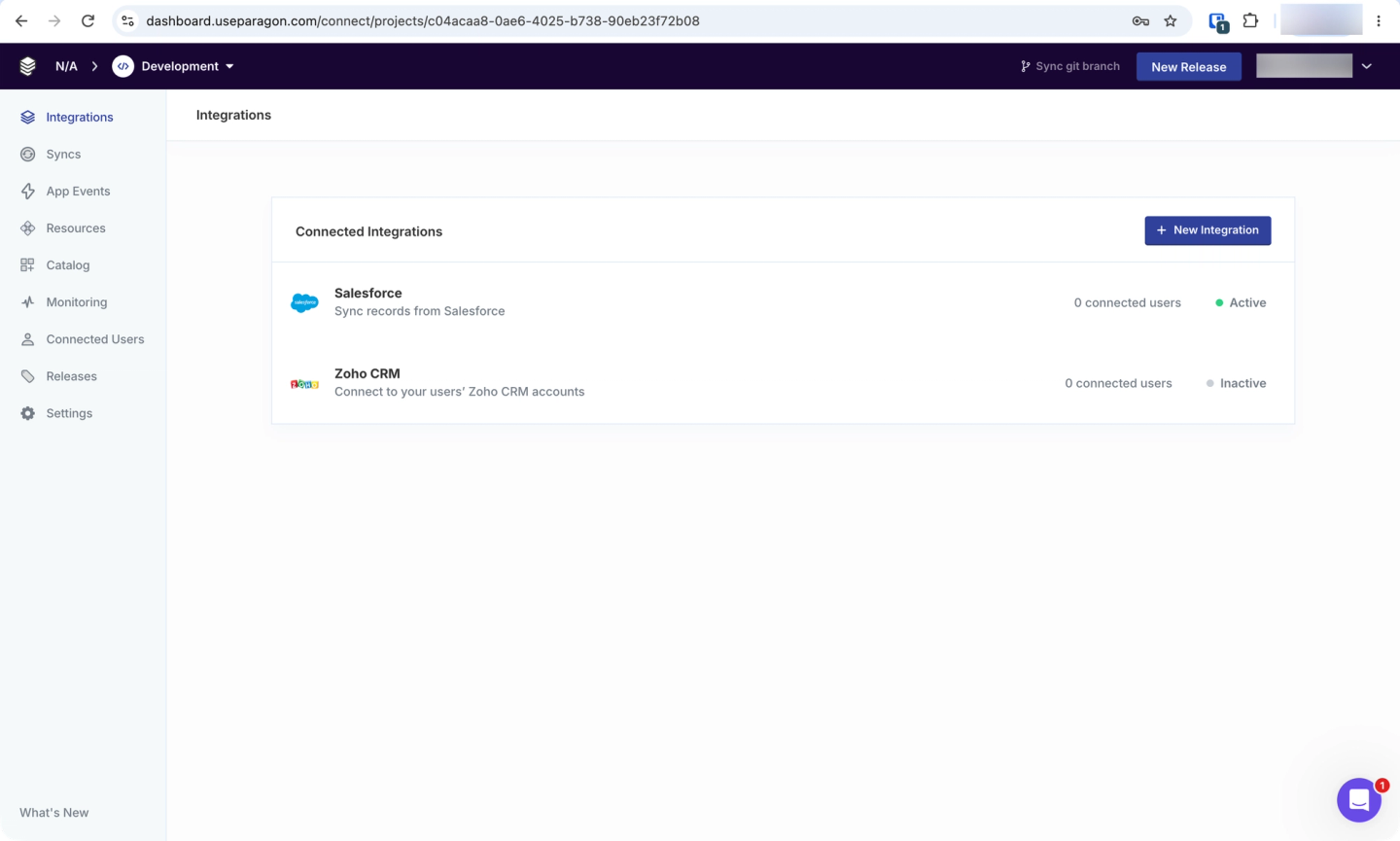
Paragon has three main products. Managed Sync pulls records from storage, CRM, ticketing, and accounting systems into normalized formats. ActionKit provides 1,000+ pre-built tools over API and MCP. Workflows runs asynchronous integration logic built in Paragon’s visual editor or with its Paragraph framework.
Its catalog covers 130+ connectors, while Connect Portal handles end-user authentication under your brand.
For enterprise deployments, Paragon also documents self-hosted and BYOC options.
Best for
Non-technical teams looking for a low-code way to build AI agent integrations with pre-built tool calls and syncs. It works best when the integrations you need are already in Paragon’s catalog.
Pros
- Low-code visual workflow editor: You can build asynchronous integration logic on a visual canvas. Paragraph code compiles to the same workflows, so engineers and non-technical teammates can work with the same underlying flow.
- Managed RAG ingestion: Managed Sync backfills customer data and keeps it current with incremental updates as often as every minute. It also handles pagination and errors.
- Managed permissions graph: The Permissions API checks whether a user can access a document before it reaches their results.
- Embedded auth: Connect Portal handles authentication and integration configuration under your brand.
Cons
- Managed Sync uses normalized schemas: Files, CRM records, tickets, and accounting data are normalized into Paragon’s schemas. If a customer’s data does not fit those schemas, you depend on Paragon adding support. Paragon’s Custom Source Framework, which would let you define your own sync schemas and sources, is listed as coming soon.
- ActionKit does not host arbitrary custom tool code: You can add custom OpenAPI actions to Paragon’s MCP server, but you host that server yourself. Paragon can run non-agent custom logic in hosted Workflow Functions, but those functions are not custom ActionKit tools.
- Limited coding-agent build loop: The Paragon Skill sets up the SDK, JWT signing, Connect Portal, and an integration catalog in your application. It does not write integration logic, test it against a live customer connection, and deploy it to Paragon’s runtime in one loop. Your team still has to catch API and runtime errors before deployment.
- Smaller catalog and closed hosted runtime: Paragon supports 130+ connectors. The MCP server is MIT licensed, but it proxies requests to Paragon’s hosted API, so the hosted connector code is not open source.
For a deeper comparison, see Paragon vs. Nango and the top Paragon alternatives.
3. Merge Agent Handler
Overview
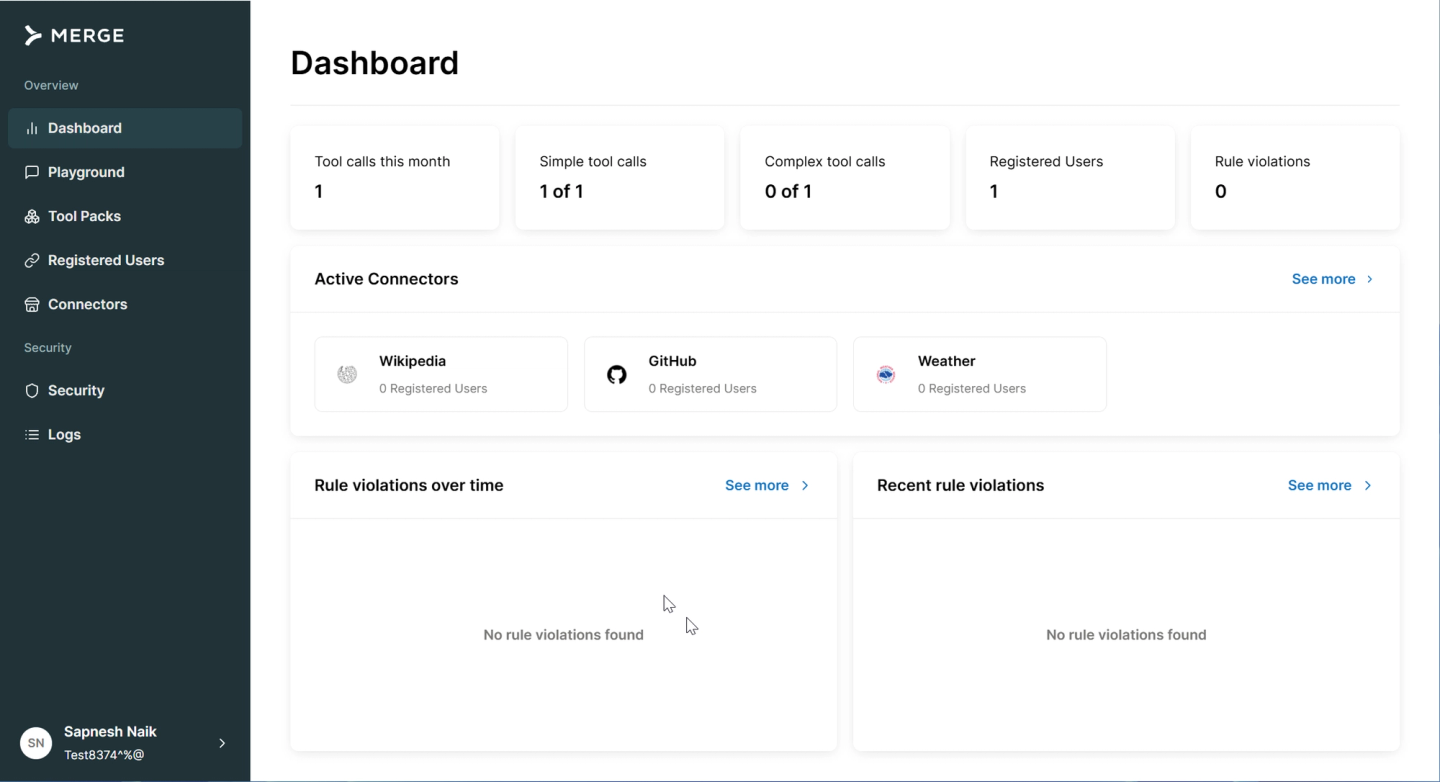
Merge Agent Handler exposes Merge’s connectors to AI agents over MCP.
Merge launched Agent Handler in October 2025 as a separate product from its unified API. It supports both agents embedded in your product and employees who connect its MCP endpoint to clients such as Claude or Cursor.
Best for
Teams that mainly need a governed catalog of pre-built tool calls across common SaaS applications, but do not need a managed RAG ingestion pipeline or broad provider-event coverage. Merge supports tool description and input overrides, while custom tool code runs on an MCP server you host.
Pros
- Scoped Tool Packs: You can use Tool Packs to control which connectors and tools an agent can access.
- Security checks on each call: Merge can scan calls for PII, PHI, and payment data, then allow, redact, or block them based on your rules.
- Tool Call Logs: Agent Handler records each call, including its arguments, result, and latency. Merge retains logs for 90 days on standard plans and longer on higher tiers.
- Branded consent flow: You can customize Merge Link and use your own OAuth app instead of Merge’s.
Cons
- No managed RAG ingestion: Agent Handler does not provide a data ingestion pipeline. For retrieval, Merge directs customers to its unified API or you need another system, which means another ingestion path to operate.
- No custom tool calls on Merge’s runtime: Merge does not host third-party tool code. You can point Agent Handler at a custom MCP server alongside Merge’s connectors, but that server is infrastructure your team builds and operates.
- Limited provider-event coverage: Agent Handler can forward inbound webhooks from supported connectors, including Slack, Jira, and GitHub. It is not a general polling or ingestion layer for upstream changes.
See Merge vs. Nango and the top Merge alternatives for deeper comparisons.
4. Ampersand
Overview
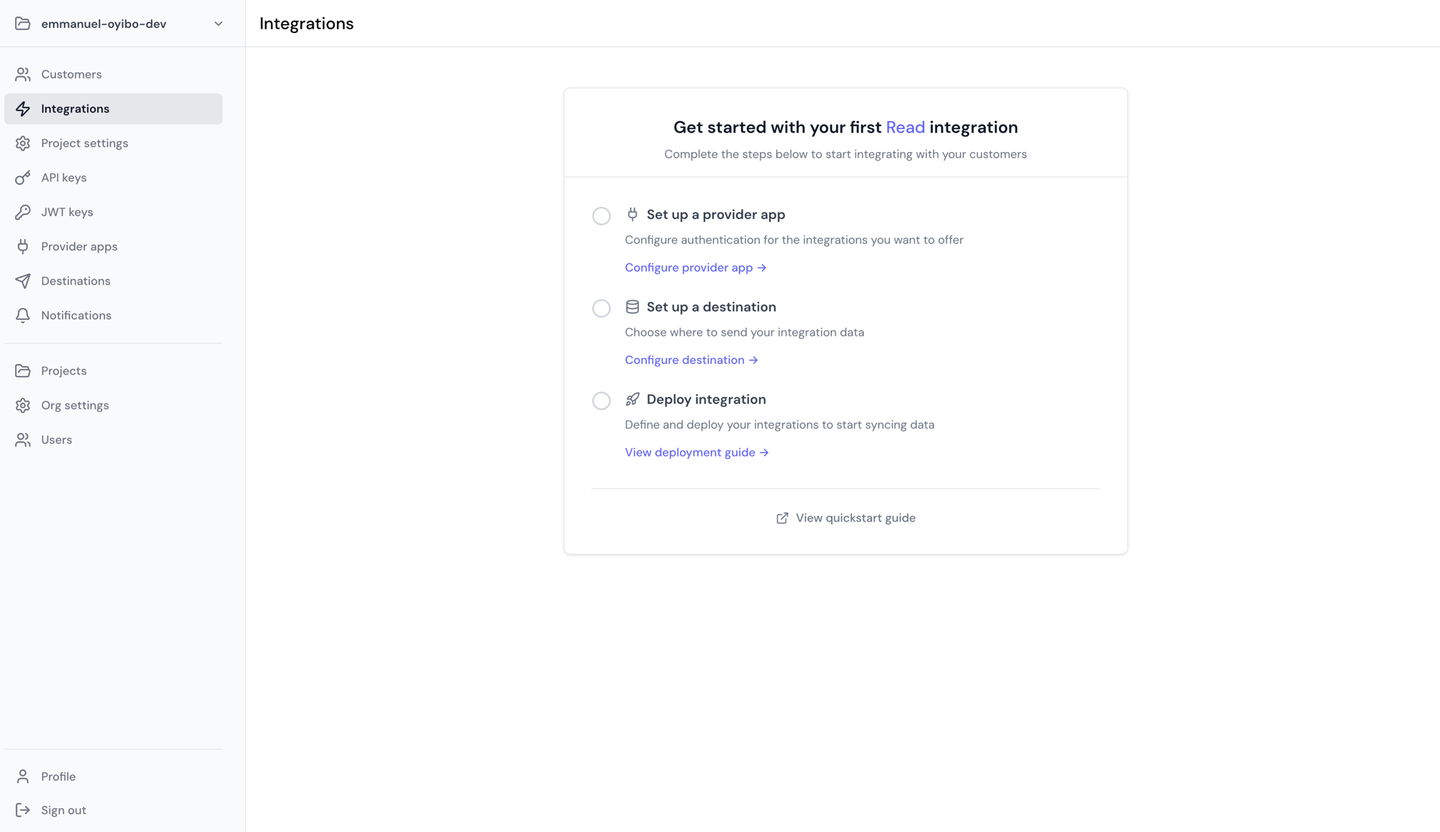
Ampersand focuses on customer-configurable CRM, ERP, and go-to-market integrations.
You define each integration in an amp.yaml manifest, including the provider, objects, fields, and customer-specific configuration. Ampersand runs the integration and sends the resulting data to a destination you control.
Its catalog covers 150+ providers and includes an open-source connector library.
Best for
Products that mainly integrate with CRM, ERP, and revenue tools, especially when customers need to configure their own field mappings.
Pros
- Small, reviewable manifests: Integration configuration lives in compact YAML. A coding agent can generate the manifest using Ampersand’s docs MCP server.
- CRM webhooks: Subscribe actions can push create, update, and delete events from providers such as Salesforce and HubSpot.
- Customer-facing field mapping: Customers can choose which fields to sync, including custom fields.
Cons
- You own the pipeline after delivery: Read integrations run on cron schedules, with a documented minimum interval of 10 minutes. Ampersand sends records to a destination you control, so storage, deduplication, indexing, and application-level processing after delivery remain your responsibility.
- Runtime MCP server is in alpha: Ampersand notes that its interface may change in backward-incompatible ways.
- Smaller catalog: Ampersand supports 150+ providers, compared with 1,000+ for Nango and 3,000+ for Pipedream. Its catalog is concentrated around CRM, ERP, and go-to-market systems, although Microsoft Graph also covers services such as OneDrive, SharePoint, and Teams.
- The manifest does not cover every API operation: When an integration does not fit Ampersand’s declarative Read, Write, Subscribe, or Search actions, your application can make authenticated passthrough requests through Proxy Actions.
5. Pipedream Connect
Overview
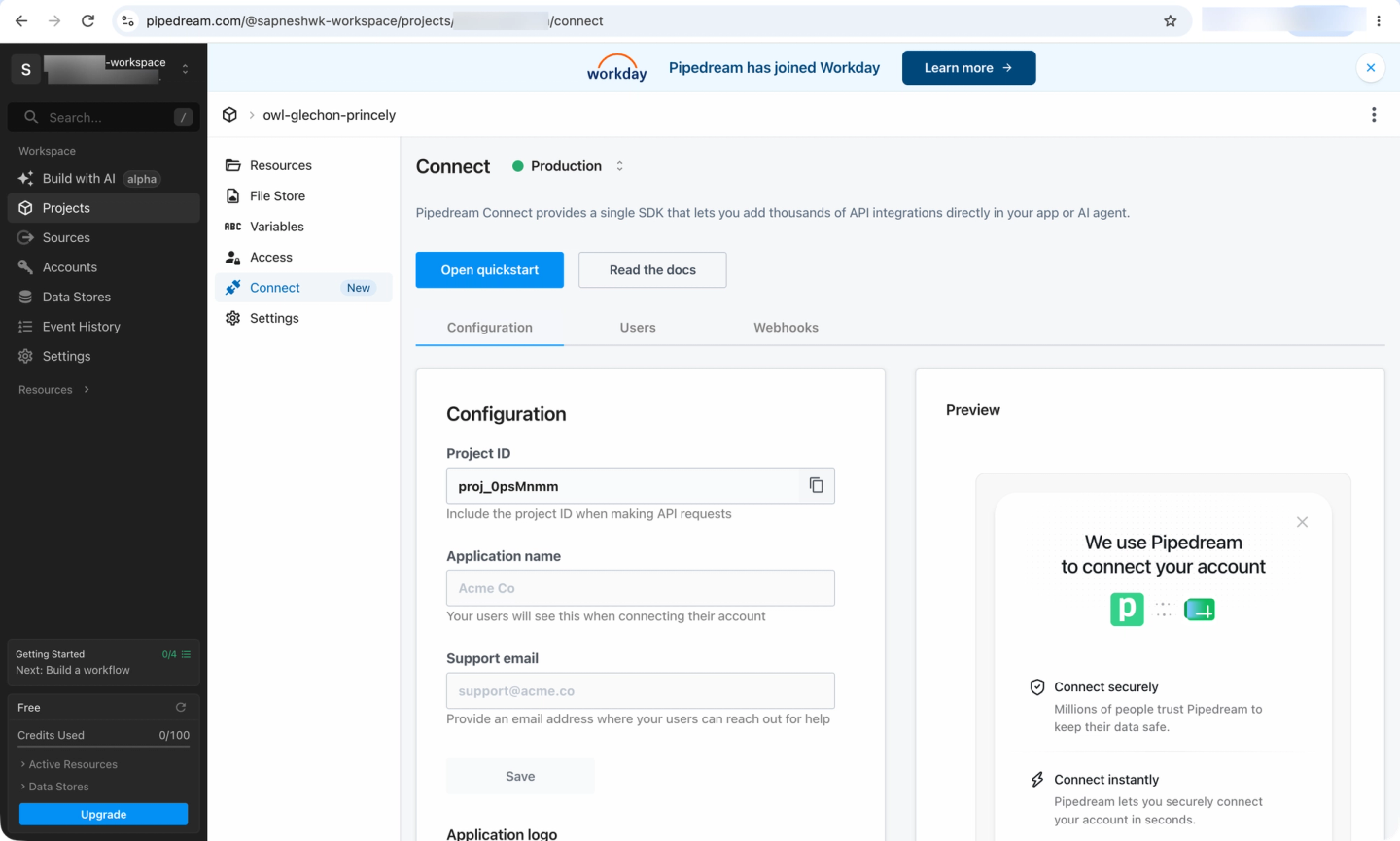
Pipedream Connect is the embedded integration product built on Pipedream’s automation platform.
It provides 3,000+ APIs and 10,000+ tools, an MCP server, and embeddable authentication. Workday completed its acquisition of Pipedream in early 2026 after announcing the definitive agreement in November 2025.
Best for
Products that prioritize API coverage and are willing to build the RAG ingestion layer separately.
Pros
- Largest catalog in this comparison: Pipedream provides 10,000+ pre-built tools across 3,000+ APIs.
- Embeddable auth and API proxy: You can use Pipedream’s OAuth clients or your own, then use the Connect API proxy to call integrated APIs on behalf of each user.
- Custom components: You can write actions in Node.js and publish them privately to your workspace.
- Visual workflow builder: Multi-step integration logic can be assembled visually, which is useful when non-engineers also work on workflows.
Cons
- Syncs are workflow-driven: Pipedream supports CRM and spreadsheet syncs by letting you define custom sync logic that runs on Pipedream’s infrastructure. For a RAG ingestion pipeline, you assemble the required sync behavior in workflows rather than using a dedicated managed sync abstraction.
- You resolve tool inputs yourself: Each pre-built action expects
configuredPropscontaining its required inputs. Pipedream’s React component can collect those values from a human. For an embedded agent, your backend has to supply the required values on each call.
Pipedream Connect alternatives covers these limitations in more detail.
Comparison of embedded integrations platforms for AI agents
The key difference is whether a platform supports both tool calls and data syncs, or only one.
| Capability | Nango | Paragon | Merge Agent Handler | Ampersand | Pipedream Connect |
|---|---|---|---|---|---|
| Data syncs for RAG | Durable, incremental | Normalized objects | No | Reads, you store | Custom sync workflows |
| Fastest sync schedule | 30 seconds | 1 minute | Not applicable | 10 minutes | Workflow-dependent |
| Custom tools on the vendor's runtime | Yes | No in ActionKit | No | No hosted code; manifests and proxy | Yes, components |
| Dedicated coding-agent skill | Build, test, and deploy | Application setup | Not documented | Not documented | Not documented |
| Arbitrary authenticated API requests | Yes | Via Proxy API | No | Via Proxy Actions | Via Connect proxy |
| Managed permissions for retrieval | Build your own | Yes | Not applicable | Build your own | Build your own |
| Webhooks and triggers | Yes | Yes | Limited | Yes | Yes |
| APIs in catalog | 1,000+ | 130+ | Hundreds; no exact count | 150+ | 3,000+ |
| Pre-built tools | 7,000+ | 1,000+ | Thousands; no exact count | Not published | 10,000+ |
| White-label auth UI | Yes | Yes | Yes | Yes | Custom UI or hosted Connect Link |
| MCP server | Yes | Yes | Yes | Alpha | Yes |
| Open source | Yes | MCP server only | Not documented | Partial: connectors, UI, SDK | Partial: components |
| Self-hosting | Yes | Yes | Not documented | Not documented | Not documented |
| BYOC | Yes | Yes | Not documented | Not documented | Not documented |
How we applied the criteria
We checked each capability against the vendors’ official documentation, changelogs, and product pages as of August 2026. If a capability is not documented, the table says “Not documented” rather than assuming support.
The criteria cover the main requirements for embedded AI integrations: RAG syncs, sync frequency, custom tools, coding-agent support, authenticated API access, permissions, triggers, catalog size, embedded auth, MCP, source availability, self-hosting, and BYOC.
FAQ: embedded integrations platforms for AI agents
Which embedded integrations platform is best for AI agents and RAG?
If you need tool calls and RAG ingestion on the same platform, Nango is the strongest fit. It can run custom tools, durable syncs, and webhooks on the same runtime, so you do not need a separate integration layer for retrieval.
Do I need data syncs, or can the agent just call the API live?
Use live API calls for actions and small lookups where freshness matters. For broad retrieval across customer data, syncs avoid repeated pagination, rate limits, and API latency on every query.
How do I stop a RAG pipeline from returning documents a user should not see?
Store the source system’s permissions with each synced record and check them again at retrieval time. Paragon provides a managed Permissions API; with other platforms, you implement this using patterns for preserving source-system permissions.
Can a coding agent build these integrations for me?
With Nango, yes. Its builder skill enables coding agents to read a provider’s API documentation, write the integration, test it against a real connection, and iterate on actual API errors. The remote function builder also enables agents to build and deploy integrations without a local Nango project. Paragon’s skill takes a narrower approach and scaffolds application code that calls its APIs.
Conclusion
Nango covers tool calls, durable data syncs, and webhooks on one runtime. It is code and developer first, with a pre-built catalog of 1,000+ APIs and 7,000+ tools that you can customize in code. For larger deployments, it is built for scale and customization, with isolated execution, observability, self-hosting, and BYOC options.
Paragon is the strongest alternative if you prioritize managed permissions and a visual workflow builder. Merge Agent Handler focuses on governed tool calling, Ampersand on configurable CRM and ERP integrations, and Pipedream Connect on broad API coverage without managed syncs.
To try Nango, paste the quickstart into your coding agent and use it to set up a test connection and make your first tool call.


