
This is a migration guide for developers moving integrations from Composio to Nango. It maps every Composio feature to its Nango equivalent and shows the migration steps for each piece. Pair Claude Code (or Cursor, Codex, or any of the 18+ supported coding agents) with the Nango AI Function Builder skill and most of the porting happens on autopilot: the agent reads the upstream API, writes the function, tests it against a real connection with nango dryrun, and iterates on real responses.
A customer who moved from Composio to Nango reported that Composio had raised their price to more than 10 times the previous amount. They also said it was slow to add integrations and had declined one of their toolkit requests.
They found deploying Composio on their own infrastructure difficult and described its tools as “just API wrappers.”
Note: For a higher-level comparison, see Composio vs Nango.
Prerequisites
- A Nango account. The free tier covers the migration.
- Claude Code, Cursor, Codex or any other coding agent for generating integrations code.
- For each integration you plan to migrate: your own OAuth client ID and secret. If you used Composio’s custom OAuth (bring-your-own client), you can reuse the same credentials in Nango.
Migration order (high-level)
- Pause new Composio work. New tools and triggers go on Nango from day one.
- Set up the Nango project (coding agent setup, quickstart) and create one test connection per integration from the Nango dashboard.
- Update the OAuth redirect URI on each provider’s OAuth app from Composio’s
https://backend.composio.dev/api/v1/auth-apps/addcallback tohttps://api.nango.dev/oauth/callback. - Migrate auth: Composio
connected_accounts.link()→ Nango Connect UI (auth guide). - Migrate tool calls: Composio tools → Nango action functions (action functions).
- Swap the MCP URL or REST base URL in your agent (tool calling).
- Migrate triggers: Composio triggers → Nango webhook-driven syncs (webhook functions).
- Add data syncs (net-new on Nango): durable polling syncs for RAG context and ingestion (sync functions).
- Move per-customer config into Nango connection metadata (metadata guide). (May not apply to all migrations.)
- Cut over: run side by side behind a feature flag, diff the logs, then rotate the Composio API key and cancel at the renewal boundary.
Mapping Composio features to Nango
Composio’s v3 SDK renamed several primitives. The labels below match the current Composio docs.
| Composio | Nango | Notes |
|---|---|---|
| Toolkit (e.g. github) | Integration | provider_config_key in Nango |
| Auth Config (ac_xxx) | Integration settings | OAuth client ID, secret, and scopes per integration |
| Connected Account (ca_xxx) | Connection | One per end customer, identified by connection_id |
| Tool (e.g. GITHUB_CREATE_ISSUE) | Action function | createAction(...) in your repo, deployed to Nango |
| user_id | end_user_id tag on a connection | Set when the Connect session is created |
| connected_accounts.link() | Connect session + openConnectUI() | White-label by default |
| Custom OAuth (white-label) | Integration settings | Default on every integration; no separate config |
| composio.tools.execute() | nango.triggerAction() or POST /action/trigger | Tool execution endpoint |
| Hosted MCP URL (/v3/mcp/{server_id}) | https://api.nango.dev/mcp | One URL; per-customer via connection-id header |
| Custom tool (in-memory) | Action function on the runtime | Persistent, version-controlled, tenant-isolated |
| Trigger (ti_xxx) | onWebhook on a sync, or polling sync | Runs on Nango's runtime |
| Provider plugin (composio_openai_agents, etc.) | REST + MCP | Framework-agnostic |
| No equivalent | createSync(...) | Durable data syncs for RAG |
| No equivalent | Polling sync with frequency | Triggers for APIs without webhooks |
| No equivalent | Connection metadata (nango.setMetadata) | Per-customer JSON read inside functions |
| Enterprise self-hosting | Enterprise self-hosting | Helm chart for Kubernetes |
Step 1: Set up the Nango project
Follow the coding agent setup and quickstart for the latest instructions. In short:
npm install -g nango
nango init
npx skills add NangoHQ/skills -s building-nango-functions-locally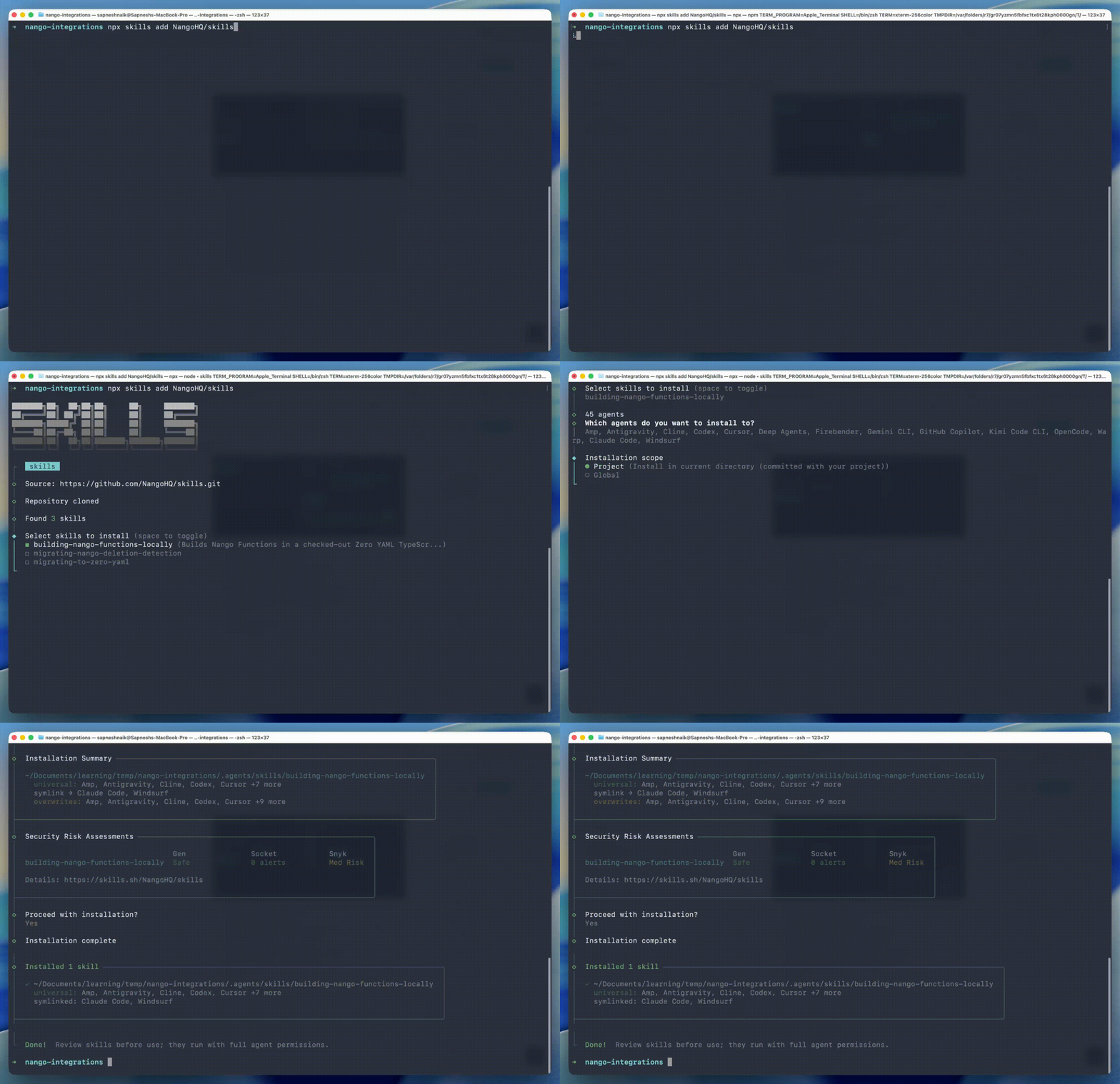
Add the Nango docs MCP server to your coding agent so it reads current API references at generation time. Restart the agent so the skill loads.
Set the dev API key in nango-integrations/.env:
NANGO_SECRET_KEY_DEV=<your-dev-key>For each integration you plan to migrate, configure it in the Nango dashboard → Configure New Integration, then add one test connection under Connections → Add Test Connection. The coding agent uses this connection to run nango dryrun against the live provider API while iterating on each function.
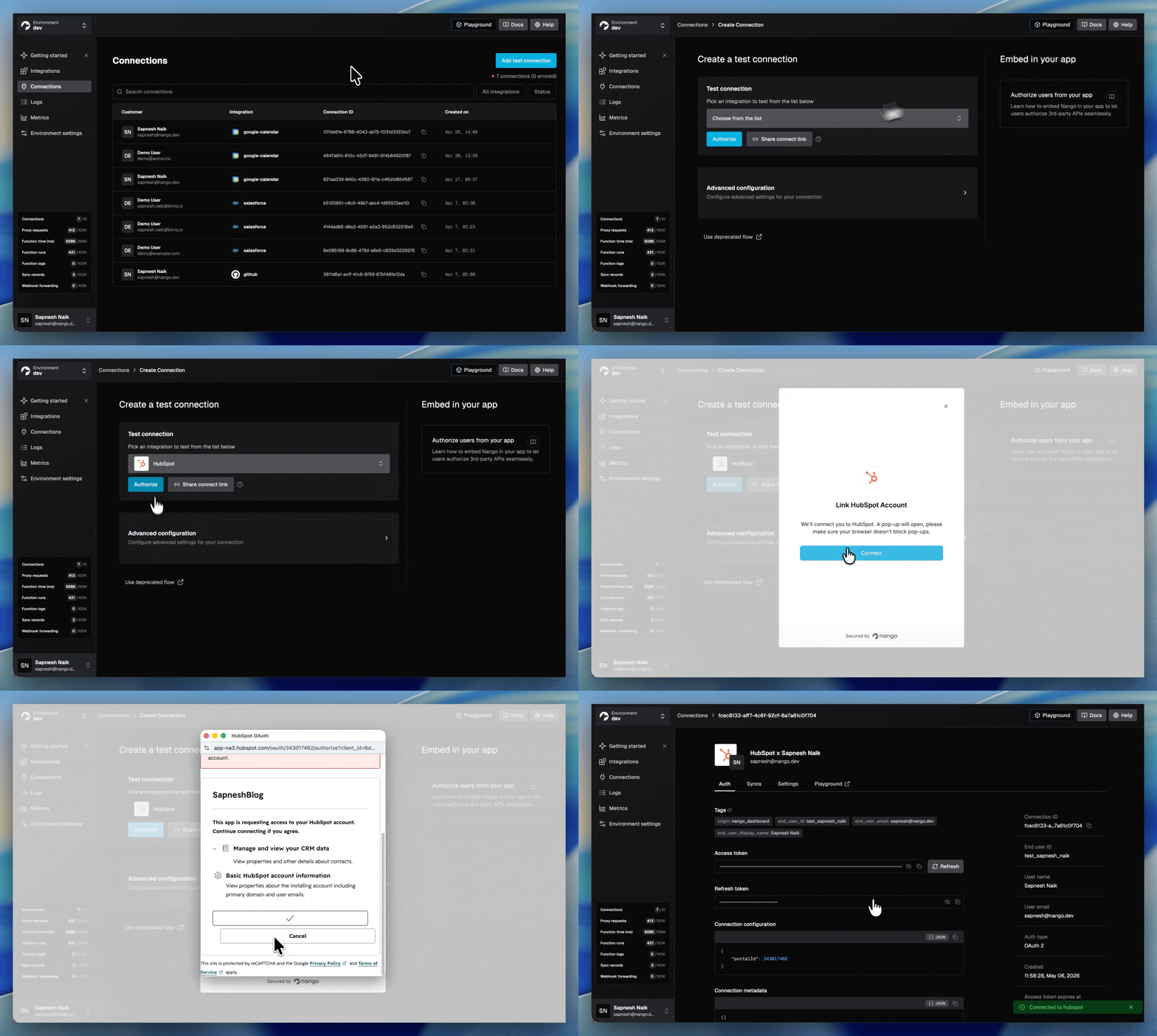
Update the OAuth callback URL on the provider. When you bring your own OAuth client into Nango, the redirect URL registered on the provider’s developer portal (Salesforce, HubSpot, Google, etc.) must point at Nango’s callback: https://api.nango.dev/oauth/callback. Update it on each provider’s OAuth app config before real users connect.
Step 2: Migrate auth
Composio creates an auth config once per provider and links a connected account per end user:
# Composio
from composio import Composio

composio = Composio(api_key="...")
connection = composio.connected_accounts.link(
    user_id="user_123",
    auth_config_id="ac_xxx",
    callback_url="https://your-app.com/callback",
)
print(connection.redirect_url)
On Composio, the consent screen also shows “Composio wants to access your account”.
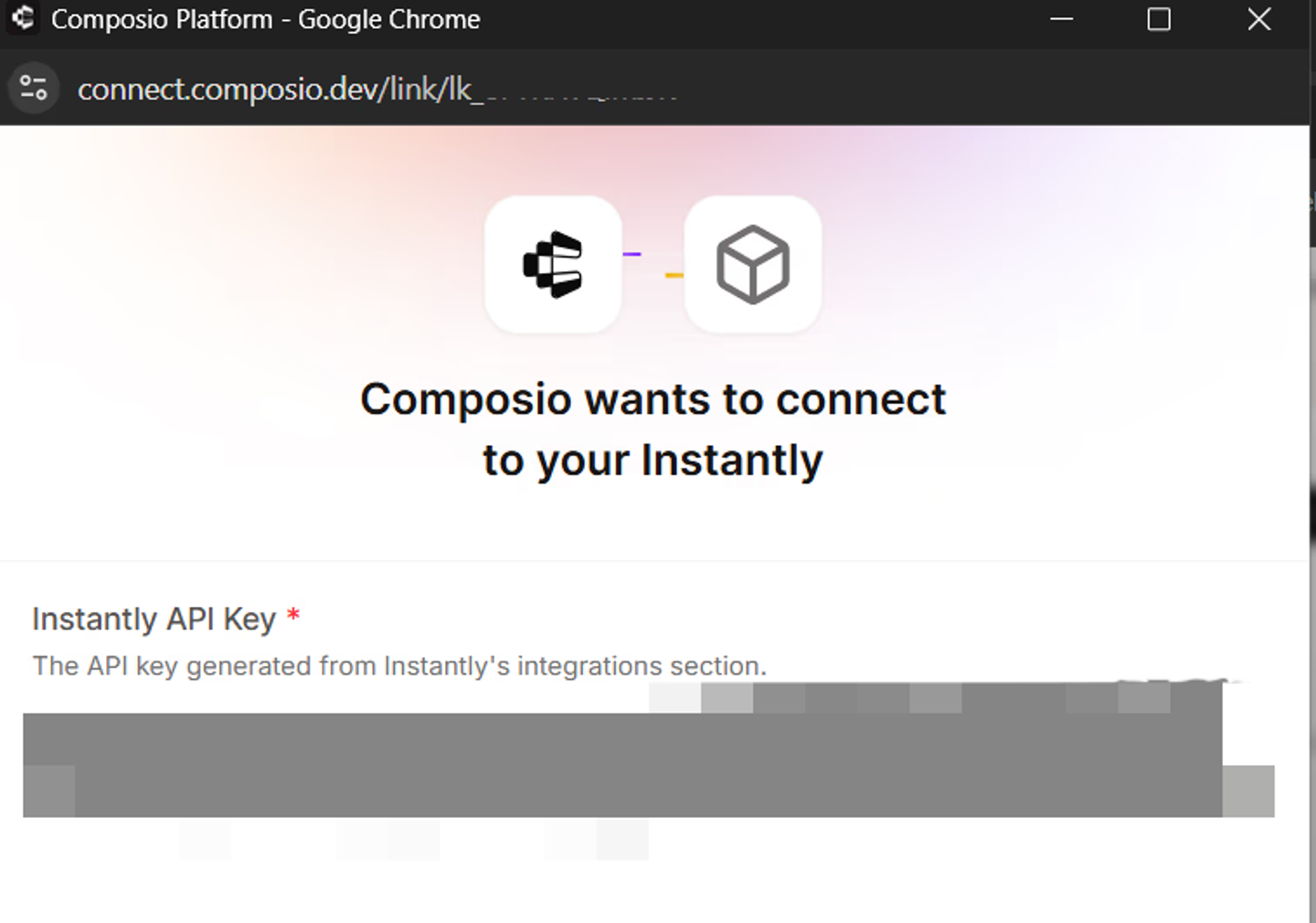
On Nango, the equivalent is a short-lived Connect session token created on your backend, used by the frontend SDK. Follow the auth guide for full details:
// Backend
import { Nango } from '@nangohq/node';

const nango = new Nango({ secretKey: process.env.NANGO_API_KEY! });

api.post('/sessionToken', async (req, res) => {
  const { data } = await nango.createConnectSession({
    tags: {
      end_user_id: '<END-USER-ID>',
      end_user_email: '<END-USER-EMAIL>',
      organization_id: '<ORGANIZATION-ID>'
    },
    allowed_integrations: ['<INTEGRATION-ID>']
  });

  res.status(200).send({ sessionToken: data.token });
});
// Frontend
import Nango from '@nangohq/frontend';

const nango = new Nango();
const connect = nango.openConnectUI({
  onEvent: (event) => {
    if (event.type === 'close') {
      // Modal closed.
    } else if (event.type === 'connect') {
      // Auth flow successful.
    }
  },
});

const res = await fetch('/sessionToken', { method: 'POST' });
connect.setSessionToken(res.sessionToken); // A loading indicator shows until this is set.
The consent screen on the upstream provider now shows your OAuth app. connection_id replaces connected_account_id as your handle for every subsequent call. Token refresh, encryption, and concurrency-safe refresh are handled by the runtime.
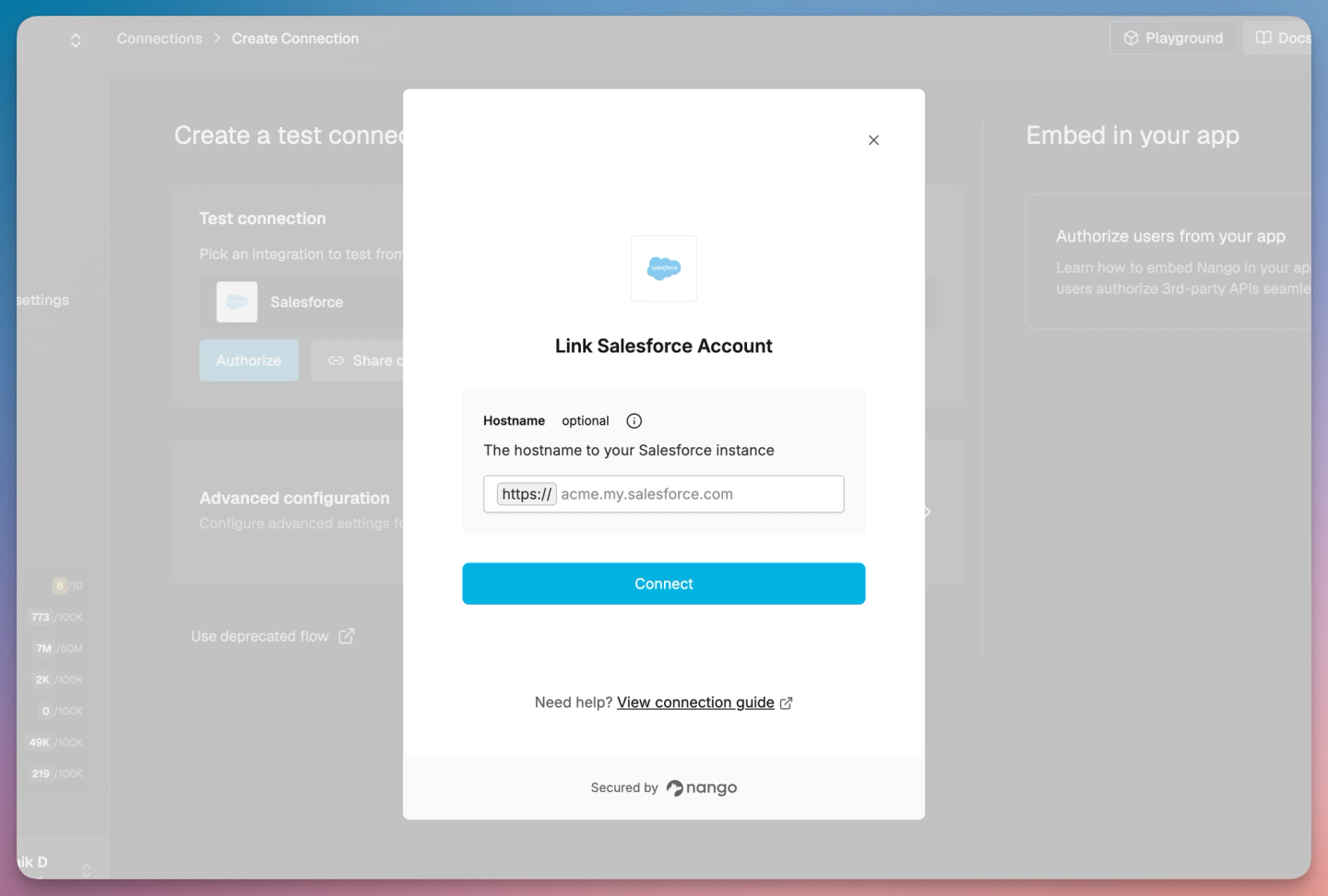
Note: OAuth refresh tokens are bound to the OAuth client that issued them. Your users must re-authorize via Connect UI after the migration to Nango.
Tip: For a fully custom UI, use nango.auth(...) from the frontend SDK (headless).
Step 3: Migrate tool calls
On Composio, an agent fetches tools from a toolkit catalog:
# Composio
from composio import Composio
from composio_openai_agents import OpenAIAgentsProvider

composio = Composio(provider=OpenAIAgentsProvider())
tools = composio.tools.get(
    user_id="user_123",
    toolkits=["GITHUB", "LINEAR"],
    limit=20,
)
With Nango, the equivalent is called Actions (exposed as tool-calls to your AI Agent).
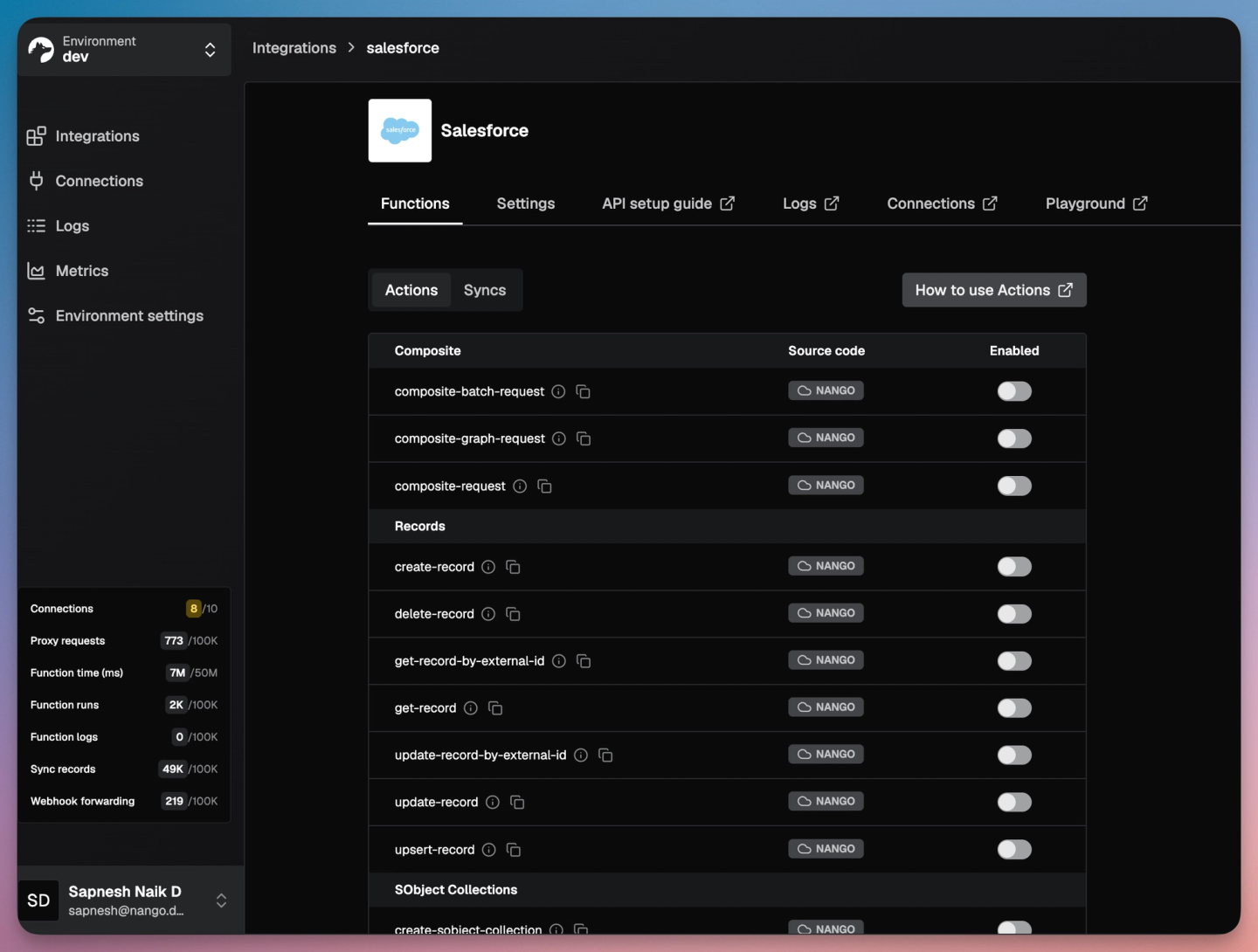
Check Nango’s pre-built actions and syncs first. Each integration ships with open-source pre-built functions you can enable from the dashboard in one click, or clone into your repo with nango clone and customize. For example, Salesforce ships pre-built actions for create-record, update-record, upsert-record, and more. Browse the integrations catalog for the full list; the full source lives in the integration-templates repo.
If a pre-built action covers what you need, enable it and skip to Step 4. Otherwise, prompt the AI Function Builder skill with the tool intent:
Example:
/building-nango-functions-locally Add a Slack integration that notifies the user's manager on expense upload, with approve/reject actions.The agent reads the API docs, writes the action function with typed input and output schemas, runs nango dryrun against your test connection, and iterates until the call returns the expected shape.
Step 4: Swap the MCP URL
Composio uses one MCP URL per pre-configured server, with the user identified in the query string:
https://backend.composio.dev/v3/mcp/{SERVER_ID}?user_id={USER_ID}
x-api-key: <COMPOSIO-API-KEY>
Nango exposes one MCP endpoint:
https://api.nango.dev/mcp
Authorization: Bearer <NANGO-SECRET-KEY>
connection-id: <CONNECTION-ID>
provider-config-key: <INTEGRATION-ID>
Per-customer scoping comes from request headers, not from a per-customer URL. Every deployed action is automatically a tool, with input and output schemas derived from your Zod definitions.
Example MCP client config (Claude Code, Cursor, any MCP-aware agent):
{
  "mcpServers": {
    "nango": {
      "url": "https://api.nango.dev/mcp",
      "headers": {
        "Authorization": "Bearer ${NANGO_SECRET_KEY}",
        "connection-id": "${USER_CONNECTION_ID}",
        "provider-config-key": "github"
      }
    }
  }
}
Or, use the agent’s CLI if available:
claude mcp add --transport http nango https://api.nango.dev/mcp \
  --header "Authorization: Bearer <NANGO-SECRET-KEY>" \
  --header "connection-id: <CONNECTION-ID>" \
  --header "provider-config-key: <INTEGRATION-ID>"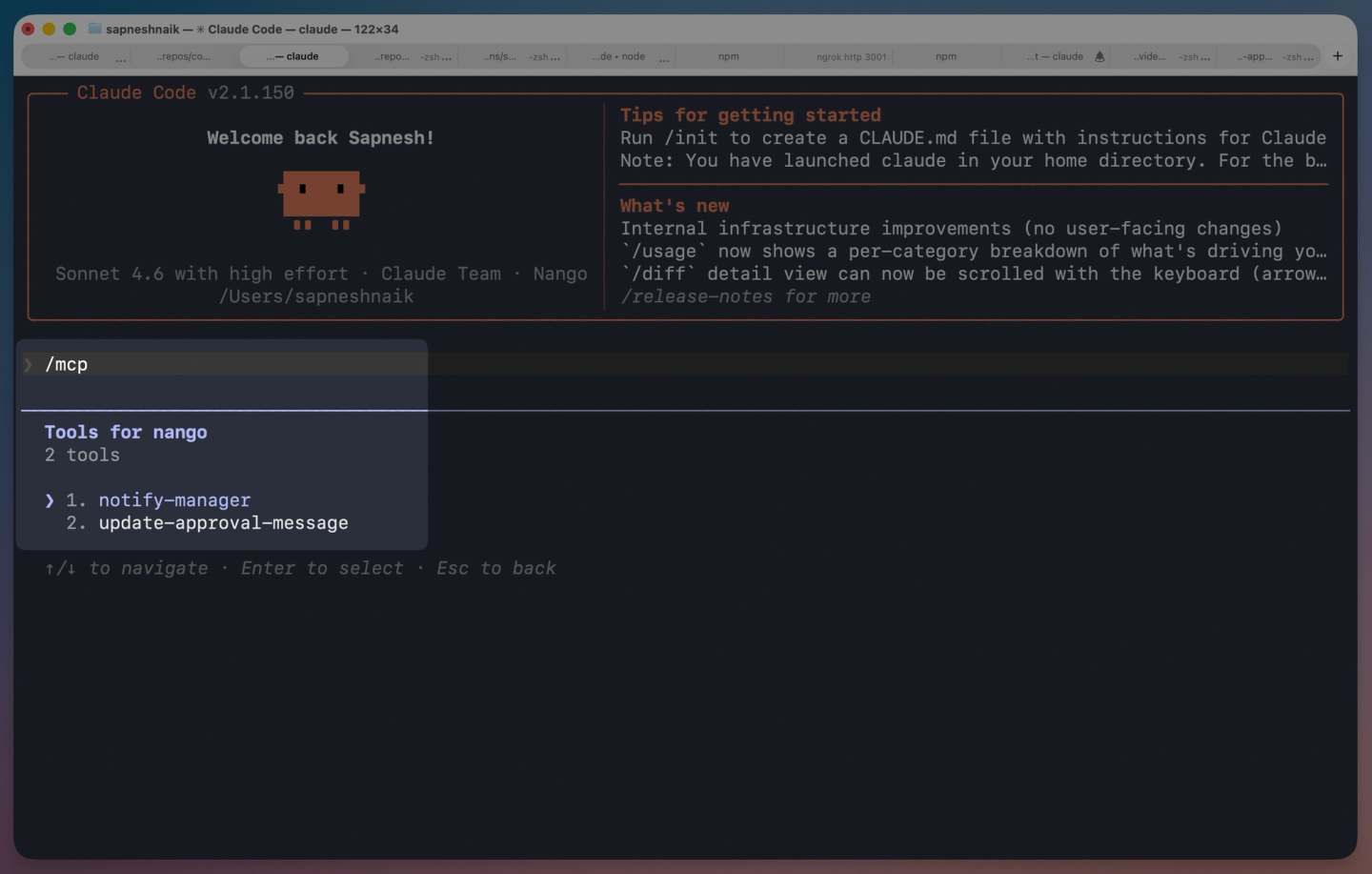
For stdio-only MCP clients, bridge through mcp-remote.
If your agent consumes tools via REST APIs instead of MCP (LangChain, OpenAI Agents SDK, Vercel AI SDK, Anthropic, Mastra), fetch OpenAI-shaped schemas through the /scripts/config endpoint:
curl --location 'https://api.nango.dev/scripts/config?format=openai' \
--header 'Authorization: Bearer <NANGO-SECRET-KEY>'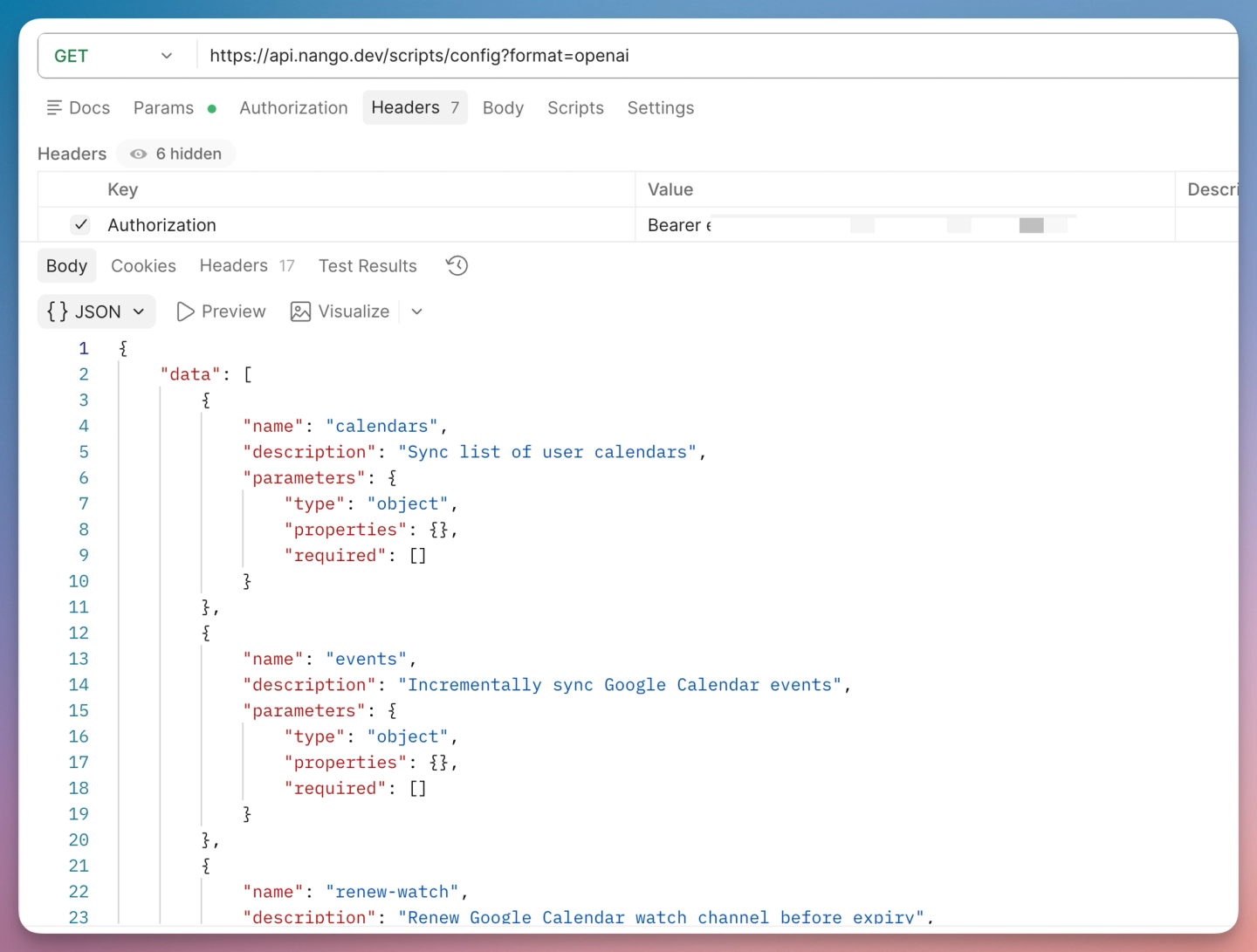
Then call any action:
curl --location 'https://api.nango.dev/action/trigger' \
--header 'Authorization: Bearer <NANGO-SECRET-KEY>' \
--header 'Connection-Id: <CONNECTION-ID>' \
--header 'Provider-Config-Key: <INTEGRATION-ID>' \
--header 'Content-Type: application/json' \
--data '{ "action_name": "create-contact", "input": { "lastName": "Doe", "email": "jane@example.com" } }'
The framework code in your agent does not change. Replace the Composio provider with the framework’s standard tool/MCP integration pointed at Nango.
Step 5: Migrate triggers
Composio triggers are tied to a connected account and post upstream events to a Composio-hosted webhook ingress, which forwards to your URL:
# Composio
trigger = composio.triggers.create(
    trigger_id="GITHUB_COMMIT_EVENT",
    connected_account_id="ca_xxx",
)
The Composio trigger catalog is narrow (Slack, Gmail, GitHub, Notion, a few others), and there is no polling trigger for APIs without webhooks.
On Nango, the equivalent is a webhook-driven sync. Nango ingests the upstream event, attributes it to a connection, and runs your onWebhook handler. The same sync runs on a schedule as a safety net for missed webhooks. Full reference in the webhook functions guide; the real-time syncs guide covers combining webhooks and polling on the same primitive.
Include the webhook intent in the original sync prompt, or run a follow-up session with the skill on the same file:
/building-nango-functions-locally Add webhook subscriptions to the contacts sync for contact.creation and contact.propertyChange. Inside onWebhook, GET the changed contact by ID and save it.The agent adds webhookSubscriptions and an onWebhook handler to the existing sync:
//Code generated using Nango Function Builder Skill
export default createSync({
    frequency: 'every hour',
    webhookSubscriptions: ['contact.creation', 'contact.propertyChange'],
    models: { Contact },
    exec: async (nango) => { /* paginate /crm/v3/objects/contacts and batchSave */ },
    onWebhook: async (nango, payload) => { /* GET the changed contact by ID and batchSave */ },
});
Webhook forwarding without ingestion. If you only need the raw event in your backend (no record persistence in Nango), Nango can forward the signed payload to your URL instead. See webhook forwarding. Verify with nango.verifyWebhookSignature(...).
For APIs without webhooks, use a polling sync, covered in the next step.
Step 6: Add data syncs (new on Nango)
Composio has no data sync primitive. On Nango, sync functions run on a schedule, save records into Nango’s record store, and survive process restarts via checkpoints. Use them for RAG context, ingesting customer data into your DB, or building a local mirror of records for fast agent reads.
Prompt the skill end-to-end. For example, a HubSpot contacts sync that handles portals over the 10k search cap:
/building-nango-functions-locally Build a Nango sync for HubSpot contacts
that runs every hour
The agent generates the sync, runs nango dryrun against your test connection, and iterates until records come back clean. The full generated source is in the Nango HubSpot template (and the same pattern for Salesforce, Slack, and every other integration lives under the integration-templates repo).
Read synced records from your backend with nango.listRecords({ providerConfigKey, connectionId, model, modifiedAfter }). For the full production walkthrough with checkpointing across millions of records and the HubSpot 10k-search-cap workaround, see the HubSpot contacts sync guide.
Deploy:
nango deploy devOnce deployed, the sync runs on the schedule against every connected customer:
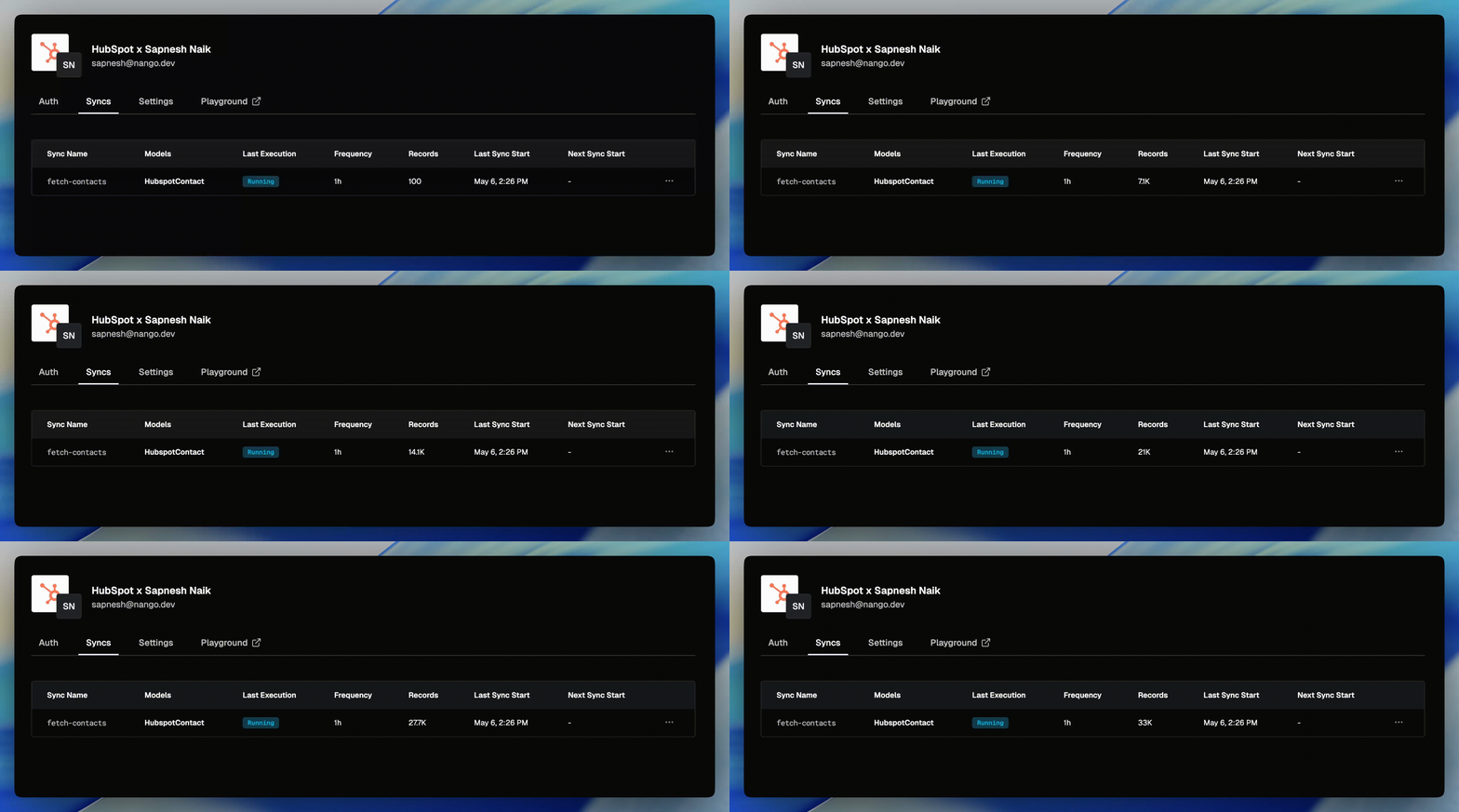
Minimum frequency is 'every 30 seconds'. Checkpointing, durable resumption, and rate-limit-aware retries are handled by the runtime.
Step 7: Per-customer config
Composio has no first-class store for per-customer configuration. Teams typically pass field mappings or feature flags in on every tool call.
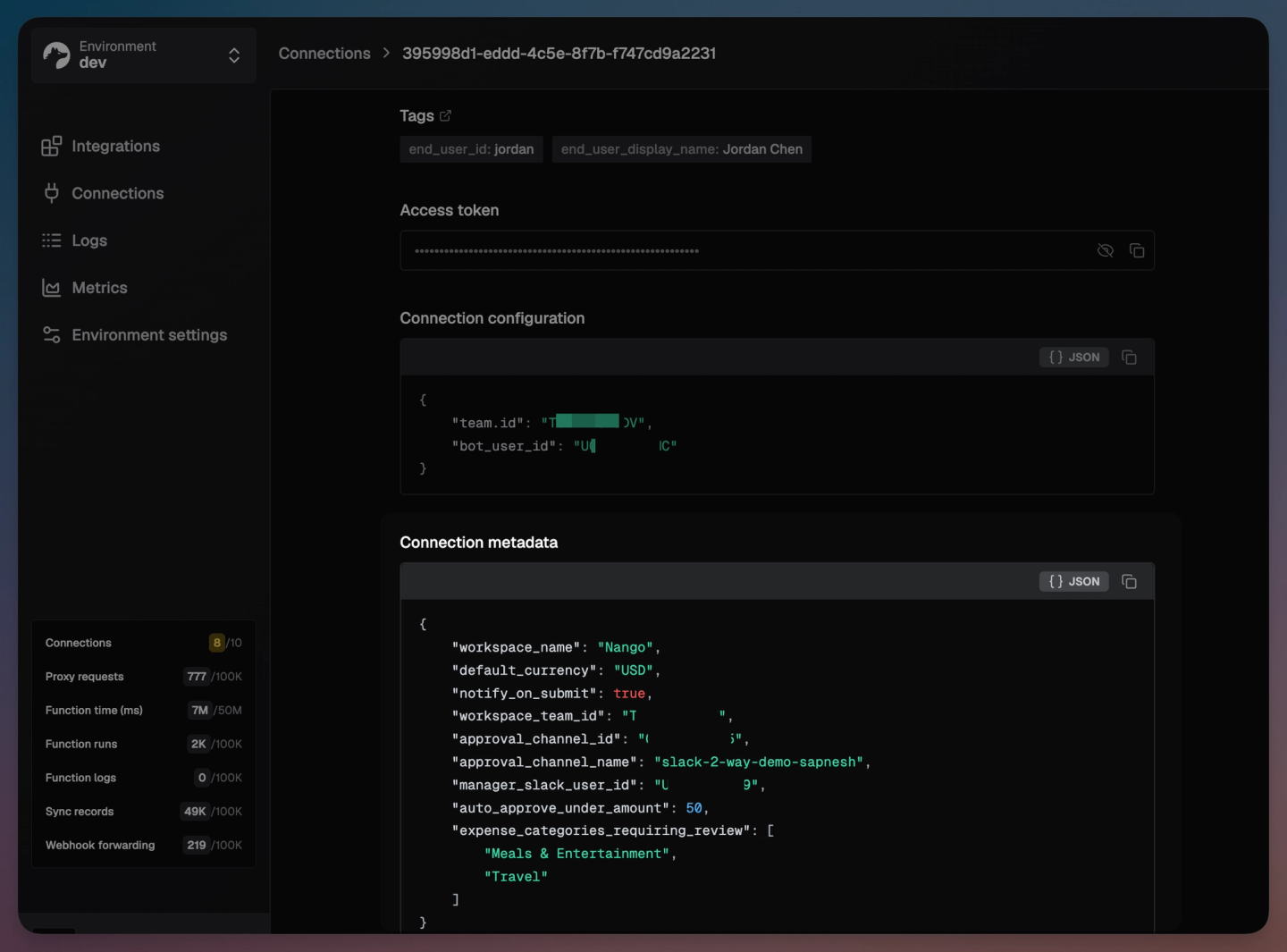
Nango stores three things per connection (full reference in the metadata guide):
- Tags for attribution:
end_user_id,end_user_email,organization_id(set at session creation). - Connection config for provider-specific settings: subdomain, tenant ID, region.
- Metadata for your app’s per-customer JSON: field mappings, folder IDs, feature flags.
Inside any function:
const metadata = await nango.getMetadata();
const fieldMapping = metadata.fieldMapping ?? {};
From your backend:
await nango.setMetadata('hubspot', connectionId, {
    fieldMapping: { 'custom_region__c': 'region' },
    syncFrequency: 'every 15 minutes',
});
The same action or sync can read different metadata per customer at execution time.
Step 8: Cut over
- Route a percentage of traffic to Nango behind a feature flag (by
end_user_idororganization_id). - Diff the logs. Nango’s observability dashboard records the full request and response for every call; compare against the equivalent Composio trace. Fix any issues with the AI Builder Skill if required.
- Increase traffic on Nango as confidence grows. Once the diff stays clean for several days, flip to 100%.
- Rotate the Composio API key, delete connected accounts, and disable Composio MCP servers.
- Cancel Composio at the renewal boundary.
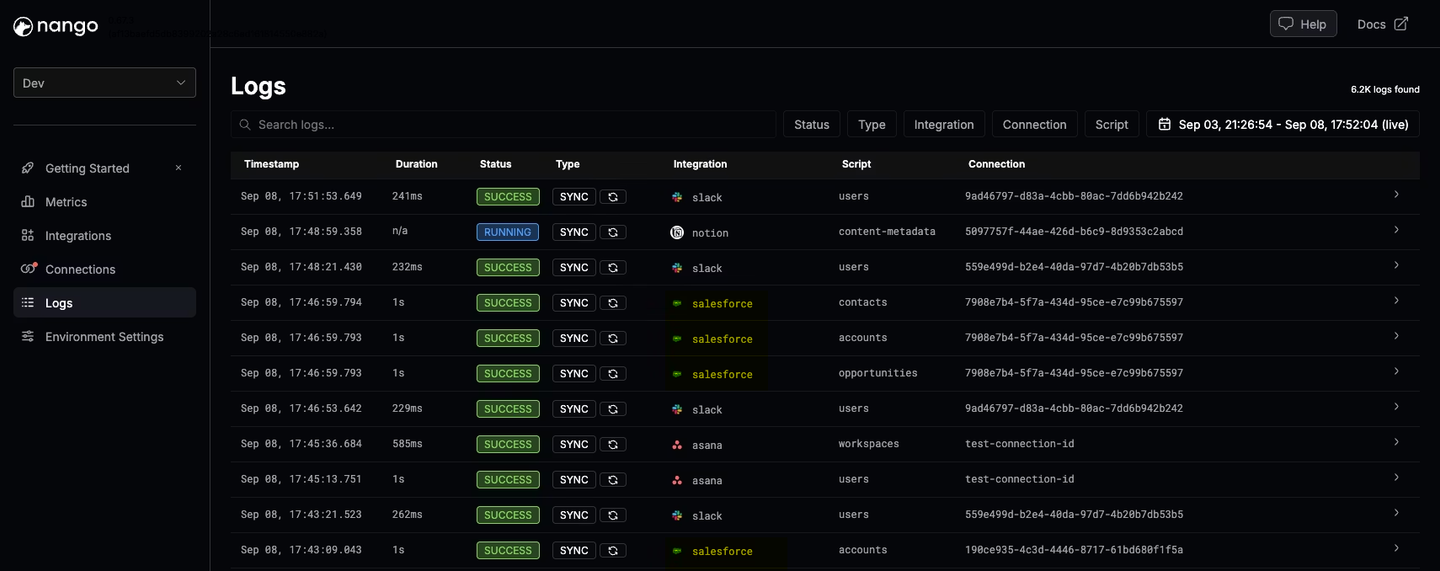
Use the Nango Playground for interactive validation during cutover. Pick any action or sync, run it against any connection from the dashboard, and inspect the full execution log inline.
FAQ
Do I need to rewrite my agent to migrate from Composio to Nango?
In most cases, no. Framework integrations (LangChain, CrewAI, OpenAI Agents SDK, Vercel AI SDK, Mastra, Anthropic, Claude Code, Cursor) do not change. Swap the MCP URL or REST base URL, regenerate the tool functions with the Nango AI Function Builder skill, and cut traffic over behind a feature flag.
Can I use Nango’s developer OAuth apps in production, like Composio’s default apps?
Nango provides test OAuth apps for popular providers so you can connect and iterate with zero setup. We recommend using them only for development and testing, and switching to your own OAuth client before going to production. Two reasons: your end users see your product name on the consent screen rather than a shared one, and most providers explicitly prohibit sharing OAuth credentials across applications in their developer terms.
How do Composio triggers map to Nango?
Two options. For providers that send webhooks, define a sync with webhookSubscriptions and an onWebhook handler. For providers without webhooks, define a polling sync with a frequency. Both run on Nango’s durable runtime with checkpointing and retries.
Is self-hosting available?
Yes, on the Enterprise plan. Nango ships a Helm chart for Kubernetes and a Terraform module for AWS ECS, with support for AWS, GCP, and Azure. Bring your own Postgres via NANGO_DATABASE_URL. Composio also offers enterprise self-hosting.
Related reading
- Composio vs Nango: a developer’s comparison for production AI agent integrations
- Build reliable tool calls for AI agents integrating with external APIs
- How to sync large amounts of contacts from the HubSpot API
- How to build a real-time Google Calendar API integration
- Using AI coding agents for building API integrations in 2026
- The emergence of just-in-time integrations

