
TL;DR
Two-way (bidirectional) data sync is one of the hardest parts of building customer-facing API integrations. Keeping a record the same in your app and in your customer’s account (Salesforce, HubSpot, and the like) means handling conflicts, loops, deletes, and rate limits in both directions at once.
Most tools that advertise “two-way sync” are built for internal company automation, not for syncing your customer-facing product data. In this article, we compare the best two-way data sync tools for building customer-facing API integrations.
Top two-way data sync tools for API integrations:
- Nango: Best for engineering teams that build customer-facing two-way integrations into their product and want code-level control over how data syncs, with mature sync infrastructure (delete detection, deduplication, durable and resumable syncs) across 1,000+ APIs.
- Merge: Best for teams that want a pre-built unified API for common SaaS categories with a fixed schema, and only need one-way sync features.
- Paragon: Best for teams that want a low-code visual workflow builder and are fine configuring syncs in a UI instead of customizable code.
- Workato: Best for enterprises that want broad, low-code workflow automation across many internal and SaaS systems, and will build a two-way sync as recipes.
Internal data sync vs. customer-facing API integrations
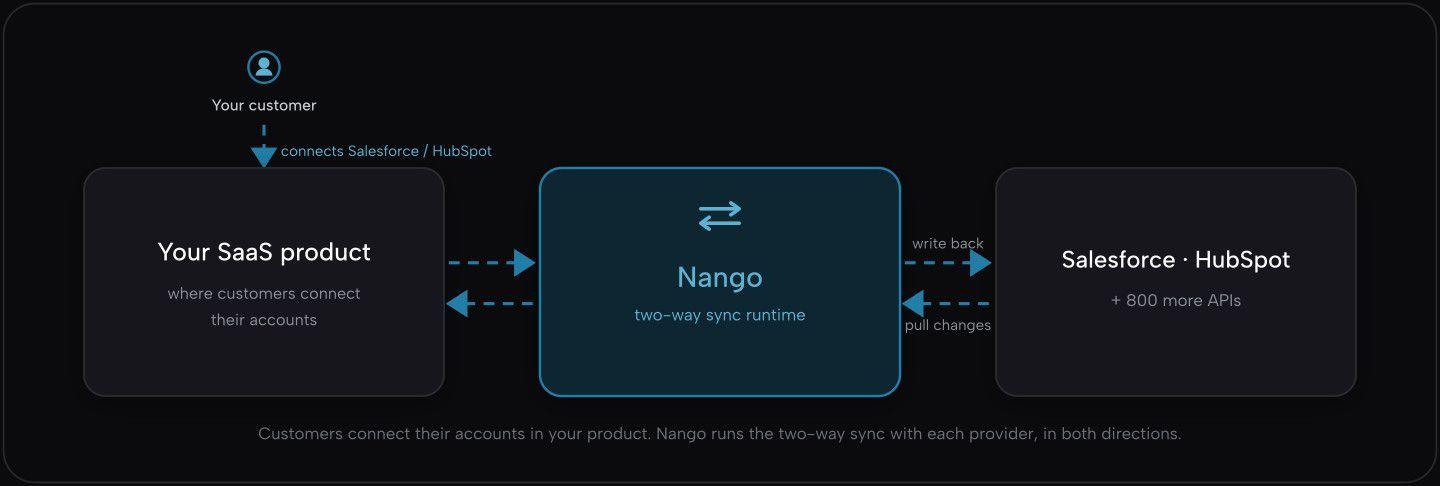
This post is about two-way sync for customer-facing API integrations: the integrations you build into your product so each customer can connect their own Salesforce, HubSpot, or other account. You run hundreds of customer integrations under your brand, and every customer has different data. You want to push updates from your app back into the third-party platform, and pull their changes back into your app.
What makes two-way data sync hard
Two-way sync is hard because both systems can change independently, and you cannot perfectly coordinate two systems when you do not control the third-party one. This brings up a few issues.
Conflicts
When the same record changes on both sides between syncs, you need a rule for which change to keep. The easy default is to keep the most recent one by timestamp, but that quietly drops data, because clocks on different systems do not agree. A safer rule is to make one system the source of truth, or to merge changes field by field so edits to different fields both survive.
Loops
To detect changes in the third-party system, you use webhooks or polling. The risk is that your own write-back triggers a new change event. The provider sends you a webhook, you update a record, that update triggers a write-back to the provider, and the two systems keep updating each other. You need a way to recognize and skip your own writes.
Catching changes and deletes
You learn what changed by polling (“what changed since last time?”) or by webhooks (events the API sends you). Webhooks can arrive twice, out of order, or not at all, so you cannot trust them blindly. Deletes are the trickiest part: when a webhook says an item was deleted, or you poll for it, the item is already gone. If you poll, you either compare against all records to find what disappeared, or you rely on the provider’s webhook including the deleted record’s ID. You have to handle it API by API. Salesforce offers a getDeleted call for this, but many APIs offer nothing, so you need a different strategy per provider.
Repeat-safe writes
The same update can reach you twice, from a retry or a redelivered webhook. Your writes have to be safe to apply twice (idempotent) without creating duplicates, usually by matching on a stable ID and updating the existing record instead of creating a new one.
Scale
When a new customer connects their account, the first sync can pull millions of records from their Salesforce or HubSpot account. You start hitting the API’s read limits and your own runtime execution limits. A sync has to handle this with incremental, resumable syncs: if it slows down or breaks, it resumes from where it stopped instead of starting over.
This is why most teams reach for a platform instead of building all of it per API.
How we evaluated these tools
We compared the tools on what matters for a two-way integration in production:
- Whether the sync is genuinely two-way
- Whether you can control conflicts and deletes
- Whether syncs resume after a failure
- Whether you can build and change the integration in code
- Who holds your customers’ auth tokens, and what your customers see when they authorize
- Whether a coding agent can build it for you
Best two-way data sync tools for API integrations
Nango
Overview
Nango is the integration platform where coding agents build integrations. Engineers use coding agents like Claude Code, Cursor, or Codex to write and deploy integrations with the Nango skill, and Nango runs them at scale across 1,000+ APIs. Integrations cover authentication, two-way data syncs, writes, webhooks, and tool calls (MCP) on one platform.
For two-way sync, Nango keeps the read side and the write side separate and gives you control over each.
Best for
Engineering teams building customer-facing two-way integrations as a core part of their product, especially when customers have custom fields, large data volumes, and need real-time updates.
Pros
- Coding agents build the integration: Install the Nango skill and a coding agent like Claude Code, Cursor, or Codex researches the API, writes and tests the integration against a real connection, and fixes real errors. You can also build integrations just in time from a customer’s request.
- Reads that stay fresh: Sync functions pull external data into your app, fetch only what changed, and resume where they left off after a failure. See how to sync large amounts of contacts from the HubSpot API.
- Writes you control: Action functions write back to the external API (create, update, delete). You decide the source of truth and how to merge changes, in code.
- Real-time triggers: Nango can forward provider webhooks to your app so you decide whether to trigger a sync, or wire those webhooks to trigger a sync inside Nango and notify your app once the updated data is ready.
- Conflict control: For real-time syncs that mix webhooks and polling, you set how updates merge, so a slow poll does not overwrite a newer change to the same record.
- Deletes handled: Nango surfaces deletes even from APIs that do not report them cleanly.
- Fully white-label: Customers authorize through a UI in your app and never see Nango, so you can list your app in marketplaces like the Salesforce AppExchange. Tools where the customer authorizes the vendor (like Merge) usually cannot.
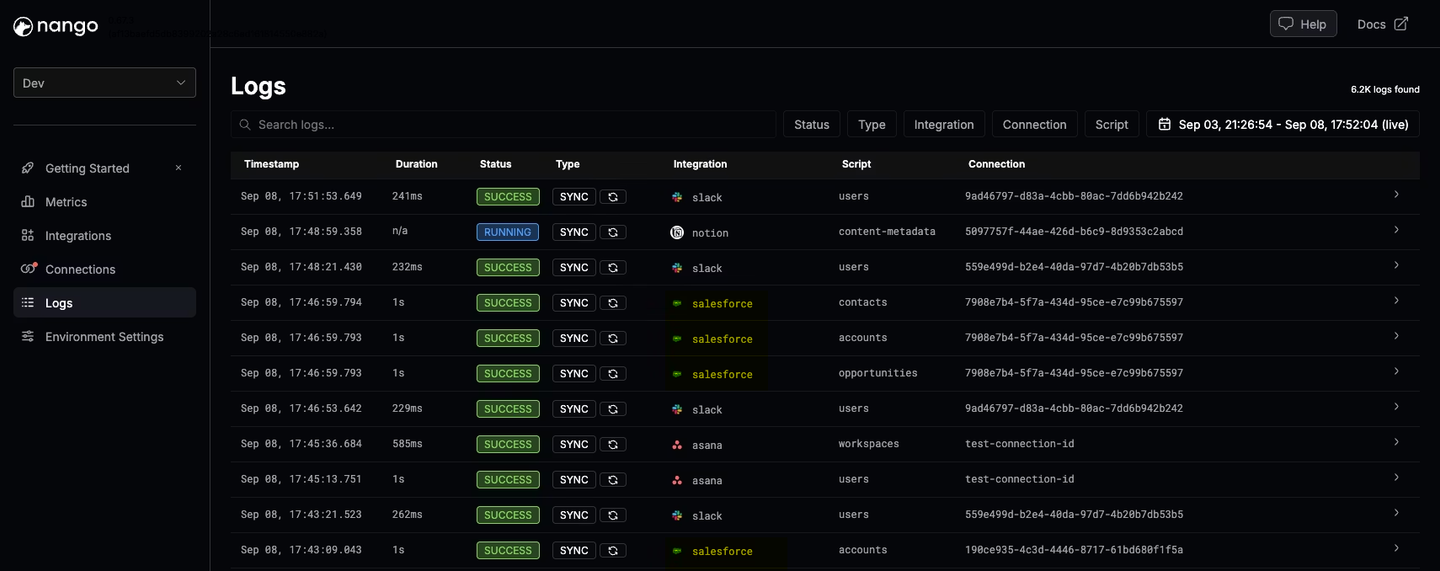
- Runs at scale: Per-customer isolation, full request and response logs with OpenTelemetry export, open source, with SOC 2 Type II, GDPR, HIPAA, and self-hosting.
You do not write the sync by hand. You describe the integration to your coding agent with the Nango skill installed, and it generates and tests the code:
Build a two-way Salesforce contacts integration:
- a sync that pulls contacts incrementally and handles deletes
- an action that writes contact updates back to Salesforce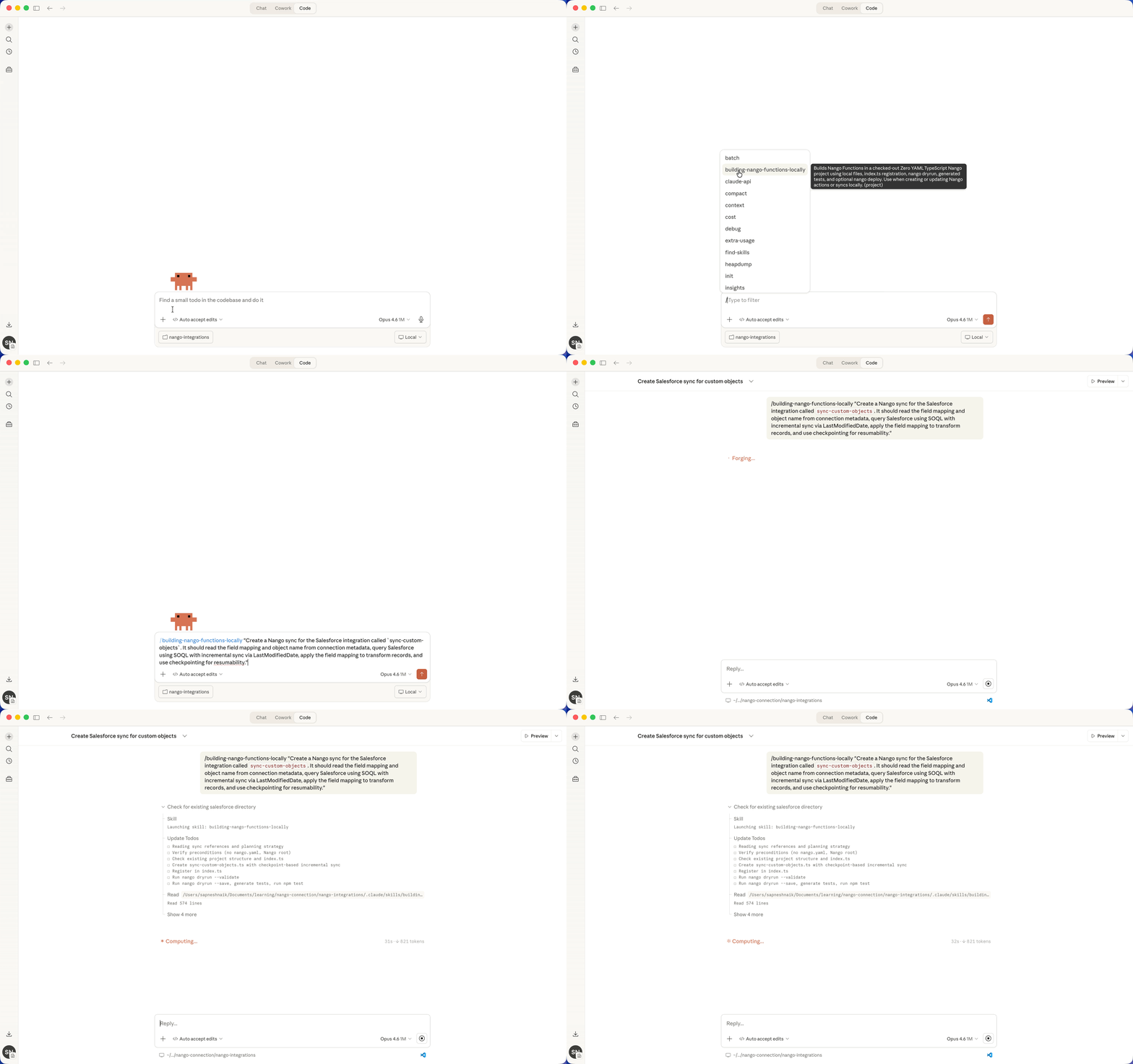
The agent generates a sync like the one below, which you can edit or regenerate later by prompting again:
export default createSync({
  frequency: 'every hour',
  models: { Contact: ContactSchema },
  exec: async (nango) => {
    const since = await nango.getCheckpoint(); // where the last run left off

    // Fetch only records changed since the last run
    const res = await nango.get({ endpoint: '/contacts', params: { ...(since && { since }) } });
    await nango.batchSave(res.data, 'Contact'); // match on id, so re-runs don't duplicate

    // Deletes won't appear in "what changed", so fetch them separately
    if (since) {
      const deleted = await nango.get({ endpoint: '/contacts/deleted', params: { since } });
      if (deleted.data.length) await nango.batchDelete(deleted.data, 'Contact');
    }

    await nango.saveCheckpoint(new Date().toISOString());
  }
});
Merge
Overview
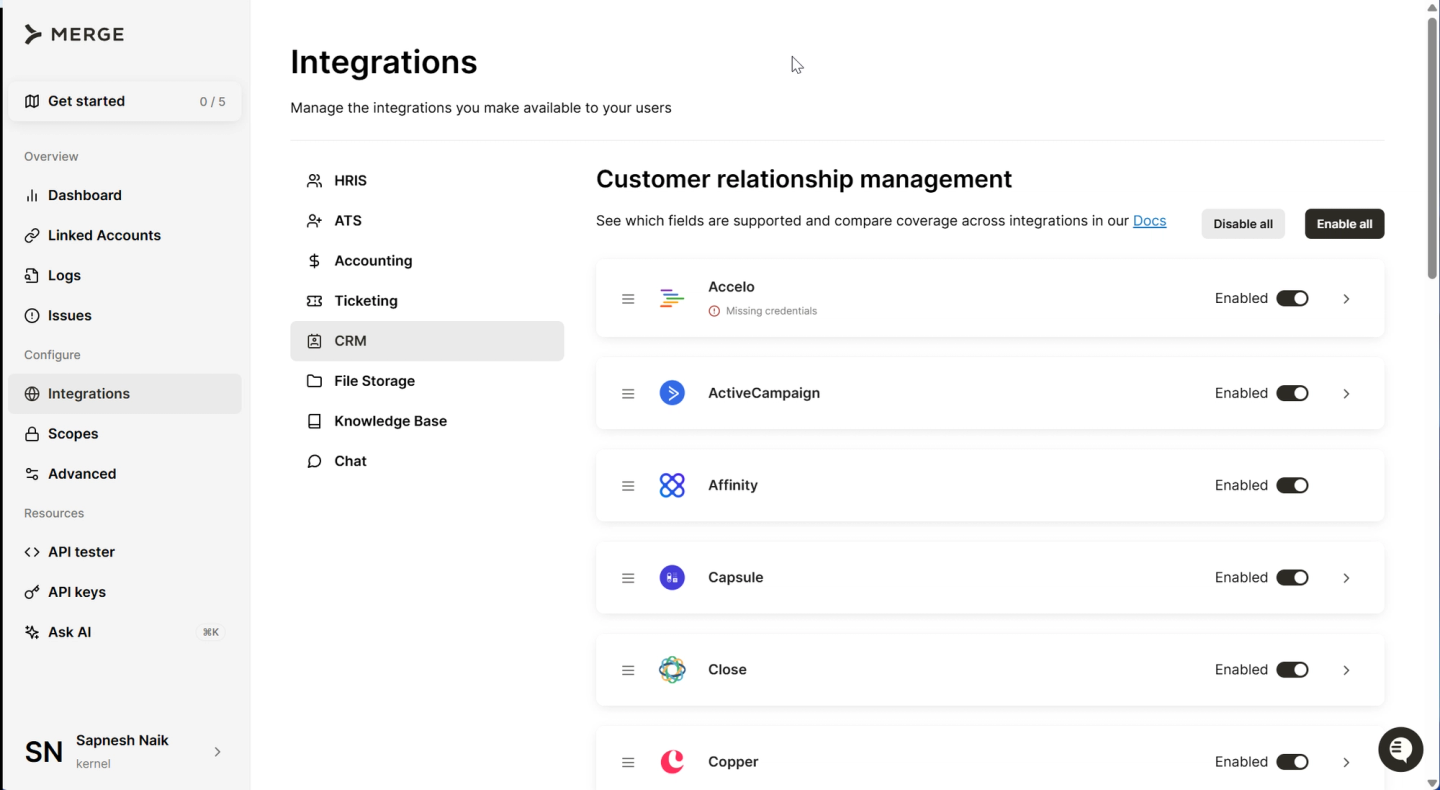
Merge offers a pre-built unified API across categories like CRM, HRIS, ATS, accounting, and ticketing. It reads data from each connected app on a schedule, maps it to one common shape, and stores it for you to read.
Best for
Teams that want pre-built read access across common SaaS categories and only need basic sync features.
Pros
- Pre-built common models: Normalized models across many SaaS categories, fast to set up when your needs match the schema.
- Embeddable auth widget: Merge Link is a drop-in component for customer authorization.
Cons
- No real two-way sync: Merge keeps your reads fresh, but it does not write back or sync data from your app to the provider. You build that yourself, including deduplication, loop handling, delete detection, and resumable syncs, and call the provider directly through Merge’s passthrough feature.
- No conflict handling: Merge does not resolve a conflict when both sides change the same record.
- The common schema covers common fields only: Unified APIs map every provider to one schema, but providers share few fields. In CRM, Salesforce and HubSpot share only about five or six common fields, so Merge gives you those in one API and you parse the rest through other Merge structures. Custom objects and custom fields are often unsupported or need extra configuration. See why B2B SaaS teams outgrow pre-built unified APIs.
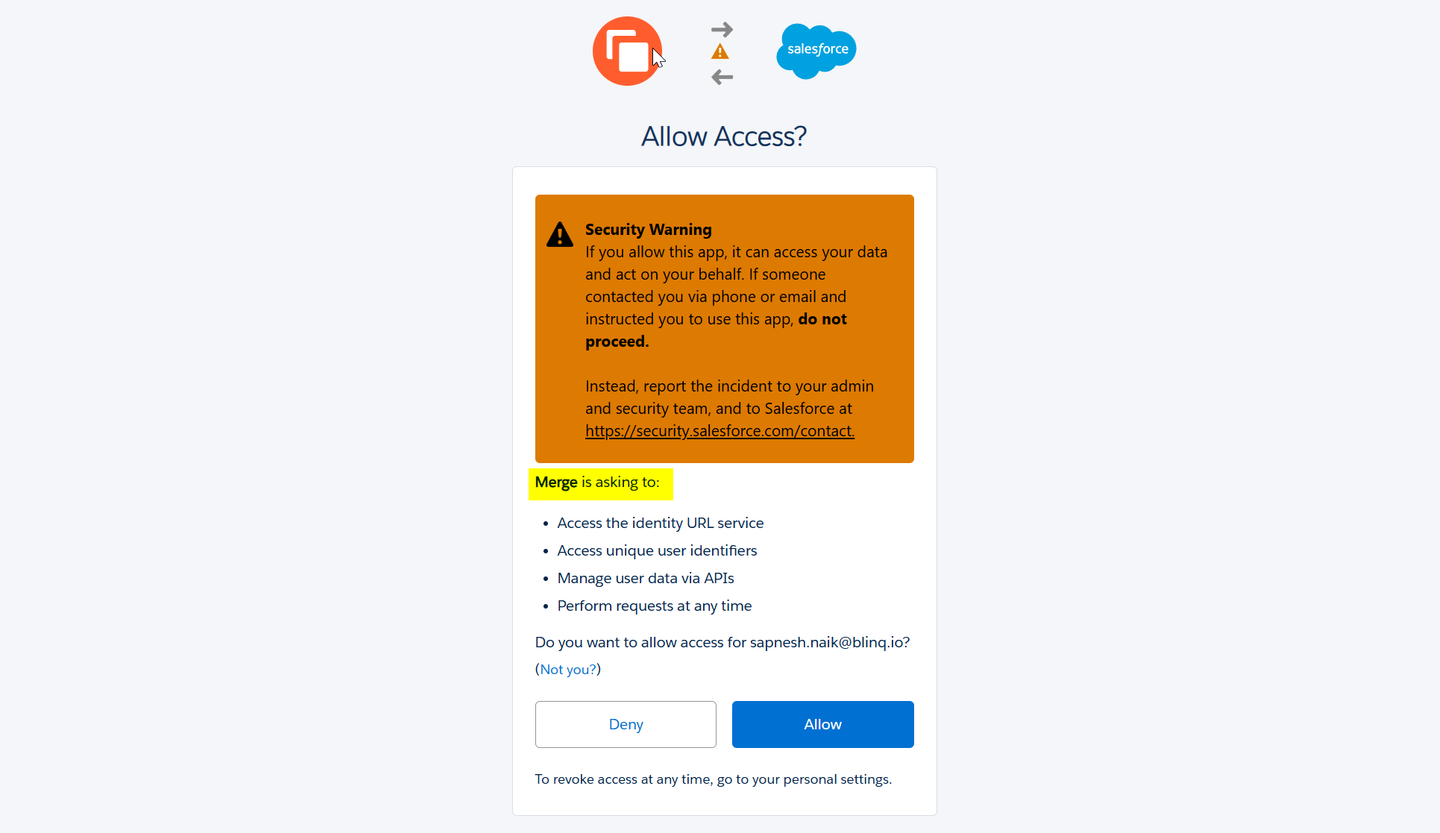
- Users authorize Merge, not your app: Your customers see Merge on the consent screen, which complicates marketplace listings and enterprise security reviews.
Paragon
Overview
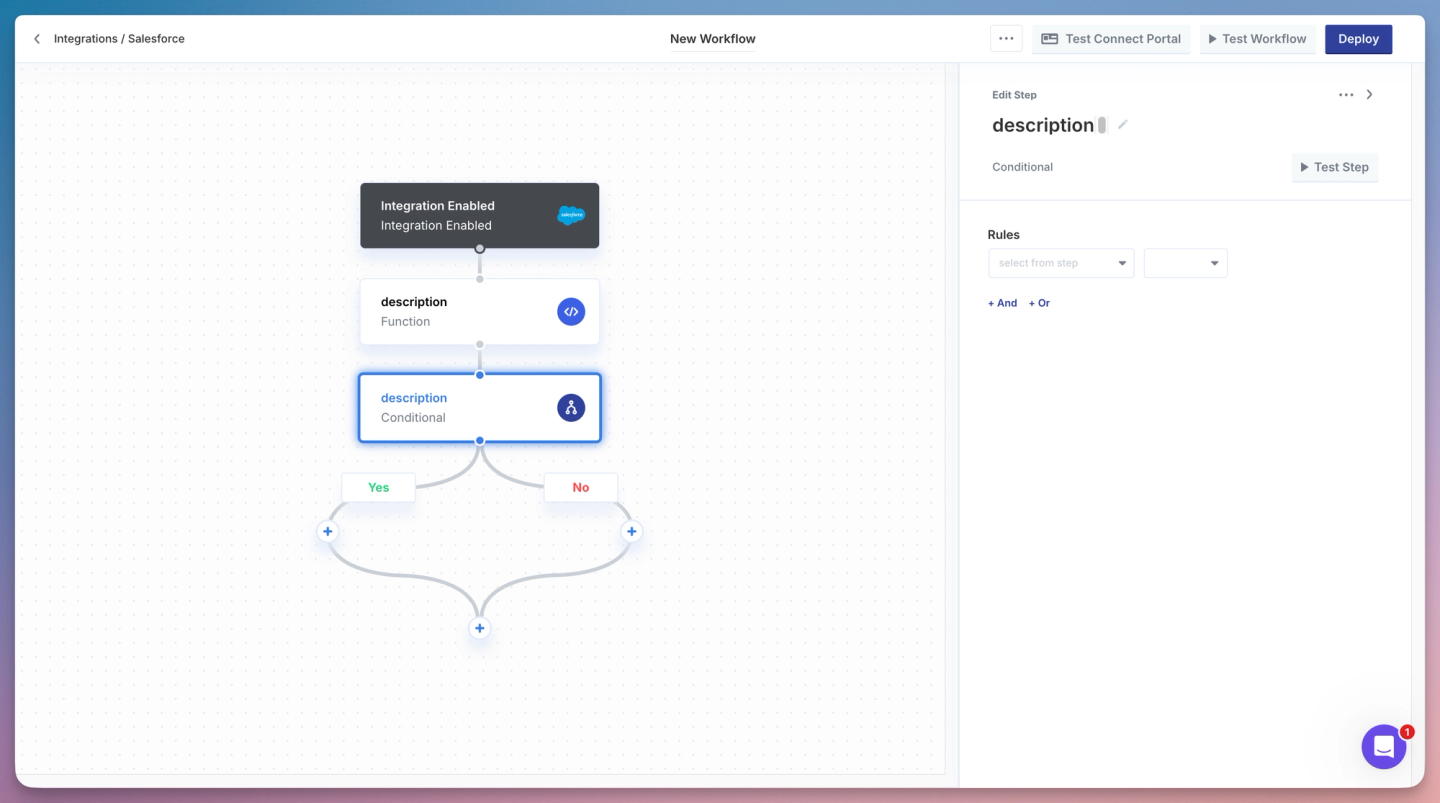
Paragon is an embedded iPaaS for product integrations, with a visual workflow builder and a code option for writing workflows.
Best for
Teams that want a low-code visual workflow builder and are fine configuring syncs in a UI instead of customizable code.
Pros
- Managed embedded iPaaS: Visual workflow builder with a code option, and an embeddable connect portal for customer authorization.
- Handles per-customer OAuth: Manages tokens and connection state for each of your customers.
Cons
- Two-way sync means building two flows: You build one workflow for each direction, and you handle conflicts and loops yourself.
- Low-code, weaker for coding agents: Updates run through the visual builder. Even with the code option, a coding agent like Claude Code cannot build and maintain integrations the way it can on a code-first platform, so long-term maintenance stays manual.
- Its managed sync only reads: Paragon’s managed data pipeline (added June 2026) pulls data in but does not write back, so there is no real two-way sync out of the box.
Other embedded iPaaS tools, including Prismatic and Cyclr, work the same way: you build a flow per direction, and conflict handling is on you.
Workato
Overview
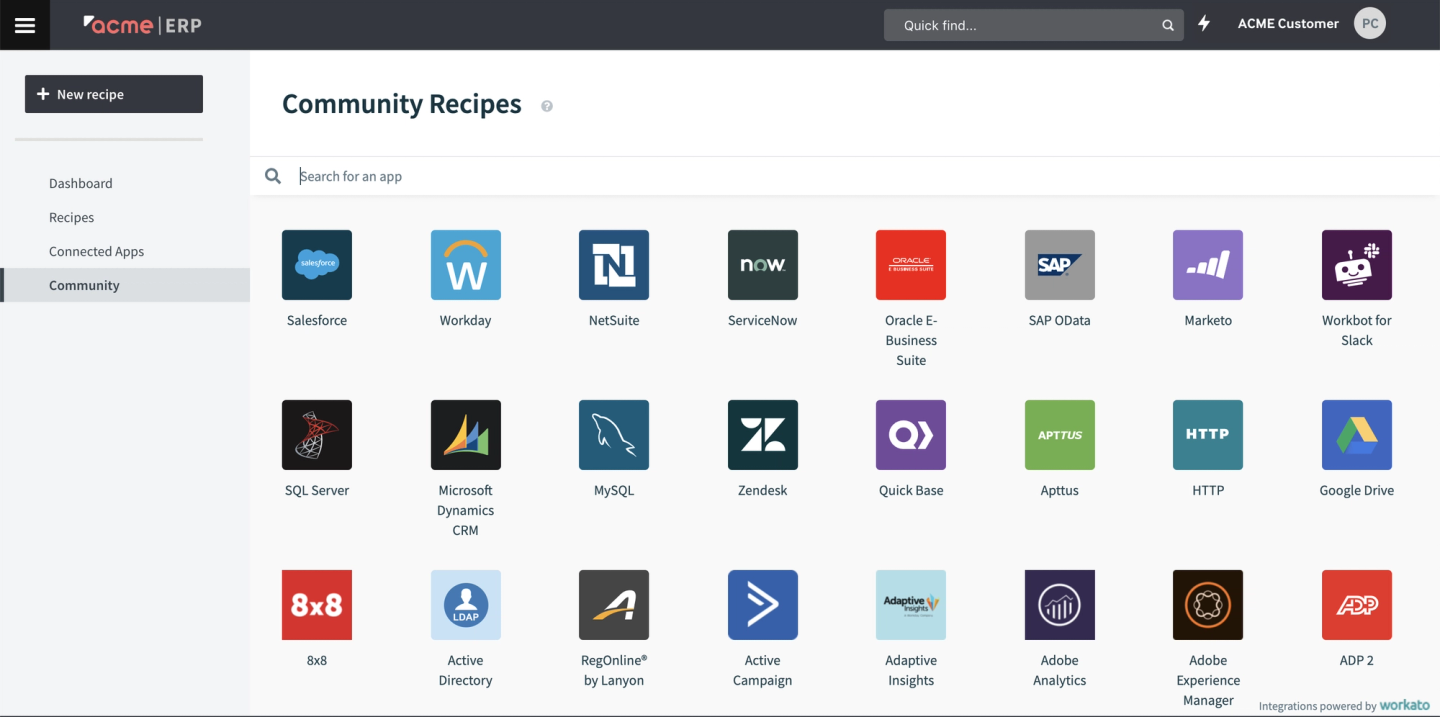
Workato is an enterprise automation platform built on visual “recipes,” with an embedded edition for shipping integrations inside your product.
Best for
Enterprises that want broad, low-code workflow automation across many internal and SaaS systems, and will build a two-way sync as recipes.
Pros
- Large connector catalog: 1,200+ connectors for its embedded edition.
- Mature low-code builder: A recipe builder with code escape hatches (sandboxed Ruby) for custom logic.
Cons
- A two-way sync is two recipes: One recipe per direction, with no shared way to resolve conflicts.
- You prevent loops by hand: The standard approach is a dedicated integration user and last-modified filters you set up yourself.
- Cost grows with volume: Pricing is metered by task, and a busy two-way sync runs a lot of tasks.
Comparison of two-way data sync tools
| Capability | Nango | Merge | Paragon | Workato |
|---|---|---|---|---|
| Type | Code-first integration platform | Unified API | Embedded iPaaS | Embedded iPaaS |
| Genuine two-way sync | Yes | No | Partial (two flows) | Partial (two recipes) |
| Control over conflicts | Yes (in code) | No | No | No |
| Real-time updates and deletes | Yes | Partial | Partial | Partial |
| Resumes large syncs | Yes | Partial | Partial | Partial |
| Build in code | Yes (and AI agents) | Partial | Partial | Partial |
| Users authorize your app | Yes | No | No | No |
| Supported APIs | 1,000+ | ~220 | 130+ | 1,200+ |
| Skills for Claude, Cursor, Codex | Yes | Partial | Partial | Partial |
Why AI coding agents change two-way sync
Two-way sync has always been expensive to build, because each integration needs its own logic for conflicts, deletes, change detection, and the quirks of each API. That cost is why many teams settled for no-code mirrors or fixed schemas. AI coding agents change that. With a code-first platform, an agent reads the API’s docs, writes the sync and the write-back, tests against a real connection, and fixes errors. The work that made teams give up control is now cheap, so you can keep the control. See using AI coding agents for building API integrations.
FAQ
What is two-way (bidirectional) data sync?
Two-way data sync keeps a record the same in two systems by sending changes both ways: a change in your app updates the external API, and a change in the external API updates your app. It is harder than one-way sync because both sides can change at once, which creates conflicts and loops that one-way sync does not have to handle.
How do you stop infinite loops in two-way sync?
You mark your own writes so the sync can skip them. Common ways are to write as a dedicated integration user and ignore that user’s events, to compare an incoming value against what you last saved and drop it if nothing changed, and to act only on changes newer than your last sync. Most teams use more than one.
How do you handle conflicts in two-way sync?
You pick a rule for which change wins and apply it everywhere. Keeping the most recent change by timestamp is simplest but loses data when clocks disagree, so a safer rule is one system as the source of truth, or a field-by-field merge. The main thing is to control the rule. With a code-first platform like Nango, you set how updates merge and own the write logic, instead of accepting a hidden default.
How do you handle deletes in two-way sync?
Deletes need their own handling, because asking “what changed?” never returns a record that is already gone. Reliable options are a delete-specific endpoint (Salesforce has getDeleted), soft deletes that flag a record instead of removing it, or a periodic full check that compares both sides. Nango surfaces deletes for you.
Which two-way sync tool should I use for customer-facing API integrations?
Pick a platform that covers the APIs your customers use, lets you control conflicts and deletes in code, isolates each customer, and lets customers authorize your app rather than the vendor. Nango is built for this. No-code tools are built for syncing your own internal systems, not for shipping integrations to your customers.
Conclusion
Two-way data sync is where API integrations get complicated: conflicts, loops, deletes, rate limits, and resumability all show up at once, in both directions. If you are syncing your own internal systems, a no-code tool can be enough. If you are building integrations into your product for your customers, you need full control over how the sync behaves, what your customers see when they authorize, and a mature, customizable platform with full feature support, which means a code-first platform like Nango.
Start with your hardest integration: the customer with the most custom fields and the largest account. A tool that handles two-way sync there should handle the rest. Nango gives you control over each part, lets coding agents build the integration, and runs it at scale across 1,000+ APIs.
Related reading:

