
TL;DR
At many companies, a new task starts as an email from a customer or coworker. An email-based trigger lets an AI agent derive context from the message and start performing a task.
A production email trigger must deliver events reliably across providers, authenticate each mailbox, route events to the correct user, recover missed notifications, and give the agent scoped access to the APIs it needs after reading the message.
We compared five such tools for developers building customer-facing agents. The main differences are mailbox coverage, trigger latency, customizability, coding-agent support, and whether the same platform lets the triggered agent act in other APIs.
- Nango: Best overall for customer-facing agents that start from email and act across other APIs. It supports webhooks for Gmail, Microsoft, iCloud, and IMAP integrations. It also provides 6,000+ pre-built tool calls across 900+ APIs, including CRM, ERP, banking, and e-commerce.
- Nylas: Best for one unified email API. Its webhook hides provider differences, but its catalog is limited to communications APIs. Actions in a CRM, help desk, or accounting system need another integration product.
- Pipedream Connect: Best for internal automations built in a low-code visual workflow editor, with the option to add snippets of code.
- AgentMail: Best when the agent needs its own programmable inbox. It cannot connect an existing Gmail or Outlook mailbox, and actions in other APIs need another platform.
- Composio: Best for personal agents and internal automations that use pre-built Gmail or Outlook triggers. Gmail polling can take about 15 minutes.
| Tool | Existing mailbox coverage | New-email delivery | Actions after the email | Coding-agent build support | Best for |
|---|---|---|---|---|---|
| Nango | Gmail, Microsoft 365, Outlook, Exchange, Yahoo, iCloud, Fastmail, Zoho, and IMAP | Webhooks or custom polling sync | 6000+ tools across 900+ APIs | Dedicated skill to build, test, and deploy | Customer-facing agents with custom workflows |
| Nylas | Gmail, Microsoft 365, Outlook, Exchange, Yahoo, iCloud, and IMAP | Normalized webhook | Email, calendar, and contacts; other APIs require another platform | No dedicated integration builder skill | Unified email API across providers |
| Pipedream Connect | Gmail and Outlook | Provider trigger or configurable polling | Workflow components | No dedicated integration builder skill | Low-code internal workflows |
| AgentMail | AgentMail-hosted inboxes only | Webhook or WebSocket | Email only; other APIs require another platform | No dedicated integration builder skill | A dedicated email identity for an agent |
| Composio | Gmail and Outlook triggers | Outlook real time, Gmail polling | 500+ toolkits | No dedicated hosted custom-trigger builder | Personal agents and internal automations |
Why trigger an AI agent from email?
Email remains the front door for a lot of operational work. Customers send support requests, prospects reply to sales threads, vendors submit invoices, and candidates attach resumes. An agent can start that work when the message arrives, rather than waiting for someone to copy it into another system.
Common implementations include:
- Customer support: classify the request, fetch account context from a CRM, update the help desk, and draft a reply for approval.
- Sales operations: enrich an inbound lead, create or update the CRM record, assign an owner, and notify the right Slack channel.
- Accounts payable: extract an invoice, validate it against the vendor record, create a draft bill, and route exceptions to a human.
- Recruiting: parse a resume, check for an existing candidate, update the ATS, and schedule the next step.
- Agent identities: give a browser or research agent its own address so it can receive sign-in codes, files, and replies without access to a human mailbox.
Many AI agent systems use email as the trigger, then call other APIs to retrieve data and perform tasks.
Challenges of supporting multiple email providers
Customer-facing agents often need to support multiple email providers, each with a different event model. A platform that supports only one trigger mechanism leaves gaps when customers connect another kind of mailbox.
Gmail and Google Workspace
First, create a Google Cloud Pub/Sub topic and call the watch API for each mailbox. Notifications identify the mailbox and its latest historyId, but do not include the changed message. Call history.list to find the change, then fetch the message (Gmail push notification docs).
Note: Google requires each Gmail watch to be renewed at least every seven days and recommends daily renewal.Microsoft 365, Outlook, and Exchange
You subscribe to created, updated, or deleted changes on a message resource and receive them at a webhook URL. Message subscriptions expire in under seven days, and Microsoft limits applications to 1,000 active Outlook subscriptions per mailbox (Microsoft Graph subscription reference).
IMAP: iCloud, Yahoo Mail, Fastmail, and private mail servers
Apple has IMAP for reading iCloud Mail, not a public email webhook API (Apple’s iCloud Mail server settings). An IMAP server may support the IDLE extension for change notifications. Otherwise, the integration must poll for messages after the last stored UID (RFC 2177).
The platform should handle these event models without requiring separate authentication, subscription renewal, routing, and retry systems for every provider.
What to look for in an email trigger platform
We used seven criteria for this comparison.
- Mailbox coverage: Can customers connect Gmail, Outlook, Microsoft 365, Exchange, iCloud, Yahoo, Fastmail, and generic IMAP accounts? Does the tool also support inboxes owned by agents?
- Webhook and polling support: Can the platform use the provider’s native event system when available and run an incremental poll when it is not?
- Per-user authentication: Can each customer connect an account through your product, with tokens stored and refreshed outside the agent?
- Connection routing: Does every event identify the right tenant and mailbox without a custom lookup system for each provider?
- Tool access after the trigger: Can the agent update a CRM, create a ticket, send a Slack message, or call another API with the same user’s credentials?
- Customization and ownership: Can you change filters, sync state, message parsing, and tool logic in code? Can a coding agent help build and test it?
- Production controls: Signed delivery, retries, deduplication, logs, tenant isolation, and a polling safety net all matter once the agent can write to customer systems.
The 5 best tools for AI agent email triggers
1. Nango
Nango lets you connect your AI agent to 900+ APIs. It ships with 6,000+ pre-built tools, customizable with coding agents, on infrastructure built for scale.
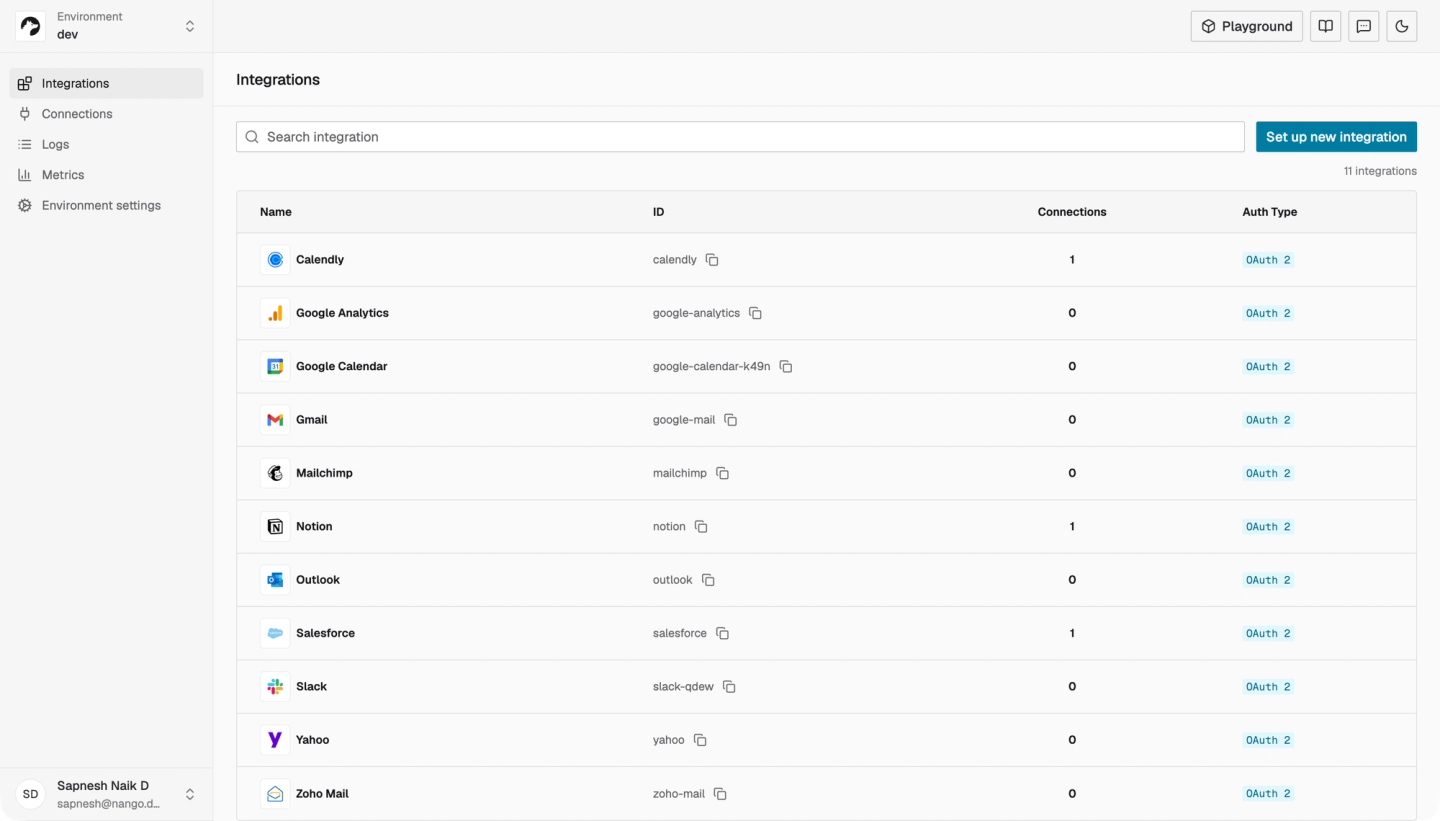
For email-driven agents, Nango supports Gmail, Microsoft 365, Outlook, Exchange, and more through their provider APIs. Nango receives provider webhooks, runs scheduled syncs, and exposes approved actions through an API or MCP.
The triggered agent can then act in CRM, help desk, calendar, messaging, accounting, and other APIs without receiving raw credentials.
Best for
Product teams building customer-facing agents that need custom email triggers for multiple email providers and tool calls beyond the mailbox.
How the email trigger works
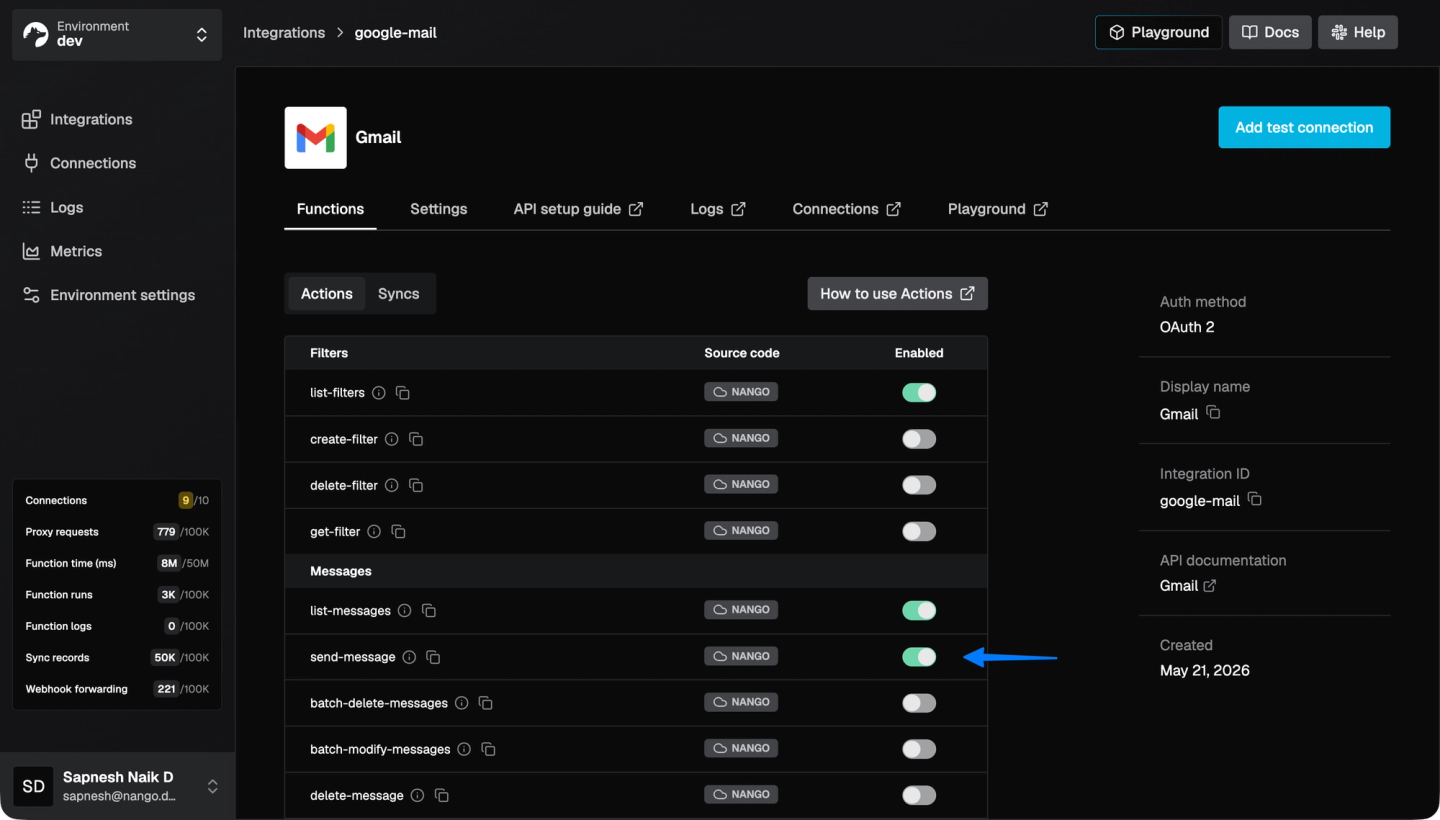
Enable the integrations for the email providers you need, using Nango’s pre-provisioned OAuth apps or your own client IDs and secrets. Next, enable the pre-built tool calls or syncs the agent needs for each integration.
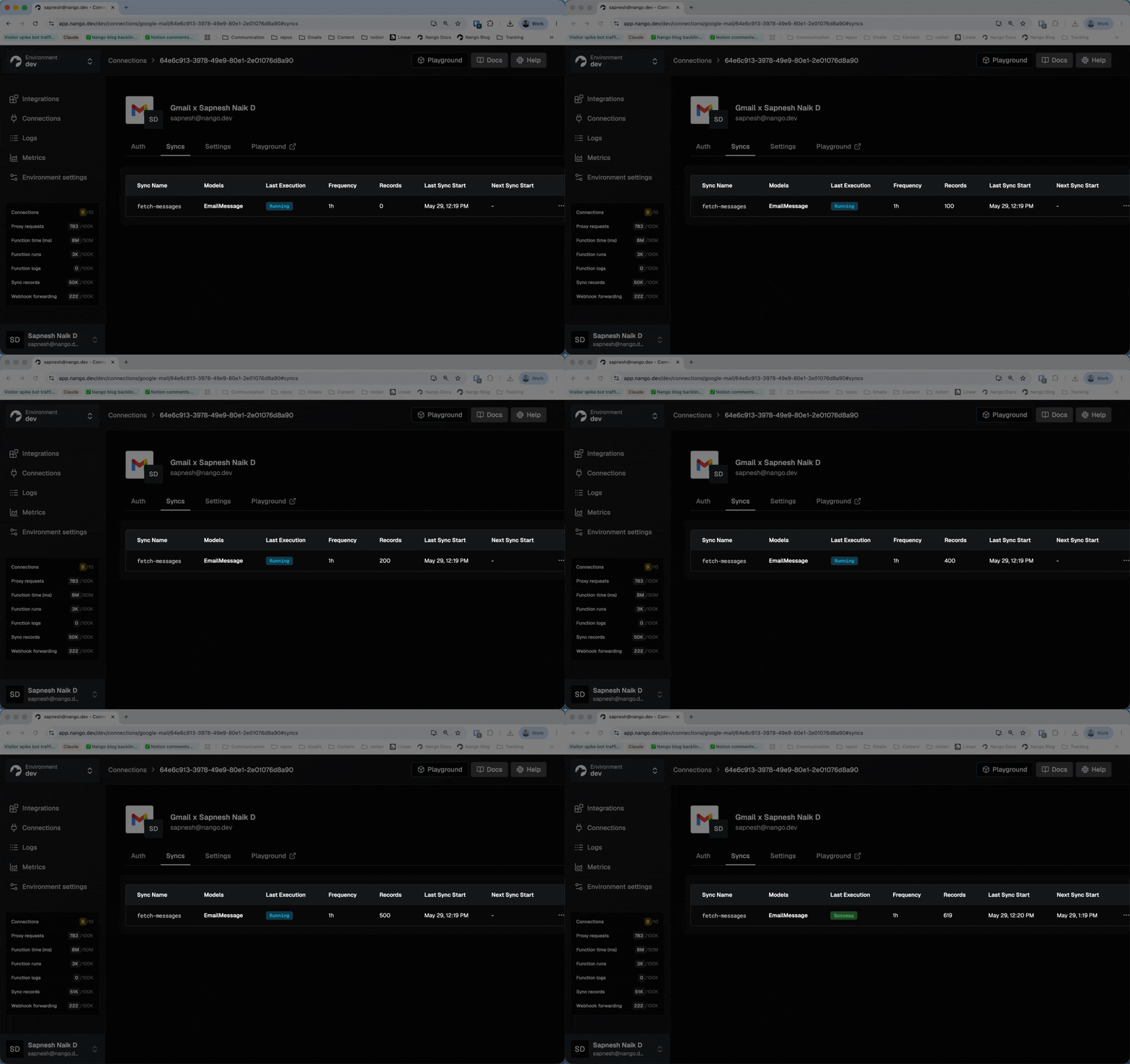
For customization, use the Nango function builder skill with Claude Code, Cursor, Codex, or another coding agent to describe the mailbox trigger. When a new email is detected, Nango identifies the matching user connection and sends a webhook event to your application. Your handler can then queue the AI agent with the correct customer and message context.
Pros
- Broad API coverage after the trigger: along with Gmail, Microsoft mail APIs, and IMAP-compatible providers, Nango provides auth and tools for the CRM, help desk, Slack, accounting, calendar, and storage APIs that the agent will act on next.
- Fast triggers with a recovery path: use provider webhooks for low latency and a scheduled incremental sync to recover notifications that never arrived.
- Full email API access: the agent can use provider-specific fields, Gmail labels, Outlook categories, custom headers, and endpoints via Nango’s proxy, rather than being limited to a fixed email schema.
- 6,000+ pre-built tools: start with Gmail template actions for listing messages, managing labels, creating drafts, and sending replies. A coding agent with the Nango builder skill can customize or replace any function.
- Production runtime: retries, per-connection logs, OpenTelemetry export, and customer-level routing are built into the platform.
- Multiple deployment options: use Nango Cloud, deploy a fully managed instance in your own cloud account and region through BYOC, or self-host the open-source runtime.
Cons
- No visual workflow canvas: Nango is a better fit for engineers and coding agents than non-technical operations teams building one-off automations.
2. Nylas
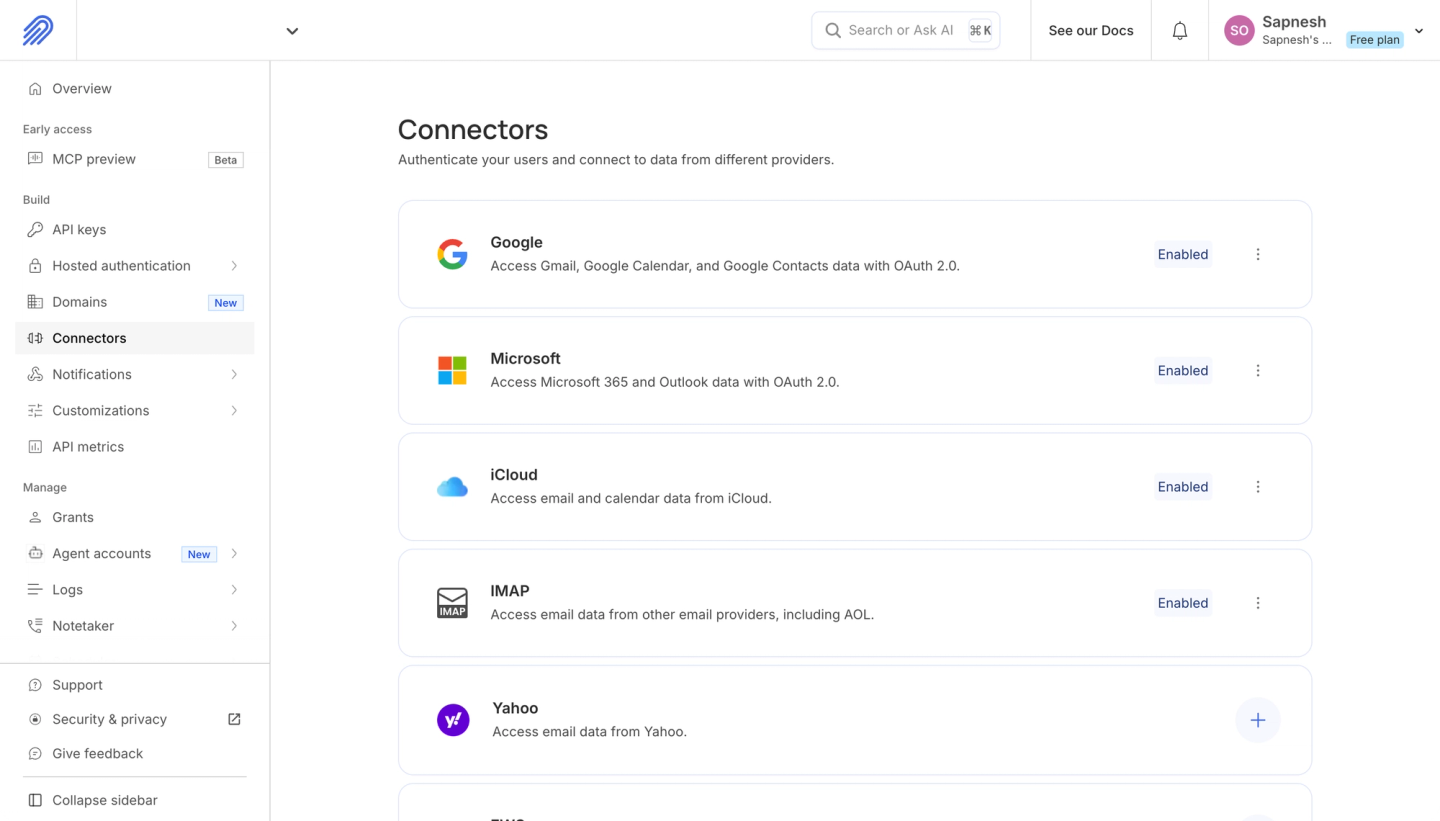
Nylas provides a normalized email, calendar, and contacts API. Its Email API supports the major hosted providers and generic IMAP mailboxes.
Nylas exposes a message.created webhook for new mail. One webhook subscription covers connected accounts, and the payload includes the grant and message IDs needed to fetch the full message. Nylas also offers message.created.cleaned, which can deliver a cleaned Markdown body for agent processing, and Agent Accounts for inboxes owned by agents.
Best for
Teams that want one hosted email API across multiple providers and expect agent workflows to stay within communications APIs.
Pros
- Wide mailbox coverage: Gmail, Outlook, Exchange, Yahoo, iCloud, and IMAP use the same message schema.
- Simple new-email subscription:
message.createdhides Gmail Pub/Sub and Microsoft Graph subscription differences. - Agent-friendly payloads: cleaned-message webhooks can remove quoted replies and return Markdown instead of raw HTML.
Cons
- Narrow API scope: the catalog covers email, calendar, and contacts. An agent that needs to act in CRM, ticketing, accounting, or messaging systems requires a separate integration platform.
- Normalized schema: the abstraction is convenient until the agent needs a provider-specific Gmail or Microsoft Graph field or endpoint that Nylas does not expose.
- Less control over the event implementation: Nylas owns the provider sync and webhook abstraction. You consume its model rather than changing the underlying trigger code.
- No coding-agent build skill: Nylas does not provide a dedicated skill for Claude Code, Cursor, or Codex to build, test against a real connection, and deploy custom integration logic.
3. Pipedream Connect
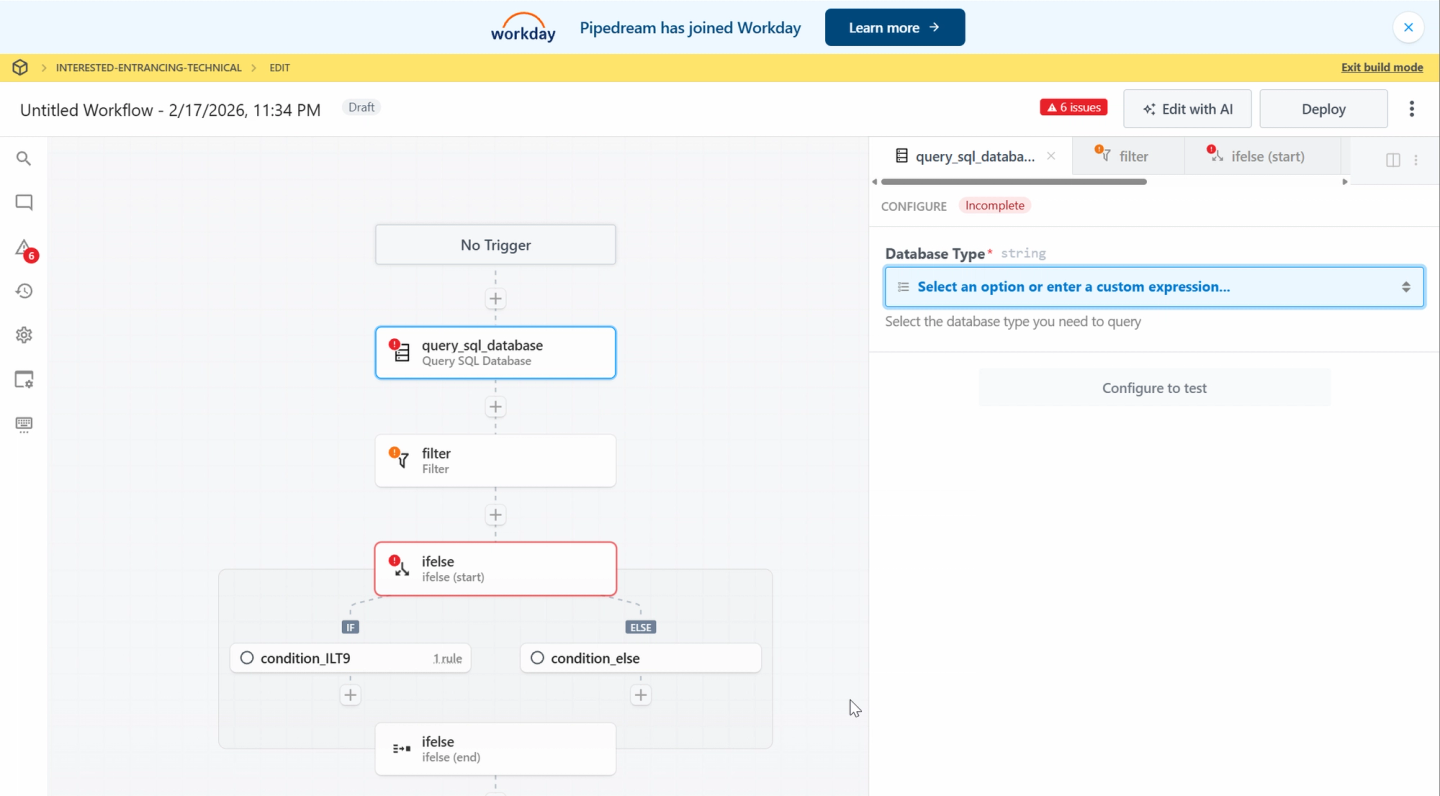
Pipedream Connect exposes pre-built triggers through an SDK and a low-code visual workflow builder. A developer can deploy a Gmail or Outlook trigger for a specific external user and then route each event to a Pipedream workflow or an application webhook.
Best for
Internal email automations built in a low-code visual editor, with the option to add snippets of code.
Pros
- Large component catalog: more than 10,000 pre-built actions and triggers are available to a workflow or agent.
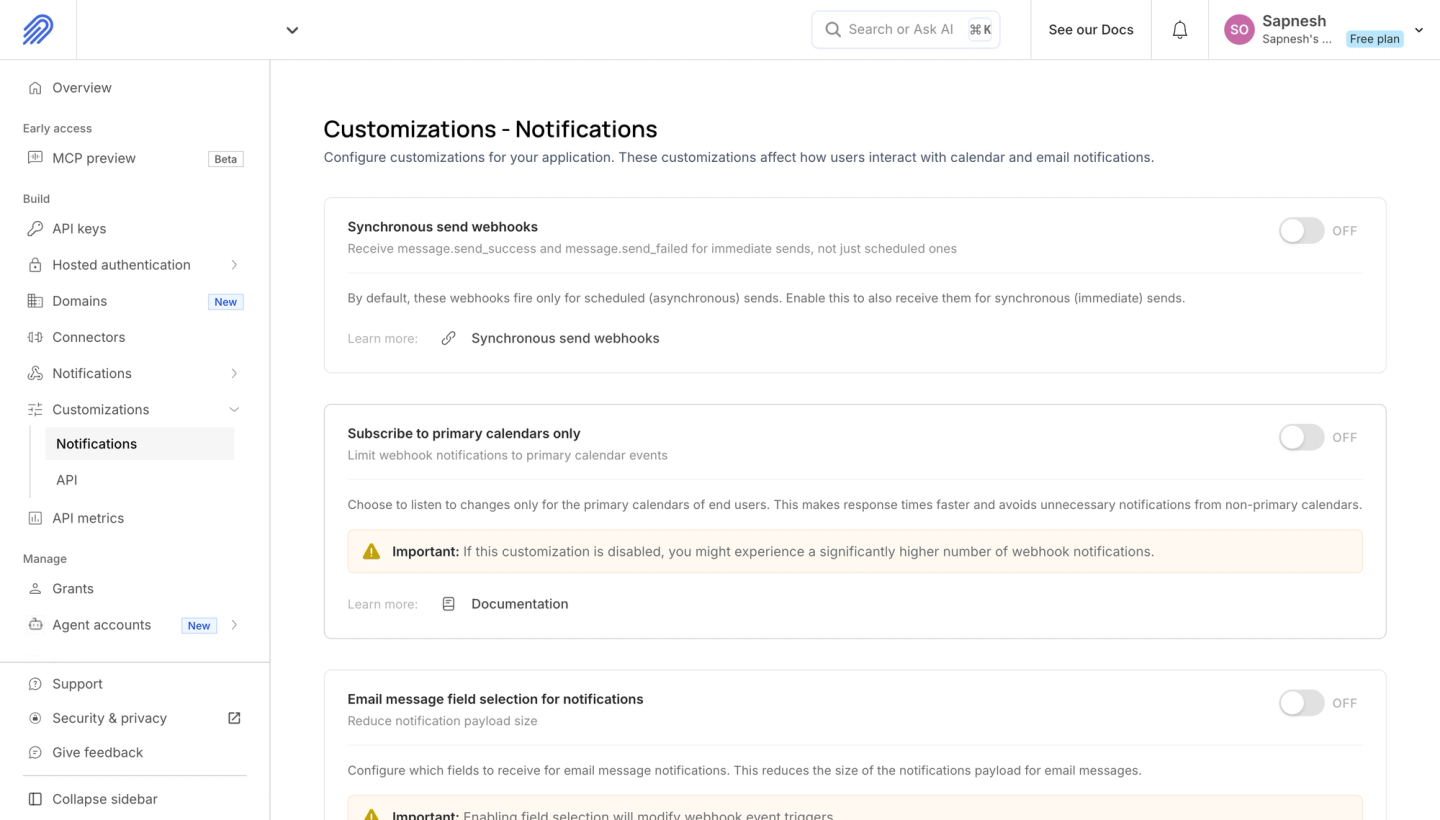
- Configurable polling: polling sources accept an interval in seconds. Pipedream’s documentation shows a 60-second configuration as an example.
- Code snippets when needed: add Node.js, Python, Go, or Bash steps inside a visual workflow.
Cons
- Workflow-first development: important logic and configuration live in the Pipedream project rather than as code in your application repo.
- Production constraints: running workflows for end users in production requires a higher-tier plan, and end-user workflows have account-selection limitations.
- No coding-agent integration skill: Pipedream does not provide a dedicated skill that guides a coding agent through researching, testing, and deploying custom provider integrations.
- Uncertain roadmap after the Workday acquisition: Workday announced its acquisition of Pipedream in November 2025. Pipedream’s public changelog lists no release after October 2025, so teams should verify the Connect roadmap before adopting it.
4. AgentMail
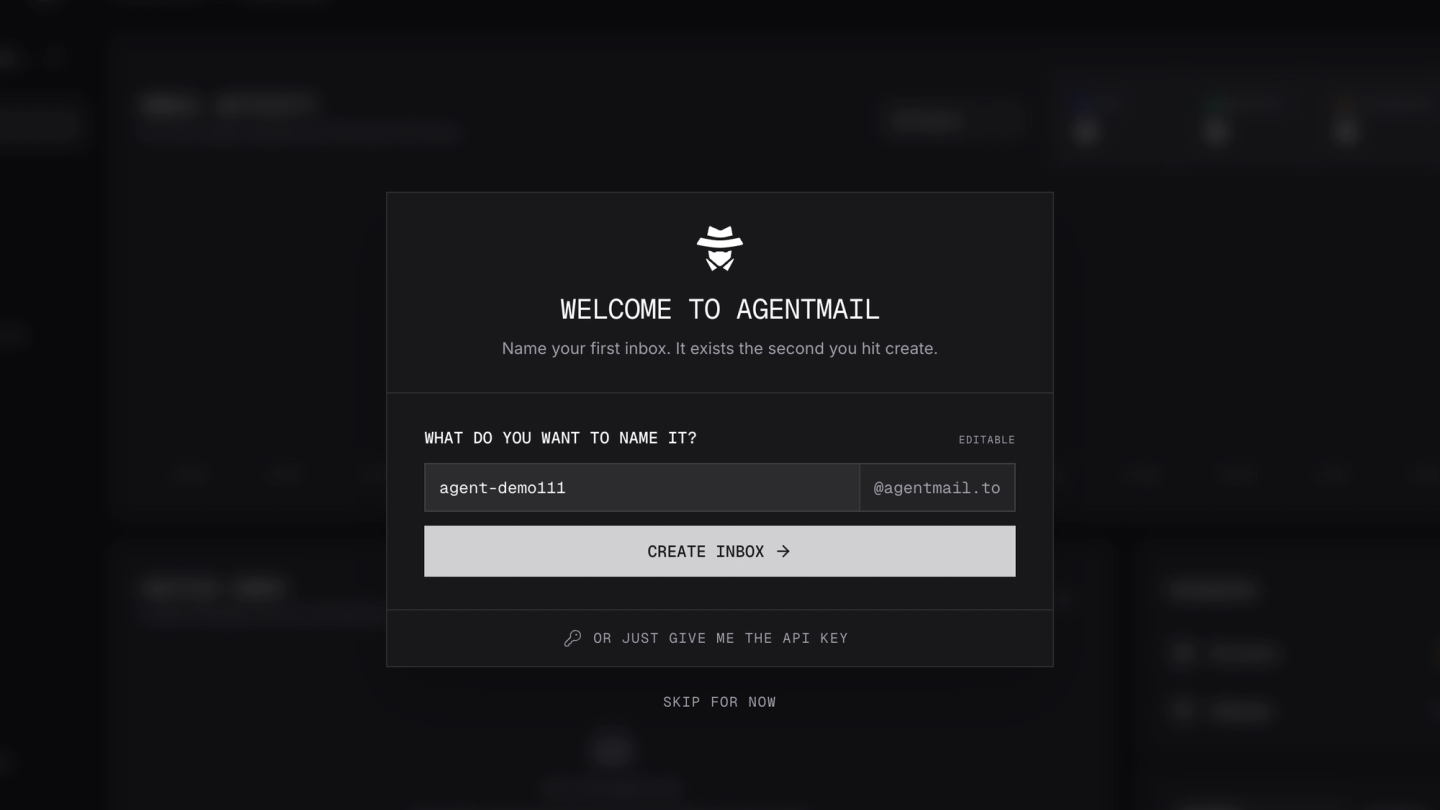
AgentMail is an email provider for agents. You create an inbox through its API, receive message.received events through a webhook or WebSocket, and use the same API or MCP server to read threads and reply.
AgentMail does not connect to a customer’s Gmail or Outlook account. The agent receives a new address on AgentMail’s infrastructure, or on a custom domain you configure.
Best for
Browser agents, research agents, support agents, and other systems that need a dedicated machine-owned email identity.
Pros
- Inbox creation by API: provision one inbox per agent, customer, or workflow without a human OAuth flow.
- Real-time events: webhooks and WebSockets deliver received, sent, delivered, bounced, and rejected message events.
- Email primitives for agents: threads, replies, attachments, labels, custom domains, semantic search, SDKs, and MCP are first-class features.
- Scoped permissions: API keys and webhooks can be limited to an inbox or a group of inboxes.
Cons
- Does not connect existing mailboxes: users cannot authorize their Gmail or Outlook inbox. AgentMail explicitly runs as a separate email provider.
- Email only: the agent still needs another integration platform to update a CRM, help desk, calendar, or other SaaS API.
- No coding-agent integration skill: AgentMail provides SDKs and MCP, but no dedicated skill for building and testing integrations with coding agents.
5. Composio
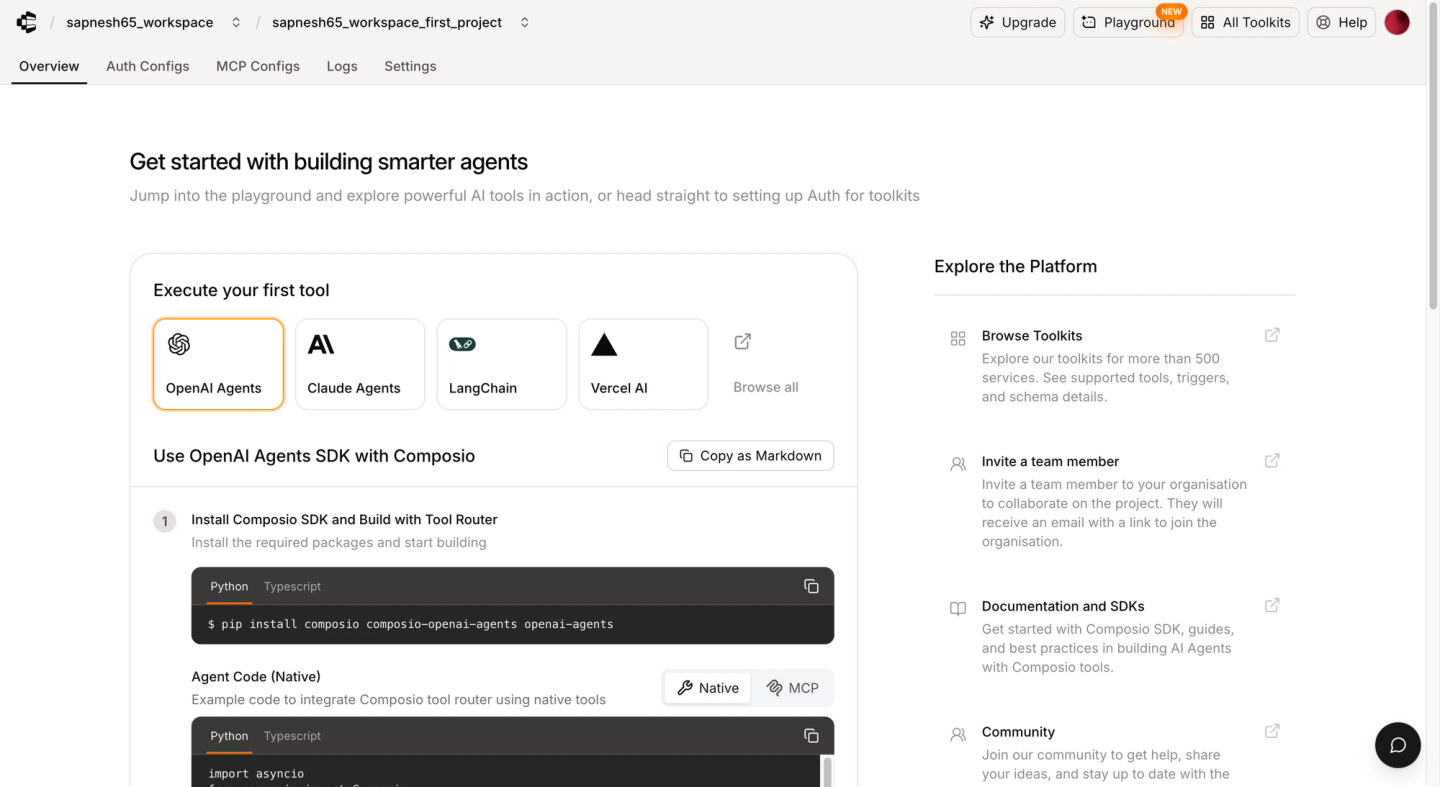
Composio connects AI agents to pre-built toolkits and trigger types. For email, it provides Gmail and Outlook tools. Outlook events arrive in real time, while Gmail events use polling and can take about 15 minutes with Composio-managed auth.
Best for
Personal agents and internal automations that can use Composio’s pre-built email trigger types.
Pros
- Pre-built Gmail and Outlook tools: agents can read messages, manage mailbox objects, and send replies through existing toolkit actions.
- One webhook destination: Composio signs events and includes the trigger metadata needed to route them.
- Tools outside email: the triggered agent can call actions from other Composio toolkits.
Cons
- May 2026 security incident: HubSpot reported that unauthorized access to Composio systems exposed OAuth credentials and API keys used in Composio toolkits. HubSpot rotated credentials used with Composio’s HubSpot toolkit, then found no evidence that HubSpot or its customer accounts were compromised (HubSpot’s security update).
- Gmail latency: managed Gmail triggers poll and can take about 15 minutes, which is too slow for time-sensitive support or routing workflows.
- Pre-built trigger types: you choose from the triggers that a toolkit exposes. Custom tools can run in your application process, but they do not provide a durable, hosted custom-trigger runtime.
- No mailbox data sync: a trigger detects an event, but it does not maintain an incremental local copy of the mailbox for history or recovery.
How to process an email trigger safely
Incoming email is untrusted input. A sender can place prompt-injection instructions in the body, hide text in HTML, or attach a malicious file. Treat the message as data, not as instructions that can override the agent’s policy.
A reliable handler follows this sequence:
- Verify the webhook signature before parsing the payload.
- Return
200 OKquickly and queue the work. Provider delivery should not wait for the LLM. - Deduplicate by event and message ID. Gmail, Microsoft Graph, Nylas, and other systems can deliver the same change more than once.
- Fetch the message from the provider when the event contains only a cursor or object ID.
- Normalize the content: convert HTML to text, remove quoted history and signatures, and scan attachments before extraction.
- Resolve the tenant and connection before loading context or tools.
- Give the agent a narrow tool set. A support email should not make payroll or destructive admin tools available. See our guide to reliable and scoped tool calls for the authorization pattern.
- Require approval for high-risk writes: refunds, payments, account changes, bulk sends, and access-control changes should stop for a human decision.
- Record an audit trail containing the message ID, agent run, tool calls, approvals, and final result.
- Run a periodic incremental sync to recover any provider notification that was delayed or dropped.
Which tool should you choose?
- Choose Nango when email is the trigger for a customer-facing agent workflow and you need custom provider logic, polling fallbacks, coding-agent support, and tools across many APIs.
- Choose Nylas when one normalized Email API matters more than access to non-communications APIs.
- Choose Pipedream Connect when your team prefers a low-code visual workflow builder for internal automation.
- Choose AgentMail when the agent should have its own inbox instead of acting through a user’s existing address.
- Choose Composio for personal agents or internal automation when its pre-built Gmail or Outlook trigger and provider-dependent latency are sufficient, and after reviewing the May 2026 incident for your security requirements.
Zapier, Make, and n8n also trigger workflows from incoming email, but they are better suited to internal automation where a team member owns the workflow.
FAQ
What is the best way to trigger an AI agent from Gmail?
Nango is the best fit when a Gmail email should trigger a customer-facing agent and actions in other APIs. Its coding-agent skill builds the Pub/Sub webhook, history.list sync, watch renewal, and recovery schedule, then Nango runs them with the correct user’s connection.
Can Gmail send a webhook directly to my AI agent?
No. Gmail publishes mailbox-change notifications to a Google Cloud Pub/Sub topic, and the payload contains a cursor rather than the email body. With Nango, Pub/Sub posts to the Nango webhook, Nango resolves the customer connection and fetches the change, then your event handler queues the agent.
How do I trigger an AI agent from Outlook email?
Use Nango when the Outlook trigger also needs to call other customer APIs. A coding agent can build the Microsoft Graph subscription, clientState verification, message fetch, renewal function, and agent event on Nango’s runtime.
How do I trigger an agent from Apple iCloud Mail?
Use a Nango sync when an iCloud email should trigger an agent that also acts in other APIs. A coding agent can build the IMAP IDLE or incremental polling logic, store the last UID, and emit an event when it finds a new message. Nylas is an alternative when you only need a normalized communications API.
Should the agent receive the full email in the webhook?
Usually not. A small event containing the connection, message ID, and cursor is easier to verify, deduplicate, and retry. Fetch the message after the event is queued, then sanitize the HTML and attachments before sending selected content to the model.
Can an email trigger call tools in other APIs?
Yes. With Nango, the email event identifies the user’s connection and the agent calls scoped tools across the same 900+ API catalog. Nango keeps OAuth credentials outside the model, resolves the customer connection, validates tool inputs, and logs each call.
Conclusion
Nylas fits teams that only need one communications API across mailbox providers. Pipedream makes sense for low-code internal workflows. AgentMail provides dedicated inboxes for agents but does not connect existing mailboxes or other APIs. Composio supports pre-built Gmail and Outlook triggers, but teams should evaluate its latency and security history.
For developers building customer-facing agents, Nango covers the path from incoming email to the task that follows. It supports Gmail, Microsoft 365, Outlook, iCloud, and other mailboxes. Provider webhooks and scheduled syncs deliver new-message events to your application, while the same platform gives the agent scoped tools across CRM, help desk, Slack, accounting, and 900+ other APIs. This avoids combining separate platforms for mailbox events and downstream actions.
