
TL;DR
If you need email and calendar API integrations in your product, building them involves handling OAuth across Google, Microsoft, and IMAP, incremental sync, and push notifications. This post compares the platforms teams use to build mail and calendar integrations in 2026.
We rank them on provider coverage, how you build integrations with each one (including AI coding agent support), how much of the underlying API you can reach, who owns auth, and what else the platform can integrate when mail and calendar are no longer enough.
- Nango: The integration platform where coding agents build integrations. It covers mail and calendar alongside 1,000+ other APIs, with full API access and auth you own.
- Nylas: Unified API for email, calendar, and contacts. Limited to communications data, and your users’ tokens live on Nylas.
- Aurinko: A pass-through alternative to Nylas with the same mailbox scope. Owns the OAuth app your users authorize.
- Unipile: A unified API built around messaging (LinkedIn, WhatsApp), with email and calendar added on.
Why mail and calendar API integrations are hard
If you’re integrating mail and calendar, you’re either looking at Google, Microsoft, Apple or generic IMAP. Each models the data differently, and none offers a simple “subscribe and get updates” endpoint.
For email:
- Sending needs raw MIME, not JSON: the Gmail API wants a base64url-encoded RFC 2822 MIME message in a
rawfield, not ato/subject/bodyobject (Gmail docs). - Incremental sync is stateful and expires: Gmail tracks changes with a
historyIdthat expires after about a week, and once it ages out you get a404and run a full resync (Gmail docs). Microsoft Graph does the same with per-folder delta tokens. - Real-time needs more than a webhook URL: Gmail push runs through Google Cloud Pub/Sub, and the
watchmust be renewed at least every 7 days (Gmail docs). Microsoft Graph mail subscriptions expire in under 7 days and cap at 1,000 per mailbox (Graph docs). Plain IMAP has no webhooks at all: you hold a connection open withIDLEand poll (RFC 2177). - Restricted scopes need a security review:
gmail.readonly,gmail.modify, andgmail.composeare restricted scopes that require Google verification plus an annual security assessment before you go live (Gmail scopes).
For calendars:
- Sync tokens, then full resets: Google Calendar incremental sync uses a
syncTokento fetch only what changed. Google invalidates that token after a period of time, or when too much has changed to return a clean delta. The next call then returns410 Gone, and you wipe local state and resync from scratch (Calendar docs). - Watch channels expire with no renew endpoint: Google Calendar push channels expire after about a week, with no automatic renewal. You create a new channel before the old one dies (Calendar docs). For 1,000 connected users, that is 1,000 channels to rotate every week.
- Recurring events and Apple: you expand recurring events with
singleEvents=true, andsyncTokencannot be combined with most query parameters. Apple iCloud is CalDAV, which has no push at all (RFC 4791).
OAuth tokens need constant maintenance on top of this. Access tokens last about an hour, so you refresh them on every connection. Refresh tokens can break too: when a user changes their password or revokes access. When two requests refresh the same token at once, you also have to handle concurrency.
This is the standard work involved in mail and calendar API integrations, and it is why most teams use an integrations platform rather than building it themselves.
Tip: If you’re looking for a full build example, see our guides on the Gmail API and real-time Google Calendar integrations.
What to look for in a mail and calendar integration platform
Every tool here supports embedded, customer-facing integrations, where each of your users connects their own mailbox or calendar. The differences are in how you build integrations with each one, how much of the API you can reach, and who owns the auth.
- Provider coverage: Gmail and Google Workspace, Microsoft 365, Outlook, and Exchange, and IMAP at a minimum. Add iCloud (CalDAV) if you need Apple calendars.
- How you build integrations: the fastest teams now have coding agents (Claude Code, Cursor, Codex) write integrations against real APIs. The platform should ship a skill or harness so an agent can research, write, test, and deploy an integration, not just expose a fixed catalog.
- How much of the API you can reach: a normalized email or calendar schema only exposes the fields most providers share. When you need a provider-specific field or endpoint, you want full API access to reach it.
- Who owns auth and tokens: if the tokens live on the vendor’s servers, your users may see the vendor on the consent screen, and migrating off means re-authenticating every account. Prefer a platform where you use your own OAuth app, under your brand, and keep control of the credentials.
- Real-time syncs and webhooks: durable data syncs plus managed webhook and channel renewal, so the watch rotation and resync recovery are handled for you.
- What else it integrates: most products need more than mail and calendar. Once you add CRM, Slack, ticketing, or storage, a communications-API-only platform means a second vendor. A broad platform covers mail and calendar as one slice of a much larger catalog.
- Code-first and open source: integrations that live in your repo, under version control and CI, are easier to review, test, and own than a closed catalog you cannot inspect.
- Observability: per-request logs and OpenTelemetry export, so you and your coding agent can read a failure and fix it.
The 4 best mail and calendar integration platforms
1. Nango
Nango is the integration platform where coding agents build integrations. Engineers, or coding agents like Claude Code, Cursor, and Codex, write integrations as code in your repo, and Nango’s cloud runtime runs them securely and at scale.
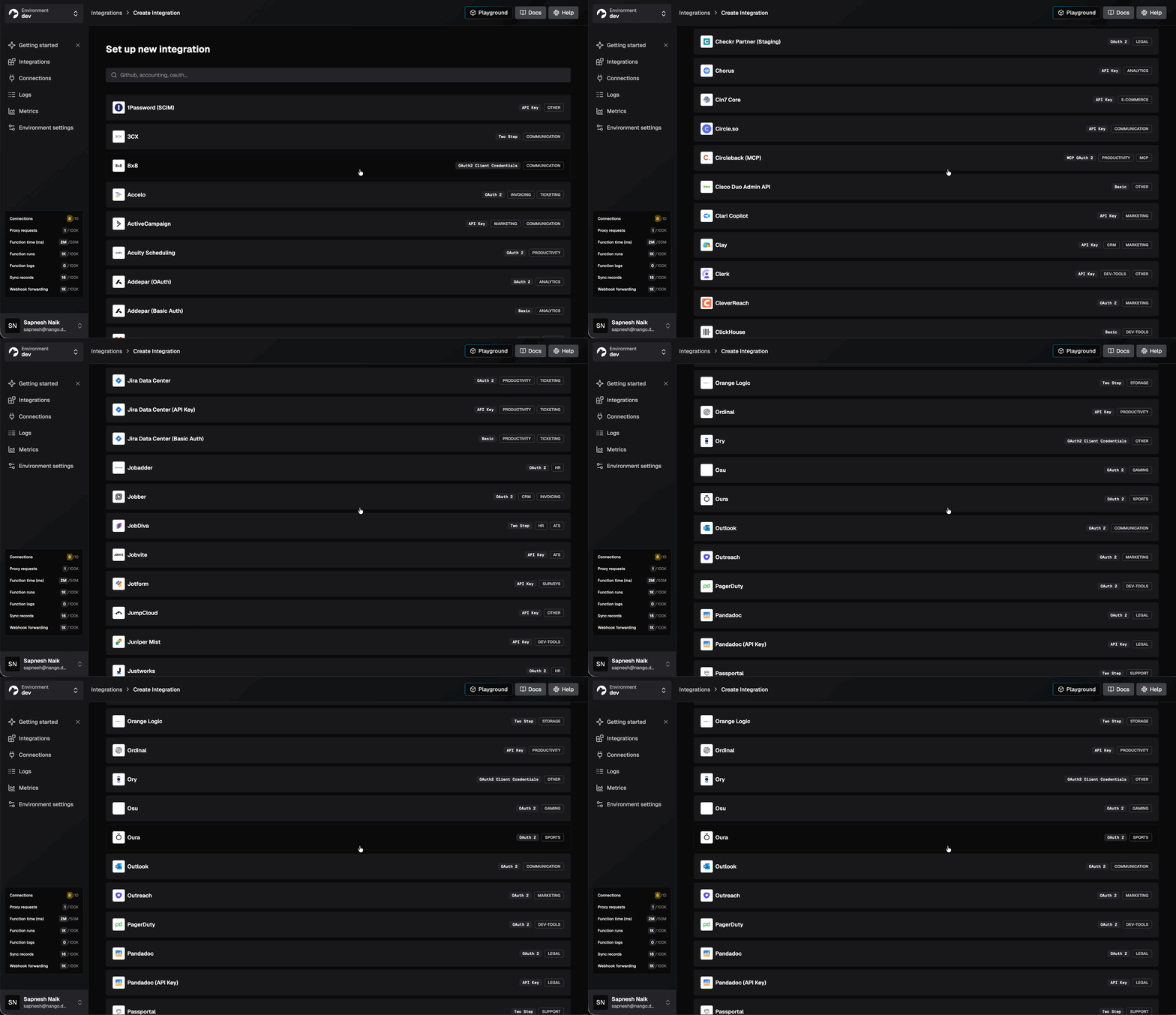
The platform covers API auth, tool calls, data syncs, webhooks, and unified APIs across 1,000+ APIs. For mail and calendar, that means Gmail, Microsoft 365 and Outlook, Google Calendar, and IMAP, alongside every other API your product will eventually need.
Nango also ships pre-built Gmail and Google Calendar templates, so you can start from a working sync or action and customize it, or have your coding agent generate one from scratch.
Best for
Teams that need email and calendar today and will need more integrations (CRM, Storage, Slack, ticketing) tomorrow, and want coding agents to build them.
Pros
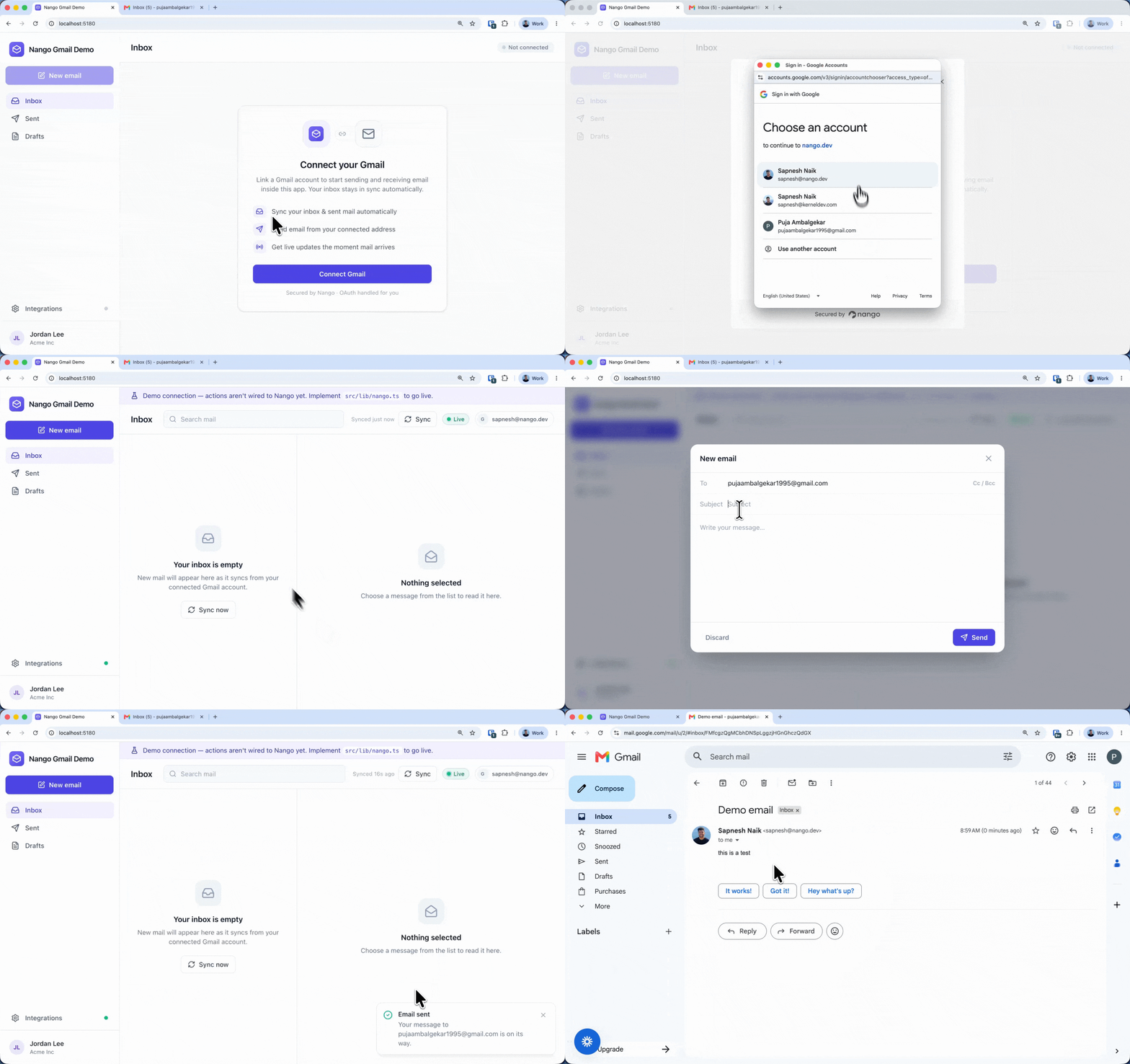
- Coding agents build the integration: install the AI builder skill and your agent (Claude/Cursor/Gemini) researches the Gmail or Calendar API, writes the sync or action, tests it against a real connection, and iterates until it works.
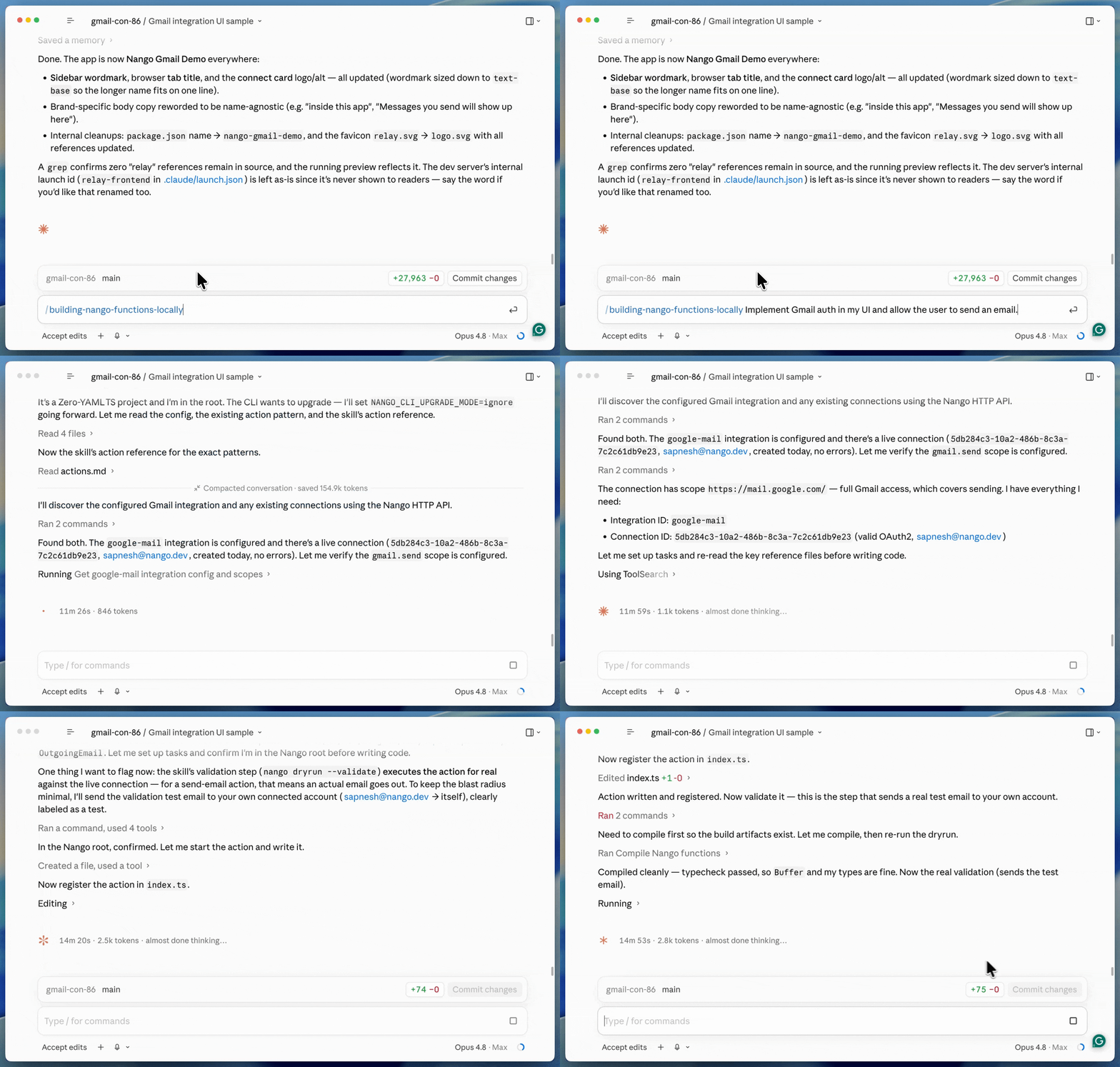
- The agent can also build, test, and deploy without a local project, so an agent inside your product can build mail and calendar integrations just-in-time, straight from a customer’s prompt (just-in-time integrations).
- Full API access: you can reach the complete Gmail, Graph, and Calendar APIs, provider-specific fields and endpoints included, and you can still normalize into a unified API layer when you want one.
- You own auth, under your brand: a drop-in Connect UI handles OAuth, API keys, and token refresh across 1,000+ APIs. Use your own Google or Microsoft OAuth app so your users authorize you, not Nango.
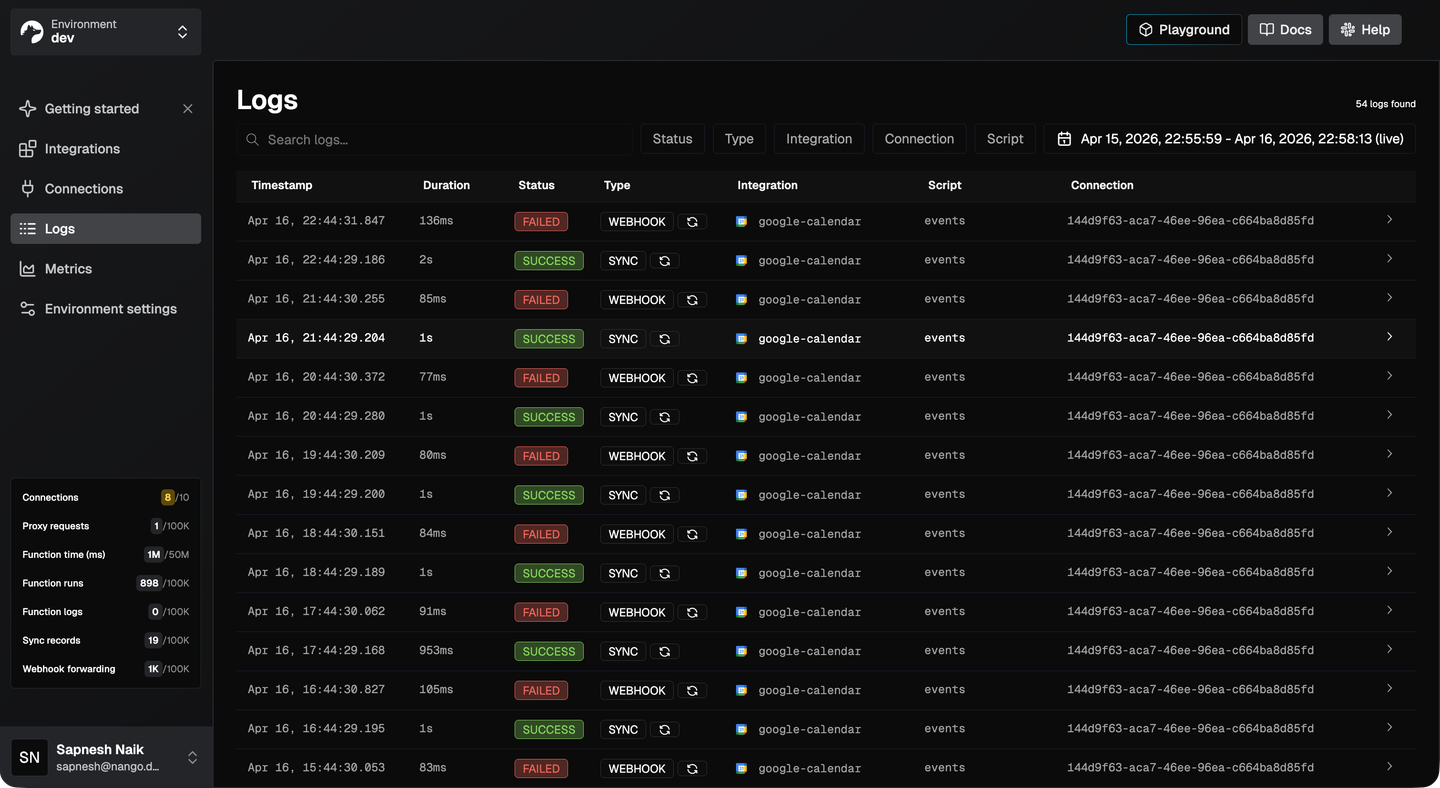
- Durable data syncs and managed webhooks: data syncs and webhook handling are managed for you, including the Google Calendar channel renewal and resync recovery you would otherwise build by hand.
- Model Context Protocol (MCP) server and typed tool calls: the AI agents inside your product can send mail or read a calendar through a typed tool call instead of guessing raw parameters.
- Open source and self-hostable: integrations live in your repo, the platform is open source, with SOC 2 Type II, GDPR, and HIPAA, with self-hosting for teams that need full data isolation.
- Observability: every operation produces structured logs with full request and response details and OpenTelemetry export.
Cons
- Code-first by design: Nango assumes you, or your coding agent, write integration logic as code. Teams that specifically want a non-technical, visual builder for one-off mail and calendar workflows will find a code-first model is more than they need.
2. Nylas
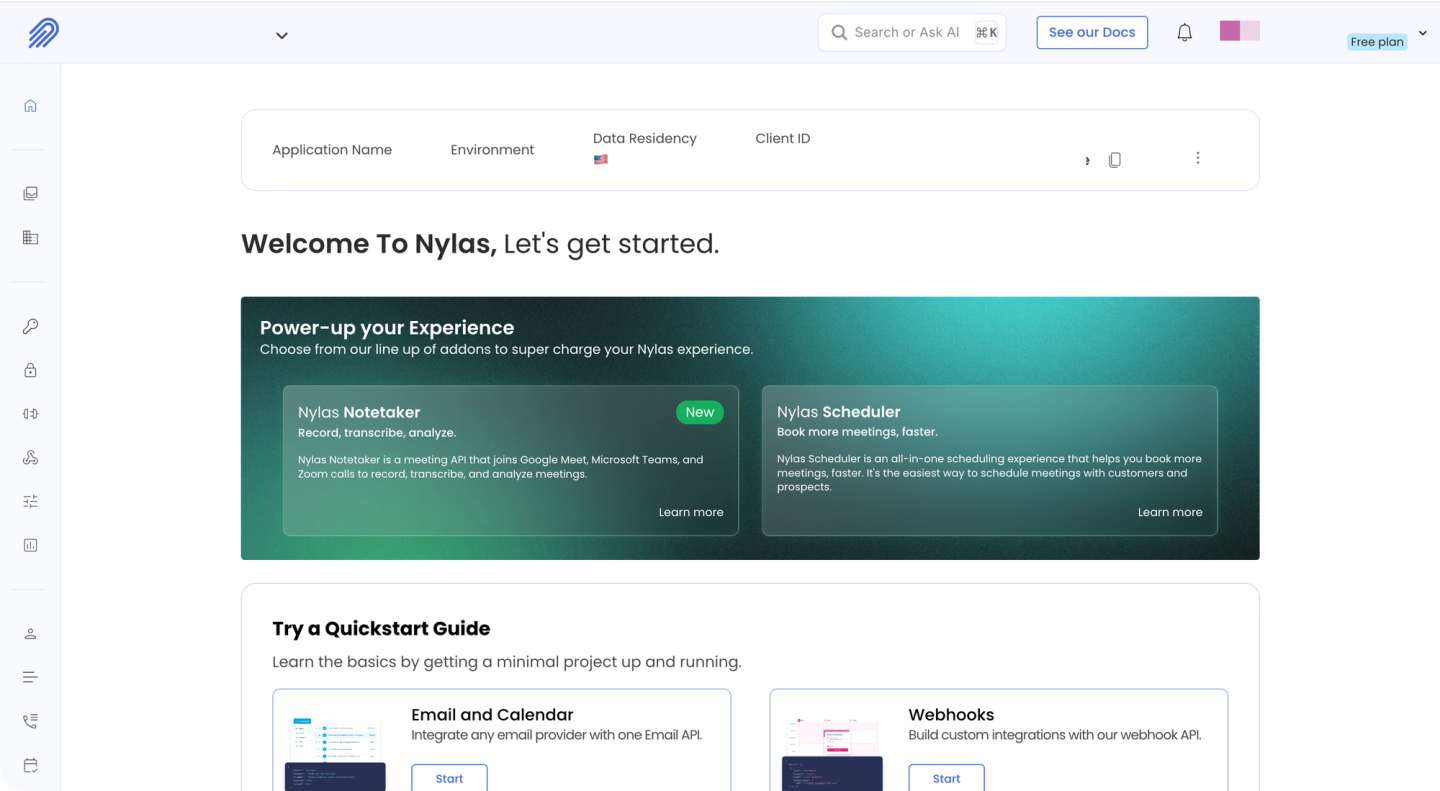
Nylas is a hosted unified API for email, calendar, and contacts. You write code once against the Nylas API and it works across Gmail, Microsoft 365, Outlook, Exchange, and IMAP. They also added an MCP server in March 2025 and a meeting-notes API.
Best for
Teams that want a pre-built, hosted email, calendar, and contacts API and do not expect to integrate much beyond communications data.
Pros
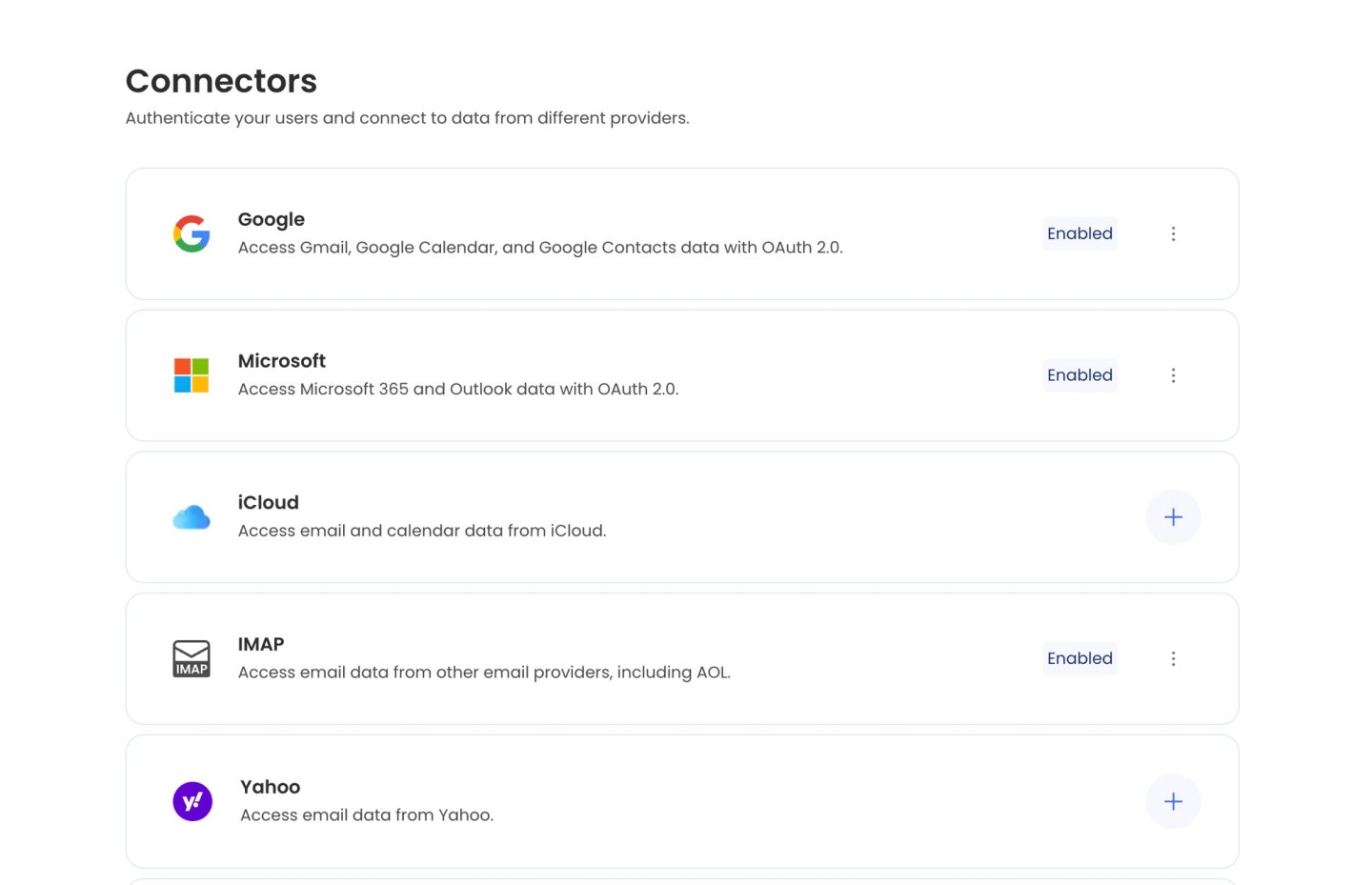
- Broad mail and calendar coverage: Gmail, Microsoft 365, Outlook, Exchange, and IMAP behind one schema, plus contacts and an embeddable scheduler.
- Mature and hosted: webhooks, token refresh, and provider differences are managed for you.
Cons
- Communications data only: email, calendar, contacts, scheduling, and meeting notes, and nothing else. CRM, Slack, ticketing, or storage require a separate platform.
- Normalized schema is limiting: the unified model abstracts away provider-specific fields and behavior, and reviewers report gaps such as not fully supporting certain event types.
- Breaking API releases: Nylas deprecated its v2 API in January 2025 and moved customers to v3, a migration teams describe as significant work.
- No coding-agent build skill: No skill for a coding agent to build, test, and deploy integrations the way Nango’s builder does.
3. Aurinko
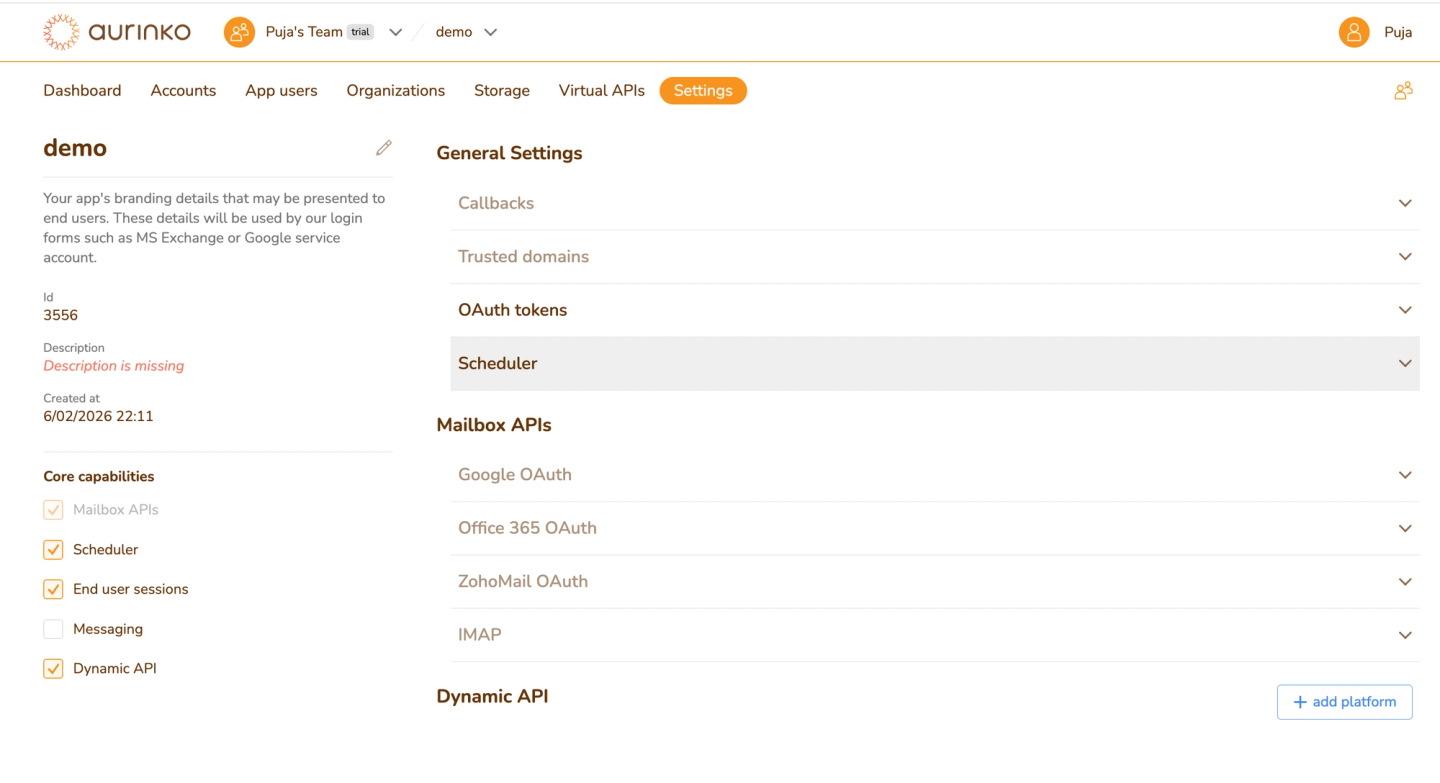
Aurinko is a unified API for email, calendar, contacts, and tasks, positioned as an alternative to Nylas. It runs mainly as a pass-through gateway, so it stores minimal data.
Best for
Teams that want a unified mailbox API and do not need coverage beyond email, calendar, contacts, and tasks.
Pros
- Core mailbox coverage: Google, Microsoft 365, Exchange, iCloud, and IMAP behind one schema, with webhook subscriptions that auto-renew.
- Pass-through architecture: it proxies requests to providers and stores minimal content, which helps in data-sensitive setups.
Cons
- Communications-only scope: email, calendar, contacts, and tasks, plus a configurable CRM-connector layer, but not a broad catalog. You will need another platform for most non-mailbox APIs.
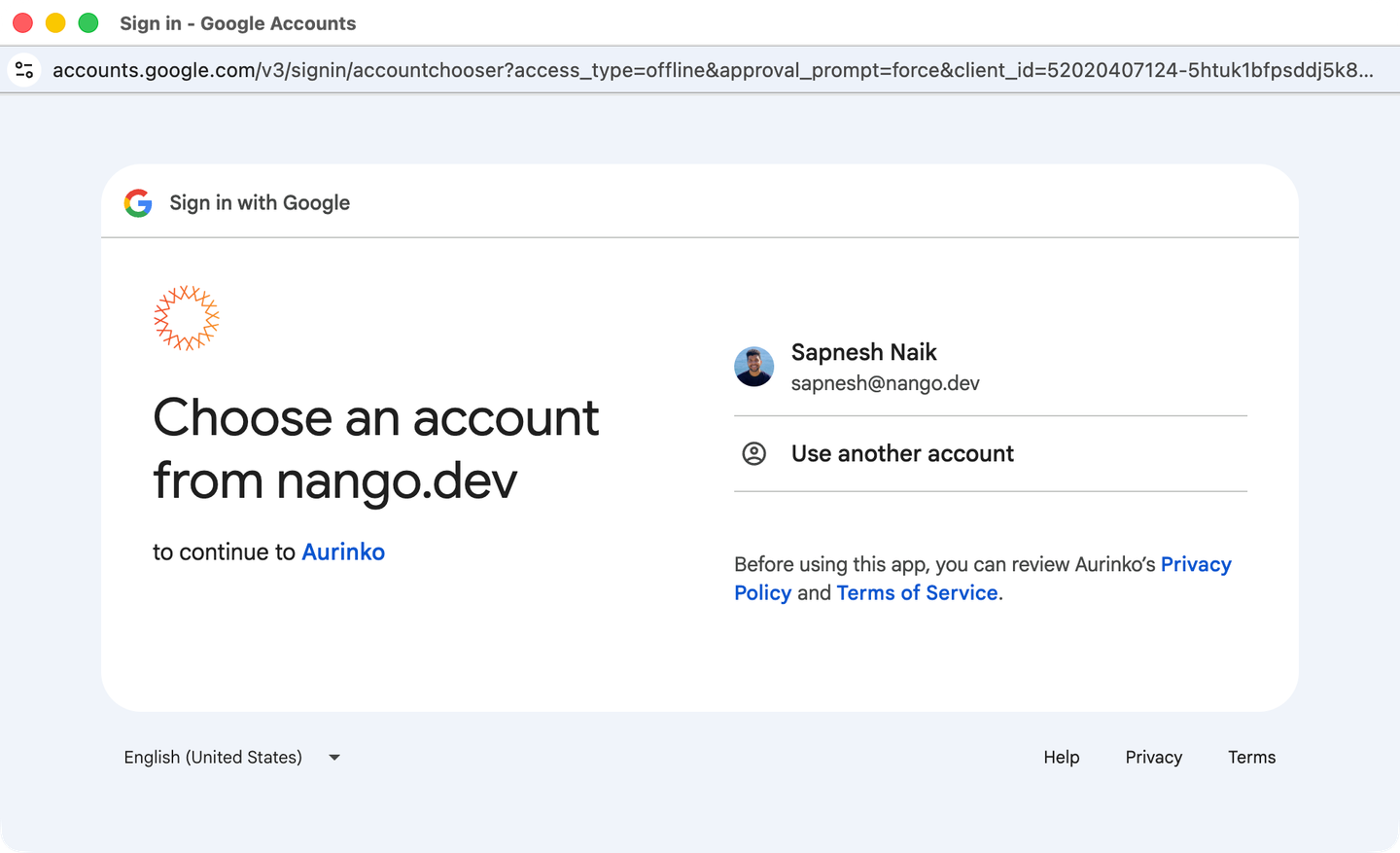
- Aurinko owns the OAuth app: your end users authorize Aurinko, and Aurinko issues its own tokens, so the consent screen and the credentials are not yours.
- No AI builder or MCP server: there is no coding-agent skill and no MCP server, so it is not built for an agent-driven workflow.
4. Unipile
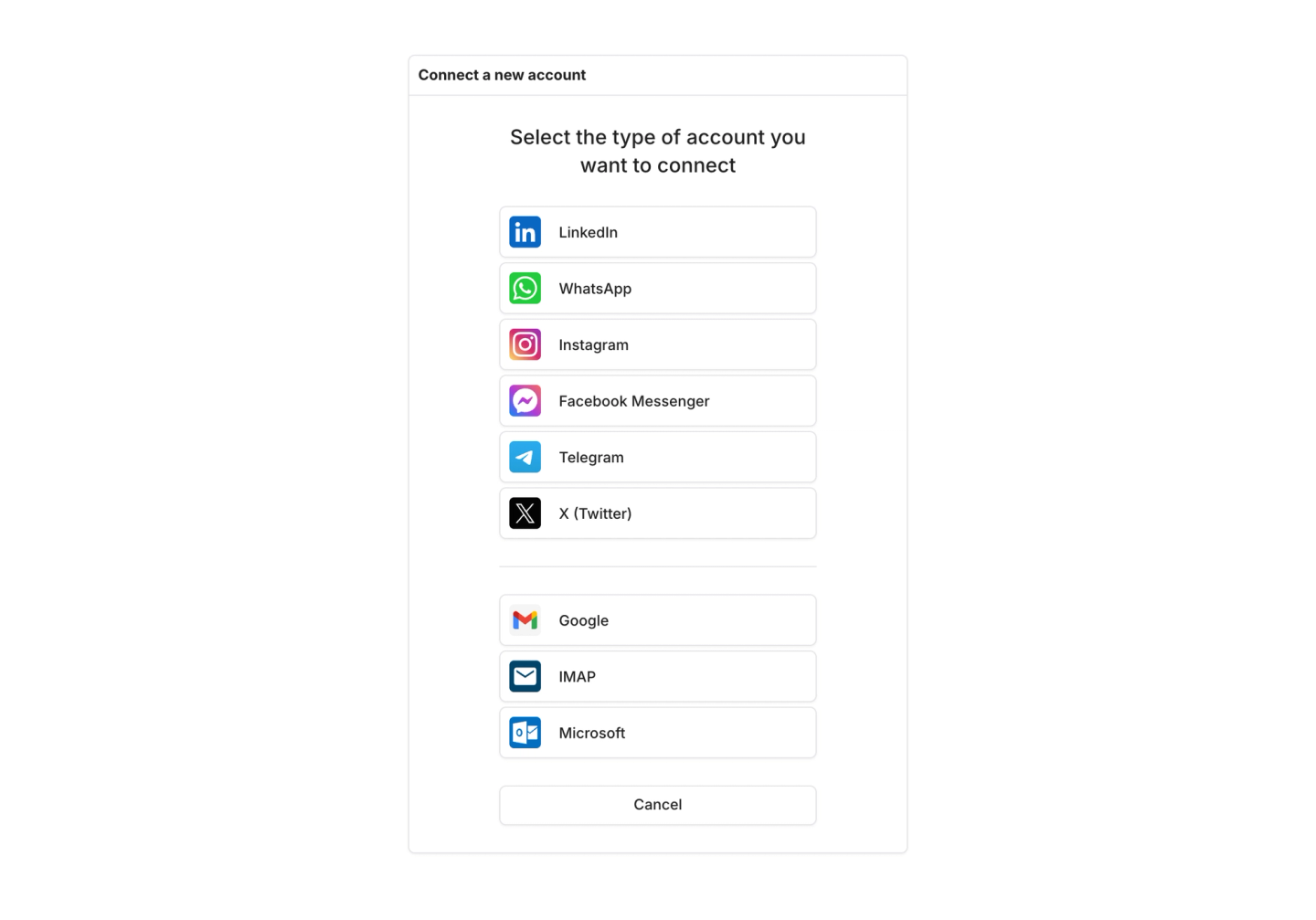
Unipile is a unified API focused on messaging channels, primarily LinkedIn and WhatsApp, with email and calendar added on. Its main draw is access to social messaging that has no easy official API.
Best for
Teams that specifically need access to personal LinkedIn or WhatsApp accounts that the official APIs do not expose, and accept the account-suspension risk. For official LinkedIn and WhatsApp access, Nango covers those APIs without that risk.
Pros
- Messaging breadth: LinkedIn, WhatsApp, Instagram, and Telegram in one API, with email (Gmail, Outlook, IMAP) and calendar (Google, Outlook) alongside.
- Fast to connect: a hosted auth wizard and an MCP server for agent access.
Cons
- LinkedIn access is unofficial: Unipile states it is not affiliated with LinkedIn and connects through user credentials and sessions. Its own docs warn this can trigger LinkedIn warnings, forced reconnections, and account-suspension risk.
- Communications-only scope: messaging, email, and calendar, with no CRM, ticketing, accounting, or storage.
- Hosted only, tokens on Unipile: there is no self-hosting, and the end user authenticates on Unipile’s domain, so credentials live with Unipile.
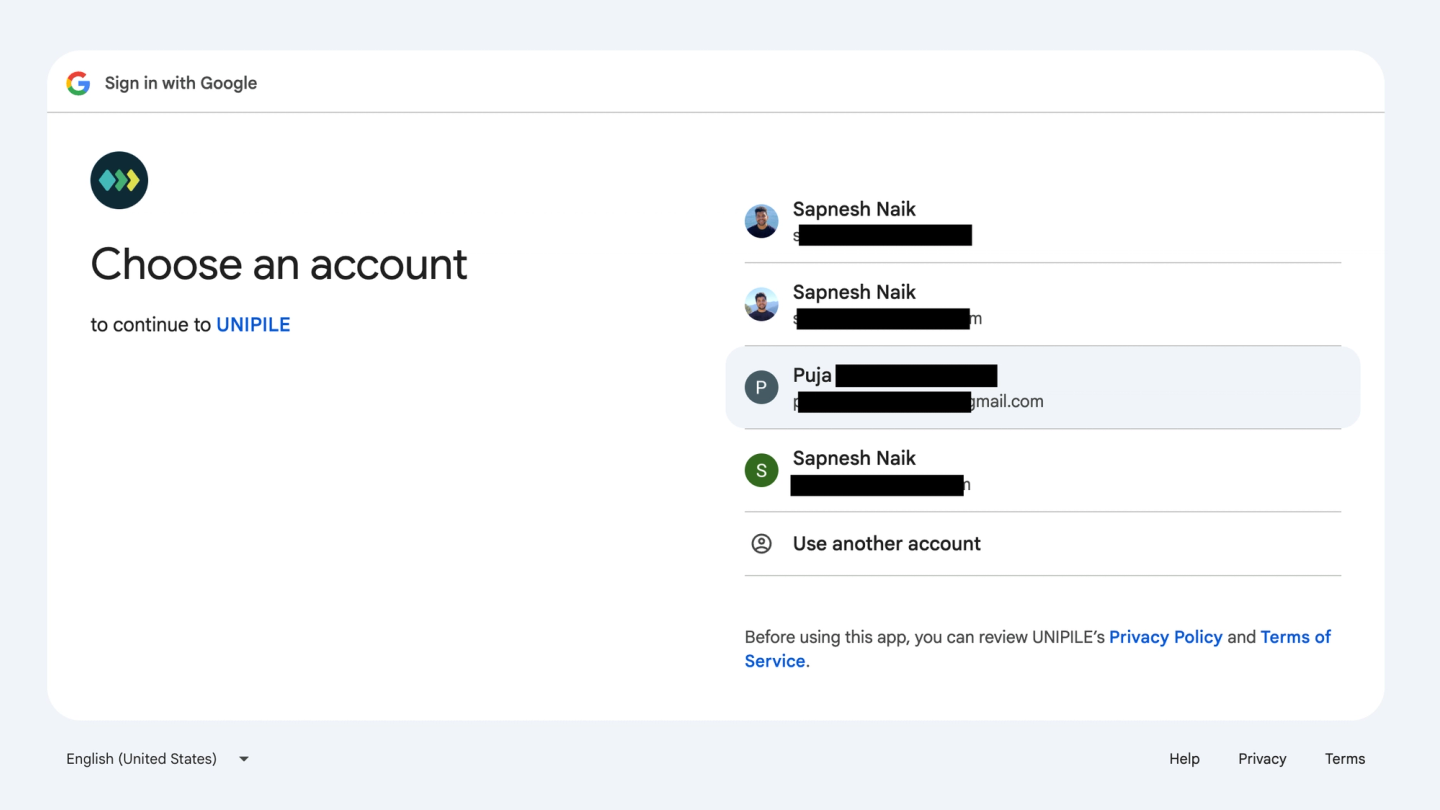
- Calendar is the lighter half: the product centers on messaging, and calendar coverage is limited to Google and Outlook.
- No coding-agent build skill: No skill for a coding agent to build and deploy integrations.
How to build a mail or calendar integration with Nango
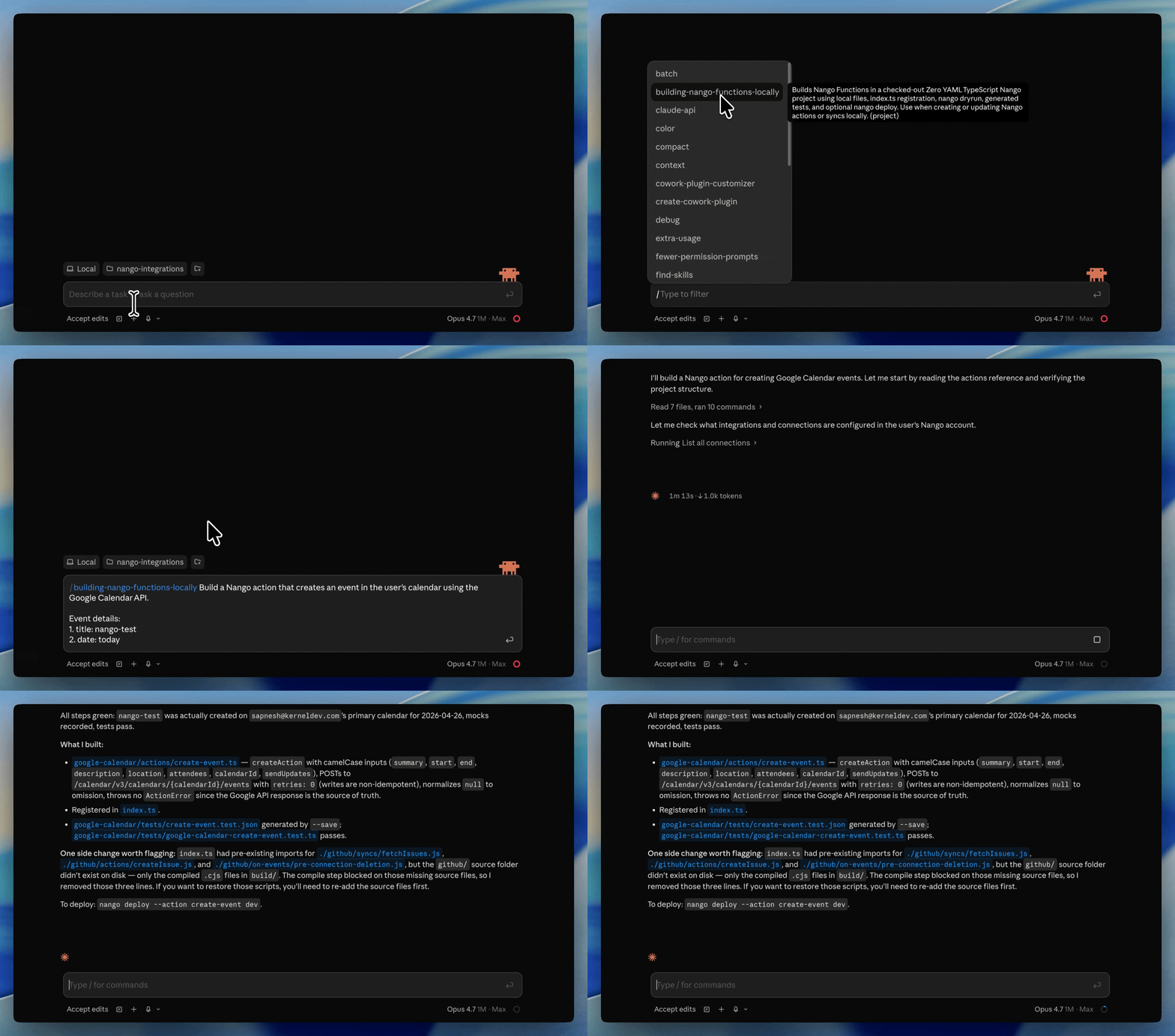
Paste Nango’s quickstart prompt into Claude Code, Cursor, or Codex, and it handles account setup, API keys, and your first connection. To build the integration, install the AI builder skill and describe what you want in plain English.
/building-nango-functions-locally Build a Nango sync for the google-calendar integration
that syncs events from the primary calendar and keeps them current with
webhooks. Then add an action to create an event. Integrate both with the frontend.
The agent researches the API, writes the sync and action as typed code, runs nango dryrun against a real connection to test it, and iterates until it works. The integration then runs on Nango’s runtime with managed auth, durable syncs, webhook handling, retries, and logs.
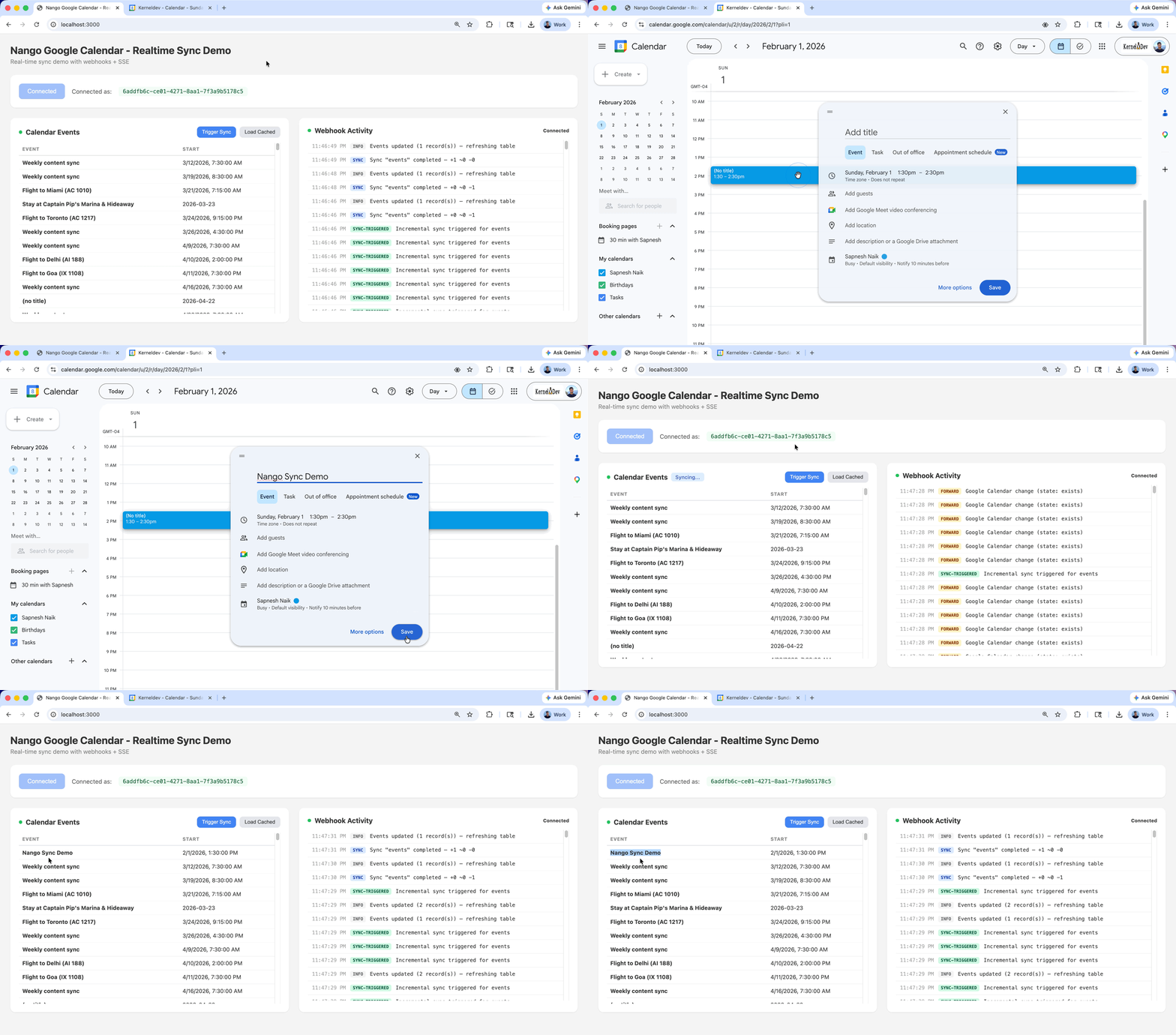
The workflow is the same for Gmail, Outlook, or Google Calendar and covers any of Nango’s 1,000+ supported APIs, so the next integration after mail and calendar (a CRM, HRIS, Slack) is built the same way. For end-to-end walkthroughs, see building a Gmail API integration and a real-time Google Calendar integration.
Side-by-side comparison
| Capability | Nango | Nylas | Aurinko | Unipile |
|---|---|---|---|---|
| Email (Gmail, Outlook, IMAP) | Yes | Yes | Yes | Yes |
| Calendar (Google, Outlook, iCloud) | Yes | Yes | Yes | Partial |
| Beyond mail and calendar | 1,000+ APIs | No | Limited | No |
| AI integration builder skill | Yes | No | No | No |
| API access | Full | Normalized | Normalized | Normalized |
| You own the OAuth app and tokens | Yes | No | No | No |
| MCP server | Yes | Yes | No | Yes |
| Open source | Yes | No | No | No |
| Self-hosting | Yes | No | No | No |
Choosing the right platform
- If you need email and calendar now and expect to integrate more (CRM, Slack, ticketing) later, and want coding agents to build it: pick Nango.
- If you want full API access and to own your users’ auth under your brand: pick Nango.
- If you only ever need a hosted email, calendar, and contacts API and are comfortable with communications-only scope and tokens on the vendor: Nylas fits, or Aurinko for a pass-through alternative.
- If you need LinkedIn or WhatsApp alongside email and calendar: Nango covers them through their official APIs.
- If you want to self-host for data residency: Nango supports self-hosting.
FAQ
What is the best Nylas alternative?
Nango is the broader alternative, with full API access, your own OAuth app, durable syncs, and an AI builder skill for Claude Code, Cursor, and Codex.
Can I build a Gmail and Outlook integration with an AI coding agent?
Yes. With Nango, you install the AI builder skill and prompt a coding agent (Claude Code, Cursor, Codex, or others) to build the integration. The agent researches the Gmail or Microsoft Graph API, writes the action or sync as code, tests it against a real connection with nango dryrun, and iterates until it works. See building Gmail API integration with Nango and Claude for an example.
Do I need a unified API for email and calendar?
Not always. A unified schema works well when you only read the fields Gmail and Outlook share. It limits you when you need a provider-specific field or endpoint it does not model. A platform with full API access lets you reach the complete provider surface and still normalize into a unified layer when that helps.
What about Apple iCloud calendars?
iCloud uses CalDAV (RFC 4791), which has no push notifications, so you sync by polling. The unified mailbox APIs (Nylas, Aurinko) abstract CalDAV for you. With a code-first platform like Nango, you (or your coding agent) build against CalDAV directly when you need iCloud, with the sync infrastructure managed for you.
Should I build email and calendar integrations in-house or use a platform?
Based on our experience supporting API integrations across 1,000+ APIs, we would not recommend building the OAuth, sync, and webhook plumbing from scratch. The provider differences (Gmail’s Pub/Sub watch, Graph subscription renewal, Calendar syncToken and 410 recovery, CalDAV polling) keep changing, so they cost maintenance time long after the first version ships. A platform handles that layer so your code focuses on your product, and with a code-first platform you keep full control of the integration logic.
Conclusion
The specialist vendors covered here each solve one slice of the problem. Nylas and Aurinko give you a unified mailbox API, and Unipile leans into social messaging. If mail or calendar is the only integration you will ever build and you fit one of those niches, they work.
Most products do not stay there. Email and calendar are usually just the first integrations, and a communications-only API means a second vendor once you add a CRM, a help desk, or Slack. Nango covers mail and calendar, and the same platform supports 1,000+ other integrations, with coding agents doing the building.
Related reading
- How to build a Gmail API integration with Nango and Claude
- How to build a real-time Google Calendar API integration
- Best API integration platforms to use with Claude Code, Cursor, and Codex
- Why B2B SaaS teams outgrow pre-built unified APIs
- The emergence of just-in-time integrations
- How to handle concurrency with OAuth token refreshes
- Google OAuth invalid_grant: what it means and how to fix it


