
TL;DR
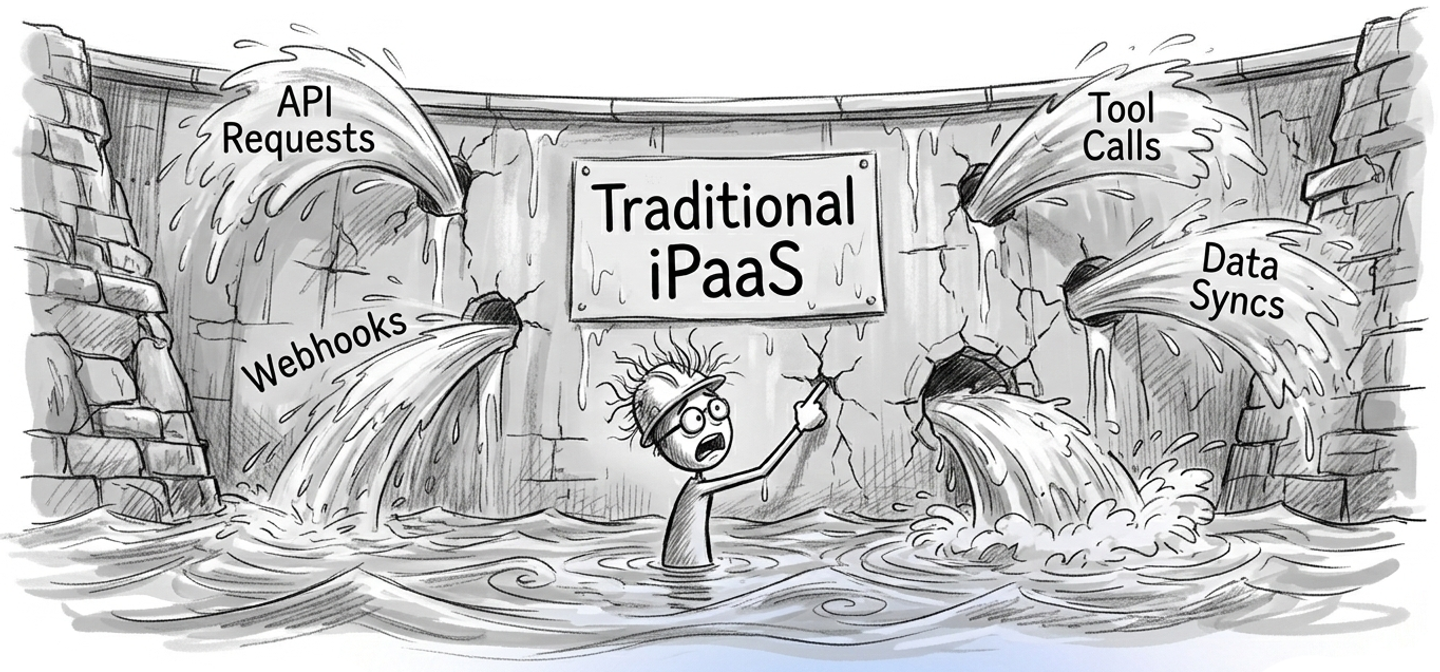
Modern AI agents and SaaS applications require real-time API tool calls and high-volume data syncs. Traditional embedded iPaaS platforms were built for simple, low-code workflows. They often fail at scale due to serialization overhead, strict concurrency limits, and poor webhook processing capabilities.
To handle enterprise data loads reliably, teams need infrastructure with auto-scaling and tenant-level fairness. A code-first approach provides engineers the flexibility to define custom logic, manage complex authentication, and deploy through standard CI/CD pipelines without waiting on vendor roadmaps.
Top embedded iPaaS picks:
- Nango: Best for scalable AI products requiring code-first customizability and high-throughput processing for webhooks, tool calls, and data-syncs across 1,000+ APIs.
- Pipedream Connect: Best for lightweight embedded use cases with a large connector library and serverless execution.
- Prismatic: Best when a low-code workflow builder embedded in your product is the primary requirement.
- Workato Embedded: Best for non-technical teams looking to build one-off if-this-then-that workflows using a visual builder for individual customers.
AI Agents need to call tools in real time, and not wait for a batch sync. RAG pipelines need continuously updated data from dozens of sources. Enterprise customers arrive with large historical datasets that require fast first syncs. And every new customer adds more connected accounts, more webhooks, more concurrent operations.
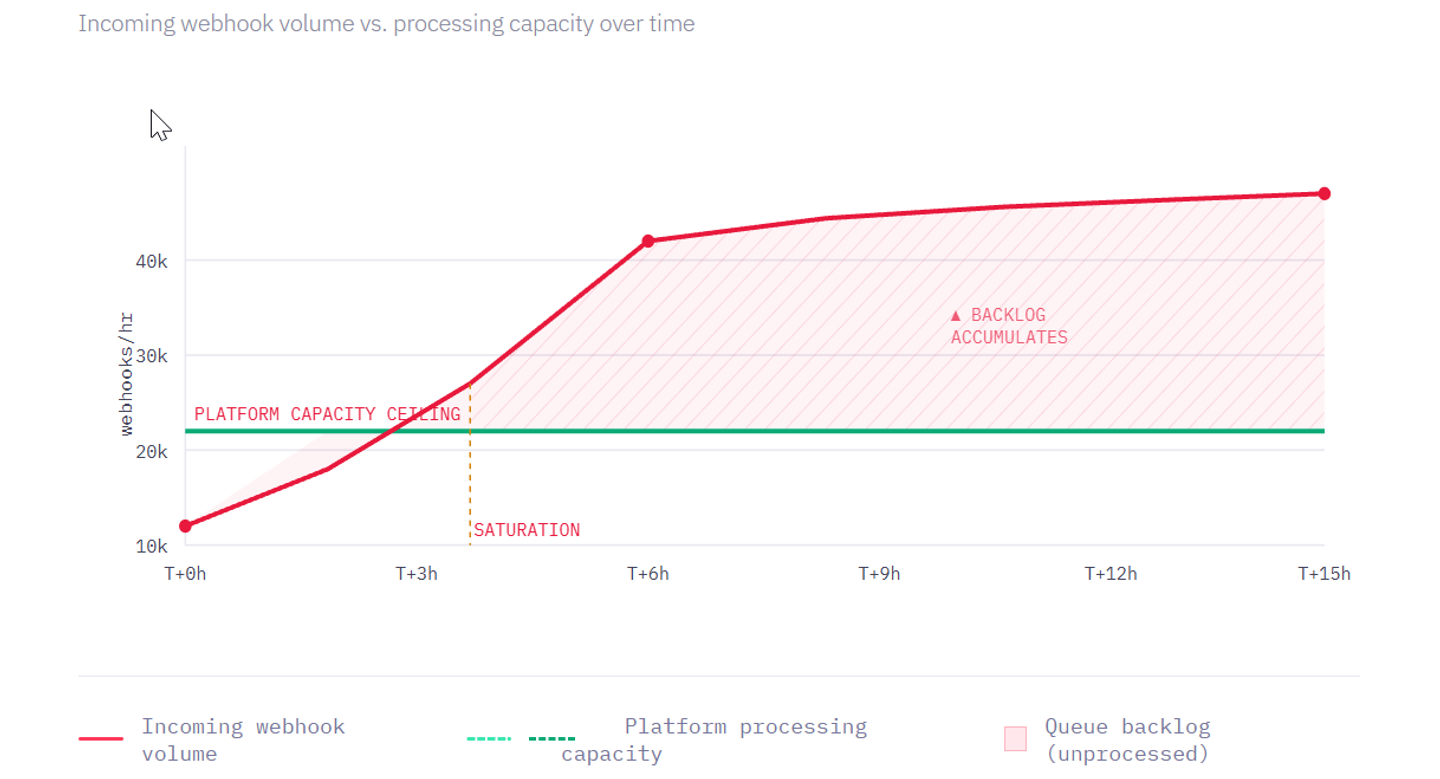
API integration load is no longer predictable. A single enterprise customer onboarding can spike your webhook queue by 10x. A new AI feature can triple your API tool-call volume.
In this article, we evaluate various embedded iPaaS providers on scalability, flexibility, and feature completeness for engineering teams building large-scale SaaS API integrations and AI products.
What are embedded integration platforms (iPaaS)?
An embedded iPaaS (integration Platform as a Service) is infrastructure you build into your SaaS or AI product to offer native integrations with your customers’ tools.
Unlike internal iPaaS tools (Zapier, Make, n8n), embedded iPaaS runs inside your product and under your brand. Your customers connect their accounts through your UI. Your product calls the external APIs. The platform handles auth, retries, rate limiting, and execution.
Common integration patterns an iPaaS needs to support:
- API Auth: Support a wide range of external APIs and handle the underlying complexity.
- Tool calls: Build reliable tool calls so your AI agent can trigger external actions.
- Data syncs (imports): Fetch records from an external API and keep them current (e.g., sync all CRM contacts to your database).
- Webhooks & Triggers: Receive and handle webhooks from supported external APIs in real time (e.g., “a deal was closed in Salesforce”) or create a polling trigger to periodically check for API updates.
- 2-way syncs: Read and write between your product and external systems with conflict resolution.
- Per-customer configuration: Custom field mappings, filters, and other per-customer settings for each integration.
Many platforms support only a subset of these patterns, and even fewer support them at scale.
When embedded iPaaS doesn’t scale
Most embedded iPaaS products were designed primarily for simple, custom workflows. They were not architected for high-throughput execution. We detailed these architectural limits in why embedded iPaaS are a bad idea.
When evaluating iPaaS platforms, engineers frequently encounter the following bottlenecks:
- Serialization overhead. Every action in a low-code workflow passes through a serialization/deserialization layer, adding latency to each step. For workflows processing thousands of records, the overhead can add up to minutes or hours.
- Concurrency limits: Many platforms enforce strict limits on parallel execution. This creates queueing problems in which a small customer’s workflow can be blocked for hours while waiting behind a large enterprise customer’s data sync.
- No data sync or webhook support: Most platforms limit integrations to simple trigger-and-action logic. They lack support for continuous data syncs or forward high-volume webhooks directly from external APIs without triggering expensive workflow actions.
- Limited extensibility: Engineers often have limited ability to add support for new APIs or define custom actions. If the platform lacks a specific connector, teams are blocked waiting on the vendor’s roadmap.
Key features for scalable and flexible embedded iPaaS
To reliably process data for enterprise accounts and AI agents, an embedded integration platform must support:
- Broad API coverage: The platform should support authentication with a wide range of APIs using OAuth, API keys, JWT, basic auth, and other standard methods.
- On-demand or scheduled data syncs (imports): Support for scheduled or on-demand syncs with pagination, incremental updates, change detection, and deduplication should be available in the platform.
- Auto-scaling infrastructure: The underlying infrastructure must auto-scale with virtually no limits and low latency to handle traffic spikes, manage millions of connected accounts, and process millions of webhook events or synced objects.
- Tenant Isolation & fairness: The platform must isolate workloads to prevent a massive enterprise data sync from degrading the performance of smaller accounts.
- Flexibility & extensibility: Engineers need the flexibility to define custom tool-calls and actions, add unsupported APIs, and process webhooks by either forwarding them or triggering an action/sync. Even better if the platform is code-first and supports building them using your favorite AI coding agent.
- Deep observability. Every external API request, every tool call, every sync run should produce structured logs, export to OpenTelemetry with custom log messages from your integration code, and clear error traces.
Best scalable and flexible embedded iPaaS platforms
Nango
Overview
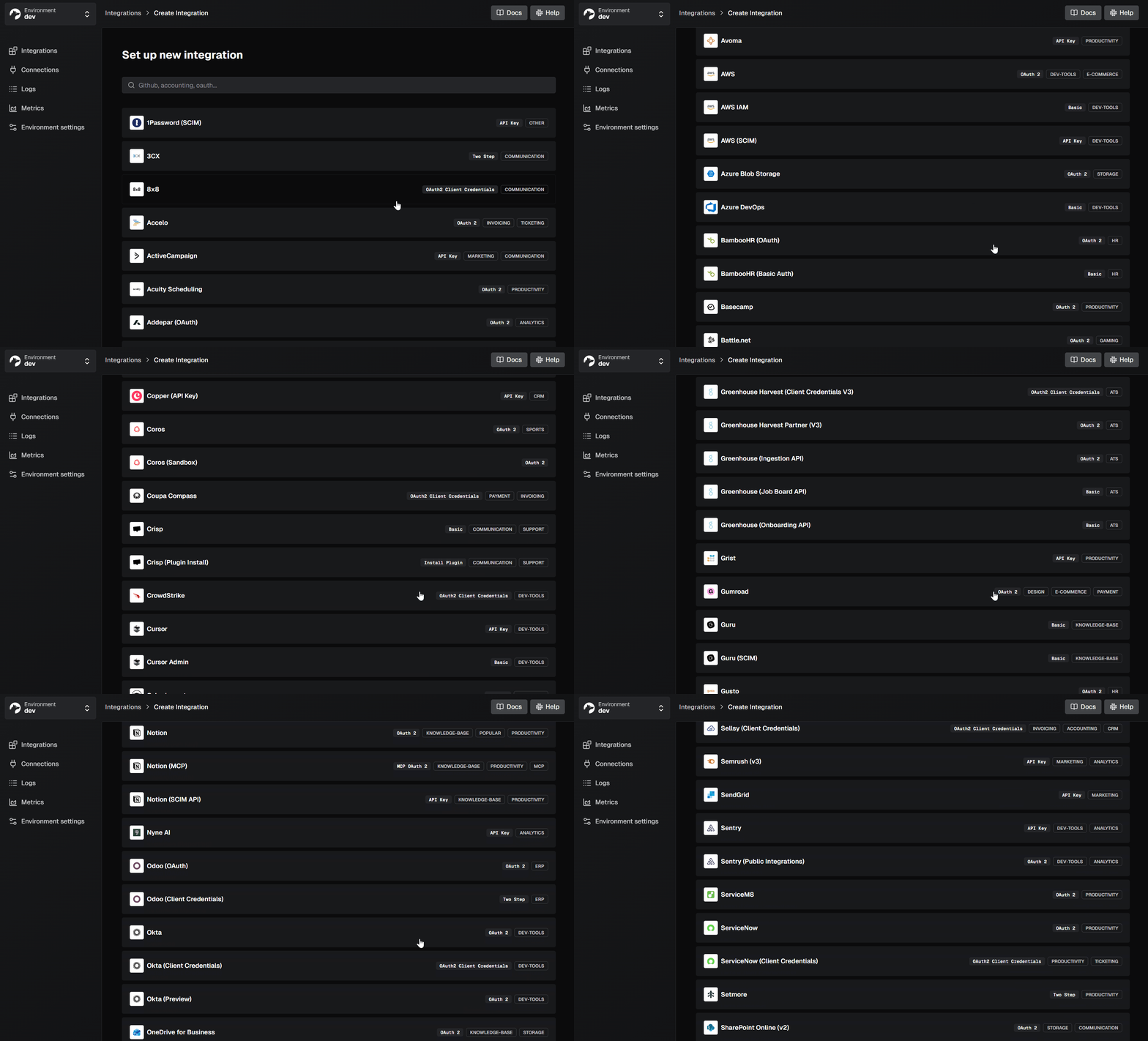
Nango is an open-source embedded integration platform built for production-scale, code-first integrations. It supports 1,000+ APIs across 30 categories and is used by hundreds of teams as core infrastructure for their product integrations.
Instead of wrapping integrations in a low-code UI, Nango exposes them as code: functions that live in your codebase, deploy through your CI/CD pipeline, and can be written or modified with any IDE or AI coding assistant. The platform handles auth, data syncs, webhook ingestion, rate limiting, retries, and execution infrastructure.
Best for
Teams building large-scale API integrations for their product, especially AI-native products that require custom tool calls, RAG data syncs, or real-time webhook processing at scale, along with auth for a wide range of external APIs. You also get a lot of flexibility in working with an open-source platform that encourages customization and enhances your existing IDEs/AI-Coding Agents with Nango-specific skills.
Pros
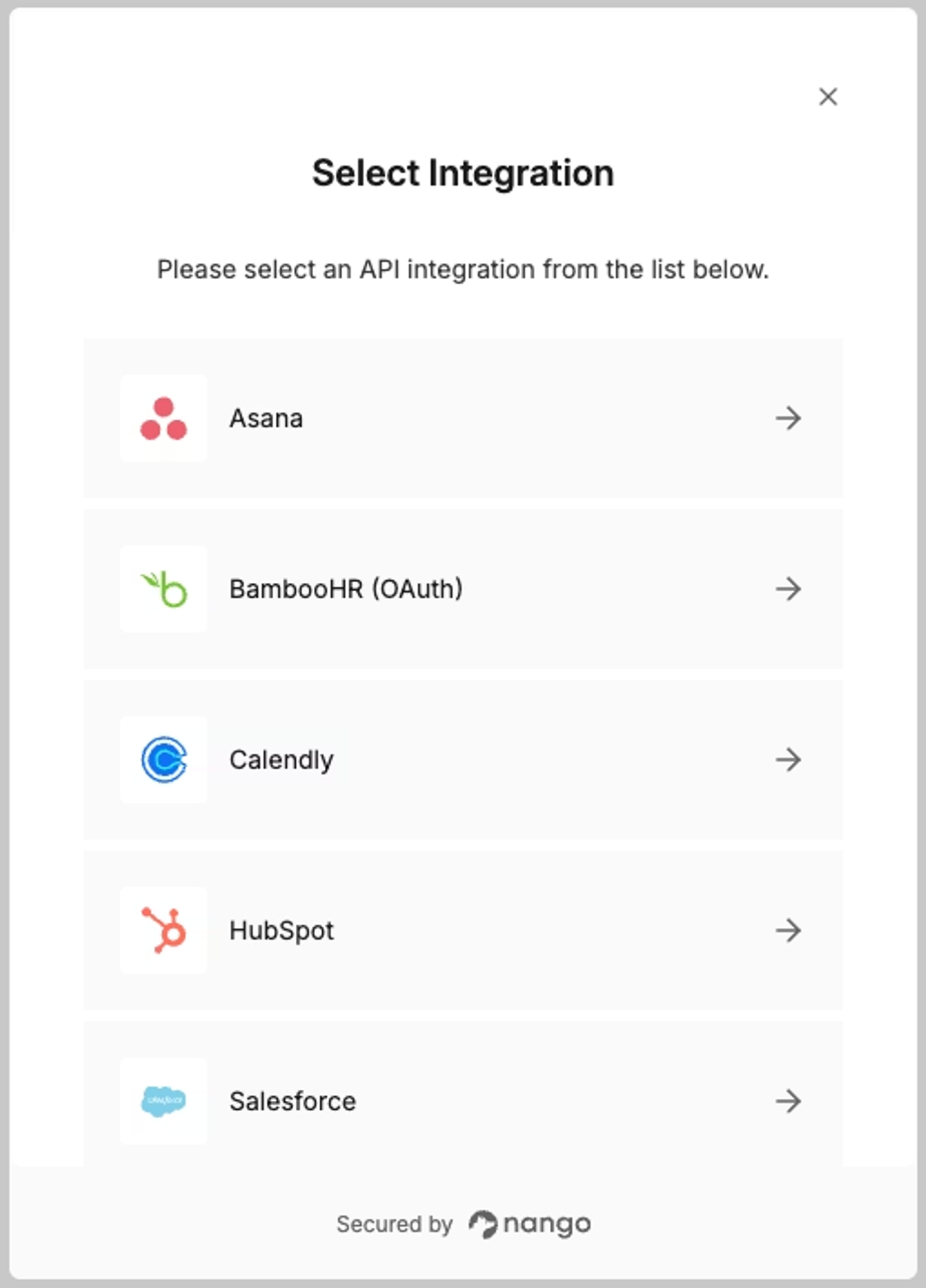
- Wide API support: Supports over 1,000+ APIs spanning 30 categories out of the box. Nango also implements all auth types supported by a provider with a pre-built drop-in UI.
Tip: You can ask Nango to add support for new APIs or contribute support for a new API yourself.
- Scales in every dimension: Nango processes billions of API requests per month. The infrastructure auto-scales on traffic surges, webhook floods, and large enterprise syncs. We built a custom Postgres-based task orchestrator to reliably handle this throughput.
- Tenant Isolation & fairness: Provides robust tenant isolation for each customer’s integration, isolating performance impacts.
- AI tool calls and MCP server: Nango is code-first and AI-ready: Nango provides skills for your AI coding agents to build custom tool calls. You can also use the Nango MCP server with your in-product AI agent to trigger Nango tool-calls.
Input prompt (Example):
I want to build a Nango action that will get available contact
fields from Salesforce
Integration ID: Salesforce
Connection ID: my-salesforce-connection
Inputs: channel_id
Outputs: id, name, is_private
API Reference: https://developer.salesforce.com/docs/.../
  resources_sobject_describe.htm
Output (Simplified):
export default createAction({
  description: `Fetches available contact fields from Salesforce`,
  input: z.void(),
  output: MyObject,
  exec: async (nango) => {
    const response = await nango.get({
      endpoint: '/services/data/v51.0/sobjects/Contact/describe'
    });
    return {
      fields: mapFields(response.data)
    };
  },
});- Native Data Syncs: Syncs are a first-class primitive: define what to fetch, how often, and Nango handles pagination, incremental updates, change detection, and deduplication. No scheduled workflows required.
export default createSync({
  exec: async (nango) => {
    // Sync execution polling logic
  }
});- Logging & observability: Produces detailed logs for every external API request and allows exporting traces to any OpenTelemetry receiver.
Pipedream Connect
Overview
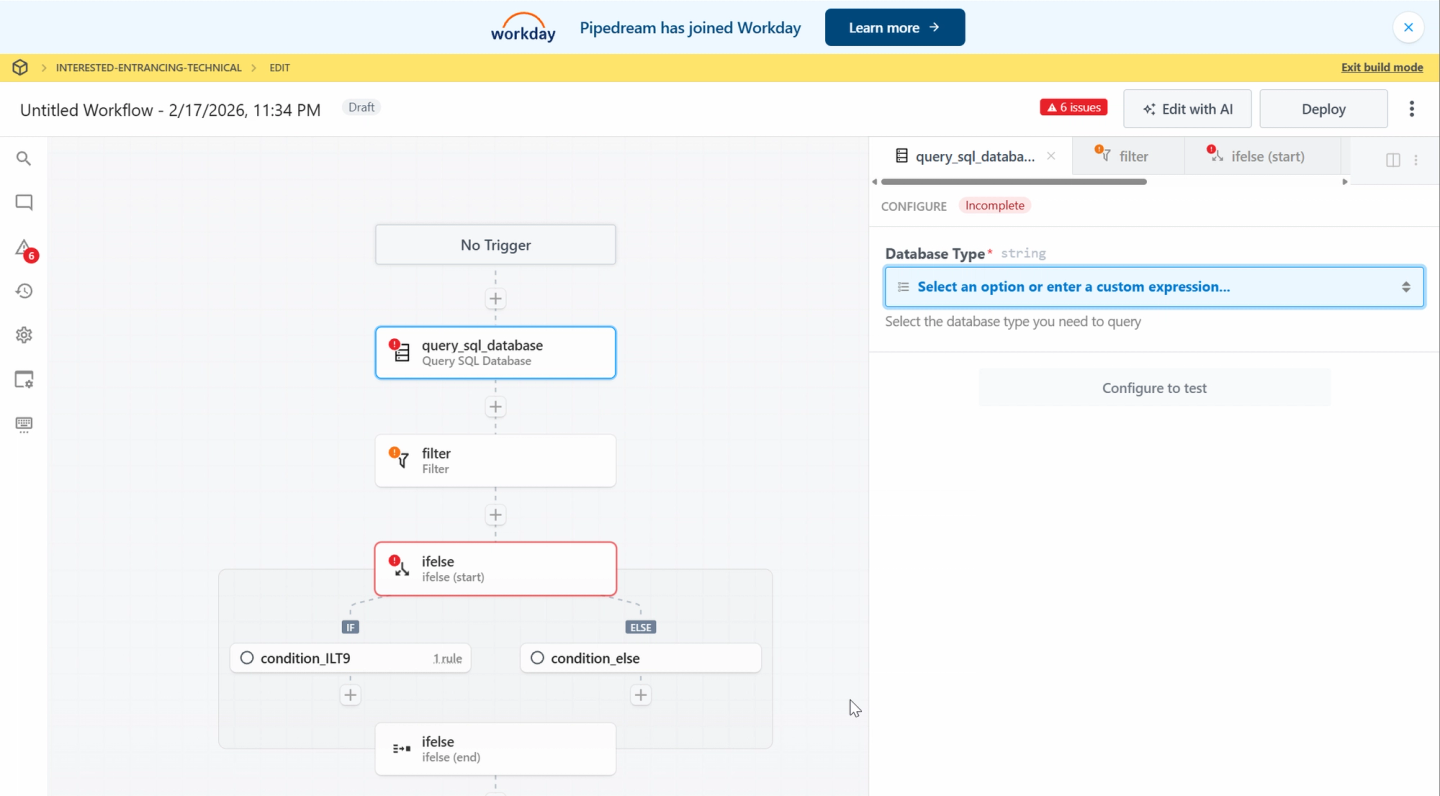
Pipedream Connect is the embedded version of Pipedream’s serverless integration platform. It offers a large library of pre-built actions for 2,000+ APIs and lets you embed auth flows directly into your product so users can connect their accounts.
Best for
Teams that need a low-code UI-based builder with access to a large library of pre-built simple actions, and do not require high-volume data syncing for RAG or complex real-time triggers.
Pros
- Large library of pre-built triggers and actions.
- Embeddable OAuth flows for fast user onboarding.
- Provides a low-code interface for building tool-call workflows.
- Serverless execution model with pay-per-invocation pricing.
Cons
- Processing large batches of data through workflow steps can lead to higher latency.
- Lacks support for two-way data syncs.
- Less suited to integrations that require deep customization per customer (due to the low-code UI based approach).
- Pipedream was acquired by Workday (an Enterprise HR platform) in November 2025. You can read their announcement here.
Prismatic
Overview
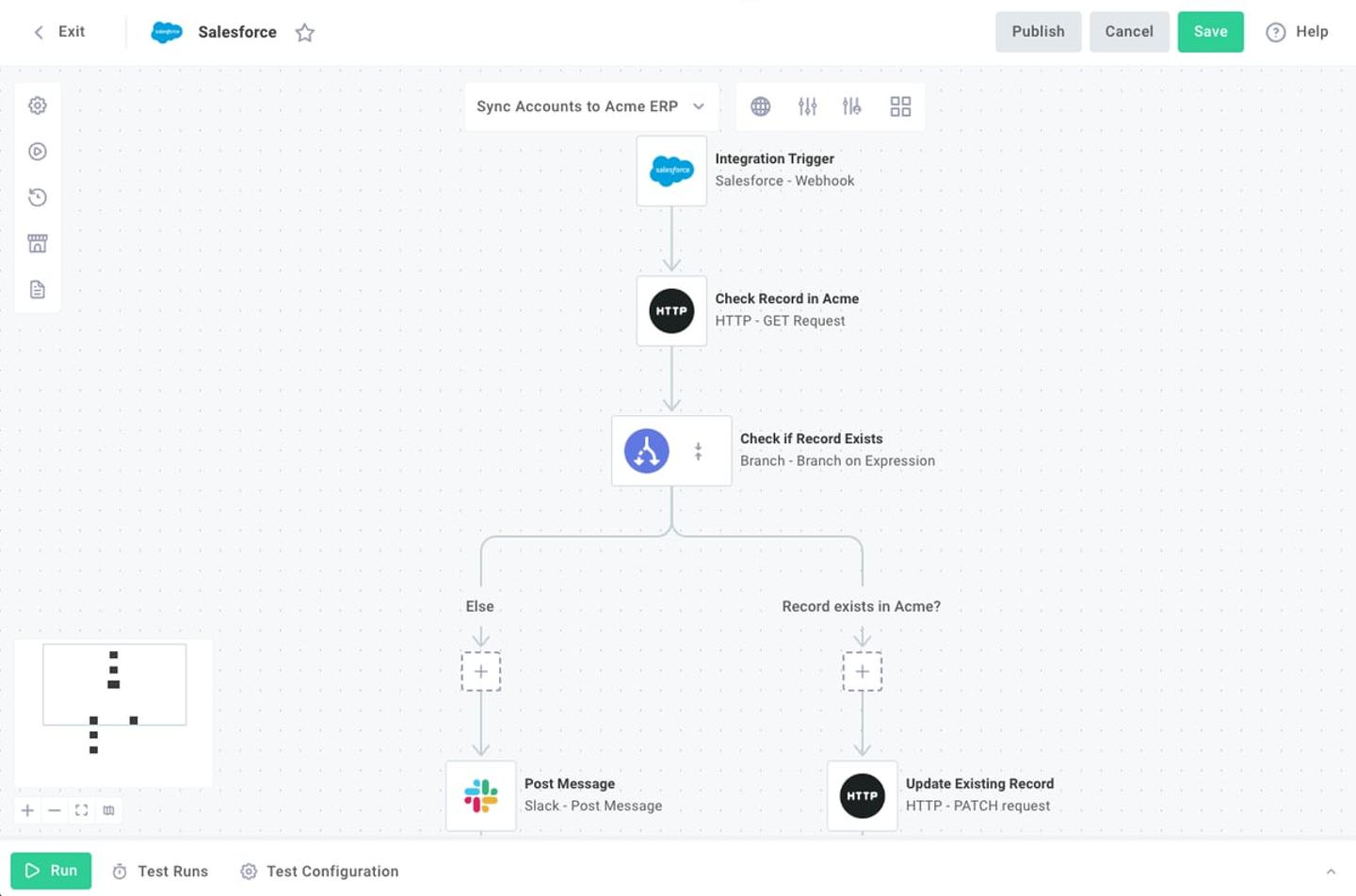
Prismatic is an embedded iPaaS designed to cater to both technical and non-technical builders. It provides a low-code visual workflow builder alongside a code-based SDK, and offers a white-label integration marketplace you can embed in your product for customers to self-serve.
Best for
Organizations want to embed a visual workflow builder directly into their applications so end users can build their own logic.
Pros
- Offers an embedded workflow builder that enables customers to create custom workflows themselves.
- Includes an embeddable integrations marketplace, allowing customers to discover and activate integrations independently.
- Supports both code-based and low-code integration development.
Cons
- Restricts functionality primarily to simple if-this-then-that integration styles.
- Does not support 2-way data syncs, LLM tool calls, and scalable webhook processing.
- Platform concurrency limits (15-minute max workflow duration, 1 GB memory) constrain enterprise-scale operations.
- Developers cannot view or modify the code for pre-built connectors.
Workato (Embedded)
Overview
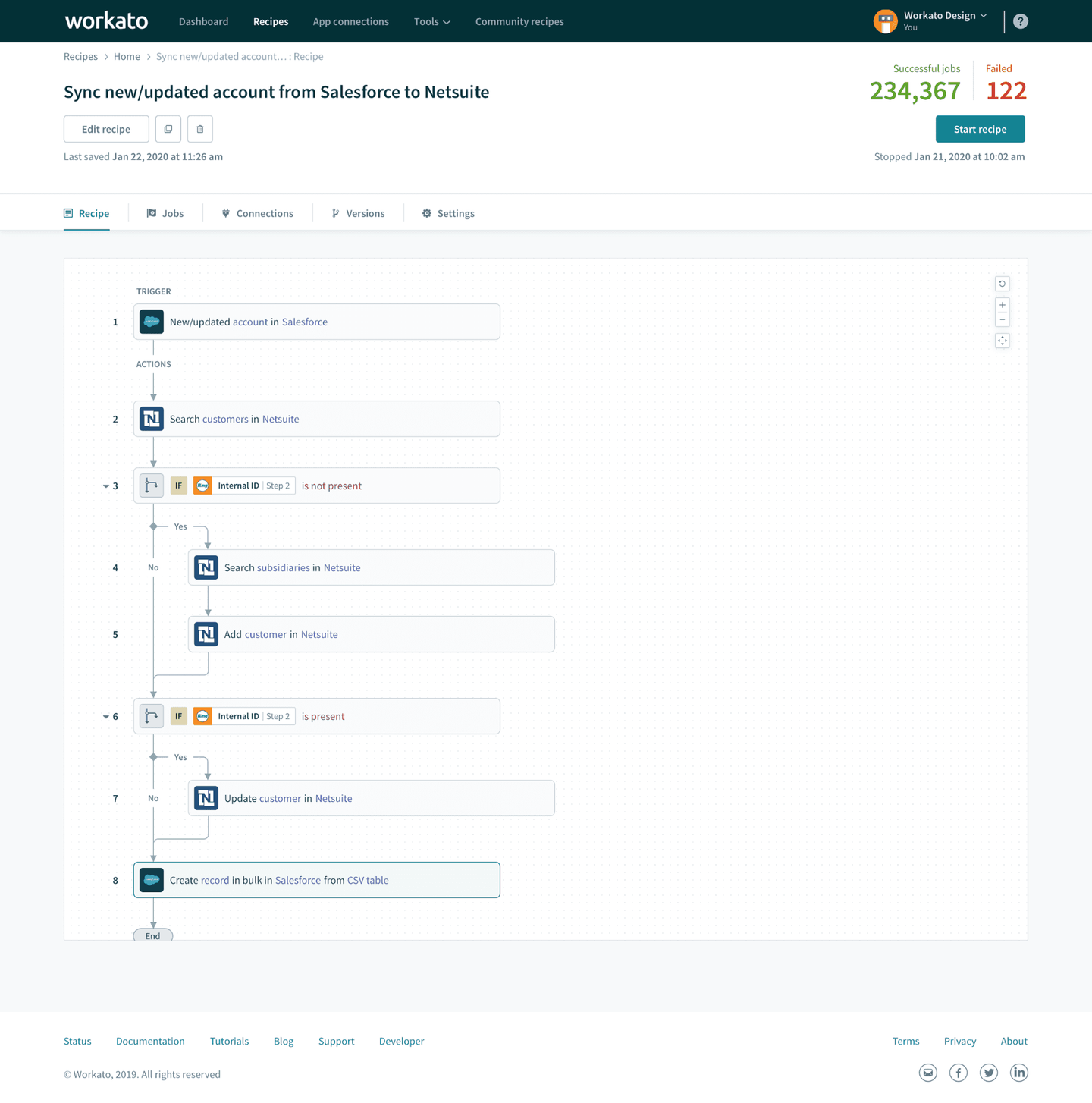
Workato Embedded is the white-label version of Workato’s enterprise iPaaS. It provides an extensive library of pre-built actions and a visual workflow builder, with embeddable widgets you can surface in your product via iFrames.
Best for
Non-technical customer success teams looking to build one-off if-this-then-that workflows using a visual workflow builder for individual Enterprise customers.
Pros
- Features an extensive library of pre-built actions for popular APIs.
- The visual builder includes features for designing user interface screens and wizards.
- Provides options to embed specific widgets or the entire workflow builder via iFrames.
Cons
- Only supports if-this-then-that workflows and does not handle data syncs, LLM tool calls, or advanced webhook processing.
- Low-code-only: cannot build integrations in code; custom connectors have limited feature support.
- Engineers cannot modify the underlying logic of pre-built actions, so they must build custom connectors from scratch if changes are needed.
Comparison of solutions
| Feature | Nango | Pipedream Connect | Prismatic | Workato Embedded |
|---|---|---|---|---|
| Primary focus | Scalable AI Product Integrations | Lightweight embedded workflows | Low-code embedded iPaaS | Enterprise visual automation |
| AI Agent (LLM) tool calls | Yes | Partial | No | Via low-code only |
| AI Coding agent/IDE skills | Yes (code-first with AI coding skills) | No | No | No |
| Data syncs | Yes (native, incremental) | No | No | No |
| 2-way sync | Yes | No | No | No |
| Webhooks at scale | Yes (high-throughput) | Limited | Limited | Limited |
| Auto-scaling infrastructure | Yes (billions of req/month) | Serverless (limited) | No (hard concurrency limits) | No (hard limits) |
| Tenant-level fairness | Yes | No | No | No |
| Add new APIs yourself | Yes (open-source) | Limited | No | No |
| Observability | Deep (OTel, custom logs) | Basic | Basic | Basic |
How we evaluated these platforms
We assessed each platform across five dimensions:
- Scalability: Can the platform handle millions of connected accounts, webhook floods, and large first syncs without degrading performance for other tenants? Does it auto-scale?
- Flexibility: Does the platform support the full range of integration patterns: data syncs, 2-way syncs, tool calls, webhook processing, and per-customer configuration?
- Extensibility: Can engineering teams add support for new APIs, customize existing connectors, and build without waiting on the platform vendor?
- Developer experience: Does the platform integrate with existing engineering workflows, including code-first development, CI/CD, and standard tooling?
- Observability: Are there detailed logs for every API request, sync run, and tool call? Can you export traces to your existing monitoring infrastructure?
FAQ: Scalable embedded iPaaS
Is Nango better than a traditional embedded iPaaS?
Nango occupies a different position than most embedded iPaaS platforms. Traditional embedded iPaaS tools (Prismatic, Workato Embedded) prioritize low-code workflow configuration and embeddable UI for end users. Nango prioritizes code-first flexibility and scalable infrastructure. If your team needs to build deep, high-throughput integrations as a core product capability, Nango is likely a better fit. If your primary need is letting non-technical customers configure simple automations themselves, a low-code embedded iPaaS may be more appropriate.
How do I choose the right embedded iPaaS?
Start with your integration requirements. If you need continuous data syncs, high-volume webhook processing, or LLM tool calls, most embedded iPaaS platforms are not a good fit. Next, evaluate scalability requirements: how many connected accounts will you have? What’s your peak webhook volume? Finally, consider developer experience: will integrations be maintained by engineers who prefer code, or by non-technical operators who need a visual builder?
Which embedded iPaaS scales to millions of webhook events?
Of the platforms reviewed, Nango is designed specifically for this. Its infrastructure processes billions of API requests per month and ingests webhooks at high throughput with tenant-level isolation. Other embedded iPaaS platforms, including Prismatic and Workato Embedded, enforce strict concurrency and execution limits, making them unsuitable for webhook-heavy workloads.
Which embedded iPaaS supports custom objects and fields?
Nango is a good choice for integrations with custom objects & fields. Full API access and built-in per-customer configuration make it easy for engineers to design integrations that read or write any custom field or object. Nango also understands data schemas and lets you decide whether to normalize into a unified data model or keep API-specific fields.
Why are custom fields and objects important for embedded iPaaS?
Enterprise customers heavily customize their CRM and ERP systems. Salesforce deployments often include dozens of custom objects and hundreds of custom fields specific to that company’s processes. If your product needs to read or write this data for AI context, reporting, or workflow automation, you need direct API access, not a normalized schema.
Where can I find a flexible embedded iPaaS with webhook support?
Nango is the strongest option for teams that need both flexibility and scalable webhook processing. It supports webhook ingestion and routing natively, alongside syncs, tool calls, and 1,000+ API connections. Because it’s open source and code-first, you’re never limited by what the platform has prebuilt.
Conclusion
A scalable, flexible embedded integration platform treats integrations as code rather than workflows. When integration logic lives in your codebase, you can optimize, version, test, and adapt it as your product and your customers’ needs evolve.
Low-code embedded iPaaS platforms are helpful for simple trigger-action automation. They struggle when integrations scale, data volumes, or pattern complexity exceed their design assumptions.
If you’re building integrations as a core product capability, and not a secondary feature, choose infrastructure designed for it, since product integration infrastructure is harder than you think.
Related reading:


