
When integrating your in-product agent or SaaS with enterprise software such as SAP, NetSuite, ServiceNow, and Workday, you’ll need an integration provider that supports custom records, permissions, and business rules for each customer’s account.
For example, a NetSuite integration may require subsidiary filters and a million-record backfill while working within API rate limits. You probably will need to extend pre-built actions/syncs to cover all edge cases. Repeating that work for each customer adds maintenance and can delay onboarding.
We compare five integration platforms for connecting Enterprise Software systems to AI agents and SaaS products. The evaluation covers custom schemas, per-customer configuration, reliable syncs, and support for missing APIs.
TL;DR
- Nango: Best for deep, customized enterprise agent integrations that need per-customer logic, managed execution, and self-hosting/BYOC options.
- Merge: Best for shipping standard HRIS and accounting integrations when its common models cover your product’s requirements.
- Paragon: Best for teams that want to build embedded workflows with a visual editor and code.
The list also includes Prismatic for configurable customer deployments and Apideck for unified accounting and HRIS APIs. Our embedded integrations platform guide covers use cases beyond enterprise systems.
How to evaluate platforms for integrating with enterprise software
Evaluate platforms against a customer’s customized tenant to find those gaps before committing:
- Custom fields and objects: Test schema discovery, custom-record reads and writes, and tenant-specific mappings. Include an object outside the platform’s standard model.
- Missing APIs: Does the delivery estimate cover authentication, a working action, or a production sync? Check unsupported endpoints as well as missing providers.
- Customer configuration: Can support inspect account IDs, subsidiary filters, report URLs, and field mappings per customer?
- Customer onboarding: Check white-label authorization, branding controls, and separation of each customer’s credentials and configuration.
- Development access: Confirm who provides the sandbox and renews access. Check support for mock tests between access windows; verify custom fields, permissions, and authentication live.
- Bulk and incremental syncs: Test a million-record backfill, interruption, updates, and deletions. Check pagination, checkpoints, bulk endpoints, and per-customer concurrency controls.
- Deployment and security: Check self-hosting and bring-your-own-cloud (BYOC) options, EU data and log residency, and SOC 2 reports. See our compliance comparison for procurement requirements.
- Cost at volume: Compare vendor quotes for the same workload of 100 customers, each with a million-record initial sync and 1% daily changes. Include API lookups, retries, storage, data transfer, and additional environments. For per-record pricing, check whether updates and re-syncs count again, and how long stored records remain billable.
Best platforms for integrating with customers’ enterprise systems
1. Nango
Overview
Nango connects your AI agent or product to customers’ enterprise systems, including NetSuite, SAP, ServiceNow, and Workday. You can extend integrations to access custom records and endpoints exposed by each system’s API.
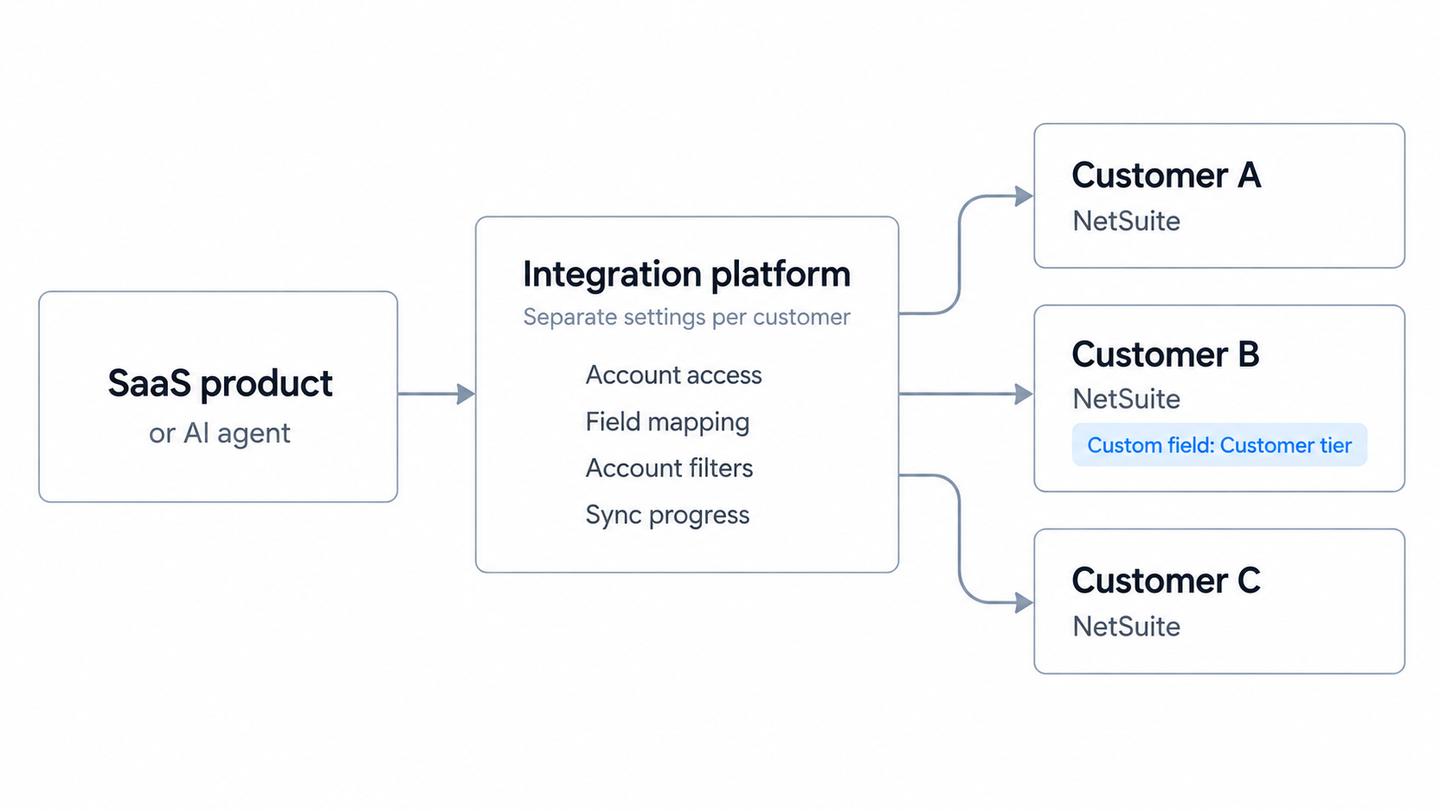
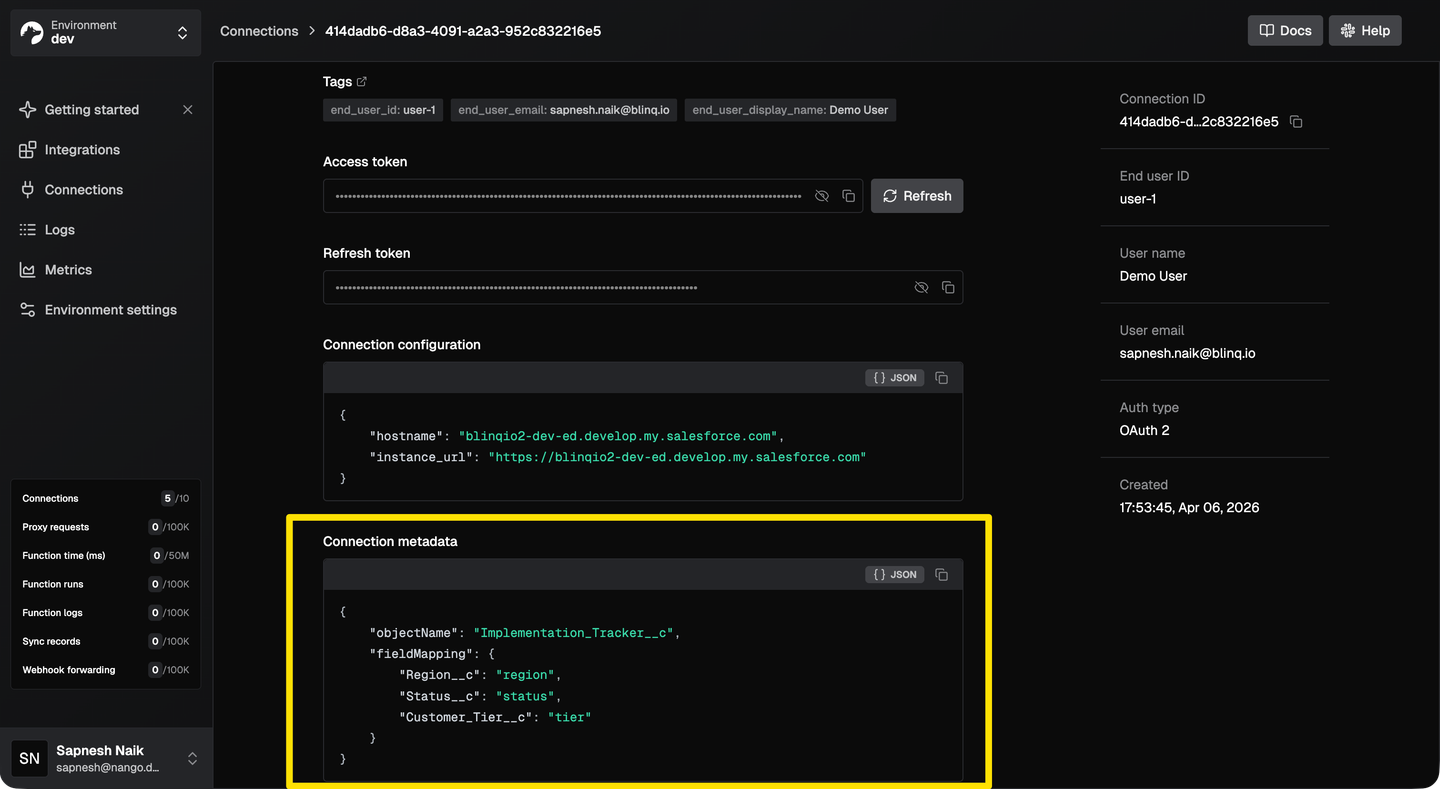
For example, one customer’s NetSuite integration can use different subsidiary filters and field mappings from another’s. Each connection stores its own credentials and configuration, while both use the same integration code. Engineers can build and modify that code with coding agents; Nango Cloud runs it on managed infrastructure.
For deep, customized enterprise integrations, Nango combines an extensible catalog of 1,000+ APIs coupled with 10,000+ pre-built tools for agents. Self-hosting/BYOC supports enterprise procurement requirements.
Best for
AI agents and products that need fully-featured integrations support for multiple enterprise systems with support for custom records, specialized endpoints, or different integration behavior for each customer.
Pros
- 10,000+ pre-built tools for 1,000+ APIs: Existing integration code gives your team a starting point for customer requests. Nango adds support for missing public APIs in under 48 hours. Your engineers can also add HTTP or SOAP integrations themselves.
- Every integration type covered: Auth, tool calls, triggers, and syncs run on one platform. Your product or AI agent can combine ongoing record synchronization with event-driven actions and on-demand reads and writes.
- Quick to get started and extensible: The quickstart gets you to a first connection. Your team can extend the integration with Claude Code, Cursor, or Codex while Nango’s managed runtime handles execution.
- Custom schemas and per-customer configuration: Native API access lets your code work with provider-specific fields and objects. Connection metadata holds customer-specific mappings and subsidiary filters, so one integration can accommodate different schemas and business rules.
- Testing between sandbox access windows: Saved API response mocks let your team test mappings and pagination after sandbox access expires. This keeps development moving between access windows, though authentication and permissions still need live verification.
- Recoverable syncs and connection logs: Incremental syncs reduce repeat reads where the API supports them. Checkpoints let interrupted backfills resume, while your code controls request concurrency. Logs filtered by connection help trace failed requests and validation errors to the affected customer.
- Enterprise deployment options: Enterprise self-hosting/BYOC supports your own AWS, GCP, or Azure account. EU hosting requires BYOC. Nango lists SOC 2 Type II compliance for procurement reviews.
Cons
- Nango has no visual workflow builder. Ops teams without engineers should consider an embedded iPaaS with one. Engineers must maintain the integration code, even when a coding agent writes it.
2. Merge
Overview
Merge is a Unified API that maps supported provider data into common models and runs scheduled syncs. Its enterprise integrations include Workday for HRIS and NetSuite for accounting.
Best for
Teams shipping standard HRIS and accounting integrations for SaaS products when common models fit well.
Pros
- For data covered by its common models, Merge handles the sync and provider-specific mapping.
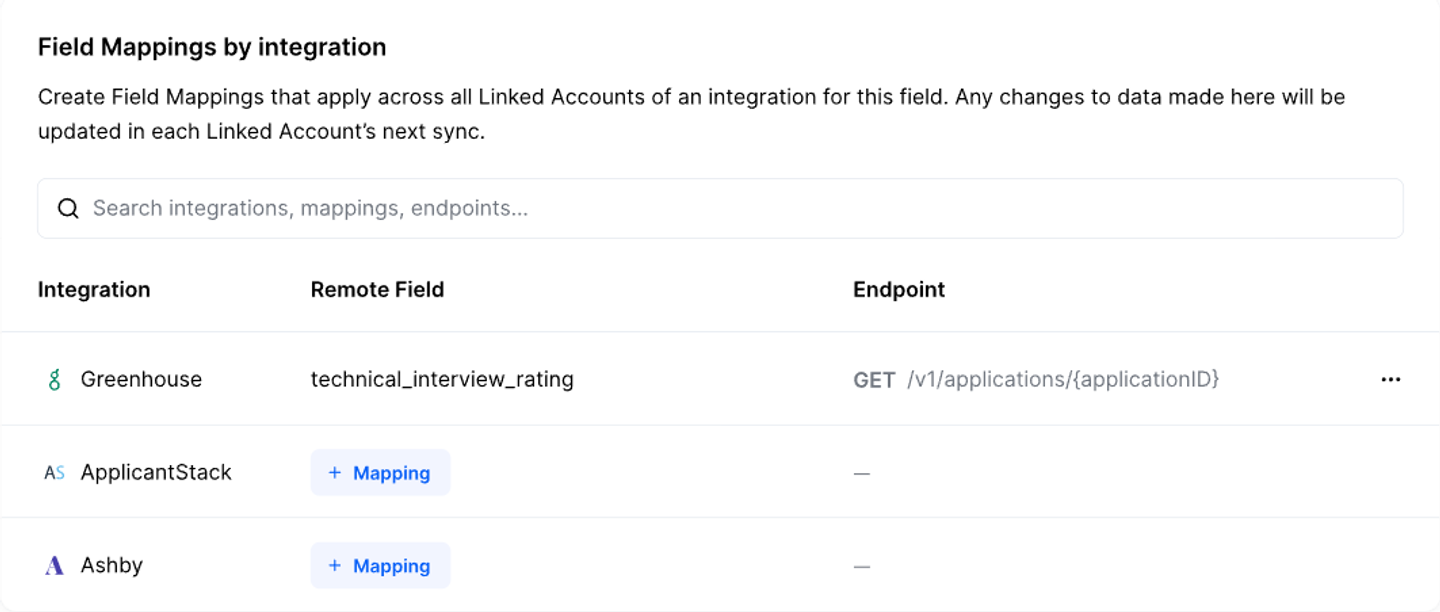
- Field Mapping supports custom fields and mappings per Linked Account. Remote Data and passthrough requests provide access beyond normalized fields.
- Third-party developer sandboxes are included for 60 days on Professional, with unlimited access listed on Enterprise.
Cons
- Merge supports custom fields, but its normalized Custom Objects feature is only for CRM. If you need a custom NetSuite record or Workday object that is not documented.
- Custom endpoints accessed through passthrough still require provider-specific code, reducing the reuse offered by common models.
- Custom fields support requires Professional or Enterprise on Merge.
3. Paragon
Overview
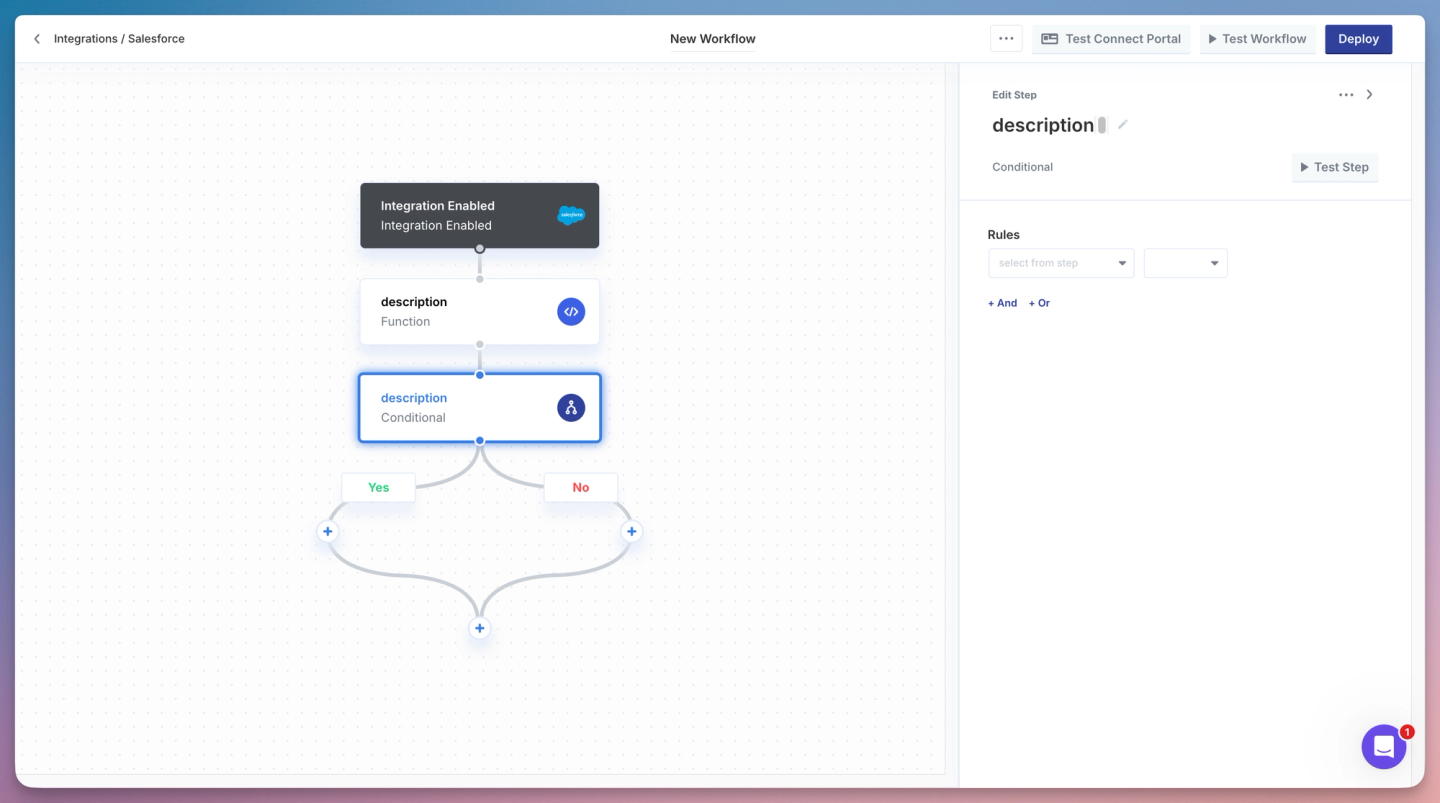
Paragon is an embedded iPaaS offering Workflows, Managed Sync, and ActionKit. You can build workflows in its visual editor or in TypeScript. Its enterprise integrations include NetSuite connectivity and API access to Workday.
Best for
SaaS teams embedding enterprise integrations through low-code workflows with customer-specific configuration.
Pros
- A visual editor supports low-code workflows, with TypeScript and CI/CD for engineering teams.
- User Metadata and Function steps support custom mappings using provider schemas.
- Dynamic Field Mapping is available on Enterprise.
Cons
- Custom schemas require additional implementation where native Field Mapping is unavailable, including schema retrieval and transformation code.
- Workday is API-only: packaged workflow actions are still in development, though its Request step supports custom API calls. Check the operations available in the Paragon product you plan to use.
4. Prismatic
Overview
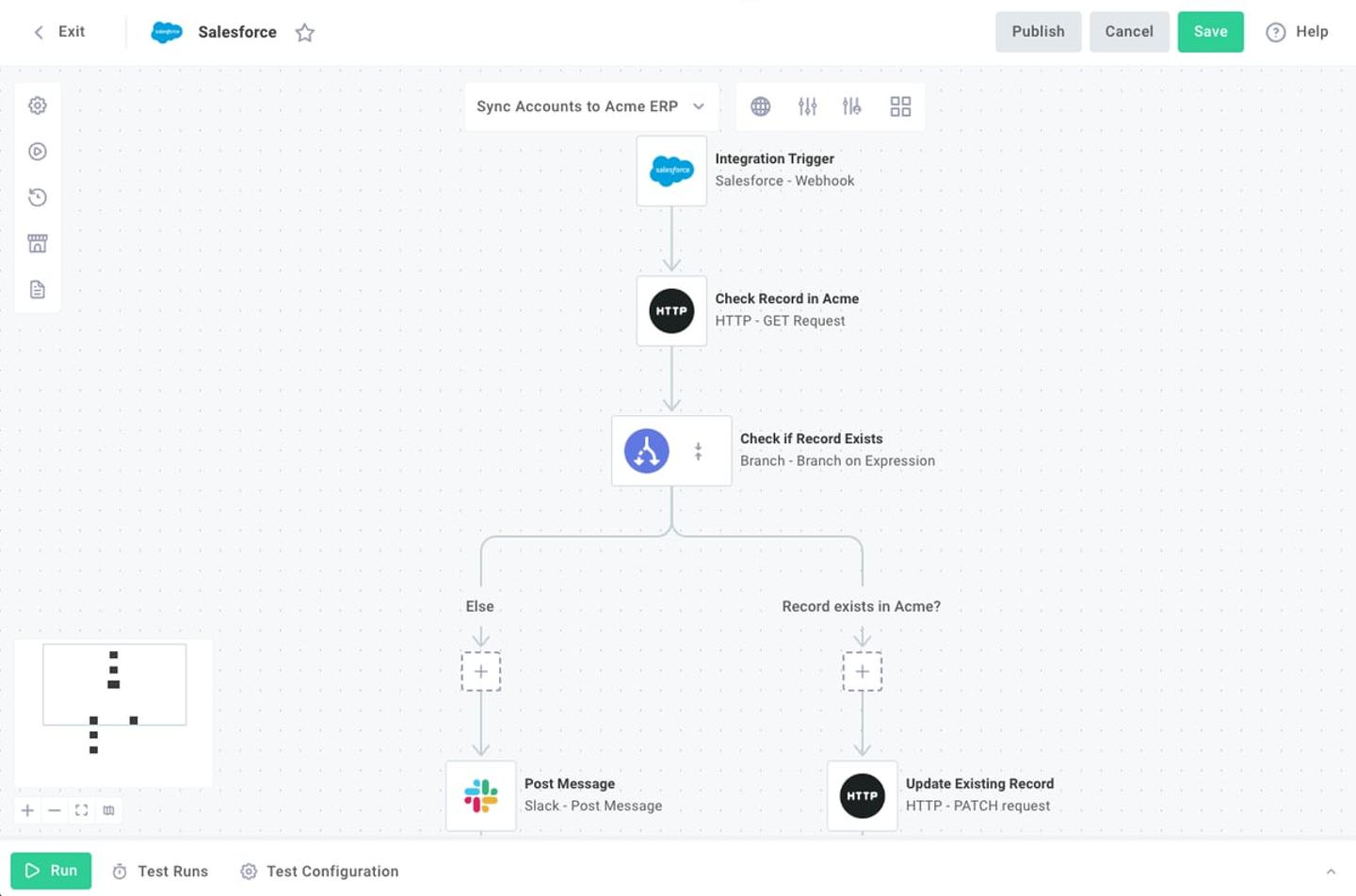
Prismatic is an embedded iPaaS that lets you build an integration and deploy a configured instance for each customer. It supports code and visual development, custom components, and connections to on-premises systems.
Best for
B2B software teams that need to configure integrations for individual customers or connect to systems on private networks.
Pros
- Deploy the same integration to multiple customers, each with separate settings and credentials.
- Modify Prismatic-built components using their available source code.
- The on-premises agent connects integrations to resources inside customers’ private networks.
Cons
- Each execution has a 15-minute limit, so backfill batches must fit within that window.
- Private hosting requires a customer-owned AWS account. The on-premises agent provides connectivity to private networks, rather than hosting the platform there.
5. Apideck
Overview
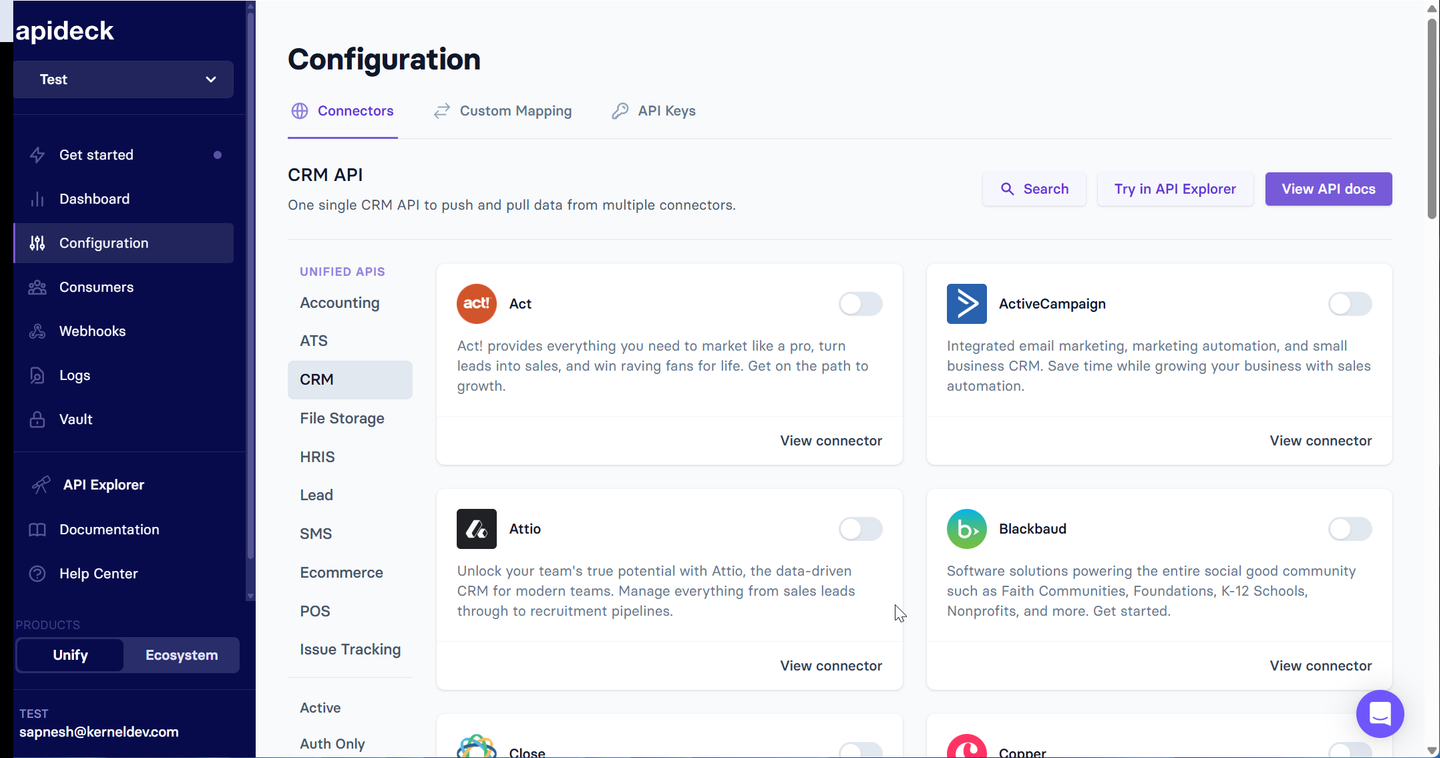
Apideck provides unified APIs for accounting, HRIS, and other categories. It supports NetSuite and Workday and uses Vault to handle customer connections.
Best for
Products seeking broad accounting and HRIS coverage through shared endpoints.
Pros
- Shared accounting and HRIS APIs reduce provider-specific code for supported operations.
- Custom Field Mapping is available on Scale, and passthrough access covers endpoints outside the unified API.
- Enterprise lists access to sandboxes such as NetSuite and Workday, plus connector prioritization.
Cons
- Filtered, sorted, or passthrough supplier queries use SuiteQL, which omits structured address fields such as city and postal code.
- Launch excludes Custom Field Mapping. Customer-specific mappings through that feature require Scale or Enterprise.
- New connector builds are priced separately and require Apideck’s approval, adding cost and a vendor dependency when customers need missing integrations.
NetSuite API integration: SuiteTalk, REST, and SuiteQL
Oracle recommends SuiteTalk REST with OAuth 2.0 for new NetSuite integrations. Check its coverage for the records you need.
For SQL-style queries, SuiteQL uses POST /services/rest/query/v1/suiteql. Send the query in the JSON body’s q field with the required Prefer: transient header. SuiteQL queries over REST have a 100,000-result limit. Oracle directs larger query result sets to SuiteAnalytics Connect, which may affect your backfill design.
Check the connector’s authentication method, including token-based authentication (TBA) for existing integrations, and the role’s access to custom records. Plan for the customer’s other integrations too: REST, SOAP, and RESTlets share account-level concurrency limits.
SAP integration platform: identify the SAP product first
SAP S/4HANA, SAP ECC, SuccessFactors, and Concur each need a separate coverage check. For S/4HANA, identify the deployment edition and business API first. The OData version matters: SAP S/4HANA Cloud Public Edition has separate V2 and V4 product-master APIs.
Check the service’s authentication requirements and inspect its $metadata for the customer’s custom fields. Supported Business Partner extensions, for example, must be enabled for the relevant API and published.
The SAP Concur API has a separate company authorization flow. It uses a registered OAuth app, the company’s UUID, and a request token valid for 24 hours to obtain access and refresh tokens. Store the returned geolocation endpoint for subsequent calls. S/4HANA credentials won’t give you Concur access.
ServiceNow integration: Table API or Integration Hub?
To read ServiceNow records, use Table API endpoints such as GET /api/now/table/incident. The table must allow web-service access. The integration user’s access controls also apply, so fields the user can’t access are omitted.
Test filters and pagination on the customer’s tables before a backfill. For incremental reads, check filters and ordering around sys_updated_on. Invalid query terms can be ignored by default, causing ServiceNow to return more records than intended.
If the integration also runs workflows inside ServiceNow, check whether it uses Integration Hub. That product provides reusable actions and spokes, which direct Table API calls don’t use. Confirm the customer’s API entitlements and any Integration Hub subscription required for production workflows.
Workday API integration: SOAP, REST, and RaaS
A Workday integration may use SOAP web services, REST APIs, or Reports-as-a-Service (RaaS). Choose based on the data and operations you need.
For system-level access, use a dedicated Integration System User with the required security-domain permissions.
RaaS also requires report configuration. Microsoft’s Workday RaaS setup shows how to enable a report as a web service, share it with the ISU, and obtain its URL. Verify those settings and access to the underlying data with the tenant administrator.
Agree on who will rotate credentials when you set up access. Expiry depends on the authentication method and tenant policy. Workday’s Peakon integration troubleshooting covers expired passwords, optional ISU password-expiration exemptions, and OAuth refresh-token issues. It also distinguishes these failures from locked or disabled accounts.
Dynamics 365 integration: name the application
As with SAP, the Dynamics 365 application determines which API you need:
- Sales and Customer Service: The Dataverse Web API, with tables and customer-specific columns.
- Finance and Operations: OData data entities exposed through
IsPublic. - Business Central: Its own API v2.0, with environment and company context.
Custom-field support also differs. Business Central’s built-in APIs cannot be extended with additional fields, so those requirements may need a custom API.
In your evaluation, specify the environment URL, tenant, company or legal entity, and required operations. Test against the application’s own throttling limits. If a platform lists Dynamics 365 support, ask which application and endpoints it covers.
Comparison of enterprise integration platforms
Capabilities and prices were checked on September 12, 2026. The systems listed are examples; check individual endpoint coverage for your use case.
| Platform | Custom fields/objects | Enterprise coverage | New-connector turnaround | Per-customer config | Self-host / BYOC | Pricing model |
|---|---|---|---|---|---|---|
| Nango | Custom models and API calls | NetSuite, S/4HANA Cloud, Workday; extensible catalog | Under 48 hours for public APIs | Connection metadata and code | Enterprise; AWS, GCP, Azure | Connections, compute, transfer |
| Merge | Field Mapping; normalized custom objects scoped to CRM | Workday HRIS, NetSuite accounting | Request; agree on delivery | Linked Account mappings | Available for purchase | Linked Accounts; contract tiers |
| Paragon | Field mappings and custom code | NetSuite; Workday API-only | Custom connectors; agree on delivery | User Metadata and mappings | Enterprise | Connected customers and usage |
| Prismatic | Custom components | Enterprise connectors and private-network access | Build or extend components | Instance settings | Private AWS deployment | Integration instances |
| Apideck | Field Mapping on Scale; endpoint-specific behavior | NetSuite accounting, Workday HRIS | Paid request, subject to approval | Vault customer connections | Not specified publicly | Active consumers and plan tier |
Frequently asked questions
What is the best way to integrate with NetSuite (SuiteTalk vs REST vs SuiteQL)?
Start with SuiteTalk REST for new integrations and use SuiteQL where you need SQL-style queries. If an integration depends on SOAP, plan its migration before NetSuite removes SOAP web services in release 2028.2.
How do I integrate with my customers’ SAP or Concur instances?
Identify the product and API first. Then use Nango to add the integration to your SaaS/agent. Your app can then obtain user authorization and store their endpoint and configuration separately on Nango.
What is ServiceNow Integration Hub and do I need it?
Integration Hub provides actions and spokes for ServiceNow workflows. Direct Table API calls don’t use them. Confirm subscription requirements and API entitlements for your workflow with the customer.r.
MuleSoft vs Boomi vs an embedded platform: which do I need?
Evaluate MuleSoft and Boomi for your internal systems. For customer-facing integrations, consider platforms like Nango, Merge, and other products covered in this article.
How fast can a platform add support for a new enterprise API?
Nango adds support for any public API in under 48 hours. Agree on what each vendor will deliver: provider authentication, actions, or a complete sync. A tested enterprise sync also depends on sandbox access and customer configuration.
Conclusion
Choose a platform that supports your customers’ custom schemas and operational requirements. Test a custom object, an interrupted backfill, and credential rotation. Then compare two customers’ configurations to see how much integration code your team can reuse.
Nango is the best fit for SaaS and AI teams that need deep, customized enterprise integrations. Your team controls the code and per-customer mappings, with managed execution and enterprise self-hosting/BYOC options. Start with a prebuilt integration or book a demo to discuss your customers’ requirements.
Related reading

