
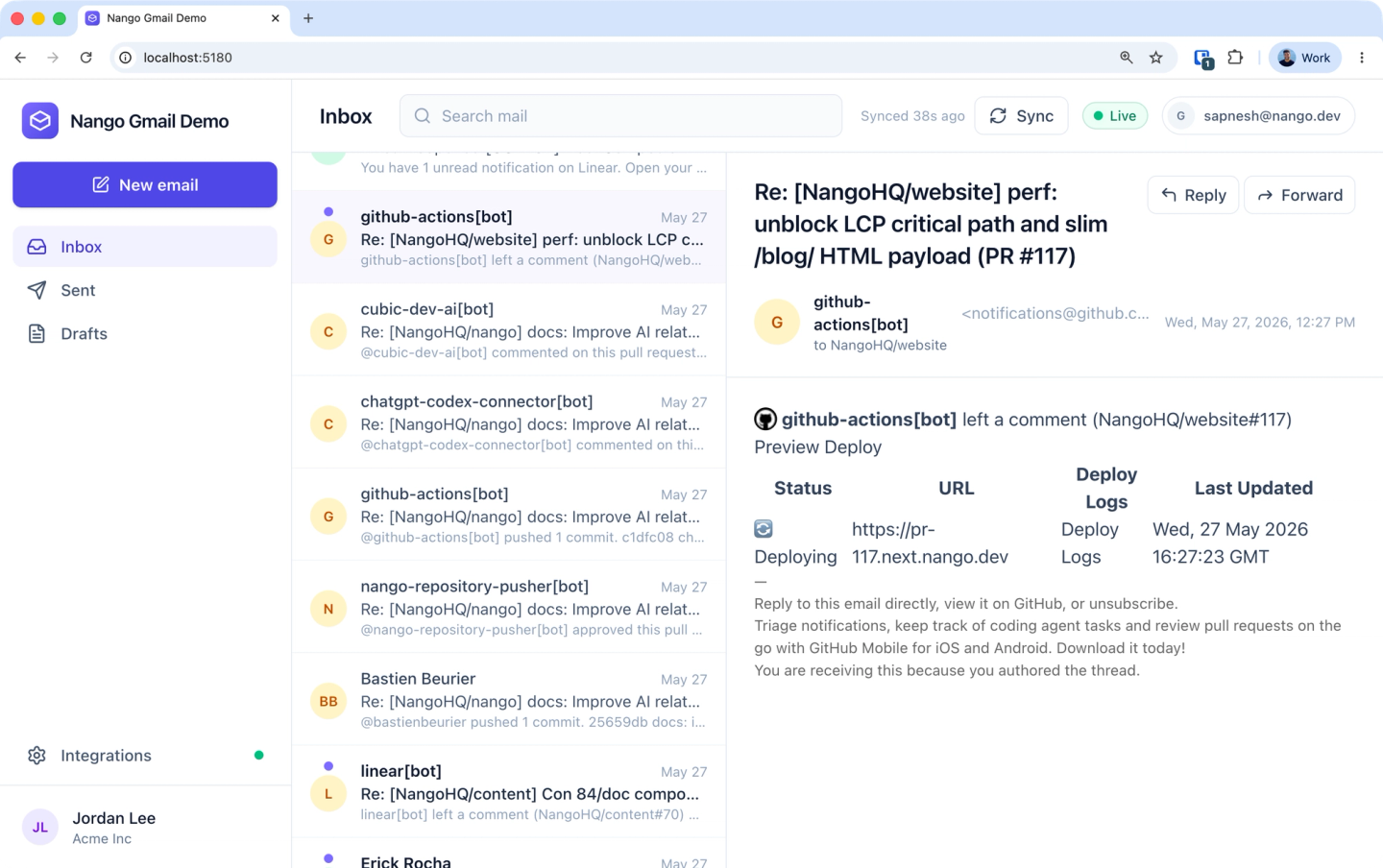
This guide shows how to build a custom, customer-facing Gmail API integration with an AI coding agent (Claude Code, Cursor, Codex, or any other) and Nango.
By the end of this guide, you will have:
- A Gmail auth UI in your product (Nango Connect) so your customers can link their accounts.
- The ability to send email from your product, either from your own UI or from an AI agent in your app, through an MCP tool call.
- A durable sync that imports each customer’s mailbox once, then keeps it current as mail arrives, gets relabeled, or is deleted.
Why is it hard to integrate the Gmail API into your app?
The Gmail API is a set of REST endpoints over a user’s mailbox: messages, threads, drafts, labels, and history. Each call is simple on its own. The work is the infrastructure around them.
- Sending needs raw MIME, not JSON:
messages.sendwants a base64url-encoded RFC 2822 message in arawfield, not ato/subject/bodyobject (Gmail docs). - Initial sync and incremental syncs for messages: after a first full sync, you track a
historyIdand callhistory.listfor only what changed. If that ID ages out (about a week), Gmail returns404, and you re-sync (Gmail docs). - Real-time needs Google Cloud Pub/Sub: Gmail has no plain webhook URL. Push notifications require a Pub/Sub topic and a
watchthat expires every 7 days (Gmail docs). - Most scopes are restricted: as of May 2026,
gmail.readonly,gmail.modify, andgmail.composeare restricted scopes that need Google verification plus a CASA security review to go live (Nango’s guide). With Nango, you can use its pre-configured developer app to build and test before you set up your own OAuth app. - Tokens and quota add up: access tokens expire hourly, and a single
messages.sendcosts 100 quota units (quota reference), so bulk work needs backoff.
It’s not recommended to build all of the above from scratch. Instead, use an integration provider like Nango and Claude to build and ship integrations quickly.
Why use Nango to build Gmail API integrations
Nango is a code-first API integration platform where coding agents build integrations. You, or an agent like Claude or Cursor, write the integration as code in your repo, and Nango’s runtime runs it with managed auth, retries, and observability across 800+ APIs.
For a Gmail integration, we will use these Nango features:
- Managed auth for Gmail: pre-built Gmail OAuth with token storage, refresh, encryption, and revocation handled for you. You pick the scopes, and Nango runs the flow.
- A coding-agent skill that builds the functions: install the AI Function Builder once, and your agent researches the Gmail API, writes a Nango action or sync in TypeScript, tests it against a real connection with
nango dryrun, and iterates on real errors until it works. - Integrations infrastructure for all use cases: actions (send, search, draft), durable syncs with checkpoints, webhooks, and a built-in MCP server so AI agents inside your product can call the integration.
Nango also ships pre-built Gmail templates (a messages sync, send-message, create-draft, watch-mailbox, plus label and thread actions) that you can enable and customize. You can start from a template or generate your own with the skill, as below.
Prerequisites
- Sign up for Nango (the free tier is enough for development).
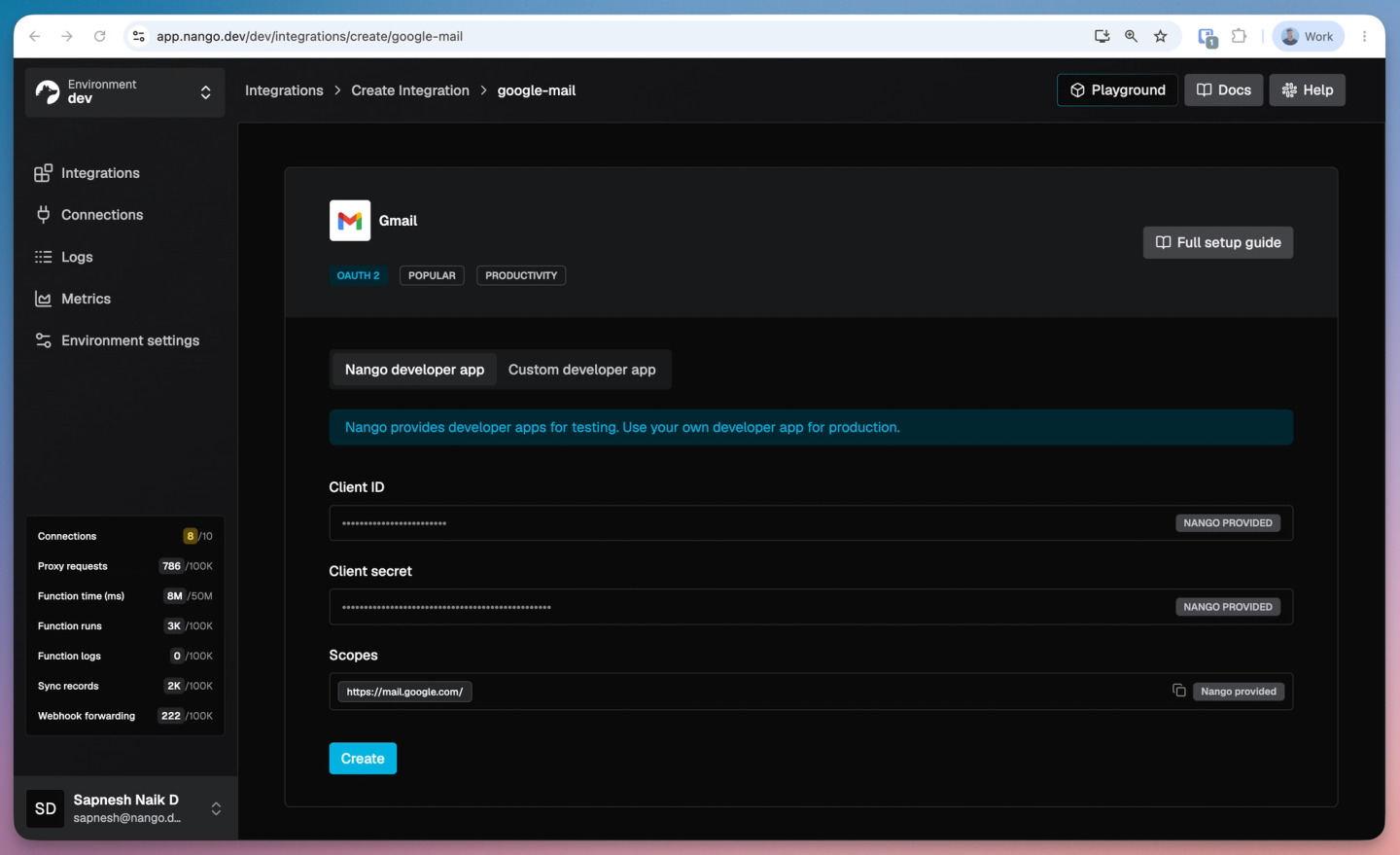
- Add Gmail as an integration. On the integration page, use Nango’s developer credentials for local development and testing, or add your own Google OAuth app credentials with Nango’s redirect URI.
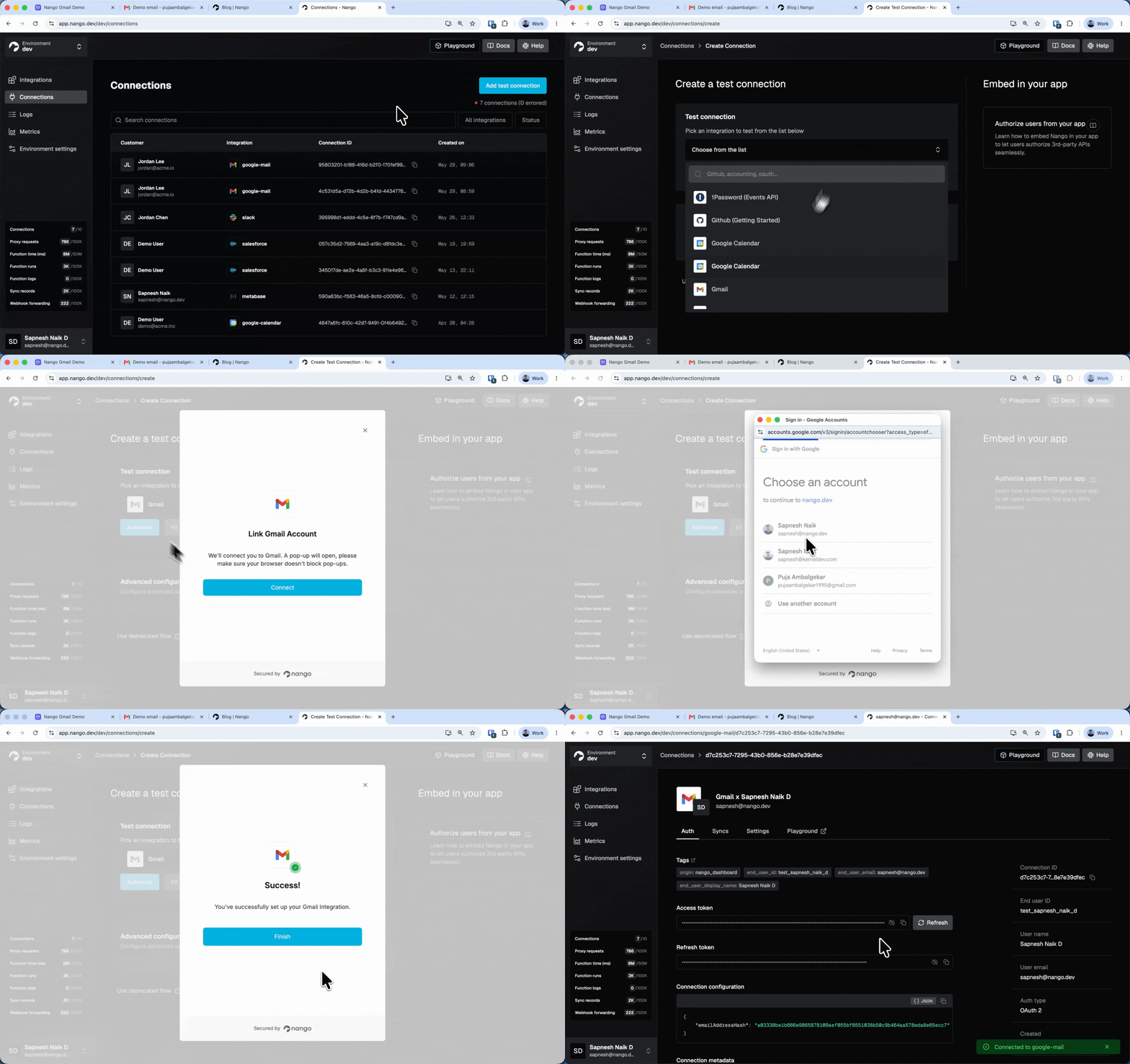
3. Add one Gmail connection (Connections > Add Test Connection). Claude uses this real account to test the integration (sending and reading mail) with nango dryrun while it builds, so you know the generated code actually works.
4. Install the Nango CLI and run nango init to create your nango-integrations folder. Set NANGO_SECRET_KEY_DEV in nango-integrations/.env so the CLI and dryrun commands can authenticate.
5. Install the Nango skill for your coding agent with npx skills add NangoHQ/skills -s building-nango-functions-locally. This example uses Claude, but the same skill works with Cursor, Codex, and other coding agents.
Tip: LLM training data on Nango is often stale. Add the Nango docs MCP server alongside the skill so your agent pulls the latest API references while it generates code.
Build a send-email action for Gmail
Sending is a one-time, user-triggered operation, so it is an action. There are two ways to get there: start from Nango’s pre-built send-message action, or have Claude build a custom one and wire it into your app.
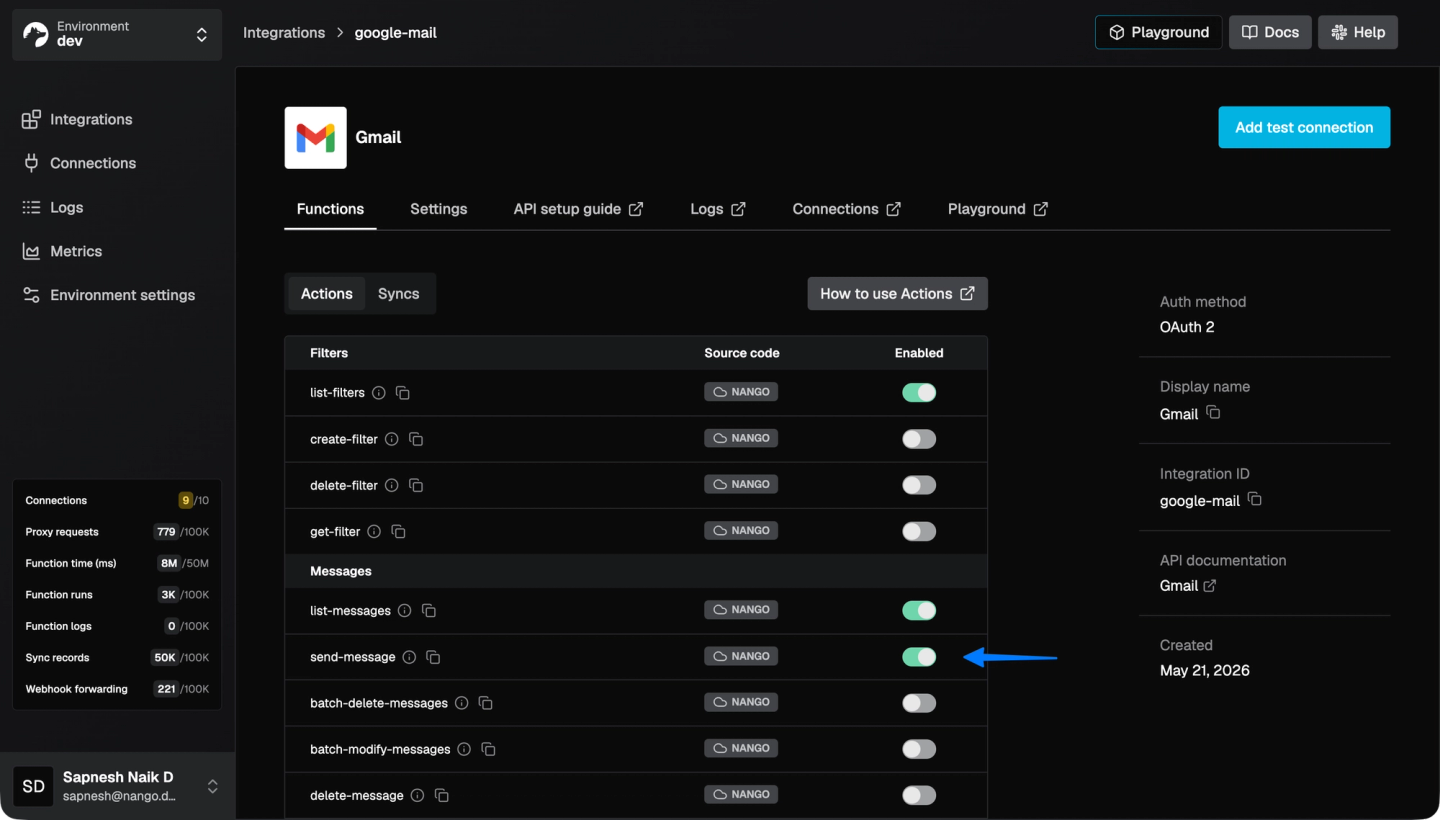
Try it first with the pre-built action and the Playground. Gmail’s send endpoint wants the body as a base64url-encoded RFC 2822 MIME message, so before writing any app code, you can run the pre-built send-message action against your test connection in the Nango Playground. Ask Claude or Gemini to generate the MIME string, paste it in, and confirm the email lands in the expected inbox.
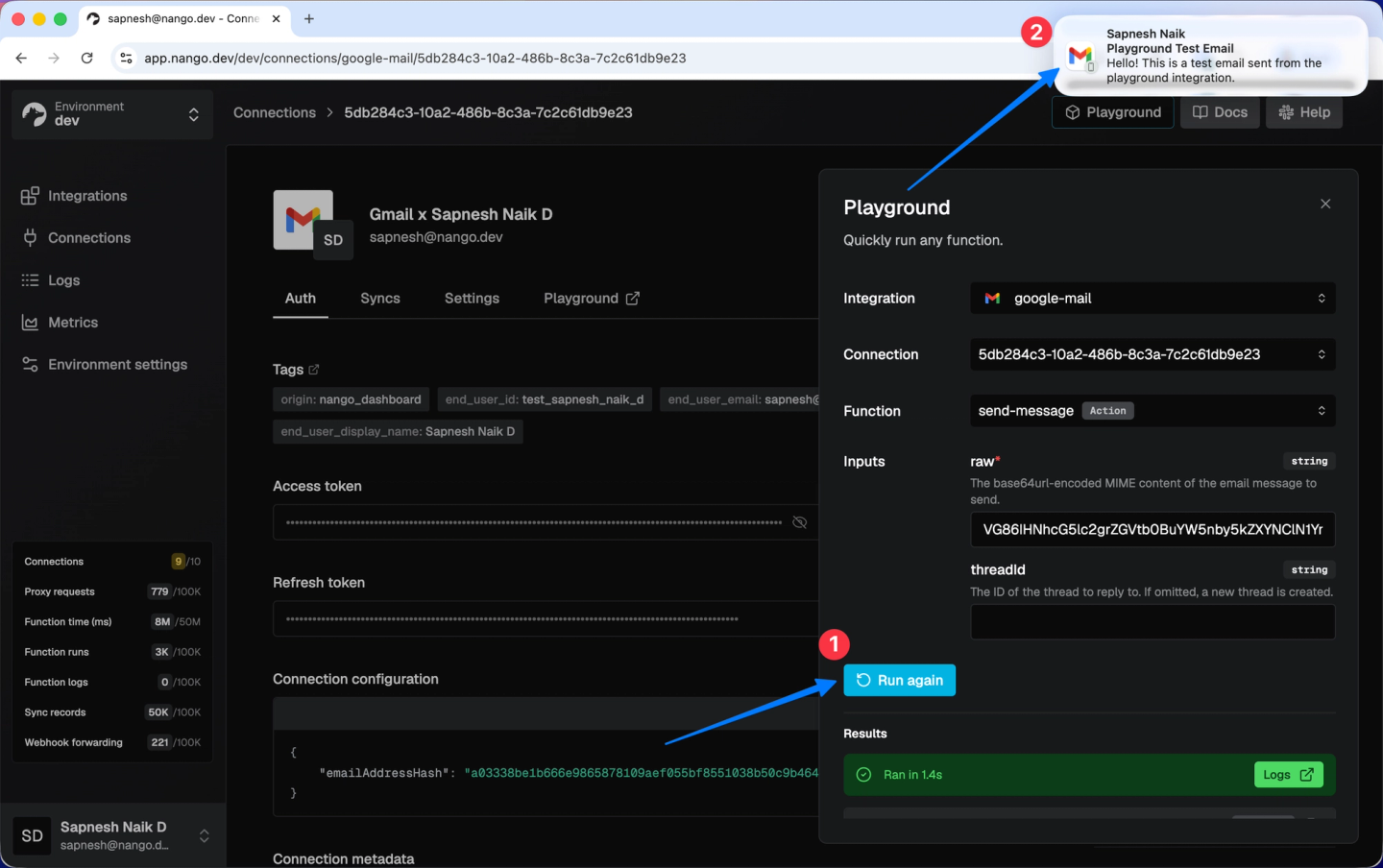
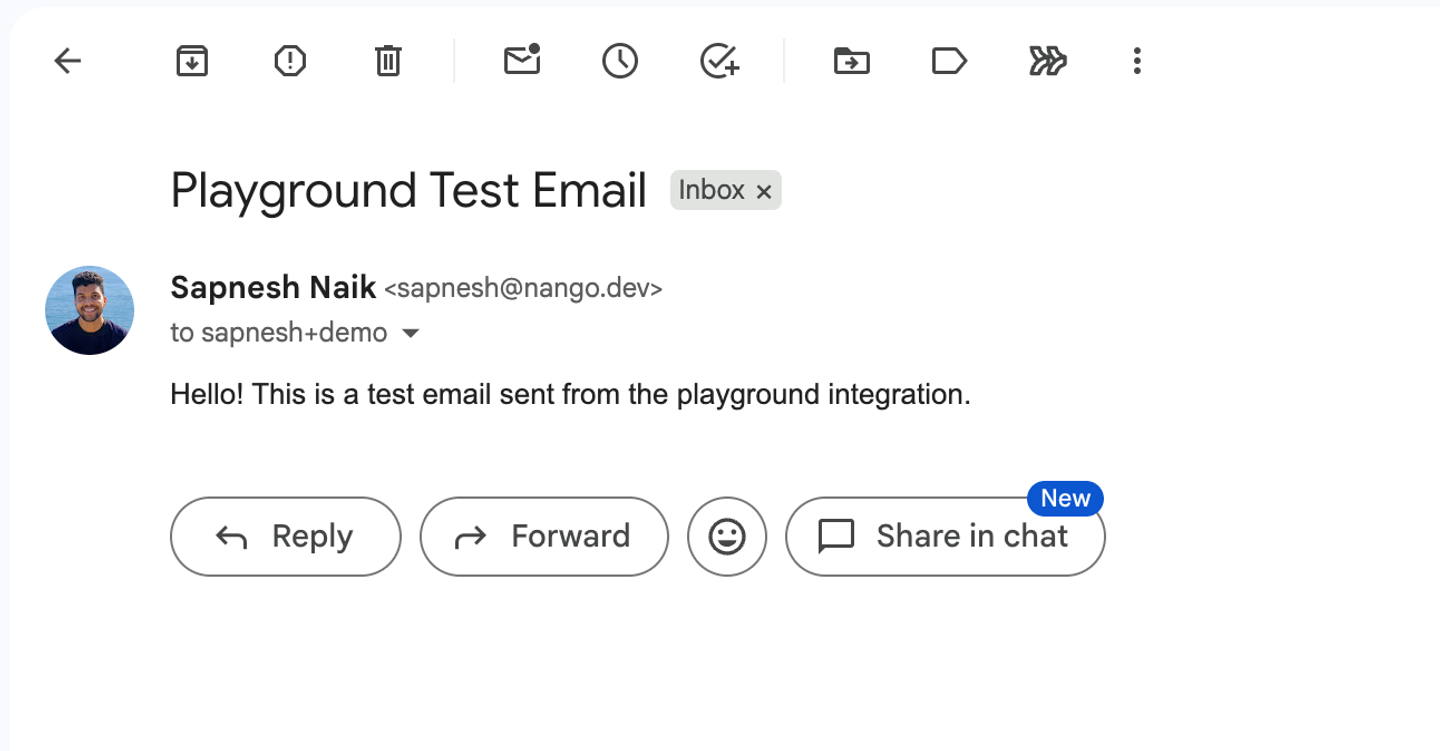
Then build the end-to-end flow with Claude and the Nango skill. Once you have confirmed it works, invoke the building-nango-functions-locally skill in Claude with a prompt describing what you want. If you have custom requirements, add them here and Claude either adapts the template or writes a custom action:
/building-nango-functions-locally Implement Gmail auth in my UI and allow the user to send an email.With the skill loaded, Claude reads its action checklist and Gmail references, writes the action with a typed input and output, builds the raw MIME message, runs nango dryrun against your connection to send a real test email, and fixes anything Gmail rejects. Here is what the agent does behind the scenes.
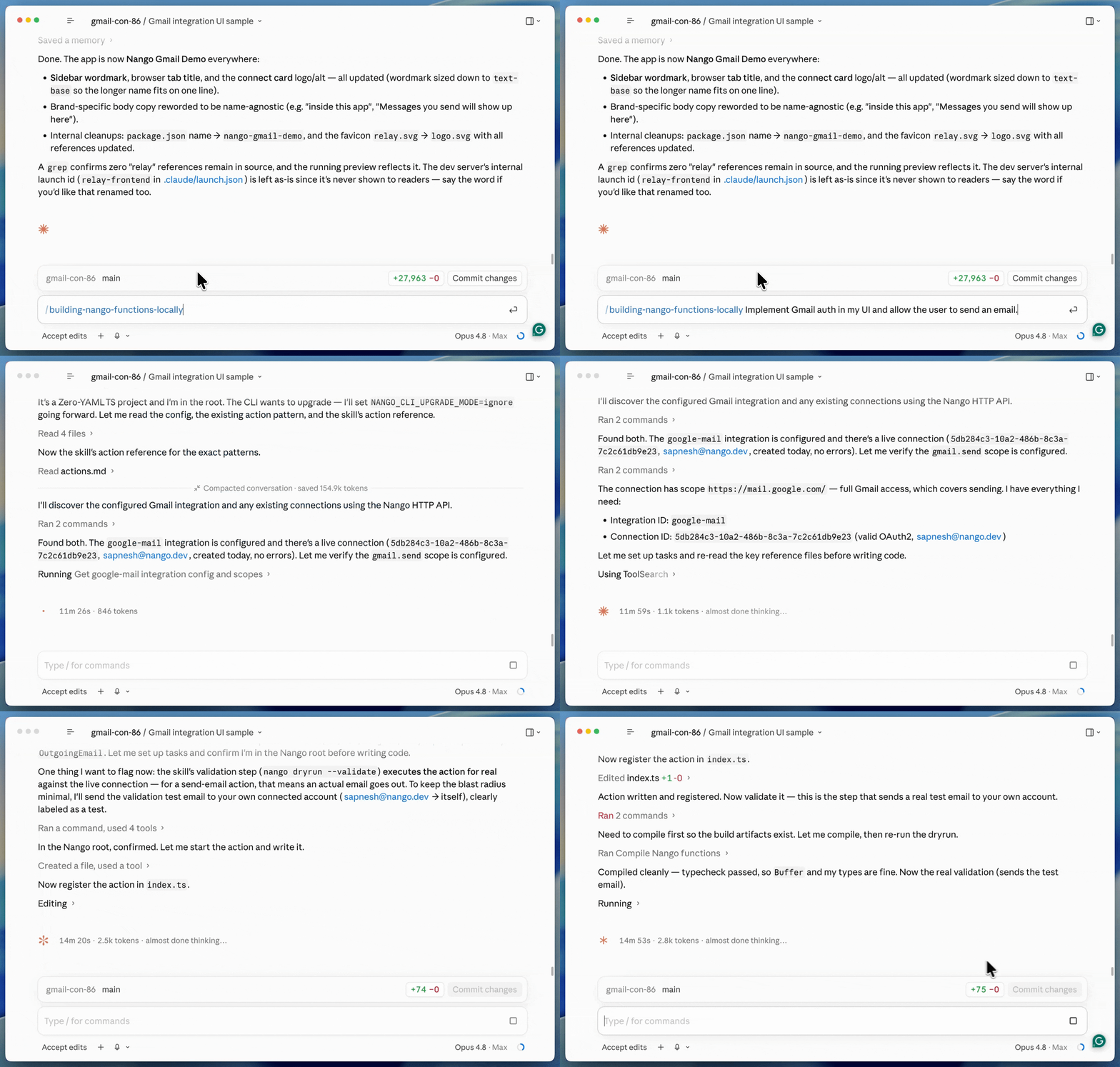
The result is nango-integrations/google-mail/actions/send-email.ts: a createAction that:
- Accepts
to,cc,bcc,subject, andbody - Builds an RFC 2822 message, base64url-encodes it into
raw - POSTs to
/gmail/v1/users/me/messages/send, returning the new messageidandthreadId.
Deploy the action, then connect Gmail from your app:
nango deploy --action send-email dev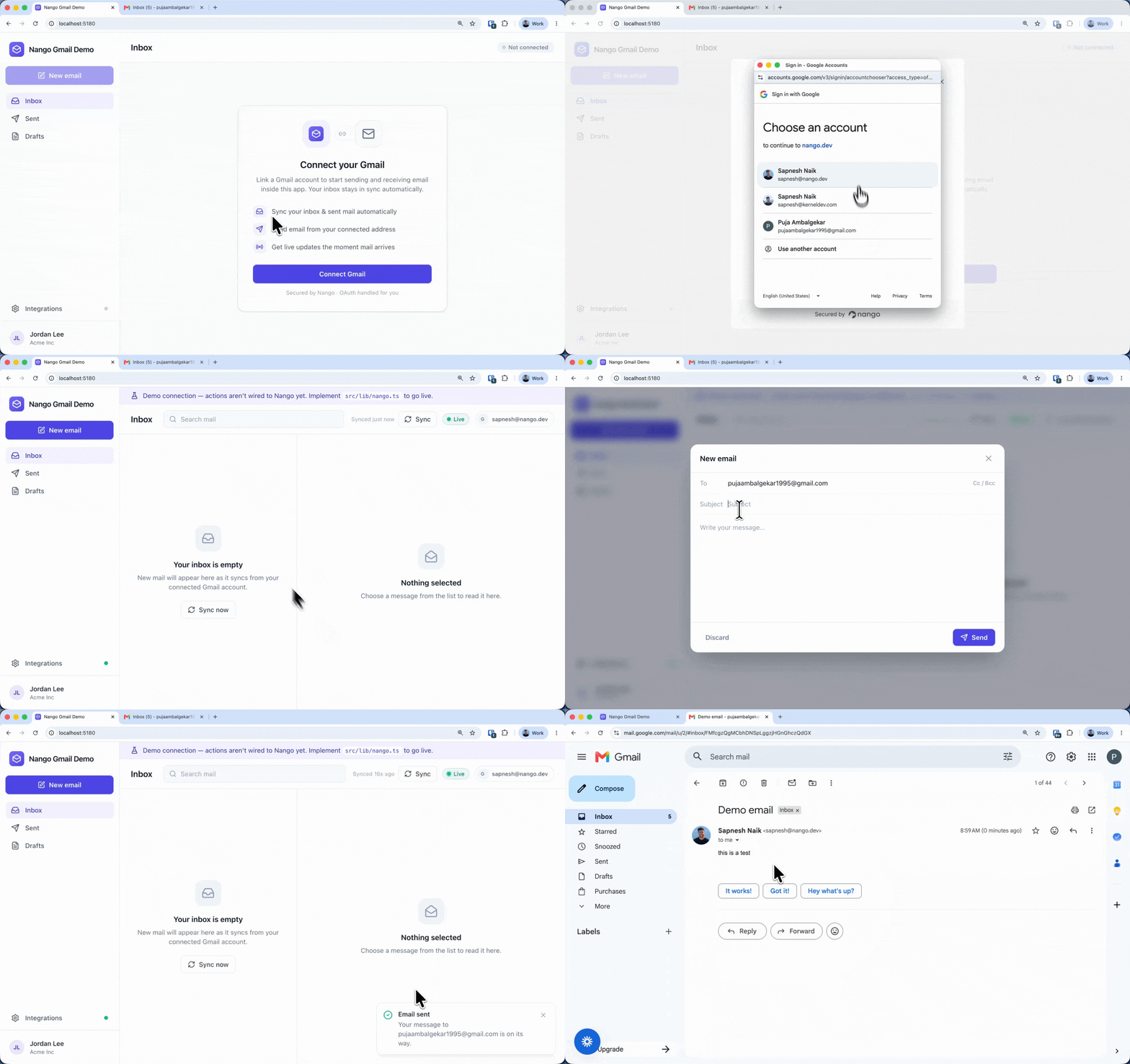
Your frontend uses the @nangohq/frontend SDK to open Nango Connect with a short-lived session token your backend mints, then sends through your backend:
// frontend: open Nango Connect with a session token from your backend
const nango = new Nango();
const ui = nango.openConnectUI({
    onEvent: (e) => { if (e.type === 'connect') setConnectionId(e.payload.connectionId); },
});
ui.setSessionToken(sessionToken);

// backend: trigger the deployed action for that connection
await nango.triggerAction('google-mail', connectionId, 'send-email', { to, cc, bcc, subject, body });
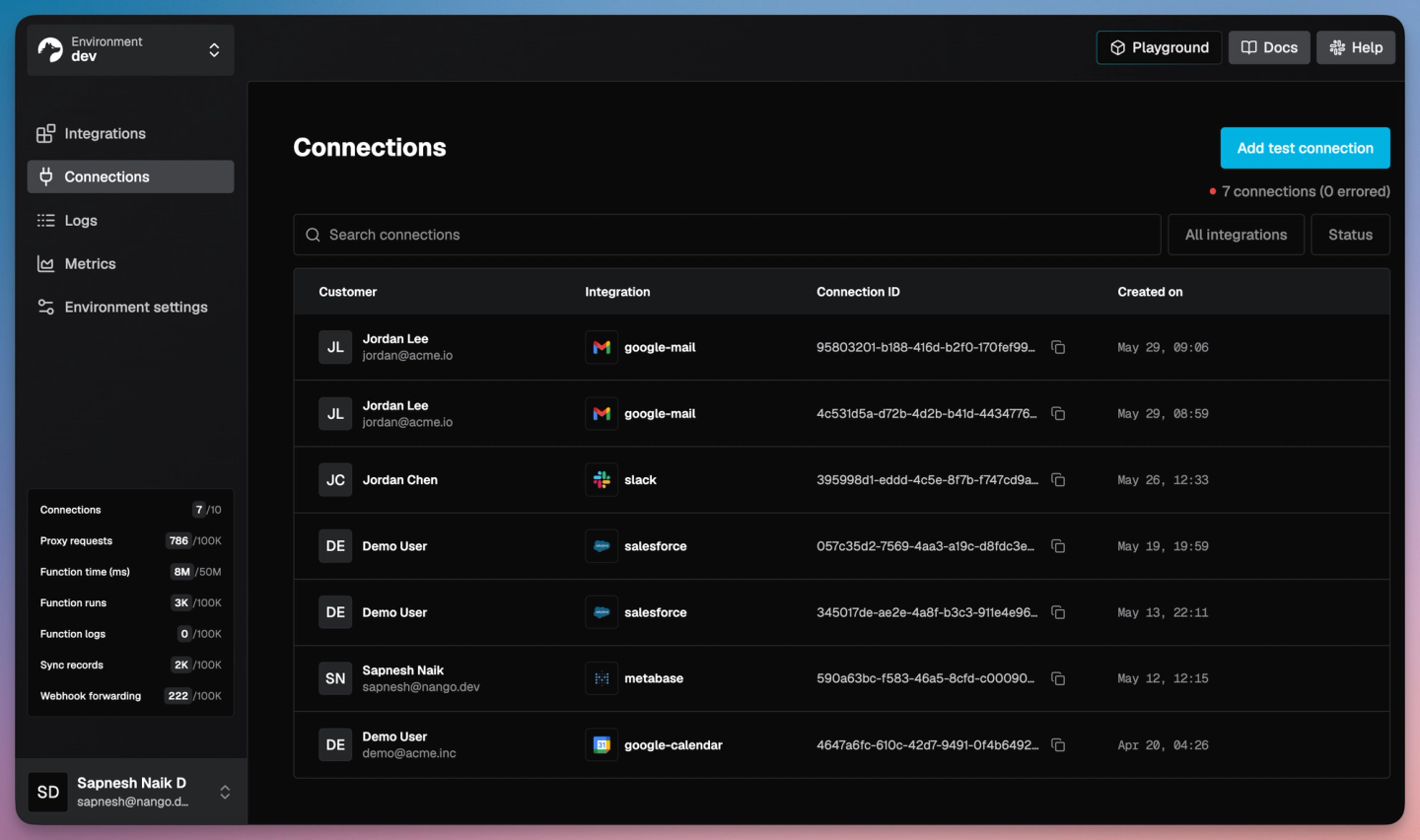
New connections show up in the Nango dashboard as users link their accounts.
Build a Gmail messages sync
Reading a mailbox is a sync: a durable, scheduled function that backfills once, then pulls only what changed. The same skill builds the sync and wires it into your app:
/building-nango-functions-locally Build a Nango sync for the google-mail integration that syncs the user's Gmail messages and keeps them current. Integrate with the frontend.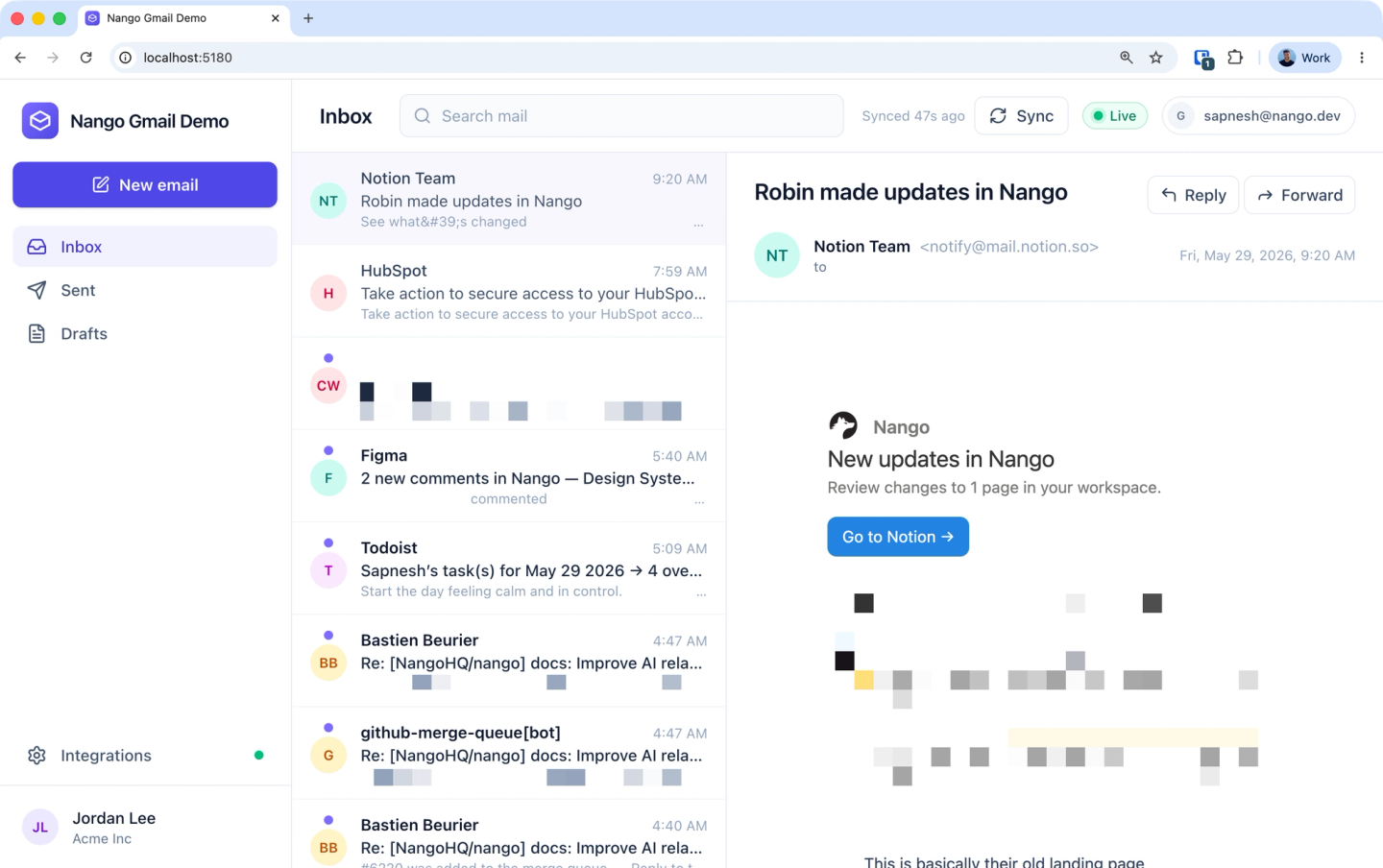
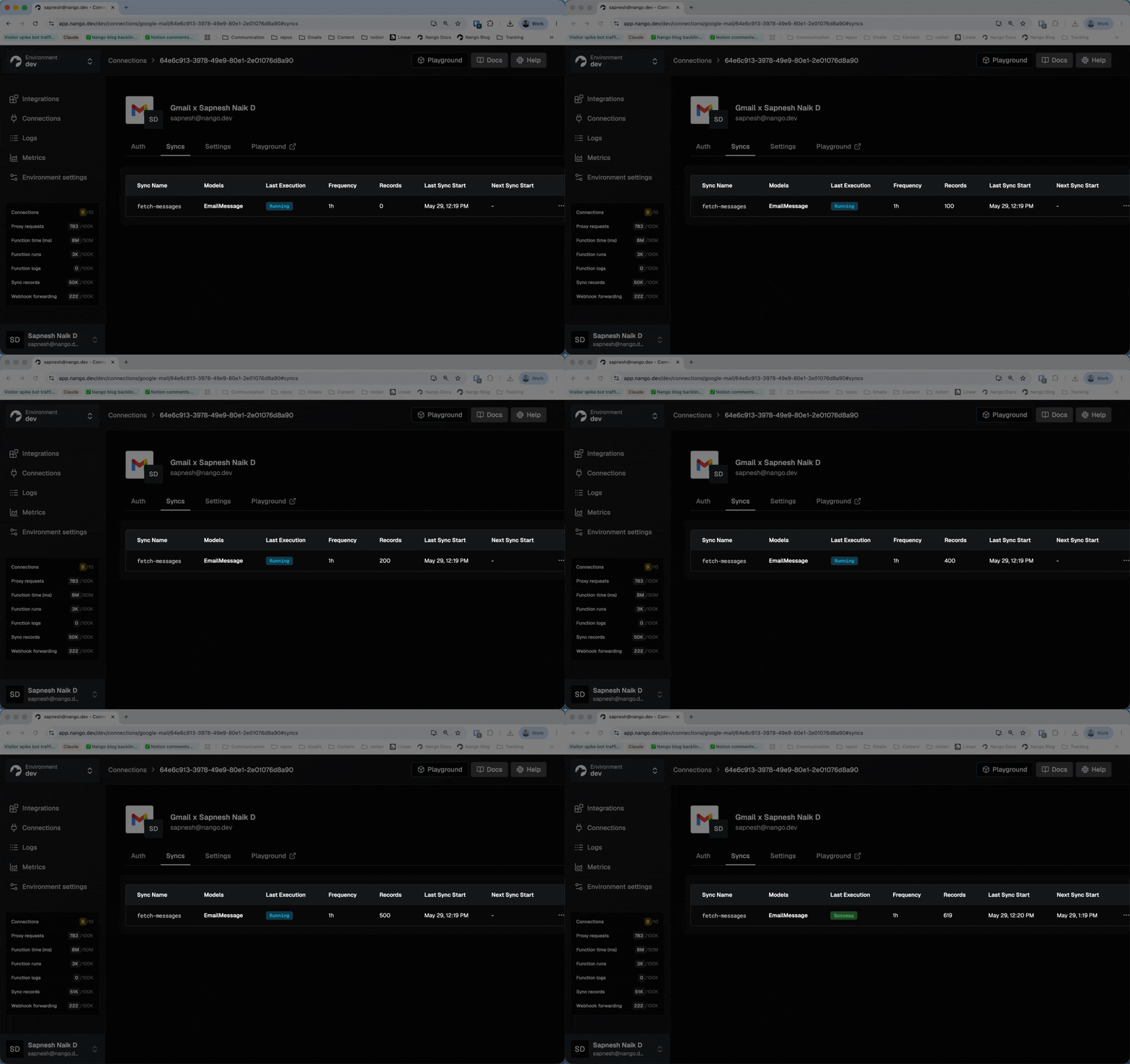
Claude generates nango-integrations/google-mail/syncs/fetch-messages.ts and its tests.
- Backfill: capture the mailbox
historyIdas an anchor, pagemessages.list?q=newer_than:30d, hydrate each id withmessages.get?format=full, andbatchSave. When the last page is done, promote the anchor to the checkpoint. - Incremental: call
history.list?startHistoryId=…for only what changed,batchSavethe adds and label changes,batchDeletethe removed messages, and persist the newhistoryId.
Design decisions worth noting:
- History over re-fetching: after the first backfill, the sync pulls only changed messages, which keeps it well under Gmail’s per-user quota even on busy mailboxes.
404recovery is built in: Gmail keeps history for about a week. If a connection goes quiet longer, the storedhistoryIdexpires, so the sync clears the checkpoint and re-runs the backfill in the same run.- Hourly and on demand:
frequency: 'every hour'withautoStart: true, and your app can force an immediate refresh withnango.triggerSync('google-mail', ['fetch-messages'], connectionId).
Your backend reads the synced messages from Nango’s cache and serves them to the UI:
const { records } = await nango.listRecords({
    providerConfigKey: 'google-mail',
    connectionId,
    model: 'EmailMessage',
});
listRecords is cursor-paginated, so loop on next_cursor until it returns null. The records already match the frontend’s shape, so the UI renders them directly. Deploy the sync:
nango deploy --sync fetch-messages devNango also ships a pre-built Gmail messages sync template that uses this same backfill-plus-history pattern. Enable and customize it, or generate your own as shown here.
Expose Gmail to the AI agents in your product
Once the action and sync are deployed, the AI agents inside your product can use them. Nango exposes enabled actions as typed tool calls and through a hosted MCP server, so an agent calls send-email with typed inputs instead of guessing raw Gmail parameters.
Point your MCP client at Nango’s server (Streamable HTTP transport) and pass the connection in headers:
Authorization:        Bearer <ENV-SECRET-KEY>
provider-config-key:  google-mail
connection-id:        <CONNECTION-ID>
Each enabled action becomes a tool. Nango injects the right Gmail credentials for that connection, then handles retries, rate limits, and logs. For the patterns that make these tool calls reliable in production, see build reliable tool calls for AI agents.
For example, to try it quickly in Claude Code:
export NANGO_SECRET_KEY="<YOUR-NANGO-SECRET-KEY>"

claude mcp add nango-gmail https://api.nango.dev/mcp \
  --transport http \
  --header "Authorization: Bearer $NANGO_SECRET_KEY" \
  --header "connection-id: <CONNECTION-ID>" \
  --header "provider-config-key: google-mail"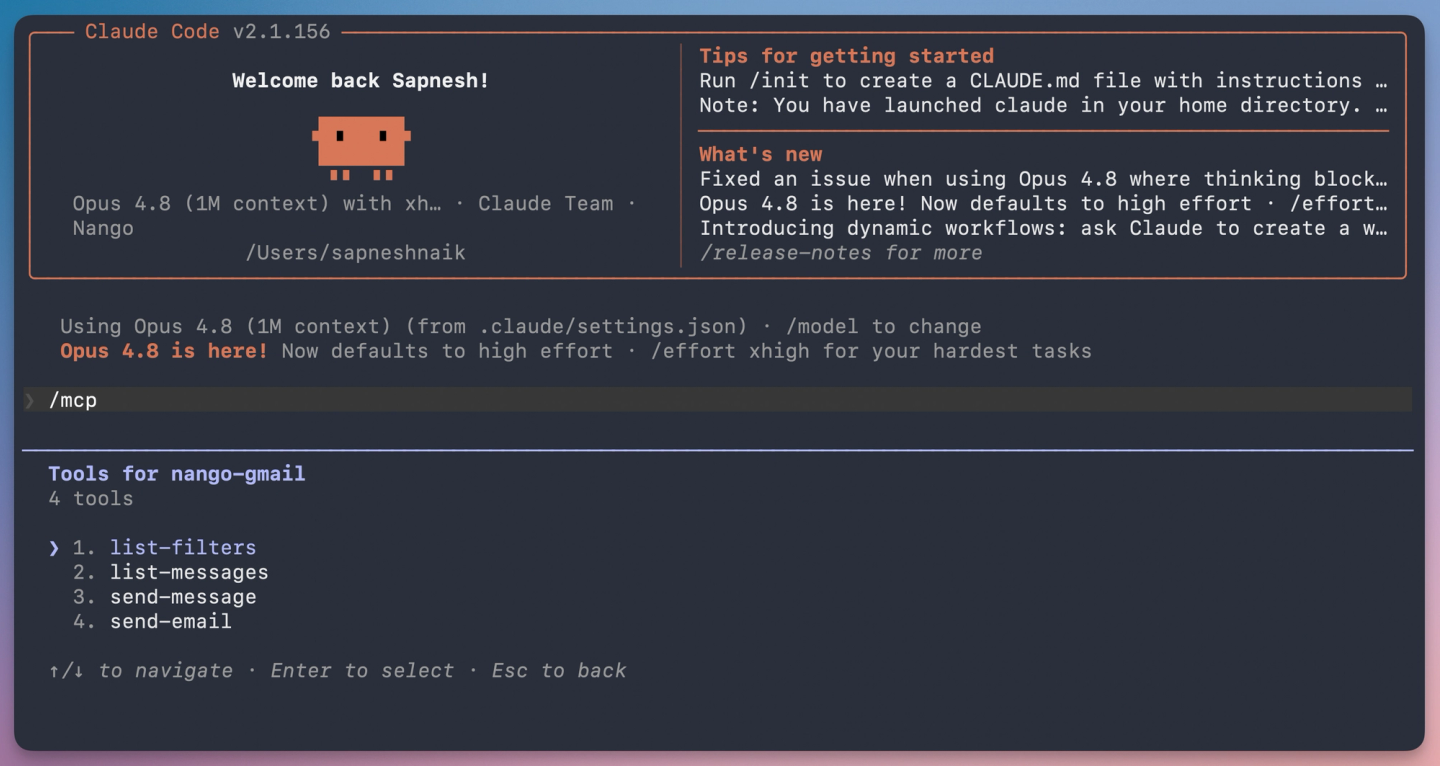
Then ask Claude:
Send a test email to "sapnesh+demo11@nango.dev" using the nango gmail mcp.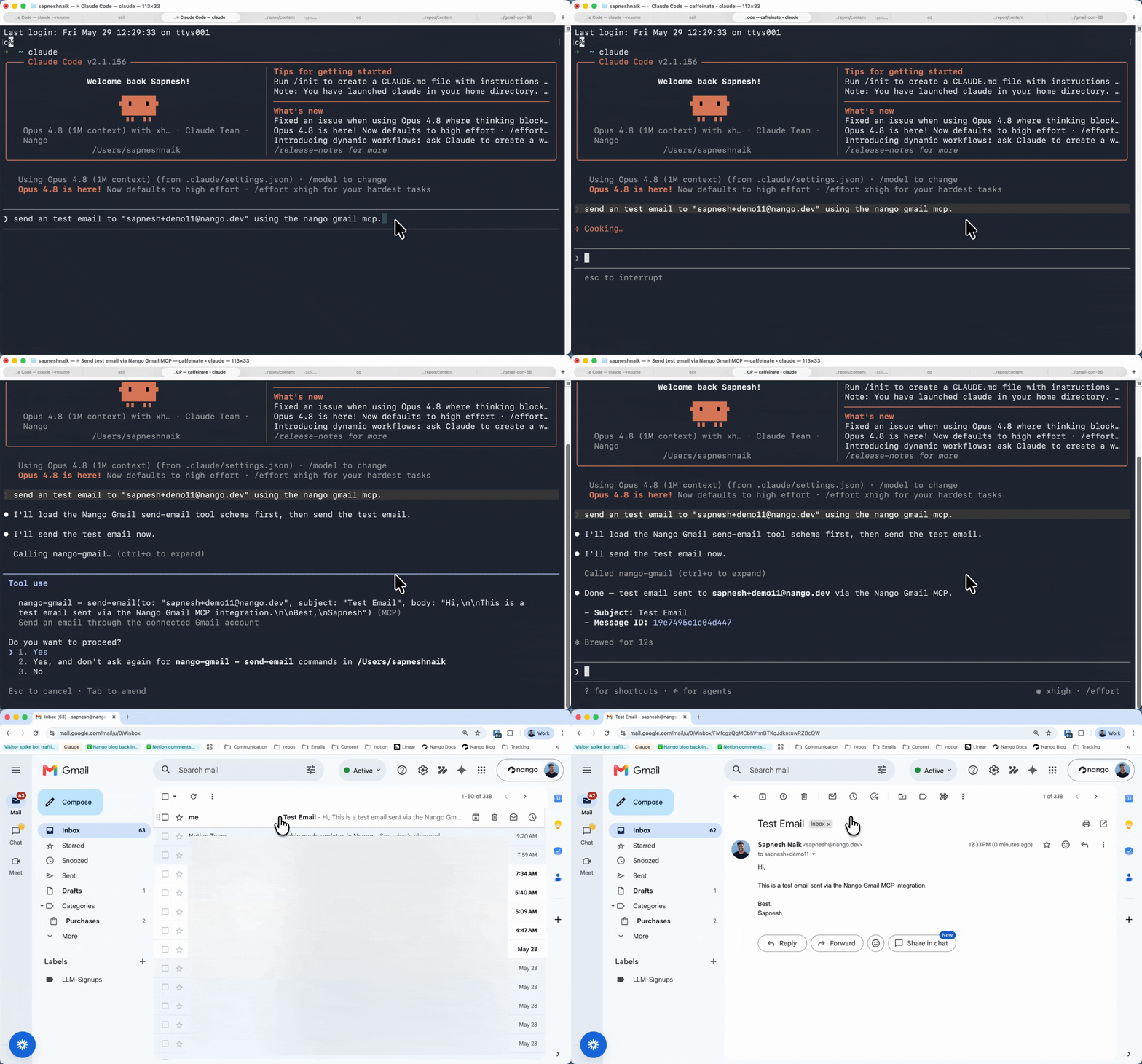
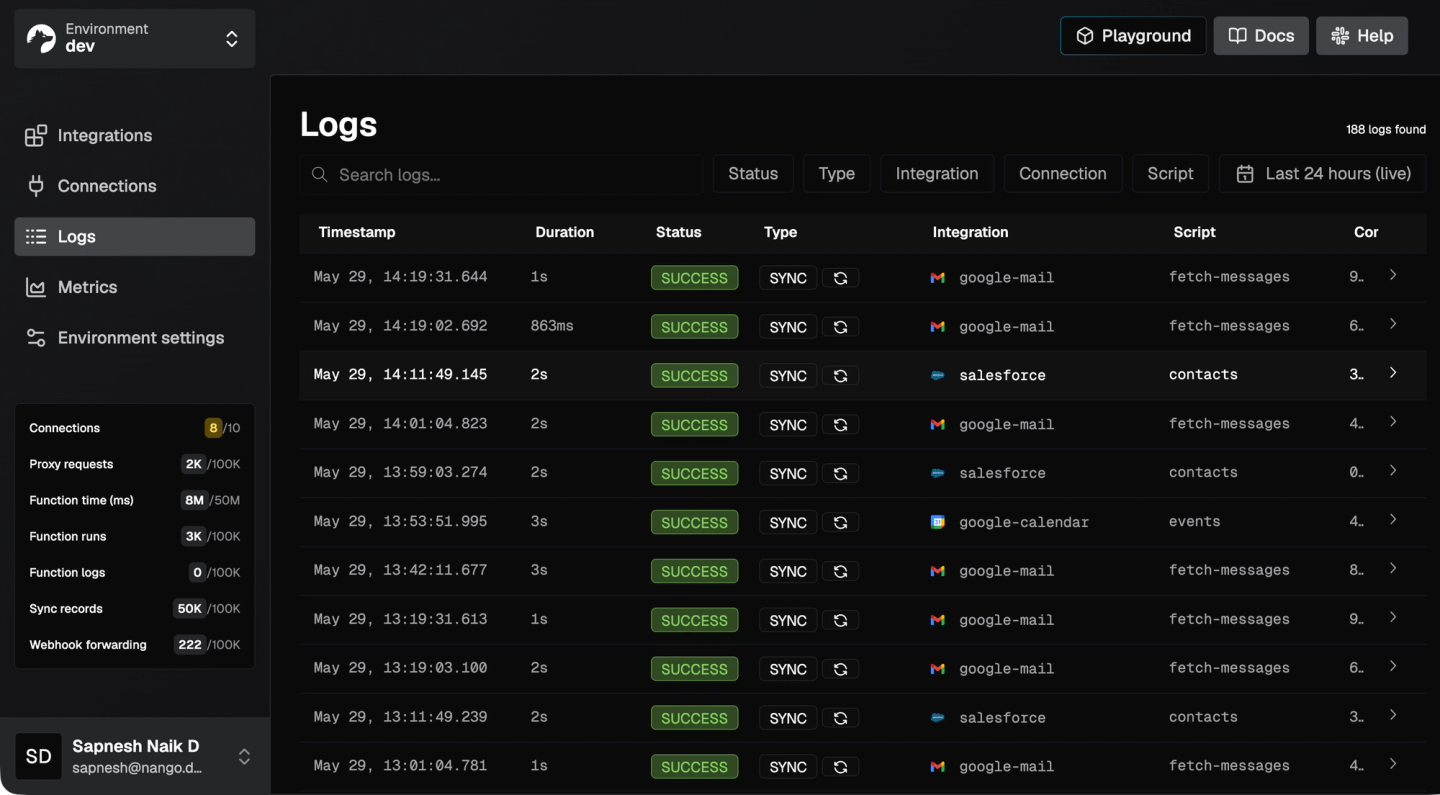
Tip: You can view detailed action/sync logs on the Nango dashboard.
Common issues
| Issue | Cause and fix |
|---|---|
| "Access blocked: app has not completed verification" (403 `access_denied`) | Your OAuth app is in testing mode. Add the test user under OAuth Consent Screen > Test Users, or complete Google verification for production. |
| Refresh token stops working after 7 days | In testing mode, Google expires refresh tokens after 7 days. Publish the app from Testing to Production to remove the limit. |
| history.list returns 404 | The stored historyId is older than Gmail's retention window (about a week). The sync clears the checkpoint and re-backfills. |
| Sent email is not threaded | Set threadId and reuse the original Subject with References and In-Reply-To headers. |
| 429 or quota errors on bulk send | messages.send costs 100 quota units each. Add backoff and spread the load. Nango handles retries and rate-limit backoff for you. |
Conclusion
A Gmail API integration comes down to sending (raw base64url MIME), reading (a history-based incremental sync with 404 recovery), and the auth and app wiring around them.
With the Nango skill, Claude writes that logic as code from a prompt and tests it against a real connection, while Nango’s infrastructure handles managed OAuth, durable syncs, retries, and observability. The same workflow covers any of Nango’s 800+ supported APIs.
Related reading:
- How to build a real-time Google Calendar API integration
- How to sync large amounts of contacts from the HubSpot API
- Using AI coding agents for building API integrations in 2026
- Introducing the Nango API integrations builder skill
- The emergence of just-in-time integrations
- Google OAuth invalid_grant: what it means and how to fix it

