
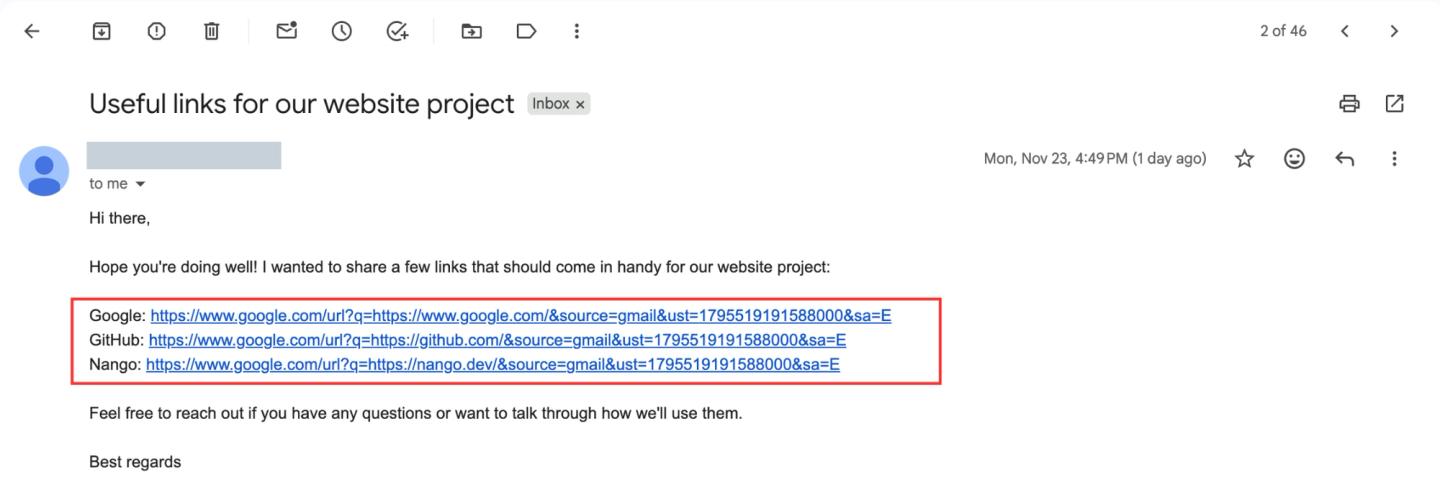
When you draft or send emails using Claude’s built-in Gmail connector, it rewrites your links into google.com/url?q=... redirects. Instead of opening your intended page, recipients see Google’s “Redirect notice” warning. A user shared a reply from Google Workspace Support tracing the rewrite to the Gmail MCP server when it saves a draft. Google Workspace Support reply
This issue also affects ChatGPT’s Gmail app, Grok Bot and Cursor’s Agents window.
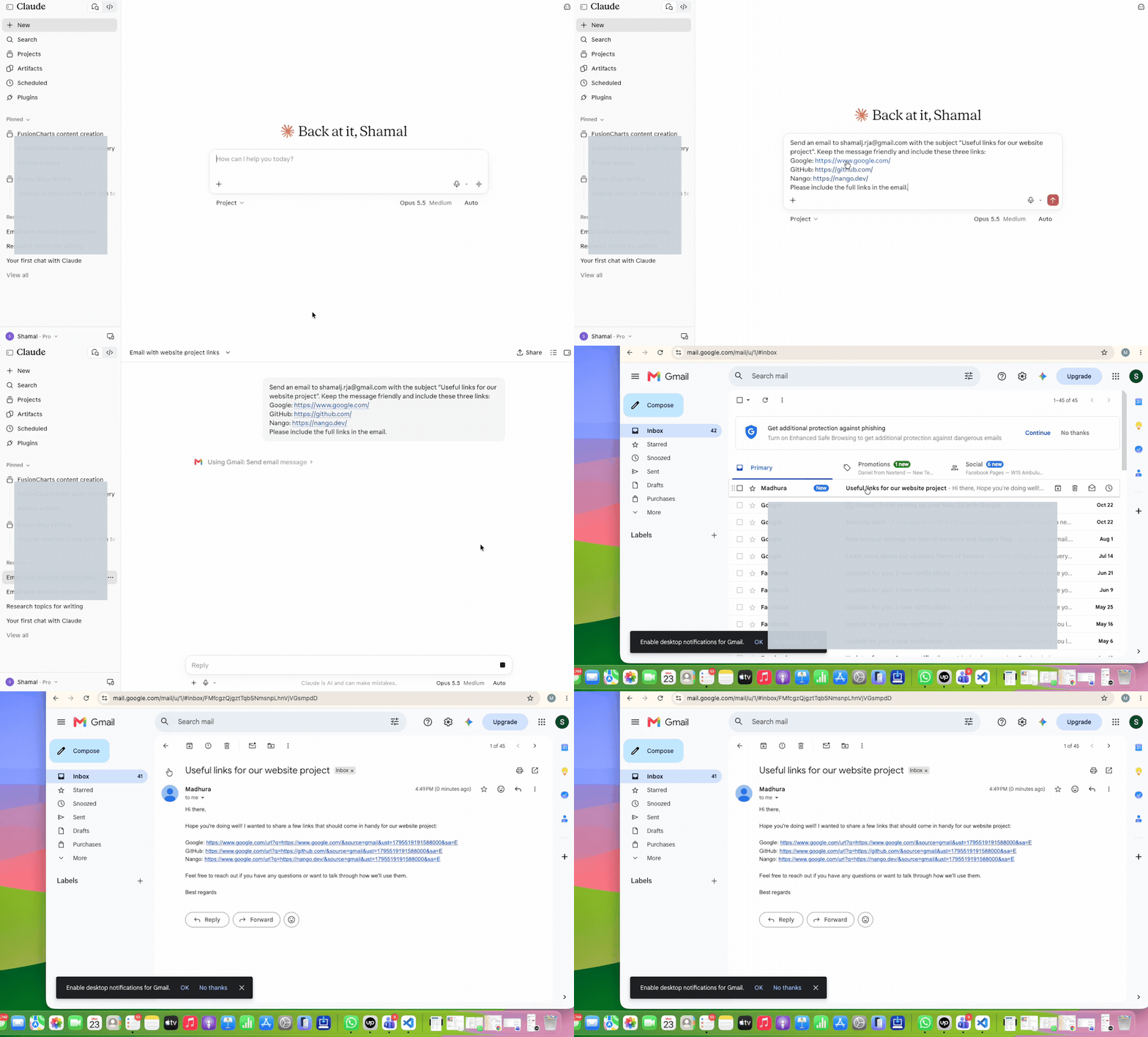
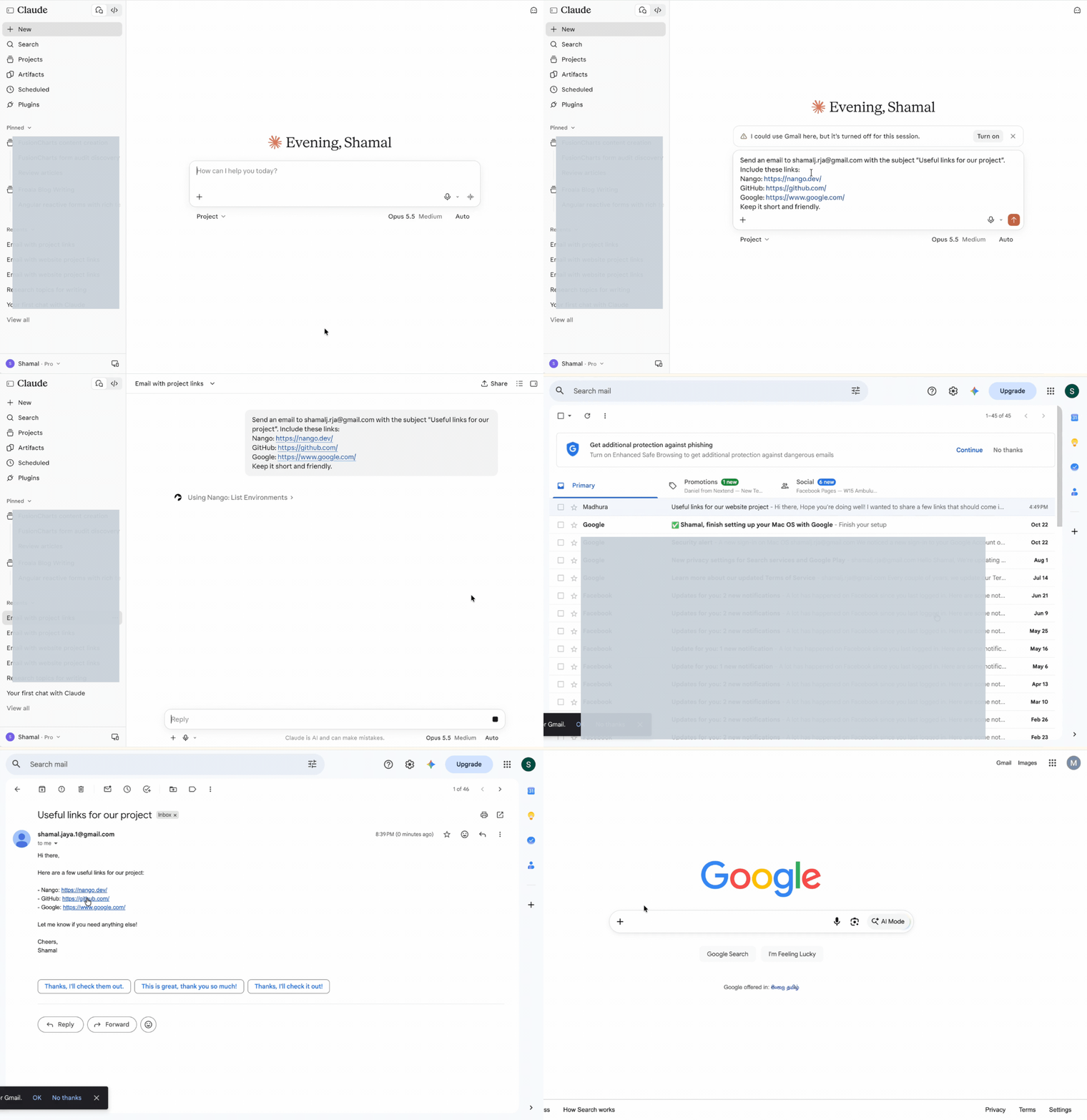
With Nango, Claude can draft and send Gmail messages without rewriting your links into Google redirects. You can use your existing Gmail account, and setup takes about five minutes.
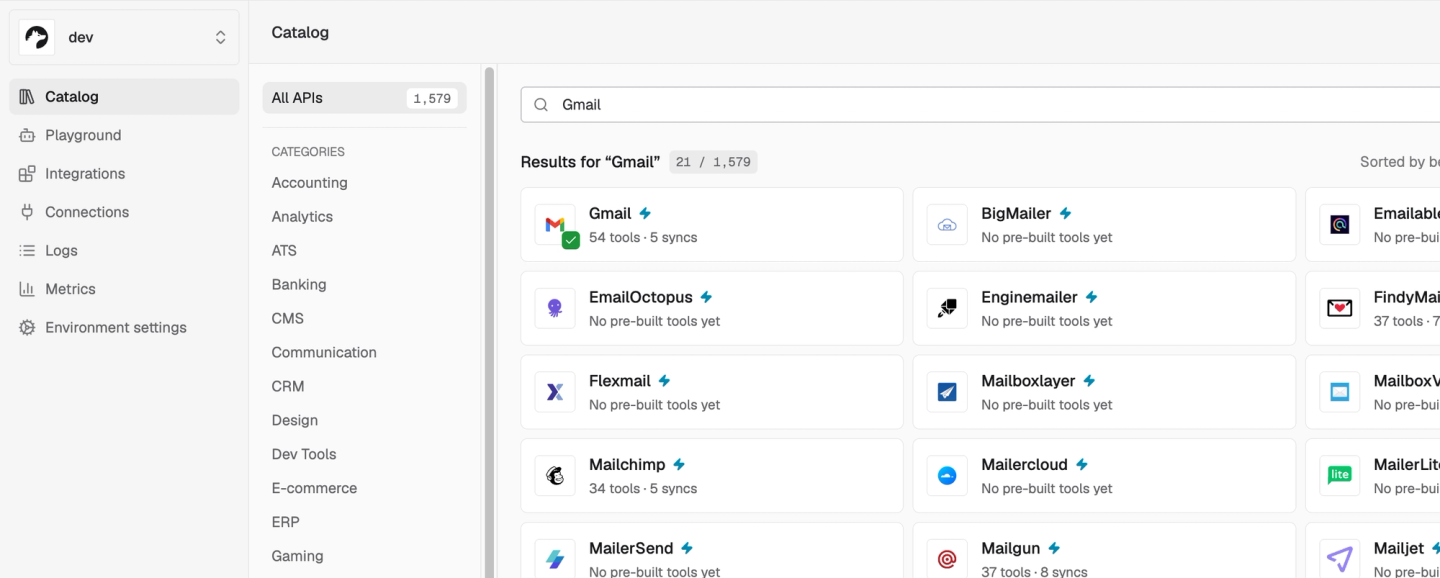
Step 1: Connect your Gmail account to Nango
- Sign in to Nango or create a free account. Open Catalog, search for Gmail, and select Gmail with the lightning icon.
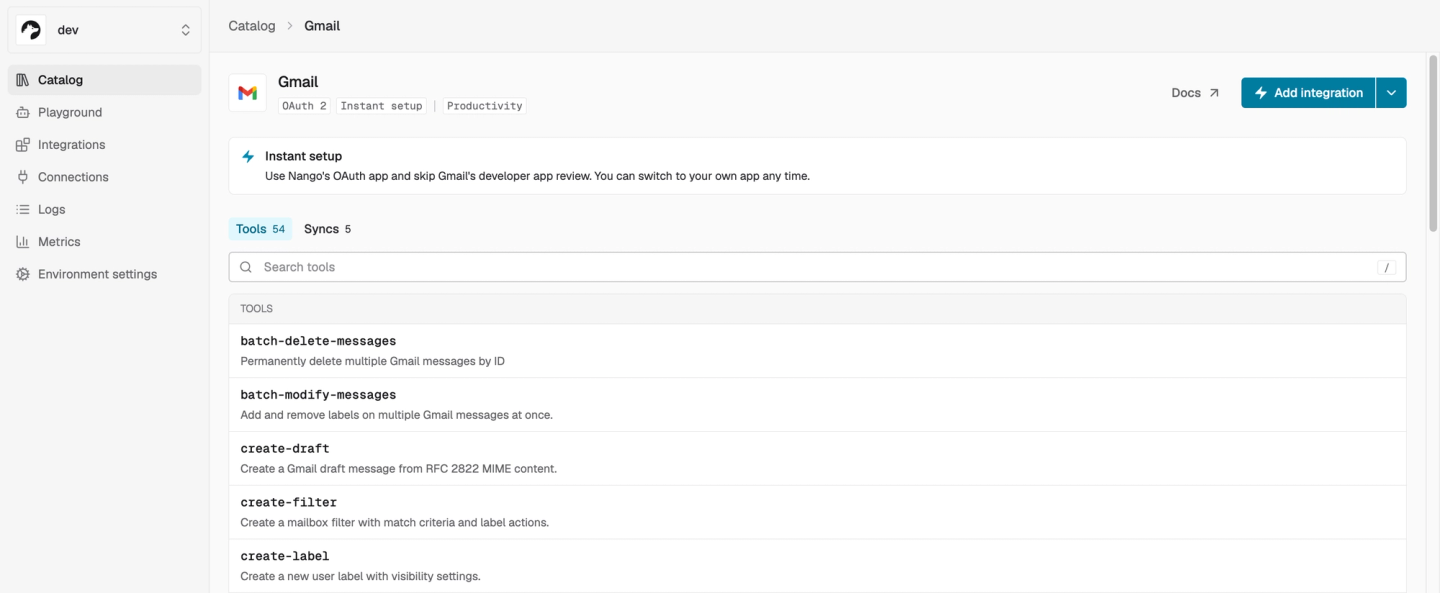
- On the Gmail page, click Add integration. Instant setup uses Nango’s managed Google OAuth app.
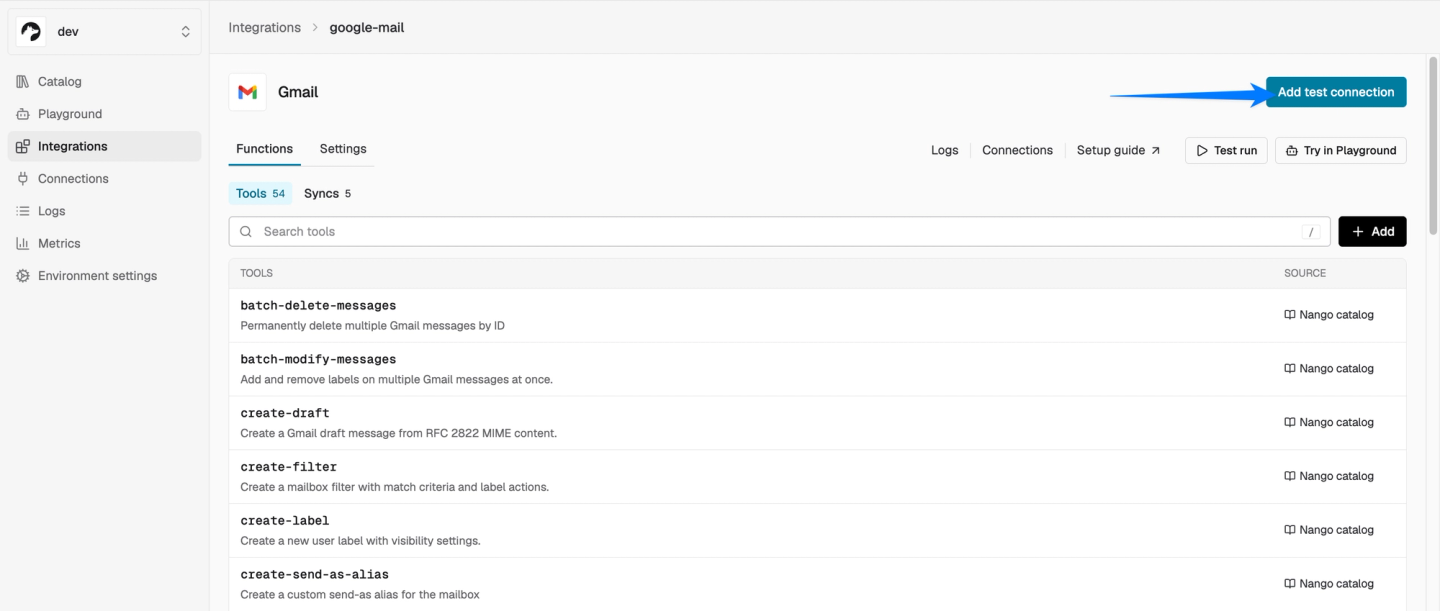
- On the integration page, click Add test connection.
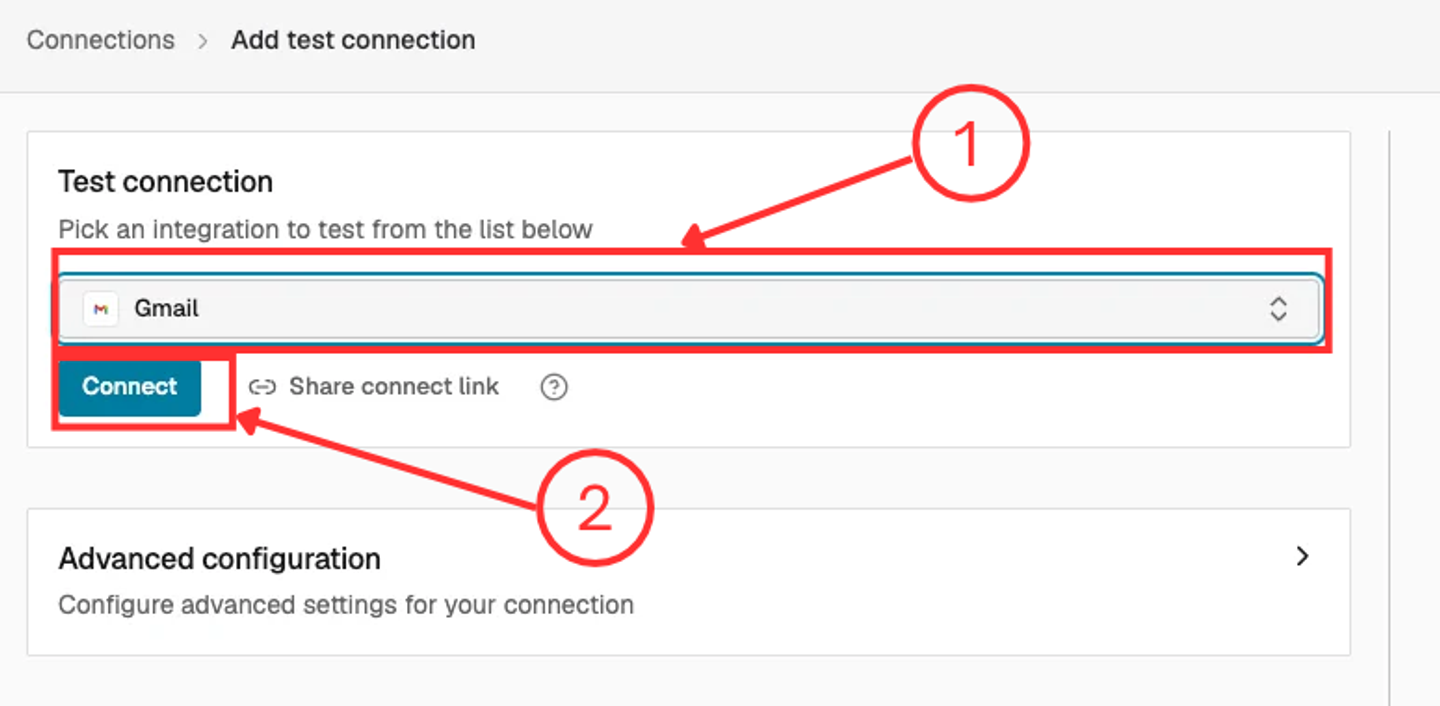
- With Gmail selected, click Connect. In the Link Gmail Account window, click Connect to open Google’s account chooser.
- Choose the Gmail account you want Claude to send from. Review the permissions, approve access, and click Finish in Nango.
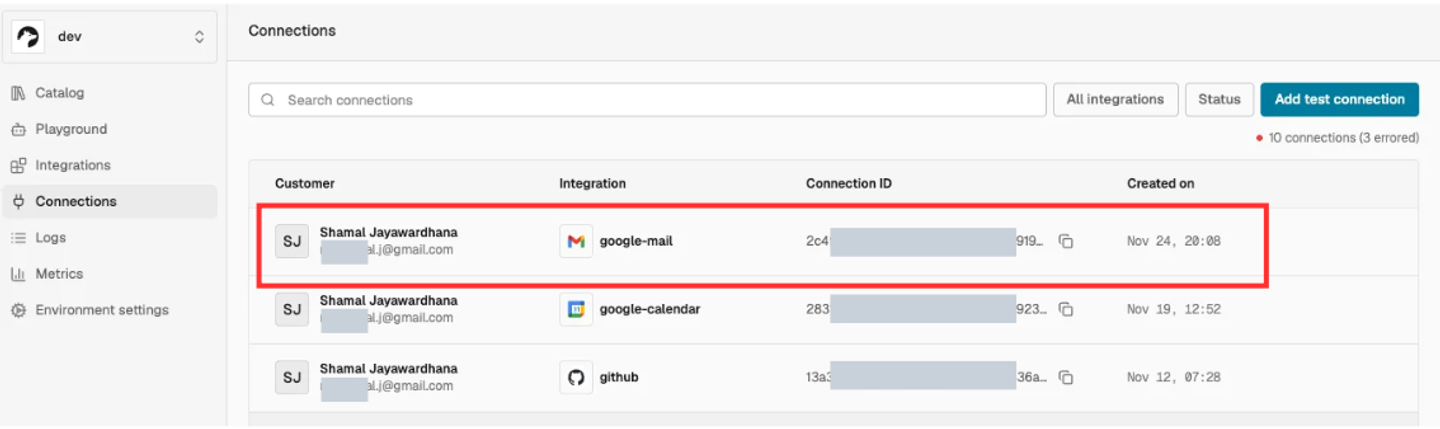
Your Gmail account is now connected to Nango.
Step 2: Connect Nango to Claude
- Open the Nango connector in Claude.
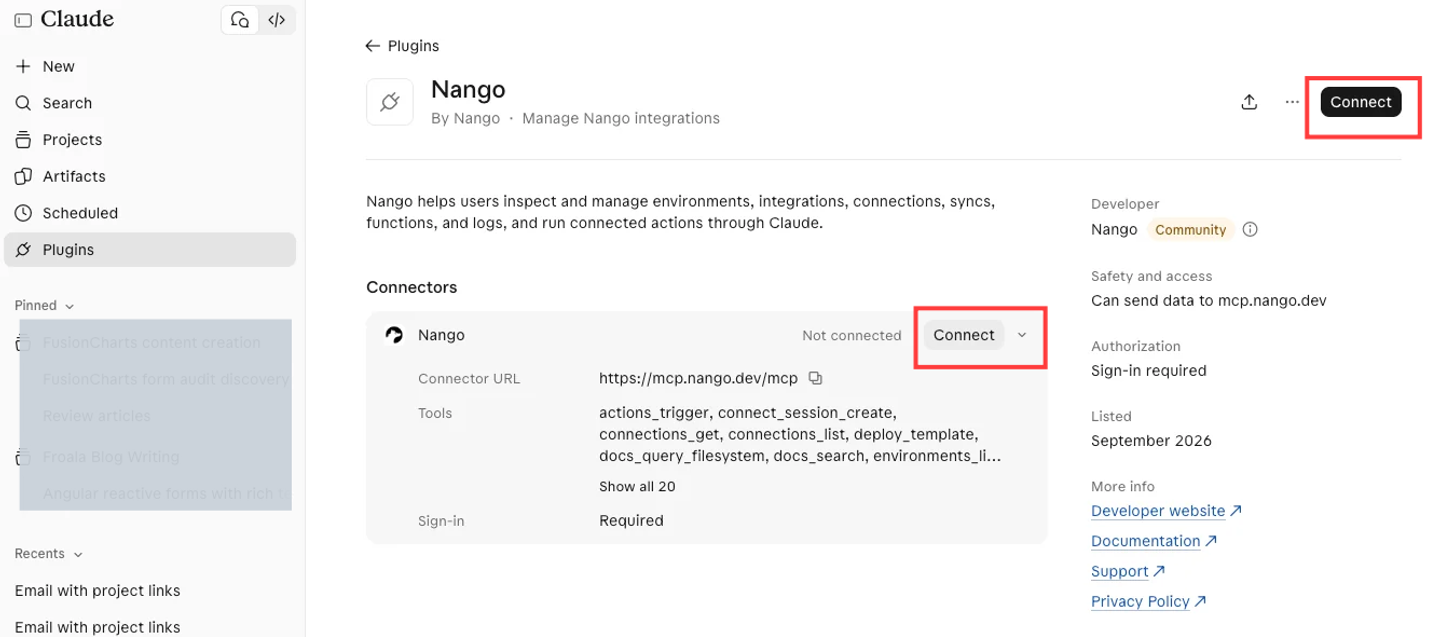
- Click Connect and complete the authorization. Once connected, Nango will appear under Plugins → Connectors in Claude.
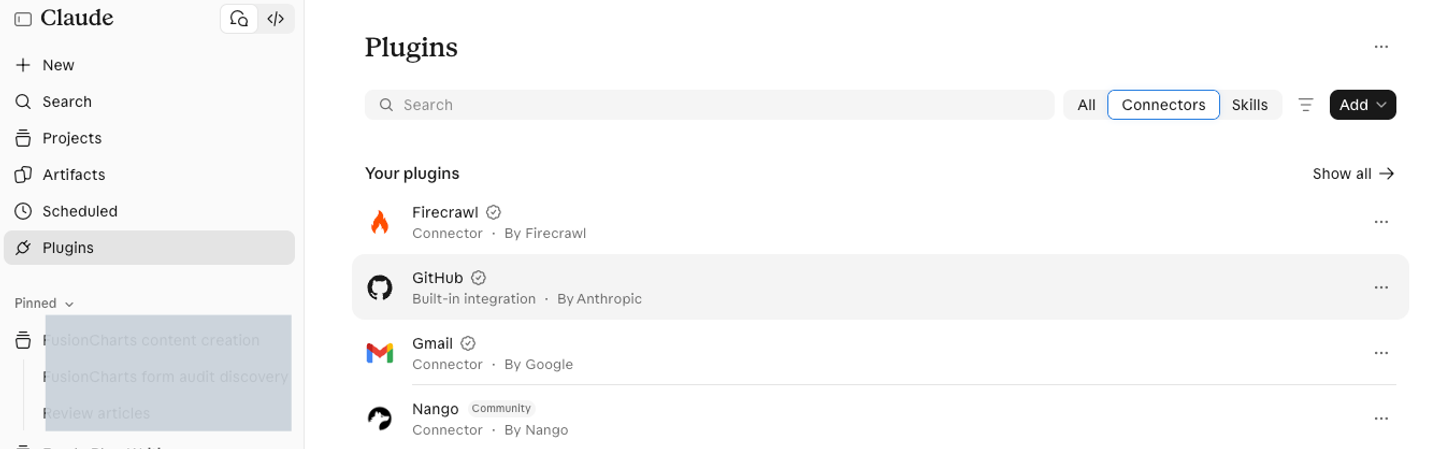
- Start a new chat in Claude. Include “using Nango” in your email request so Claude uses the Gmail account you connected.
You can also use Nango with Codex, Cursor, and other AI assistants. See the coding agent setup guide for instructions.
Step 3: Send an email with links from Claude
Now ask Claude to send an email containing a few links.
For example:
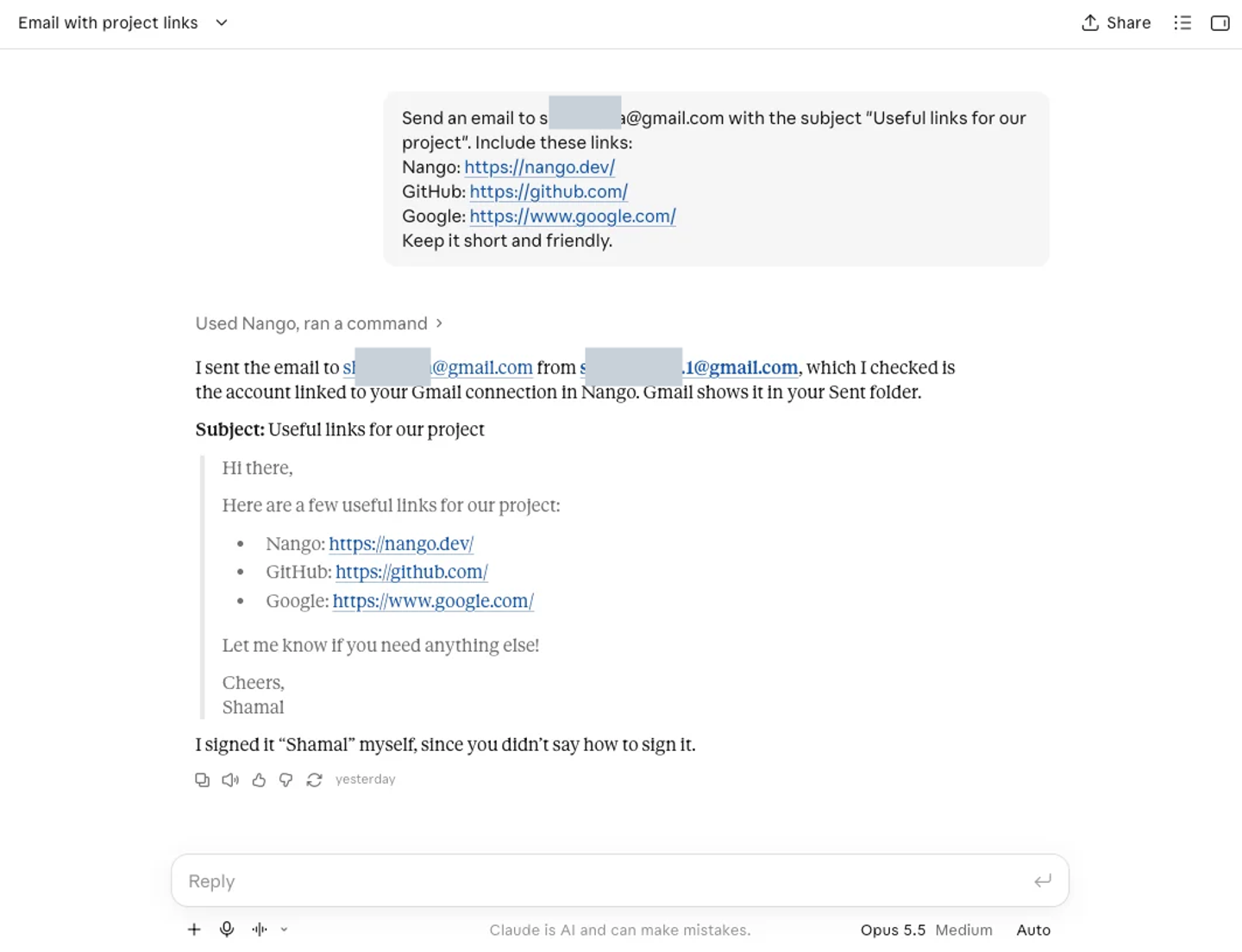
Send an email to jane@example.com with the subject “Useful links for our project” using Nango. Include links to Nango (https://nango.dev/), GitHub (https://github.com/), and Google (https://www.google.com/). Keep it short and friendly.
Replace the recipient address with your own test inbox.
Claude will use Nango to send the message from your connected Gmail account. Review and approve the action if prompted.
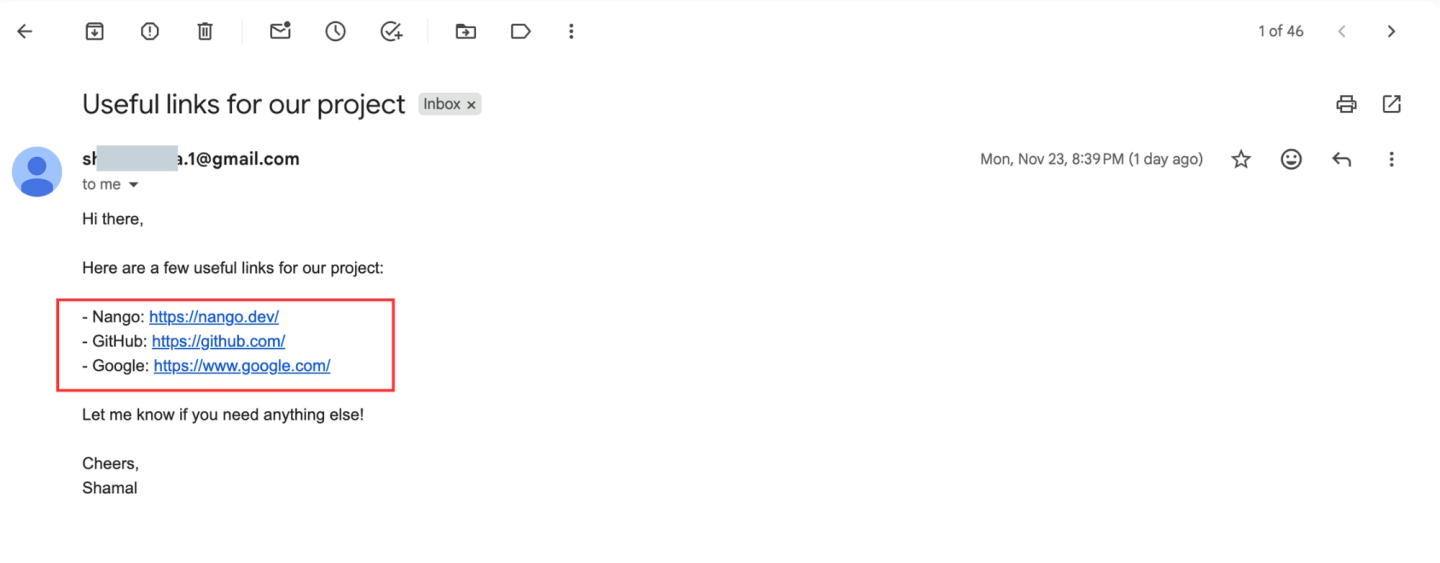
Open the email in your recipient inbox. The links should point directly to their original destinations, without the unwanted google.com/url?q= wrapper.
You can also ask Claude to save the message as a draft instead of sending it. Nango supports both actions.
For comparison, here’s what happens when the same email is sent through Claude’s built-in Gmail connector.
If you have multiple Gmail accounts connected through Nango, specify which sender account you want Claude to use.
Connect more apps to Claude
You can now draft and send emails from Claude without the unwanted Google redirects. Your recipients receive the original links, and you can continue using Claude to write and send emails as usual.
Nango helps you connect AI assistants like Claude, Codex, and Cursor to 1,500+ APIs, with 27,000+ prebuilt tools for popular services such as Gmail, Google Calendar, Slack, and GitHub. Nango handles authentication and keeps your connections working, so your assistant can access the tools and accounts you need.
Want to use more than one Gmail account? Follow our guide on how to access multiple Gmail accounts with Claude, Codex, and Cursor.
Related reading


