
TL;DR
An agentic API integrations platform is where coding agents (like Claude, Cursor) build API integrations and AI agents in your product call them at runtime. The platform gives you three things in one stack: integrations-as-code (prompted by you and written by your coding agent), a secure, scalable runtime, and Managed Auth for external APIs with data sync. It is the successor to embedded iPaaS (2010s, low-code) and closed unified APIs (early 2020s, narrow scope).
An agentic API integrations platform also enables you to set up just-in-time integrations, where integrations are generated on demand using an AI coding agent and consumed by other AI agents in production.
Three platforms worth evaluating in 2026:
- Nango: An agentic API integrations platform supporting 800+ APIs. Coding agents build integrations with the Nango AI builder skill, running against a secure and scalable runtime. AI agents consume those integrations through an MCP server, tool calls, webhooks, and data syncs. Open-source.
- Arcade: An MCP-first runtime for agent tool calling with permission checks and evaluation testing. Catalog of 112 first-party integrations, focused on the run side only. Not fully agentic.
- Composio: A closed-source tool library for agent integrations across 500+ apps. No code-level customization, no data syncs or webhooks, limited observability. Not fully agentic.
Agentic API integrations: A new platform category
For more than a decade, teams built product integrations by hand. Read the API docs, implement OAuth, handle pagination, write error handling, test, ship, and maintain. A typical team shipped 3 to 5 integrations per quarter. However, customers now ask for integrations with hundreds of tools. Engineering cannot pre-build every use case one at a time.
Two things changed since October 2025:
- AI coding agents can build integrations autonomously: Claude Code, Cursor, Codex, and Gemini CLI can read API docs, iterate on a failing request, and produce a working integration. We built 200+ integrations in 15 minutes using OpenCode and the Nango builder skill.
- Every AI agent needs API access at runtime: Agents need to read context from external systems to understand the task and take action to complete it. Common examples include fetching a customer record from the CRM, sending a Slack message, drafting an email in Gmail, or updating a ticket in Linear.
These two shifts collapse into the same use case. The agent that uses the integration is increasingly likely to ask another agent to build what it needs. This is the idea behind just-in-time integrations: integrations generated on demand, prompted by an engineer, another agent, or an end customer, rather than pre-built by the platform for every use case. Instead of handcrafting each integration, teams build an integration factory. The more the coding agent does, the less human involvement is needed.
What is an agentic API integrations platform?
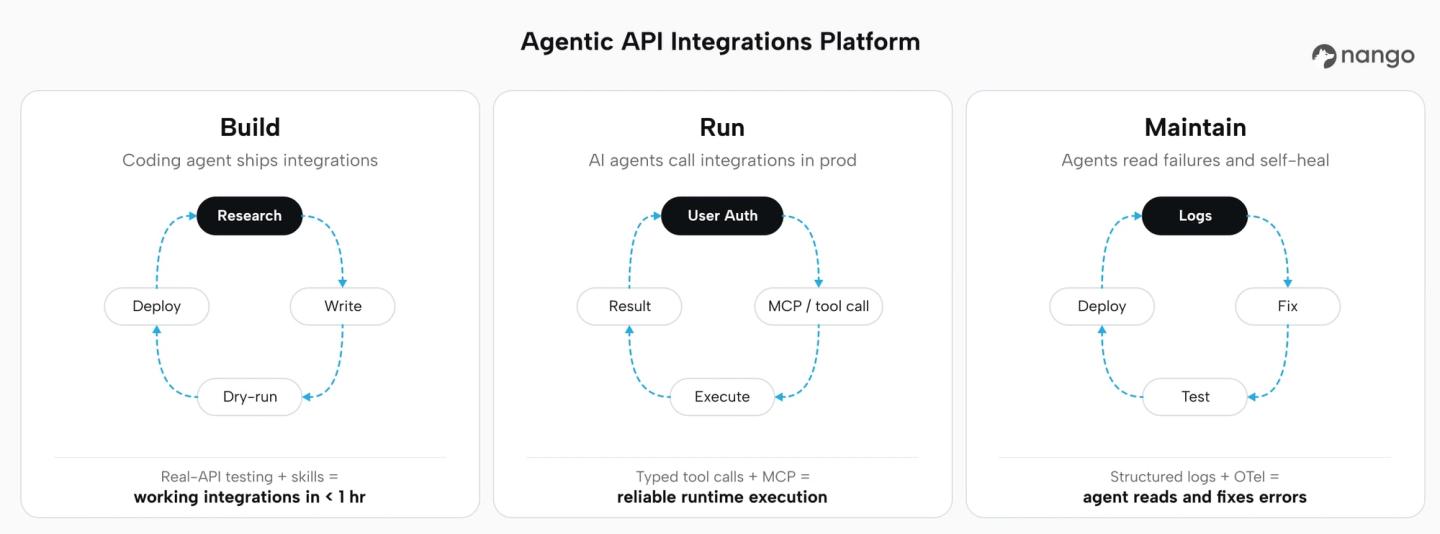
An agentic API integrations platform lets engineers and coding agents build, run, and maintain integrations at scale.
1. AI coding agents build integrations:
The platform exposes skills, SDKs, and a testing loop (test runs against real APIs, real credentials, real logs) so a coding agent (like Claude, Cursor, Codex) can author, test, and deploy integrations end to end. Integrations are code in your repo, so your team keeps full version control, review, and audit.
2. AI agents in production consume integrations:
The platform exposes the same integrations as typed tool calls, MCP servers, data syncs, and webhook triggers, so product-facing agents can reliably act on external systems.
3. Developers stay in control:
The integration is code that your engineers can read, review, and edit. Coding agents can write integrations end-to-end, or a human engineer can drive a coding agent with review on every change. The platform supports both modes, so teams move fast without losing control of what ships.
As you can see, the word “agentic” has two implications. On the build side, agents produce the integration code. On the run side, agents consume the integration at runtime. An agentic API integrations platform supports both.
Supporting both the run and the build side matters because platforms that do only one side of the job hit a wall quickly. A tool library without a build workflow cannot quickly scale API integrations, customize integrations for specific customers, or react to schema changes in the external API. A coding assistant without a runtime cannot ship anything to production.
Agentic API integrations platform vs. earlier categories
| Category | Era | Builder | Consumer | Limitations |
|---|---|---|---|---|
| Embedded iPaaS | 2010s | Human in a low-code editor | Human end user | Visual builders, AI coding agents cannot build using the platform, nor can AI agents consume integrations |
| Unified API | Early 2020s | Platform vendor (fixed catalog) | Backend engineers | Constrained schemas, limited categories covered, no customization |
| Agentic API integrations platform | 2026+ | AI coding agent or backend engineer in your repo | AI agent in your product, or your SaaS | Emerging category |
For deeper context on the older categories, see how Nango differs from embedded iPaaS and unified APIs, what is an embedded iPaaS, and what is a unified API.
What to look for in an agentic integrations platform
Evaluate a platform against the build side, the run side, and the runtime that connects them.
Build side: Can AI coding agents build integrations on it?
- A dedicated skill or SDK that encodes integration patterns (auth, pagination, delete detection, checkpoints, error handling) so the agent does not start from a blank file.
- Compatibility with the coding agents your team already uses: Claude Code, Cursor, Codex, Gemini CLI, GitHub Copilot, OpenCode.
- A testing command that executes generated code against a real connection and surfaces real API responses, so the agent can iterate on actual errors instead of hallucinating.
- Deployment through CI/CD with version control, unlimited environments, and no vendor-specific build pipeline.
Run side: Can AI agents consume integrations at runtime?
- A built-in MCP server so agents speak a standard protocol.
- Typed tool calls with strict input and output schemas so the LLM does not guess parameters.
- Real-time triggers (webhooks, polling) so agents react to provider events, not just initiate requests.
- Data syncs to enhance the context of your agent (for example, RAG) and keep data fresh across millions of records.
Runtime and security:
- Managed authentication across OAuth, API keys, JWT, basic auth, and MCP Auth.
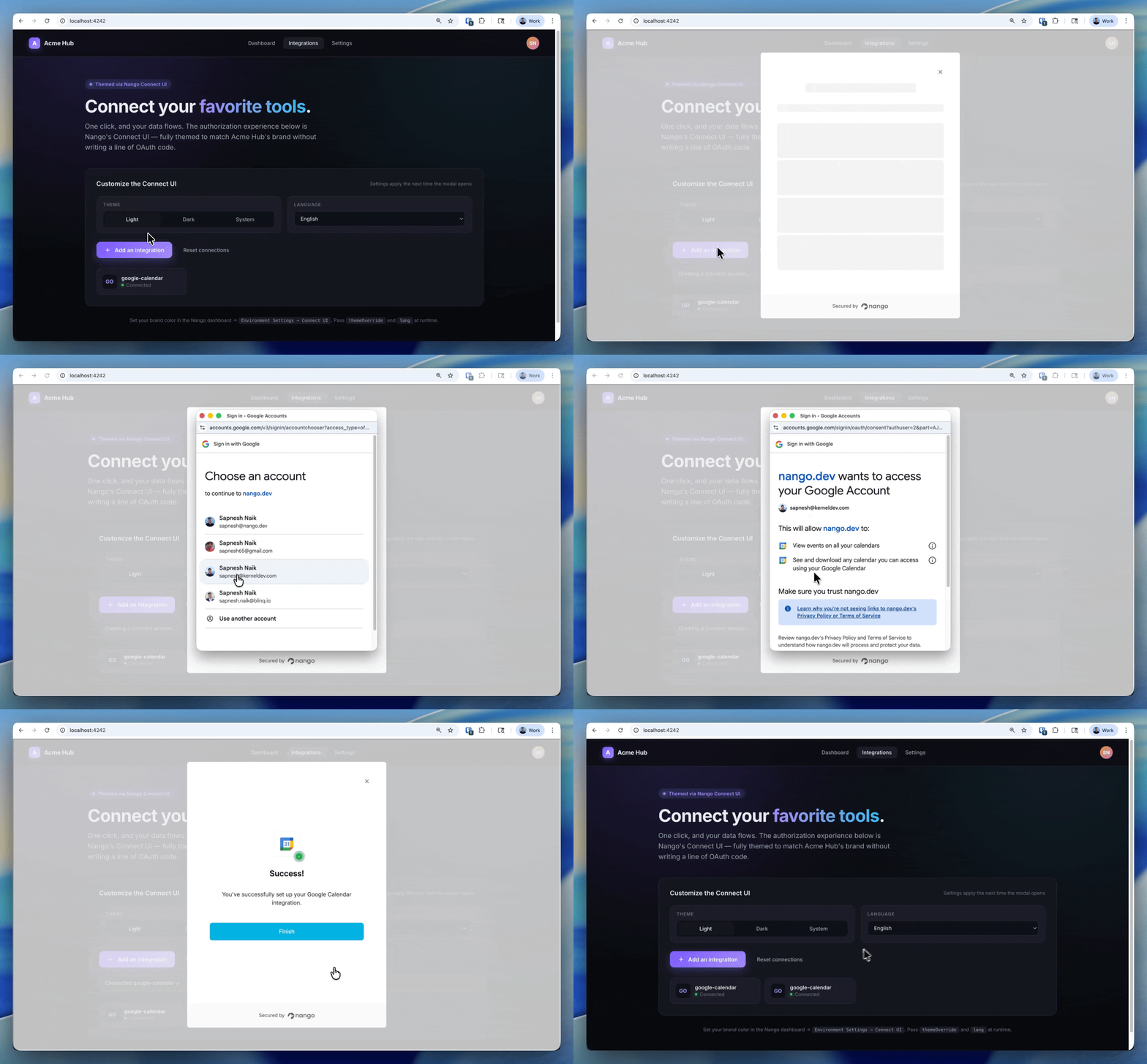
- A white-label, drop-in auth UI so end users authorize under your brand, not the platform’s.
- Tenant isolation and per-customer resource limits, since one customer’s integration should never affect another’s.
- Deep, real-time observability: full request and response logs, custom log messages, and OpenTelemetry export. Both agents and humans need to read failures.
- Per-customer configuration for custom field mappings and tenant-specific behavior.
Use this checklist when evaluating any platform in the category.
Best agentic API integrations platforms
1. Nango
Nango is an open-source agentic API integrations platform. Coding agents can build and maintain integrations on it using the Nango AI builder skill. AI agents inside your product call those integrations at runtime through an MCP server, tool calls, webhooks, and data syncs.
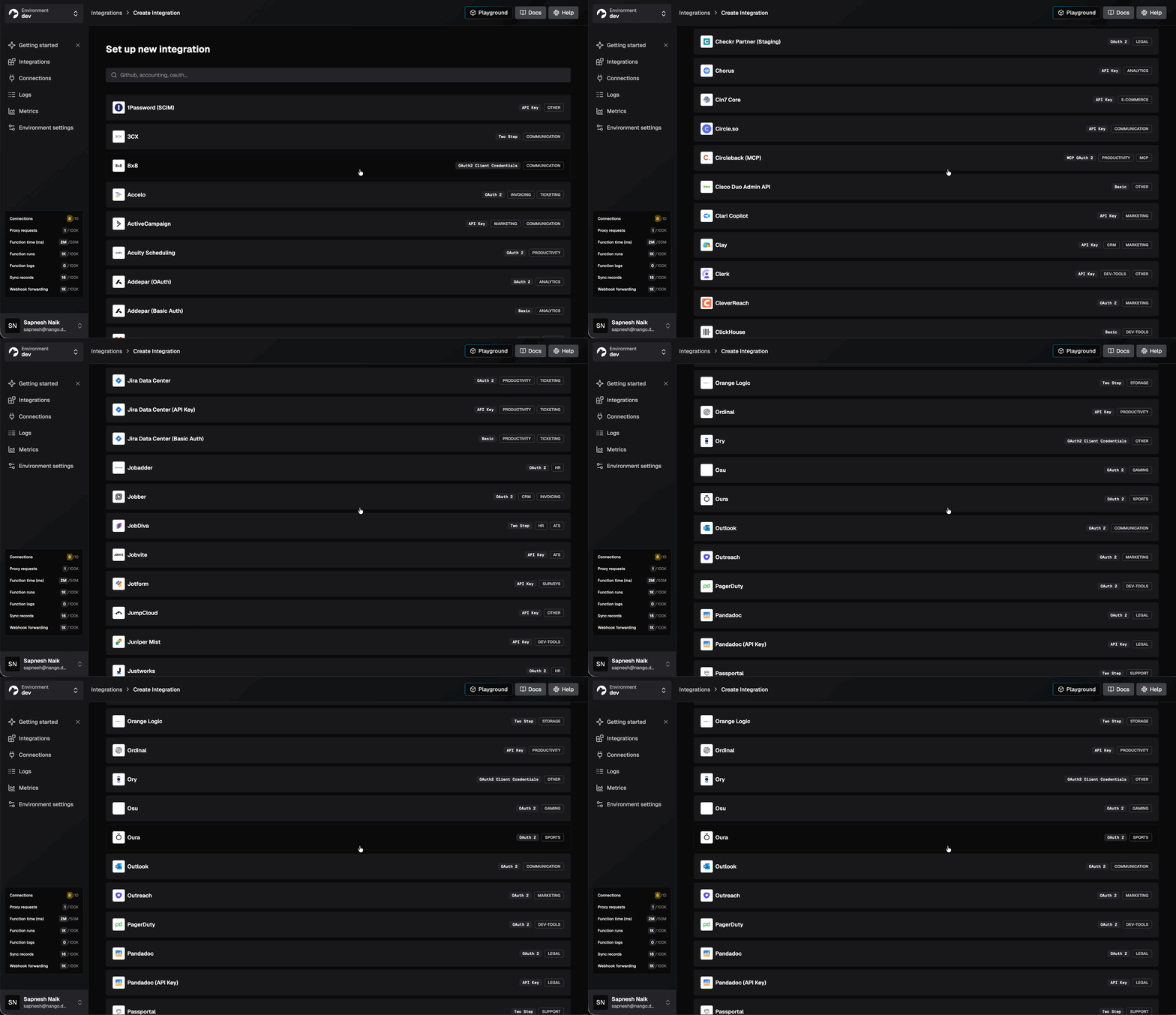
Nango supports 800+ APIs out of the box and is used as core infrastructure by hundreds of fast-growing AI companies.
Best for
Teams building production AI agents that want coding agents to generate integrations on demand, with a secure and scalable runtime to execute them. Includes runtime primitives (MCP, tool calls, syncs, webhooks) to expose those integrations to the AI agents inside a SaaS product.
Pros
- AI builder skill for 18+ coding agents: Install with one command, and the skill gives Claude Code, Cursor, Codex, Gemini CLI, OpenCode, and others the context to research an API, write the integration, test it against a real connection, and iterate on real errors. See the walkthrough of building a real-time Google Calendar API integration end-to-end with the Nango AI builder skill.
# Install the Nango skills for your coding agent
npx skills add NangoHQ/skills
<!-- Sample prompt -->
Build a Nango sync that fetches events from the primary Google Calendar.
Should run hourly, backfill on initial sync for the last 30 days and
all future events. After the first run, only fetch future events
incrementally.
Return at least:
- Event title
- Start and end date
- Location
- RSVP status
- Attendees list (email, display name, response status)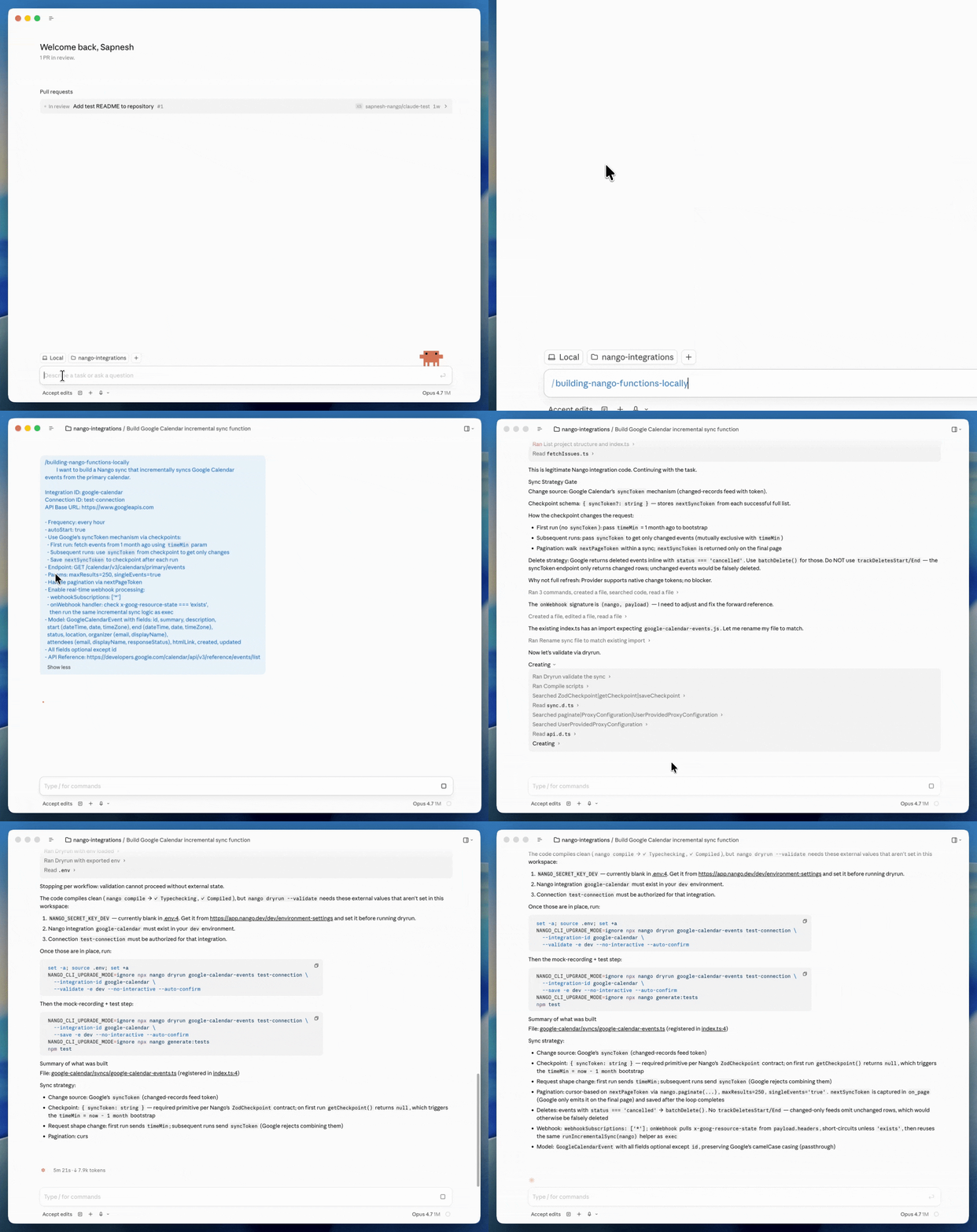
- Test generated code against real APIs: AI coding agents use the Nango CLI, which includes a
dryruncommand that executes generated code against a real connection, returns real responses, and lets the agent iterate until tests pass. This closes the loop that most coding agents lack when building integrations. - Built-in MCP server and typed tool calls: Nango exposes every action as a typed, deterministic tool call through a REST API or MCP server. Agents see clear input and output schemas, reducing the risk of hallucinations.
- Beyond tool calls on the same platform: Native data syncs for RAG, webhook processing, polling triggers, per-customer configuration, and an extensible unified API layer. Your agent can read context, react to events, and take actions all within the same platform.
- White-label auth across 800+ APIs: A drop-in UI component handles OAuth, API keys, JWT, basic auth, and MCP Auth. Custom credential validation and token refresh are built in. Your end users authorize under your brand.
- Low-overhead, tenant-isolated runtime: Tool calls add less than 100ms of overhead. The serverless execution runtime automatically scales during traffic surges and isolates each customer. Syncs use durable checkpoints to resume across millions of records.
- Real-time observability with OpenTelemetry: Every operation generates structured logs with full request and response details. Custom log messages, full-text search, and export through OpenTelemetry. A coding agent can read a failing run, find the exception, and fix the code autonomously.
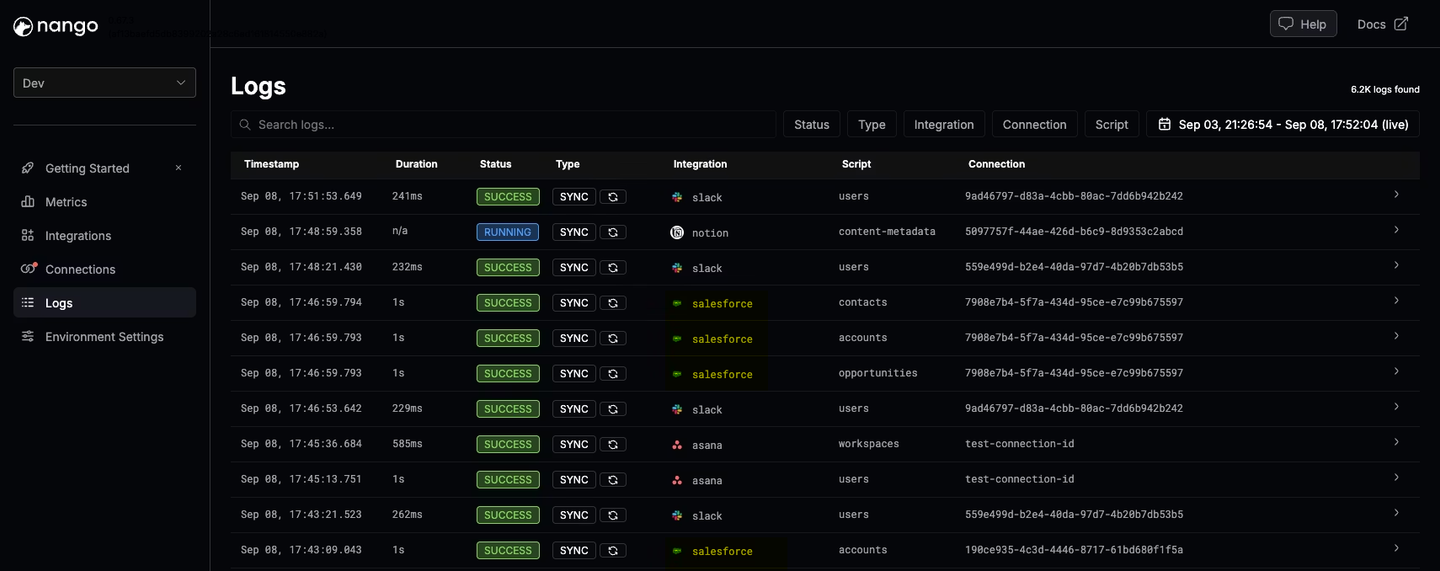
- Playground: Trigger syncs and actions from the dashboard to validate end-to-end behavior before wiring them into your product.
- Role-based access control: Control who on your team can edit, deploy, or manage integrations and connections.
- Enterprise compliance and hosting: SOC 2 Type II, GDPR, HIPAA. Enterprise self-hosting is available for teams that need full data isolation.
2. Arcade
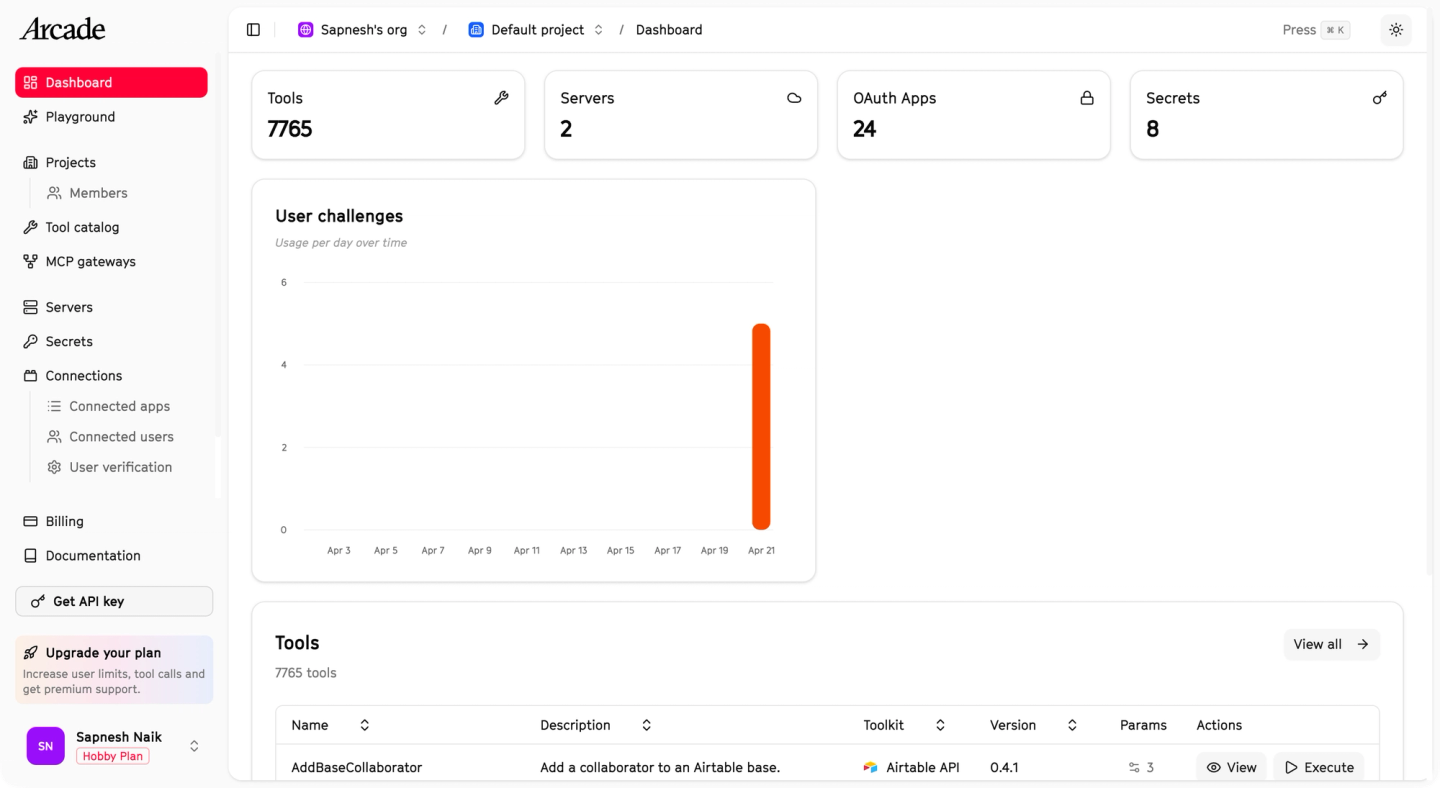
Arcade is an MCP-native runtime for agent tool calling. It exposes a pre-built tool catalog, an SDK for custom MCP servers, and evaluation tools for testing agent behavior against scripted scenarios.
Best for
Teams building MCP-first agents focused on tool calling. Best suited if you don’t need broader integration patterns like data syncs or webhooks, or AI coding agent support.
Pros
- MCP-native: every tool runs through the Model Context Protocol, which standardizes how agents discover and call tools.
- Automatic user permission checks before tool execution.
- SDK to build custom MCP servers that run on Arcade’s runtime.
Cons
- Arcade’s SDK targets human developers who write and package custom MCP servers locally. There is no dedicated skill for Claude Code, Cursor, or similar agents. No integrated testing loop against a real connection, and no path for a coding agent to author and deploy a new tool end-to-end inside Arcade.
- Tool calls are the only pattern. No data syncs to feed agent context, no webhook processing, no unified API layer.
- First-party integrations are approximately 112 as of March 2026 (48 hand-built, 57 auto-generated, plus community contributions).
- No per-customer configuration.
3. Composio
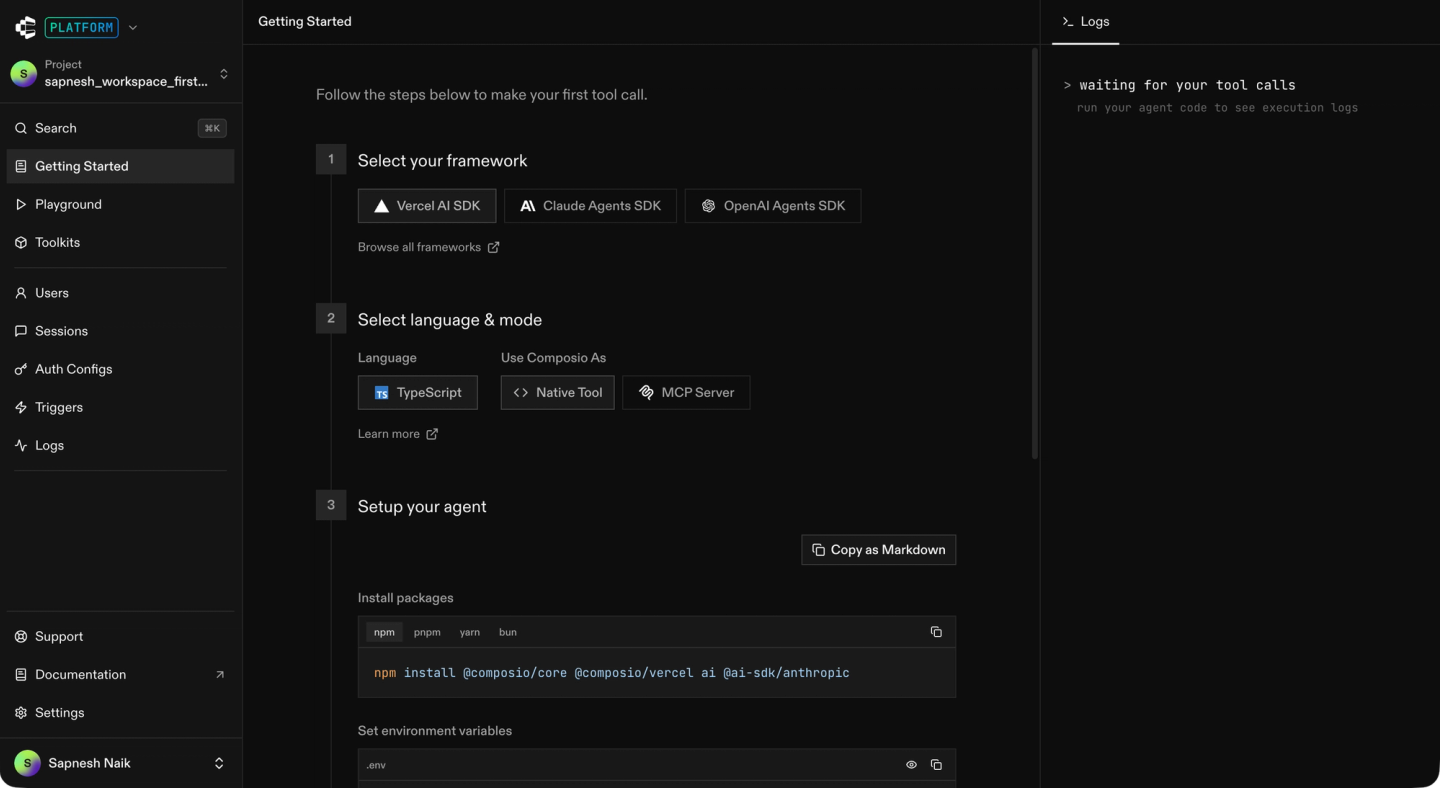
Composio is a developer-facing tool library for AI agents. It ships managed auth and a large catalog of pre-built tools wrapped in frameworks like LangChain, CrewAI, Autogen, and the OpenAI Agents SDK.
Best for
Teams that want an MCP server with a large pre-built catalog and managed auth. Best suited for internal productivity or personal automation agents rather than product teams needing custom tools or triggers.
Pros
- Catalog of 500+ apps accessible through one SDK.
- Managed authentication across supported APIs.
- Framework adapters for the most popular agent SDKs.
- SOC 2 and ISO certified.
Cons
- No custom tools on the platform. You cannot deploy a tool you wrote yourself (or had a coding agent write) onto Composio’s runtime. If a pre-built tool does not do what you need, you are blocked until Composio adds it.
- No custom triggers. Composio does not let you define webhook or schedule-based triggers for your integrations, so event-driven or scheduled work has to live elsewhere.
- There is no dedicated AI builder skill, no repo-level code-generation workflow, and no real API test loop to iterate on integration code.
- Tools are closed-source. You cannot inspect or modify the code of a pre-built tool.
- No data syncs to feed agent context, no webhook processing, no per-customer tool configuration.
- Observability is basic. You cannot add custom log messages, inspect full request and response details, or export traces via OpenTelemetry.
For a deeper read, see our Composio vs Nango head-to-head or the best Composio alternatives post.
Comparison table
| Capability | Nango | Arcade | Composio |
|---|---|---|---|
| AI coding agent skill (build-time) | Yes, 18+ agents supported | SDK only | None |
| Test against real API | Yes | Partial | No |
| MCP server (runtime) | Yes | Yes | Yes |
| Typed tool calls | Yes | Yes | Yes |
| Data syncs for agent context | Yes (durable, incremental) | No | No |
| Webhook processing | Yes (high-throughput) | No | No |
| Per-customer configuration | Yes | Enterprise only | No |
| White-label auth UI | Yes, drop-in | Limited | Limited |
| Open-source templates | Yes | Partial (SDK) | No |
| Self-hosting | Yes (Enterprise) | VPC, on-prem | No |
| Primary focus | Full agentic platform (build + use) | MCP runtime | Tool library |
| Supported APIs | 800+ | ~112 first-party | 500+ |
Why AI coding agents change what “best” means
The short answer is that “best” is no longer about who has the largest closed catalog. It is about the platform that lets your team ship integrations as fast as the coding agent can generate them, and exposes the result to AI agents reliably at runtime.
Three loops compound here:
- The Build loop: An integration platform with good coding-agent skills, real-API testing, and secure, real-credential access lets an agent produce a working integration in under an hour. Without that loop, the agent hallucinates endpoints and ships non-working code.
- The Run loop: An agentic API integrations platform exposes every integration as a typed tool call or an MCP endpoint, with managed auth and observability, so the AI agent in your product can call it reliably in production.
- The Maintain loop: When an integration fails, the logs need to be accessible so that a coding agent, not just a human, can read the exception, trace the failing request, and ship a fix.
Nango is the only platform in this comparison that treats all three loops as first-class, and the only one where the same code an agent builds today runs unmodified in a hardened tenant-isolated runtime tomorrow.
FAQ
What makes a platform “agentic”?
A platform is agentic when AI agents are first-class on both sides. Coding agents can build and deploy integrations with a real testing loop. Product-facing AI agents can call those integrations as tool calls, MCP endpoints, or triggers at runtime.
Is an agentic API integrations platform the same as a unified API?
No. A unified API normalizes data from multiple providers into a single schema. It is built for backend engineers to query a fixed catalog. An agentic API integrations platform is built for AI agents on both sides: coding agents that produce integrations and product agents that consume them. Many agentic platforms can expose a unified API layer when needed, but that is one capability, not the whole category.
Can AI coding agents like Claude Code or Cursor build integrations on these platforms?
Only where the platform ships a dedicated skill or harness. Nango’s AI builder skill works with 18+ coding agents and includes a test command that runs generated code against a real connection. Other platforms in this post provide SDKs but do not yet ship a production-grade coding-agent workflow.
Do AI agents need an MCP server?
Not always. MCP is useful when the agent framework expects a standard protocol for discovering tools (for example, Claude Code or agents exposed through LangSmith). Many agent products also use REST APIs for integration, which is simpler and more deterministic. A good agentic platform supports both, so you pick per use case. See our note on avoiding MCP for production reliability, where custom tool calls are a better fit.
How does an agentic integration platform help with just-in-time integrations?
Just-in-time integrations are generated on demand when a customer requests one in your product. The platform provides the sandbox where a coding agent writes the integration, the runtime that executes it with managed auth and tenant isolation, and the observability layer that lets agents read failures and fix themselves. Nango is the open-source factory for this pattern.
Can I use these platforms with LangChain, CrewAI, or the OpenAI Agents SDK?
Yes. All three platforms in this post expose integrations via a combination of REST APIs, MCP servers, and native SDKs that work with LangChain, CrewAI, the OpenAI Agents SDK, the Vercel AI SDK, and the most popular agent frameworks.
Conclusion
The “best agentic API integrations platform” is a simple question with a layered answer: the platform needs to serve AI coding agents that build integrations and AI agents that use them, on a runtime that a team can trust in production.
Nango is the only platform in this comparison that treats both sides as first-class. Coding agents build and maintain integrations through the AI builder skill, testing generated code against real APIs end to end. Product-facing AI agents consume those integrations through an MCP server, tool calls, webhooks, and data syncs. Integrations are code in your repo, running on a secure and scalable runtime, so your team stays in control of every layer while AI agents do most of the work.
Related reading
- The emergence of just-in-time integrations
- Using AI coding agents for building API integrations in 2026
- Best AI agent integration platforms to consider in 2026
- Best AI integration platforms in 2026
- Best practices for building API integrations with AI agents
- Best AI agent authentication platforms in 2026
- Why AI agents need an integrations platform
- How is Nango different from embedded iPaaS or other unified APIs?

