
HubSpot’s 400 Bad Request response, "There was a problem with the request.", does not identify a single cause. This guide shows how to inspect the failed request, isolate the cause, and verify the correction, with before-and-after examples and separate checks for create and update errors.
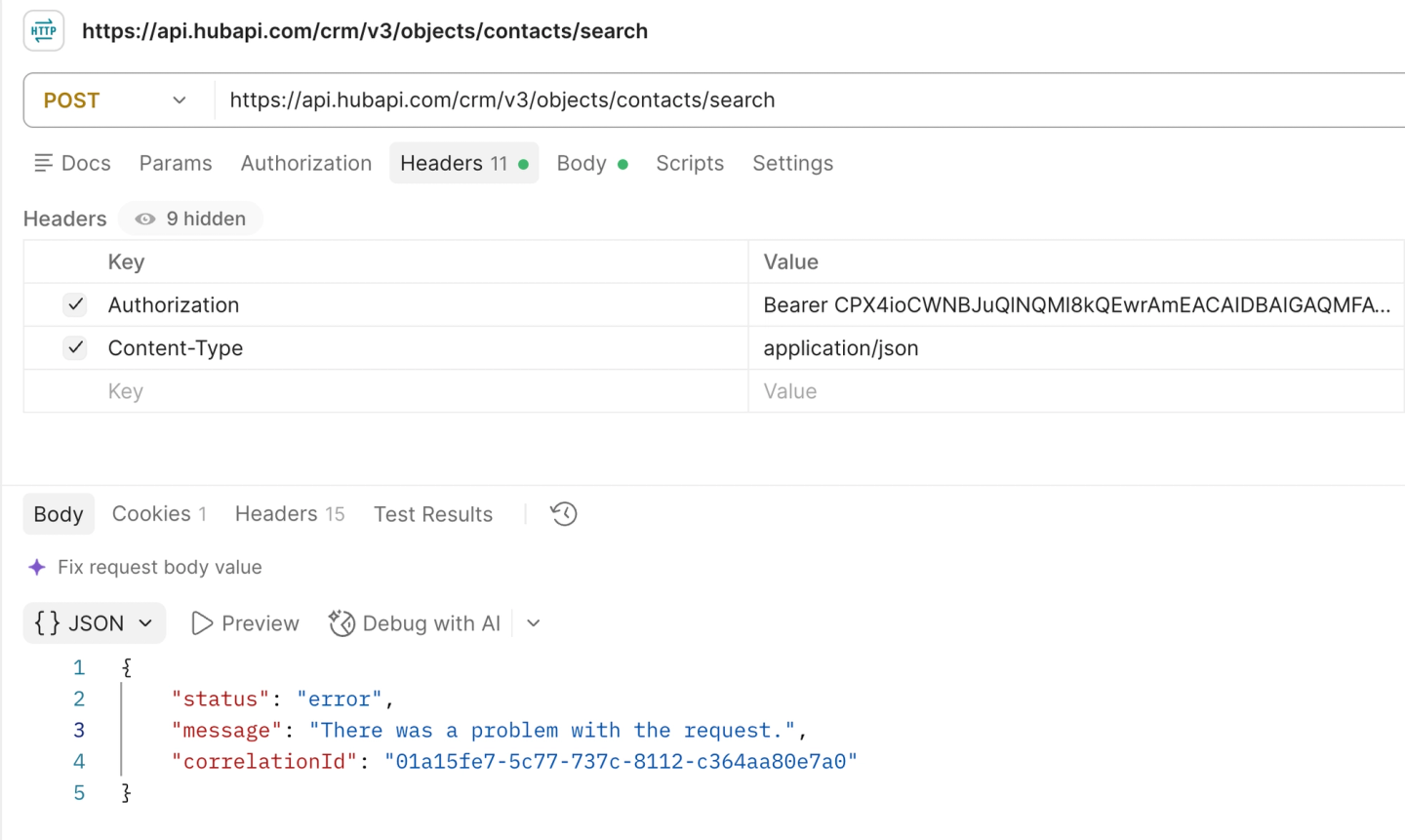
The generic response looks like this:
{
  "status": "error",
  "message": "There was a problem with the request.",
  "correlationId": "<request-correlation-id>"
}
HubSpot 400 Bad Request: symptoms, checks, and fixes
Start with the symptom that matches your failure. Some causes return the exact generic message; others return a 400 with a specific validation error.
| Symptom | What to check | Correction |
|---|---|---|
| First request fails | JSON serialization, nesting, content type | Fix the JSON body |
| Contacts work; companies or notes fail | Object-specific internal property names | Use internal property names |
| Adding an activity-content filter fails | Whether the property supports filtering | Remove unsupported filters |
| One operator breaks a working query | value, values, highValue, operator spelling | Match operands to the operator |
| Date filter fails or selects unexpected records | Milliseconds, valid dates, range endpoints | Validate the timestamp |
| Association filter fails | Related record ID and supported association type | Use the linked record ID |
| A larger query fails | Body length, filter counts, page size, sorting | Reduce the query |
| First page works; next page fails | Where after came from | Check the pagination cursor |
| Search stops around 10,000 records | Total results paged through for that query | Split the search or change endpoints |
| Create/update fails | Required properties, valid values, IDs, batch shape | Validate the write payload |
| Unchanged requests fail intermittently | Provider status and failure pattern | Check for transient failures |
Inspect the full HubSpot error response
Capture the full HTTP response from HubSpot. If your SDK or application logs show only 400 Bad Request, inspect the underlying response body for a more specific explanation.
Look for a specific explanation in message or the optional category, errors, and context fields described in HubSpot’s error-handling guide. If they name an invalid property or value, correct that field first. Save the real correlationId for support.
Before editing the request, retain its method, endpoint, API version, body, status, full error response, and UTC timestamp. This gives you a baseline for testing and escalation. Redact credentials and customer data before sharing it.
Test a minimal HubSpot search request
Remove filters, requested properties, sorting, and after from a copy of the failed search. Keep the same object, HubSpot account, and credentials. For a v3 contacts search, send:
curl -sS -i -X POST \
  'https://api.hubapi.com/crm/v3/objects/contacts/search' \
  -H "Authorization: Bearer $HUBSPOT_ACCESS_TOKEN" \
  -H 'Content-Type: application/json' \
  --data '{"limit":1}'
Set HUBSPOT_ACCESS_TOKEN to your HubSpot access token with crm.objects.contacts.read access. For companies, deals, or another object, use its search endpoint and required read scope.
An HTTP 200, even with no matches, means HubSpot accepted the reduced search. Restore one filter at a time, then requested properties, sorting, and finally after. The addition that brings back the 400 identifies the part to investigate.
If the reduced request fails, check its serialization and endpoint. If it succeeds here but fails in your application, compare the serialized headers and bodies from both clients.
The examples below use v3 endpoints. Check the v3 contacts search schema or your object’s reference. For a date-versioned endpoint, such as /crm/objects/2026-09/{object}/search, use that version’s documentation.
Causes of HubSpot API 400 errors
Fix the JSON body
Send one valid JSON object with Content-Type: application/json. Check for malformed JSON, double serialization, or form data sent as JSON. In our v3 contacts test, {"limit":1,} returned 400 with a JSON parsing message.
Use the endpoint’s raw JSON field names. An SDK field such as filter_groups may need to serialize as filterGroups. The documented grouped-filter structure is:
{
  "filterGroups": [{
    "filters": [{
      "propertyName": "firstname",
      "operator": "EQ",
      "value": "CON323Test"
    }]
  }],
  "limit": 1
}
Top-level filters also succeeded in our v3 test, so nesting alone does not establish the cause. Check the properties and values inside each filter.
Use internal property names for the target object
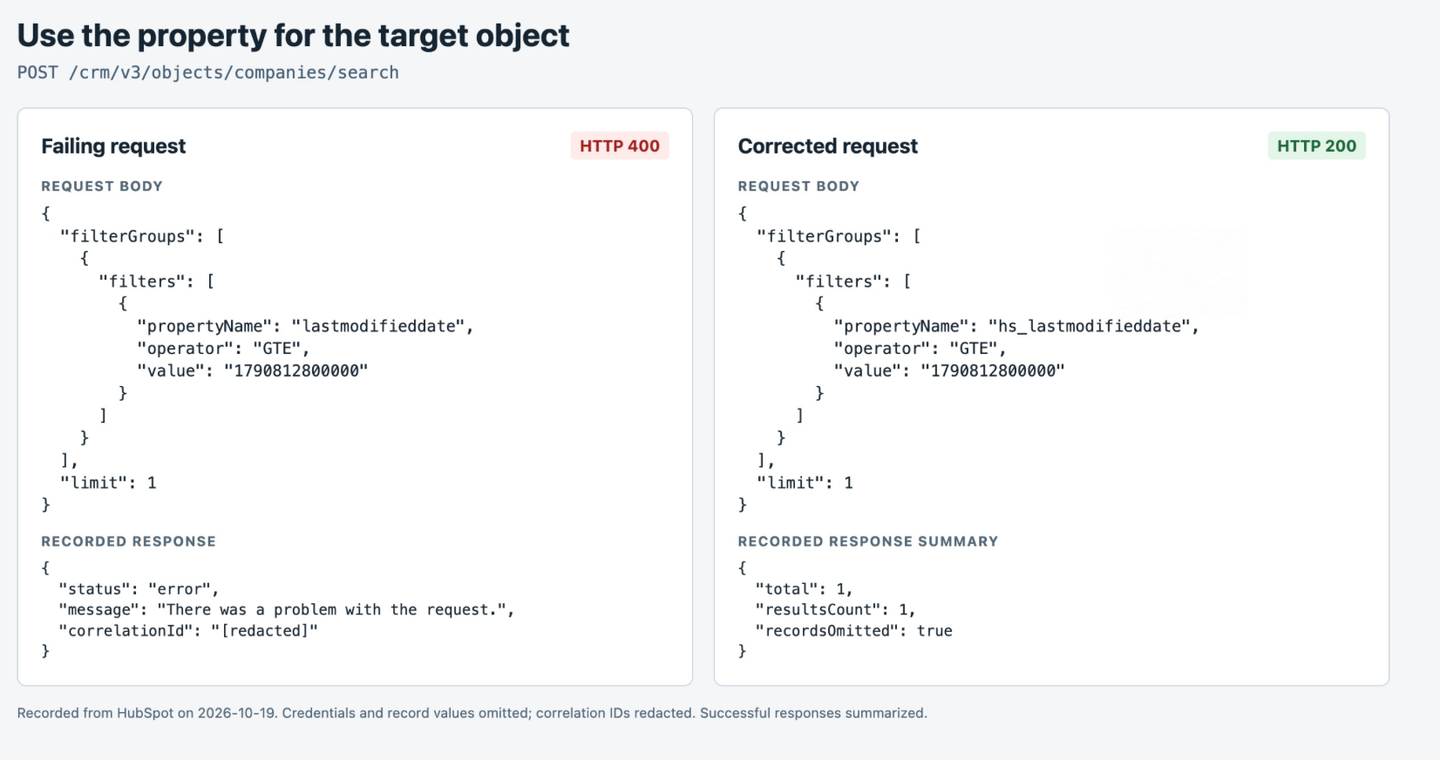
Use the target object’s internal property name. Contacts use lastmodifieddate; companies and deals use hs_lastmodifieddate. Reusing the contact filter in POST /crm/v3/objects/companies/search produces this failing request:
{
  "filterGroups": [{
    "filters": [{
      "propertyName": "lastmodifieddate",
      "operator": "GTE",
      "value": "1790812800000"
    }]
  }],
  "limit": 1
}
Change only propertyName to the company property:
{
  "filterGroups": [{
    "filters": [{
      "propertyName": "hs_lastmodifieddate",
      "operator": "GTE",
      "value": "1790812800000"
    }]
  }],
  "limit": 1
}
In our test, lastmodifieddate returned the generic 400; changing only the property to hs_lastmodifieddate returned 200.
A March 2026 community report traced similar failures across CRM objects to a reused contact modification-date filter.
Creation-date filters can fail for the same reason. Notes use hs_createdate; a developer confirmed that replacing createdate fixed their notes search. Retrieve the actual object’s properties from the affected HubSpot account:
curl -sS 'https://api.hubapi.com/crm/v3/properties/companies' \
  -H "Authorization: Bearer $HUBSPOT_ACCESS_TOKEN"
From that response, use the metadata’s name field in your filter. A display label can look similar but be invalid: one developer resolved this exact error by changing Contact Type to contact_type.
Repeat the lookup per account for custom properties, and refresh cached metadata after schema changes. You can retrieve all properties or just the suspected field through the properties API.
Remove unsupported property filters
Remove filters on properties that search does not support. HubSpot excludes hs_body_preview_html from filtering for calls, conversations, emails, meetings, notes, and tasks. Email filters also exclude hs_email_html and hs_body_preview.
Narrow the search with a supported property, such as modification time, then evaluate the retrieved content in your application. A property appearing in metadata does not establish that it supports search filtering.
Match the value fields to the operator
Use a supported operator and supply its expected operand fields:
| Operator | Operand fields |
|---|---|
| EQ, NEQ, GT, GTE, LT, LTE | One value |
| IN, NOT_IN | A values array |
| BETWEEN | Lower bound in value, upper bound in highValue |
| HAS_PROPERTY, NOT_HAS_PROPERTY | No comparison value |
| CONTAINS_TOKEN, NOT_CONTAINS_TOKEN | One value |
In our v3 contacts tests, changing the unsupported operator EQUALS to EQ resolved a 400. An IN filter with a comma-separated string in value returned operator IN requires values; replacing it with "values":["alice","bob"] returned 200.
Check value formatting against the operator documentation. String searches with IN or NOT_IN require lowercase values; enumeration searches are case-sensitive and use internal option values. A value mismatch may produce an accepted search with no matches rather than a 400.
Send valid date values in milliseconds
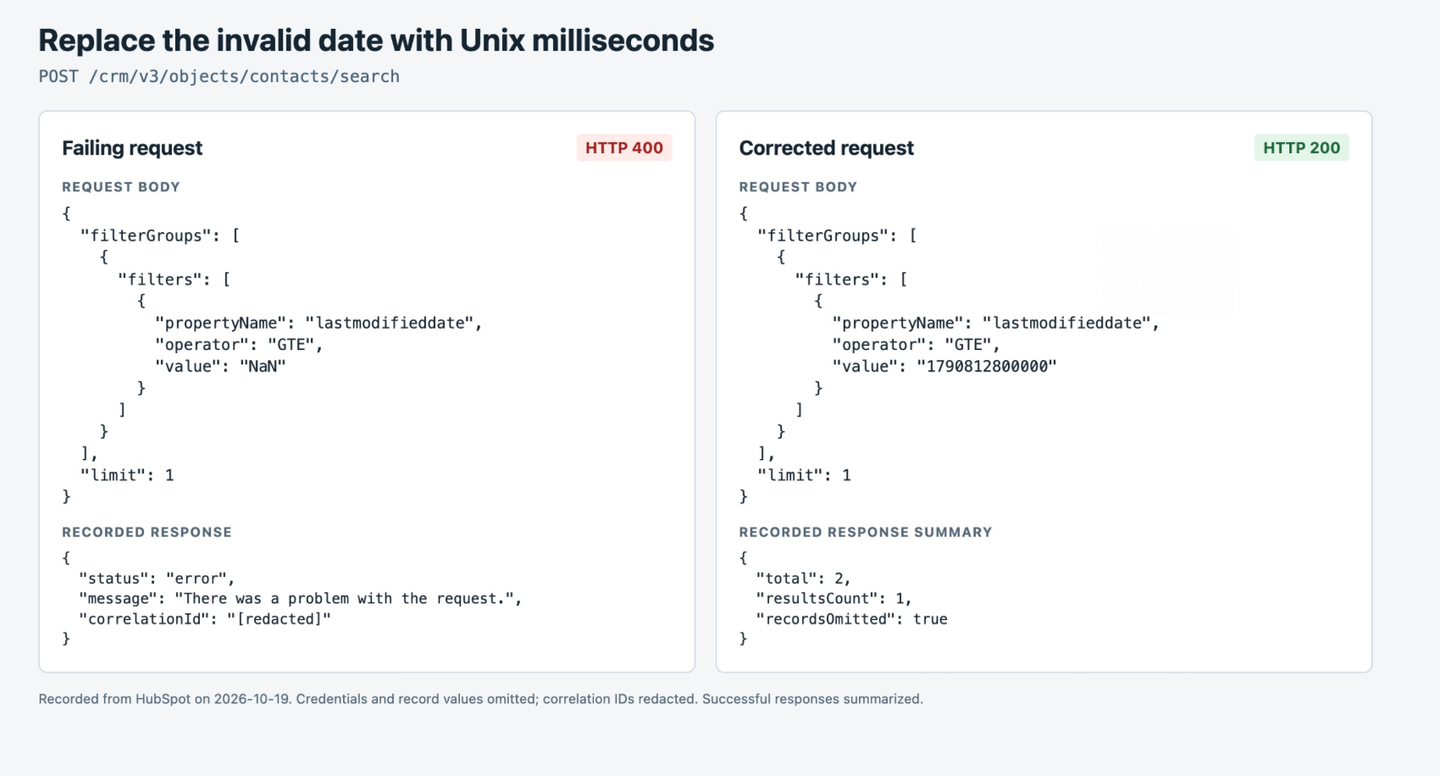
For v3 modification-date filters, send Unix milliseconds as a string. For example, "1790812800000" represents October 1, 2026 at 00:00:00 UTC. For BETWEEN, supply both bounds in that format, with the lower bound preceding the upper one.
Validate the timestamp before building the filter. In a read-only test on October 21, 2026 (UTC), this request to POST /crm/v3/objects/contacts/search returned the exact generic 400:
{
  "filterGroups": [{
    "filters": [{
      "propertyName": "lastmodifieddate",
      "operator": "GTE",
      "value": "NaN"
    }]
  }],
  "limit": 1
}
Replacing only "value":"NaN" with "value":"1790812800000" returned HTTP 200 and one matching contact from the same HubSpot account.
A seconds value may be accepted but interpreted as a date near 1970. Confirm that the timestamp represents the intended point in the sync, even after the request succeeds.
Use record IDs in association filters
For associations.company, supply the linked company’s HubSpot record ID. If you have only a name or domain, resolve the company first and use the returned ID.
Search endpoints do not support custom-object association searches. Retrieve those links through the associations API.
Stay within search request limits
Keep the complete query within HubSpot’s search limits:
- At most 3,000 characters in the request body.
- At most five filter groups, six filters per group, and 18 filters across the request.
- At most 200 records per page.
- One sorting rule per search.
In our tests, limit:201 and six filter groups returned descriptive 400 errors. A query containing 3,001 characters returned the generic message.
Shorten an oversized body by reducing requested fields or splitting long value lists. Simplify excess filters while preserving the query’s logic, and keep limit at or below 200.
If adding sorting triggers the failure, test one verified property in your client’s expected format. HubSpot’s Node SDK examples use "sorts":["createdate"] for ascending contact creation time and "sorts":["-createdate"] for descending order. Check that the representation you copied applies to the client you use.
Reuse cursor from the same search
Take after from paging.next.after in the preceding response to the same search. If the first page works but a later page fails, remove after and replay the request to isolate the pagination failure.
Do not reuse a cursor from a basic-list response, another object, or a different query. The v3 company search reference represents after as a string; preserve the returned value and use your SDK’s expected type.
Keep the cursor tied to that query throughout the sync: start without after whenever you change filters, and stop paging when the response has no next cursor.
Handle the 10,000-result pagination limit
Split the query or change retrieval strategies when a search reaches 10,000 results. HubSpot returns a 400 when you page beyond 10,000 results for one query, even if more records match. Developers have also reported the failure when after reaches 10,000.
Check how many records you have read and the failed call’s after value. A smaller page size or a delay will not extend the result window. Request-rate limits return 429 and require different handling.
For a full backfill, use the basic list endpoint where appropriate. For filtered incremental reads, divide the search into smaller ranges and account for records with identical timestamps. See how to sync large amounts of contacts from HubSpot for a backfill and incremental sync implementation.
Fix 400 errors on create and update requests
For a failed create or update, inspect the write payload and full error response. Use field-level error details to check:
- Body shape: Single-record writes use a
propertiesobject; batch endpoints have their owninputsstructure. - Required fields and identifiers: Follow the object’s create requirements. For deals, use internal pipeline and stage IDs, with the stage belonging to that pipeline. See the deals API guide.
- Association identifiers: Verify the object pair, direction, category, and type ID; those identifiers are not interchangeable across relationships.
- Property validation: Verify internal names, writable fields, number/date formats, and allowed enumeration values. An owner property expects an owner ID.
- Account rules on newer versions: Starting with
2026-09, writes enforce admin-configured required fields and conditional property rules. A newly required field can explain a previously working request returning 400. User-level OAuth association writes also depend on the installing user’s association permissions. - Batch-specific restrictions: Check the selected endpoint’s input limit and each record’s error details. Preserve successful items if the response reports partial success.
Date validation also depends on the endpoint version. The legacy properties guide requires epoch timestamps for date-only values to fall at midnight UTC. The 2026-09 write API can normalize additional formats and return warnings; its accepted inputs may differ from those of a v3 search filter.
Repair the invalid value or missing requirement before resubmitting the write.
When to retry or escalate
Correct repeatable validation failures before retrying. An unchanged request will keep failing on an invalid property, operand, or exceeded result limit.
If a previously successful, unchanged read fails intermittently, compare the timing across accounts and endpoints and check HubSpot’s status page. If the evidence suggests a transient failure, use a small bounded retry with backoff and retain each response.
Follow HubSpot’s error-handling guidance for 429, timeouts, and service errors. Review write retries separately to avoid repeating a successful write after a lost response.
If the status changes during those attempts, follow the new error’s diagnostic path. Invalid authentication normally returns 401, missing permissions normally returns 403, and BAD_REFRESH_TOKEN from the OAuth token endpoint requires a separate investigation.
If a minimal request still returns the generic 400, send HubSpot support:
- The account ID, endpoint, method, and API version.
- The UTC time and correlation ID for a failed call.
- A redacted minimal request and the complete error response.
- Whether the first page works, the last successful cursor, and the number of records already read.
- Whether the same request succeeds in another client or account, plus any relevant status incident.
Verify the corrected request
Replay the corrected request against the same HubSpot account and confirm it returns the intended results. For a paginated search, verify the page or range that failed as well as the first page. Test writes with disposable records in a test account.
Retain the failing payload as a regression case. Once the correction works in your application, deploy it and rerun the affected operation.
Using Nango for HubSpot integrations
Nango is an agent integration platform with 10,000+ prebuilt tools across 1,000+ APIs. It runs authentication, tool calls, data syncs, events, and webhooks on infrastructure built for scale.
For testing, Nango provides a managed HubSpot OAuth app so you can connect an account without registering your own app. Use your own OAuth app for production.
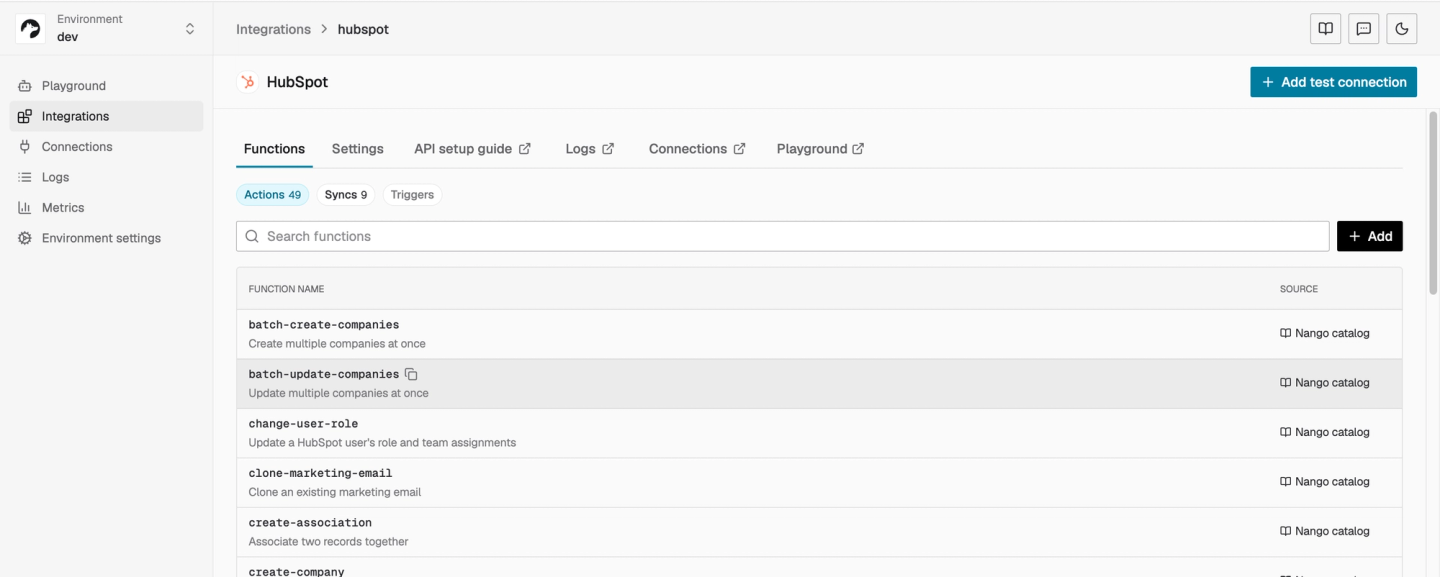
Its HubSpot catalog includes 49 prebuilt tools and 9 sync templates as of October 21, 2026, covering property lookups, searches, and syncs for contacts, companies, deals, and other CRM data. Follow the HubSpot setup guide to connect an account.
Find the failed request in the logs
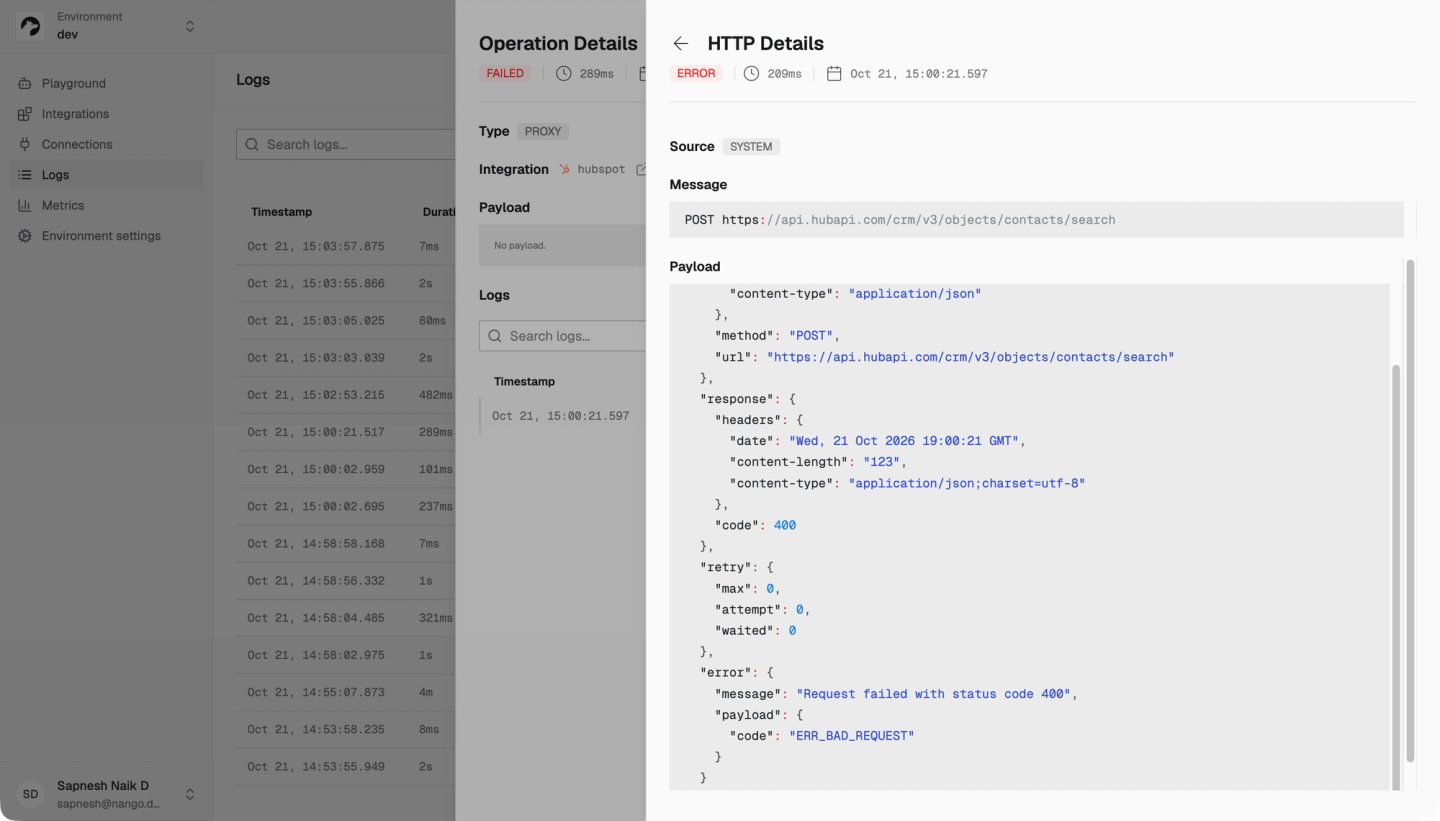
Open Nango’s logs, filter by your HubSpot integration and connection, and select the failed operation. Its HTTP details identify the endpoint, response status, timing, and retry attempts, so you can compare the failure with a successful execution.
Test the API call through the same connection
Use Nango’s proxy to send the minimal search from earlier without handling the HubSpot access token yourself:
curl -sS -i -X POST \
  'https://api.nango.dev/proxy/crm/v3/objects/contacts/search' \
  -H "Authorization: Bearer $NANGO_SECRET_KEY" \
  -H "Connection-Id: $NANGO_CONNECTION_ID" \
  -H "Provider-Config-Key: $NANGO_INTEGRATION_ID" \
  -H 'Content-Type: application/json' \
  --data '{"limit":1}'
Set the variables to your Nango environment’s API key, affected connection ID, and HubSpot integration ID. Nango adds the connection’s HubSpot credentials, and the proxy returns HubSpot’s response body. Restore one filter at a time to identify what triggers the 400, then verify the corrected request.
For custom tools or syncs, use Nango’s function builder workflow with Claude Code, Cursor, or Codex to implement and test the correction.
For additional help debugging your integration, join the Nango Slack community.


