> ## Documentation Index
> Fetch the complete documentation index at: https://nango.dev/docs/llms.txt
> Use this file to discover all available pages before exploring further.
# ShipStation (v1) - How do I link my account?
# Overview
To authenticate with ShipStation (v1), you need:
1. **API Key** - A unique identifier used to identify your integration when making API requests.
2. **Secret Key** - Used together with your API Key to authenticate and authorize requests to the ShipStation (v1) API.
This guide will walk you through generating these credentials within ShipStation.
### Prerequisites:
* You must set up an account with ShipStation.
#### Step 1: Generating an API Key
1. Sign in to your ShipStation account.
2. Navigate to **My Profile** > **Account** > **API Settings**, then select **V1 API** from the **Select API Version** dropdown.
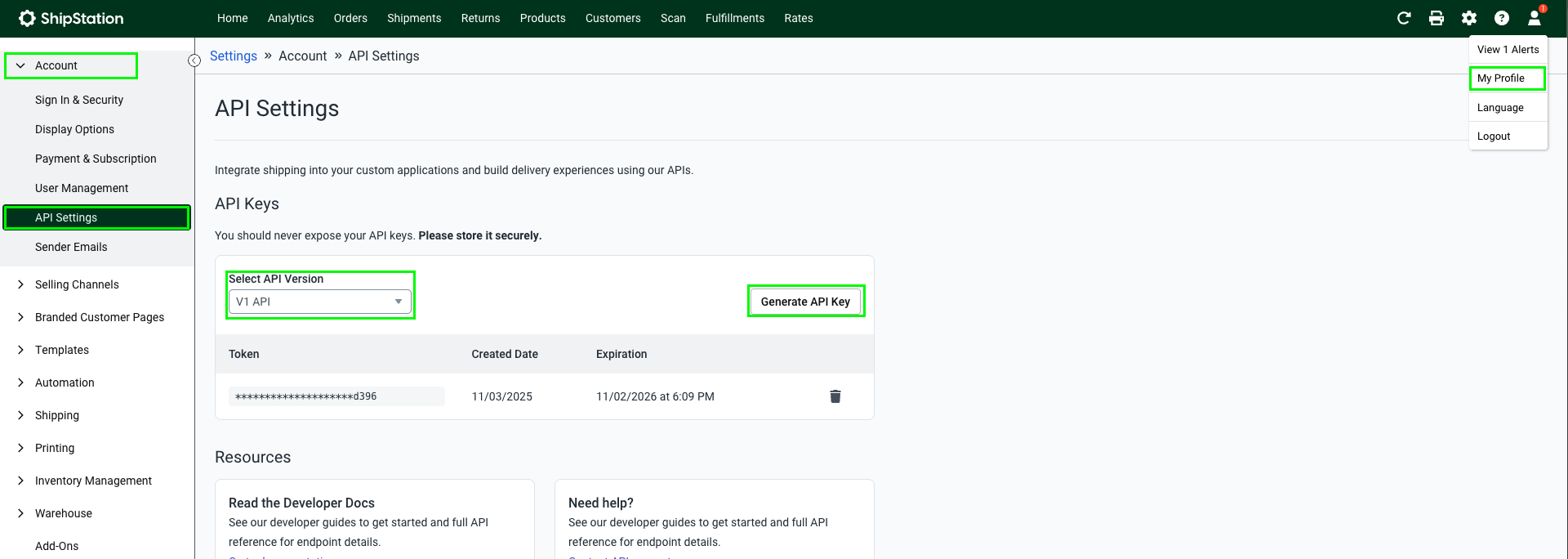 3. Click **Generate API Key** and set the expiration time.
4. Click **Generate** to generate your **API Key** and **Secret Key**.
3. Click **Generate API Key** and set the expiration time.
4. Click **Generate** to generate your **API Key** and **Secret Key**.
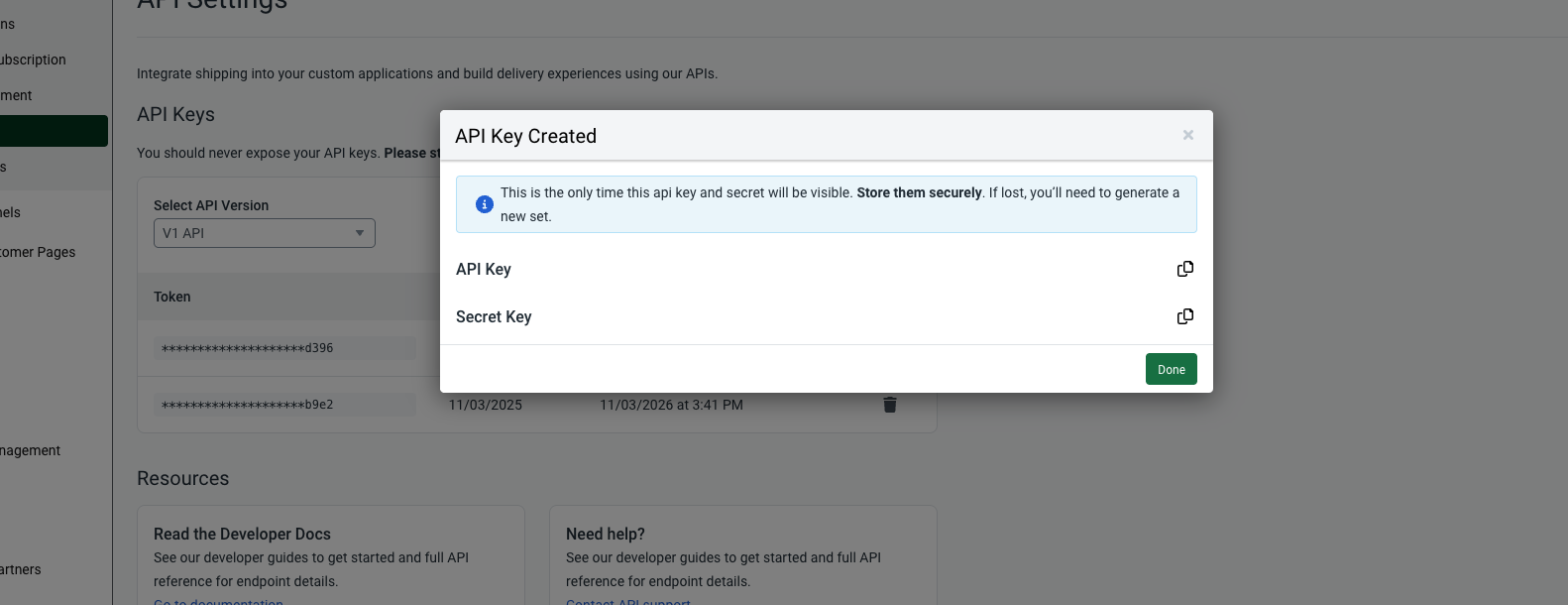 You can have a maximum of two API Key pairs at a time.
#### Step 2: Enter credentials in the Connect UI
Once you have your **API Key** and **Secret Key**:
1. Open the form where you need to authenticate with ShipStation (v1).
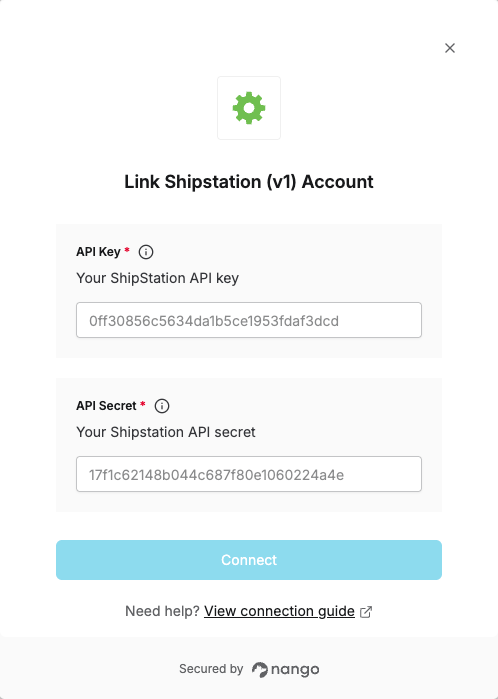
2. Enter your **API Key** and **Secret Key** in their respective fields.
3. Submit the form to complete authentication.
You can have a maximum of two API Key pairs at a time.
#### Step 2: Enter credentials in the Connect UI
Once you have your **API Key** and **Secret Key**:
1. Open the form where you need to authenticate with ShipStation (v1).
2. Enter your **API Key** and **Secret Key** in their respective fields.
3. Submit the form to complete authentication.
 You are now connected to ShipStation (v1).