> ## Documentation Index
> Fetch the complete documentation index at: https://nango.dev/docs/llms.txt
> Use this file to discover all available pages before exploring further.
# Sentry - How do I link my account?
# Overview
To authenticate with Sentry, you will need:
1. **Hostname** - The Hostname to your Sentry account.
2. **Auth Token** - A key that grants Nango permission to interact with Sentry's APIs resources and services.
This guide will walk you through finding your **Hostname** and generating your **Auth Token** within Sentry.
### Prerequisites:
* You must have a Sentry account.
### Instructions:
#### Step 1: Finding Your Hostname
Sentry APIs use different hostname based on your region:
* Default hostname: `sentry.io`
* US region: `us.sentry.io`
* EU region: `eu.sentry.io`
[What Types of Data Are Stored Where](https://docs.sentry.io/organization/data-storage-location/#what-types-of-data-are-stored-where)
#### Step 2: Generating Your Sentry Auth Token
1. Login to your [Sentry account](https://sentry.io/auth/login/).
2. Go to **Settings** > **Auth Tokens** (or visit [auth tokens](https://sentry.io/settings/account/api/auth-tokens/)).
3. Click **Create New Token**.
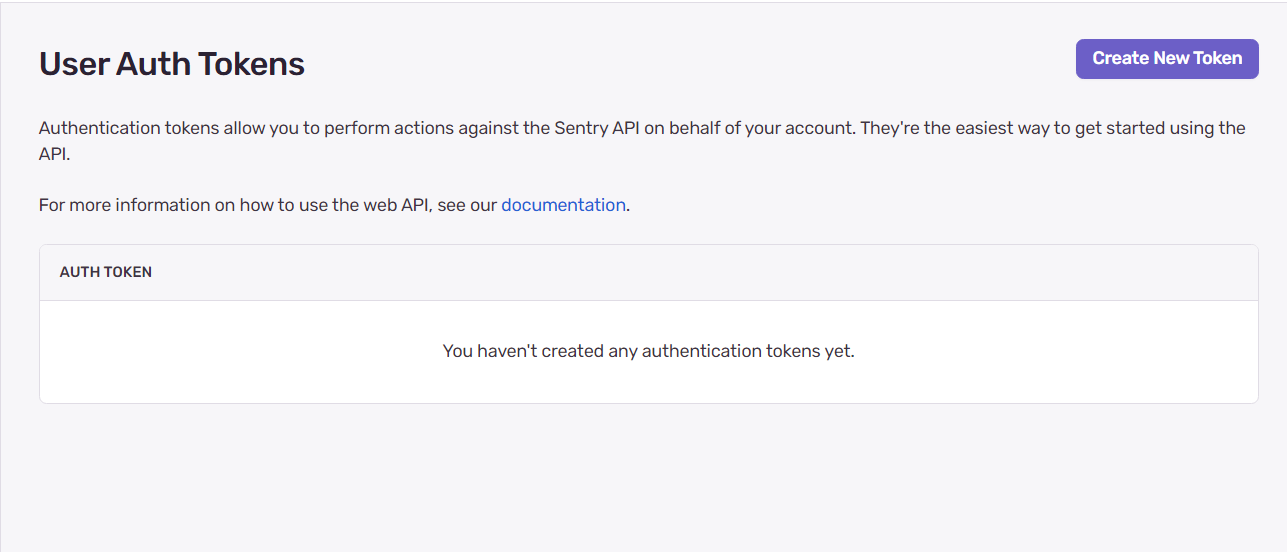 4. Give your token a name (e.g. "Nango Integration")
5. Select the required scopes
4. Give your token a name (e.g. "Nango Integration")
5. Select the required scopes
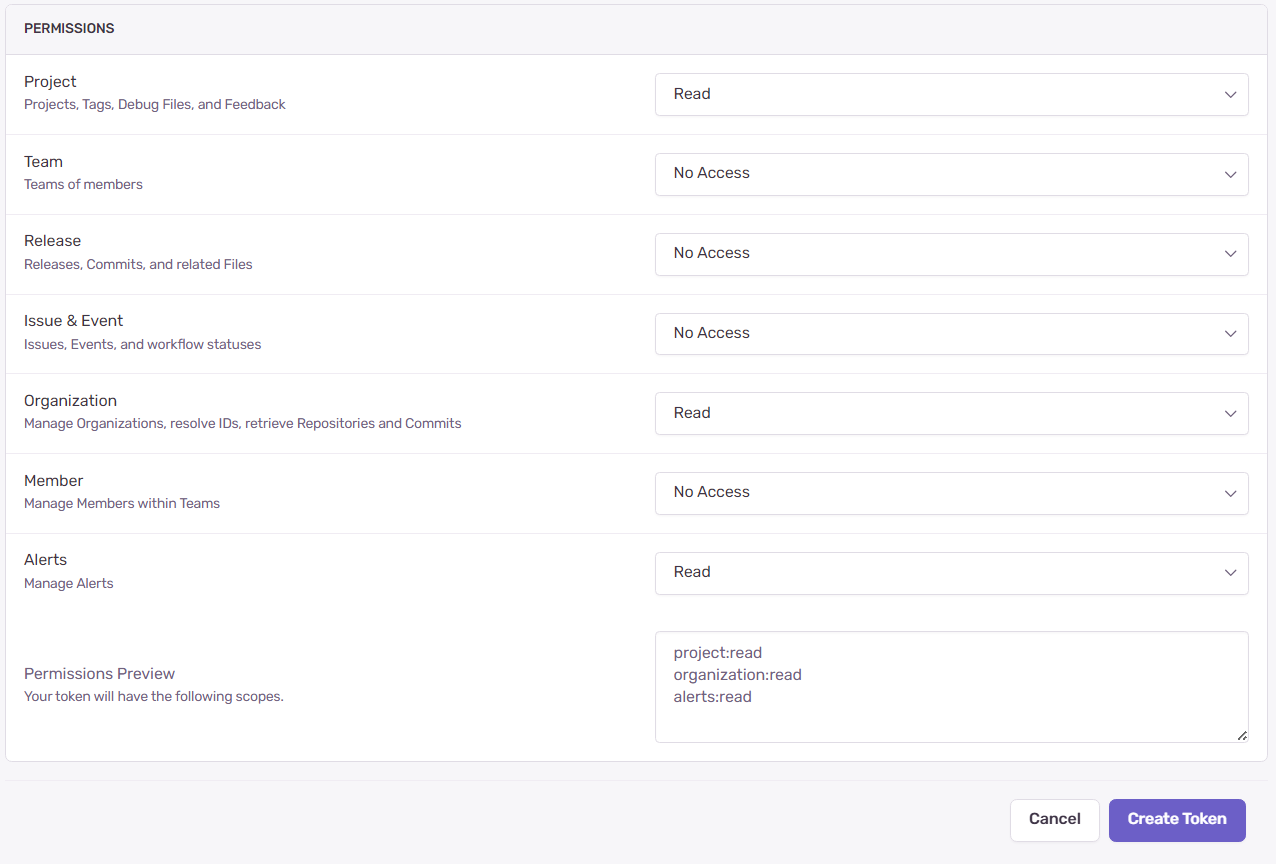 6. Click **Create Token**.
7. Copy your token immediately - it won't be shown again
#### Step 3: Enter credentials in the Connect UI
Once you have your credentials:
1. Open the form where you need to authenticate with Sentry.
2. Enter the **Hostname** and **Auth Token** in their designated fields.
3. Submit the form, and you should be successfully authenticated.
6. Click **Create Token**.
7. Copy your token immediately - it won't be shown again
#### Step 3: Enter credentials in the Connect UI
Once you have your credentials:
1. Open the form where you need to authenticate with Sentry.
2. Enter the **Hostname** and **Auth Token** in their designated fields.
3. Submit the form, and you should be successfully authenticated.
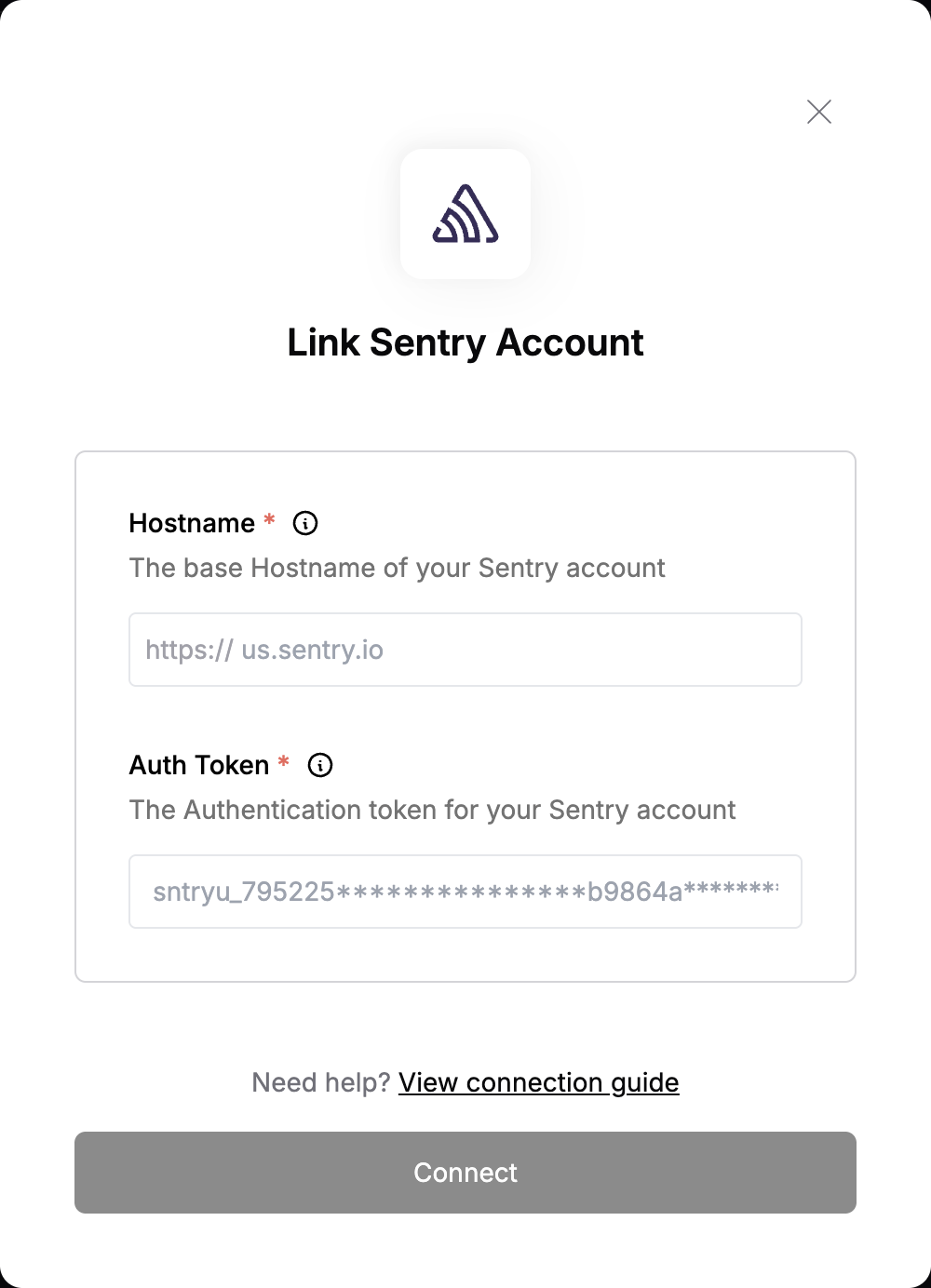 You are now connected to Sentry.