> ## Documentation Index
> Fetch the complete documentation index at: https://nango.dev/docs/llms.txt
> Use this file to discover all available pages before exploring further.
# Sellsy (Client Credentials) - How do I link my account?
# Overview
To authenticate with Sellsy (Client Credentials), you need two key pieces of information:
1. **Client ID** - A unique identifier for your client.
2. **Secret shopper** - A confidential key used to authenticate the identity of the application (client).
This guide will walk you through obtaining these credentials within Sellsy.
### Prerequisites:
* You must have an account with Sellsy.
### Instructions:
#### Step 1: Generating your Client Credentials
1. Navigate to your [Developer page](https://www.sellsy.com/developer/api-v2).
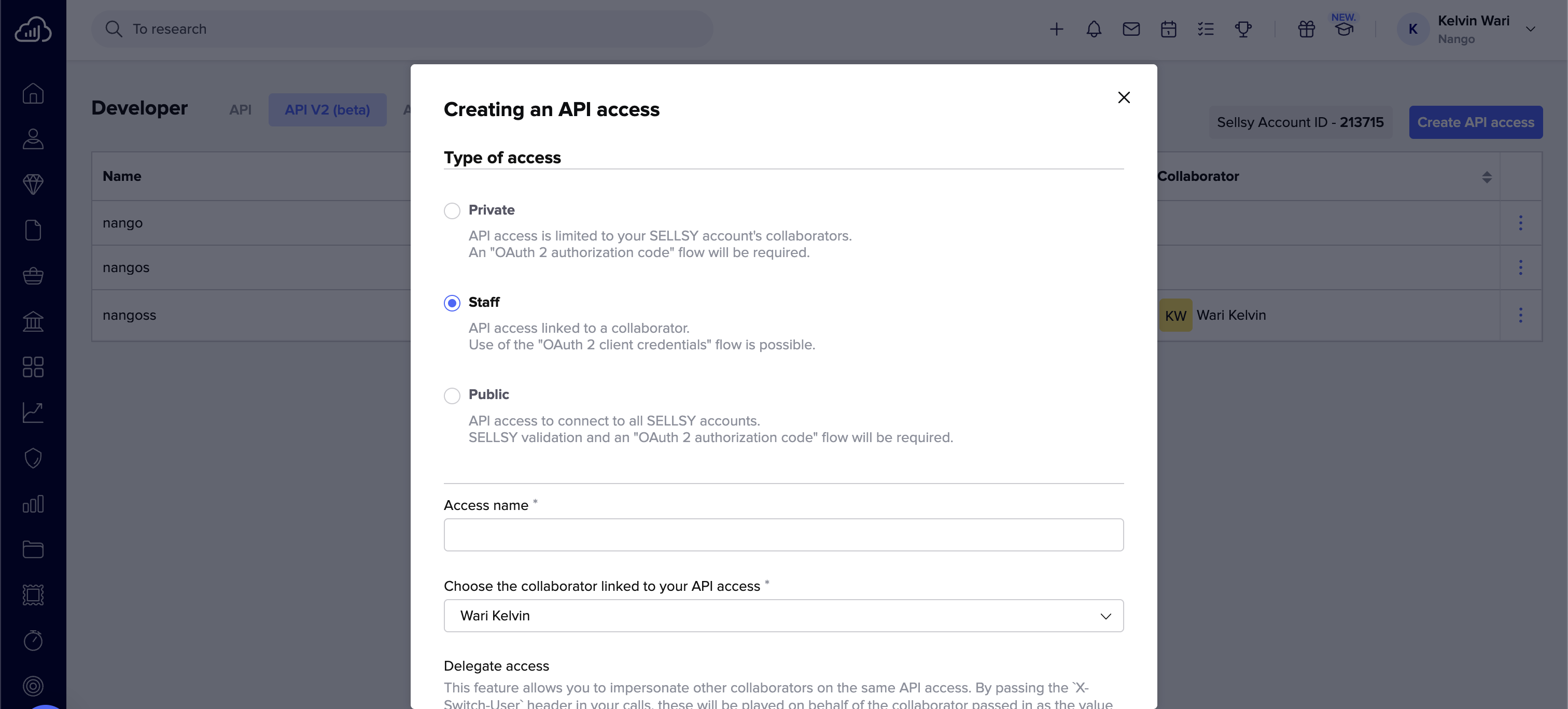
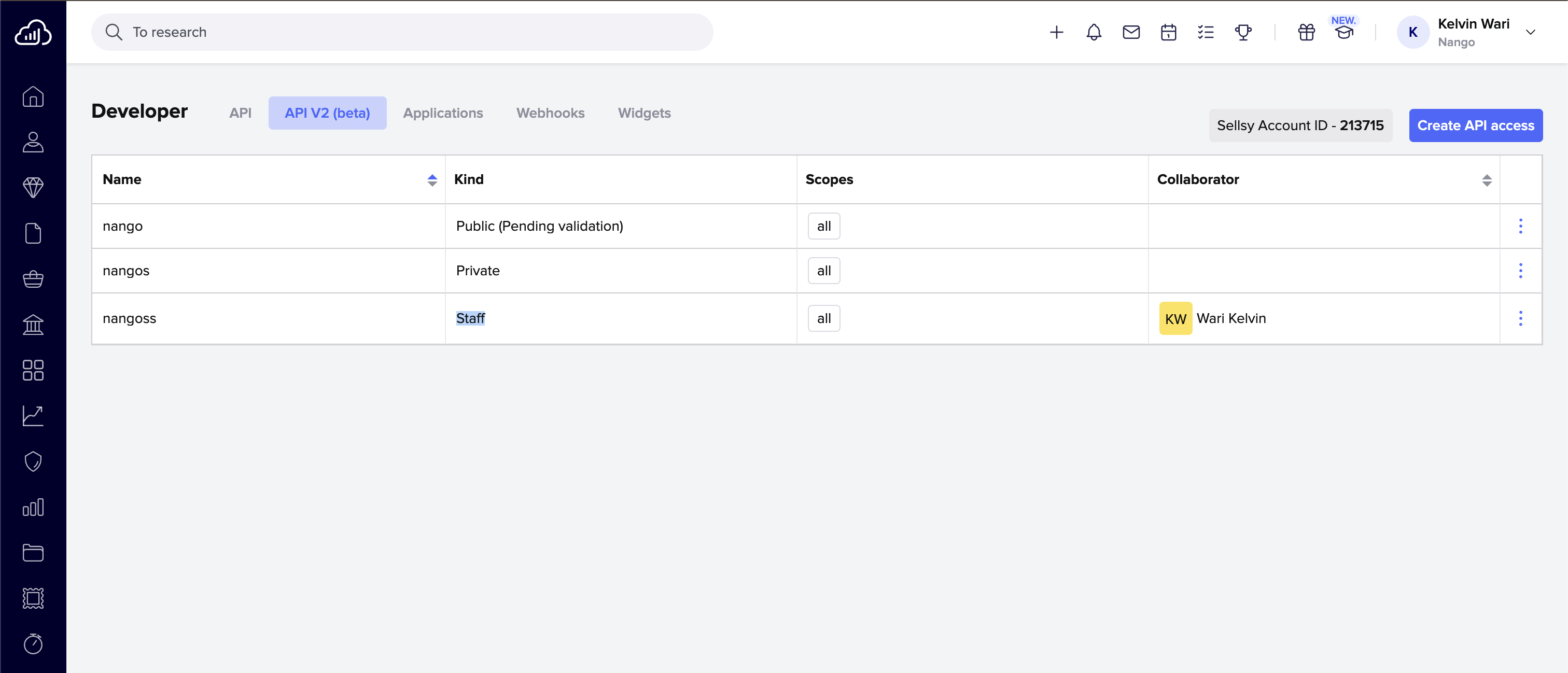 2. Click **Create API access** and select **Staff**.
3. Fill in all the required information and select the permissions you want to give to your API access.
2. Click **Create API access** and select **Staff**.
3. Fill in all the required information and select the permissions you want to give to your API access.
 4. Click **Save**.
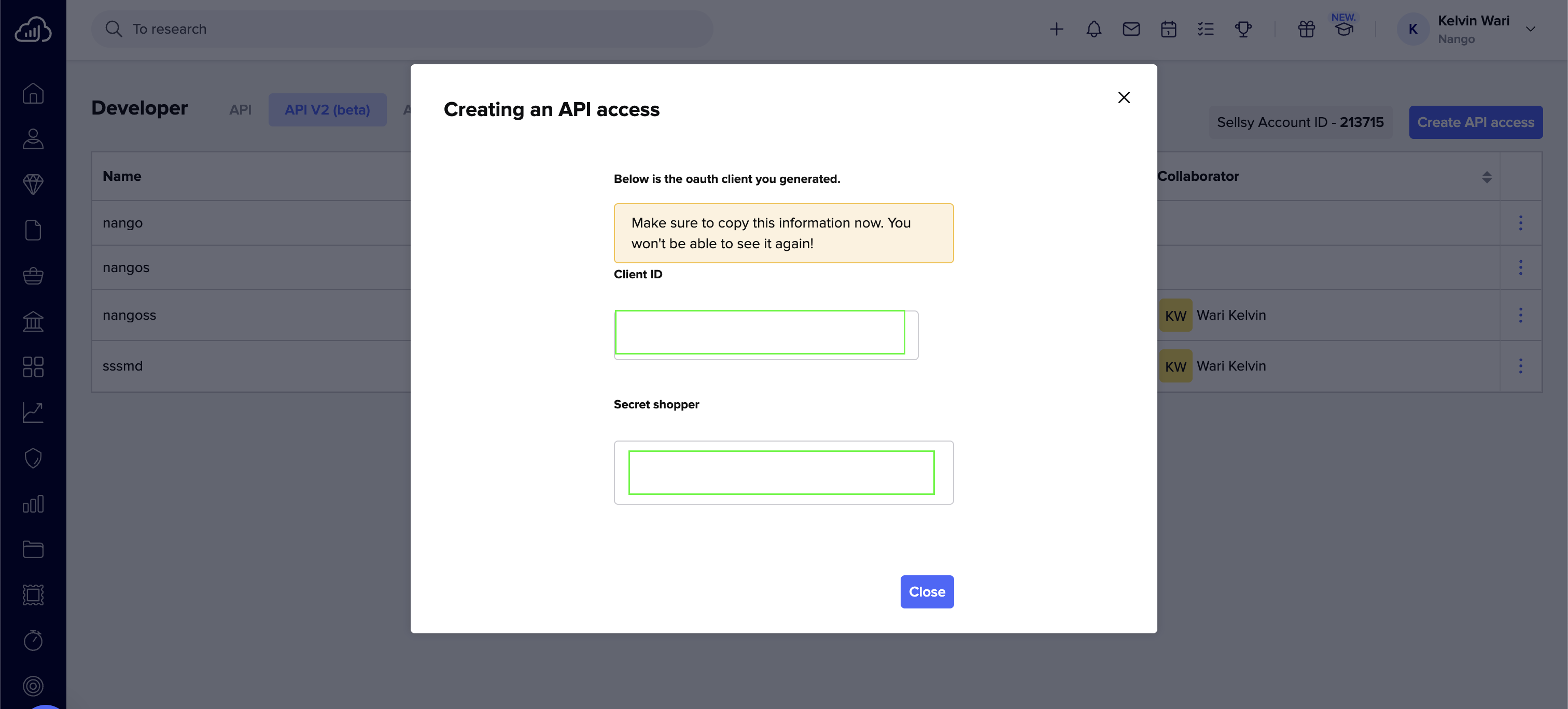
5. After creating the app, copy the **Client ID** and **Secret shopper** that Sellsy will generate.
4. Click **Save**.
5. After creating the app, copy the **Client ID** and **Secret shopper** that Sellsy will generate.
 #### Step 2: Enter credentials in the Connect UI
Once you have both the **Client ID** and **Secret shopper**:
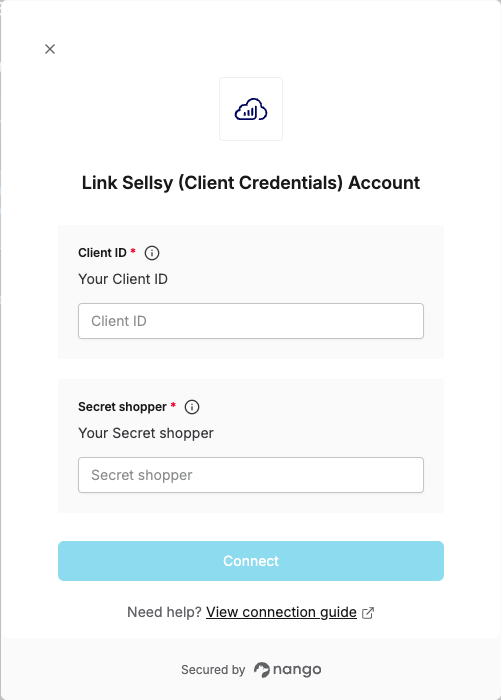
1. Open the form where you need to authenticate with Sellsy (Client Credentials).
2. Enter the **Client ID** and **Secret shopper** in their designated fields.
3. Submit the form, and you should be successfully authenticated.
#### Step 2: Enter credentials in the Connect UI
Once you have both the **Client ID** and **Secret shopper**:
1. Open the form where you need to authenticate with Sellsy (Client Credentials).
2. Enter the **Client ID** and **Secret shopper** in their designated fields.
3. Submit the form, and you should be successfully authenticated.
 You are now connected to Sellsy (Client Credentials).