> ## Documentation Index
> Fetch the complete documentation index at: https://nango.dev/docs/llms.txt
> Use this file to discover all available pages before exploring further.
# MiniMax - How do I link my account?
# Overview
To authenticate with MiniMax, you will need:
1. **Group ID** - The unique identifier for your MiniMax account, linked to your account's privileges.
2. **API Key** - A secure key required for authenticating API requests.
This guide will walk you through retrieving your Group ID, generating an API key, and connecting to MiniMax via the Nango Connect UI.
### Prerequisites:
* You must have a registered account with MiniMax.
* You need access to your MiniMax account settings to retrieve the Group ID and generate an API key.
### Instructions:
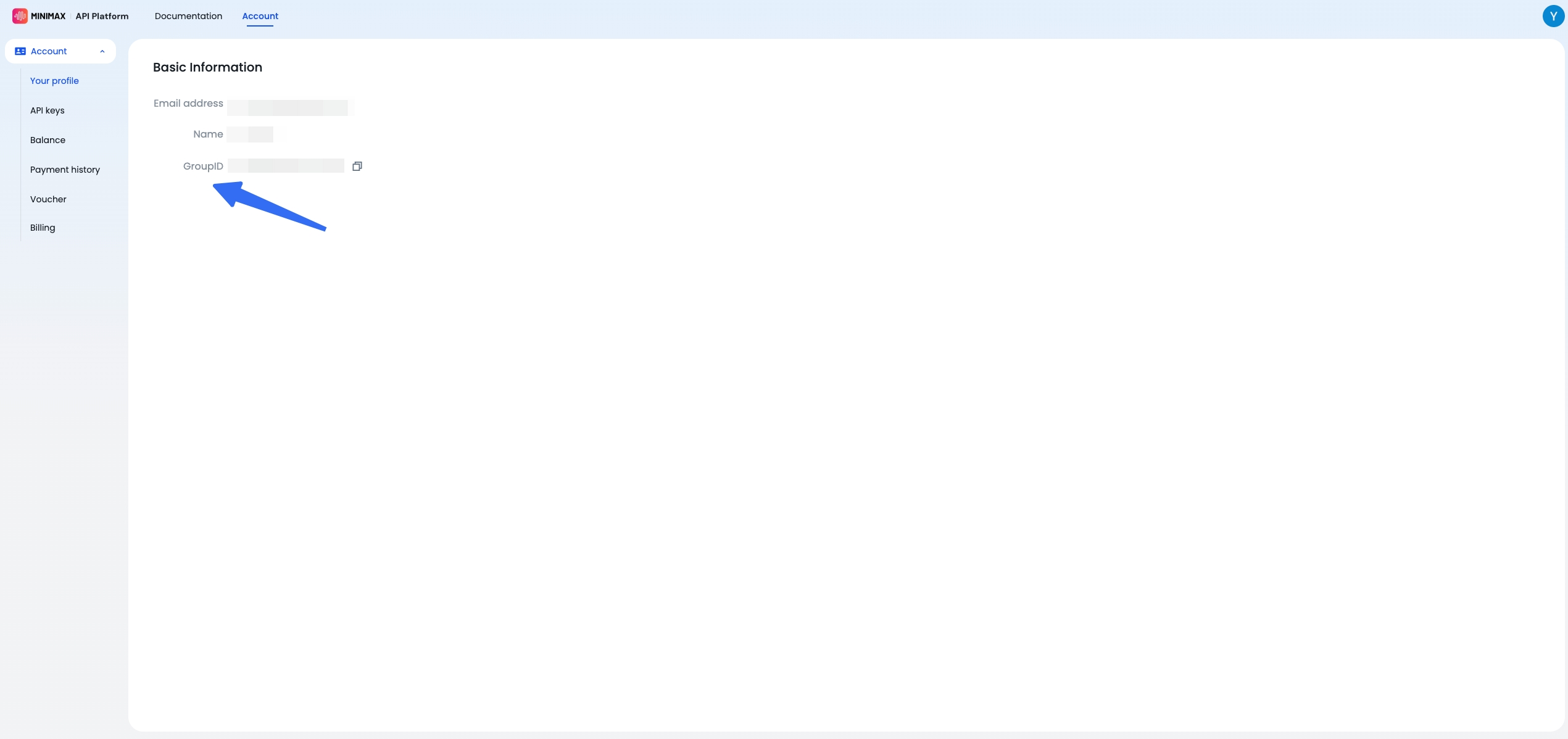
#### Step 1: Retrieve Your Group ID
1. Log in to your MiniMax account.
2. Navigate to the **Account** tab and select **Your Profile** from the left menu.
3. Locate the **GroupID** field in the basic information. This is a 19-digit number.
4. Use the copy icon to copy the Group ID and save it securely.
 #### Step 2: Generate an API Key
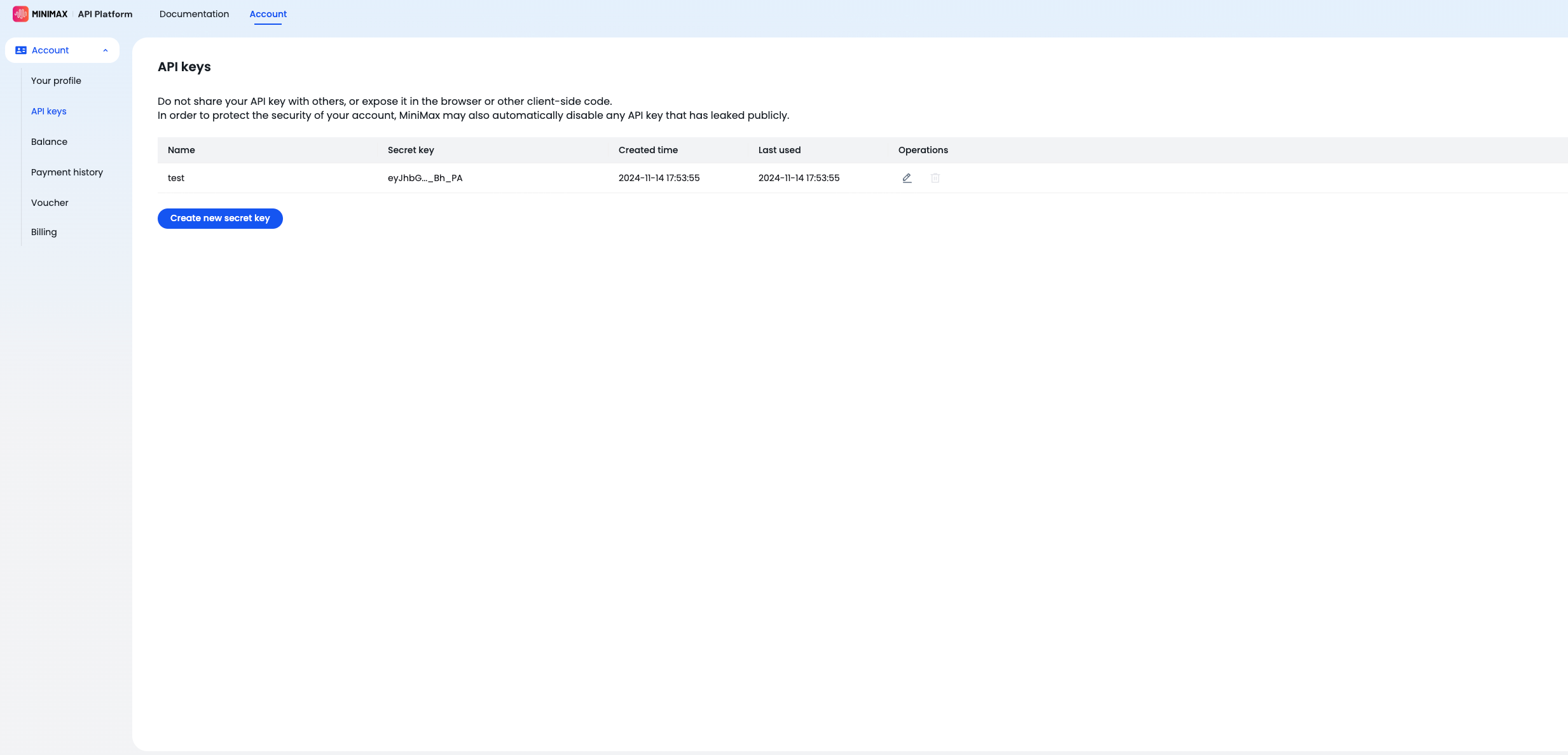
1. In the left menu, click on **API Keys**, then select **Create New Secret Key**.
2. Enter a name for the key in the provided field, then click **Create**.
3. A dialog box will appear with your API key. Use the copy icon to securely save the API key, as it will not be displayed again.
#### Step 2: Generate an API Key
1. In the left menu, click on **API Keys**, then select **Create New Secret Key**.
2. Enter a name for the key in the provided field, then click **Create**.
3. A dialog box will appear with your API key. Use the copy icon to securely save the API key, as it will not be displayed again.
 #### Step 3: Enter Credentials in the Nango Connect UI
Once you have the **Group ID** and **API Key**:
1. Open the Nango Connect UI.
2. Select **MiniMax** from the list of providers.
3. Enter the following details in the form:
* **Group ID**: Paste the 19-digit Group ID you retrieved in Step 1.
* **API Key**: Paste the API key you generated in Step 2.
4. Click **Connect**.
You are now connected to MiniMax.
#### Step 3: Enter Credentials in the Nango Connect UI
Once you have the **Group ID** and **API Key**:
1. Open the Nango Connect UI.
2. Select **MiniMax** from the list of providers.
3. Enter the following details in the form:
* **Group ID**: Paste the 19-digit Group ID you retrieved in Step 1.
* **API Key**: Paste the API key you generated in Step 2.
4. Click **Connect**.
You are now connected to MiniMax.