> ## Documentation Index
> Fetch the complete documentation index at: https://nango.dev/docs/llms.txt
> Use this file to discover all available pages before exploring further.
# Keeper - How do I link my account?
# Overview
To authenticate with Keeper, you need two key pieces of information:
1. **API Key** - A unique identifier for your application on Keeper.
2. *Keeper node Id*\* - Is a unique identifier for a node in the Keeper node architecture. Nodes are used to organize users into groups, such as by department, location, or division.
Note: You will need to create a new node under the root node.
This guide will walk you through finding or creating those credentials within Keeper.
### Prerequisites:
* You must set up an Enterprise account with Keeper.
#### Step 1: Finding Your node id
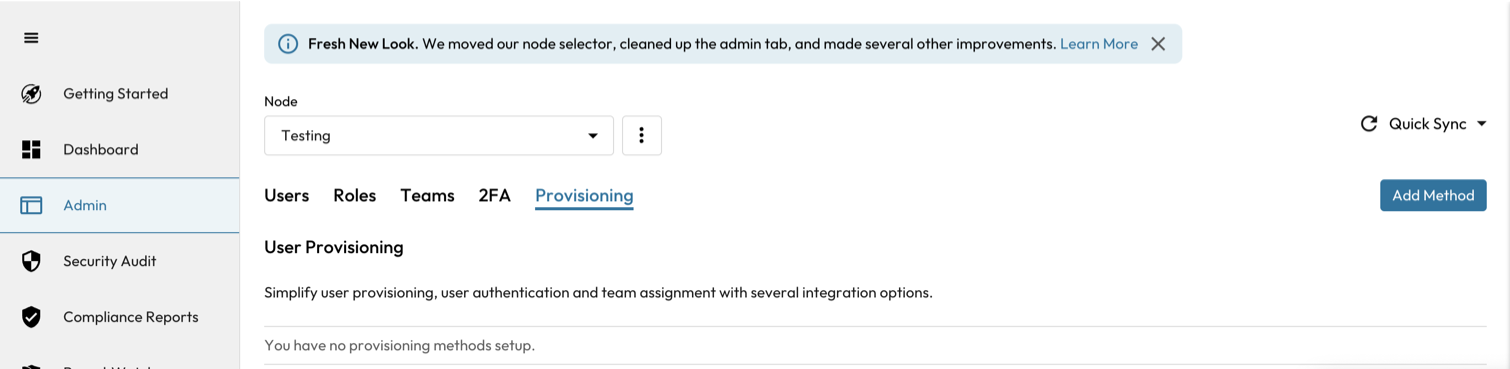
1. Log into your admin Keeper account and navigate to the **Admin** tab
2. The root node will be the same as the organization name. Click the Kebab menu and create a new child node with a name of your choice.
 #### Step 2: Finding Your API Key (API Token)
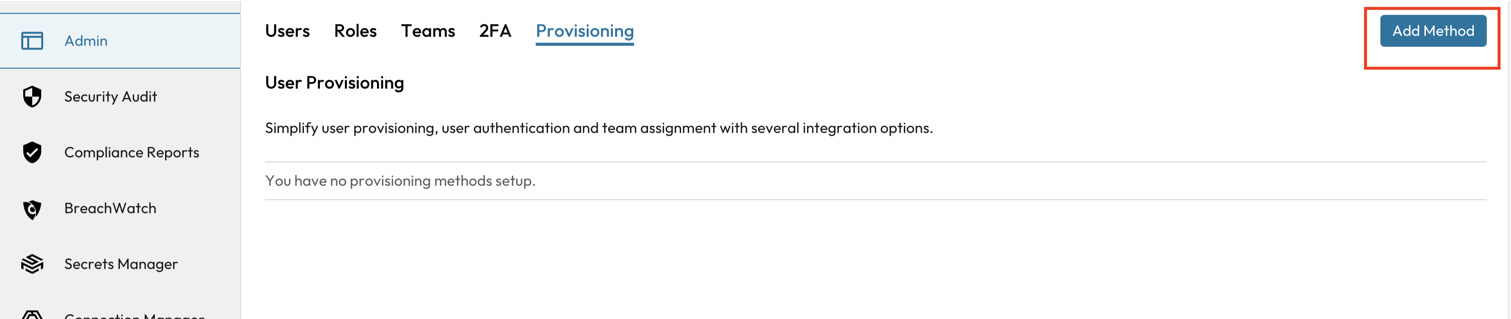
1. To generate an API key, navigate to the **Provisioning** tab and click `Add Method`
#### Step 2: Finding Your API Key (API Token)
1. To generate an API key, navigate to the **Provisioning** tab and click `Add Method`
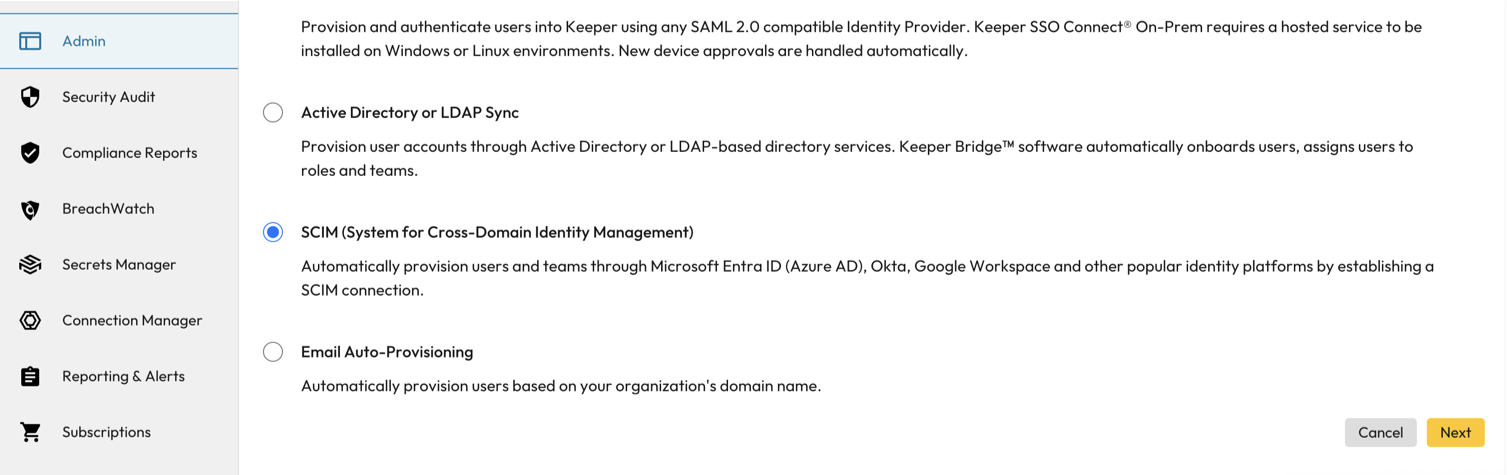
 3. Navigate and select **SCIM (System for Cross-Domain Identity Management)** and select **Next**.
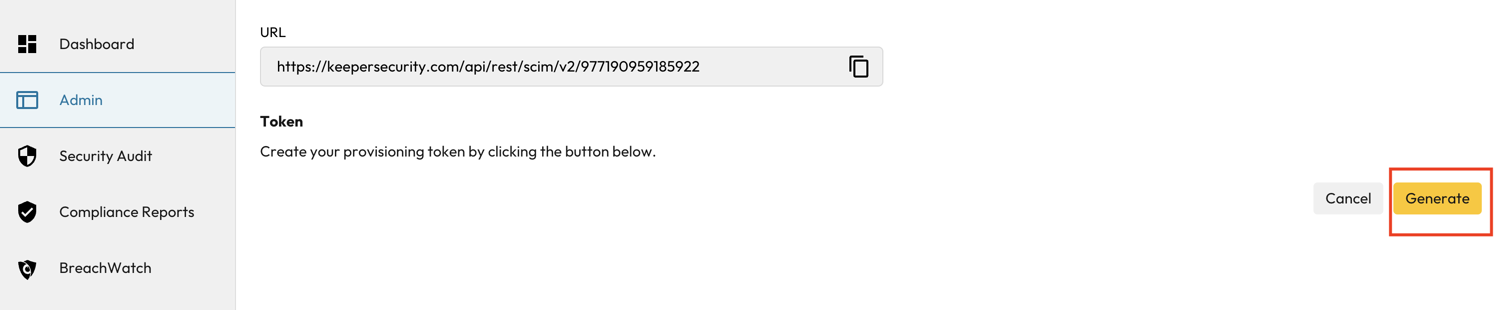
 4. Under the **Token** heading, click the **Generate** button to create a new API Key.
Important: Copy and store your API Token securely, it will not be visible again once you leave this page.
4. Under the **Token** heading, click the **Generate** button to create a new API Key.
Important: Copy and store your API Token securely, it will not be visible again once you leave this page.
 #### Step 2: Connect Your Keeper Account
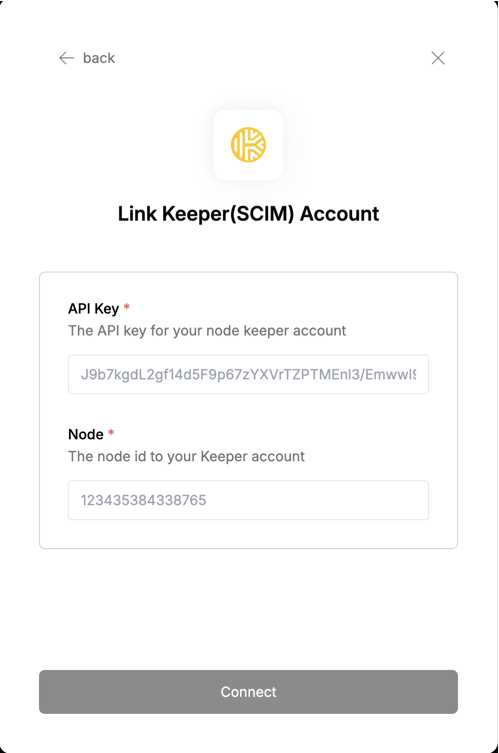 To authenticate using your API credentials, navigate to the Keeper authentication form.
Enter your credentials as follows:
* API Key: Your API Key
* Node: The node id coresponding to the API Key.
Click "Connect" to complete the authentication.
To authenticate using your API credentials, navigate to the Keeper authentication form.
Enter your credentials as follows:
* API Key: Your API Key
* Node: The node id coresponding to the API Key.
Click "Connect" to complete the authentication.