> ## Documentation Index
> Fetch the complete documentation index at: https://nango.dev/docs/llms.txt
> Use this file to discover all available pages before exploring further.
# Atlassian - How do I link my account?
# Overview
To authenticate with Atlassian, you need two key pieces of information:
1. **Atlassian Domain** - Your Account domain on Atlassian
2. **Atlassian API Key** - Your unique account identifier
Note: API tokens can be used with the Confluence Cloud, Jira Cloud and Jira Align REST APIs.
This guide will walk you through finding or creating those credentials within Atlassian.
### Prerequisites:
* You must set up an Enterprise account with Atlassian.
#### Step 1: Finding Atlassian API Key
1. Log in to **[https://id.atlassian.com/manage-profile/security/api-tokens](https://id.atlassian.com/manage-profile/security/api-tokens)**.
2. Click **Create API token**.
3. From the dialog that appears, enter a memorable and concise **Label** for your token and click **Create**.
4. Click **Copy to clipboard**, and store your API Key securely
Important: Copy and store your API Key securely, it will not be visible again once you leave the creation dialog.
#### Step 2: Finding Your Atlassian Domain
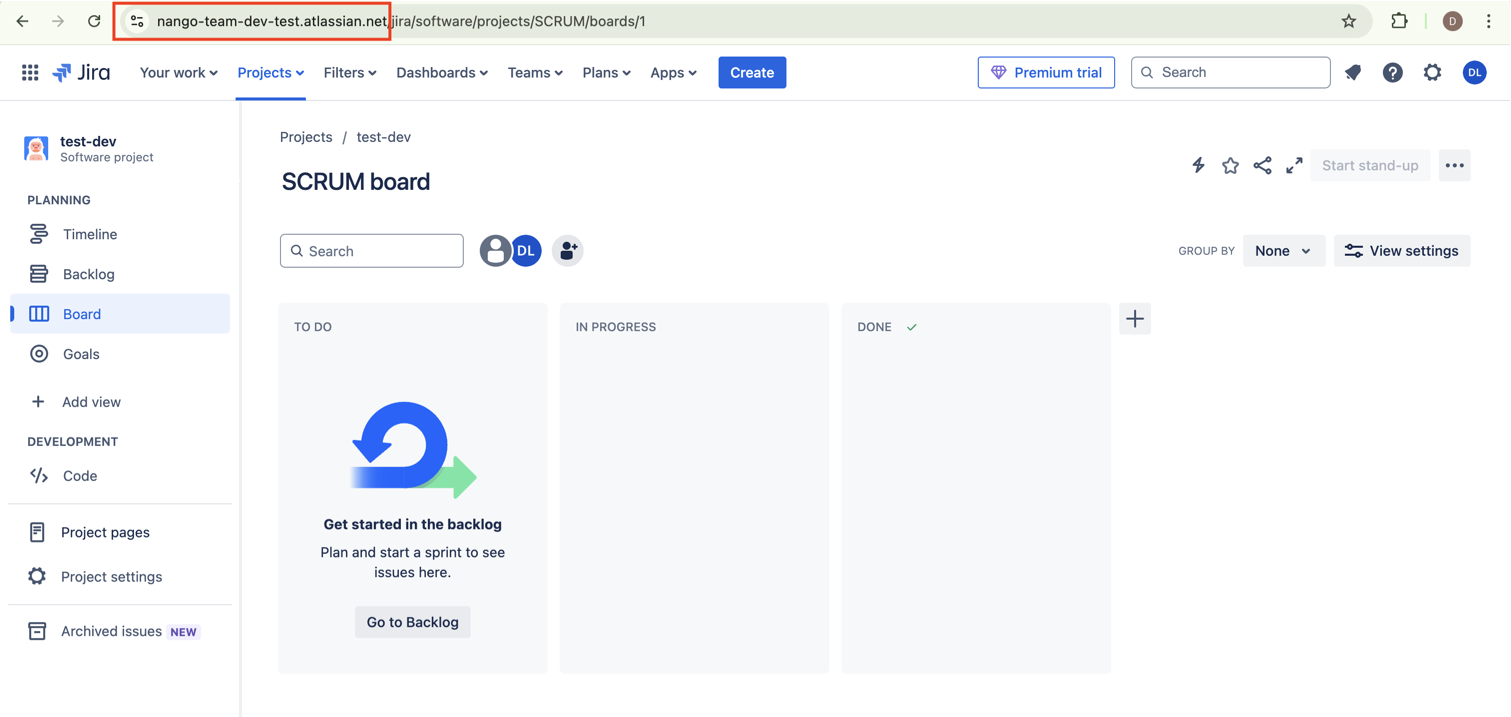
1. Your Atlassian Domain is available in the browser search bar
 #### Step 3: Finding Your User Name
1. Your email when creating the API key
#### Step 4: Connect Your Atlassian Account
#### Step 3: Finding Your User Name
1. Your email when creating the API key
#### Step 4: Connect Your Atlassian Account
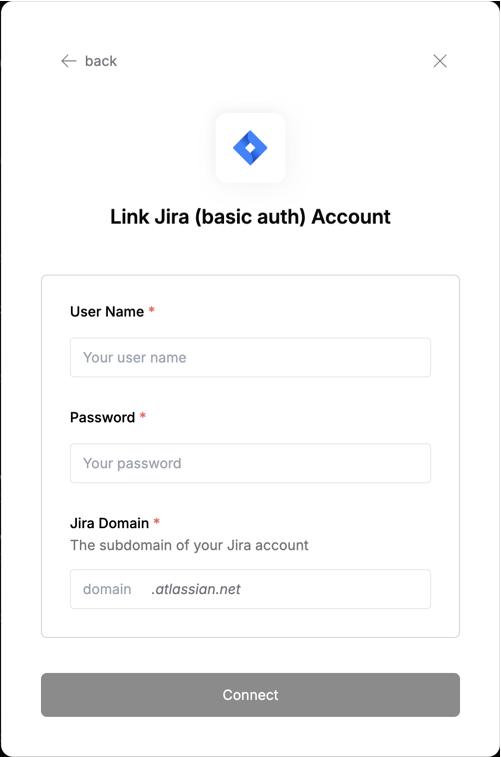 To authenticate using your API credentials, navigate to the Atlassian authentication form.
Enter your credentials as follows:
* User Name: Your email when creating the API key
* Password: Your API Key
* Atlassian Domain: Your Atlassian domain
Click "Connect" to complete the authentication.
To authenticate using your API credentials, navigate to the Atlassian authentication form.
Enter your credentials as follows:
* User Name: Your email when creating the API key
* Password: Your API Key
* Atlassian Domain: Your Atlassian domain
Click "Connect" to complete the authentication.