> ## Documentation Index
> Fetch the complete documentation index at: https://nango.dev/docs/llms.txt
> Use this file to discover all available pages before exploring further.
# Icypeas - How do I link my account?
# Overview
To authenticate with Icypeas, you will need:
1. **API Key** - A key that grants Nango secure access to interact with the Icypeas API.
This guide will walk you through finding your **API Key** within Icypeas.
### Prerequisites:
* You must have an account with Icypeas.
### Instructions:
#### Step 1: Finding Your Icypeas API Key
1. Log in to your Icypeas account and navigate to the [API Page](https://app.icypeas.com/bo/api).
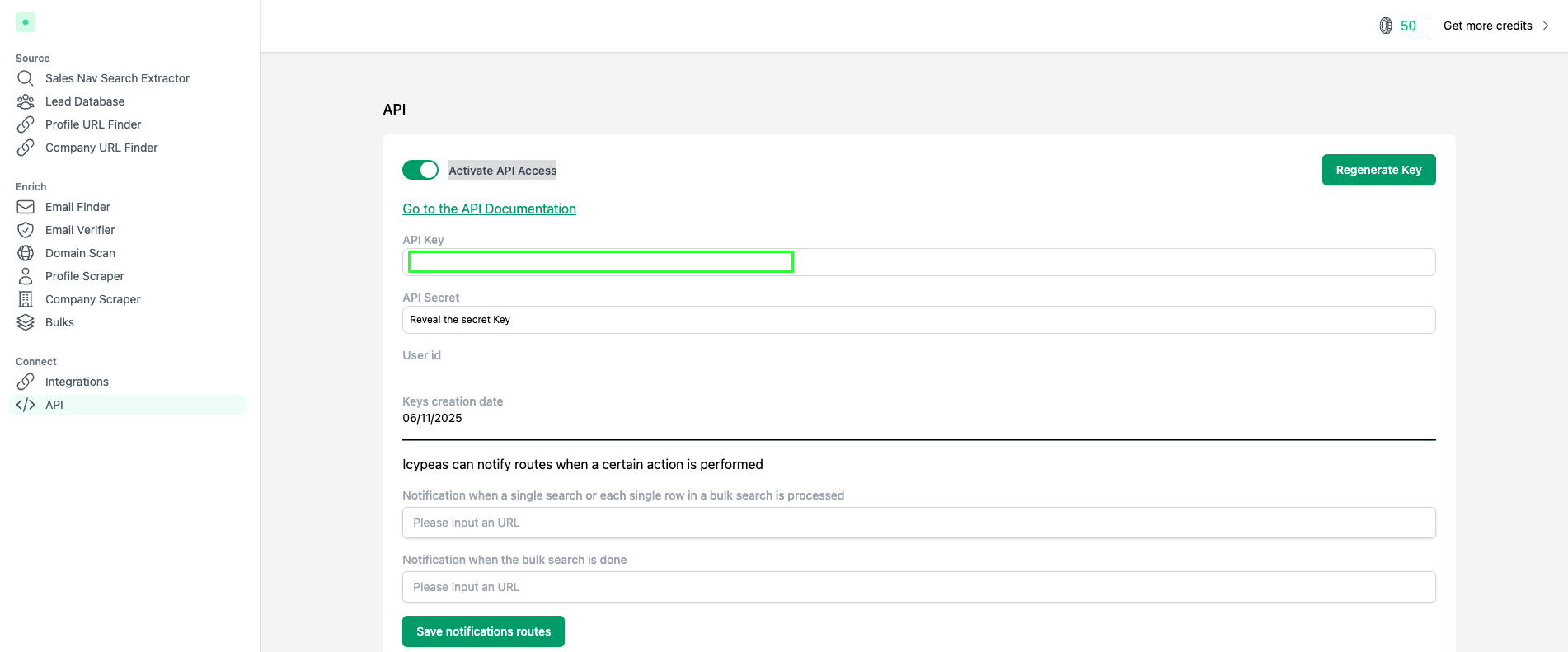 2. Toggle the **Activate API access** button if it's not enabled.
3. Locate your **API Key** on this page.
#### Step 2: Enter credentials in the Connect UI
Once you have your **API Key**:
1. Open the form where you need to authenticate with Icypeas.
2. Enter the **API Key** in its respective field.
3. Submit the form, and you should be successfully authenticated.
2. Toggle the **Activate API access** button if it's not enabled.
3. Locate your **API Key** on this page.
#### Step 2: Enter credentials in the Connect UI
Once you have your **API Key**:
1. Open the form where you need to authenticate with Icypeas.
2. Enter the **API Key** in its respective field.
3. Submit the form, and you should be successfully authenticated.
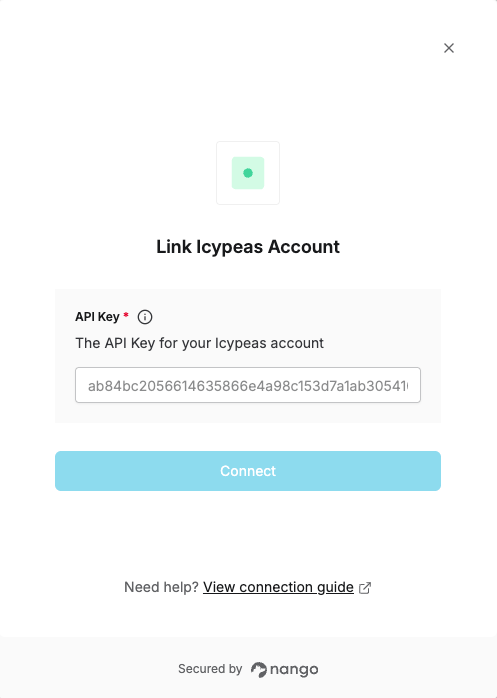 You are now connected to Icypeas.