> ## Documentation Index
> Fetch the complete documentation index at: https://nango.dev/docs/llms.txt
> Use this file to discover all available pages before exploring further.
# Hibob - How do I link my account?
# Overview
To authenticate with Hibob, you need two key pieces of information:
1. **Token** - A key that grants access to your application and configurations.
2. **Service User ID** - A unique identifier for your application on Hibob.
This guide will walk you through finding or creating those credentials within Hibob.
### Prerequisites:
* You must set up an account with Hibob.
#### Step 1: Finding Your Hibob Service User ID
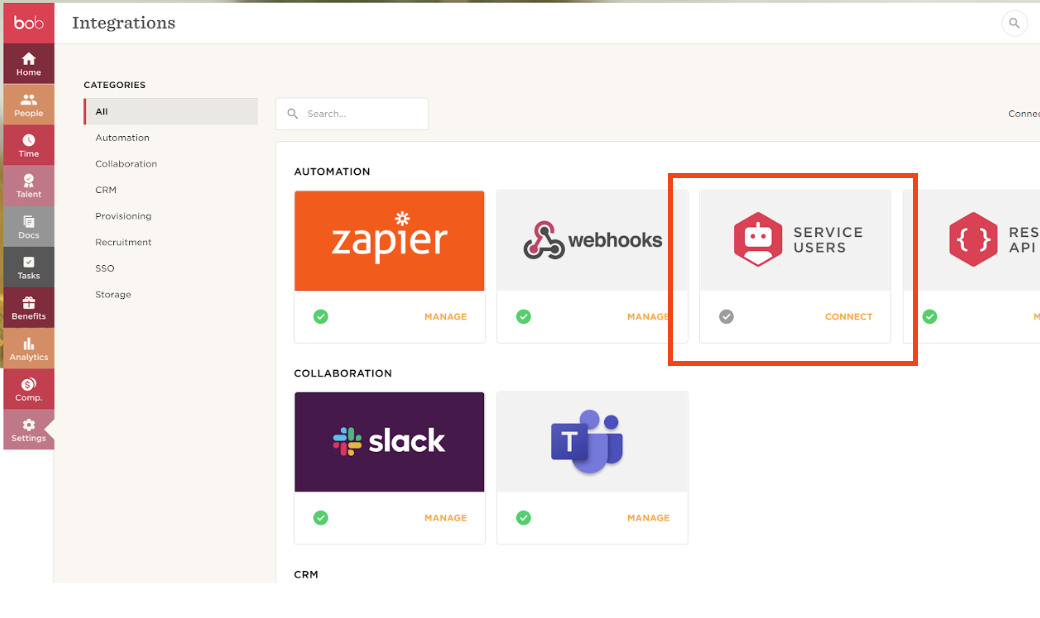
1. Log into your admin Hibob account. From the left menu, select `Settings` > `Integrations`.
2. Select `Automation`. Click the `Service Users` icon.
3. Enter a unique name and a display name.
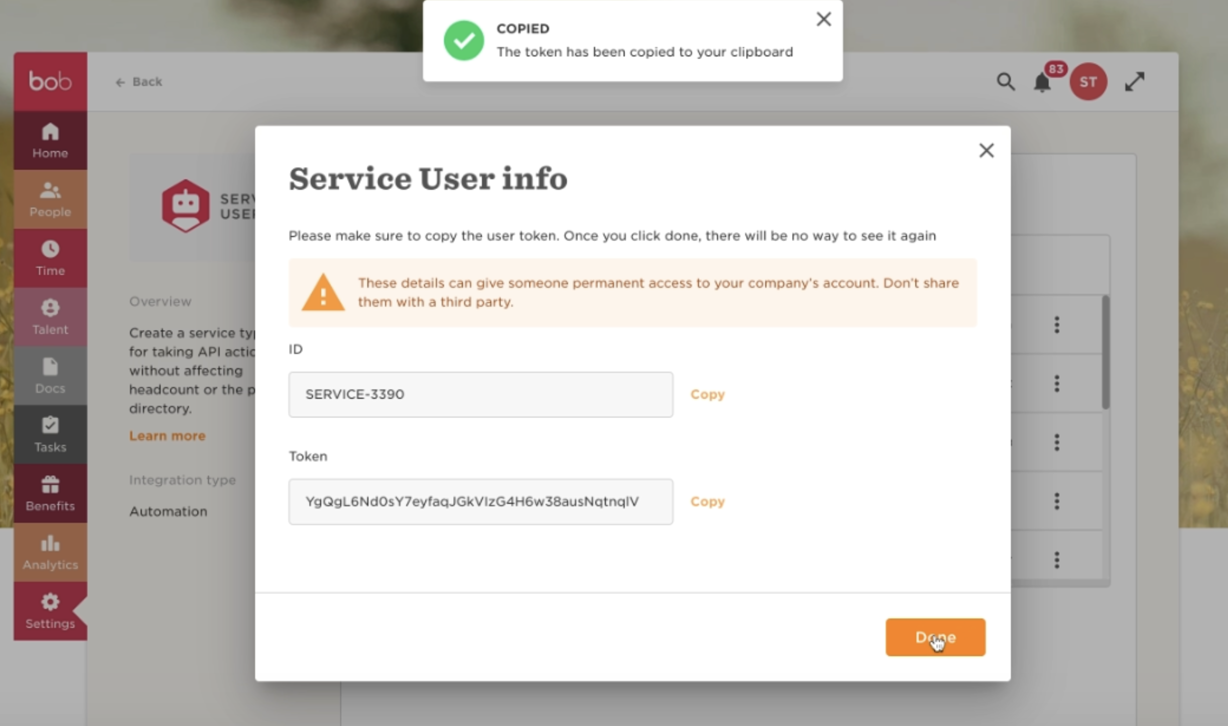
 4. After adding these mandatory fields, click `Save` and the service user’s `ID` and `token` will be displayed.
5. Securely store the service user `ID`.
#### Step 2: Finding Your Hibob Token
1. From the previous step, securely store your `token`.
4. After adding these mandatory fields, click `Save` and the service user’s `ID` and `token` will be displayed.
5. Securely store the service user `ID`.
#### Step 2: Finding Your Hibob Token
1. From the previous step, securely store your `token`.
 #### Step 3: Connect Your Hibob Account
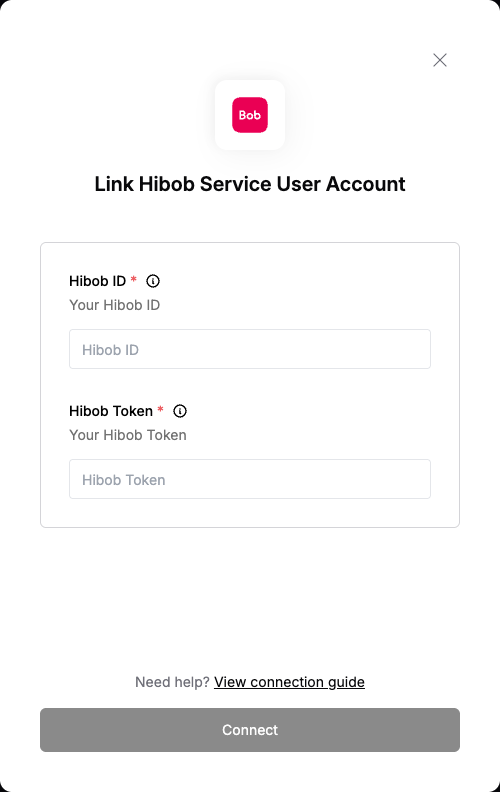 To authenticate using your API credentials, navigate to the Hibob authentication form.
Enter your credentials as follows:
* Username: Your Hibob ID
* Password: Your Hibob Token
Click "Connect" to complete the authentication.
Note: Make sure to match the credentials exactly as shown above - the field names in the form may differ from your Hibob dashboard.
To authenticate using your API credentials, navigate to the Hibob authentication form.
Enter your credentials as follows:
* Username: Your Hibob ID
* Password: Your Hibob Token
Click "Connect" to complete the authentication.
Note: Make sure to match the credentials exactly as shown above - the field names in the form may differ from your Hibob dashboard.