> ## Documentation Index
> Fetch the complete documentation index at: https://nango.dev/docs/llms.txt
> Use this file to discover all available pages before exploring further.
# Greenhouse (Job Board API) - How do I link my account?
# Overview
To authenticate with Greenhouse (Job Board API), you need:
1. **Board Token** - A unique identifier for your Greenhouse job board that allows public access to job listings.
2. **API Key** - Your Greenhouse (Job Board) API Key.
This guide will walk you through finding or generating these credentials within Greenhouse.
### Prerequisites:
* You must have an account with Greenhouse.
#### Step 1: Finding Your Board Token
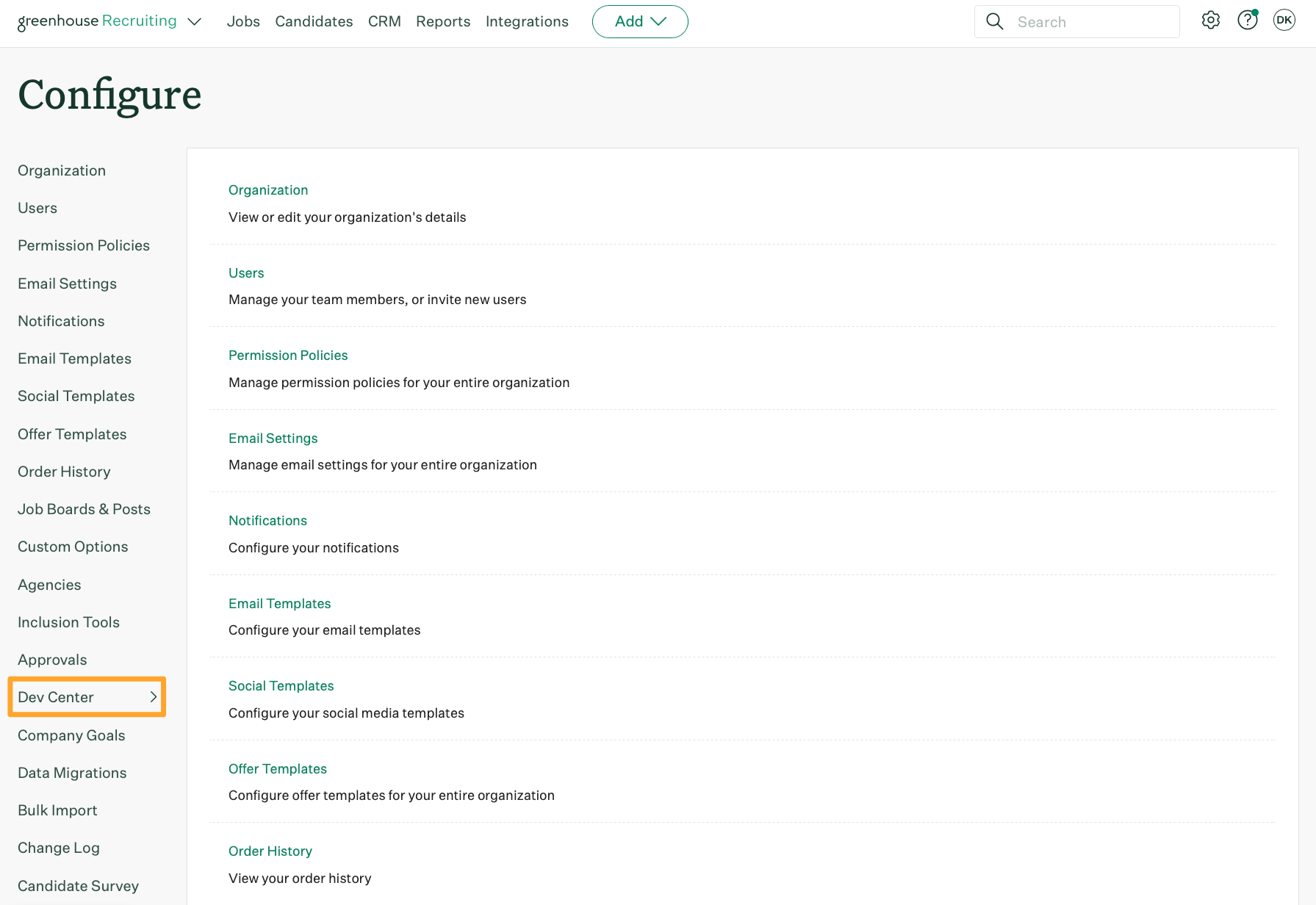
1. Log into your [Greenhouse](https://app.greenhouse.io/users/sign_in) account and click the **Configure** ⚙️ icon on your navigation bar, then click **Dev Center**.
 2. In the Dev Center, click **Configure Job Board**. Your **Board Token** will be listed next to the heading `Your Board Token`.
#### Step 2: Generating Your Greenhouse API Key
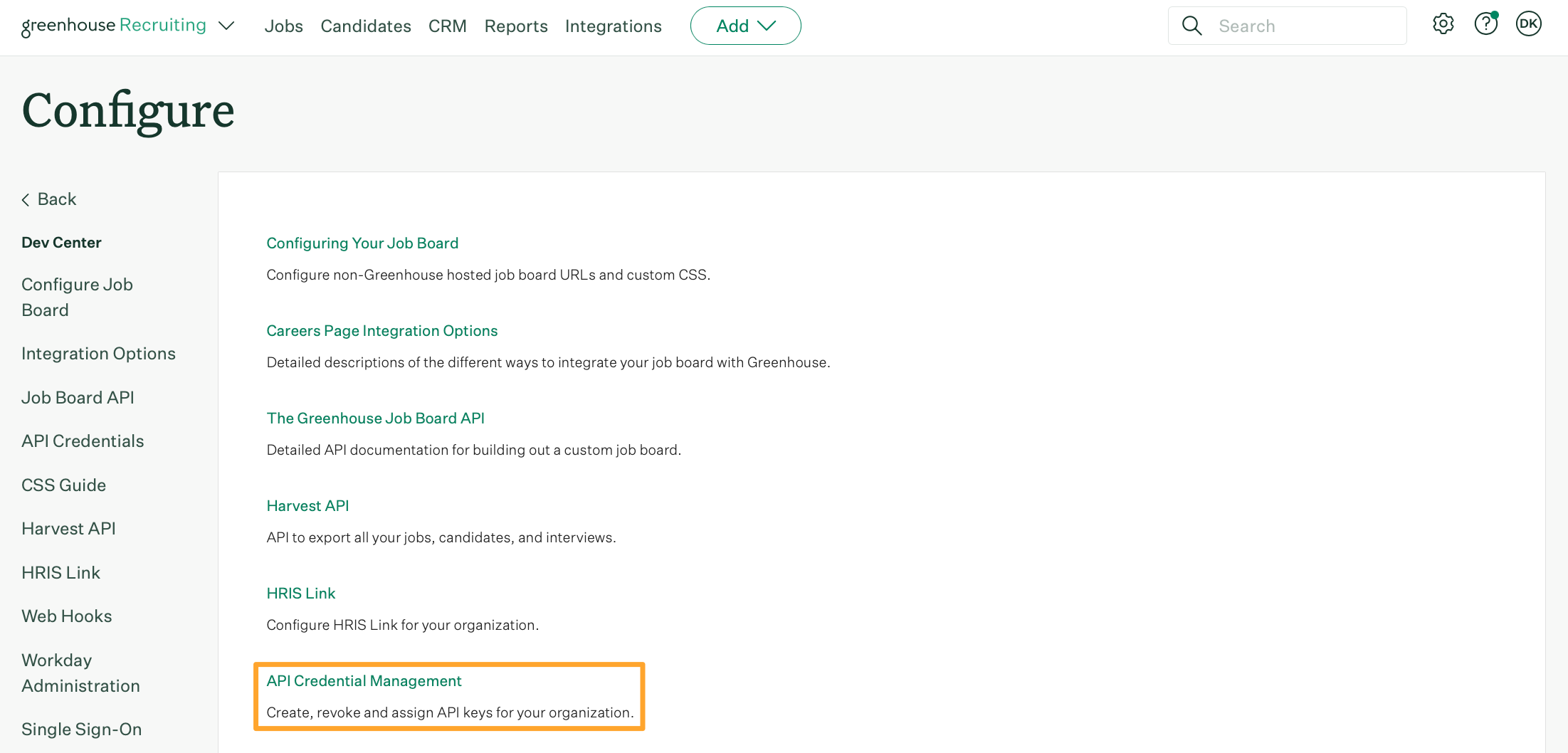
1. From the same **Dev Center** page, click **API Credential Management**.
2. In the Dev Center, click **Configure Job Board**. Your **Board Token** will be listed next to the heading `Your Board Token`.
#### Step 2: Generating Your Greenhouse API Key
1. From the same **Dev Center** page, click **API Credential Management**.
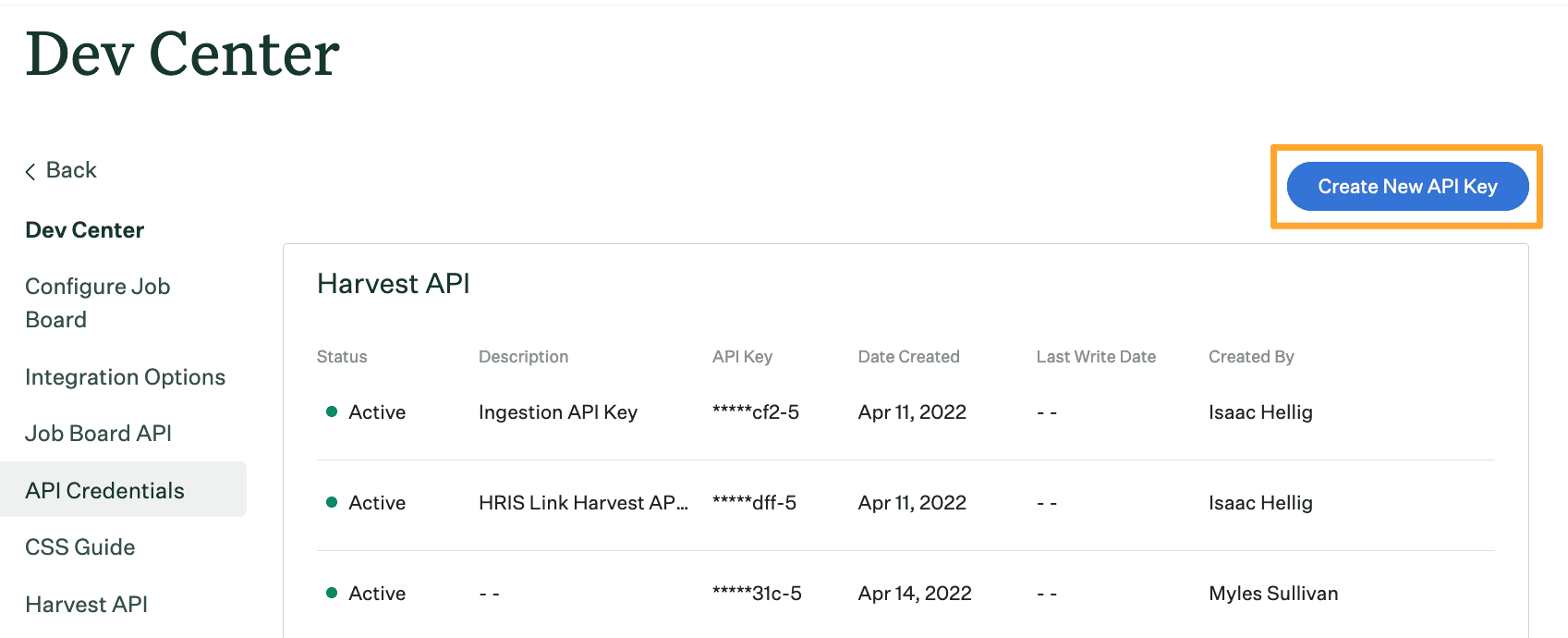
 2. Click **Create New API Key**.
 3. Make the following selections:
* **API type**: `Job board`.
* **Partner**: Select the name of the integration that requested the API Key. If the integration isn't listed, select unlisted vendor. If you're creating a custom integration, select custom.
* **Description**: Give your API Key a descriptive name.
4. When finished, click **Manage permissions**, or click **Create** to generate the API Key and automatically assign it the appropriate permissions required by the integration.
5. After the key is created, click **Copy**. Paste the **API Key** in a secure location.
6. Click **I have stored the API Key** to finish generating your **API Key**
#### Step 3: Enter credentials in the Connect UI
Once you have both your **Board Token** and **API Key**:
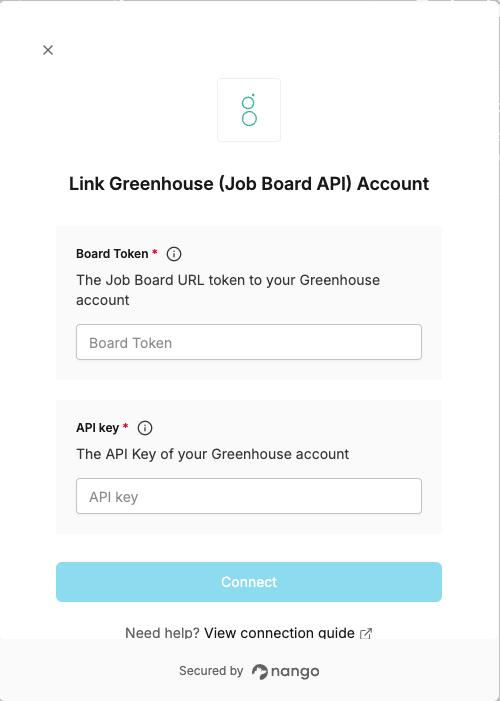
1. Open the form where you need to authenticate with Greenhouse (Job Board API).
2. Enter your **Board Token** and **API Key** in the respective field.
3. Submit the form, and you should be successfully authenticated.
3. Make the following selections:
* **API type**: `Job board`.
* **Partner**: Select the name of the integration that requested the API Key. If the integration isn't listed, select unlisted vendor. If you're creating a custom integration, select custom.
* **Description**: Give your API Key a descriptive name.
4. When finished, click **Manage permissions**, or click **Create** to generate the API Key and automatically assign it the appropriate permissions required by the integration.
5. After the key is created, click **Copy**. Paste the **API Key** in a secure location.
6. Click **I have stored the API Key** to finish generating your **API Key**
#### Step 3: Enter credentials in the Connect UI
Once you have both your **Board Token** and **API Key**:
1. Open the form where you need to authenticate with Greenhouse (Job Board API).
2. Enter your **Board Token** and **API Key** in the respective field.
3. Submit the form, and you should be successfully authenticated.
 You are now connected to Greenhouse (Job Board API).