> ## Documentation Index
> Fetch the complete documentation index at: https://nango.dev/docs/llms.txt
> Use this file to discover all available pages before exploring further.
# Confluence - How do I link my account?
# Overview
To authenticate with Confluence's REST APIs using Basic Authentication, you need:
1. **Email Address** - Your Atlassian account email address
2. **API Token** - A secure token that acts as your password for API access
3. **Subdomain** - Your Atlassian domain (e.g. your-domain.atlassian.net)
This guide will walk you through setting up Basic Authentication for Confluence.
### Prerequisites:
* An Atlassian account
* Access to your Confluence instance
#### Step 1: Getting your API Token
1. Go to [https://id.atlassian.com/manage-profile/security/api-tokens](https://id.atlassian.com/manage-profile/security/api-tokens)
2. Click "Create Classic API token"
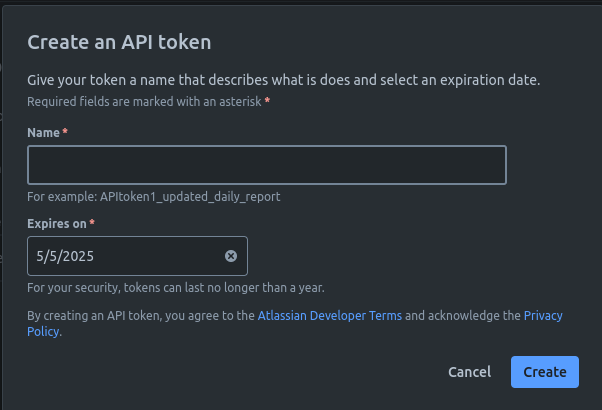 3. Give your token a meaningful label (e.g. "Nango Integration") and an Expiry Date
4. Click "Create"
5. Copy the API token immediately - you won't be able to see it again
Important:
* Store this token securely and never share it. It provides the same access as your password.
* Basic authentication is not as secure as other methods. We recommend using it for scripts and manual calls to the REST APIs.
Note: As of March 13, 2024, API tokens have a lifespan of 1 to 365 days after which a new one has to be generated.
#### Step 2: Finding your Atlassian Domain
Your Atlassian domain is part of your Confluence URL. For example:
* If you access Confluence at `https://your-company.atlassian.net`
* Then your domain is `your-company`
#### Step 3: Connecting to Confluence
To authenticate:
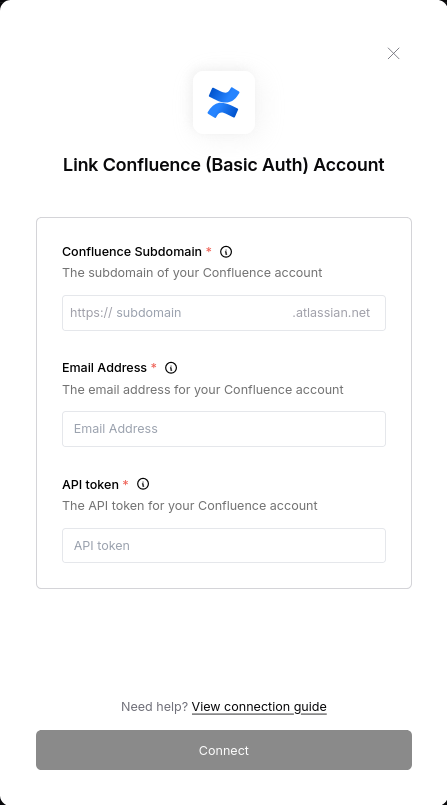
1. Enter your Atlassian account email address
2. Enter your API token in the password field
3. Enter your Atlassian domain (without .atlassian.net)
4. Click "Connect"
3. Give your token a meaningful label (e.g. "Nango Integration") and an Expiry Date
4. Click "Create"
5. Copy the API token immediately - you won't be able to see it again
Important:
* Store this token securely and never share it. It provides the same access as your password.
* Basic authentication is not as secure as other methods. We recommend using it for scripts and manual calls to the REST APIs.
Note: As of March 13, 2024, API tokens have a lifespan of 1 to 365 days after which a new one has to be generated.
#### Step 2: Finding your Atlassian Domain
Your Atlassian domain is part of your Confluence URL. For example:
* If you access Confluence at `https://your-company.atlassian.net`
* Then your domain is `your-company`
#### Step 3: Connecting to Confluence
To authenticate:
1. Enter your Atlassian account email address
2. Enter your API token in the password field
3. Enter your Atlassian domain (without .atlassian.net)
4. Click "Connect"