> ## Documentation Index
> Fetch the complete documentation index at: https://nango.dev/docs/llms.txt
> Use this file to discover all available pages before exploring further.
# Chargebee - How do I link my account?
# Overview
To authenticate with Chargebee, you will need:
1. **API Key** - A key that grants Nango permission to interact with Chargebee's APIs resources and services.
2. **Chargebee Domain** - The unique subdomain for your Chargebee account. It is usually in the form of `https://{your-site-name}.chargebee.com`, where `{your-site-name}` is the unique identifier for your account.
This guide will walk you through generating the API Key within Chargebee. You should also have your Site URL ready, which is the URL shown in your browser when you are logged into your Chargebee account.
## Prerequisites:
* You should have a registered account with Chargebee. Create one on [Chargebee Getting Started page](https://www.chargebee.com/).
* Permission to generate an **API Key**.
#### Step 1: Creating an API key
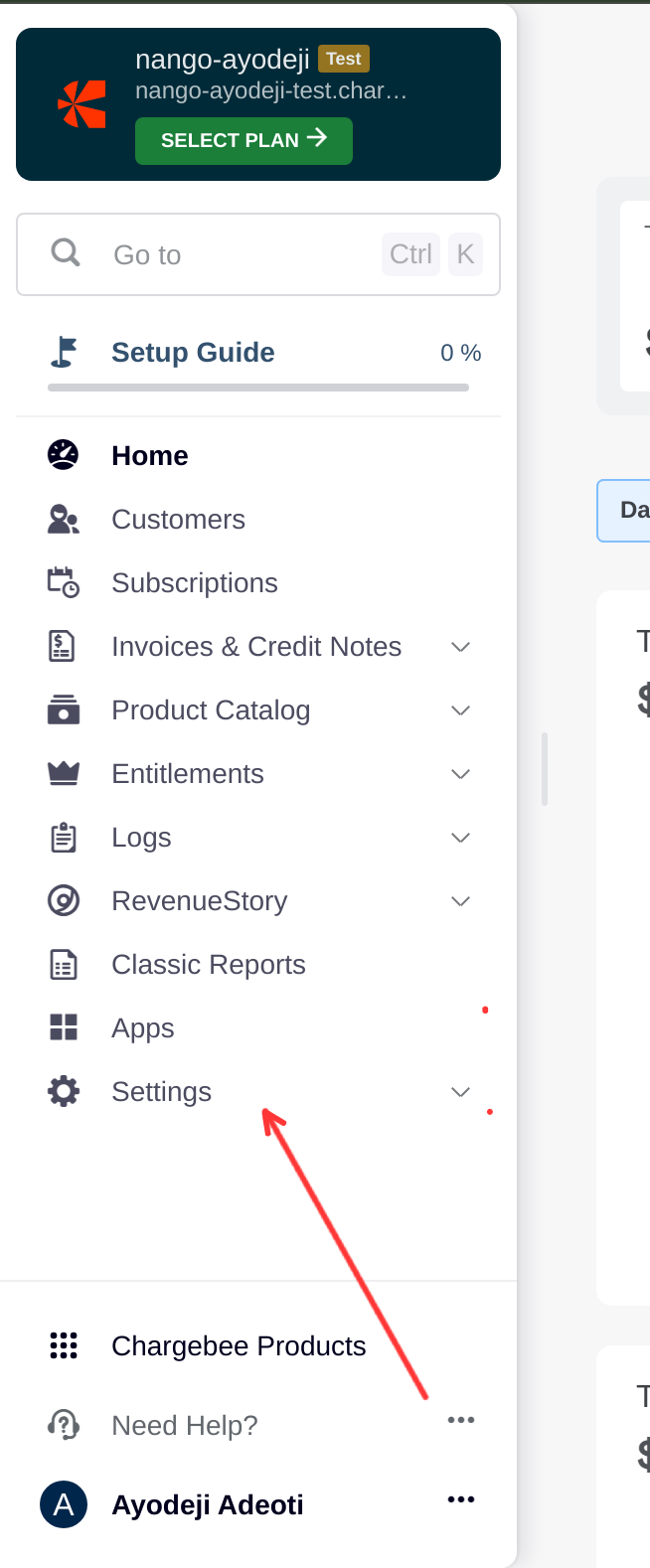
1. Once logged in to your Chargebee dashboard, click on the **Settings** option from the left sidebar.
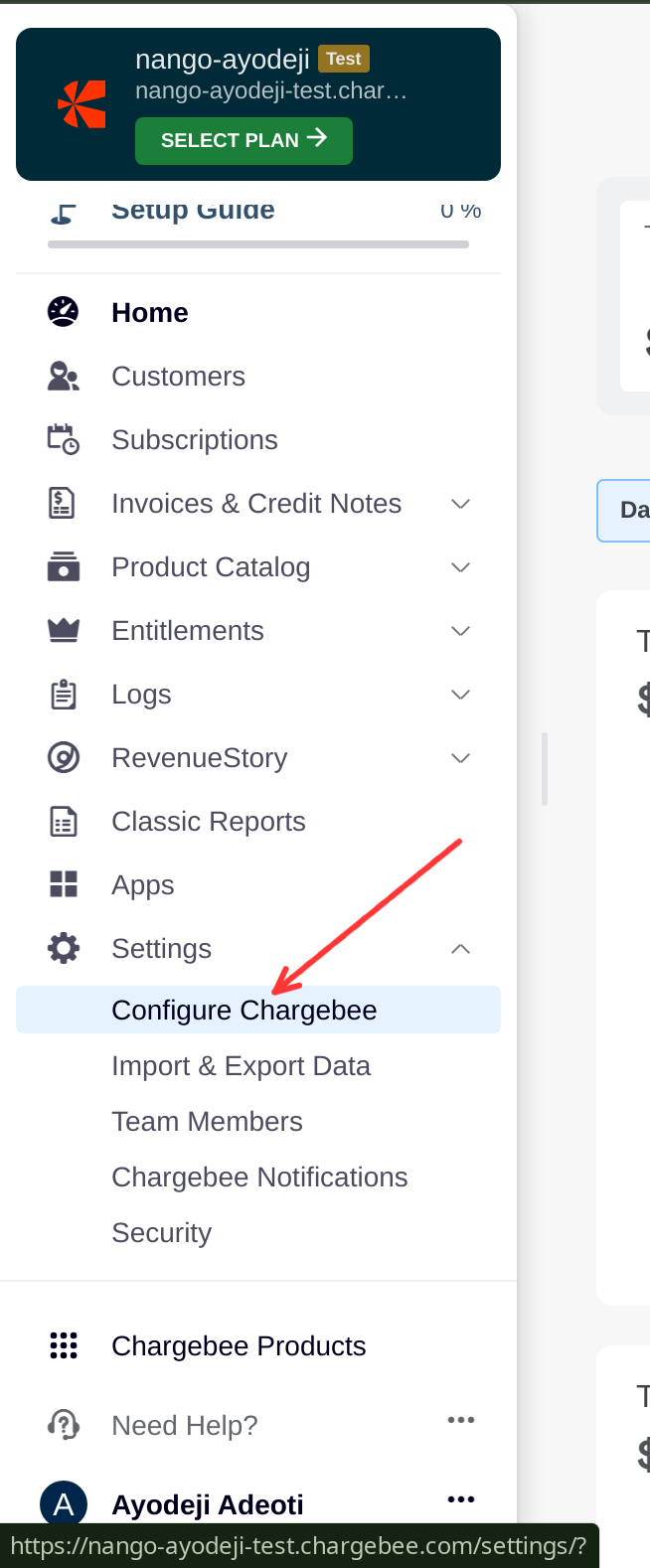
 2. Select **Configure Chargebee** from the dropdown menu.
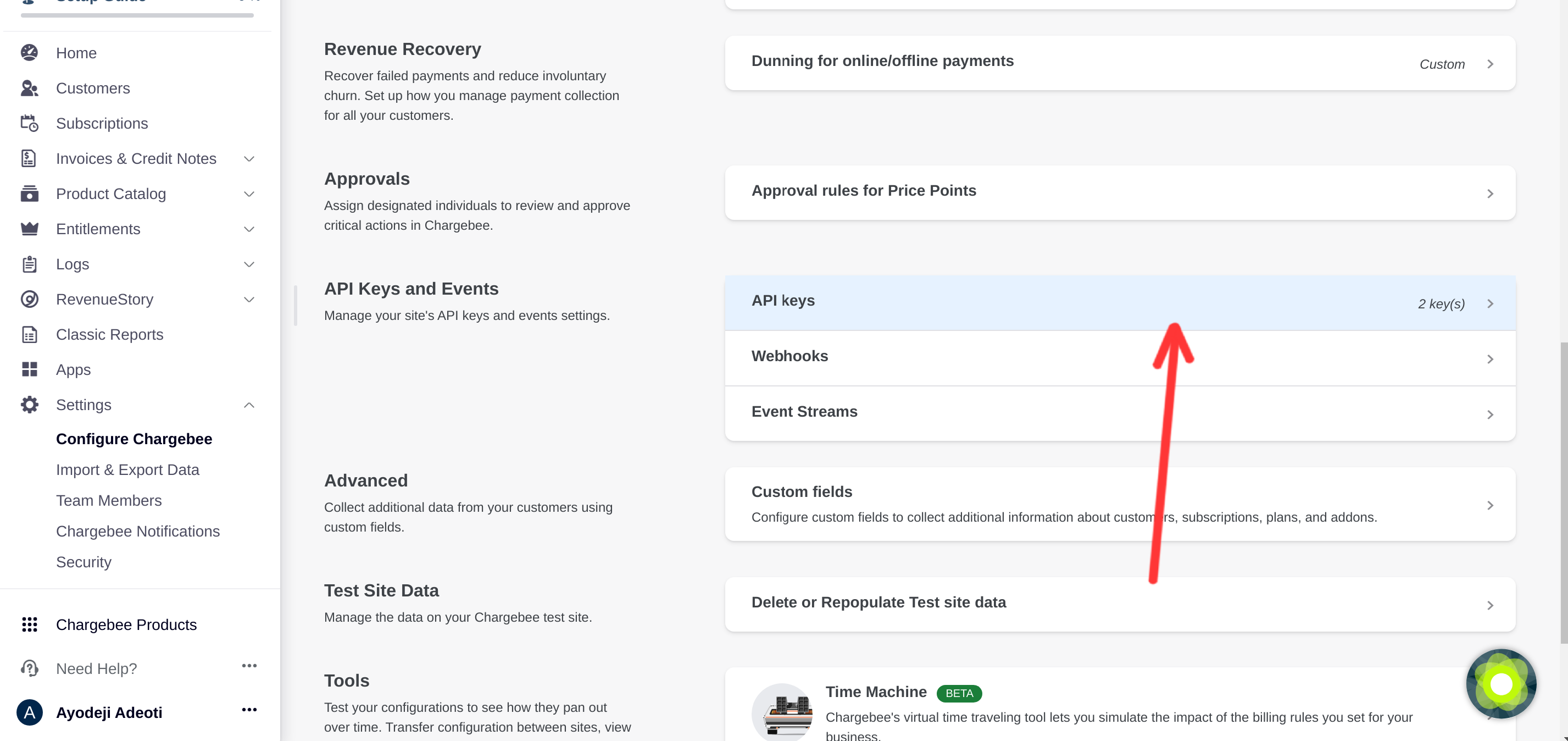
 3. Scroll to the API Keys section and click on the **API Keys** tab.
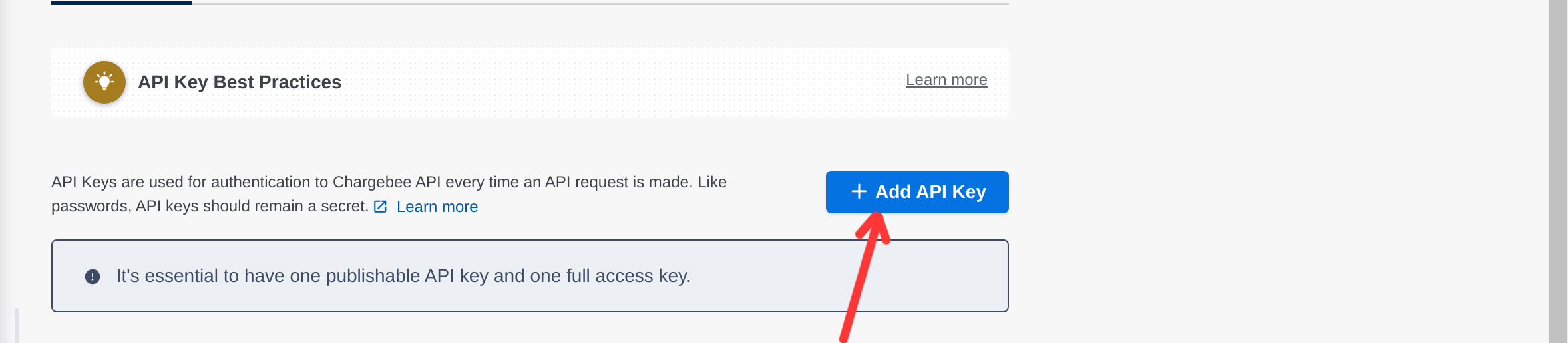
 4. Click on the **Add API Key** button.
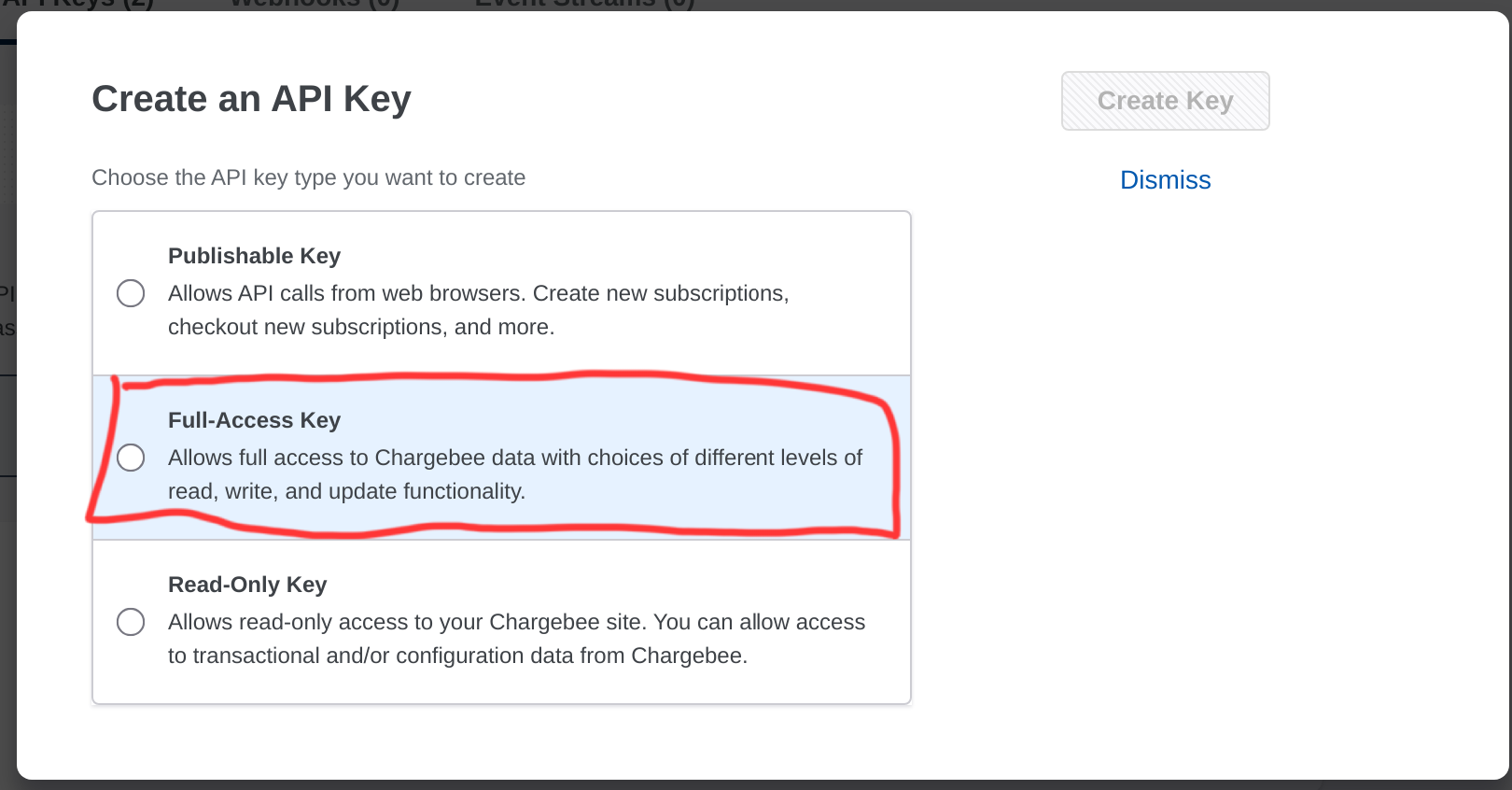
 5. Select the type of key you want to create. To take advantage of all Nango features, we recommend creating a **Full-Access** key.
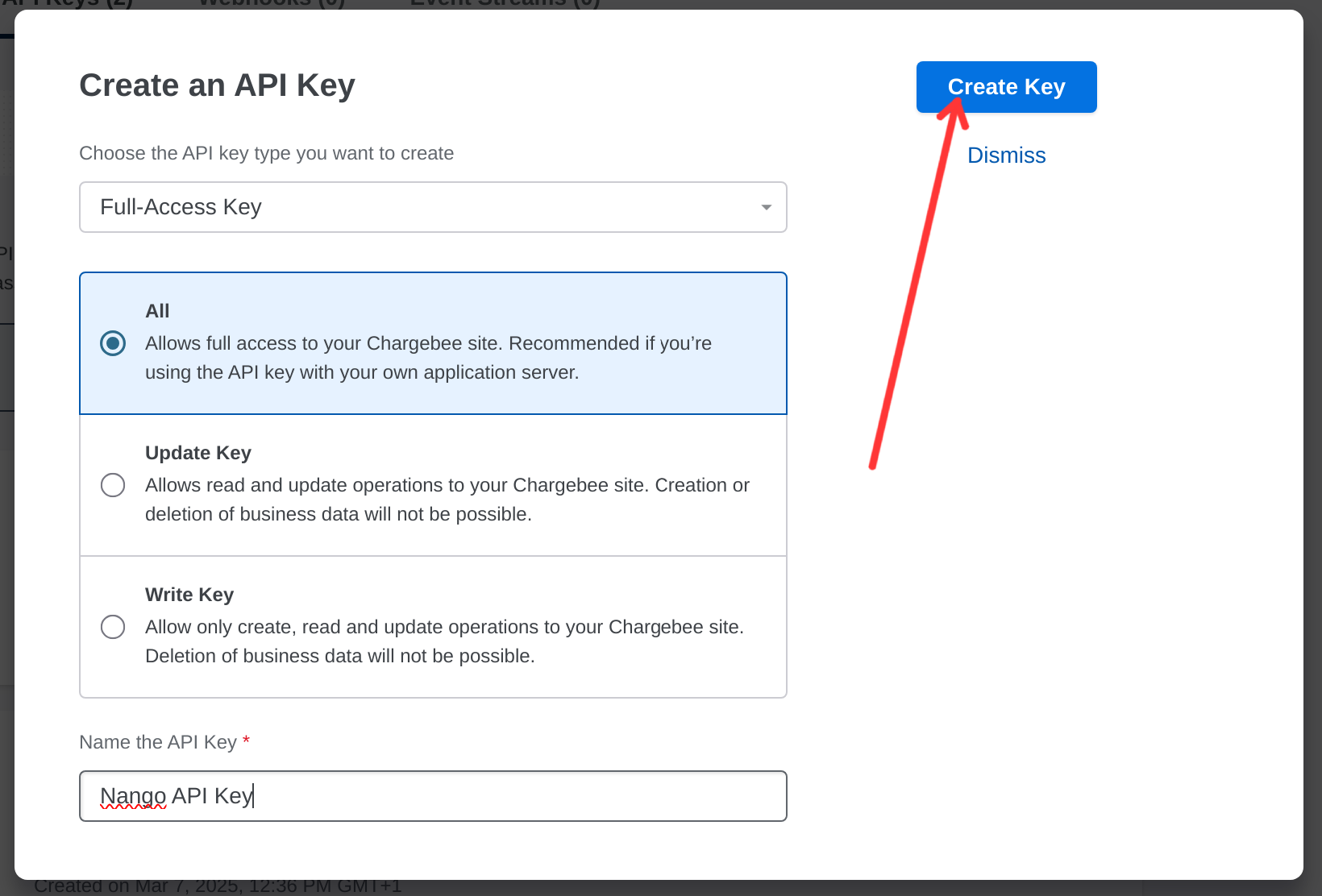
 6. Enter a name for the API Key and click on the **Create Key** button at the top right of the modal.
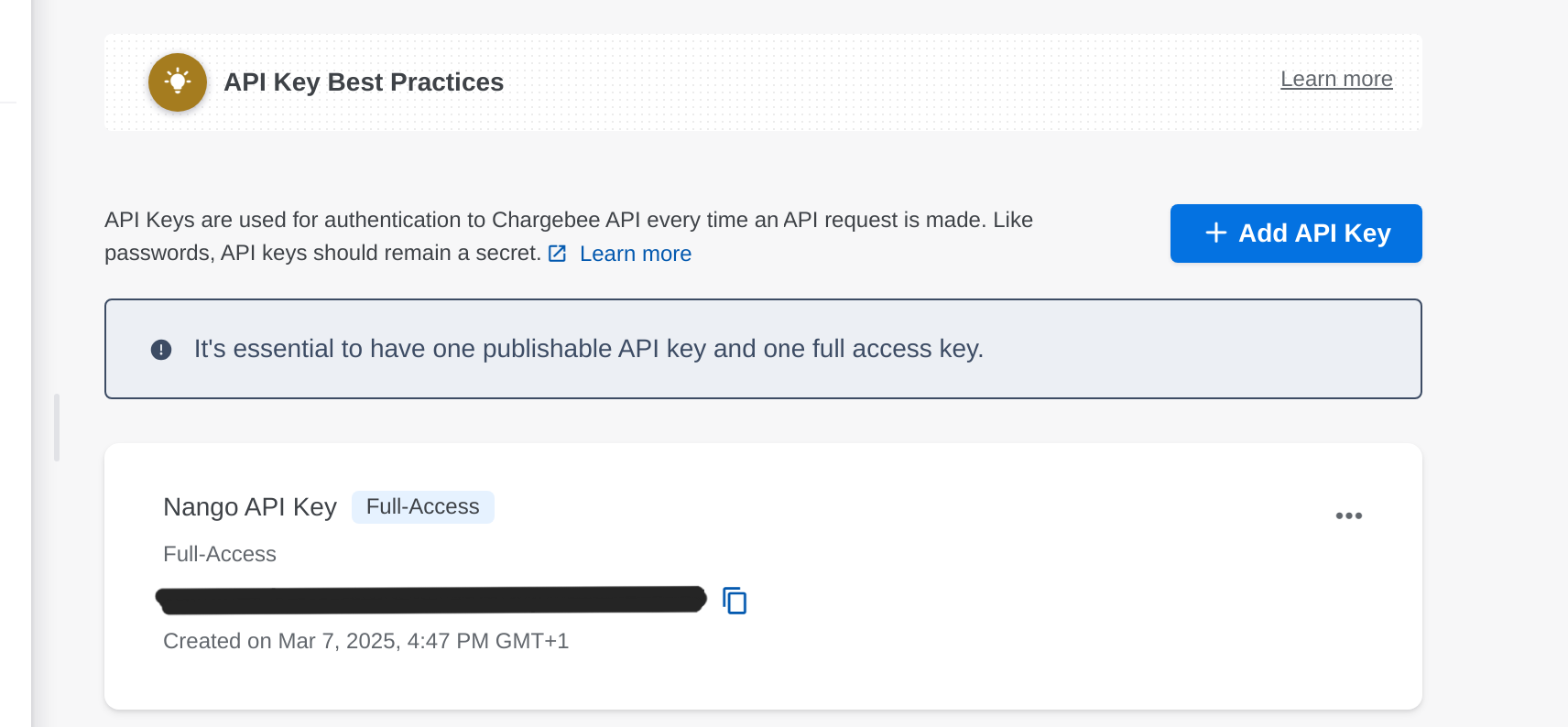
 7. Copy the generated API key and store it securely. You will need it for the next steps
 #### Step 2: Connect Your Chargebee Account
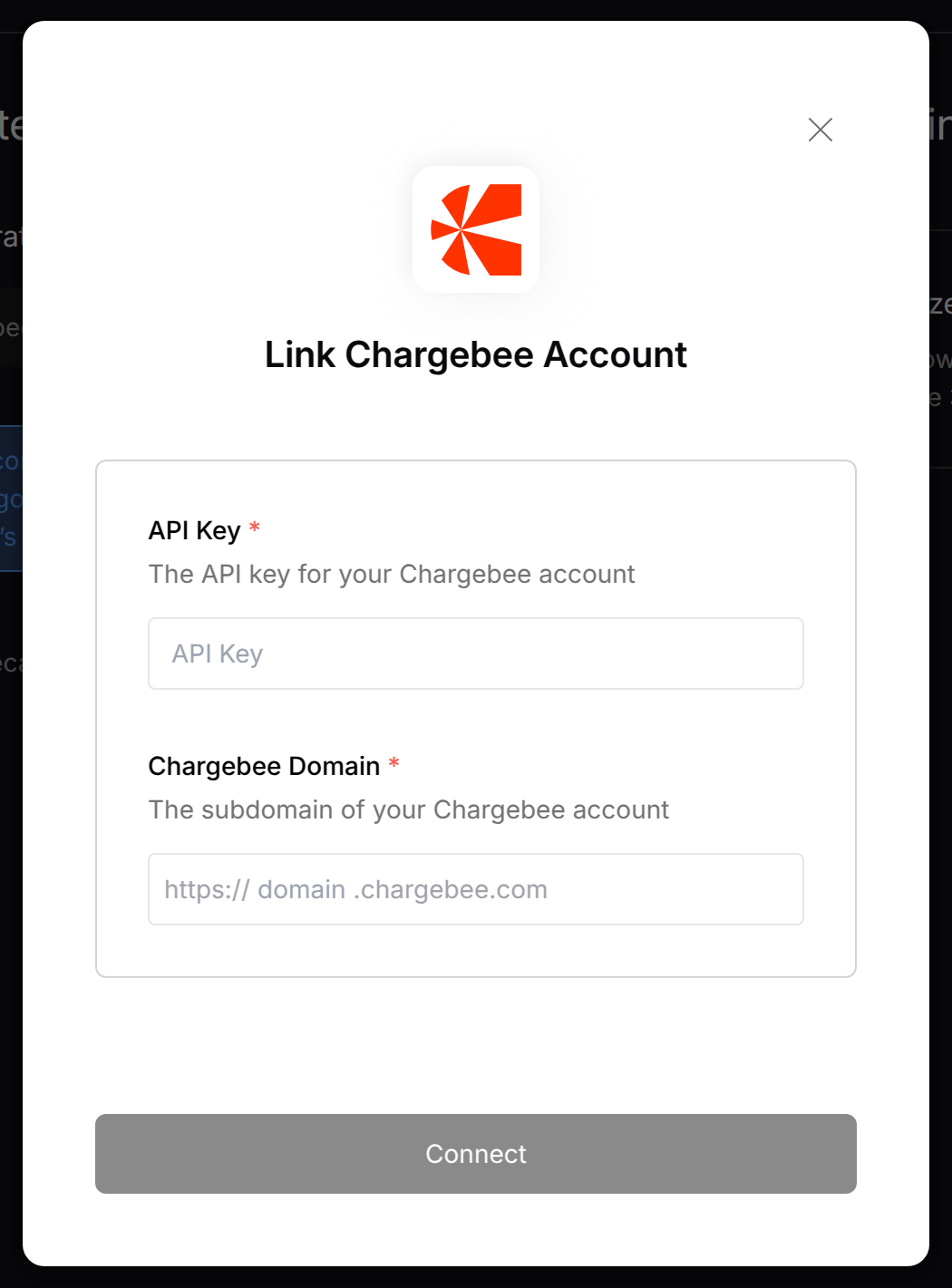 To authenticate using your API credentials, navigate to the Chargebee authentication form.
Enter your credentials as follows:
* API Key: Your API Key
* Chargebee Domain: Your Chargebee Domain (e.g., `https://{your-site-name}.chargebee.com`). You need only the `{your-site-name}` part of the URL.
Click "Connect" to complete the authentication.
Note: Make sure to match the credentials exactly as shown above - the field names in the form may differ from your Chargebee dashboard.
To authenticate using your API credentials, navigate to the Chargebee authentication form.
Enter your credentials as follows:
* API Key: Your API Key
* Chargebee Domain: Your Chargebee Domain (e.g., `https://{your-site-name}.chargebee.com`). You need only the `{your-site-name}` part of the URL.
Click "Connect" to complete the authentication.
Note: Make sure to match the credentials exactly as shown above - the field names in the form may differ from your Chargebee dashboard.