> ## Documentation Index
> Fetch the complete documentation index at: https://nango.dev/docs/llms.txt
> Use this file to discover all available pages before exploring further.
# Ashby - How do I link my account?
# Overview
To authenticate with Ashby, you need:
1. **API Key** - A key that grants Nango permission to interact with Ashby's APIs resources and services.
This guide will walk you through generating an API Key within Ashby.
### Prerequisites:
* You must have an Ashby account.
#### Step 1: Generating Your API Key
1. Go to [Admin > Integrations > API Keys](https://app.ashbyhq.com/admin/api/keys).
2. Click **+ New**.
3. Enter a name for your API key (e.g. "Nango Integration").
4. (Optional) Select an **Integration Partner** from the dropdown.
5. Use the checkboxes to assign **read** and/or **write** permissions to each module.
6. Hover over the *i* icon next to each module to see which endpoints it includes.
7. (Optional) Enable access to **confidential jobs**, if needed.
8. Click **Save and Continue** to finalize your key. An **API Key** will then be generated.
If you misplace or forget your API key, you won’t be able to retrieve it later. You’ll need to create a new one.
#### Step 2: Enter credentials in the Connect UI
Once you have your **API Key**:
1. Open the form where you need to authenticate with Ashby.
2. Enter your **API Key** in the designated field.
3. Submit the form, and you should be successfully authenticated.
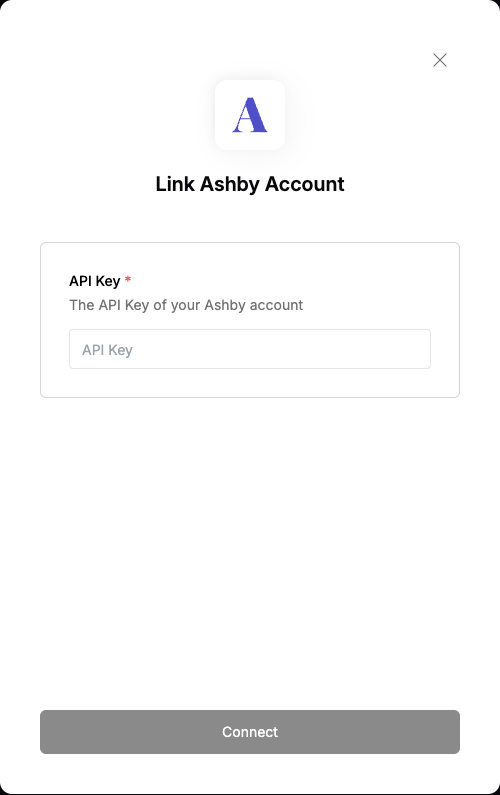 You are now connected to Ashby.