> ## Documentation Index
> Fetch the complete documentation index at: https://nango.dev/docs/llms.txt
> Use this file to discover all available pages before exploring further.
# Algolia - How do I link my account?
# Overview
To authenticate with Algolia, you need two key pieces of information:
1. **Application ID** - A unique identifier for your application on Algolia.
2. **Admin API Key** - A key that grants full access to all your application's indices and configurations.
This guide will walk you through finding or creating those credentials within Algolia.
### Prerequisites:
* You must have **API Keys access** to view and manage API keys in Algolia.
### Instructions:
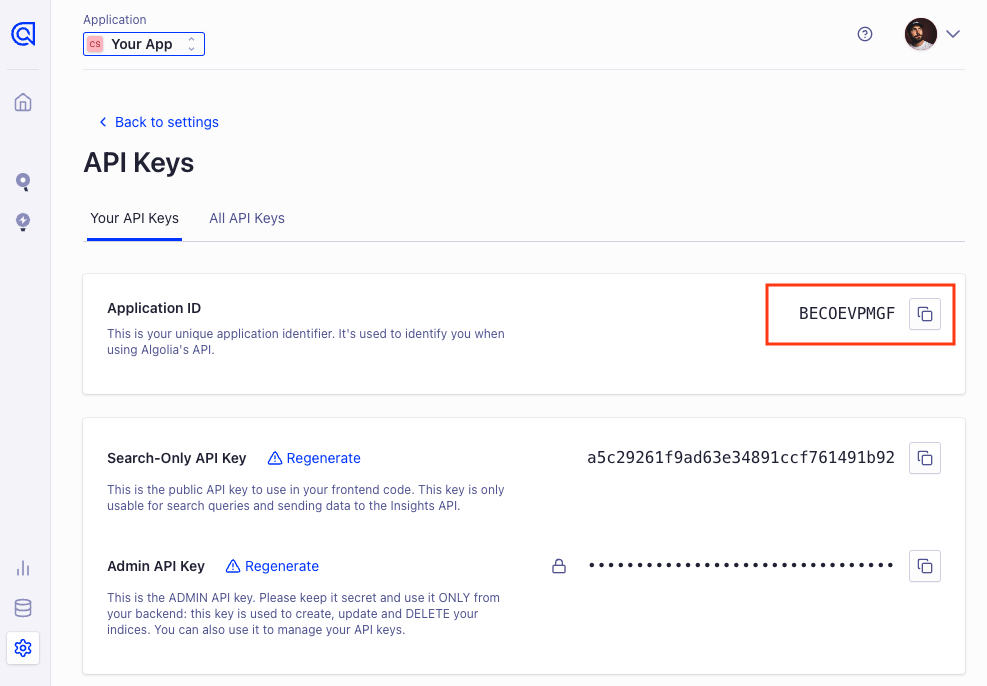
#### Step 1: Finding Your Application ID
1. **Log in** to your Algolia dashboard.
2. Select your application in the select location in the header
3. Go to the **Settings > Team > API Keys** section (located in the left-hand menu).
 #### Step 2: Finding Your Admin API Key
1. After picking your Application ID, scroll down and copy **Admin API Key**
#### Step 2: Finding Your Admin API Key
1. After picking your Application ID, scroll down and copy **Admin API Key**
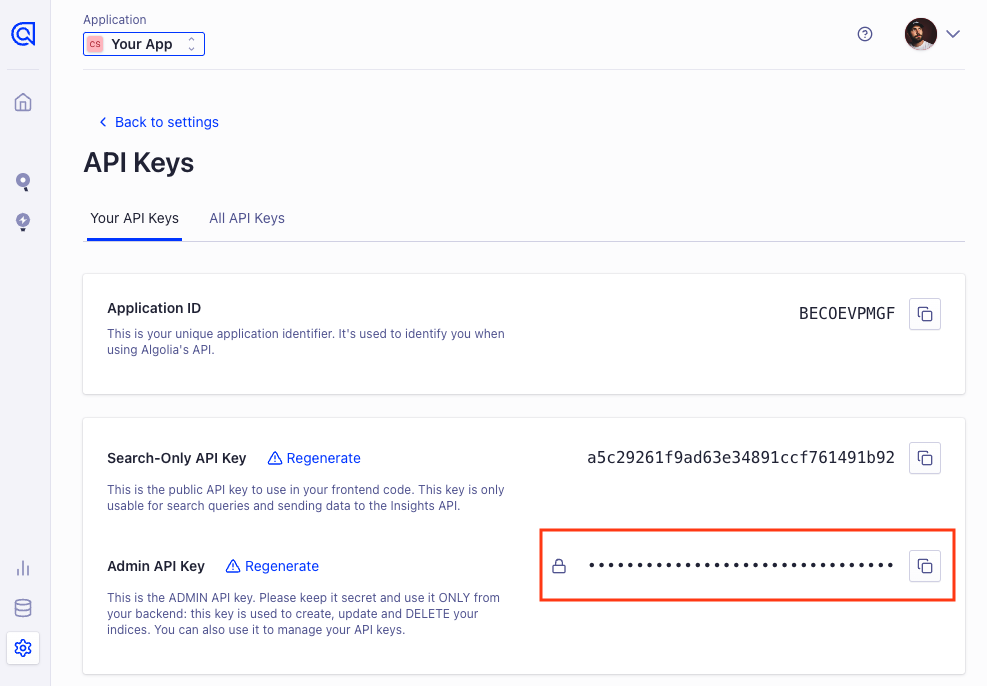 You can use your Search-Only API Key if you only want to replicate records, but it won't let index anything to Algolia. You can also choose to generate a dedicated key.
#### Step 3: Enter credentials in the Connect UI
Once you have both the **Application ID** and **Admin API Key**:
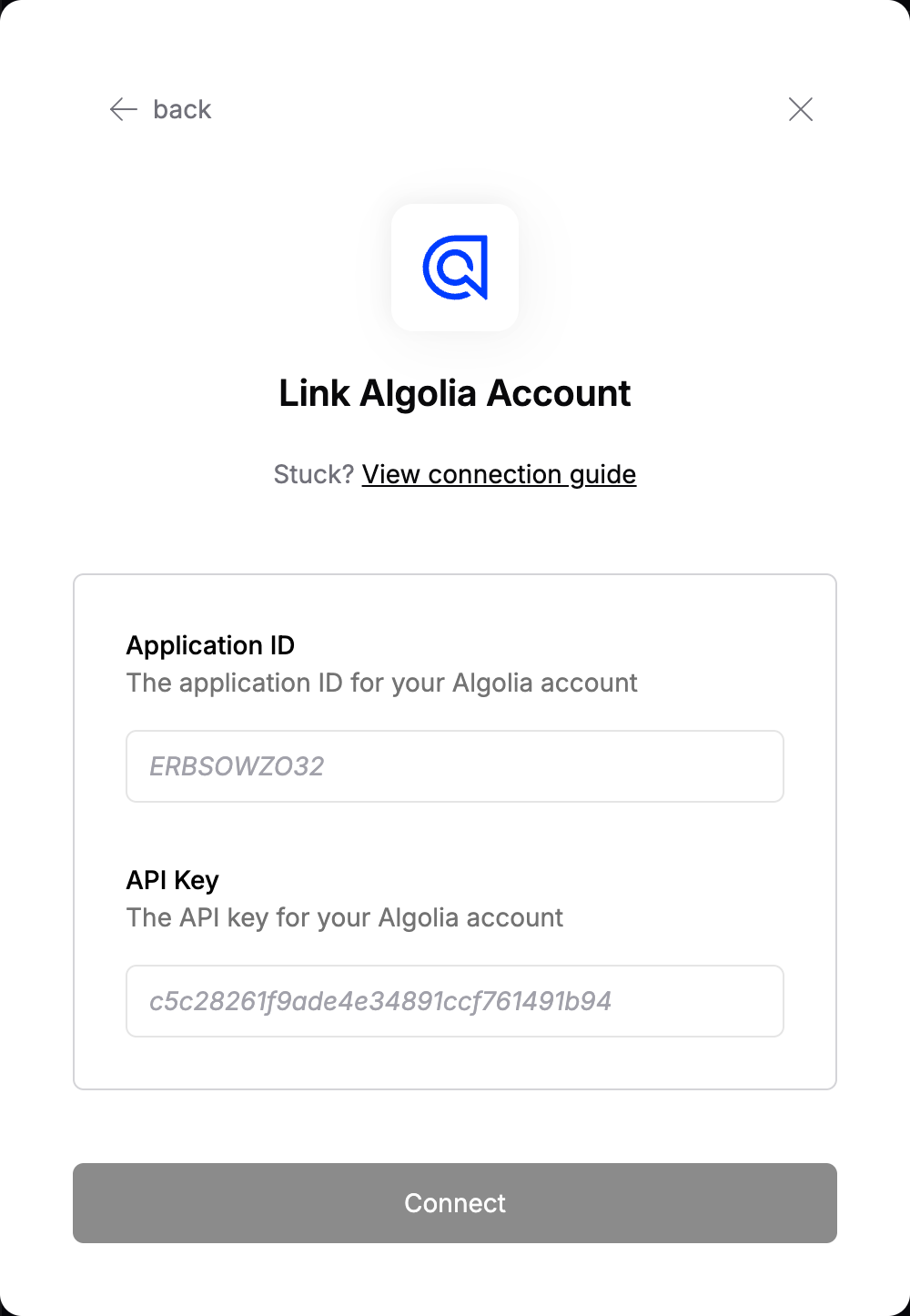
1. Open the form where you need to authenticate with Algolia.
2. Enter the **Application ID** in the designated field.
3. Enter the **Admin API Key** in the API Key field for the key.
4. Submit the form, and you should be successfully authenticated.
You can use your Search-Only API Key if you only want to replicate records, but it won't let index anything to Algolia. You can also choose to generate a dedicated key.
#### Step 3: Enter credentials in the Connect UI
Once you have both the **Application ID** and **Admin API Key**:
1. Open the form where you need to authenticate with Algolia.
2. Enter the **Application ID** in the designated field.
3. Enter the **Admin API Key** in the API Key field for the key.
4. Submit the form, and you should be successfully authenticated.
 You are now connected to Algolia.