> ## Documentation Index
> Fetch the complete documentation index at: https://nango.dev/docs/llms.txt
> Use this file to discover all available pages before exploring further.
# WorkOS - How do I link my account?
# Overview
To authenticate with WorkOS, you will need:
1. **API Key** - Your WorkOS API key (prefixed with `sk_`) for authentication.
This guide will walk you through obtaining your **API Key** from the WorkOS Dashboard.
### Prerequisites:
* You must have a WorkOS account.
### Instructions:
#### Step 1: Obtaining your WorkOS API key
1. Sign in to the [WorkOS Dashboard](https://dashboard.workos.com).
2. Select your environment (Staging or Production).
3. In the left sidebar, go to **API Keys**.
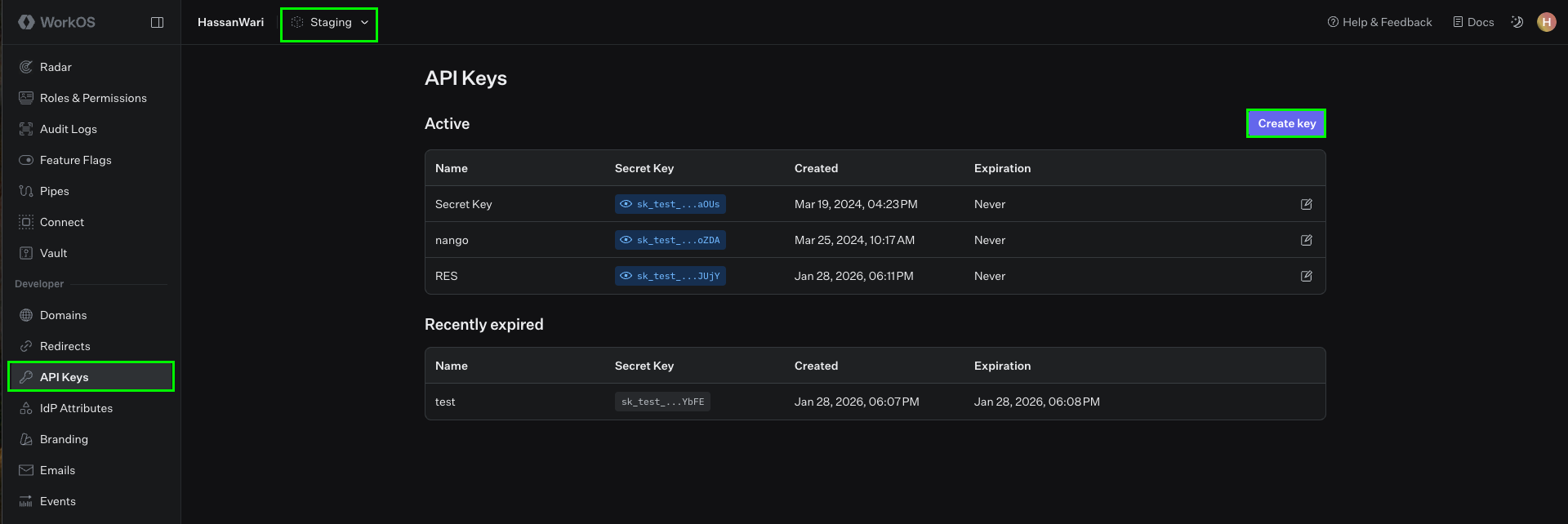 4. Your **Staging** environment comes with an API key already generated; you can view it inline in the dashboard.
5. For **Production**, generate an API key when you unlock Production access. Production API keys may only be viewed once—save them in a secure location upon creation.
6. To generate a new key, click **Create Key**, enter a name and expiration (we recommend choosing "never" to avoid disruption when the key expires).
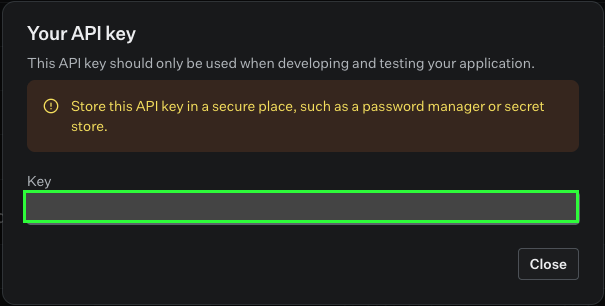
7. Submit the form and copy your API key (it is prefixed with `sk_`).
4. Your **Staging** environment comes with an API key already generated; you can view it inline in the dashboard.
5. For **Production**, generate an API key when you unlock Production access. Production API keys may only be viewed once—save them in a secure location upon creation.
6. To generate a new key, click **Create Key**, enter a name and expiration (we recommend choosing "never" to avoid disruption when the key expires).
7. Submit the form and copy your API key (it is prefixed with `sk_`).
 #### Step 2: Enter credentials in the Connect UI
Once you have your **API Key**:
1. Open the form where you need to authenticate with WorkOS.
2. Enter your **API Key** in the respective field.
3. Submit the form, and you should be successfully authenticated.
#### Step 2: Enter credentials in the Connect UI
Once you have your **API Key**:
1. Open the form where you need to authenticate with WorkOS.
2. Enter your **API Key** in the respective field.
3. Submit the form, and you should be successfully authenticated.
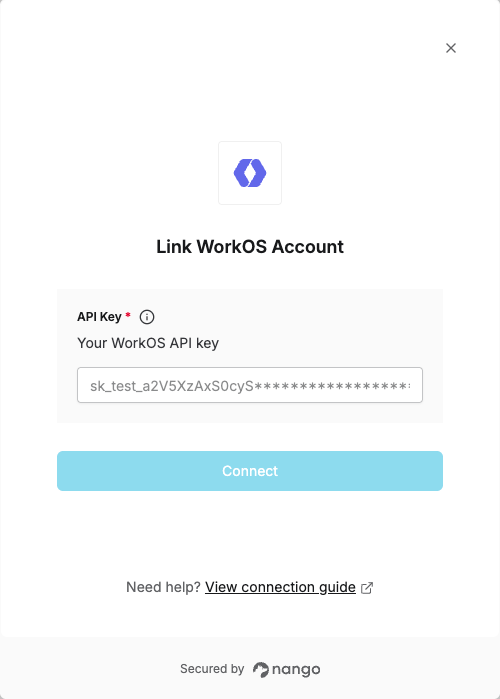 You are now connected to WorkOS.