> ## Documentation Index
> Fetch the complete documentation index at: https://nango.dev/docs/llms.txt
> Use this file to discover all available pages before exploring further.
# Wingify (VWO) - How do I link my account?
## Overview
To authenticate with Wingify (VWO), you need:
1. **API Token** — a Wingify API token.
This guide will show you how to get it.
### Prerequisites
* A Wingify account on the Enterprise plan. API access is only available on this plan.
### Step 1: Generate an API token
1. Sign in to Wingify and open the [API tokens page](https://app.wingify.com/#/developers/tokens).
2. Click **Add another API token**, then select the permission level your integration needs. See [Roles and Permissions in Wingify](https://help.wingify.com/hc/en-us/articles/58759151167769) for what each level allows.
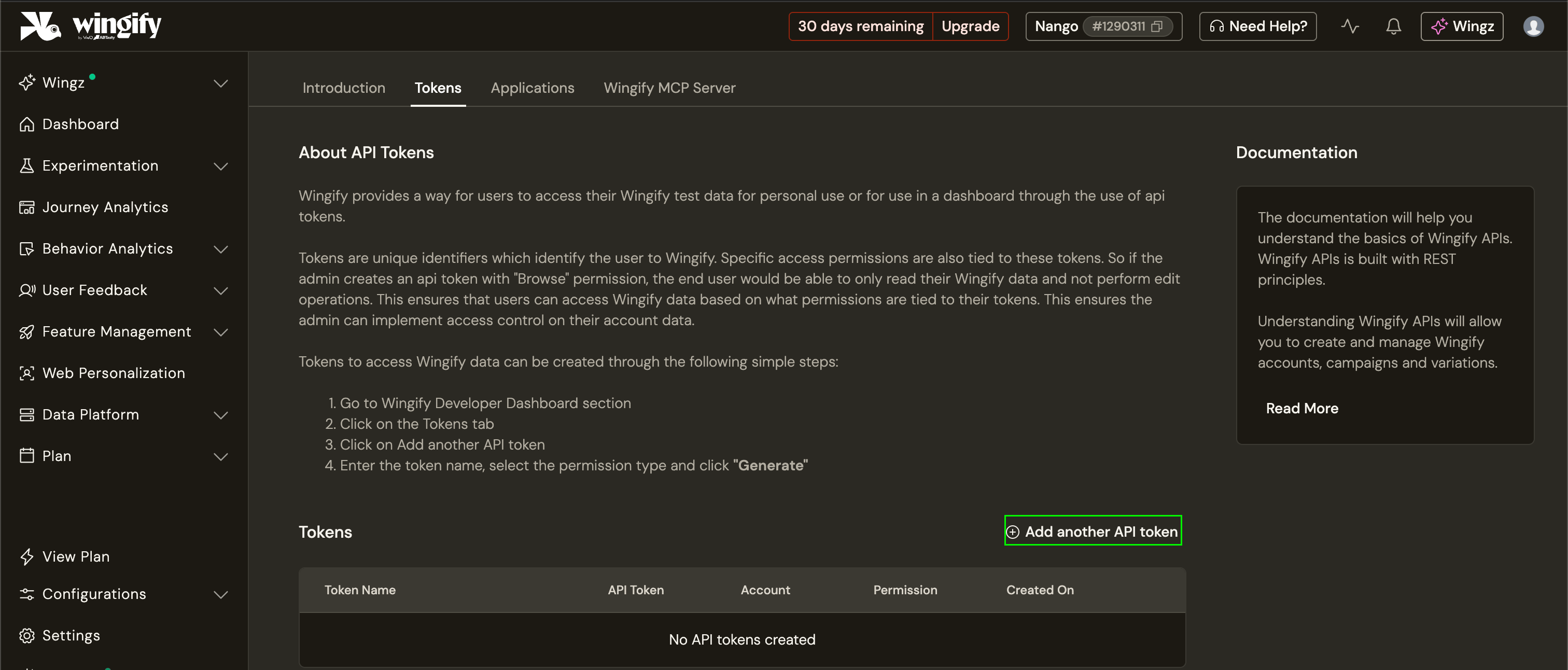 3. Copy the token.
### Step 2: Enter your API token in the Connect UI
1. Open the form where you need to authenticate with Wingify (VWO).
2. Enter your **API Token** in the designated field.
3. Submit the form, and you should be successfully authenticated.
3. Copy the token.
### Step 2: Enter your API token in the Connect UI
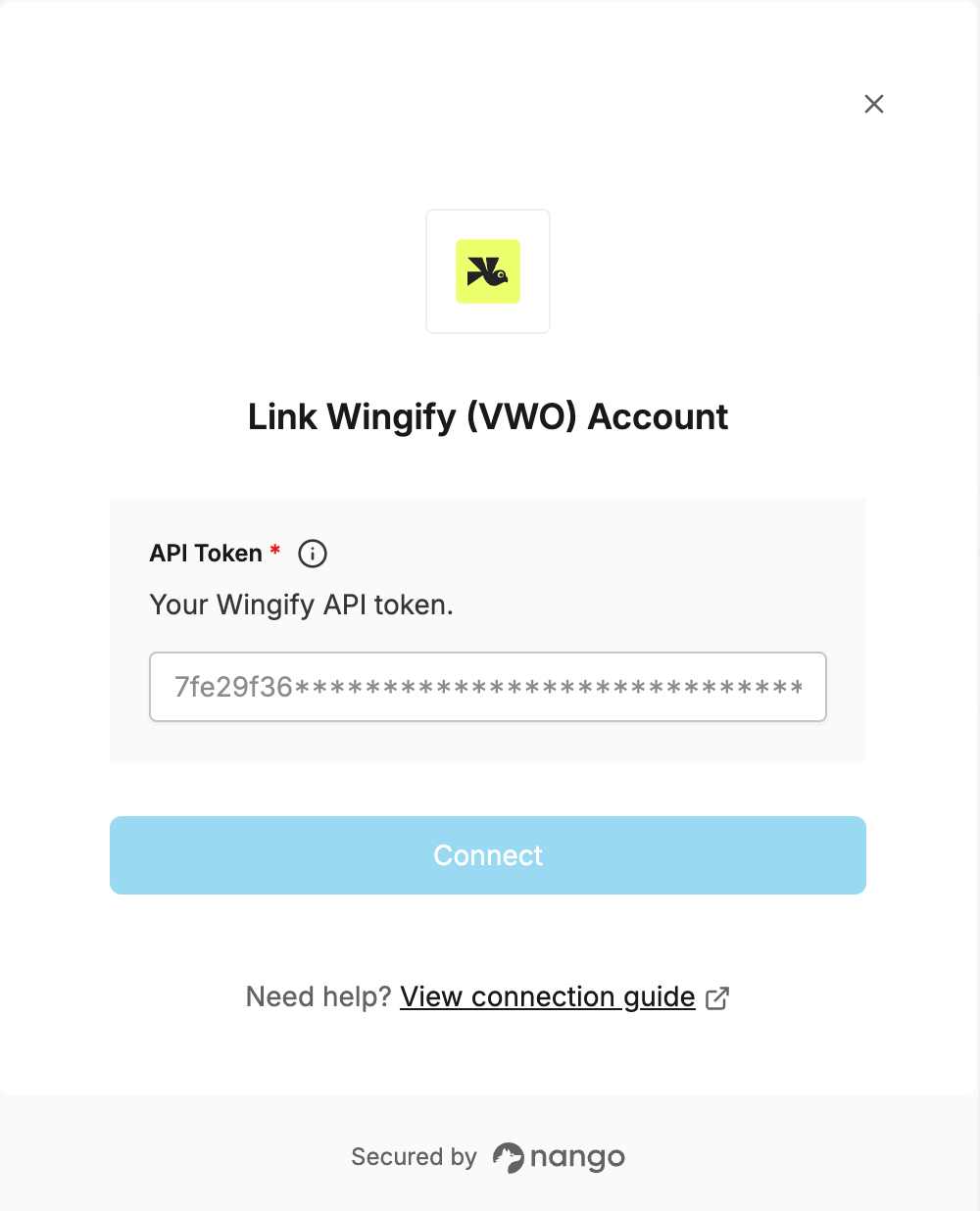
1. Open the form where you need to authenticate with Wingify (VWO).
2. Enter your **API Token** in the designated field.
3. Submit the form, and you should be successfully authenticated.
 You are now connected to Wingify (VWO).
This documentation is built and hosted on [Mintlify](https://mintlify.com), a developer documentation platform.
You are now connected to Wingify (VWO).
This documentation is built and hosted on [Mintlify](https://mintlify.com), a developer documentation platform.