> ## Documentation Index
> Fetch the complete documentation index at: https://nango.dev/docs/llms.txt
> Use this file to discover all available pages before exploring further.
# Viewpoint Vista - How do I link my account?
# Overview
To authenticate with Viewpoint Vista, you will need:
1. **Application Key** - Used to authenticate requests to the Trimble Xchange Direct API.
2. **Subscriber Code** - Identifies your Vista subscriber account within Trimble Xchange.
This guide will walk you through obtaining both from your Vista/Trimble Xchange administrator.
### Prerequisites:
* Your organization must have **Trimble Xchange** provisioned for your Viewpoint Vista subscriber. Xchange is a separate, optional integration layer on top of Vista's SQL Server database — not every Vista install has it enabled.
### Instructions:
#### Step 1: Requesting your application key and subscriber code
1. Request third-party access to the Vista API from your customer portal or from Trimble Support — this is required for any integration, like Nango, that isn't part of Trimble's own setup.
2. Specify the Vista resources you need this integration to access (for example, AP vendor data) via the customer portal, so they're added to your Application Key's authorization.
3. Trimble issues an **Application Key** scoped to those resources. Your **Subscriber Code** identifies your Vista account and is tied to the same onboarding — ask your Trimble contact to confirm it alongside the key.
Access isn't self-served from an end-user account — it's requested through the customer portal or Trimble Support, and provisioned by Trimble. If you don't have a customer portal contact, reach out to Trimble/Viewpoint support directly.
#### Step 2: Enter your credentials in the Connect UI
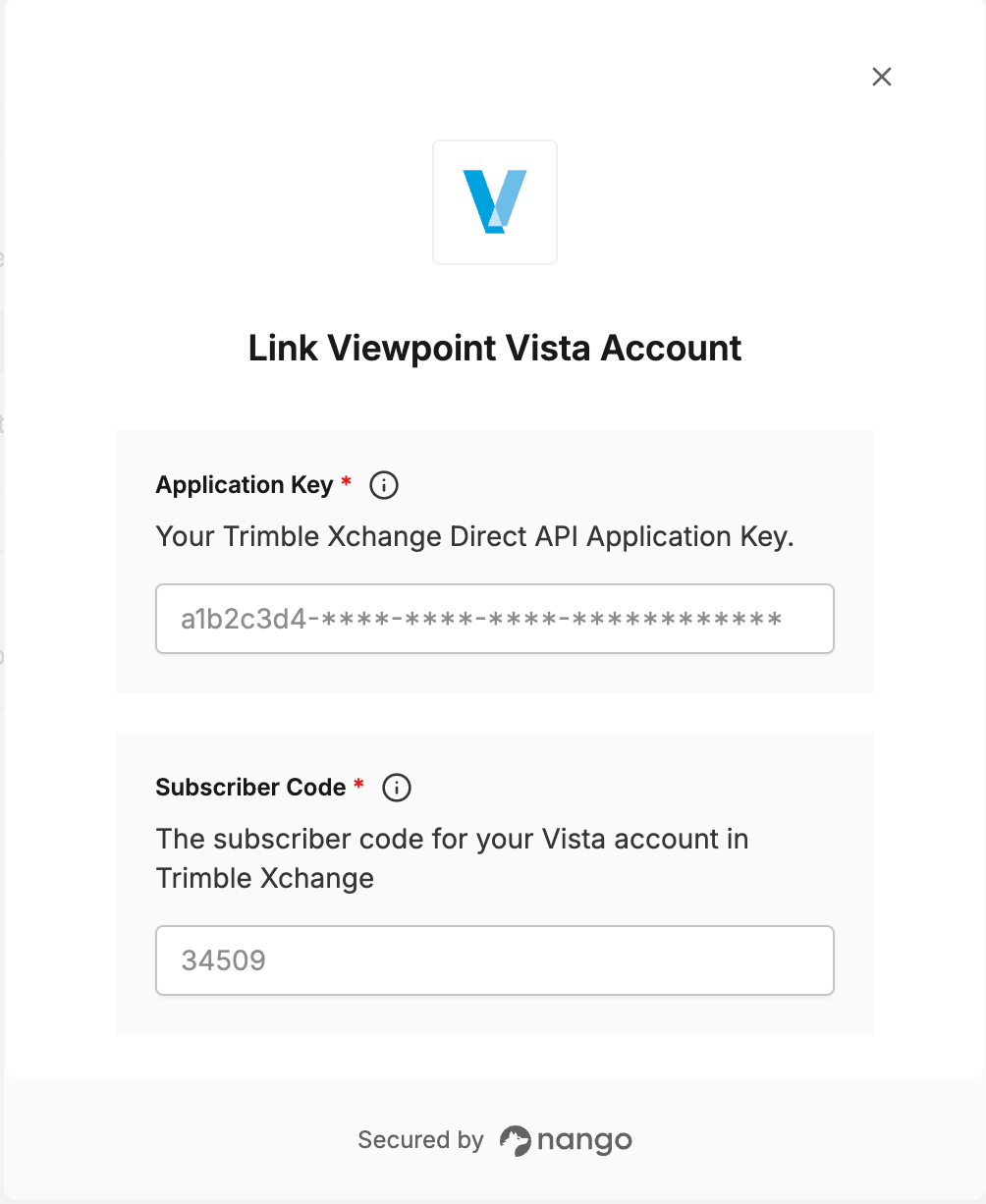
Once you have your **Application Key** and **Subscriber Code**:
1. Open the form where you need to authenticate with Viewpoint Vista.
2. Enter your **Application Key** and **Subscriber Code** in the designated fields.
3. Submit the form, and you should be successfully authenticated.
 You are now connected to Viewpoint Vista.