> ## Documentation Index
> Fetch the complete documentation index at: https://nango.dev/docs/llms.txt
> Use this file to discover all available pages before exploring further.
# VEED (via fal.ai) - How do I link my account?
# Overview
VEED's AI video models run on fal.ai's infrastructure, so authenticating with VEED means authenticating with a **fal.ai API key**.
This guide walks you through generating one.
### Prerequisites
* A fal.ai account
### Instructions
#### Step 1: Generate your API key
1. Sign up or sign in at [fal.ai](https://fal.ai).
2. Navigate to the [API Keys page](https://fal.ai/dashboard/keys).
3. Select **+ Add key**, then choose a scope:
* **API** — for running models and calling inference endpoints. Cannot manage keys, billing, usage, or compute. Recommended for most use cases, including Nango.
* **Admin** — full account access, including managing keys, billing, usage, and compute.
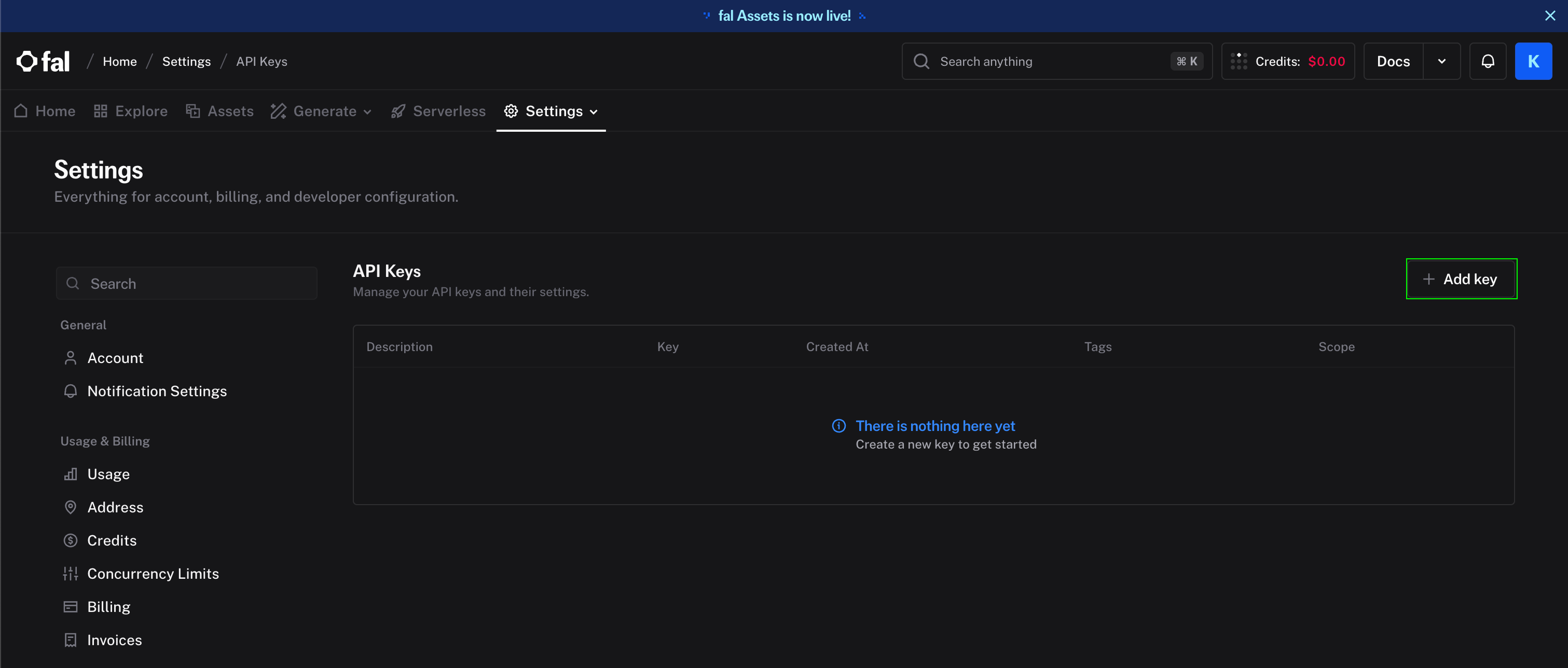 4. Copy the key.
#### Step 2: Enter credentials in the Connect UI
1. Open the form where you need to authenticate with VEED.
2. Enter your **API key** in its field.
3. Submit the form to connect your account.
4. Copy the key.
#### Step 2: Enter credentials in the Connect UI
1. Open the form where you need to authenticate with VEED.
2. Enter your **API key** in its field.
3. Submit the form to connect your account.
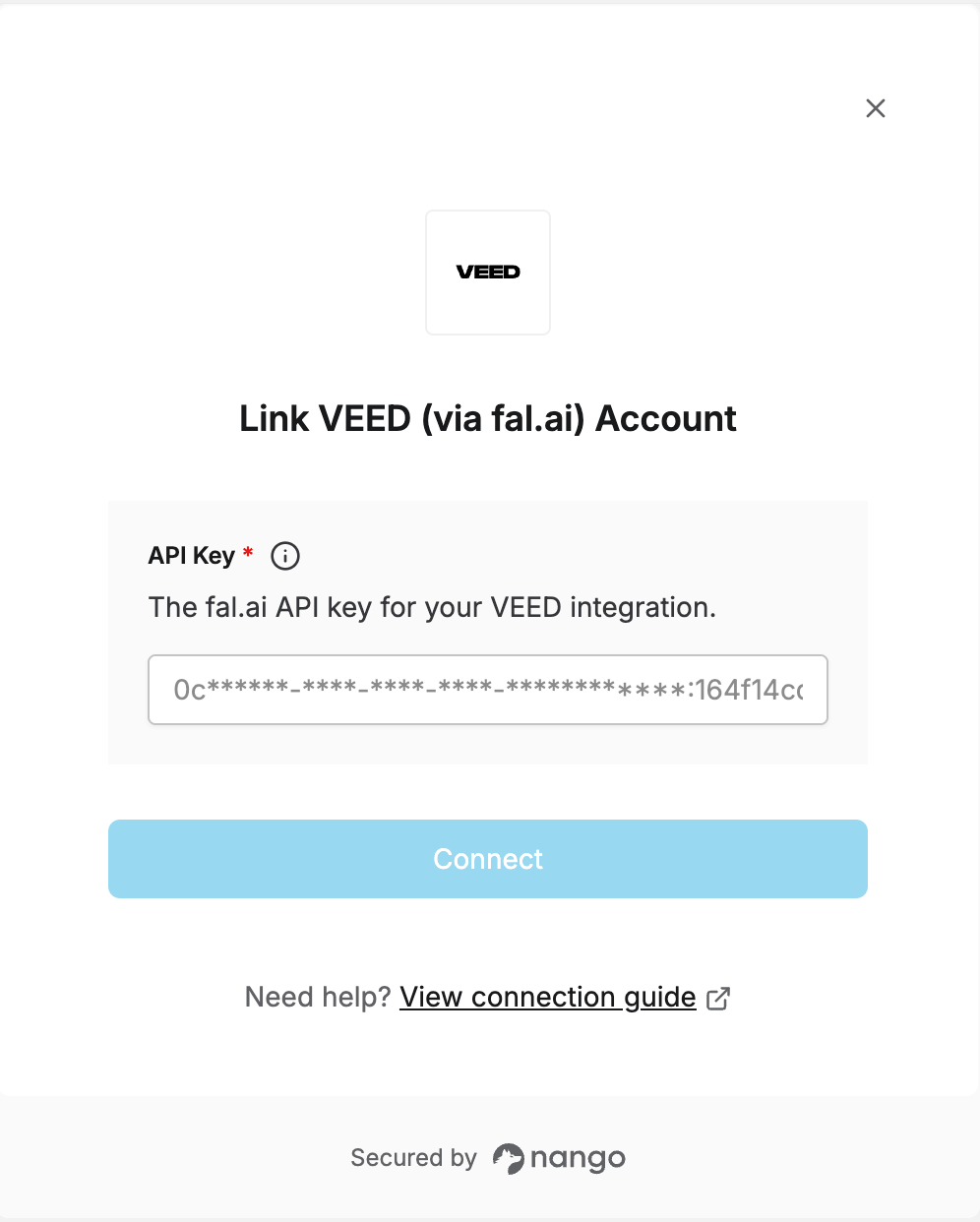 You are now connected to the VEED API.
***
You are now connected to the VEED API.
***