> ## Documentation Index
> Fetch the complete documentation index at: https://nango.dev/docs/llms.txt
> Use this file to discover all available pages before exploring further.
# Tracify Analytics - How do I link my account?
## Overview
To authenticate with Tracify Analytics, you need:
1. **Analytics API token** — a token with access to the Tracify Analytics API.
2. **Site ID** — the Tracify site to query.
3. **Preset ID** — the attribution preset used by the published KPI templates.
This guide will walk you through obtaining these values.
### Prerequisites
* You must have a Tracify account with access to the site you want to query.
* The account must have permission to create Analytics API tokens.
### Instructions
#### Step 1: Generating an Analytics API token
1. Sign in to the [Tracify dashboard](https://dashboard.tracify.ai/).
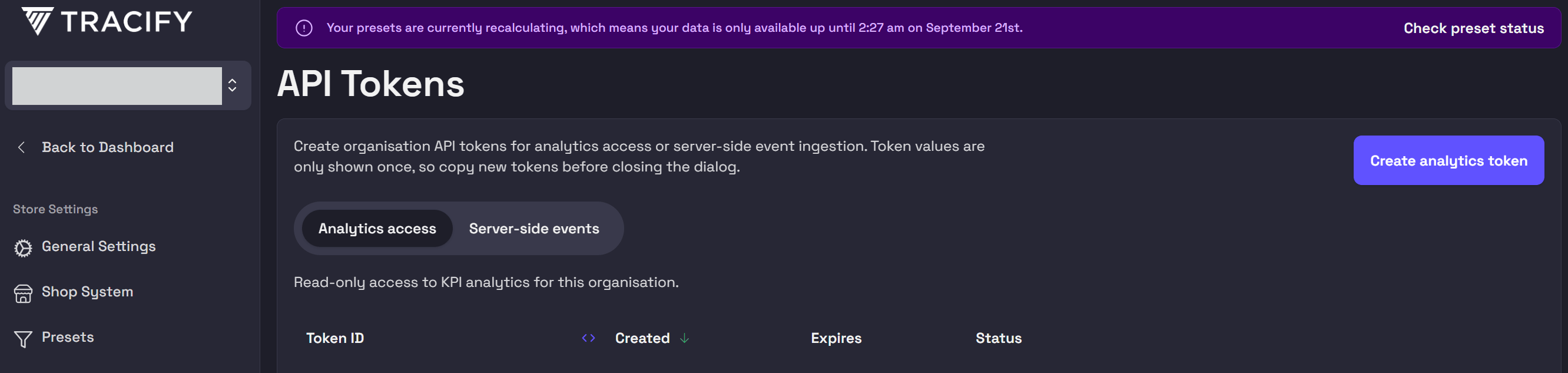
2. In the left navigation, under **Developer**, select **API Tokens**.
3. Make sure the **Analytics access** tab is selected and click **Create analytics token**.
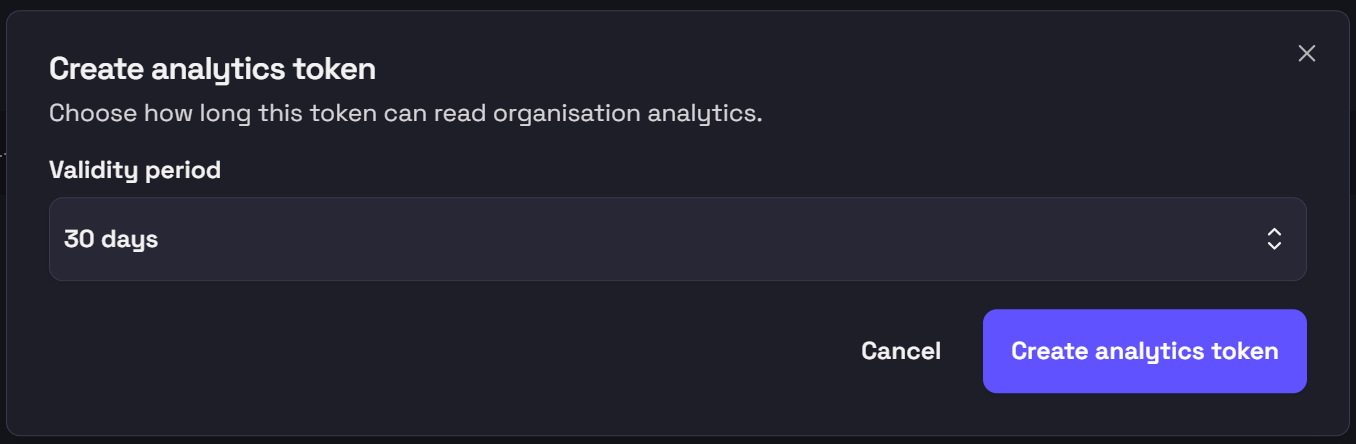
 4. Choose the token's **Validity period** and click **Create analytics token**.
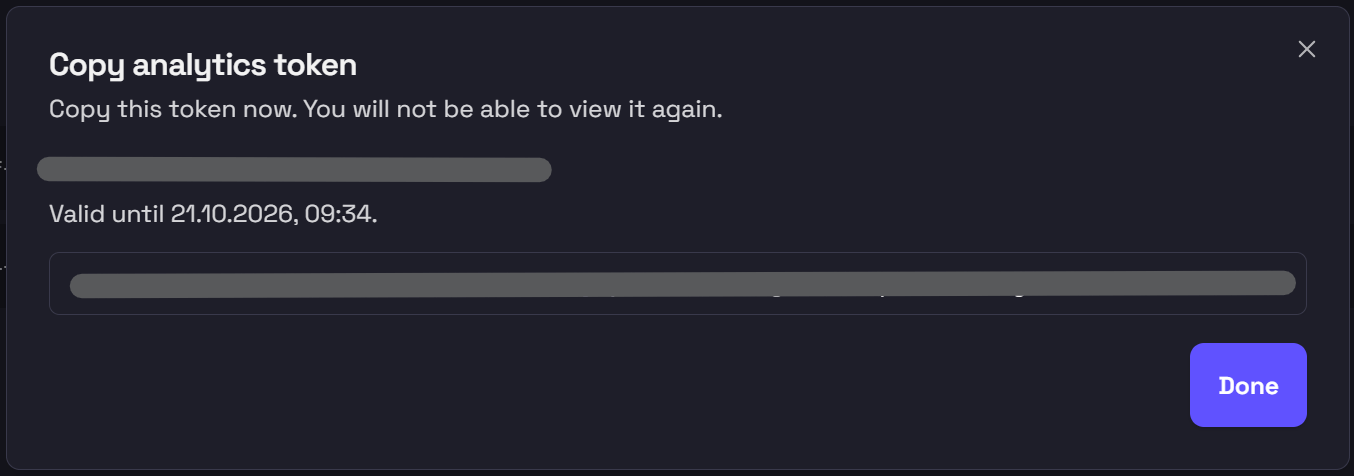
 5. Copy the token immediately and store it securely. Tracify will not show the token again after you close this dialog.
 #### Step 2: Finding your Site ID
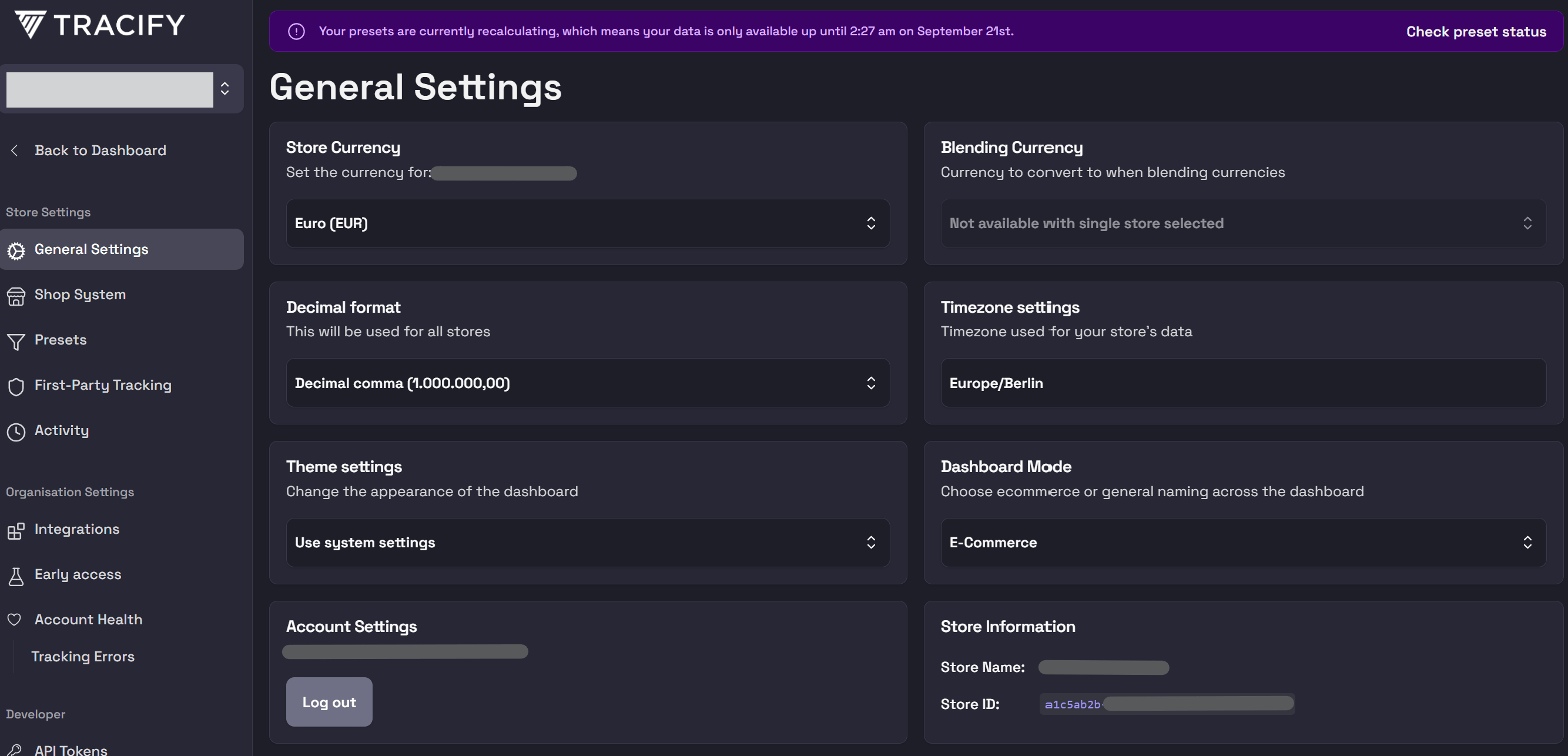
1. In the left navigation, under **Store Settings**, select **General Settings**.
2. In the **Store Information** card, copy the **Store ID** for the store that Nango should query. This value is entered as **Site ID** in the Nango Connect form.
#### Step 2: Finding your Site ID
1. In the left navigation, under **Store Settings**, select **General Settings**.
2. In the **Store Information** card, copy the **Store ID** for the store that Nango should query. This value is entered as **Site ID** in the Nango Connect form.
 #### Step 3: Finding your Preset ID
1. In the left navigation, under **Store Settings**, select **Presets**.
2. Choose the attribution preset that Nango should use and click the copy icon next to its **Preset ID**.
#### Step 3: Finding your Preset ID
1. In the left navigation, under **Store Settings**, select **Presets**.
2. Choose the attribution preset that Nango should use and click the copy icon next to its **Preset ID**.
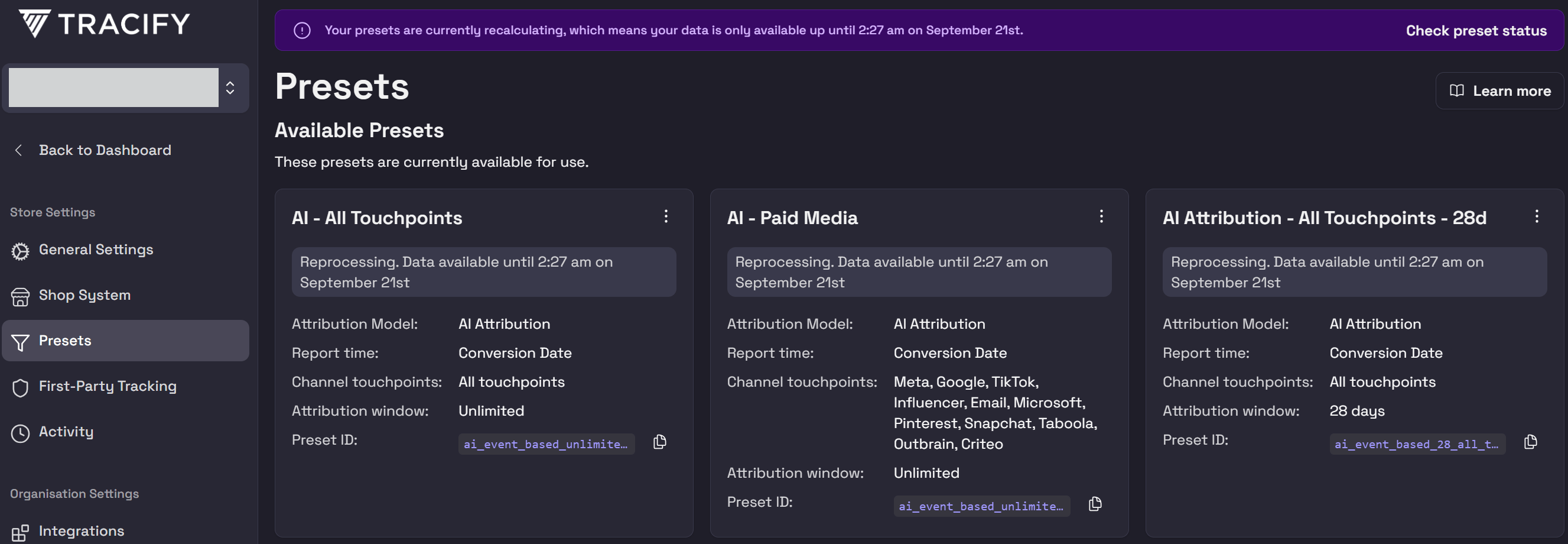 The Preset ID is required by the published KPI templates. It is not required by every Tracify Analytics endpoint, such as export-status queries.
#### Step 4: Enter credentials in the Connect UI
Once you have your credentials:
1. Open the form where you need to authenticate with Tracify.
2. Enter your **Analytics API token**, **Site ID**, and **Preset ID** in the respective fields.
3. Submit the form — Nango validates the connection with a read-only KPI request.
The Preset ID is required by the published KPI templates. It is not required by every Tracify Analytics endpoint, such as export-status queries.
#### Step 4: Enter credentials in the Connect UI
Once you have your credentials:
1. Open the form where you need to authenticate with Tracify.
2. Enter your **Analytics API token**, **Site ID**, and **Preset ID** in the respective fields.
3. Submit the form — Nango validates the connection with a read-only KPI request.
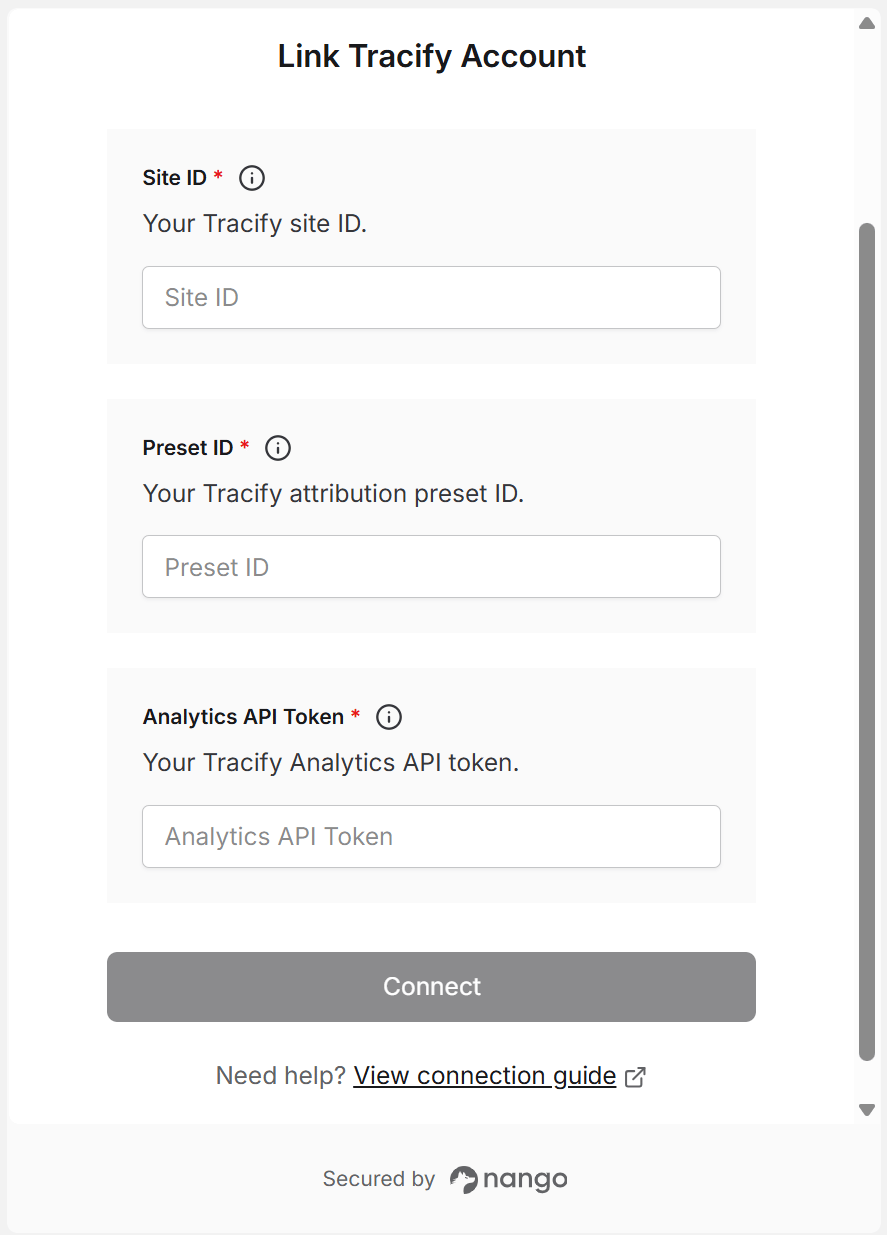 You are now connected to Tracify Analytics.