> ## Documentation Index
> Fetch the complete documentation index at: https://nango.dev/docs/llms.txt
> Use this file to discover all available pages before exploring further.
# The Swarm - How do I link my account?
# Overview
To connect to The Swarm API, you'll need:
1. **API Key** - A key that grants secure access to the API, enabling authorized applications to interact with The Swarm resources and services.
This guide walks through obtaining your API key.
### Prerequisites:
* An active Swarm account at [app.theswarm.com](https://app.theswarm.com).
* Team owner or admin role on a Premium plan (required for API access).
## Instructions
### Step 1: Get your API key
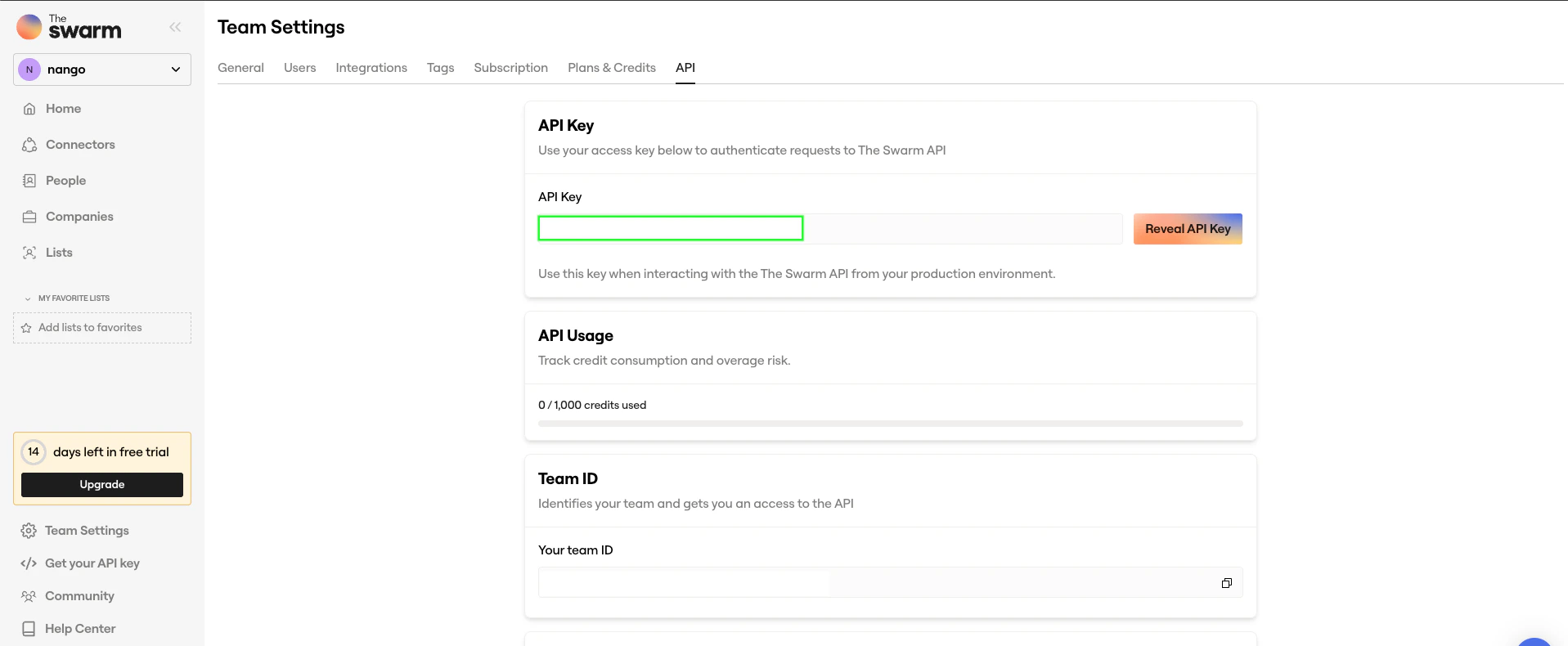
1. Log in to your Swarm account and navigate to the [API key](https://app.theswarm.com/team-settings/api) tab.
2. Click **Generate API Key** or **Reveal API Key**.
3. Copy the generated key to your clipboard.
 ### Step 2: Enter credentials in the Connect UI
Once you have your **API Key**:
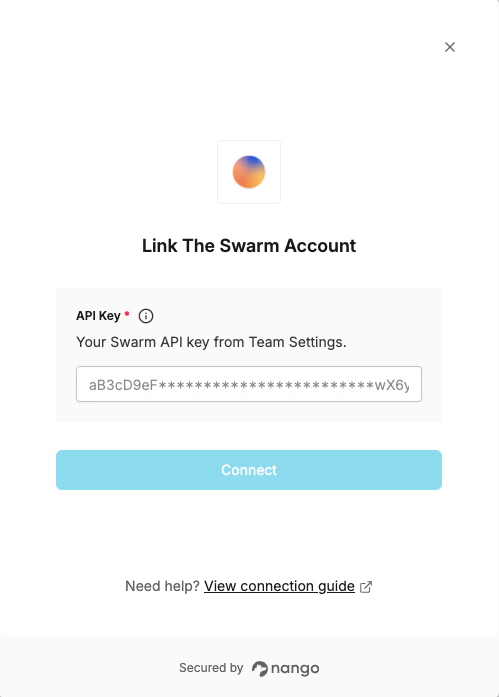
1. Open the form where you need to authenticate with The Swarm.
2. Enter your **API Key** in the respective field.
3. Submit the form, and you should be successfully authenticated.
### Step 2: Enter credentials in the Connect UI
Once you have your **API Key**:
1. Open the form where you need to authenticate with The Swarm.
2. Enter your **API Key** in the respective field.
3. Submit the form, and you should be successfully authenticated.
 You are now connected to The Swarm.