> ## Documentation Index
> Fetch the complete documentation index at: https://nango.dev/docs/llms.txt
> Use this file to discover all available pages before exploring further.
# TalentLMS - How do I link my account?
# Overview
To connect with TalentLMS, you need:
1. **Subdomain** – The subdomain of your TalentLMS portal.
2. **API Key** – Your TalentLMS API key from Account & Settings.
This guide walks you through finding both values.
### Prerequisites
* You must have a TalentLMS account on a paid plan. API access is not available on the Free plan or during a Free trial.
* You must be an Administrator.
### Instructions
#### Step 1: Finding your Subdomain
Your subdomain is the part of your TalentLMS portal URL before `.talentlms.com`. For example, if your portal is at `https://acme.talentlms.com`, your subdomain is `acme`.
You can find it in the browser address bar when logged in to your TalentLMS account.
#### Step 2: Finding your API Key
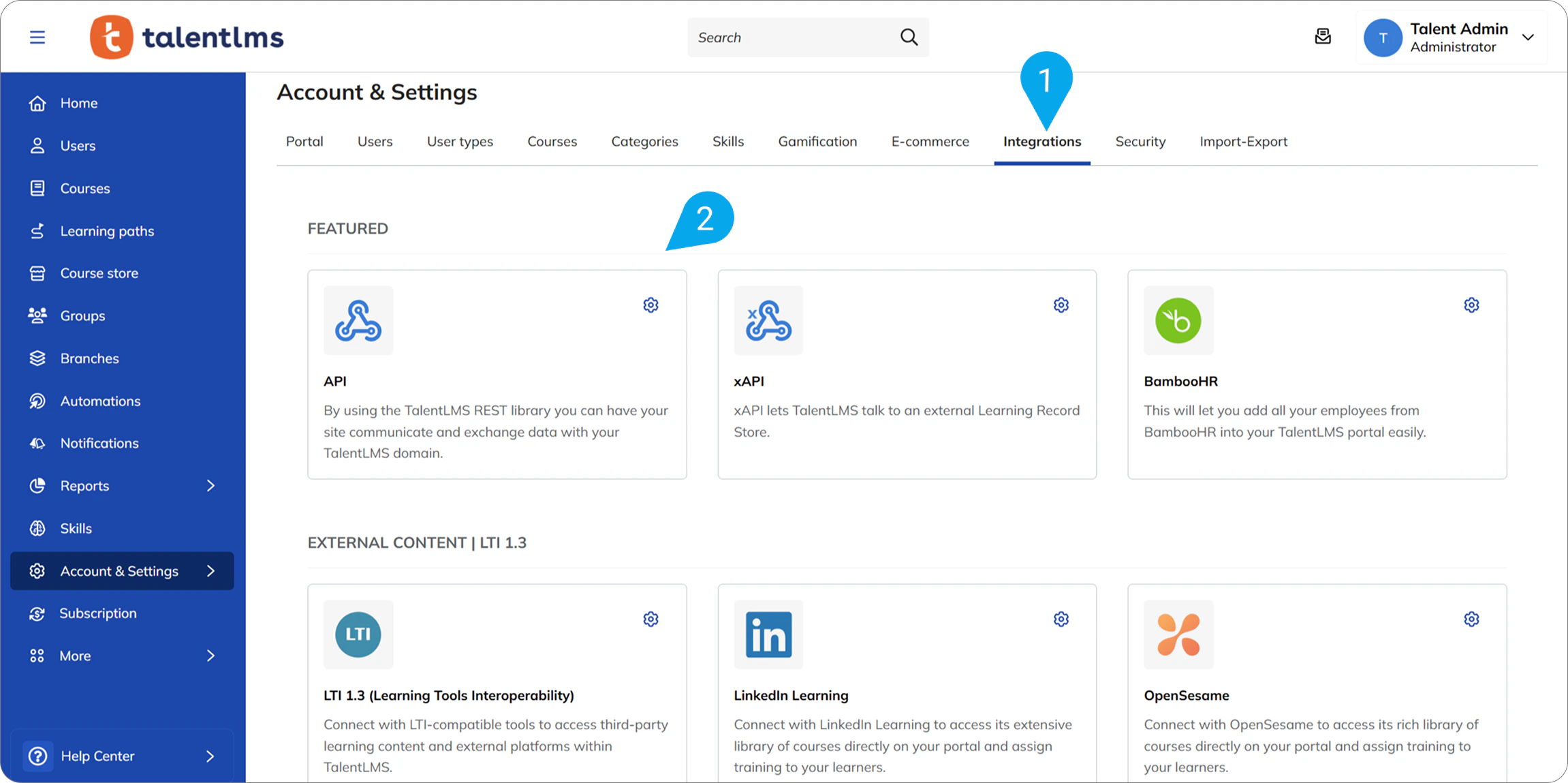
1. Log in to your TalentLMS account as an Administrator.
2. Go to **Account & Settings**.
3. Select the **Integrations** tab.
4. Click on the **API** tile.
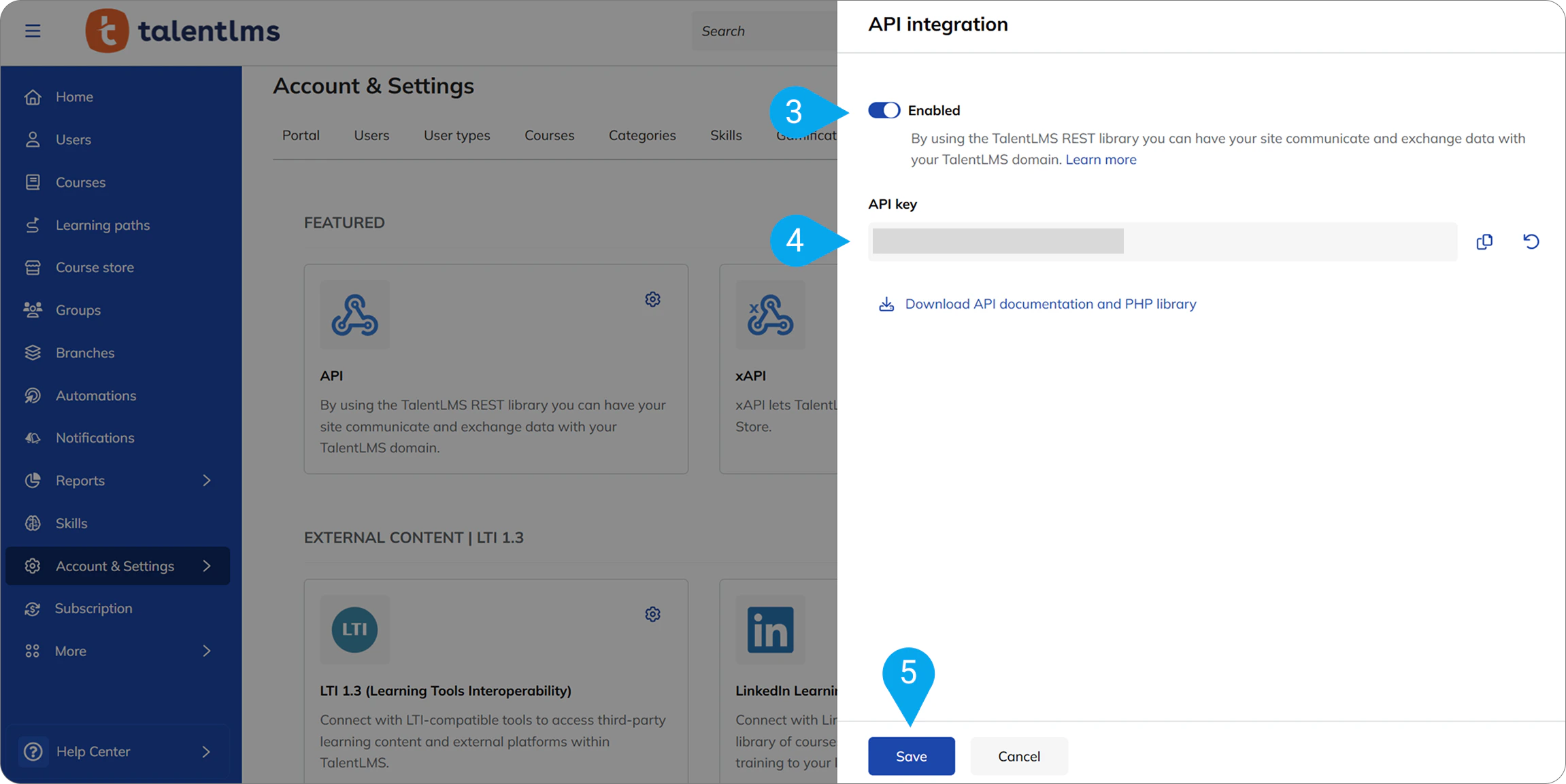
 5. Enable the API if it is not already enabled.
6. Copy your **API Key**.
5. Enable the API if it is not already enabled.
6. Copy your **API Key**.
 #### Step 3: Enter credentials in Nango
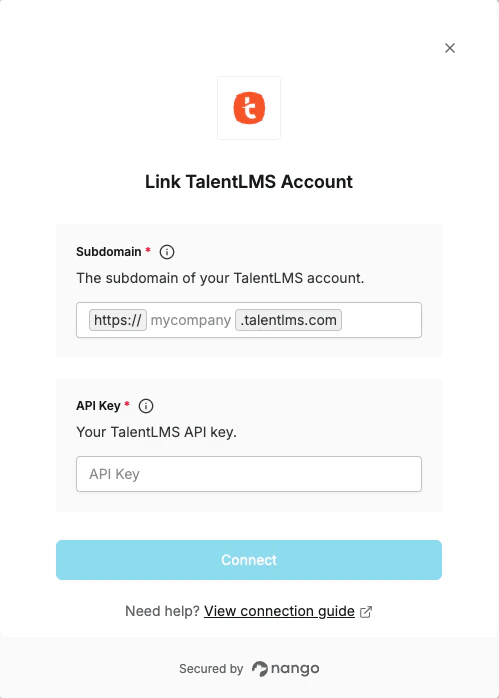
1. Open the form where you need to authenticate with TalentLMS.
2. Enter your **Subdomain** and **API Key** in their respective fields.
3. Submit the form to connect your TalentLMS account.
#### Step 3: Enter credentials in Nango
1. Open the form where you need to authenticate with TalentLMS.
2. Enter your **Subdomain** and **API Key** in their respective fields.
3. Submit the form to connect your TalentLMS account.
 You are now connected to TalentLMS.