> ## Documentation Index
> Fetch the complete documentation index at: https://nango.dev/docs/llms.txt
> Use this file to discover all available pages before exploring further.
# Statsig - How do I link my account?
# Overview
To authenticate with the Statsig API, you need a **Console API Key** from the Statsig Console.
Statsig also has Server Secret Keys and Client SDK Keys, but those only work with Statsig's SDKs, not its REST API — use a Console API Key here.
### Prerequisites
* A free [Statsig account](https://console.statsig.com/).
### Instructions
#### Step 1: Get your API key
1. Sign in to your account and go to the [Keys & Environments](https://console.statsig.com/api_keys) page.
2. Click **Generate New Key**.
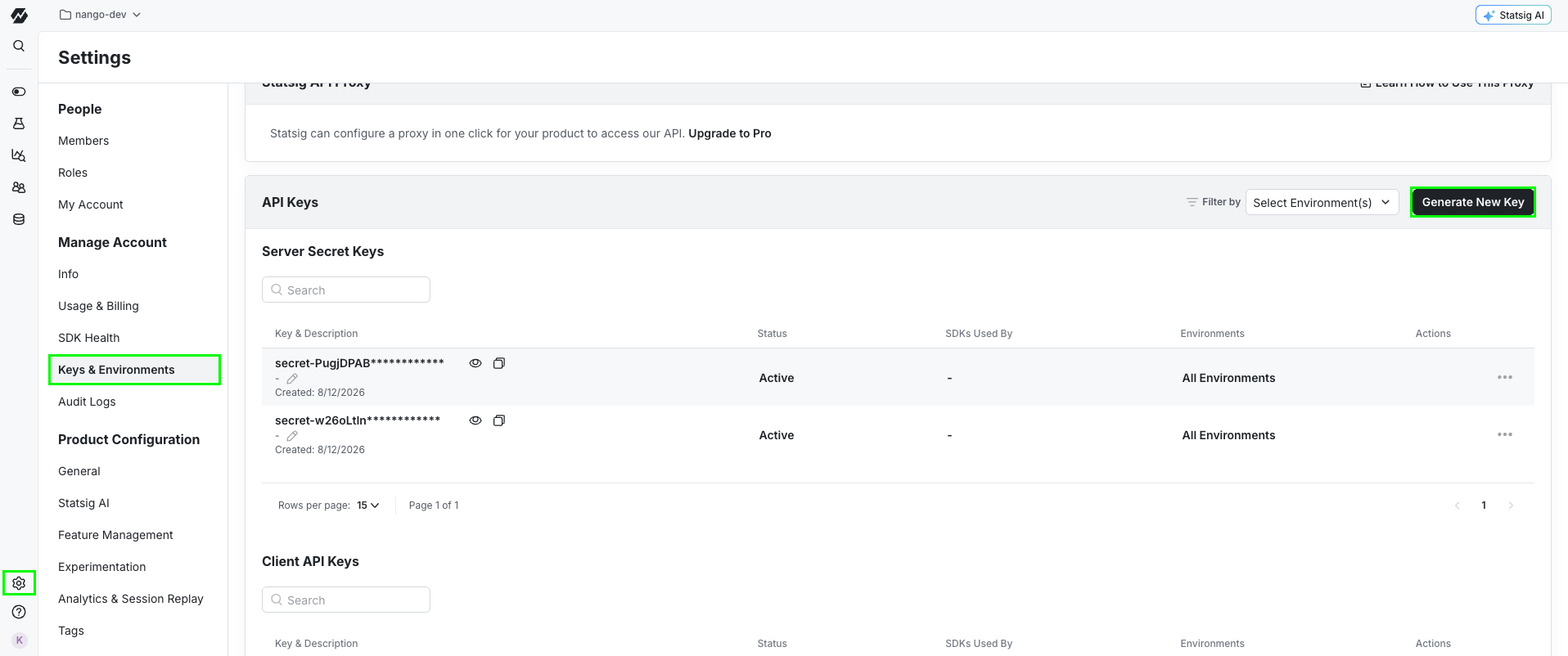 3. Select **Console** as the key type, fill in the rest of the form, then click **Create**.
4. Copy the **Console API Key** (starts with `console-`) at the bottom of the page.
#### Step 2: Enter your API key in the Connect UI
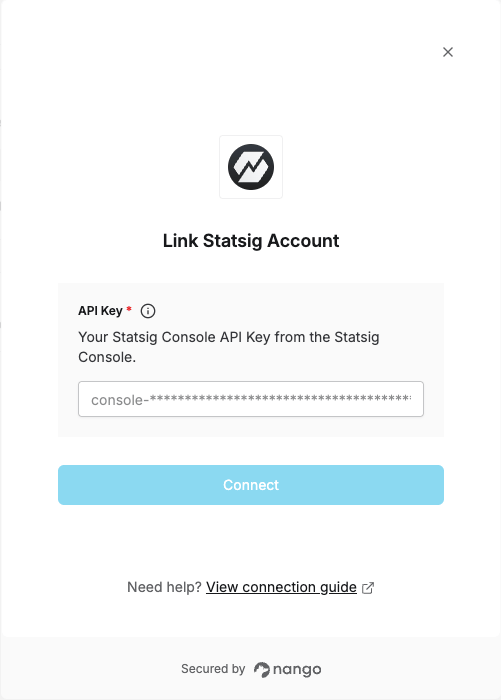
1. Open the form where you need to authenticate with Statsig.
2. Enter your **API Key**.
3. Submit the form to connect your account.
3. Select **Console** as the key type, fill in the rest of the form, then click **Create**.
4. Copy the **Console API Key** (starts with `console-`) at the bottom of the page.
#### Step 2: Enter your API key in the Connect UI
1. Open the form where you need to authenticate with Statsig.
2. Enter your **API Key**.
3. Submit the form to connect your account.
 You are now connected to the Statsig API.