> ## Documentation Index
> Fetch the complete documentation index at: https://nango.dev/docs/llms.txt
> Use this file to discover all available pages before exploring further.
# Prospeo - How do I link my account?
# Overview
To authenticate with Prospeo, you will need:
1. **API Key** - A key that grants Nango permission to interact with Prospeo's API resources and services.
This guide will walk you through finding your API Key within Prospeo.
### Prerequisites:
* You must have a registered Prospeo account with permission to access your **API Key**.
### Instructions:
#### Step 1: Finding your API key
1. Log in to your Prospeo account and navigate to the [API tab](https://app.prospeo.io/account/api).
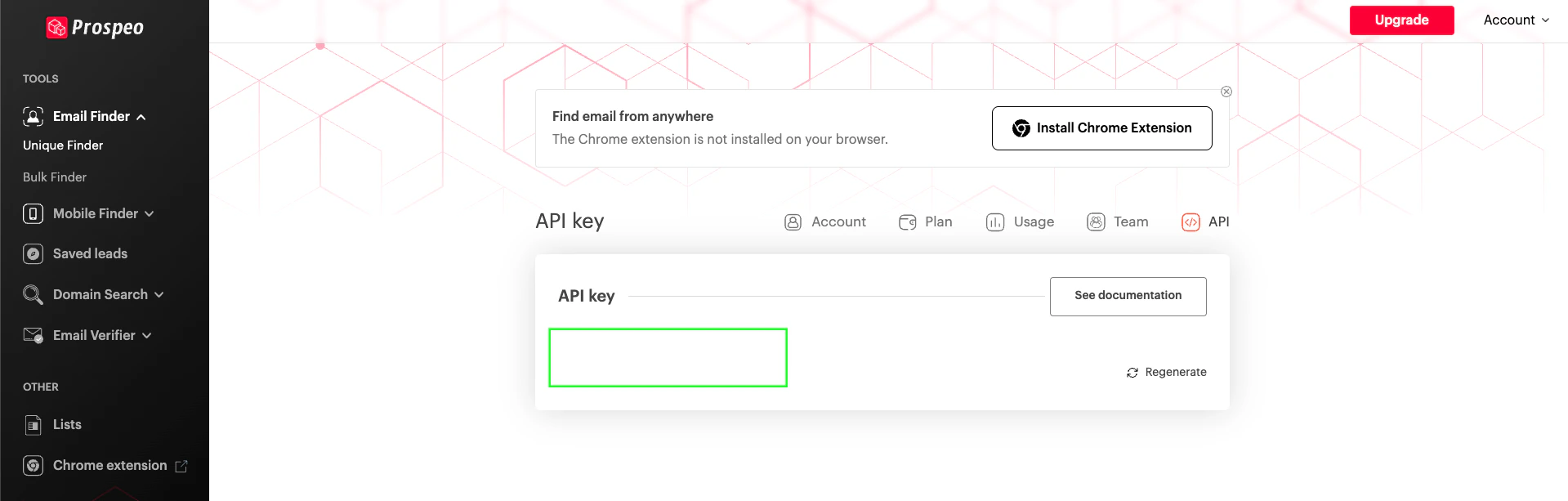 2. You can locate your **API Key** on this page.
#### Step 2: Enter credentials in the Connect UI
Once you have the **API Key**:
1. Open the form where you need to authenticate with Prospeo.
2. Enter your **API Key** in its designated field.
3. Submit the form, and you should be successfully authenticated.
2. You can locate your **API Key** on this page.
#### Step 2: Enter credentials in the Connect UI
Once you have the **API Key**:
1. Open the form where you need to authenticate with Prospeo.
2. Enter your **API Key** in its designated field.
3. Submit the form, and you should be successfully authenticated.
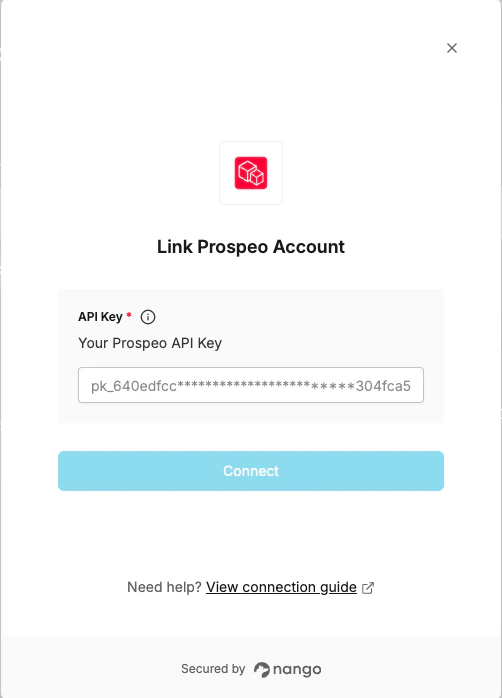 You are now connected to Prospeo.