> ## Documentation Index
> Fetch the complete documentation index at: https://nango.dev/docs/llms.txt
> Use this file to discover all available pages before exploring further.
# Microsoft Dynamics 365 Finance and Operations - How do I link my account?
# Overview
To connect Microsoft Dynamics 365 Finance and Operations in Nango, you need to provide:
1. **Tenant ID** — The unique identifier for your organization that uses Microsoft services.
2. **Environment URL** — The domain of your Finance and Operations environment.
This guide walks you through finding both values, then authorizing through Microsoft Entra ID.
### Prerequisites
* You must have an active Microsoft Entra ID (Azure AD) account with access to a Finance and Operations environment.
### Step 1: Finding your Tenant ID
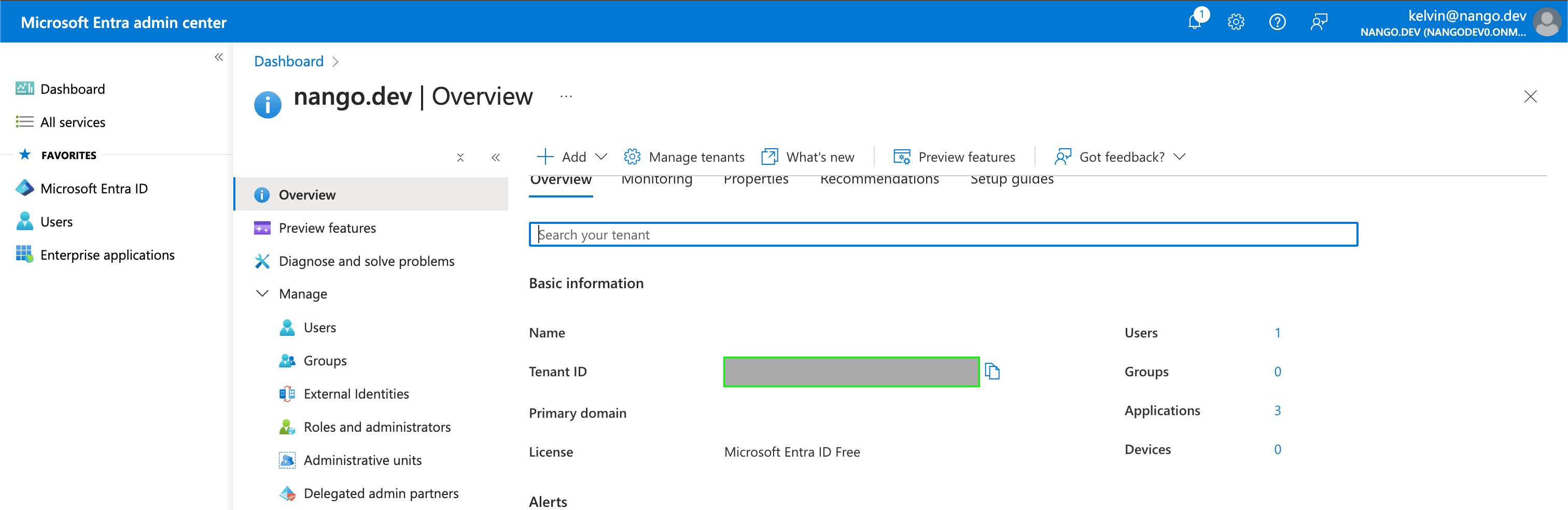
1. Your Tenant ID can be found in the **Tenant ID** field on the [Overview page](https://aad.portal.azure.com/#view/Microsoft_AAD_IAM/ActiveDirectoryMenuBlade/~/Overview) within your Azure account.
 ### Step 2: Finding your Environment URL
Sign in to your Finance and Operations environment, then copy its domain from the browser's address bar — everything after `https://` and before the first `/` (for example, `mycompany.operations.dynamics.com`).
### Step 3: Authorize the connection
1. Open the form where you need to authenticate with Microsoft Dynamics 365 Finance and Operations.
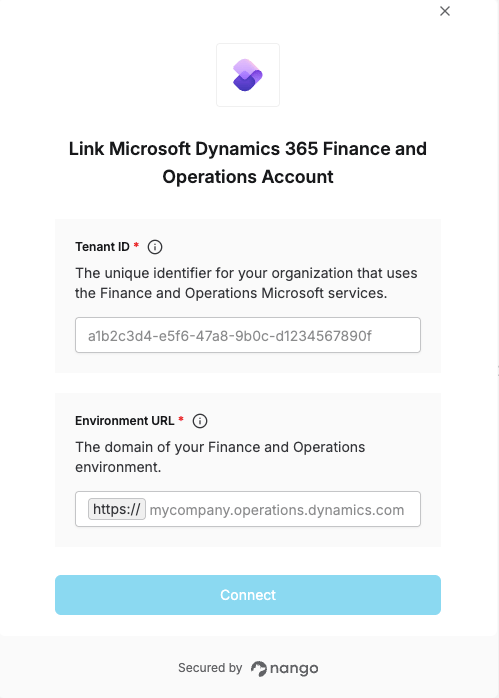
2. Enter the **Tenant ID** and **Environment URL** in their designated fields.
3. Submit the form, then log in with your Microsoft account and grant the requested permissions.
### Step 2: Finding your Environment URL
Sign in to your Finance and Operations environment, then copy its domain from the browser's address bar — everything after `https://` and before the first `/` (for example, `mycompany.operations.dynamics.com`).
### Step 3: Authorize the connection
1. Open the form where you need to authenticate with Microsoft Dynamics 365 Finance and Operations.
2. Enter the **Tenant ID** and **Environment URL** in their designated fields.
3. Submit the form, then log in with your Microsoft account and grant the requested permissions.
 You are now connected to Microsoft Dynamics 365 Finance and Operations.