> ## Documentation Index
> Fetch the complete documentation index at: https://nango.dev/docs/llms.txt
> Use this file to discover all available pages before exploring further.
# Metabase - How do I link my account?
# Overview
To authenticate with Metabase, you need the following:
1. **Hostname** - The full hostname of your Metabase instance (e.g. `acme.metabaseapp.com`).
2. **API Key** - A unique key that provides access to your Metabase account.
This guide will walk you through finding your Metabase hostname and generating your API Key.
## Prerequisites
* You must have administrative access to your Metabase account.
* Ensure you have permission to generate and manage API keys.
## Step 1: Finding Your Metabase Hostname
Your Metabase hostname is the full domain visible in your browser's address bar when logged into Metabase. For example, if your browser URL is:
[https://acme.metabaseapp.com](https://acme.metabaseapp.com)
Your hostname is **`acme.metabaseapp.com`**.
## Step 2: Generating an API Key
1. Log in to your **Metabase** account.
2. Click on the **gear icon** in the top-right corner of the interface and select **Admin settings**.
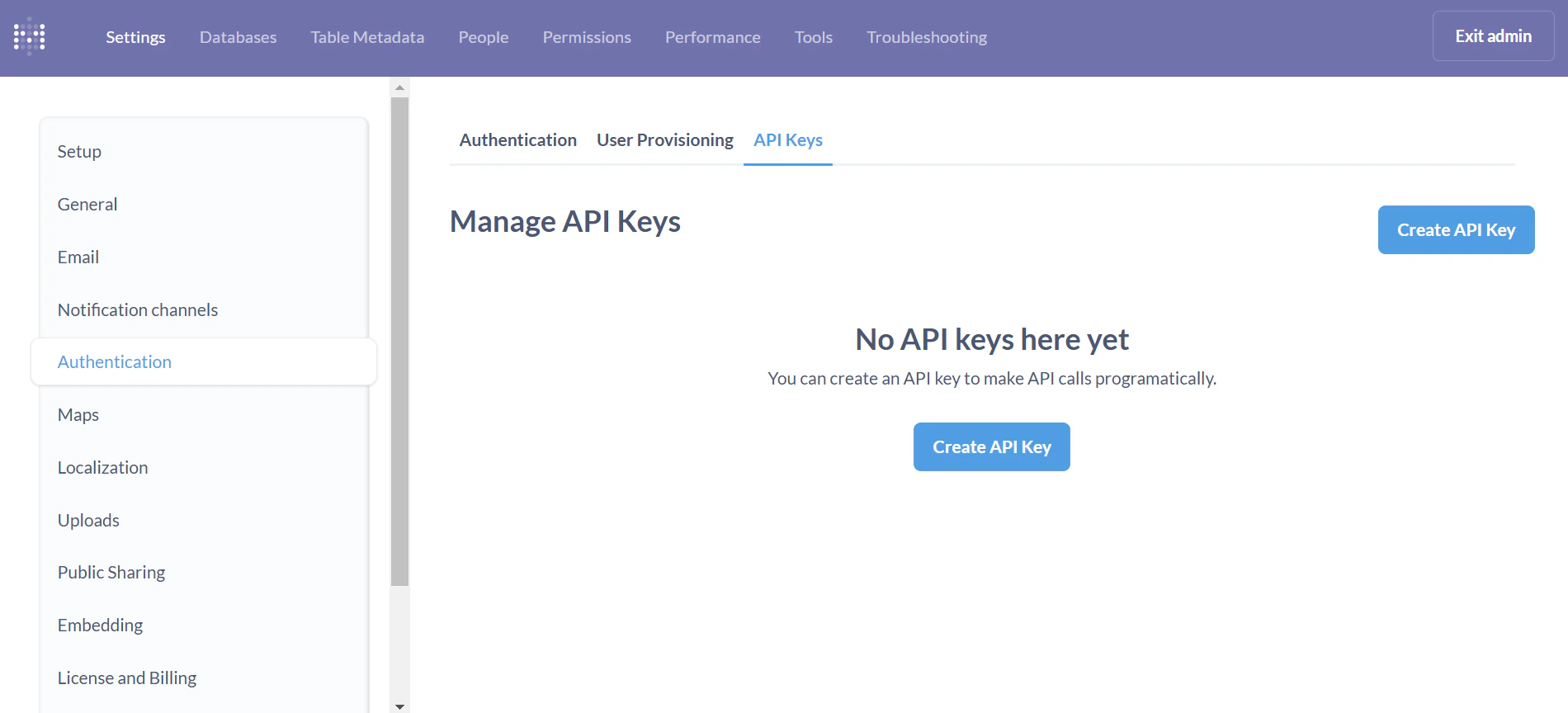
3. Navigate to the **Settings** tab, and click on the **Authentication** option in the left menu.
4. Scroll to the **API Keys** section and click **Manage**.
5. Click on the **Create API Key** button.
6. In the **Key Name** field, provide a name for your key that reflects its purpose.
7. Assign the key to a **Group**. The permissions for the API key will be the same as those granted to the selected group.
8. Click **Create**.
9. **Copy the generated API Key** and store it securely. Metabase will not show the key again.
 ***
## Step 3: Enter credentials in the Connect UI
Once you have your credentials:
1. Open the form where you need to authenticate with Metabase.
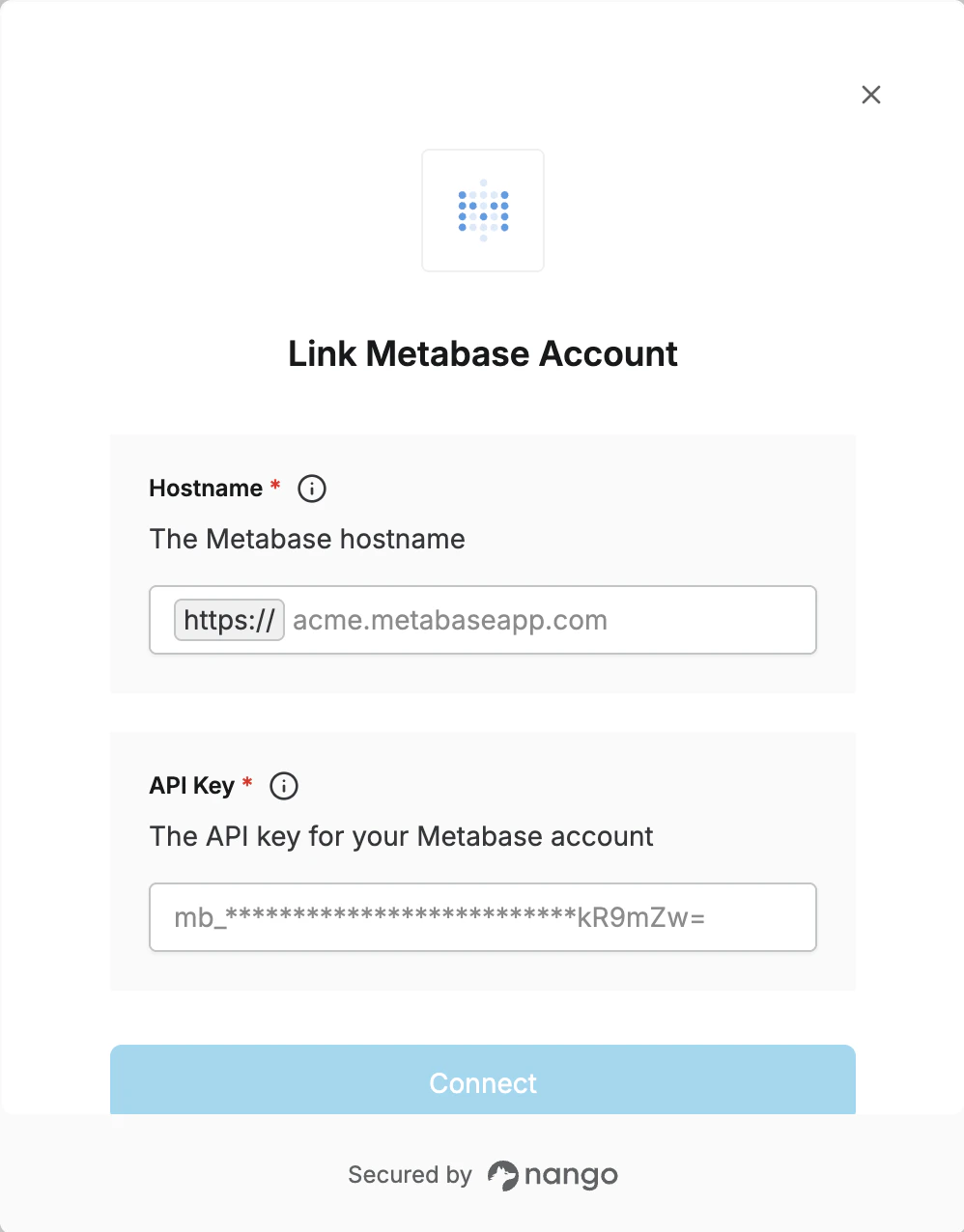
2. Enter the **Hostname** and **API Key** in their designated fields.
3. Submit the form, and you should be successfully authenticated.
***
## Step 3: Enter credentials in the Connect UI
Once you have your credentials:
1. Open the form where you need to authenticate with Metabase.
2. Enter the **Hostname** and **API Key** in their designated fields.
3. Submit the form, and you should be successfully authenticated.
 You are now connected to Metabase.