> ## Documentation Index
> Fetch the complete documentation index at: https://nango.dev/docs/llms.txt
> Use this file to discover all available pages before exploring further.
# Live Tennis API - How do I link my account?
# Overview
To authenticate with the Live Tennis API, you will need:
1. **API Key** – A key that grants Nango permission to interact with the Live Tennis API on your behalf.
This guide explains how to obtain it from Live Tennis API.
### Prerequisites
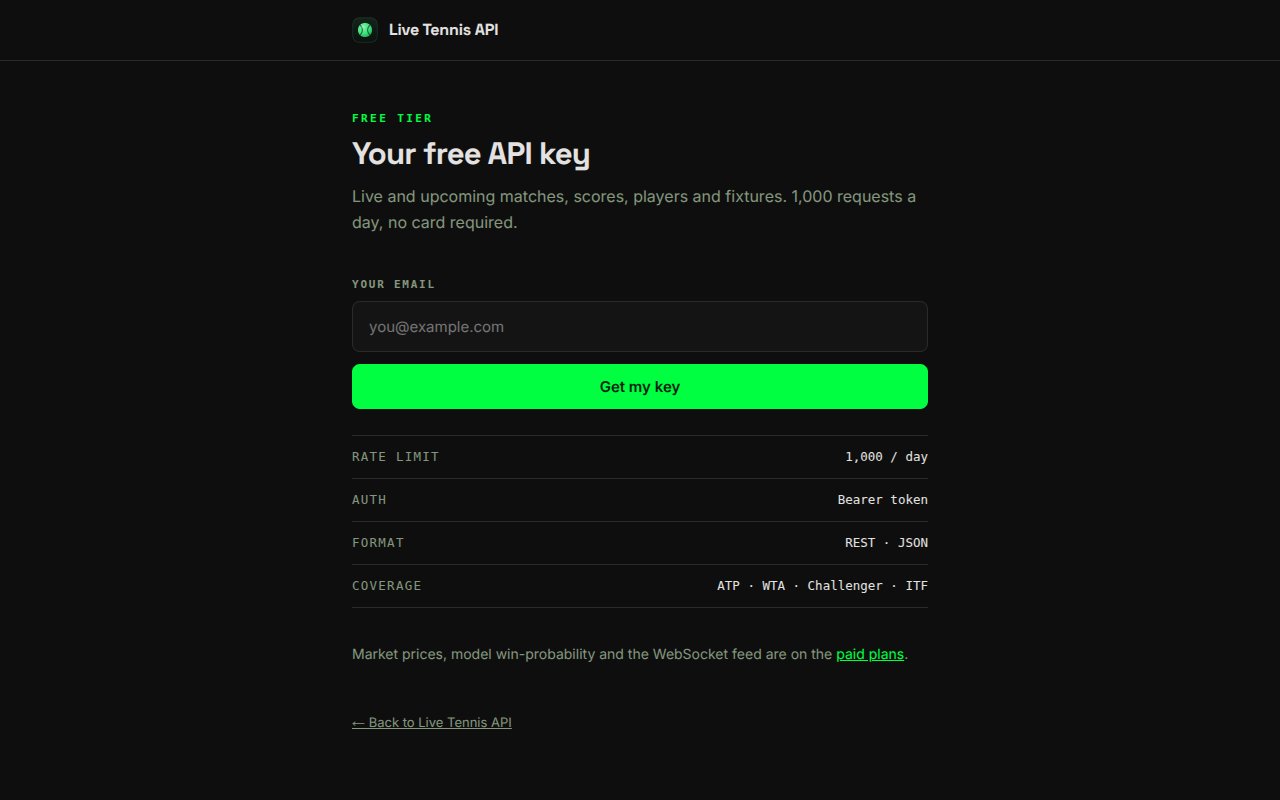
* A Live Tennis API account. A free tier (1,000 requests/day, 30 requests/minute) is available with no credit card required.
### Instructions
#### Step 1: Generating your API key
1. Go to [https://livetennisapi.com/subscribe/free](https://livetennisapi.com/subscribe/free), enter your email address, and click **Get my key** to create a free key.
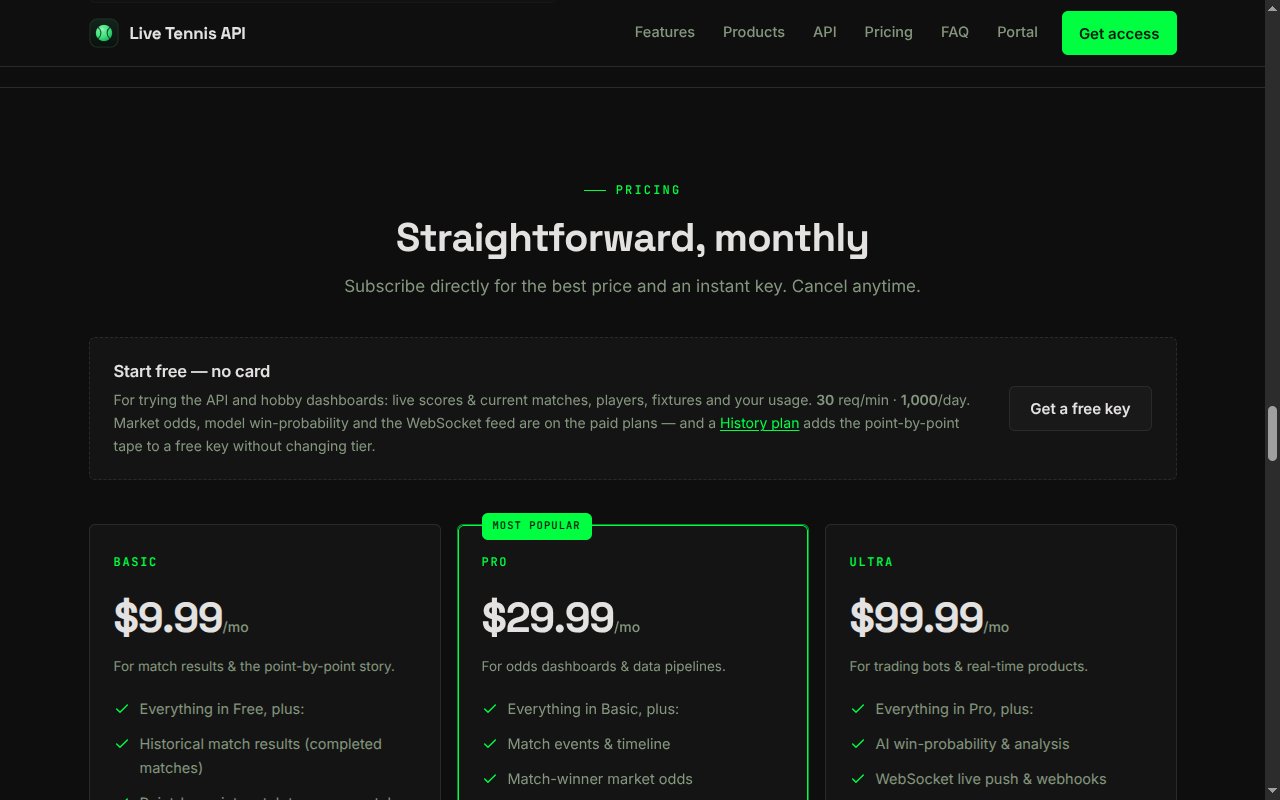
 2. Alternatively, pick a paid tier from the pricing section at [https://livetennisapi.com](https://livetennisapi.com/#pricing) for access to historical results, market prices, and model analysis.
 3. Your API key is issued instantly upon subscription and displayed on the confirmation page. It starts with `twjp_`. You can view it again at any time from [https://livetennisapi.com/account](https://livetennisapi.com/account/).
4. Copy the key and store it securely — treat it like a password.
Access is tiered (FREE / BASIC / PRO / ULTRA). The free tier covers live and upcoming matches, scores, players, and fixtures. Requests to endpoints above your tier return `403 upgrade_required`.
#### Step 2: Enter credentials in the Connect UI
1. Open the form where you need to authenticate with the Live Tennis API.
2. Enter your **API Key** in the API Key field.
3. Submit the form to complete authentication.
You are now connected to the Live Tennis API.
3. Your API key is issued instantly upon subscription and displayed on the confirmation page. It starts with `twjp_`. You can view it again at any time from [https://livetennisapi.com/account](https://livetennisapi.com/account/).
4. Copy the key and store it securely — treat it like a password.
Access is tiered (FREE / BASIC / PRO / ULTRA). The free tier covers live and upcoming matches, scores, players, and fixtures. Requests to endpoints above your tier return `403 upgrade_required`.
#### Step 2: Enter credentials in the Connect UI
1. Open the form where you need to authenticate with the Live Tennis API.
2. Enter your **API Key** in the API Key field.
3. Submit the form to complete authentication.
You are now connected to the Live Tennis API.