> ## Documentation Index
> Fetch the complete documentation index at: https://nango.dev/docs/llms.txt
> Use this file to discover all available pages before exploring further.
# Litmos - How do I link my account?
## Overview
To authenticate with Litmos, you will need:
1. **API Domain** - The Litmos API domain for your account's region.
2. **API Key** - A key that grants Nango permission to call the Litmos API on your behalf.
This guide explains how to obtain both.
### Prerequisites
* An Account Owner or Administrator login on a paid Litmos account. Litmos does not enable the API on trial accounts.
### Instructions
#### Step 1: Find your API domain
Pick the API domain that matches the region your Litmos account is hosted in:
| Region | API domain |
| - | - |
| United States | `api.litmos.com` |
| Europe | `api.litmoseu.com` |
| Australia | `api.litmos.com.au` |
#### Step 2: Find your API key
1. Log in to Litmos as an Account Owner or Administrator.
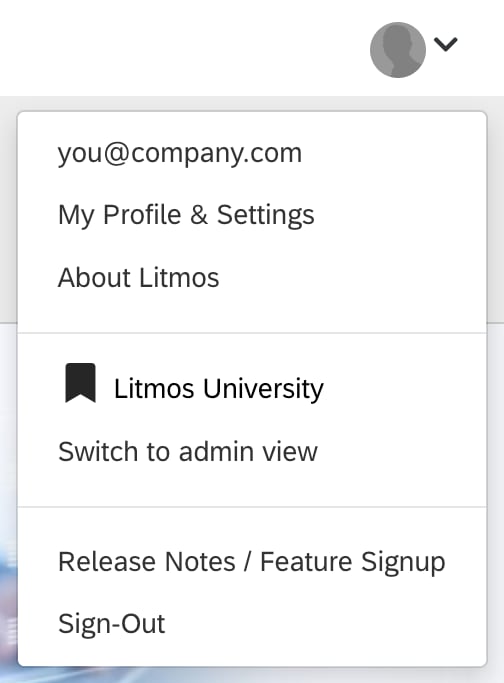
2. Open the profile menu in the top-right corner and select **My Profile & Settings**.
 3. Scroll to the **API key** section and copy the key.
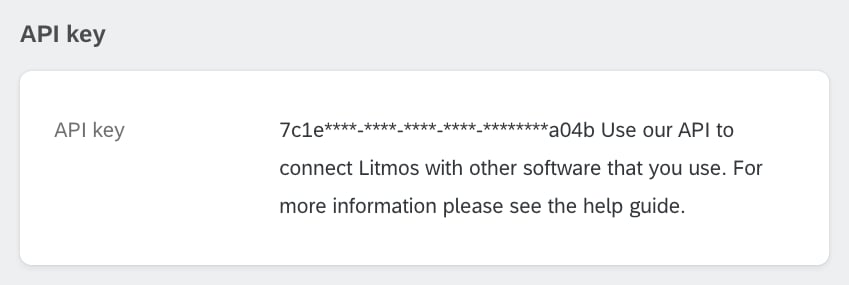 Treat the key like a password: it can read and change data across your whole Litmos account.
#### Step 3: Enter credentials in the Connect UI
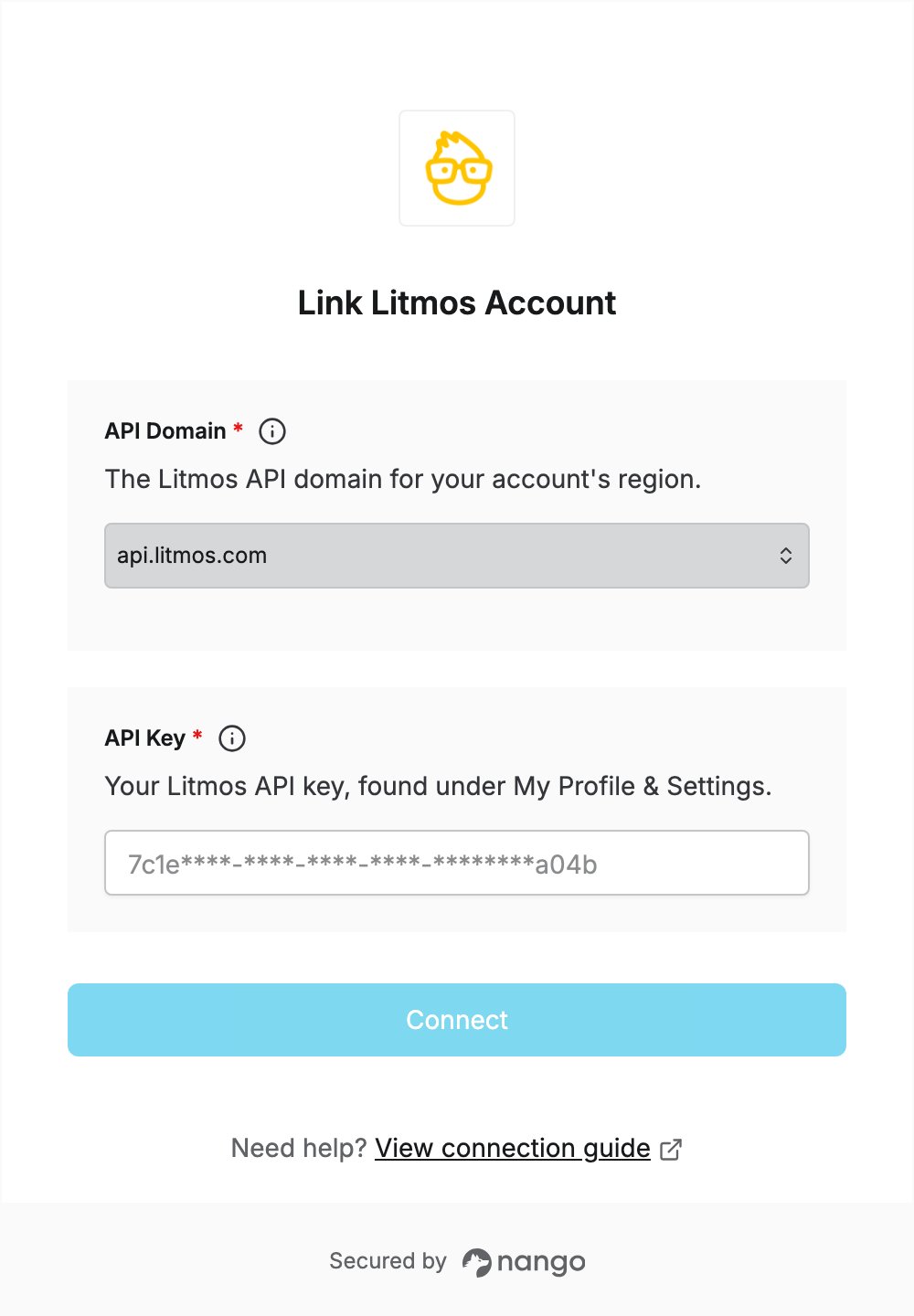
1. Open the form where you need to authenticate with Litmos.
2. Select your **API Domain**.
3. Enter your **API Key**.
4. Submit the form to complete authentication.
Treat the key like a password: it can read and change data across your whole Litmos account.
#### Step 3: Enter credentials in the Connect UI
1. Open the form where you need to authenticate with Litmos.
2. Select your **API Domain**.
3. Enter your **API Key**.
4. Submit the form to complete authentication.
 You are now connected to Litmos.
This documentation is built and hosted on [Mintlify](https://mintlify.com), a developer documentation platform.
You are now connected to Litmos.
This documentation is built and hosted on [Mintlify](https://mintlify.com), a developer documentation platform.