> ## Documentation Index
> Fetch the complete documentation index at: https://nango.dev/docs/llms.txt
> Use this file to discover all available pages before exploring further.
# Kno Commerce - How do I link my account?
# Overview
To authenticate with Kno Commerce, you need:
1. **Client ID** - The client ID from your Kno Commerce API Access settings.
2. **Client Secret** - The client secret from your Kno Commerce API Access settings.
This guide will walk you through creating an API client and obtaining your credentials.
### Prerequisites
* You must have a Kno Commerce account with admin access.
* You need access to the [Kno Commerce dashboard](https://app.knocommerce.com).
### Step 1: Creating an API Client
1. Log in to your [Kno Commerce dashboard](https://app.knocommerce.com).
2. Navigate to **Settings** > **API Access**.
3. Click the **+** button to register a new API client.
4. Enter a name and select permissions. For the URL, use `https://app-api.knocommerce.com` — it is not required but must be a valid value.
5. Click **Save** to create the client.
6. After the client is created, you will be provided with:
* **Client ID** — Your API client identifier
* **Client Secret** — Your API client secret (shown only once, so save it securely)
The Client Secret is only displayed once when you create the client. Make sure to copy and store it securely. If you lose it, you'll need to generate a new client.
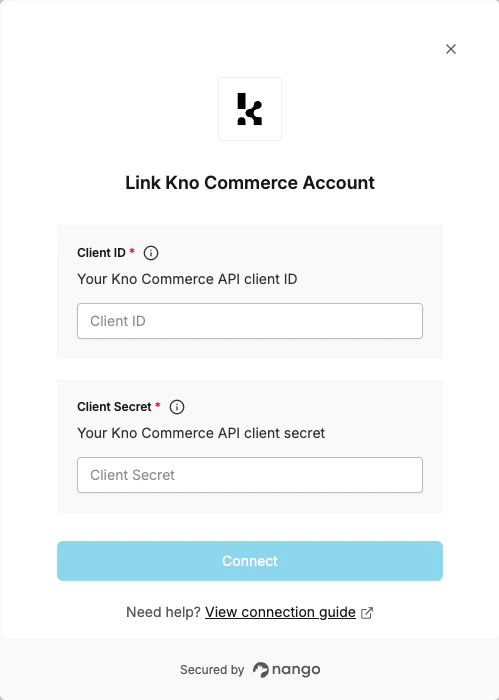
### Step 2: Enter credentials in the Connect UI
Once you have your credentials:
1. Open the form where you need to authenticate with Kno Commerce.
2. Enter the **Client ID** and **Client Secret** in their designated fields.
3. Submit the form, and you should be successfully authenticated.
 You are now connected to Kno Commerce.