> ## Documentation Index
> Fetch the complete documentation index at: https://nango.dev/docs/llms.txt
> Use this file to discover all available pages before exploring further.
# Greenhouse (Client Credentials) - How do I link my account?
# Overview
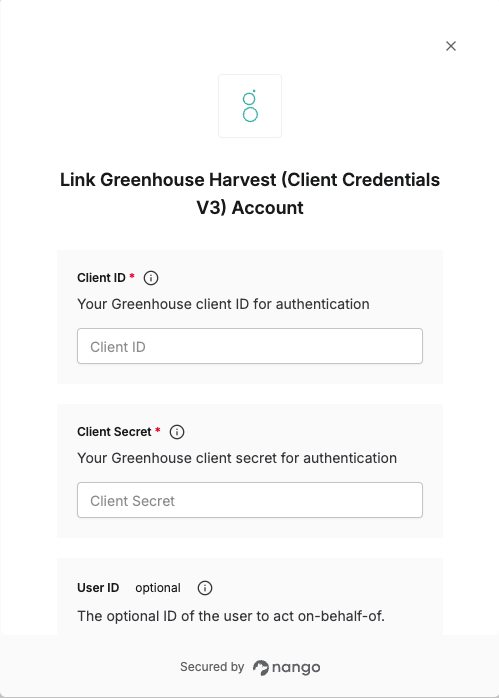
To authenticate with Greenhouse using Client Credentials, you need:
1. **Client ID** - Your Greenhouse client ID for authentication.
2. **Client Secret** - Your Greenhouse client secret for authentication.
3. **User ID** (optional) - The optional ID of the user to act on behalf of. This will set the sub claim of the returned JWT. Any API requests made with that token will appear as if that user performed them. This affects things like audit logs, permissions, and user-specific data access. If not set, this will default to an auto-generated service account user attached to the credentials.
This guide will walk you through obtaining your **Client ID**, **Client Secret** and **User ID** from Greenhouse.
### Prerequisites:
* You must have a Greenhouse account with API access
* You must have the necessary permissions to create OAuth applications
### Instructions:
#### Step 1: Generating your Client Credentials
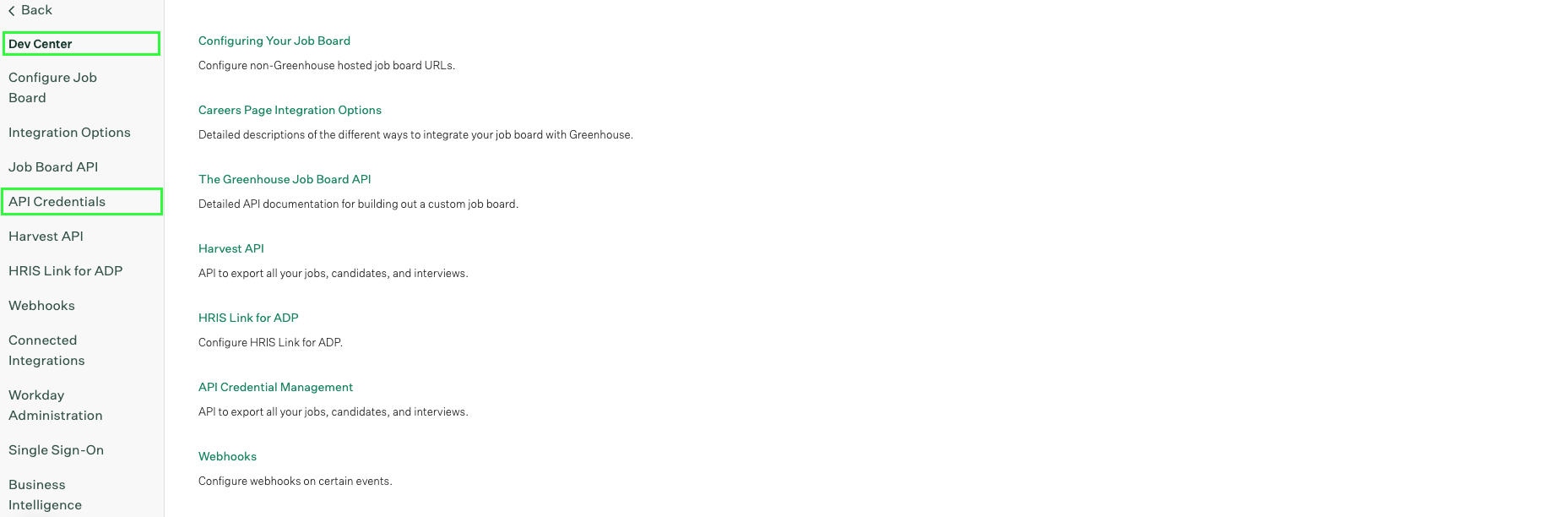
1. Log in to your Greenhouse account and navigate to **Dev Center** > **API Credentials**.
 2. Click **Create new API credentials**.
3. Select **Harvest V3 OAuth** as the API type and enter a description for your credentials.
2. Click **Create new API credentials**.
3. Select **Harvest V3 OAuth** as the API type and enter a description for your credentials.
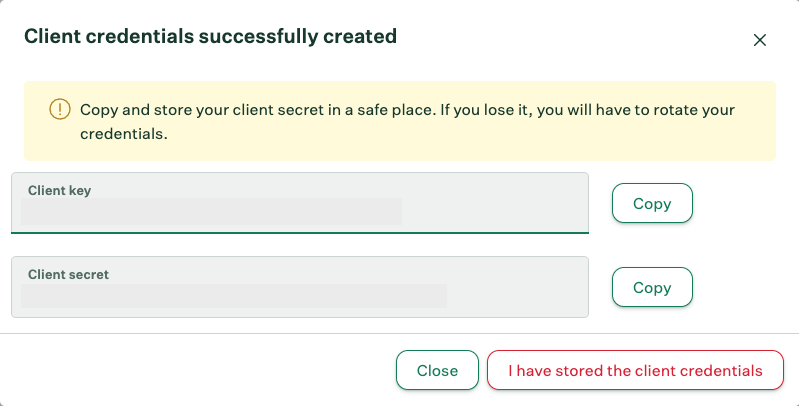
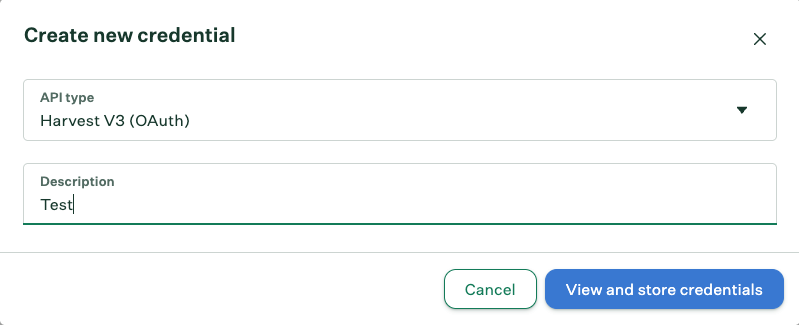 4. Submit the form. You will be able to see your client credentials (Client ID and Client Secret).
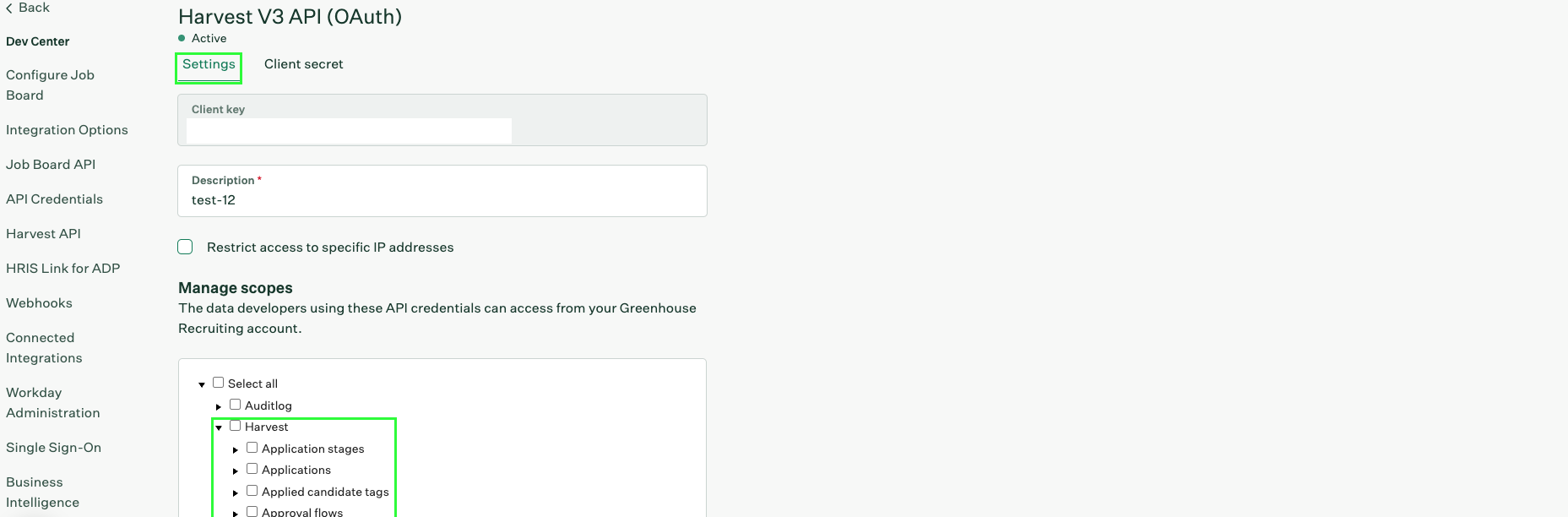
 5. Navigate to the **Settings** tab of your newly created credentials. From the **Manage Scopes** section, click on the **Harvest** dropdown and select the scopes required by your integration.
 #### Step 2: Finding your User ID
1. Once logged in to your Greenhouse account, navigate to **Users**.
2. Select the user for whom you want to get the **User ID**.
#### Step 2: Finding your User ID
1. Once logged in to your Greenhouse account, navigate to **Users**.
2. Select the user for whom you want to get the **User ID**.
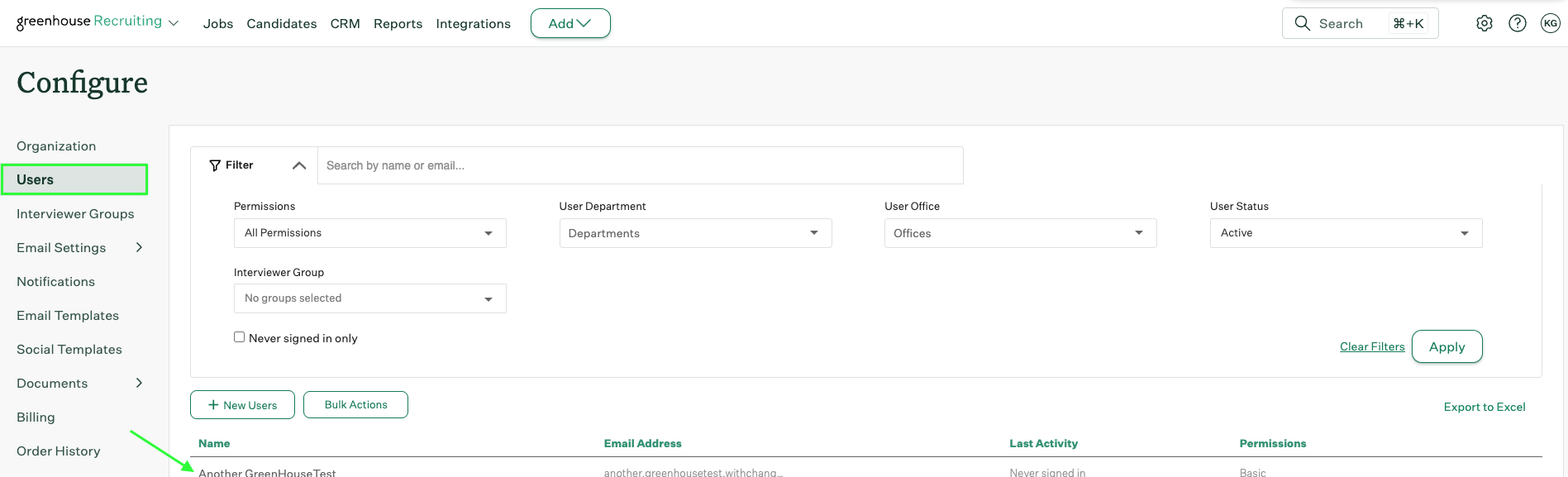 3. Check the address bar URL. The User ID is the number value after `/account/users` in the URL.
For example, if the URL is `https://app.greenhouse.io/account/users/12345`, the User ID is `12345`.
#### Step 3: Enter credentials in the Connect UI
Once you have your **Client ID**, **Client Secret**, and optionally your **User ID**:
1. Open the form where you need to authenticate with Greenhouse.
2. Enter your **Client ID** and **Client Secret** in their respective fields.
3. Optionally, enter a **User ID** if you want to act on behalf of a specific user.
4. Submit the form, and you should be successfully authenticated.
3. Check the address bar URL. The User ID is the number value after `/account/users` in the URL.
For example, if the URL is `https://app.greenhouse.io/account/users/12345`, the User ID is `12345`.
#### Step 3: Enter credentials in the Connect UI
Once you have your **Client ID**, **Client Secret**, and optionally your **User ID**:
1. Open the form where you need to authenticate with Greenhouse.
2. Enter your **Client ID** and **Client Secret** in their respective fields.
3. Optionally, enter a **User ID** if you want to act on behalf of a specific user.
4. Submit the form, and you should be successfully authenticated.
 You are now connected to Greenhouse using Client Credentials.