> ## Documentation Index
> Fetch the complete documentation index at: https://nango.dev/docs/llms.txt
> Use this file to discover all available pages before exploring further.
# Elevio - How do I link my account?
## Overview
To authenticate with Elevio, you need:
1. **API Key** — identifies and rate-limits your Elevio account.
2. **JWT** — a JSON Web Token that scopes which resources you can read and write.
Elevio always issues these as a pair, generated together from the same page.
## Prerequisites
* An Elevio account with access to the API Keys page.
## Instructions
### Step 1: Generate an API key and JWT
1. Log in to your account and navigate to the [API Keys page](https://app.elev.io/apikeys) in your Elevio dashboard.
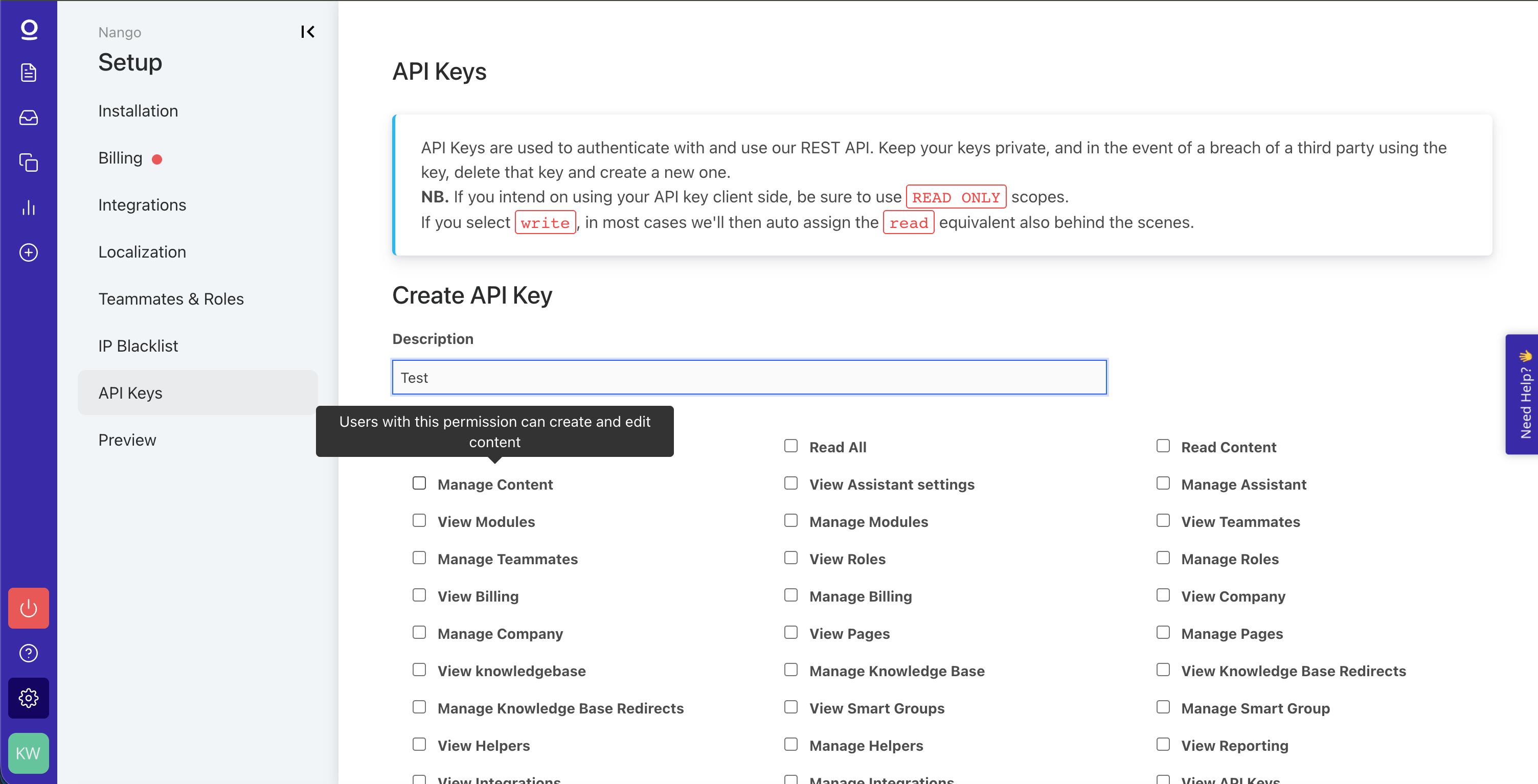
2. Enter a description, select the scopes you need, then click **Generate API Key** to generate your key.
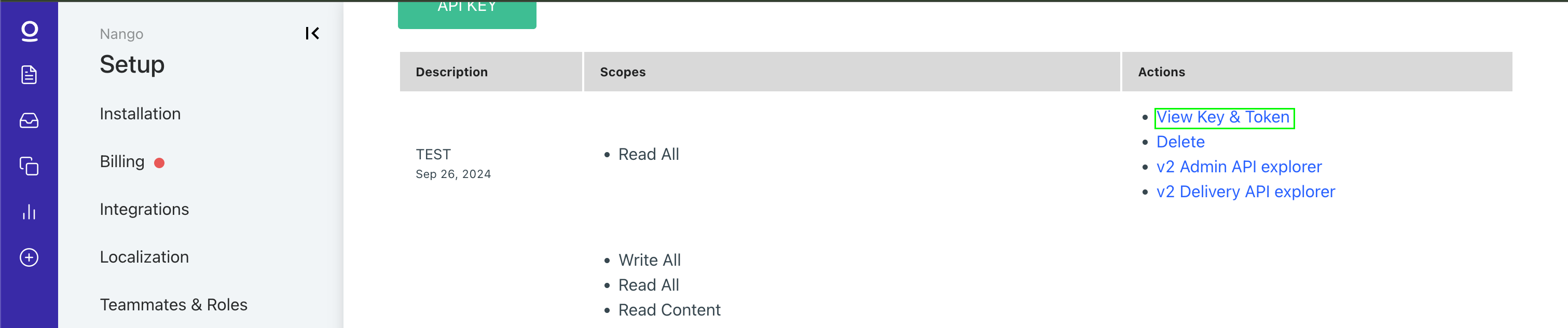
 3. Once it's generated, scroll down to it and click **View Key & Token** to view both the **API Key** and the **JWT**.
 ### Step 2: Enter your credentials in the Connect UI
1. Open the form where you need to authenticate with Elevio.
2. Enter your **API Key** and **JWT**.
3. Submit the form.
### Step 2: Enter your credentials in the Connect UI
1. Open the form where you need to authenticate with Elevio.
2. Enter your **API Key** and **JWT**.
3. Submit the form.
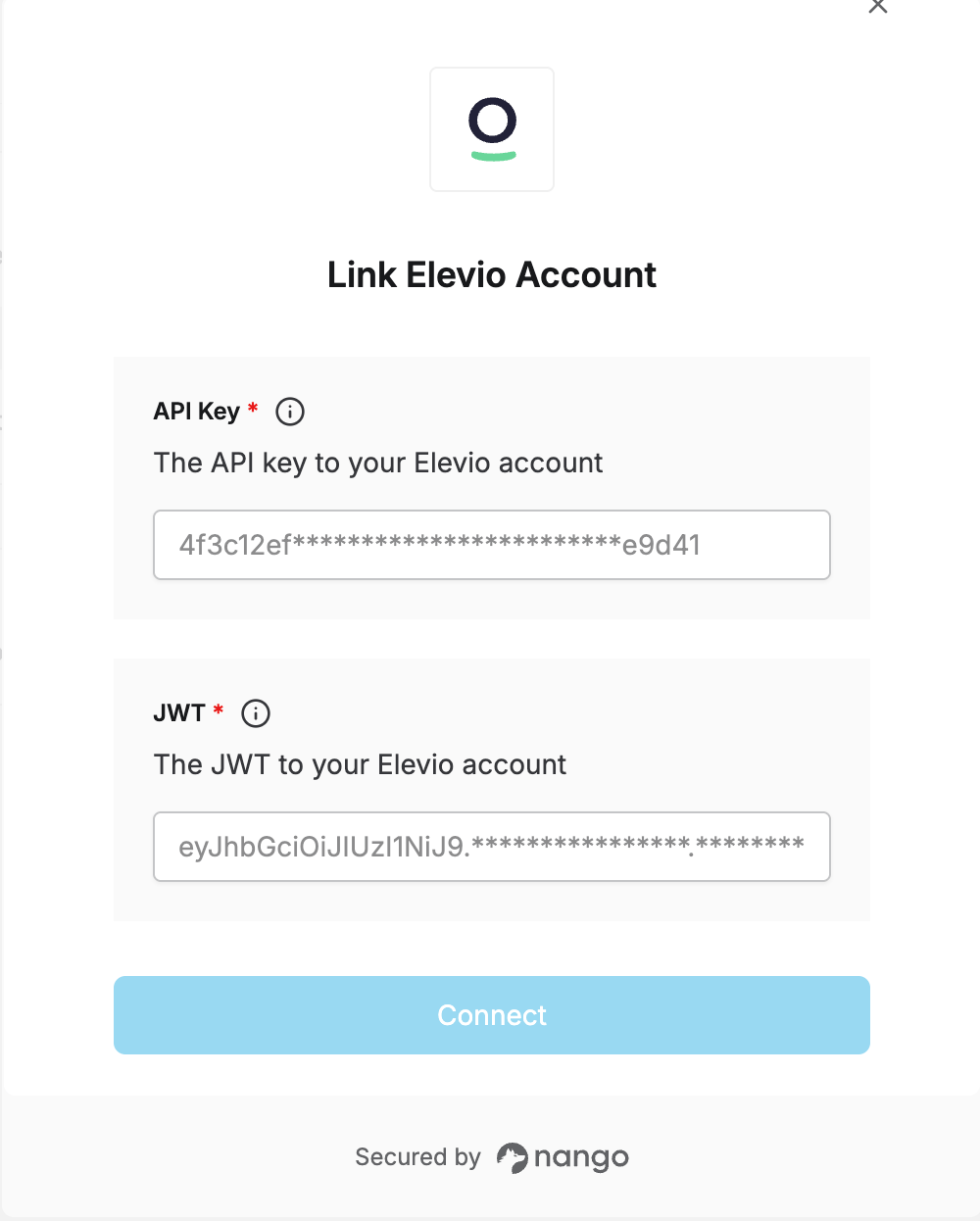 You are now connected to Elevio.