> ## Documentation Index
> Fetch the complete documentation index at: https://nango.dev/docs/llms.txt
> Use this file to discover all available pages before exploring further.
# ConnectSecure - How do I link my account?
# Overview
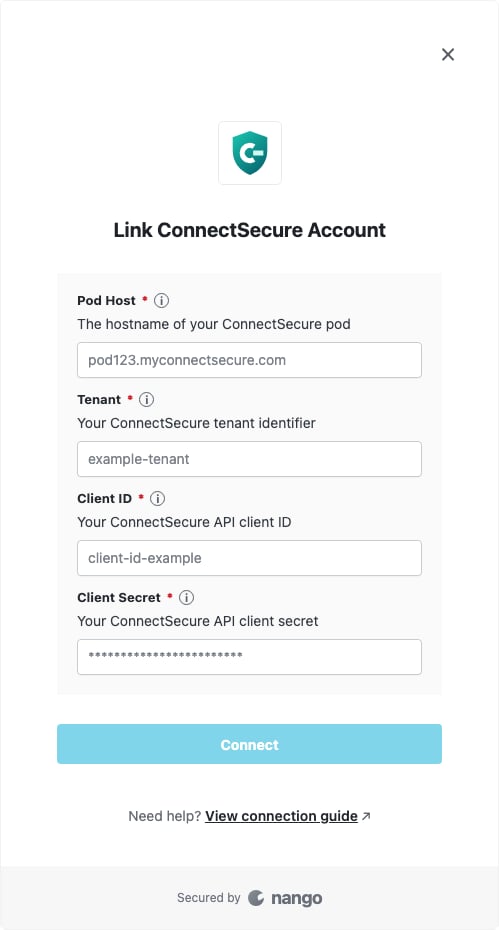
To authenticate with ConnectSecure, you need four values:
1. **Pod Host** — The hostname of your ConnectSecure pod, such as `pod123.myconnectsecure.com`.
2. **Tenant** — Your ConnectSecure tenant identifier.
3. **Client ID** — Your ConnectSecure API client ID.
4. **Client Secret** — Your ConnectSecure API client secret.
This guide walks you through obtaining your credentials from ConnectSecure.
### Prerequisites
* An active ConnectSecure account.
* ConnectSecure API credentials for your tenant.
### Step 1: Gather your connection details
1. Sign in to ConnectSecure.
2. Copy the hostname from your browser's address bar as the **Pod Host**, with no scheme or path. For example, if the page URL begins with `https://pod123.myconnectsecure.com/`, enter `pod123.myconnectsecure.com`.
3. Obtain your **Tenant**, **Client ID**, and **Client Secret** from your ConnectSecure administrator or API credential configuration. If API credentials have not been provisioned, contact [ConnectSecure support](https://connectsecure.com/support).
Treat the Client Secret as sensitive and do not share it outside your credential manager or authorization flow.
### Step 2: Enter the values in Nango
1. Open the form where you need to authenticate with ConnectSecure.
2. Enter the **Pod Host**, **Tenant**, **Client ID**, and **Client Secret** in their corresponding fields.
3. Submit the form, and you should be successfully authenticated.
 You are now connected to ConnectSecure.