> ## Documentation Index
> Fetch the complete documentation index at: https://nango.dev/docs/llms.txt
> Use this file to discover all available pages before exploring further.
# CharlieHR - How do I link my account?
## Overview
To authenticate with CharlieHR, you need:
1. **Client ID** and **Client Secret** — your CharlieHR API credentials.
This guide will show you how to get them.
### Prerequisites
* A CharlieHR admin account.
### Step 1: Get your API credentials
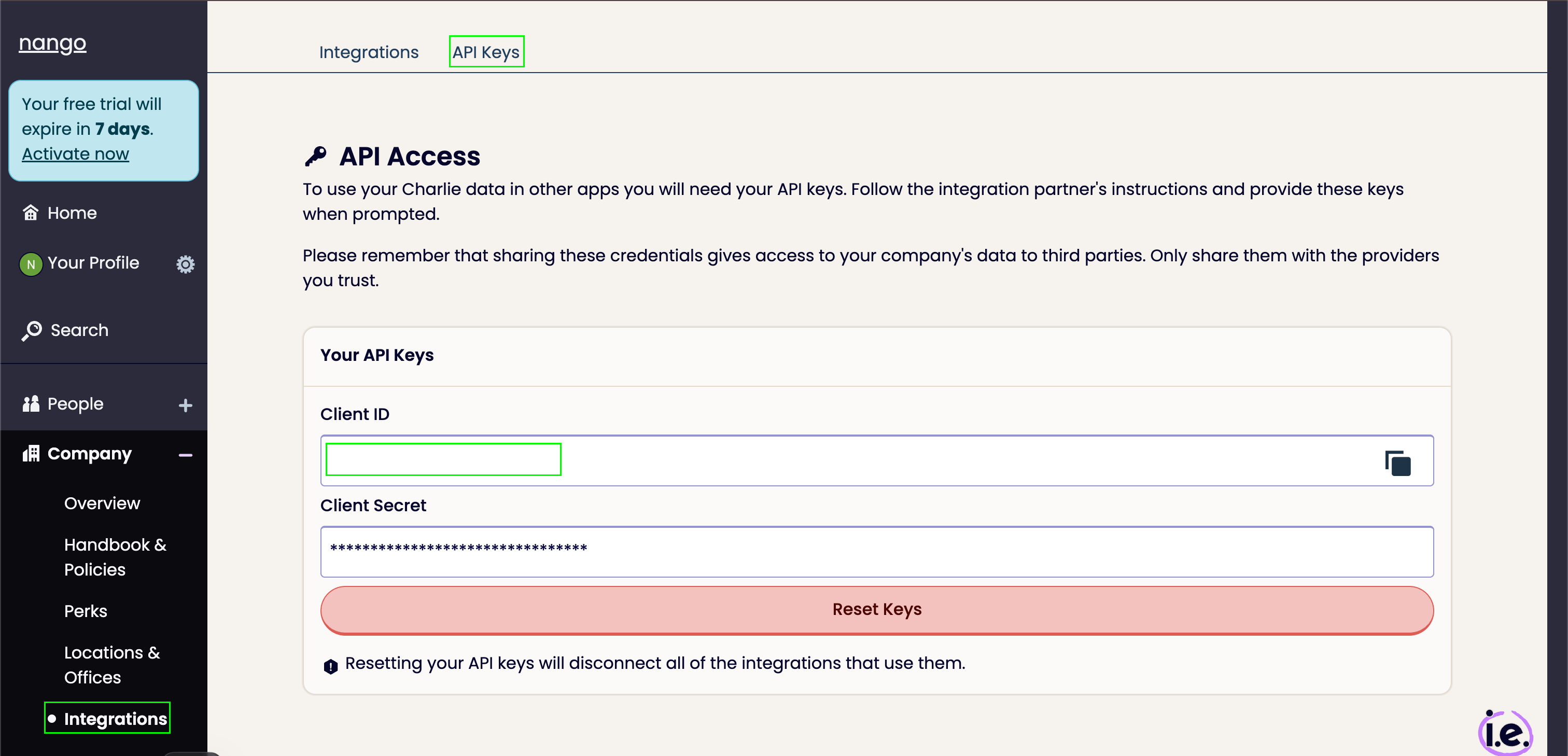
1. Log in to CharlieHR with your admin account.
2. From your dashboard, open the **Integrations** tab and go to **API Keys**.
3. Generate a new set of keys, then copy the **Client ID** and **Client Secret**.
CharlieHR only shows your keys once, when you generate them. Save them somewhere secure before leaving the page.
 ### Step 2: Enter your credentials in the Connect UI
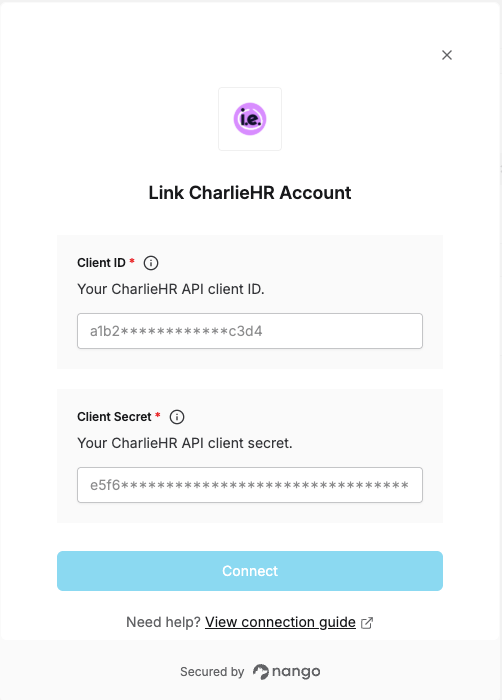
1. Open the form where you need to authenticate with CharlieHR.
2. Enter your **Client ID** and **Client Secret** in the designated fields.
3. Submit the form, and you should be successfully authenticated.
### Step 2: Enter your credentials in the Connect UI
1. Open the form where you need to authenticate with CharlieHR.
2. Enter your **Client ID** and **Client Secret** in the designated fields.
3. Submit the form, and you should be successfully authenticated.
 You are now connected to CharlieHR.
This documentation is built and hosted on [Mintlify](https://mintlify.com), a developer documentation platform.
You are now connected to CharlieHR.
This documentation is built and hosted on [Mintlify](https://mintlify.com), a developer documentation platform.